The temperature record
In FoodEatUp, for my establishment [number], export the temperature record for the last 30 days, with a download link.
What you getThe record for the period and a download link.
Tools used : get_haccp_history_temperatures
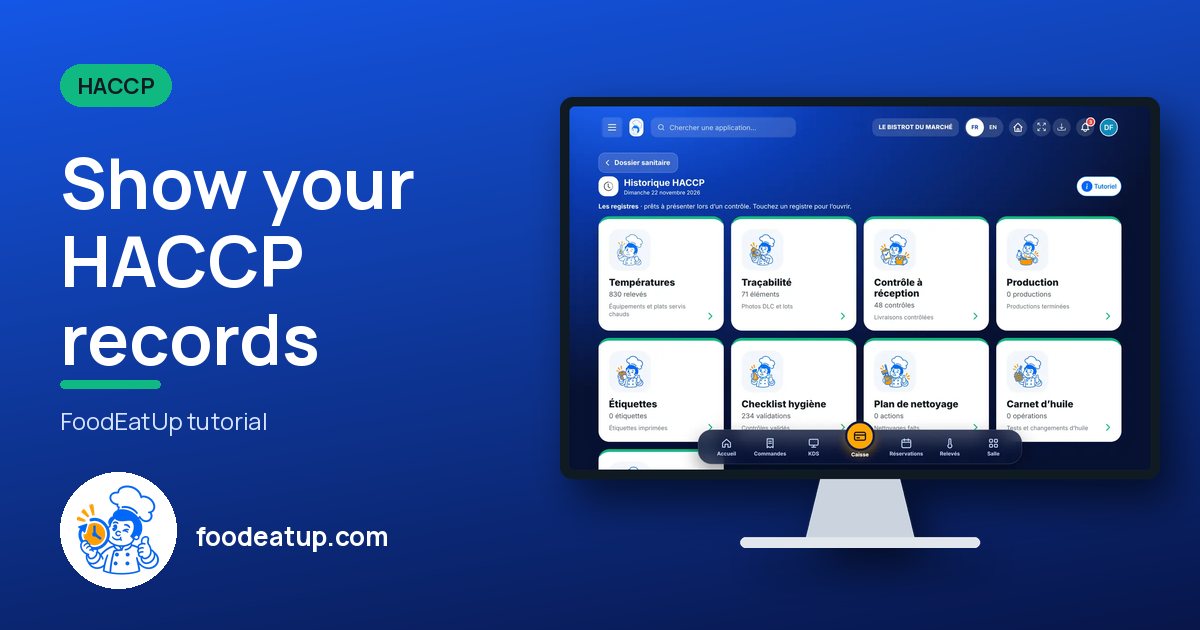
 HACCP · History
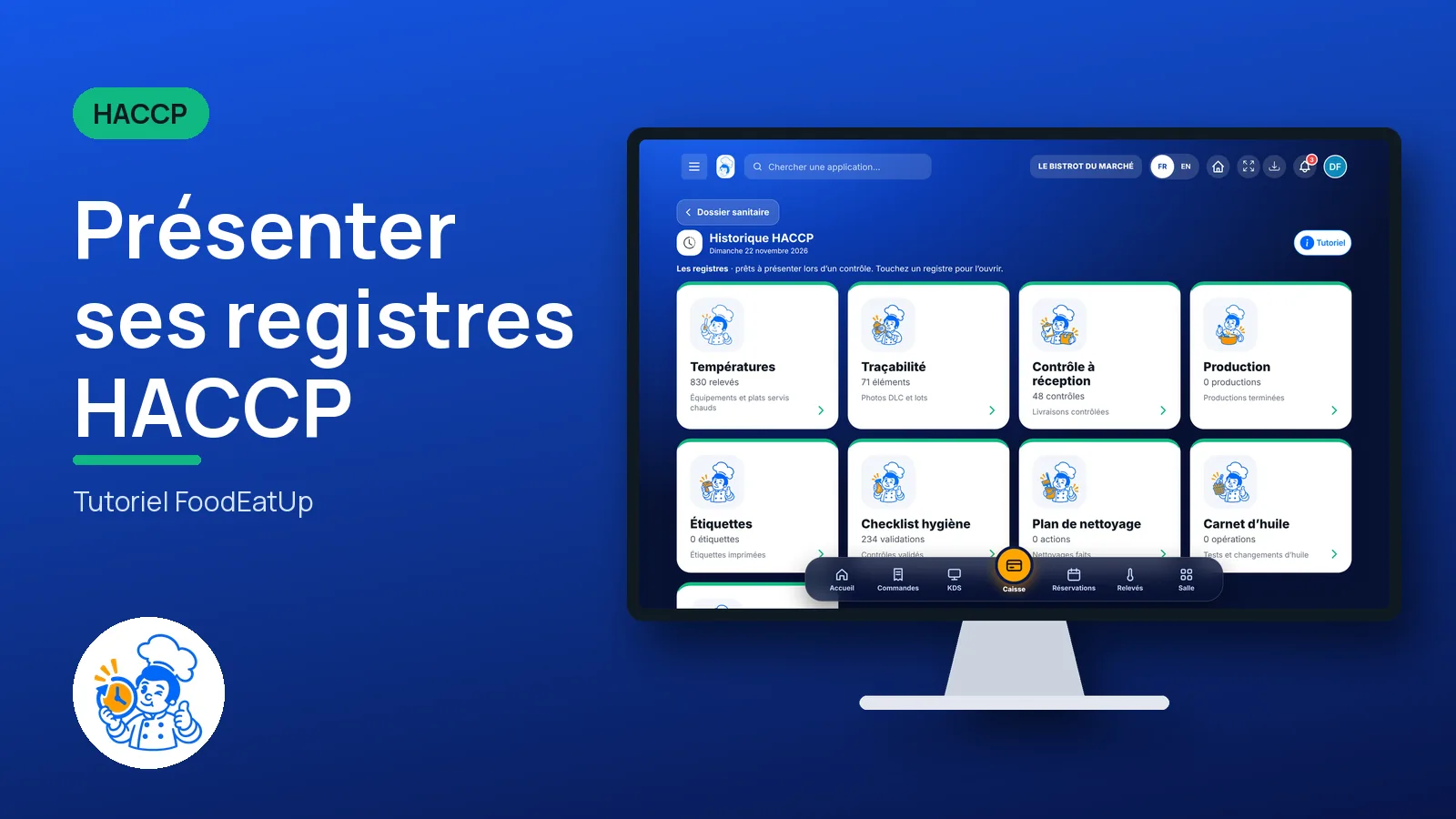
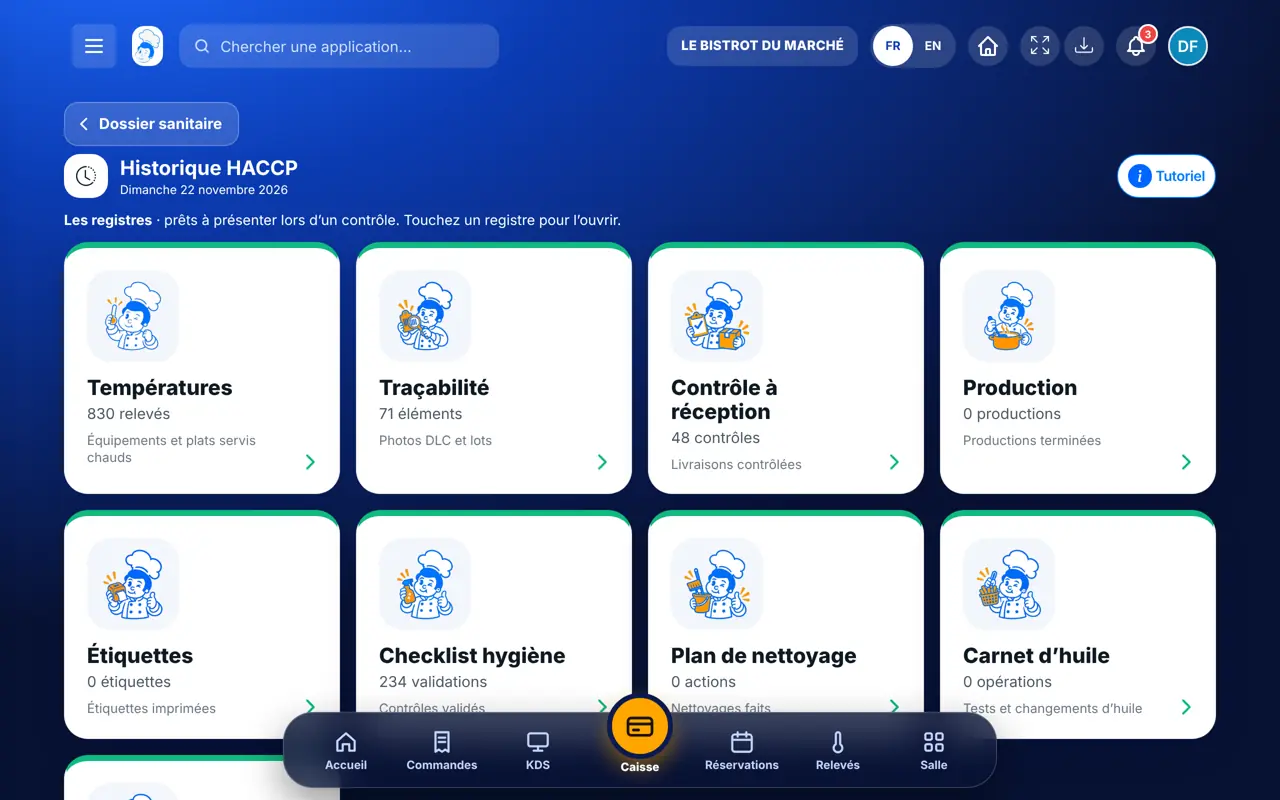
Temperatures, traceability, receiving, production, labels, hygiene, cleaning, oil, cycles: each record is filtered by period and exported, ready for inspection.
 Chef de cuisine
 Directeur
 Patron / gérant
The owner always has access. See what each role sees →
A computer in the office, to filter and export. Records can also be viewed on the tablet on inspection day.
The real software screens, as they appear on each device.
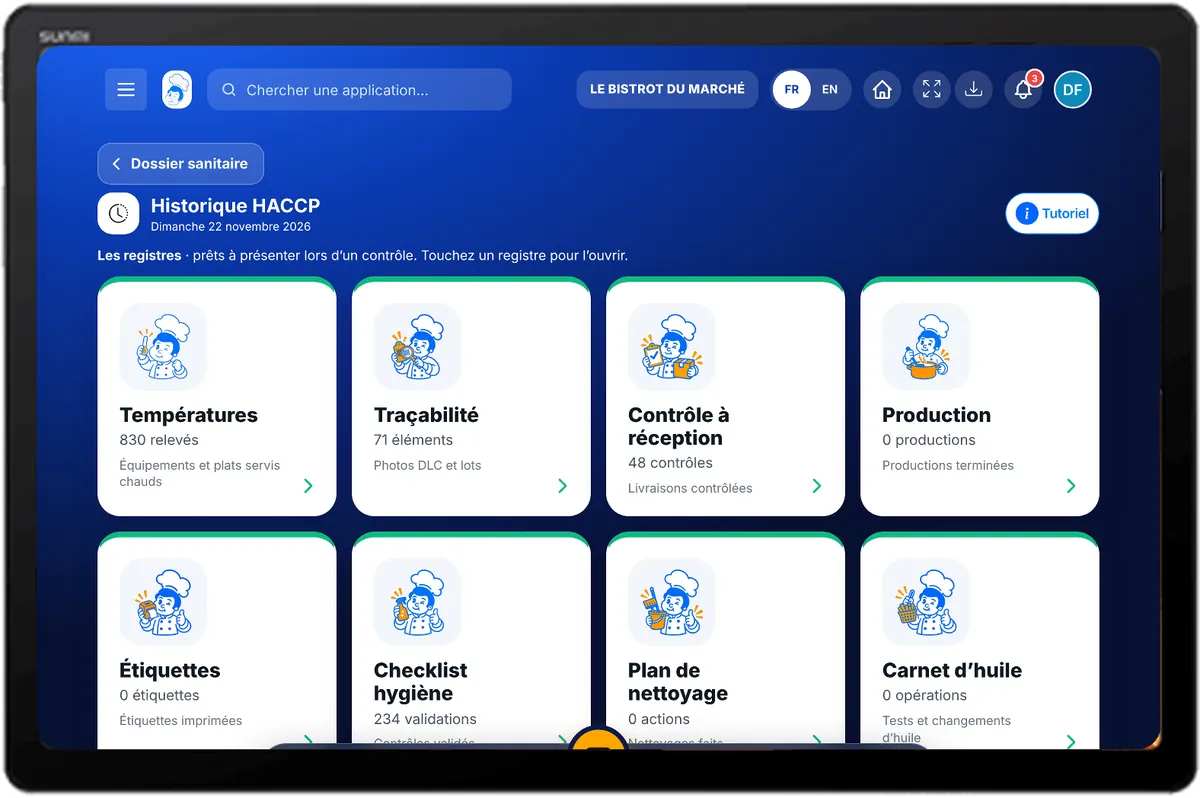
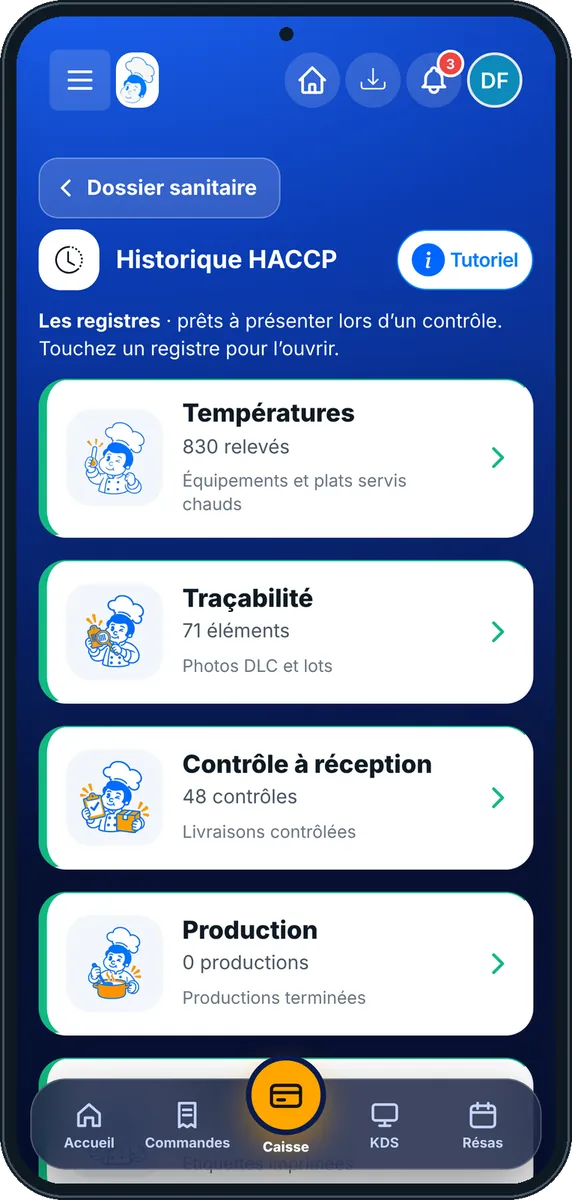
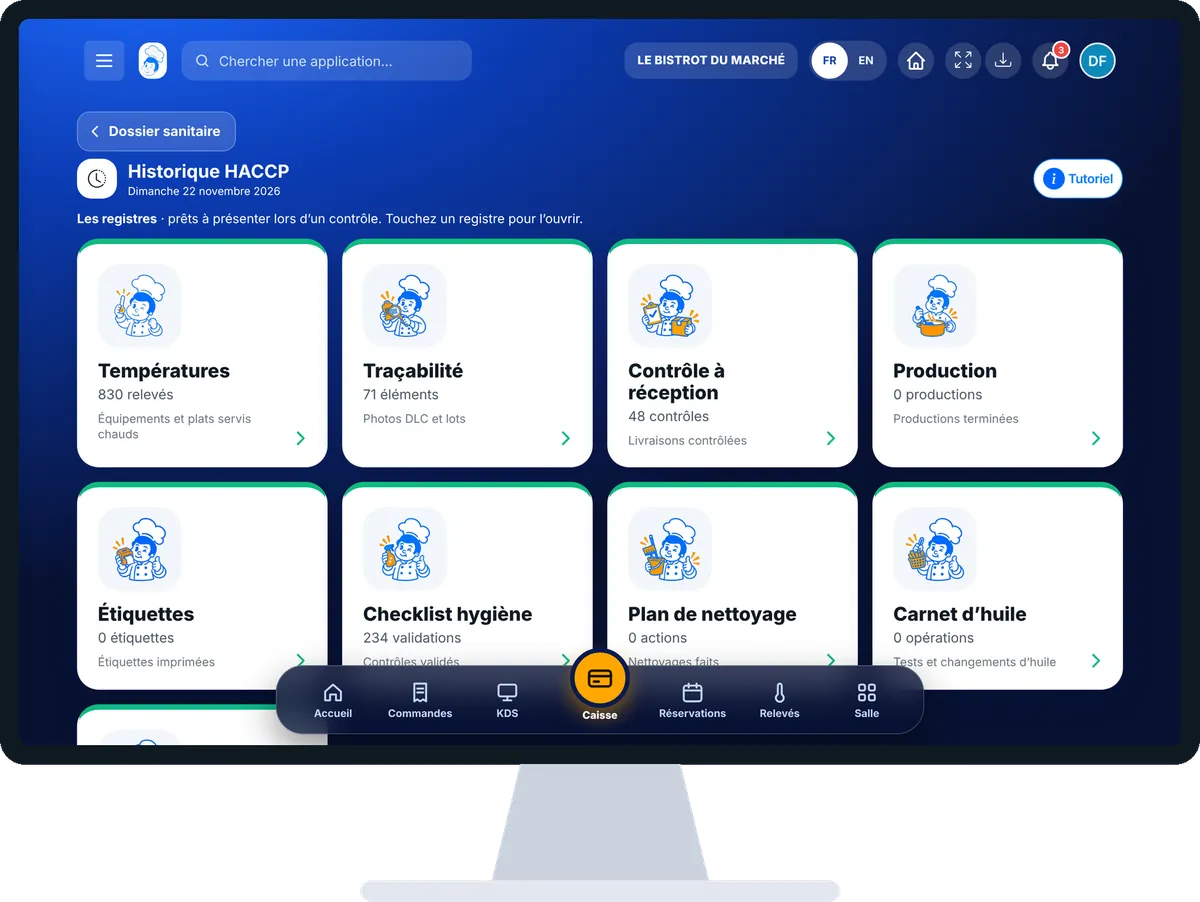
Show your HACCP records : 4 steps, with the real software screens.
In HACCP, open “Historique”. Records are shown with their number of entries: tap one to open it.
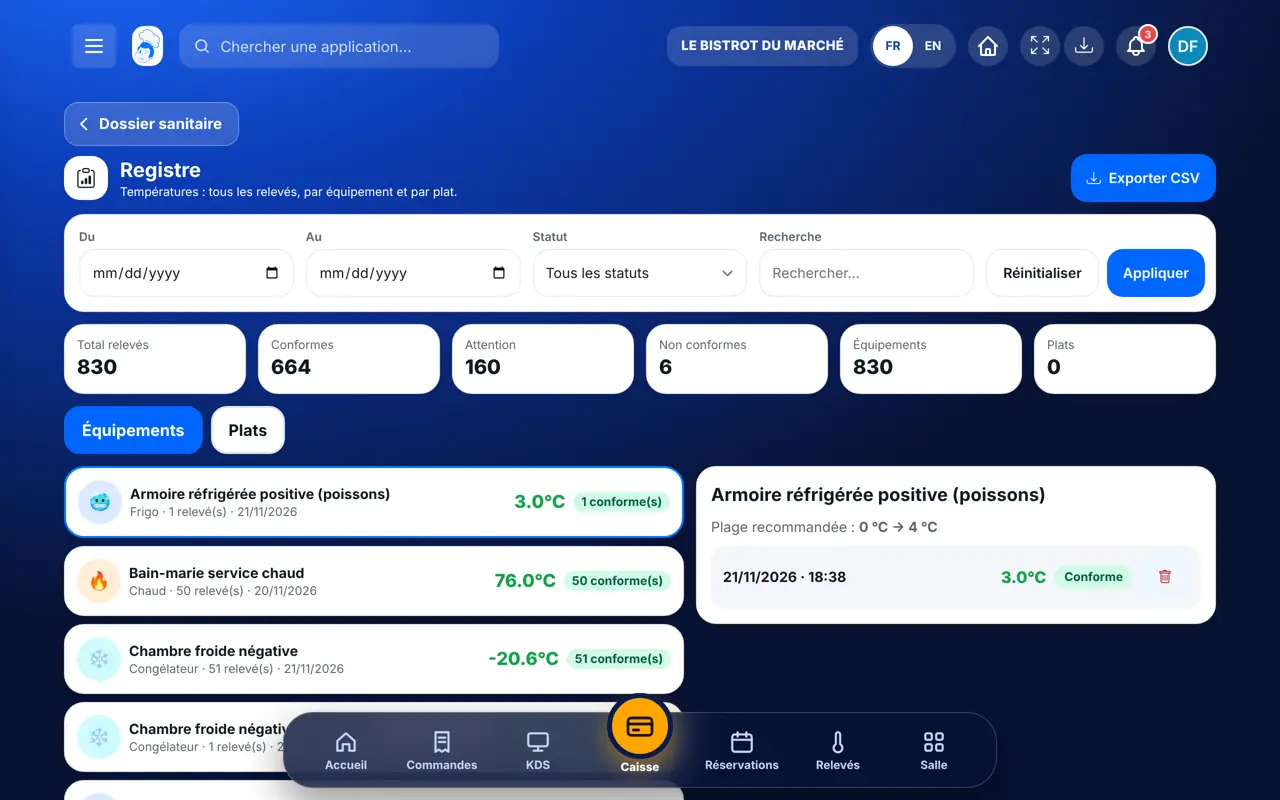
In the record, choose the dates and, where available, the status or equipment.
Each line gives date, time, value and the person’s first name. Deviations are flagged, with their corrective action when one was noted.
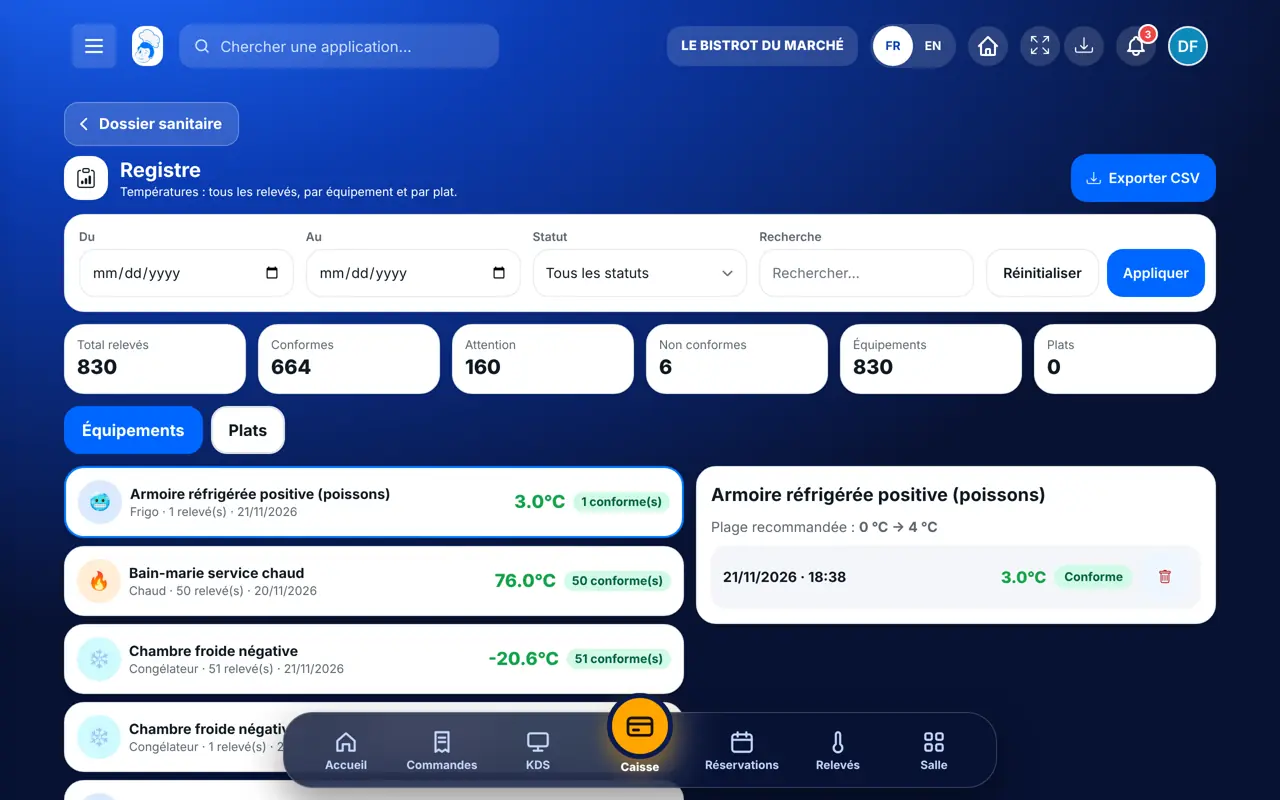
Tap the export button: CSV (366 days at most) or PDF, depending on the record.
Each record is filtered by period and exported, with dates, values and people.
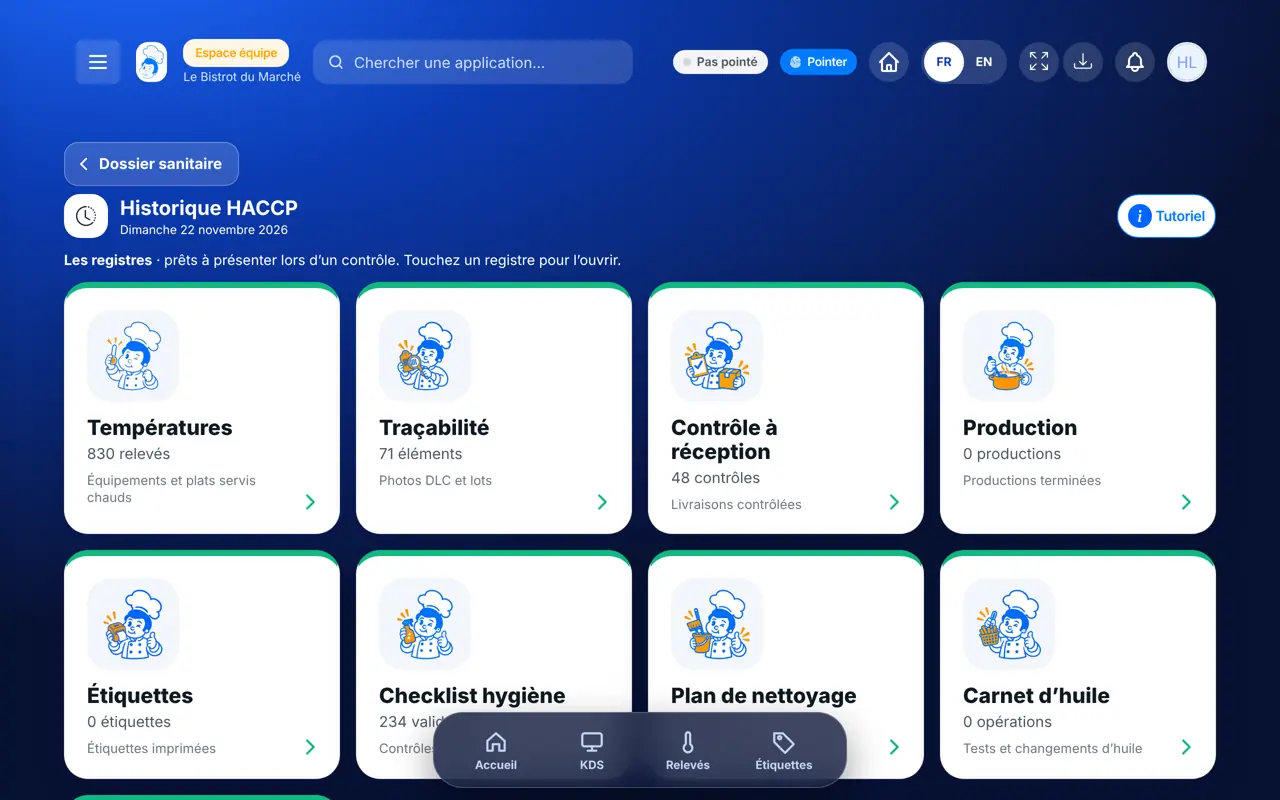
Sees every record and exports them.
Sees the records the role allows. Exporting needs the record’s export right.
Claude, ChatGPT or Mistral’s Le Chat, connected to FoodEatUp. Copy the request and replace your establishment number.
In FoodEatUp, for my establishment [number], export the temperature record for the last 30 days, with a download link.
What you getThe record for the period and a download link.
Tools used : get_haccp_history_temperatures
In FoodEatUp, for my establishment [number], list all HACCP non-compliances of the last 30 days, with the corrective action noted.
What you getThe list of deviations, record by record.
Tools used : list_non_conformities
In FoodEatUp, for my establishment [number], export last month’s traceability and cleaning records.
What you getBoth records for the period.
Tools used : get_haccp_history_tracability, get_haccp_history_cleaning
Nine records in one place.
Each reading lands in its record.
The first name on each line.
CSV or PDF, for the chosen period.
Open the history once a week, without waiting for an inspection: deviations without a corrective action show at once, and can be completed while you still remember.
In FoodEatUp, one action triggers others. Here are the screens that work with this one.
Temperatures, traceability, receiving, production, labels, hygiene checklist, cleaning plan, oil log and thermal cycles.
Up to 366 days in CSV.
The record is for reading and exporting. An oil operation is corrected by cancellation, a hygiene validation with the edit right.
Send it to your team, your partner or your accountant. The image below appears in the message.
Claude, ChatGPT or Le Chat read this tutorial and explain it to you. Connected to FoodEatUp, they do it with you.
Read this FoodEatUp tutorial: https://foodeatup.com/en/academy/haccp/haccp-historique.md Explain it to me simply, step by step, then help me do it in my restaurant. If FoodEatUp is connected to you, do it with me and show me the preview before every change.
Type your establishment number: the link takes you straight to this screen. The number stays on this device.
Discover FoodEatUp HACCP (in French) →
Répond avec les fiches du site, sans IA
Le chef cherche dans les fiches…
 Claude
 Le Chat
 ChatGPT