The week’s plan
In FoodEatUp, for my establishment [number], list the production runs planned this week and tell me which are missing ingredients.
What you getThe week’s runs, with their missing ingredients.
Tools used : list_production_plans
 StockVision · Production
You plan what the kitchen must produce, dish or recipe, then validate what was done. Ingredient stock updates at validation.

 Chef de cuisine
 Second de cuisine
 Responsable de boulangerie
The owner always has access. See what each role sees →
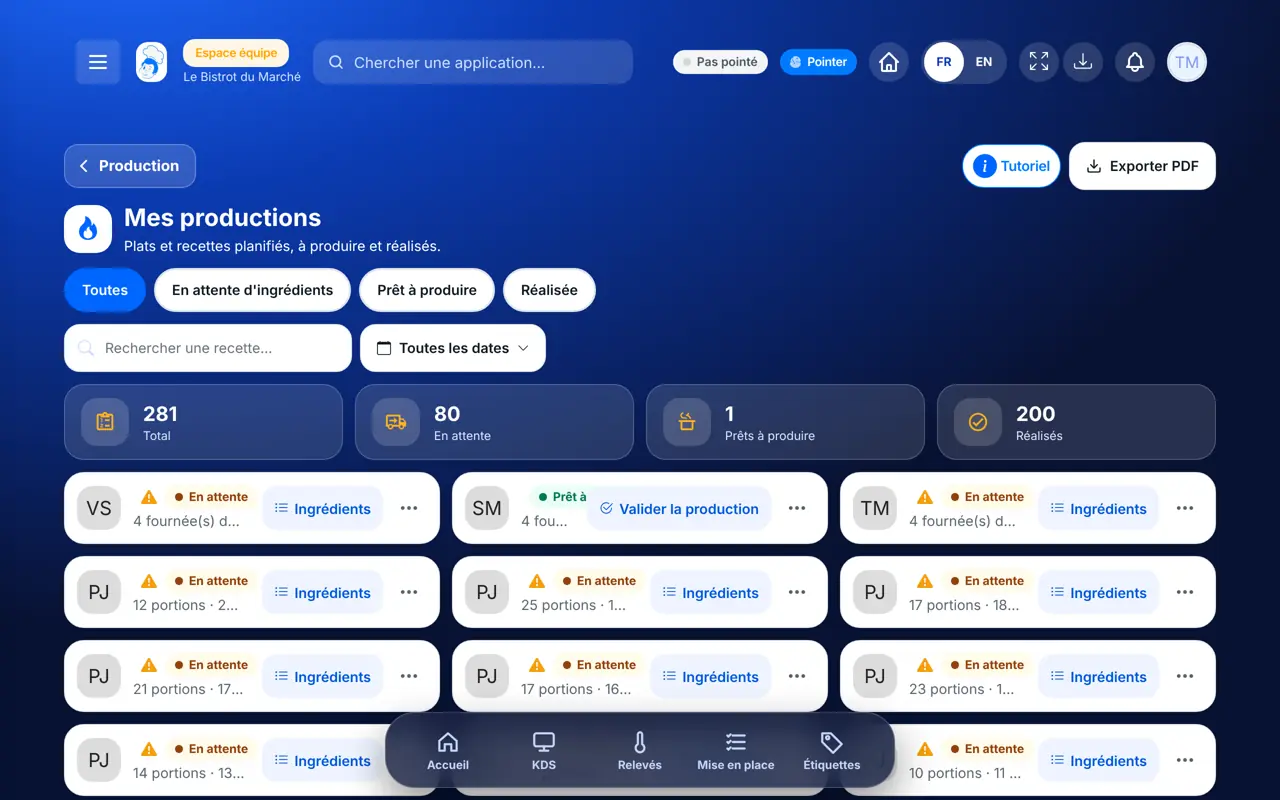
A tablet in the kitchen. The FoodEatUp Production app also shows the day’s plan on phones and tablets.
The real software screens, as they appear on each device.
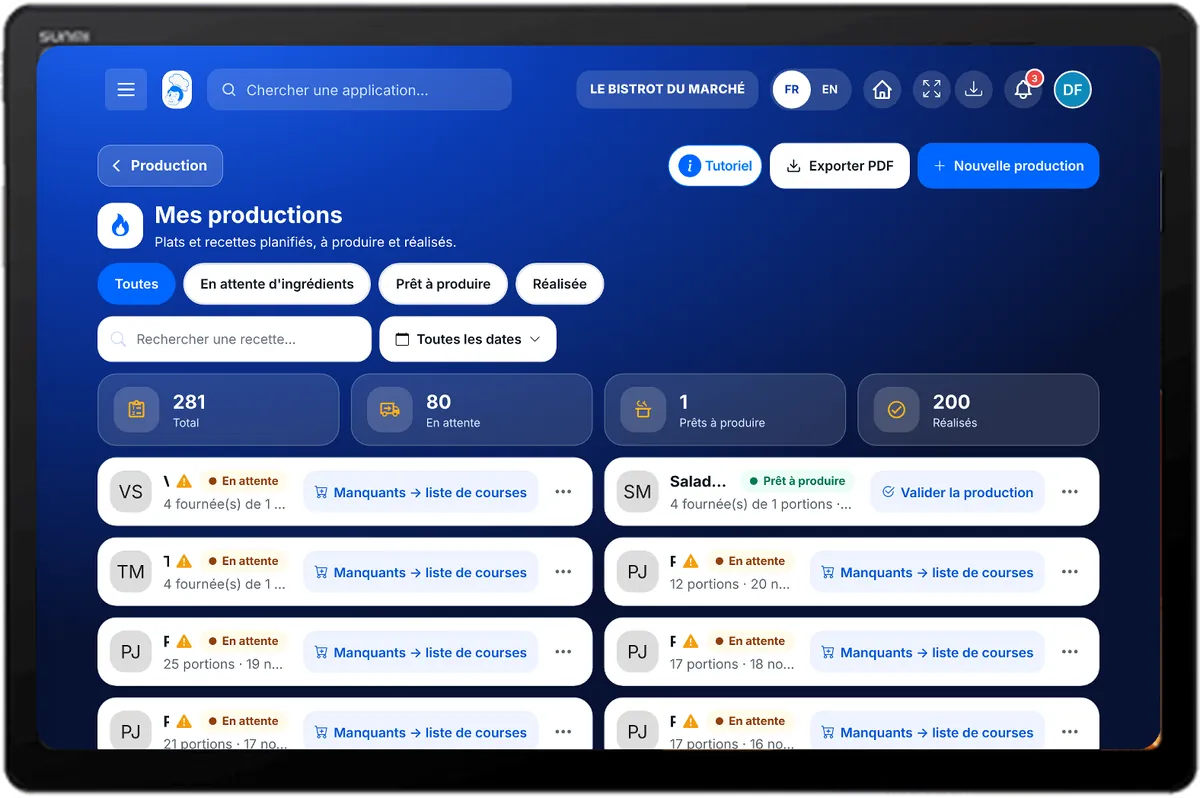
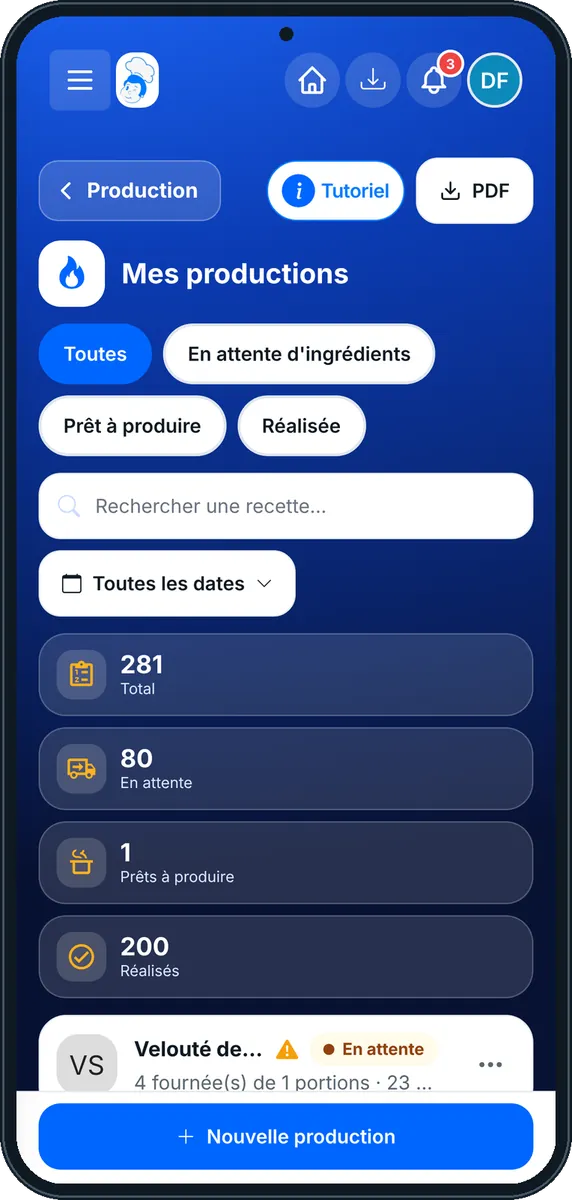
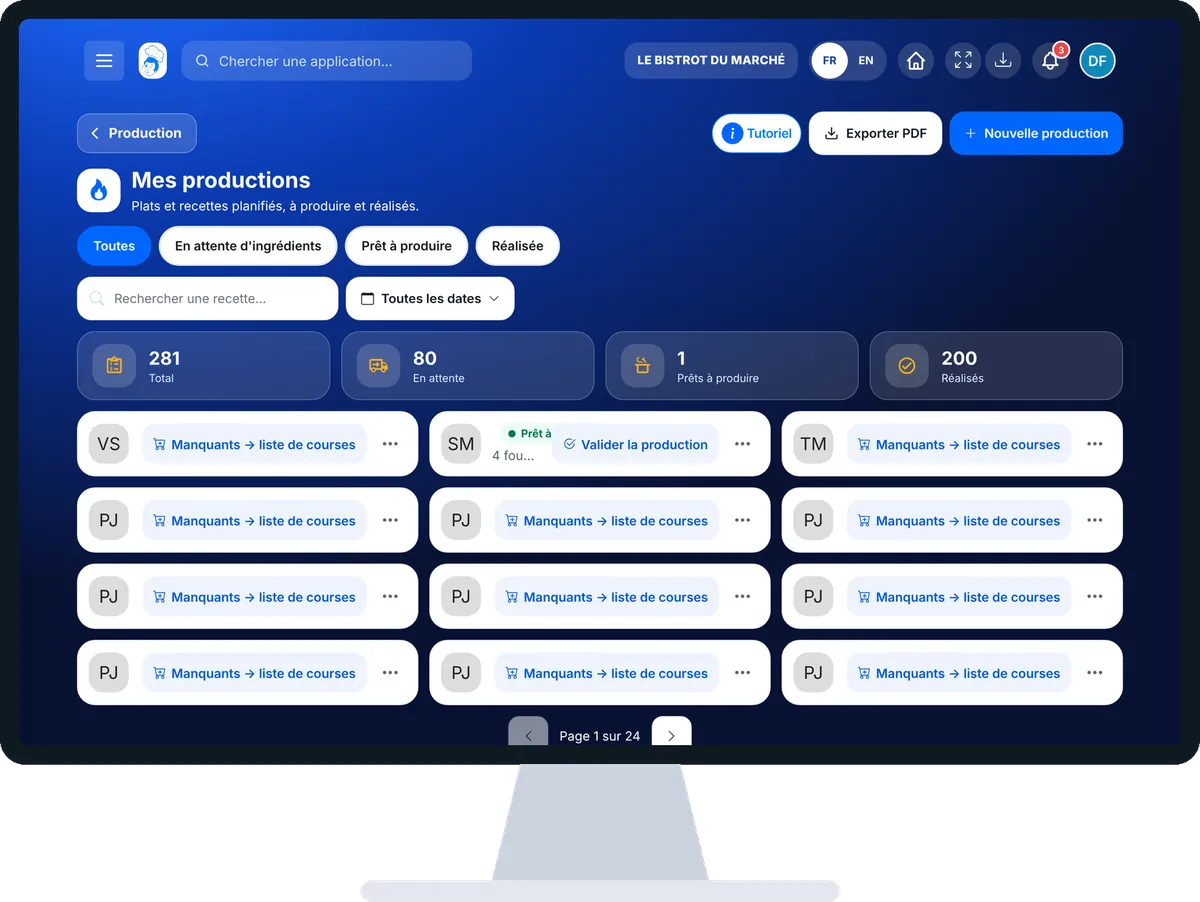
Plan and validate a production run : 5 steps, with the real software screens.
From the home screen, open StockVision then “Production”. Choose the period: today, this week, this month.
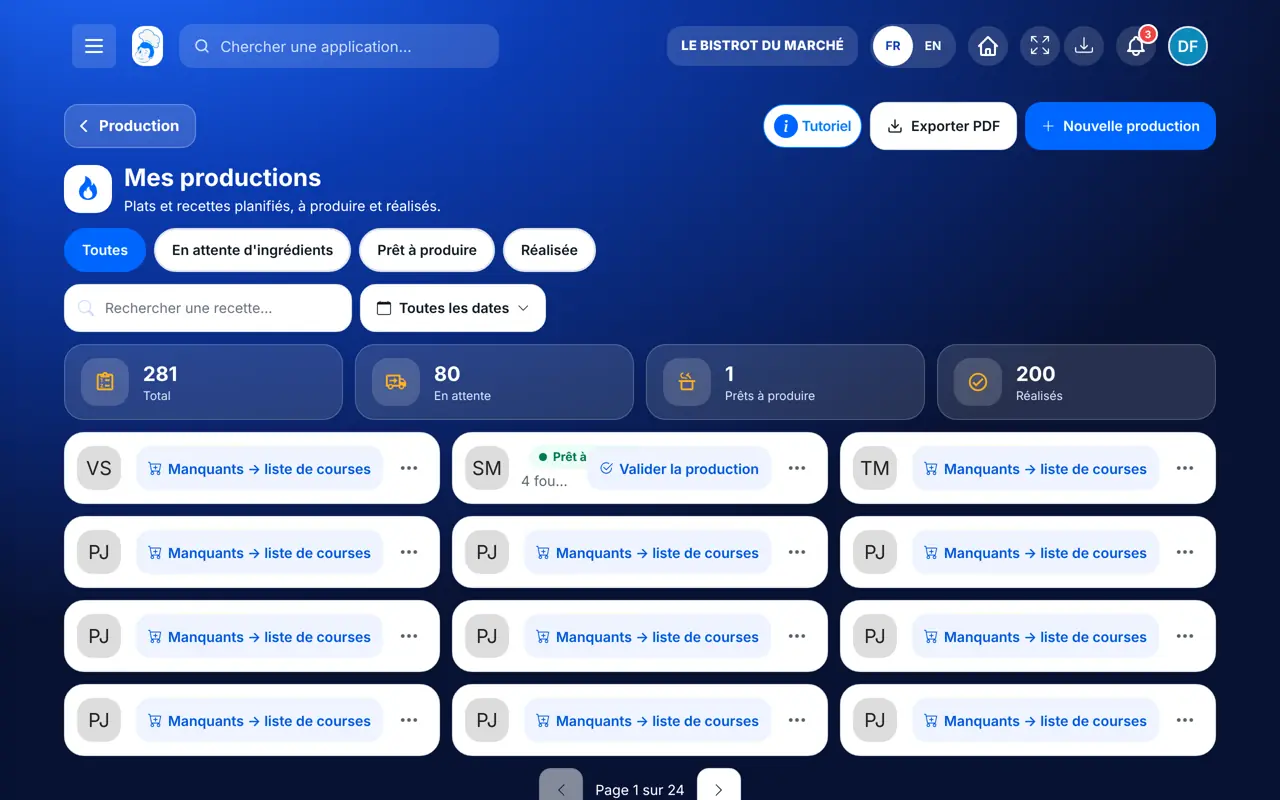
Tap “Nouvelle production”. Choose a menu dish or a recipe (lab, preparations), the quantity, the date and the time.
A run with missing ingredients carries an orange triangle. “Manquants → liste de courses” sends them to shopping.
Tap “Valider la production”. Enter the quantity produced, the check temperature, then the quality and hygiene checks.
Read the summary and confirm. The stock is updated and the run moves into the HACCP history.
Each validated run keeps its quantity, temperature and checks. Ingredient stock has gone down by what was used.
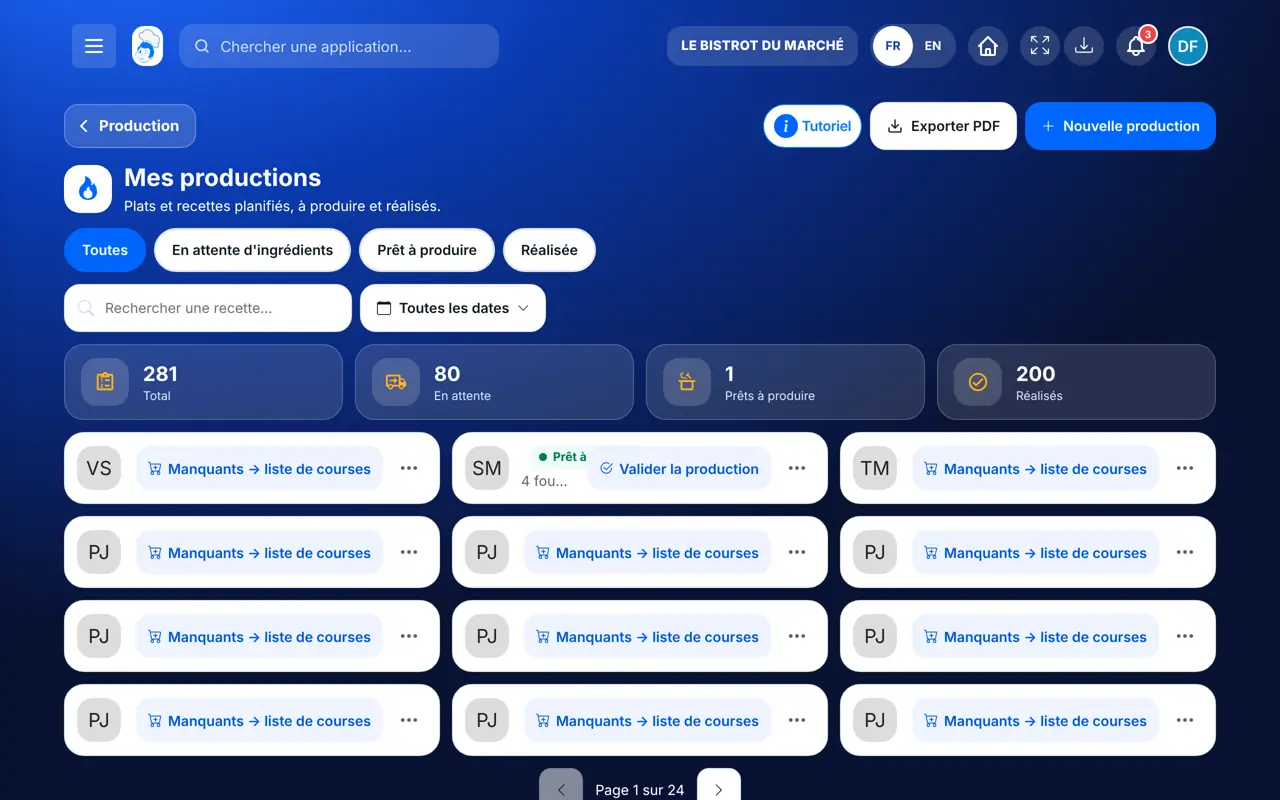
Plans, sends missing items to shopping and validates production runs.
With the right to view production, sees the plan. Creating a run or sending missing items needs their role’s rights; the Cook role can validate.
Claude, ChatGPT or Mistral’s Le Chat, connected to FoodEatUp. Copy the request and replace your establishment number.
In FoodEatUp, for my establishment [number], list the production runs planned this week and tell me which are missing ingredients.
What you getThe week’s runs, with their missing ingredients.
Tools used : list_production_plans
In FoodEatUp, for my establishment [number], plan [quantity] [dish or recipe] for [date] at [time]. Show me before confirming.
What you getThe planned run, and the ingredients missing from stock.
Tools used : create_production_plan, get_production_ingredients
In FoodEatUp, for my establishment [number], validate production [run]: [quantity] produced. Show me before confirming.
What you getThe run validated and the stock updated.
Tools used : validate_production
An orange triangle, then the shopping list.
It goes down at validation, units converted.
Temperature and checks kept with the run.
No double count.
Plan the day before: missing items go to the shopping list in time for the next day’s delivery.
In FoodEatUp, one action triggers others. Here are the screens that work with this one.
Stock stops at zero and the software says what was missing: a stock count is due. The run is still validated.
Yes. A recipe’s quantity is counted in batches: the recipe says how many portions one batch gives.
The FoodEatUp Production app shows the day’s and the week’s plan, station by station.
Send it to your team, your partner or your accountant. The image below appears in the message.

Claude, ChatGPT or Le Chat read this tutorial and explain it to you. Connected to FoodEatUp, they do it with you.
Read this FoodEatUp tutorial: https://foodeatup.com/en/academy/stockvision/production.md Explain it to me simply, step by step, then help me do it in my restaurant. If FoodEatUp is connected to you, do it with me and show me the preview before every change.
Type your establishment number: the link takes you straight to this screen. The number stays on this device.
Discover production and prep (in French) →
Répond avec les fiches du site, sans IA
Le chef cherche dans les fiches…
 Claude
 Le Chat
 ChatGPT