My waste this week
In FoodEatUp, for my establishment [number], list this week’s waste and its reasons.
What you getWaste, its causes and its value.
Tools used : list_kitchen_losses
 StockVision · Waste & staff meals
What goes in the bin and what the team eats, recorded in the kitchen. Portions and stock are deducted, and the value shows.
 Chef de cuisine
 Second de cuisine
 Commis / cuisinier
 Boulanger
The owner always has access. See what each role sees →
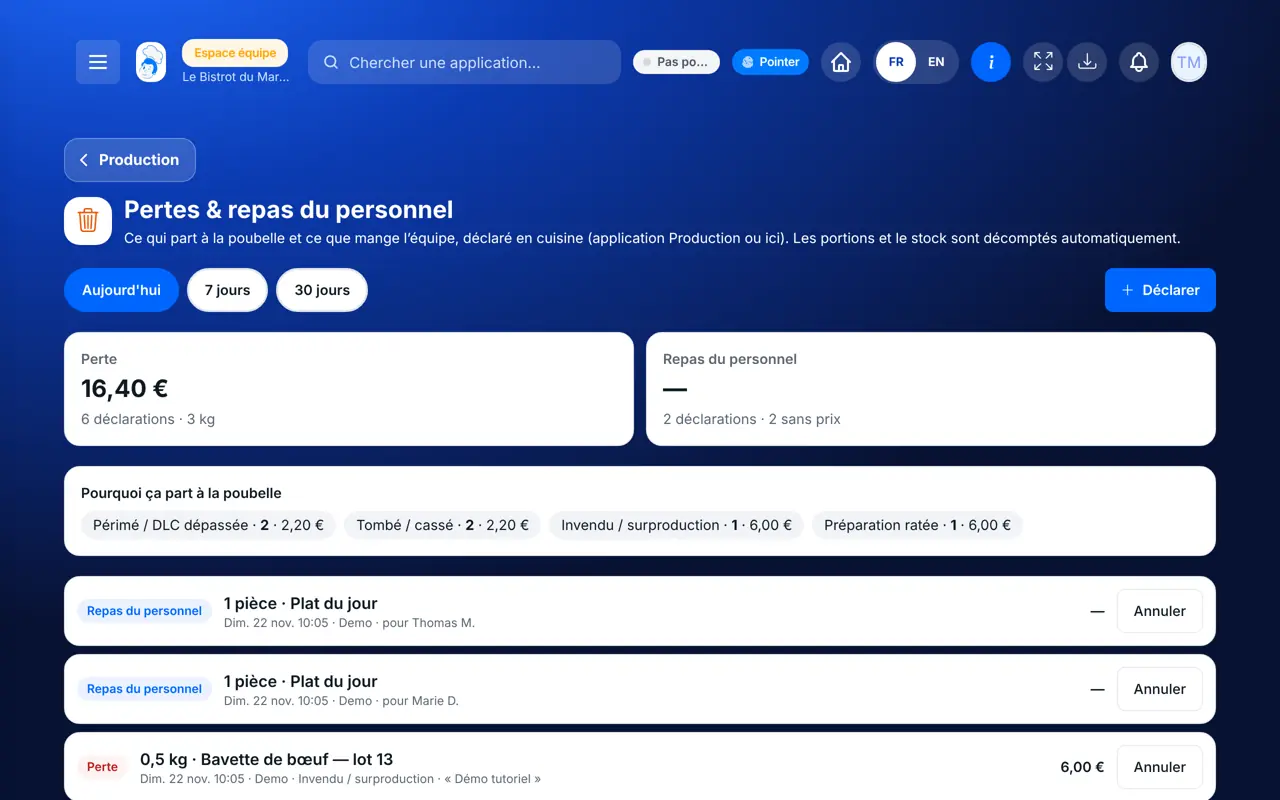
A tablet in the kitchen. The FoodEatUp Production app also lets you record from a phone.
The real software screens, as they appear on each device.
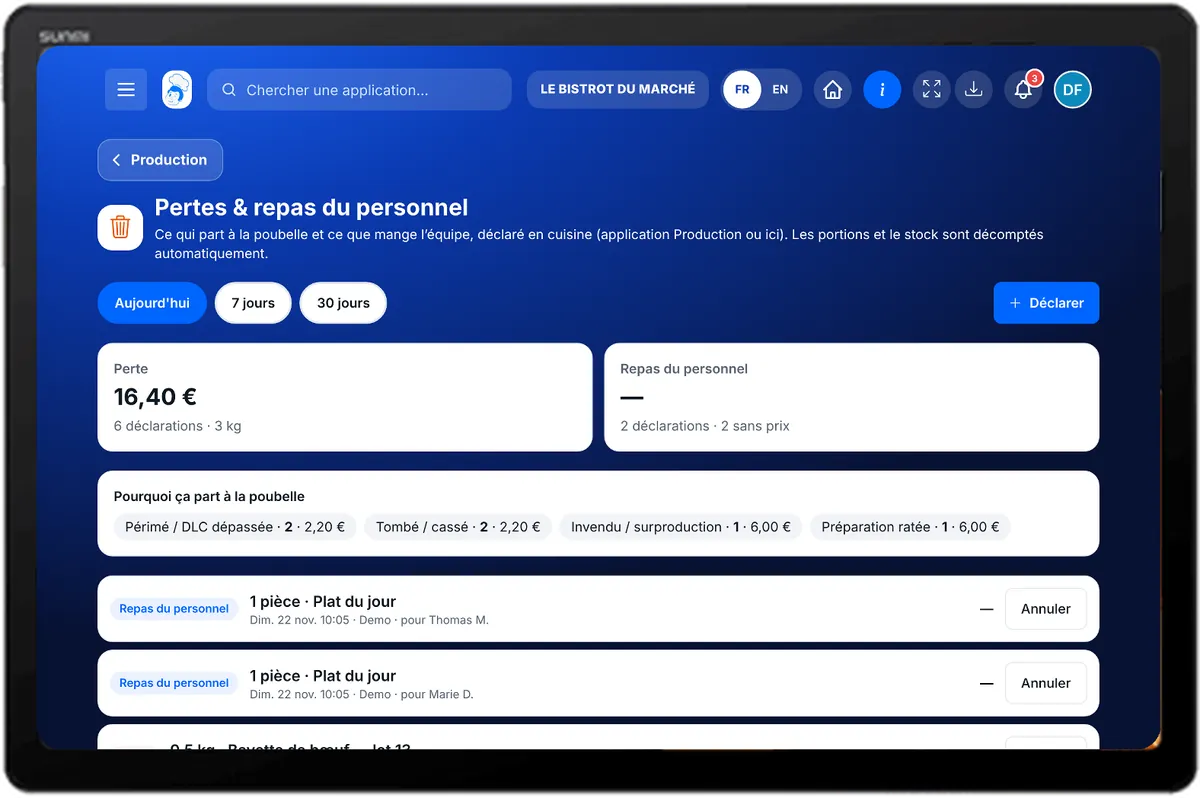
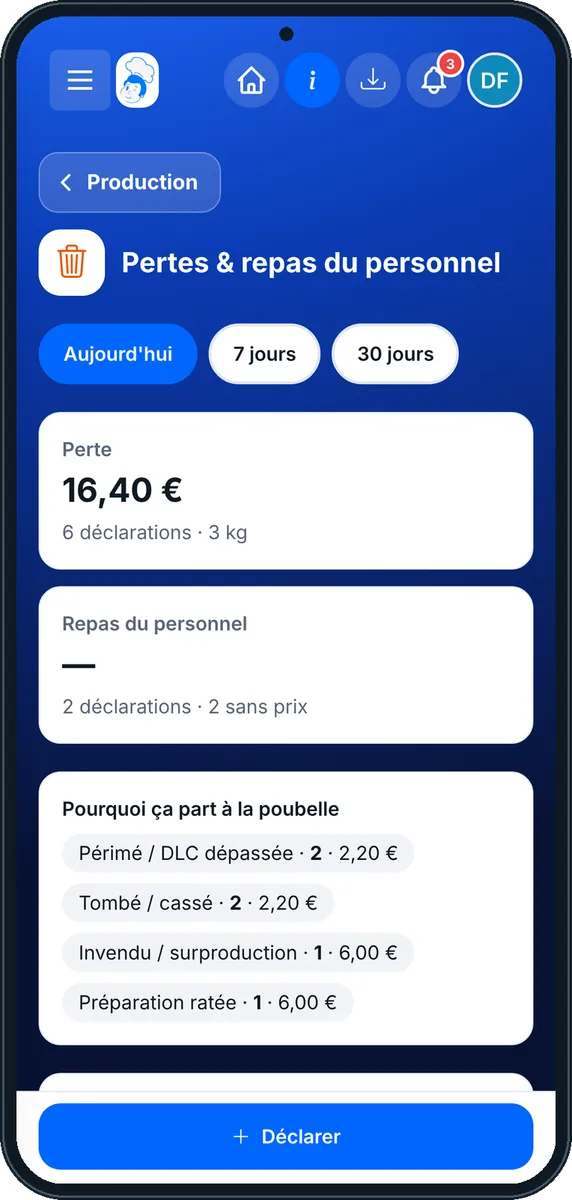
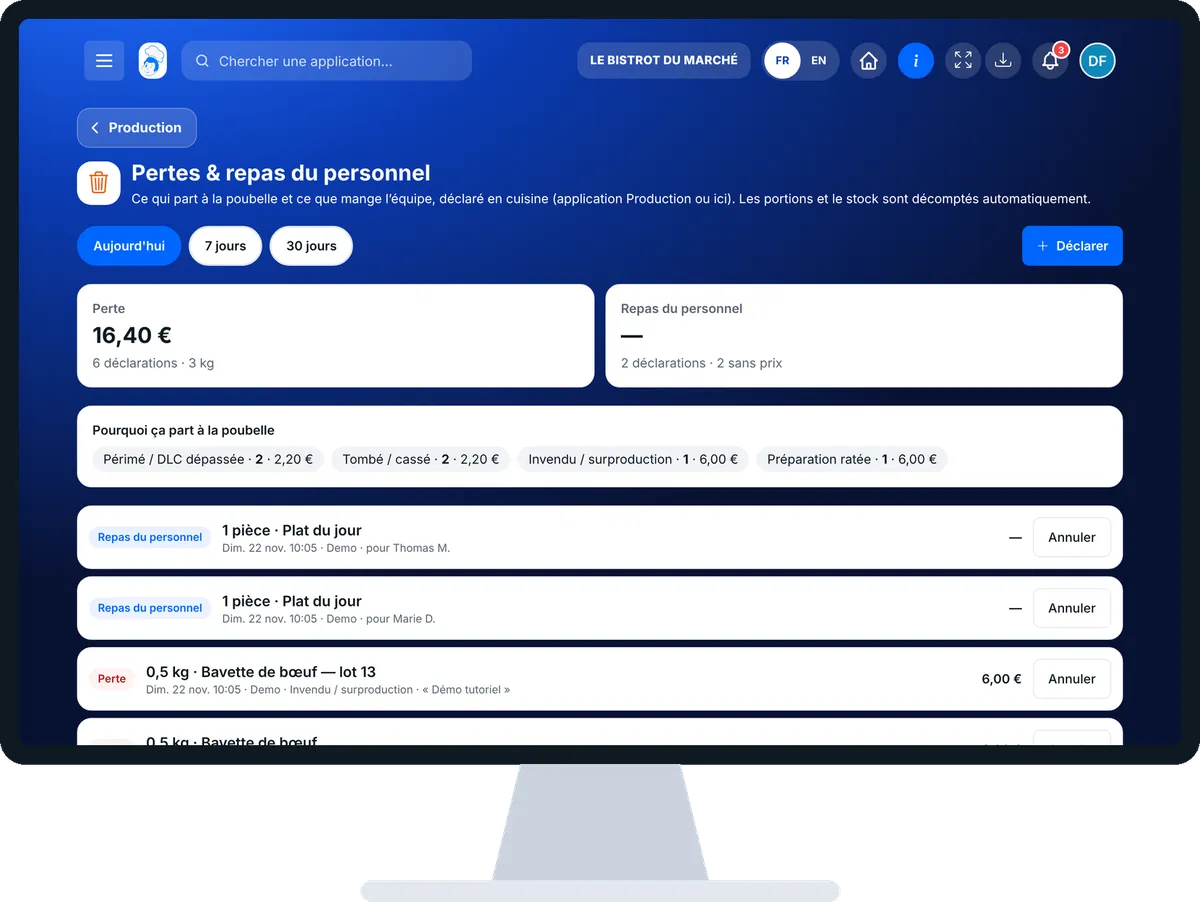
Record waste or a staff meal : 5 steps, with the real software screens.
From the home screen, open StockVision then “Pertes & repas”. Choose the period.
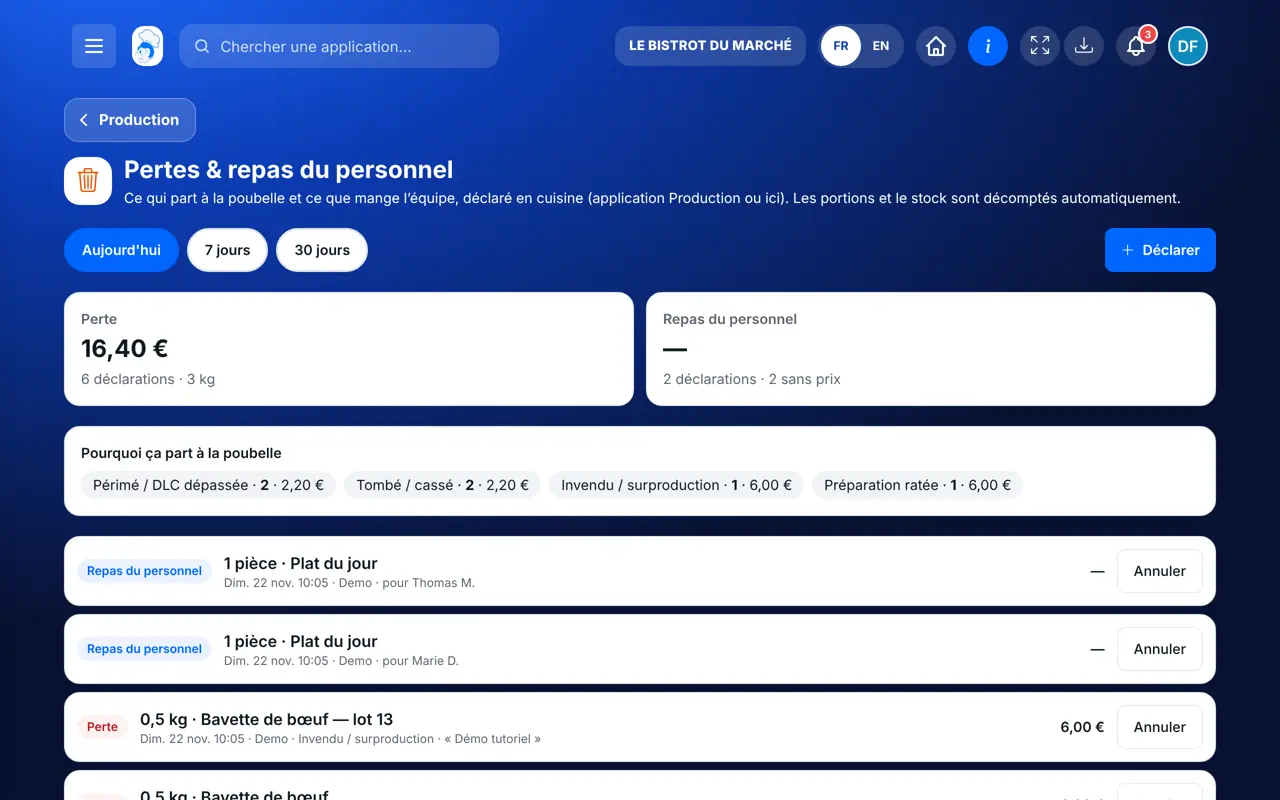
Tap “Déclarer”. Choose “Perte” or “Repas du personnel”.
Pick a dish, an ingredient or “Autre”, then the quantity and unit.
For waste, pick the reason in “Pourquoi ?”. For a meal, “Pour qui ?” is optional. Add a note if needed, then “Enregistrer”.
The “Pourquoi ça part à la poubelle” block ranks the causes, with their value.
Each waste item and team meal is kept with its reason and value. Stock and portions are up to date.
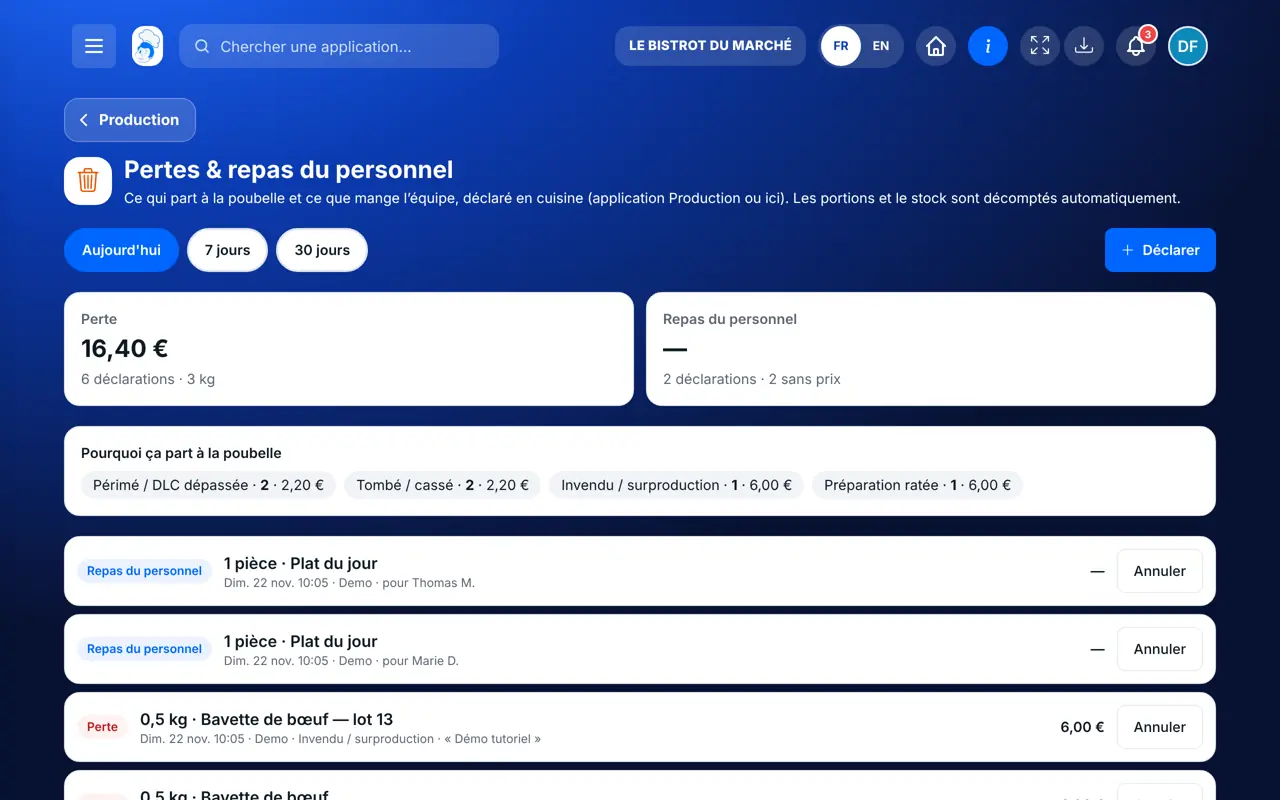
Records, cancels a record and reads the waste summary.
With the right to view production, reads waste. Recording needs the right to validate production (the Cook role has it). The record carries their first name.
Claude, ChatGPT or Mistral’s Le Chat, connected to FoodEatUp. Copy the request and replace your establishment number.
In FoodEatUp, for my establishment [number], list this week’s waste and its reasons.
What you getWaste, its causes and its value.
Tools used : list_kitchen_losses
In FoodEatUp, for my establishment [number], record waste of [quantity] [unit] of [product], reason: [reason]. Show me before confirming.
What you getThe waste recorded, stock deducted.
Tools used : declare_kitchen_loss
In FoodEatUp, for my establishment [number], cancel the last waste recorded on [product]. Show me before confirming.
What you getThe record cancelled and the stock put back.
Tools used : list_kitchen_losses, cancel_kitchen_loss
What is thrown away leaves stock.
You see why things go in the bin.
What your waste costs.
Team meals are not mixed with waste.
Record waste when it happens, with its reason: at month end, you know what to change (orders too large, storage, cooking).
In FoodEatUp, one action triggers others. Here are the screens that work with this one.
Yes. An ingredient leaves stock, a dish tracked in portions loses its portions. Stock stops at zero.
The product has no purchase price. Its value is not counted at €0: complete its price.
Yes, with the FoodEatUp Production app.
Send it to your team, your partner or your accountant. The image below appears in the message.
Claude, ChatGPT or Le Chat read this tutorial and explain it to you. Connected to FoodEatUp, they do it with you.
Read this FoodEatUp tutorial: https://foodeatup.com/en/academy/stockvision/production-pertes.md Explain it to me simply, step by step, then help me do it in my restaurant. If FoodEatUp is connected to you, do it with me and show me the preview before every change.
Type your establishment number: the link takes you straight to this screen. The number stays on this device.
Discover stock and food cost (in French) →
Répond avec les fiches du site, sans IA
Le chef cherche dans les fiches…
 Claude
 Le Chat
 ChatGPT