My shortages
In FoodEatUp, for my establishment [number], list products out of stock and those below their alert threshold.
What you getProducts at zero and those to buy again soon.
Tools used : list_low_stocks
 StockVision · Stock
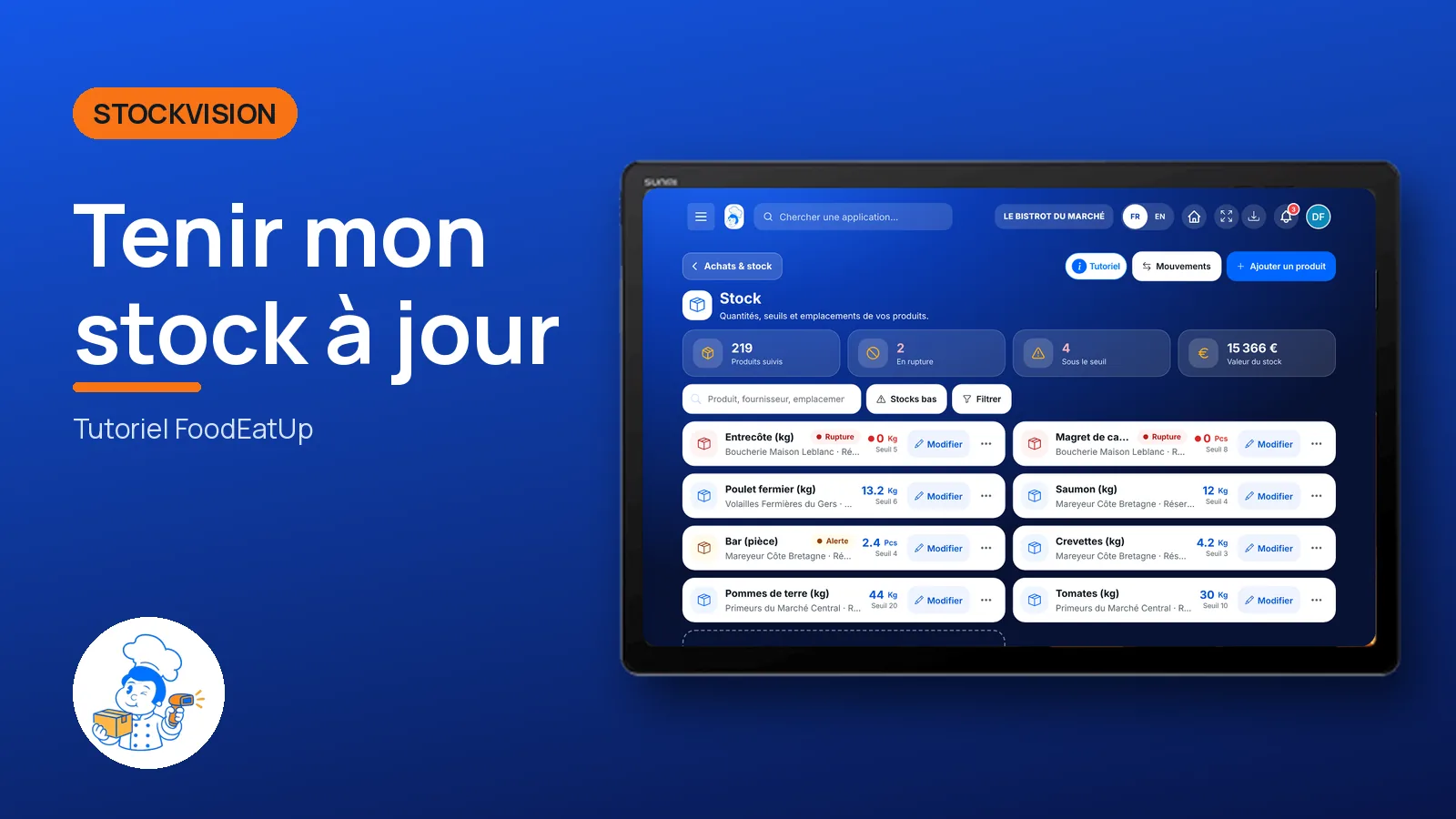
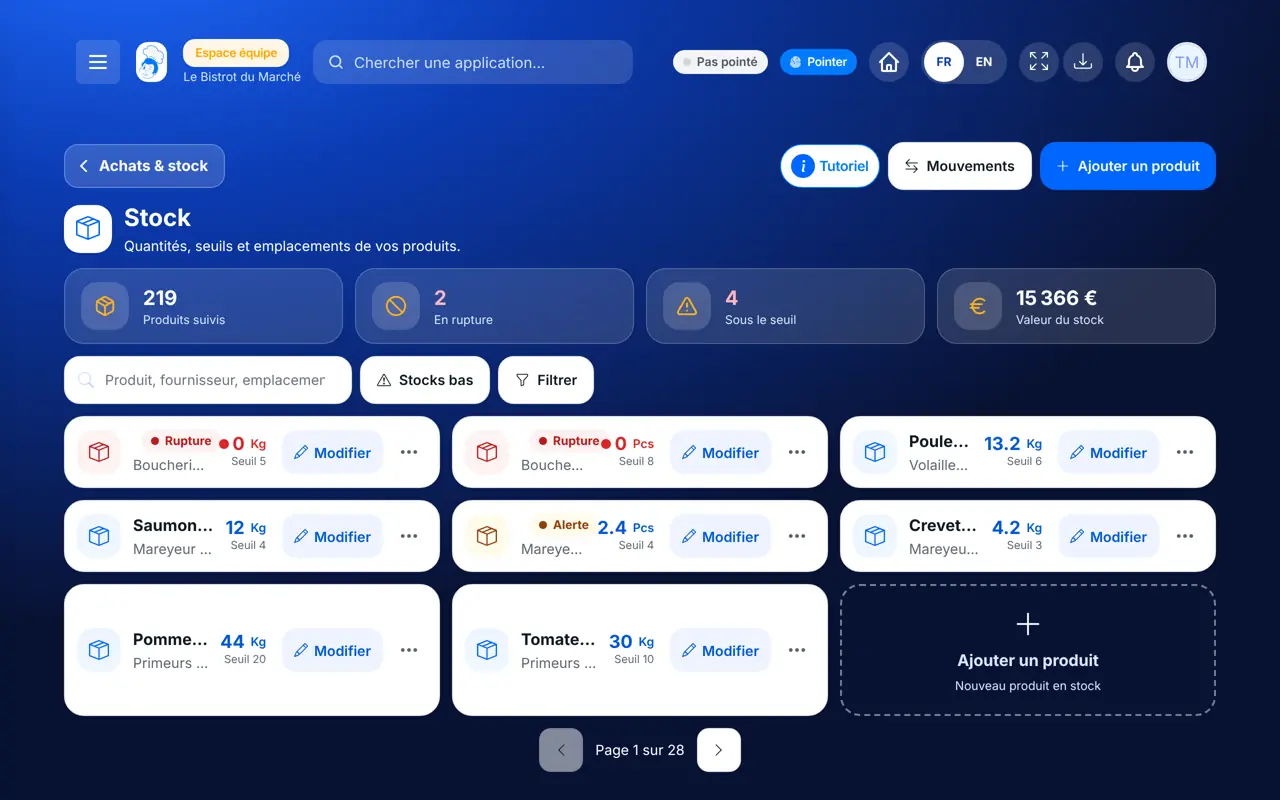
Every product with its quantity, alert threshold, purchase price and location. A product at zero is marked “Rupture”, in red.
 Chef de cuisine
 Second de cuisine
 Commis / cuisinier
 Hôte / caisse / comptoir
The owner always has access. See what each role sees →
A tablet in the storeroom to count products. The screen also works on the phone and the computer.
The real software screens, as they appear on each device.
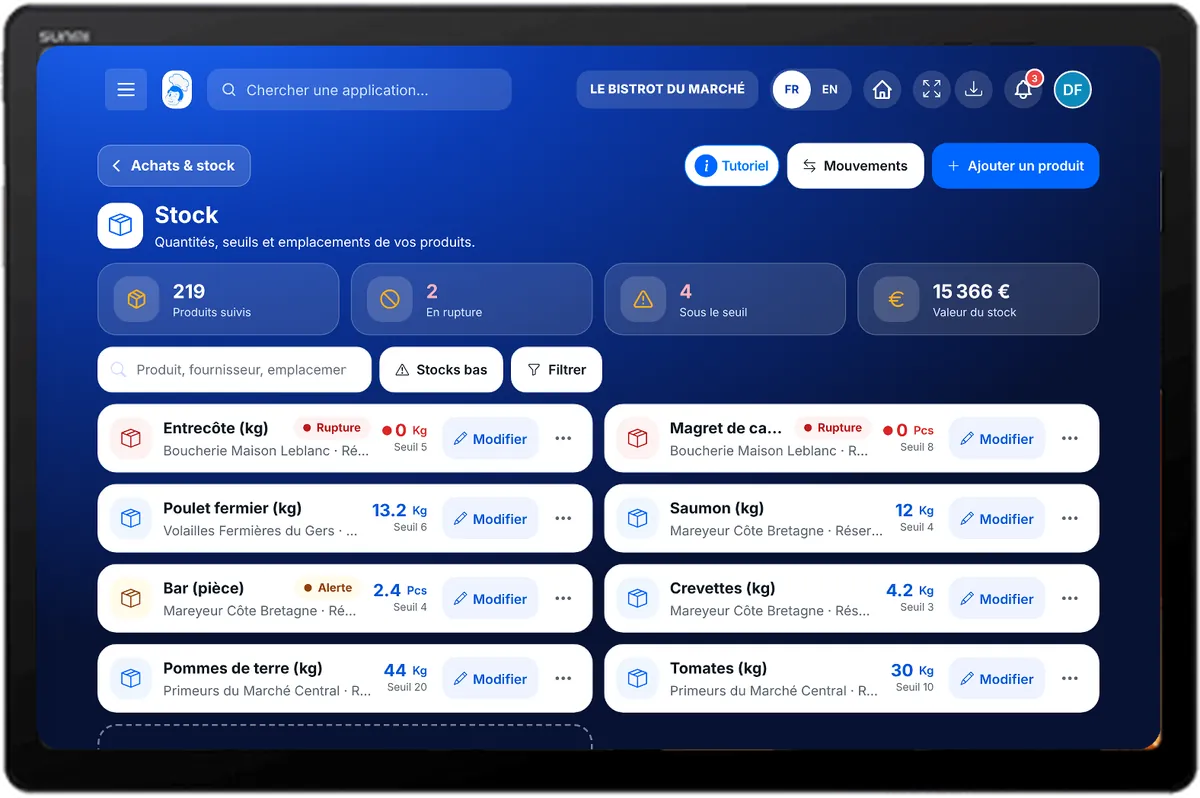
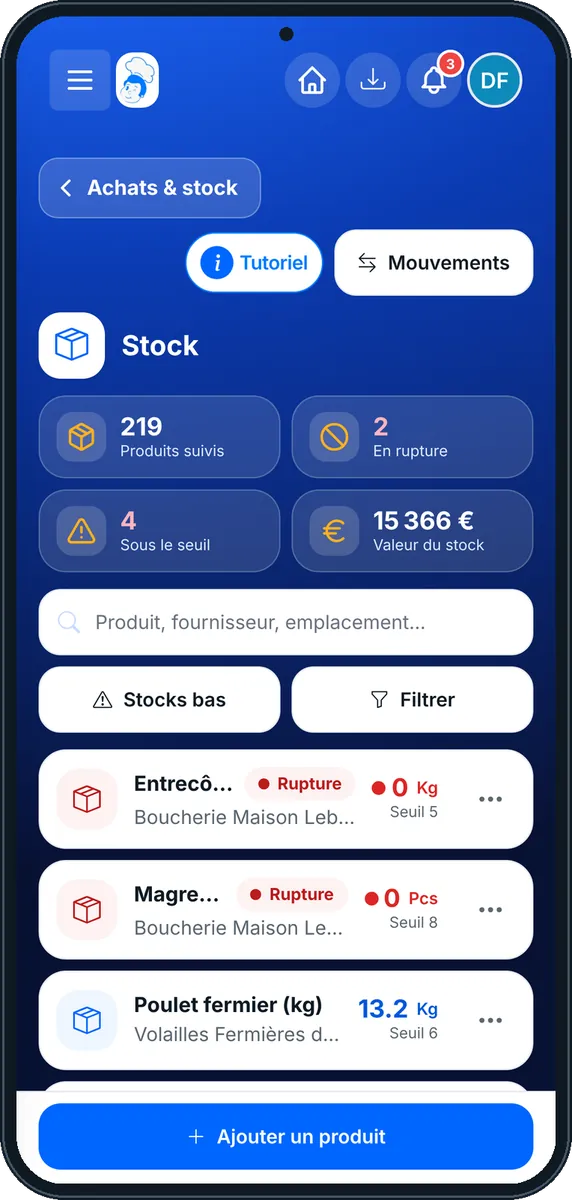
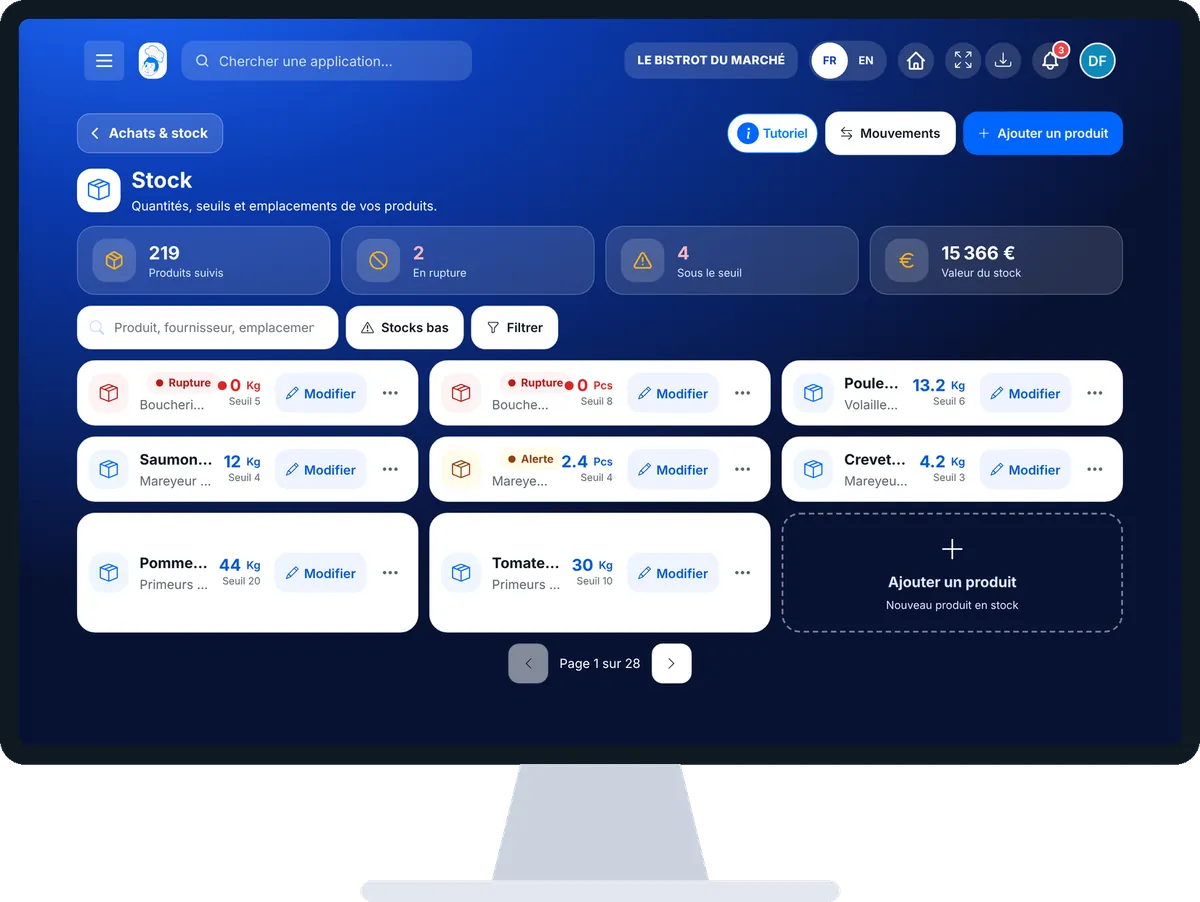
Keep my stock up to date : 5 steps, with the real software screens.
From the home screen, open StockVision then “Stock”. At the top: products tracked, out of stock, below threshold and stock value.
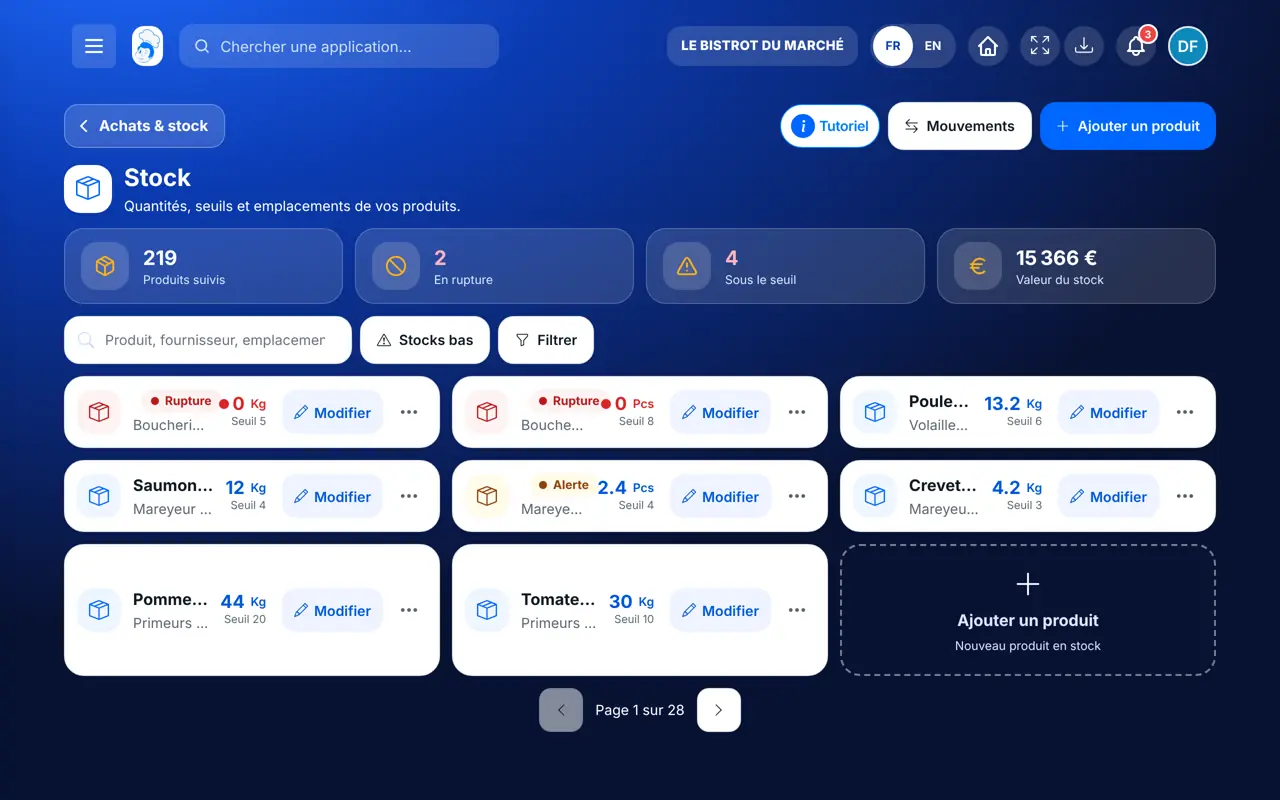
Search by product, supplier or location. The “Stocks bas” button keeps only products below threshold; “Filtrer” sorts by supplier or location.
Tap “Ajouter un produit”: name, category, supplier, initial quantity, unit, alert threshold, purchase price and location.
Tap the product, type the counted quantity and save: it is a count, it replaces the old quantity. “En rupture” sets the product to zero.
On a product, “Ajouter à la liste des courses” sends it to shopping.
Each product has its quantity, threshold and value. Shortages are in red, products below threshold are flagged.
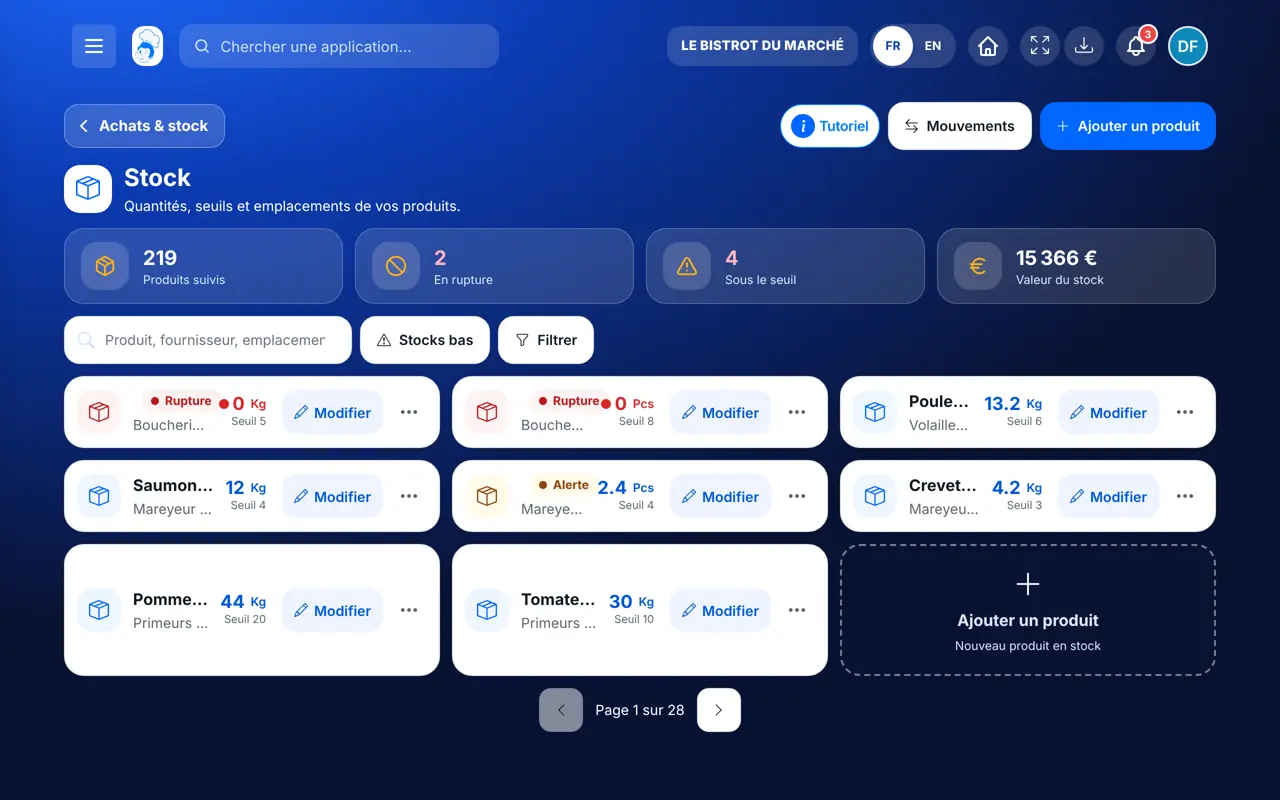
Adds, counts, corrects and deletes stock products.
With the right to view stock, sees quantities. Counting or editing a product needs their role’s rights.
Claude, ChatGPT or Mistral’s Le Chat, connected to FoodEatUp. Copy the request and replace your establishment number.
In FoodEatUp, for my establishment [number], list products out of stock and those below their alert threshold.
What you getProducts at zero and those to buy again soon.
Tools used : list_low_stocks
In FoodEatUp, for my establishment [number], I counted [quantity] [unit] of [product]: update the stock. Show me before confirming.
What you getThe product’s stock corrected, with a movement recorded.
Tools used : list_stocks, adjust_stock
In FoodEatUp, for my establishment [number], set the alert threshold of [product] to [quantity]. Show me before confirming.
What you getThe new threshold, and the alert sent when stock goes below it.
Tools used : set_stock_alert_threshold
Red badge on the home screen, “Rupture” in the list.
Stock stops at zero and says what was missing.
Price per kilo, litre or piece, units converted.
A notification when an ingredient falls to zero.
Count stock at the same time each day, before the delivery: the counted quantity replaces the old one, and you order on a correct figure.
In FoodEatUp, one action triggers others. Here are the screens that work with this one.
A stock out asked for more than was left. Stock stopped at zero: count the product and enter the real quantity.
It sets the product to zero. It then shows in red in the list and on the Stock card of the home screen.
No. It is flagged “sans prix”, never counted at €0.
Send it to your team, your partner or your accountant. The image below appears in the message.
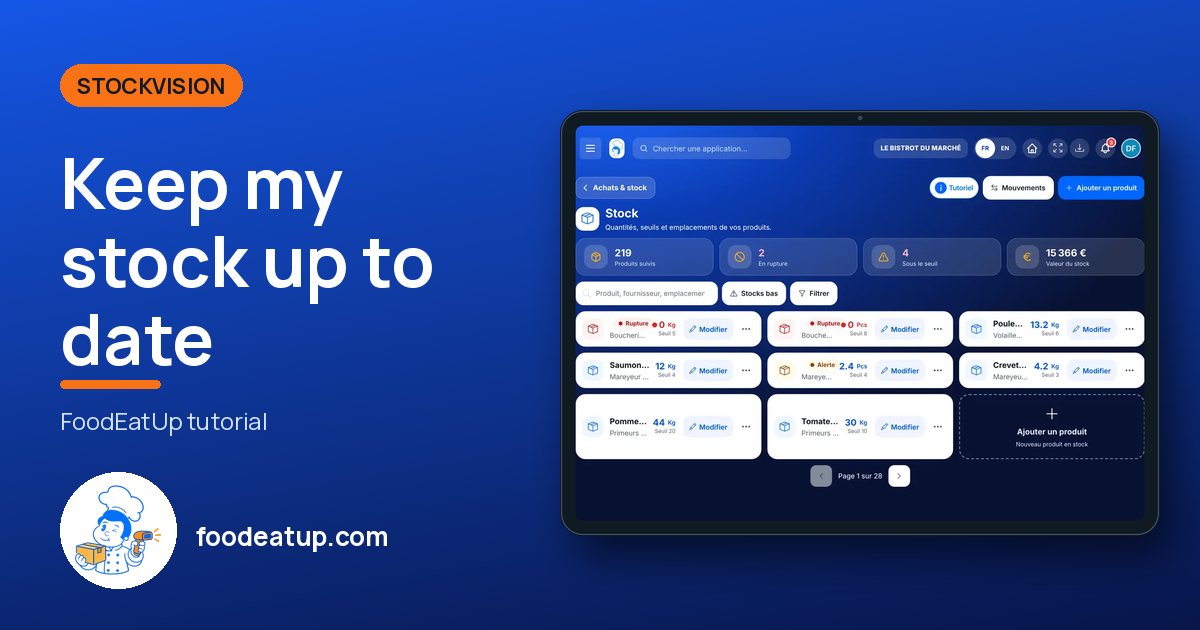
Claude, ChatGPT or Le Chat read this tutorial and explain it to you. Connected to FoodEatUp, they do it with you.
Read this FoodEatUp tutorial: https://foodeatup.com/en/academy/stockvision/stocks.md Explain it to me simply, step by step, then help me do it in my restaurant. If FoodEatUp is connected to you, do it with me and show me the preview before every change.
Type your establishment number: the link takes you straight to this screen. The number stays on this device.
Discover stock and food cost (in French) →
Répond avec les fiches du site, sans IA
Le chef cherche dans les fiches…
 Claude
 Le Chat
 ChatGPT