List my units
In FoodEatUp, for my establishment [number], list the available units of measure, with their abbreviation and base unit.
What you getThe list of units and their conversion.
Tools used : list_units
 Settings · Units
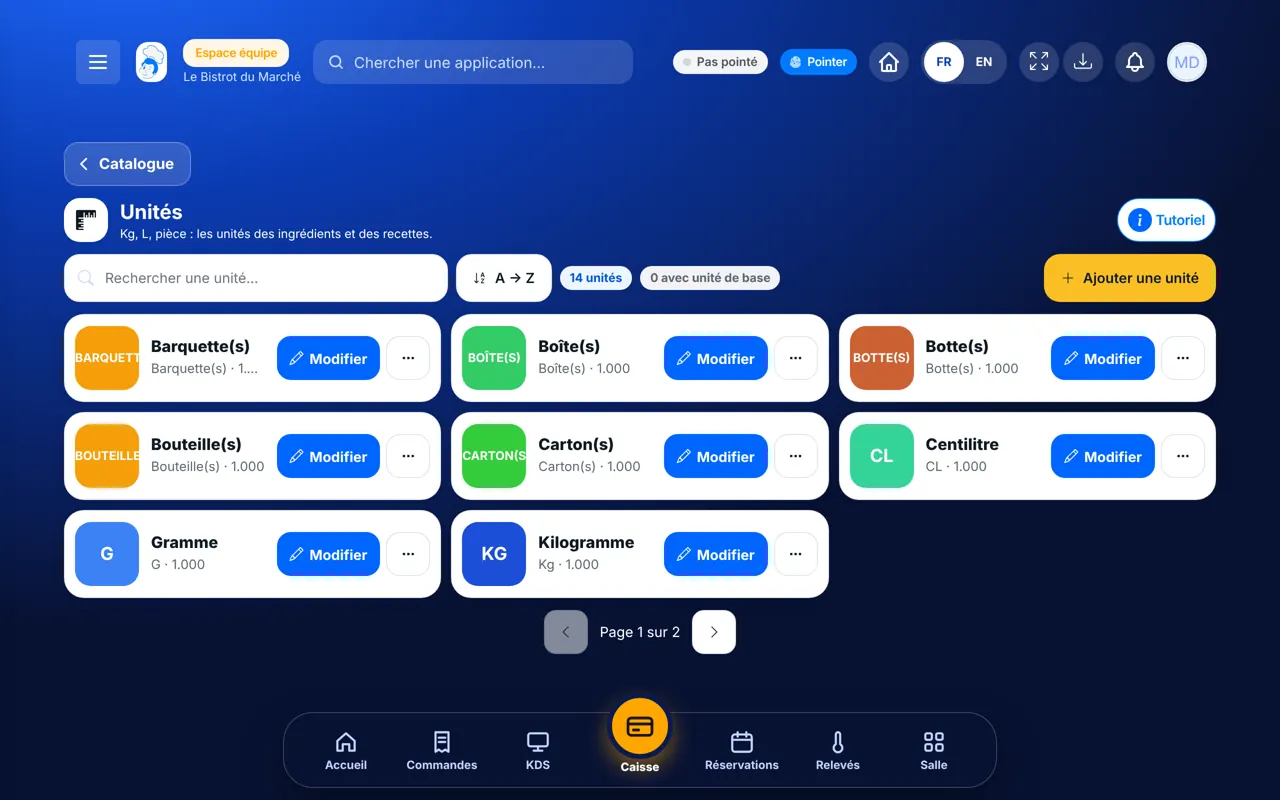
Kilo, litre, piece: you check the units of your ingredients and recipes, and add the ones that are missing.

 Patron / gérant
 Chef de cuisine
 Second de cuisine
 Directeur
The owner always has access. See what each role sees →
A computer. This setting is done once, calmly.
The real software screens, as they appear on each device.
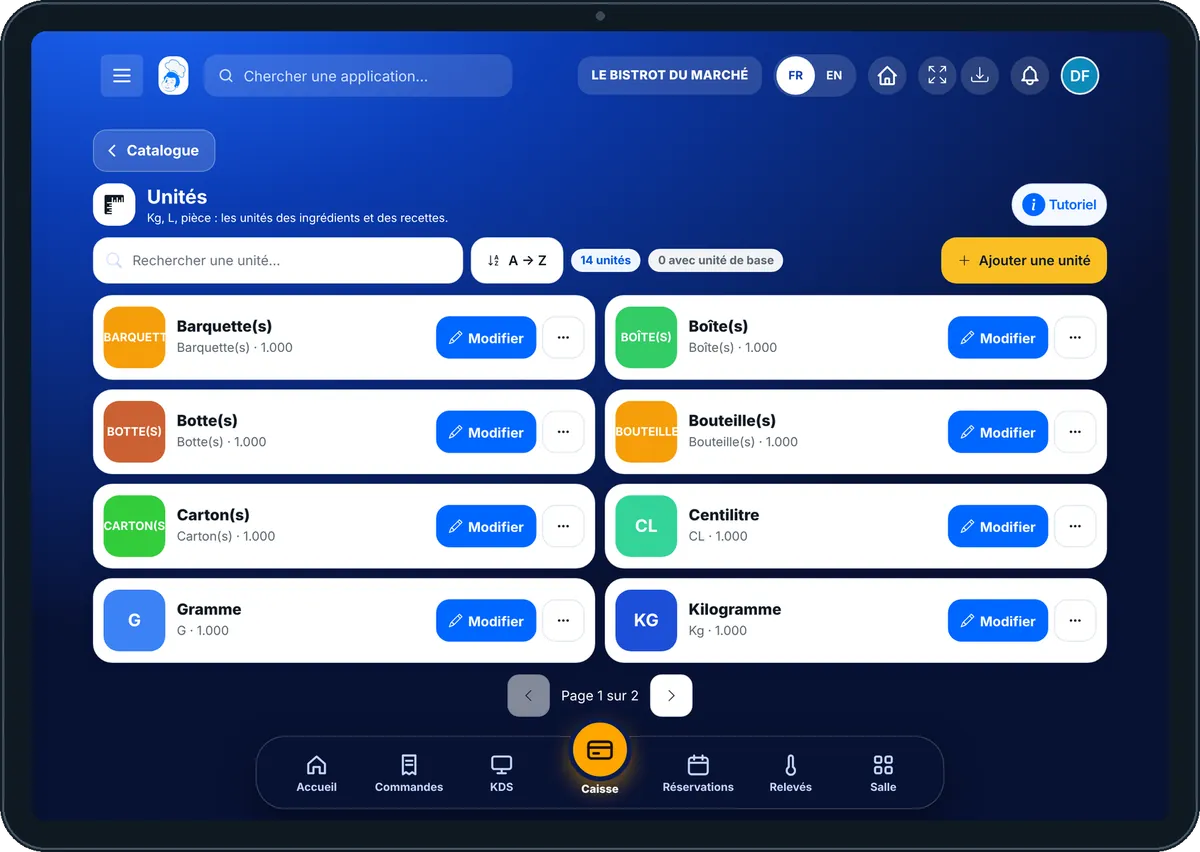
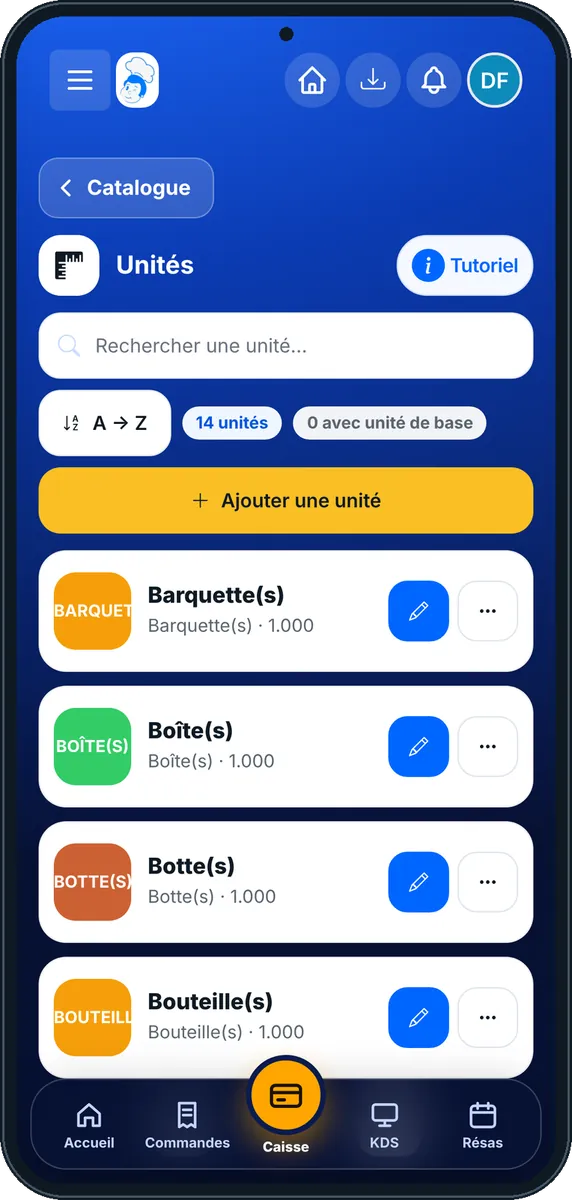
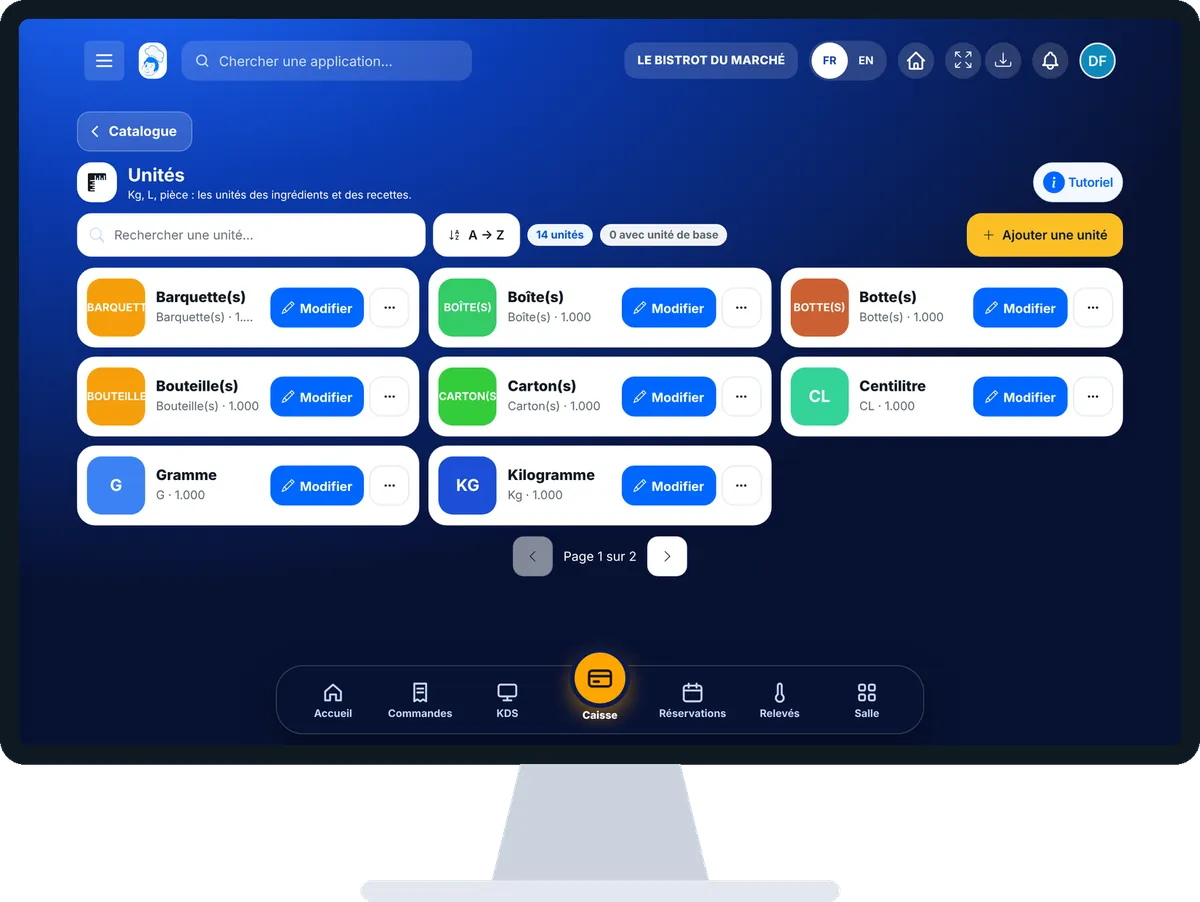
Set your units of measure : 4 steps, with the real software screens.
In the Configuration category, open “Unités”. Each card shows a unit, its abbreviation and its base unit.
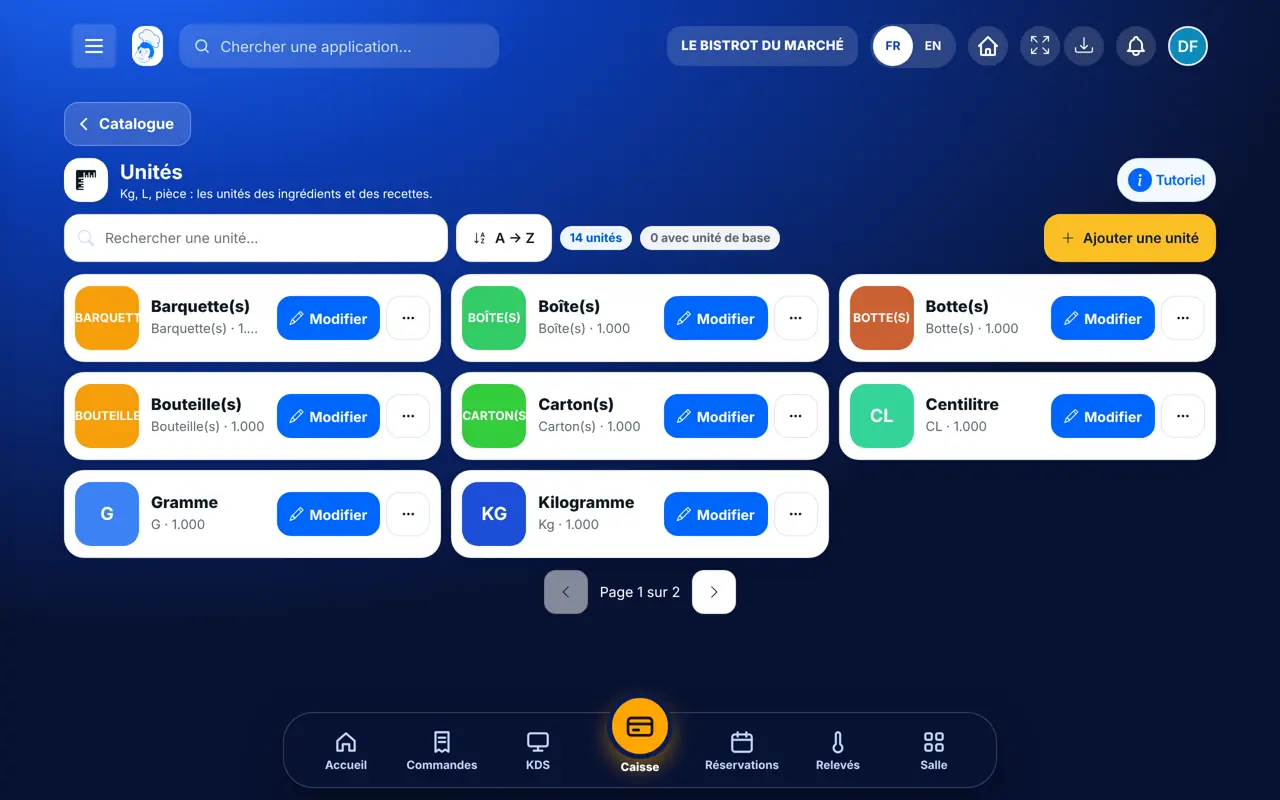
Tap “Ajouter une unité”. In the “Nouvelle unité” window, enter the “Nom de l’unité” and its “Abréviation”.
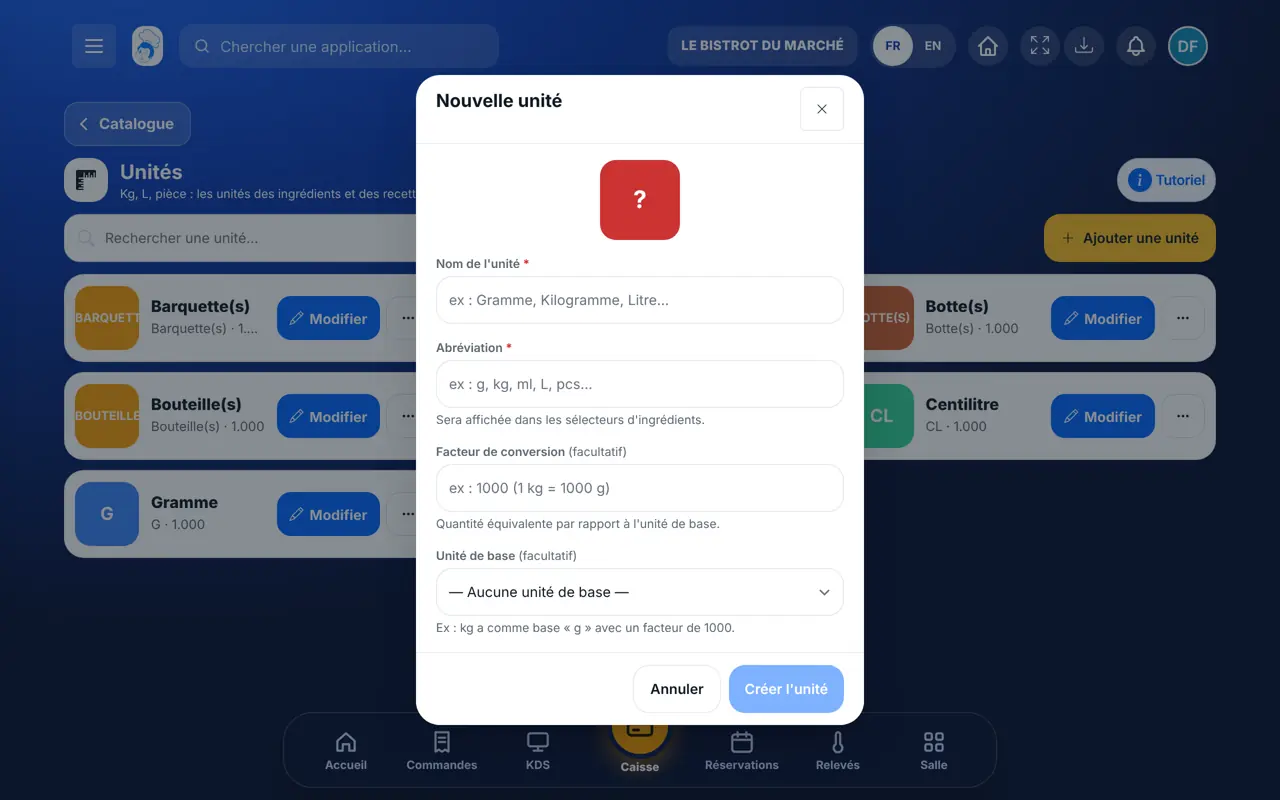
If the unit depends on another, choose the “Unité de base” and enter the “Facteur de conversion”. Example: the kilo has the gram as its base, with a factor of 1000.
Tap “Créer l’unité”. To correct it later, tap “Modifier” on its card.
The unit can be chosen in an ingredient sheet, on the “Unité” line. It is then used for the quantities in your recipes.
Add an ingredient →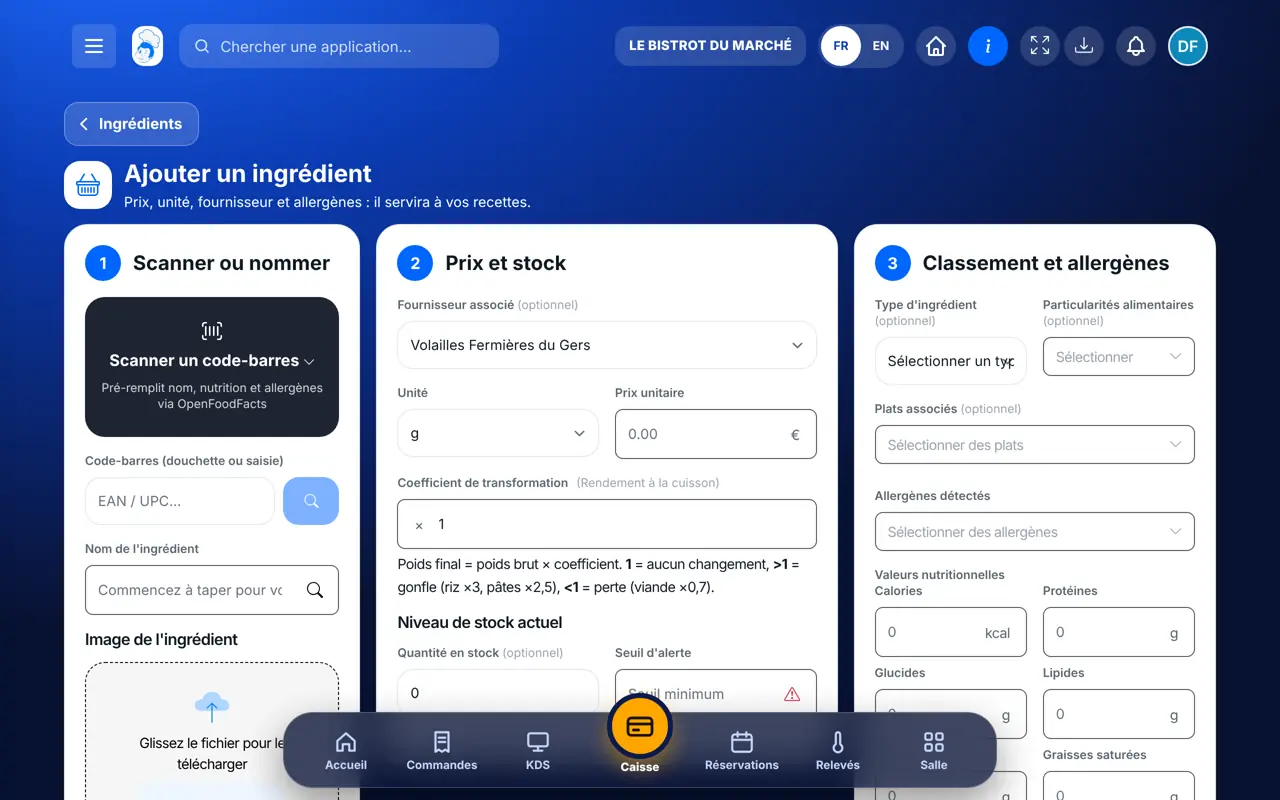
Adds, corrects and deletes units.
With the right to view, they look at the list. With the right to create or edit, they add a unit or correct it.
Claude, ChatGPT or Mistral’s Le Chat, connected to FoodEatUp. Copy the request and replace your establishment number.
In FoodEatUp, for my establishment [number], list the available units of measure, with their abbreviation and base unit.
What you getThe list of units and their conversion.
Tools used : list_units
In FoodEatUp, for my establishment [number], list my ingredients with their unit and flag those whose unit is not in the list of units.
What you getThe ingredients, their unit, and those to check.
Tools used : list_ingredients, list_units
Grams and kilos convert.
The factor is verified.
The same abbreviation for the whole team.
The price follows the right unit.
Before adding a unit, look for it in the list: it often exists already. Keep abbreviations short and familiar, such as g, kg, L or pcs.
In FoodEatUp, one action triggers others. Here are the screens that work with this one.
No. The name and abbreviation of a unit are unique. The screen shows “Une unité avec ce nom existe déjà”.
Yes, unless it is used by ingredients or by other units. In that case, the software refuses and explains why.
For units the software knows, it refuses and gives the right value. For example: 1 kg = 1000 g.
Send it to your team, your partner or your accountant. The image below appears in the message.
Claude, ChatGPT or Le Chat read this tutorial and explain it to you. Connected to FoodEatUp, they do it with you.
Read this FoodEatUp tutorial: https://foodeatup.com/en/academy/configuration/units.md Explain it to me simply, step by step, then help me do it in my restaurant. If FoodEatUp is connected to you, do it with me and show me the preview before every change.
Type your establishment number: the link takes you straight to this screen. The number stays on this device.
Discover how FoodEatUp is set up (in French) →
Répond avec les fiches du site, sans IA
Le chef cherche dans les fiches…
 Claude
 Le Chat
 ChatGPT