

Aller au contenu
Settings · Recipes

Create a recipe sheet

You write the recipe once: ingredients, quantities, steps. The software works out its cost and spots its allergens.

  • Tablet
  • 5 steps
  • Level : Intermediate
Create a recipe sheet : The list of the restaurant’s recipes

Who is it for?

  • Chef de cuisine
  • Second de cuisine
  • Patron / gérant
  • Pâtissier
  • Commis / cuisinier

Roles with access

  • Gérant·e
  • Chef de cuisine
  • Cuisinier·ère · view
  • Barman·maid · view
  • Laboratoire (réseau)
  • Boutique (réseau)
  • Franchisé·e (réseau)
  • Directeur·rice d'établissement
  • Responsable siège · view

The owner always has access. See what each role sees →

Recommended hardware

Tablet

A tablet in the kitchen, or a computer in the office. The sheet can also be read on a phone.

See the hardware →

What it is for

  • Write your recipes: ingredients with quantity and unit, steps, times, number of portions.
  • Find a recipe by its name, and filter by diet.
  • Open the sheet to read the steps and allergens, or export it as a PDF.

Why set it up

  • The recipe no longer lives in one person’s head. The whole team prepares the dish the same way.
  • The cost is worked out from the price of your ingredients. When a price changes, the cost follows.
  • Allergens come from the ingredient sheets. You can answer a customer without searching.

The same screen, on every device

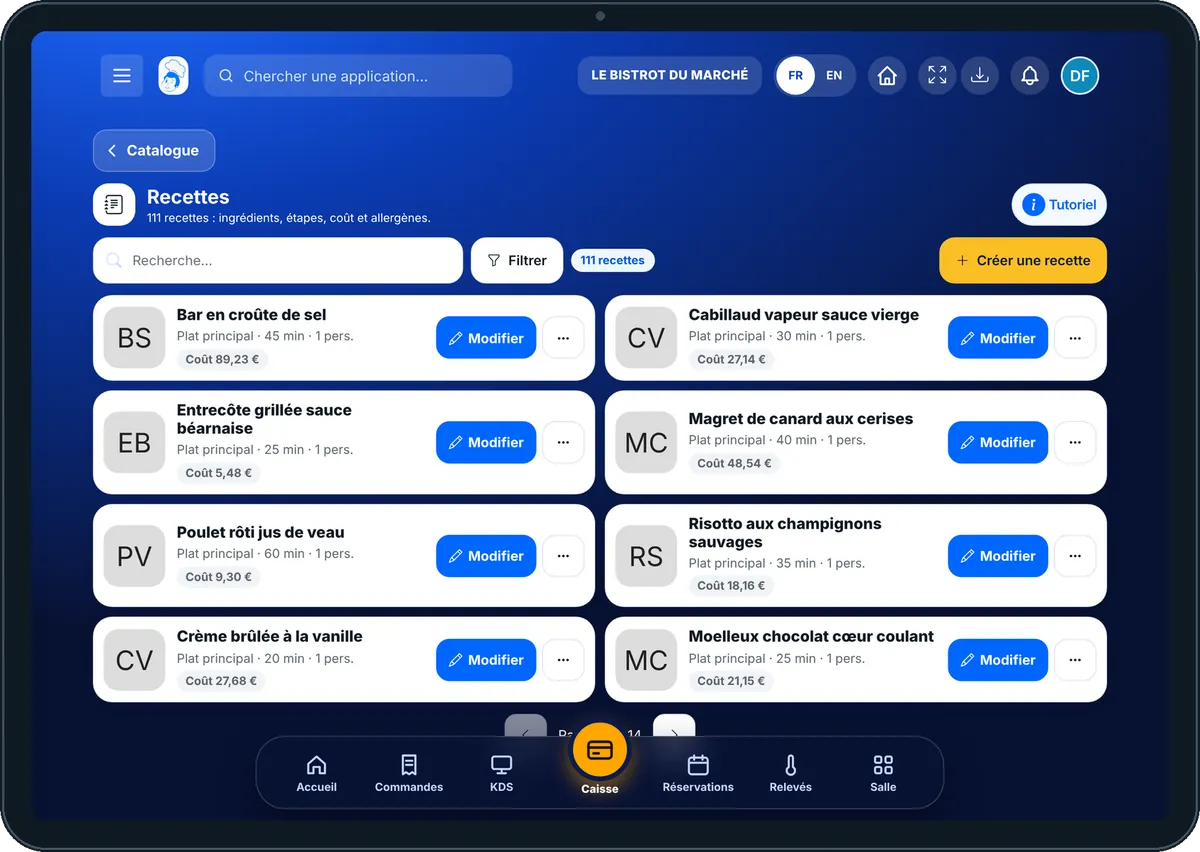
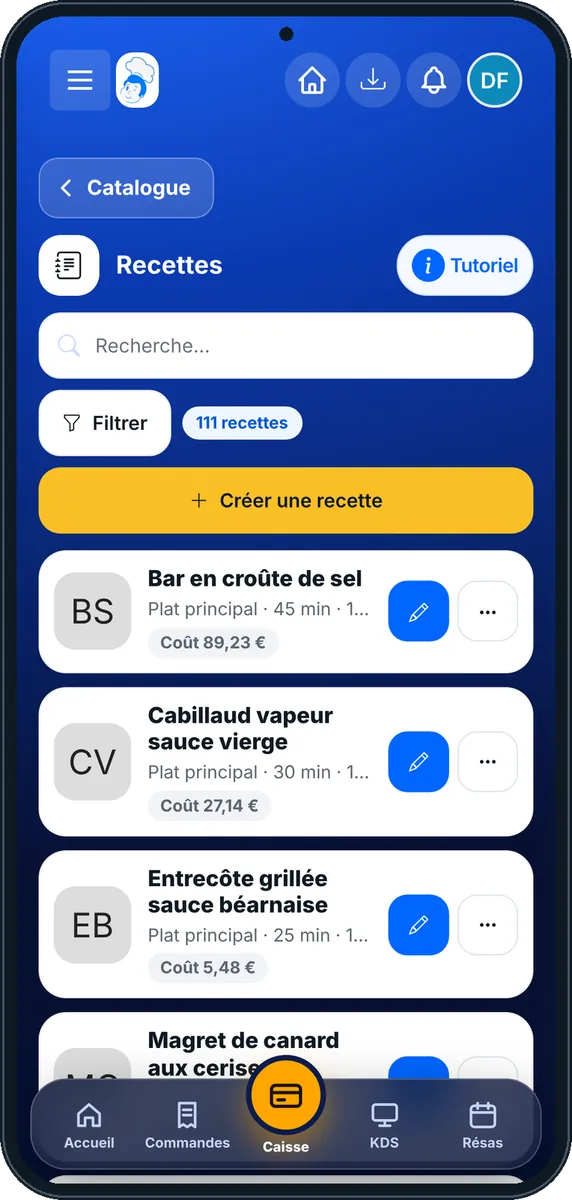
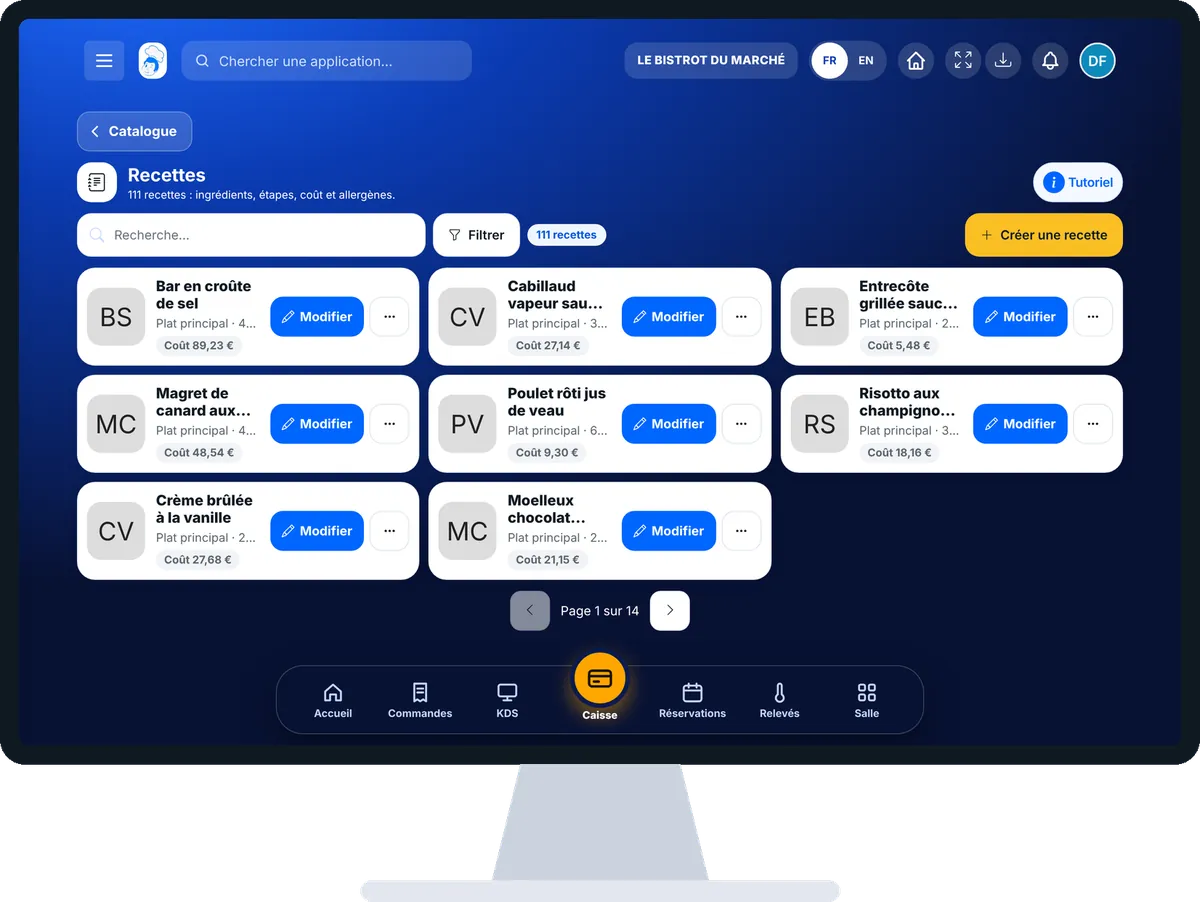
The real software screens, as they appear on each device.

Recipes — On the tablet
On the tablet
Recipes — On the phone
On the phone
Recipes — On the computer
On the computer

Step by step

Create a recipe sheet : 5 steps, with the real software screens.

  1. 1Step 1

    Open the recipes

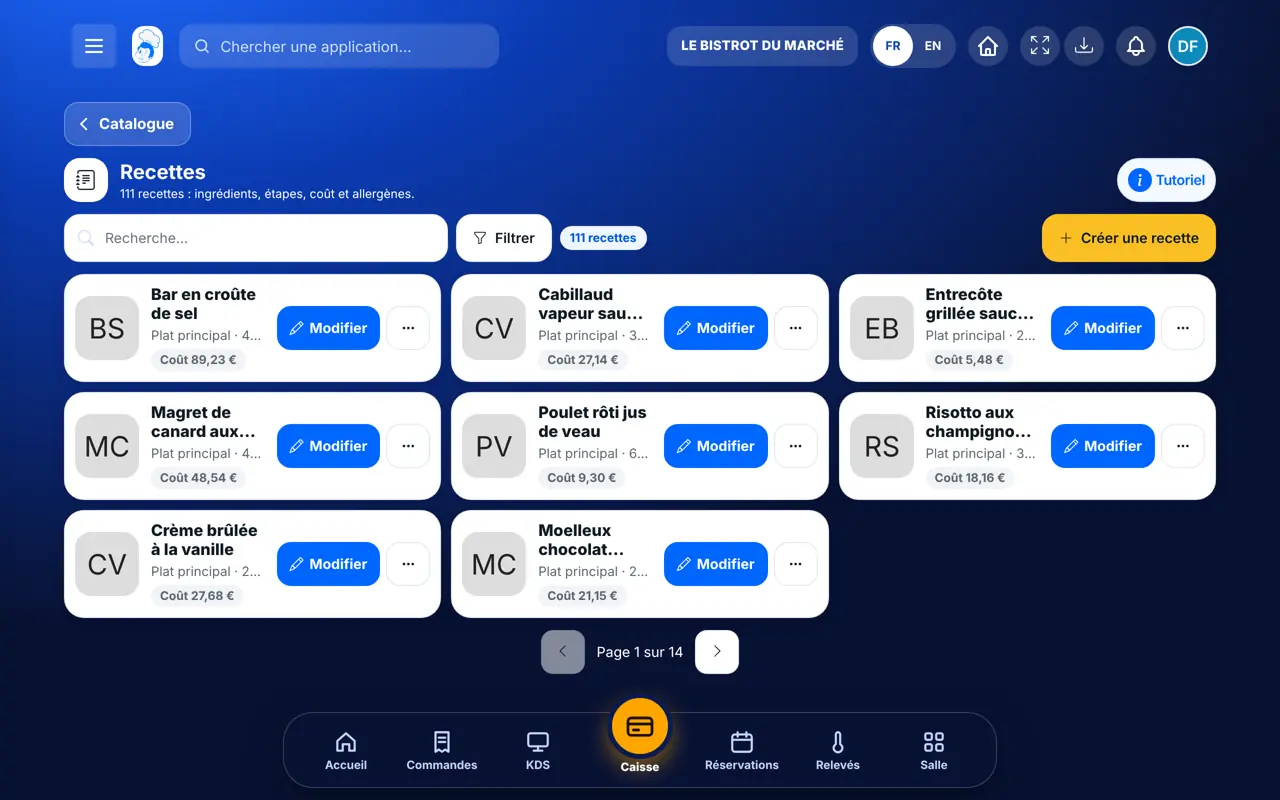
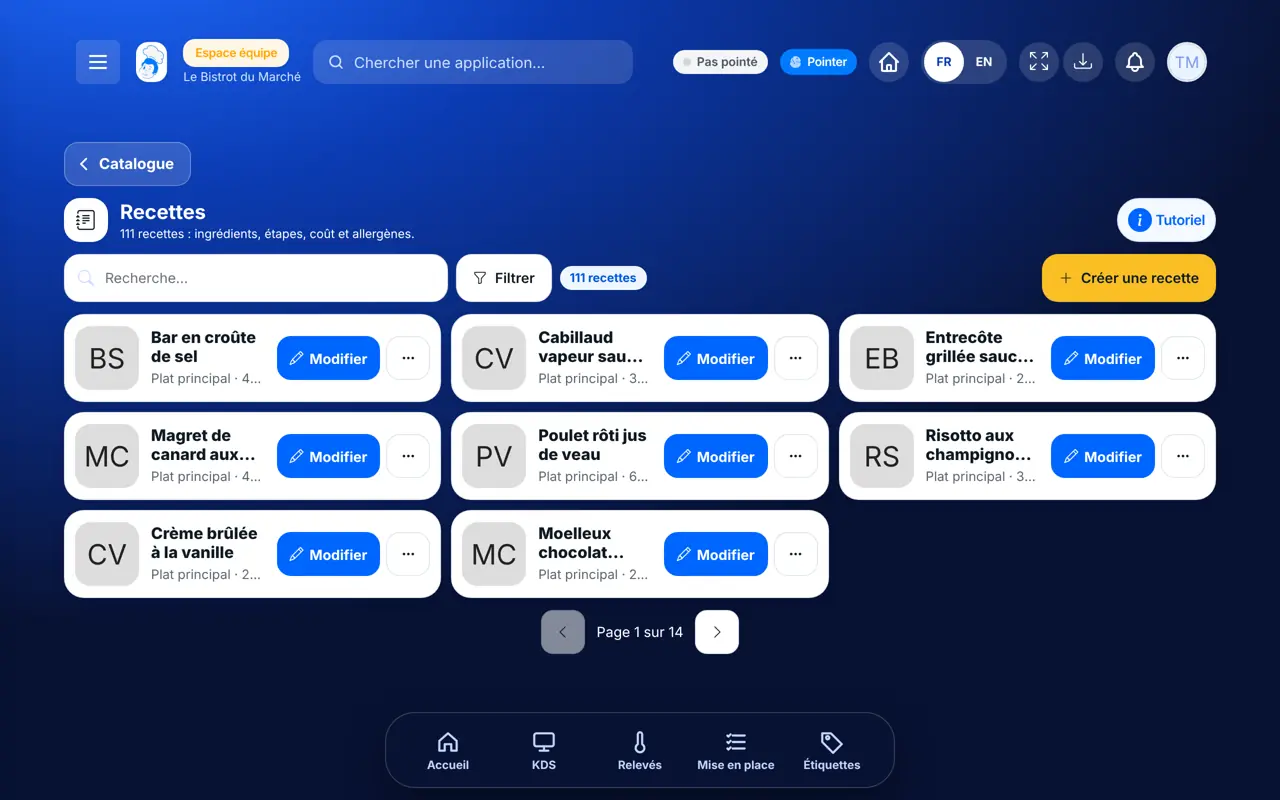
    In the Configuration category, open “Recettes”. Each card shows a recipe, its category, its time and its portions.

    The list of the restaurant’s recipes
  2. 2Step 2

    Create a recipe

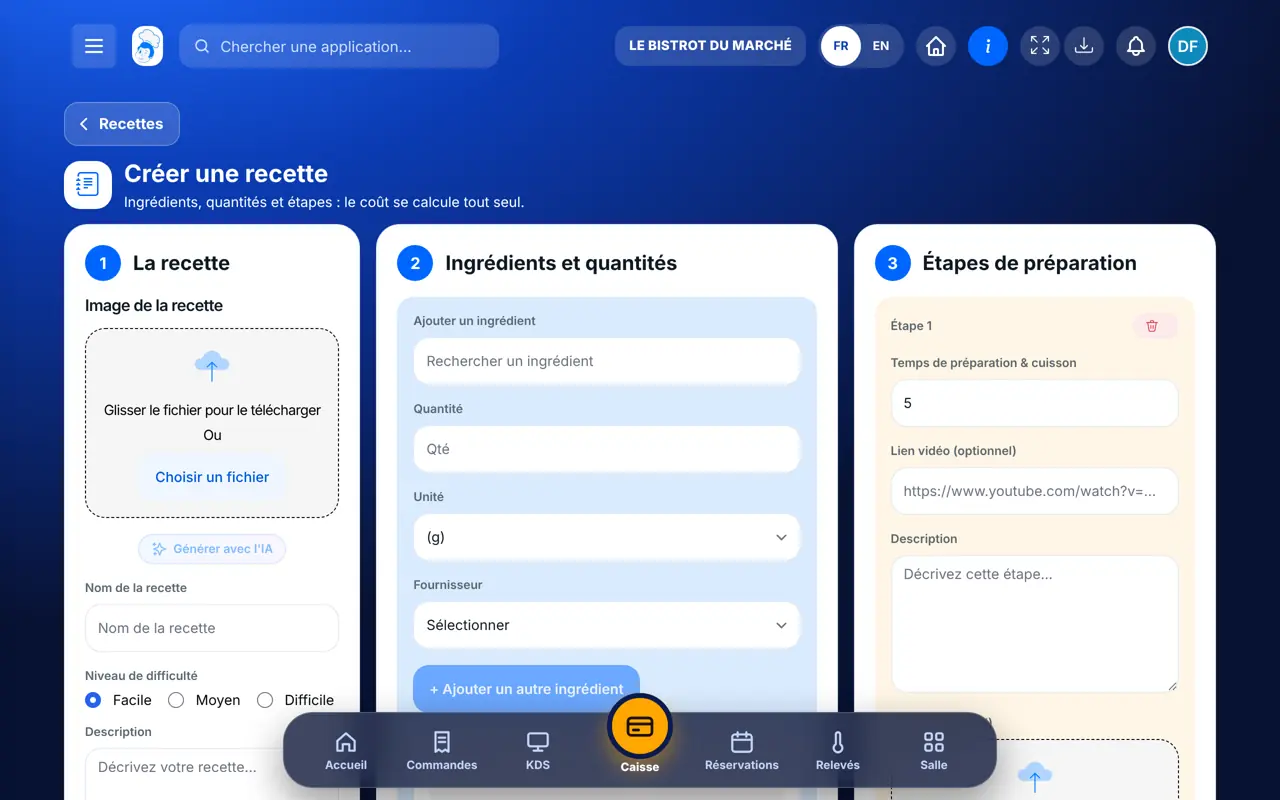
    Tap “Créer une recette”. In the “La recette” column, enter the name, the difficulty, the time and the “Nombre de portions”. You can add a photo.

    The recipe form, in three columns
  3. 3Step 3

    Add the ingredients

    In “Ingrédients et quantités”, search for an ingredient, then enter its “Quantité” and its “Unité”. Repeat for each ingredient.

  4. 4Step 4

    Write the steps

    In “Étapes de préparation”, describe the first step, then tap “+ Ajouter une étape” for the next one. The “Allergènes détectés” appear below.

  5. 5Step 5

    Save

    Tap “Enregistrer la recette”. It joins the list. Tap “Modifier” on its card to correct it later.

The result

The result

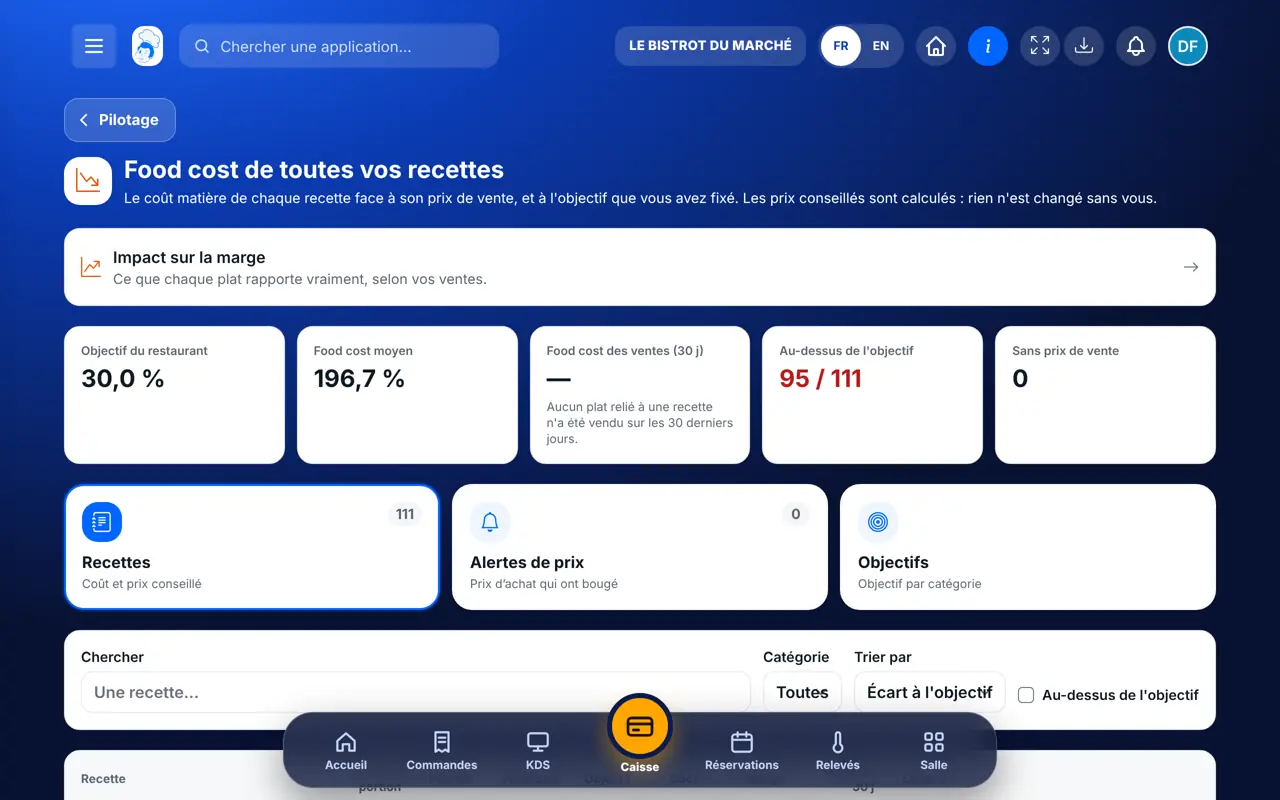
The recipe has its cost, worked out from the price of your ingredients. In “Food cost”, you see this cost against the selling price, recipe by recipe.

Follow your food cost →
The result : Create a recipe sheet

Owner and employee: what changes

The owner

Creates and edits recipes, and sees their cost and profitability.

Recipes — The owner

The employee

With the right to view, they read the sheet: ingredients, steps, allergens. They only see costs and margins if their role allows it.

Recipes — The employee

Do it with your assistant

Claude, ChatGPT or Mistral’s Le Chat, connected to FoodEatUp. Copy the request and replace your establishment number.

List my recipes and their cost

In FoodEatUp, for my establishment [number], list my recipes with their cost per portion and tell me which ones have no cost that can be worked out.

What you getThe list of recipes, their cost, and those where a piece of data is missing.

Tools used : list_recipes, list_recipe_costs

Create a recipe

In FoodEatUp, for my establishment [number], create the recipe [name] for [number] portions with these ingredients and steps: [list]. Show me the preview before confirming.

What you getThe recipe ready to read over, then created after your approval.

Tools used : create_recipe, list_ingredients

Work out more portions

In FoodEatUp, for my establishment [number], give me the quantities of the recipe [name] for [number] portions, and tell me what is missing in stock.

What you getThe quantities recalculated by the software, and what is missing.

Tools used : get_recipe_scaled

What you gain

The same dish every day

The whole team follows the same sheet.

An up-to-date cost

It follows the price of your ingredients.

Allergens known

Taken from the ingredient sheets.

A sheet to print

It exports as a PDF.

The Chef’s tip

Check the number of portions before saving: it is what gives the cost of one portion. Start with your five best-selling dishes, and you will quickly see where your margin goes.

Frequently asked questions

Who sees the cost of a recipe?

The owner, and employees whose role carries the right to see costs and margins. The others see the sheet with no amount at all.

Where do the allergens come from?

From the ingredient sheets. If an ingredient has no allergens entered, the recipe cannot guess them.

Why does my recipe show “coût à compléter”?

Because it has no ingredient yet, or an ingredient has no price. Complete the ingredient sheet and the cost is worked out.

Text version for AI assistants →

Share this tutorial

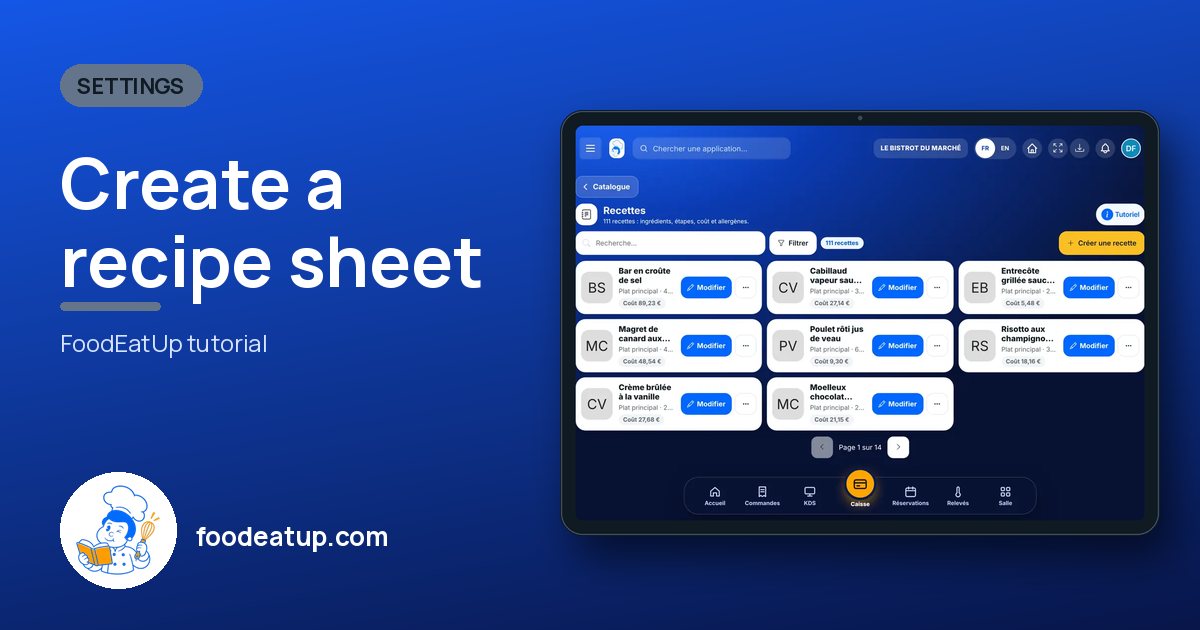
Send it to your team, your partner or your accountant. The image below appears in the message.

Share preview : Create a recipe sheet
WhatsAppLinkedInFacebookEmail

Send to an AI assistant

Claude, ChatGPT or Le Chat read this tutorial and explain it to you. Connected to FoodEatUp, they do it with you.

Read this FoodEatUp tutorial: https://foodeatup.com/en/academy/configuration/recipes.md Explain it to me simply, step by step, then help me do it in my restaurant. If FoodEatUp is connected to you, do it with me and show me the preview before every change.

ClaudeLe ChatChatGPT

Open in my software

Type your establishment number: the link takes you straight to this screen. The number stays on this device.

Discover recipes for the team (in French) →

You can read it in the software address: foodeatup.com/establishment/number/…