Aller au contenu
Cocuisinage · Recipe library
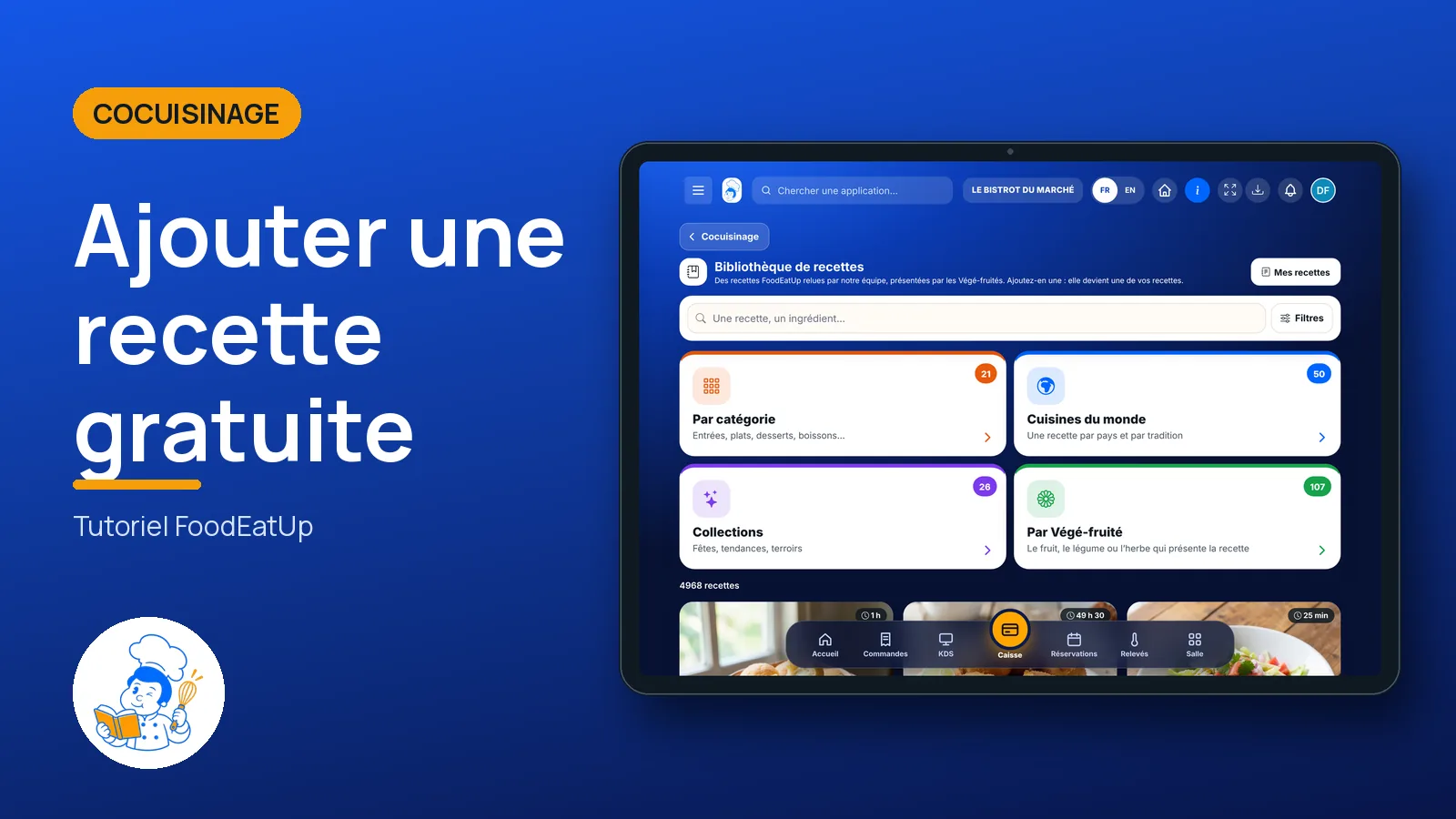
Add a free recipe

Ready-to-use FoodEatUp recipes, presented by the Végé-fruités characters. Pick one, tap “Ajouter”: it becomes one of your recipes, with its ingredients and steps.

  • Tablet
  • 5 steps
  • Level : Beginner
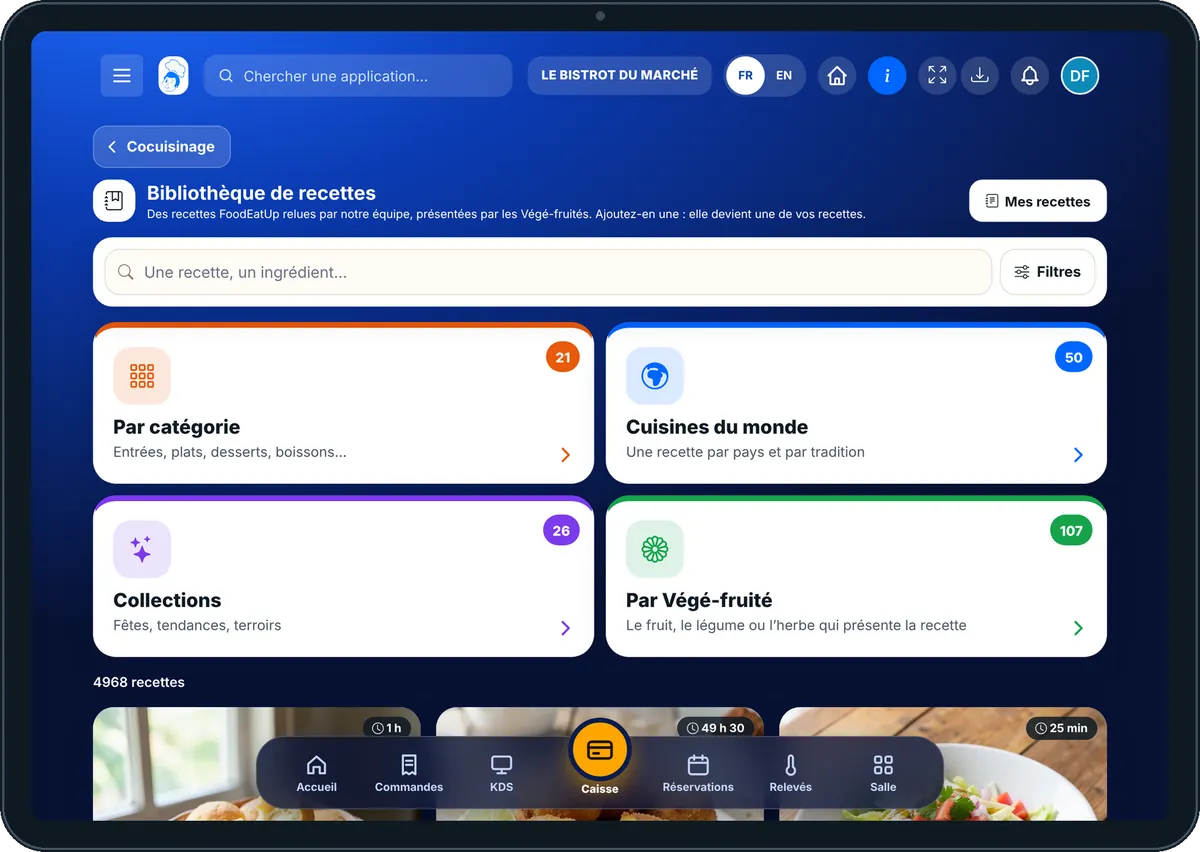
Add a free recipe : The recipe library and its filters

Who is it for?

  • Chef de cuisine
  • Second de cuisine
  • Commis / cuisinier
  • Pâtissier

Roles with access

  • Gérant·e
  • Chef de cuisine
  • Cuisinier·ère · view
  • Barman·maid · view
  • Laboratoire (réseau)
  • Boutique (réseau)
  • Franchisé·e (réseau)
  • Directeur·rice d'établissement
  • Responsable siège · view

The owner always has access. See what each role sees →

Recommended hardware

Tablet

A tablet in the kitchen: browse the recipes like a book, and follow the “Pas à pas” mode with your hands busy. The same screen works on a phone and on a computer.

See the hardware →

What it is for

  • Find a recipe by category, world cuisine, collection, diet or ingredient.
  • Read the recipe like in a book: ingredients, steps, tips, storage, allergens.
  • Add it to your recipes in one tap, to work on it, cost it and put it on the menu.

Why set it up

  • You do not start from a blank page: the recipe comes with its quantities and steps.
  • Ingredients are linked to yours when they have the same name. The cost is calculated on your prices.
  • The added recipe is yours: you edit it like any other.

The same screen, on every device

The real software screens, as they appear on each device.

Recipe library — On the tablet
On the tablet
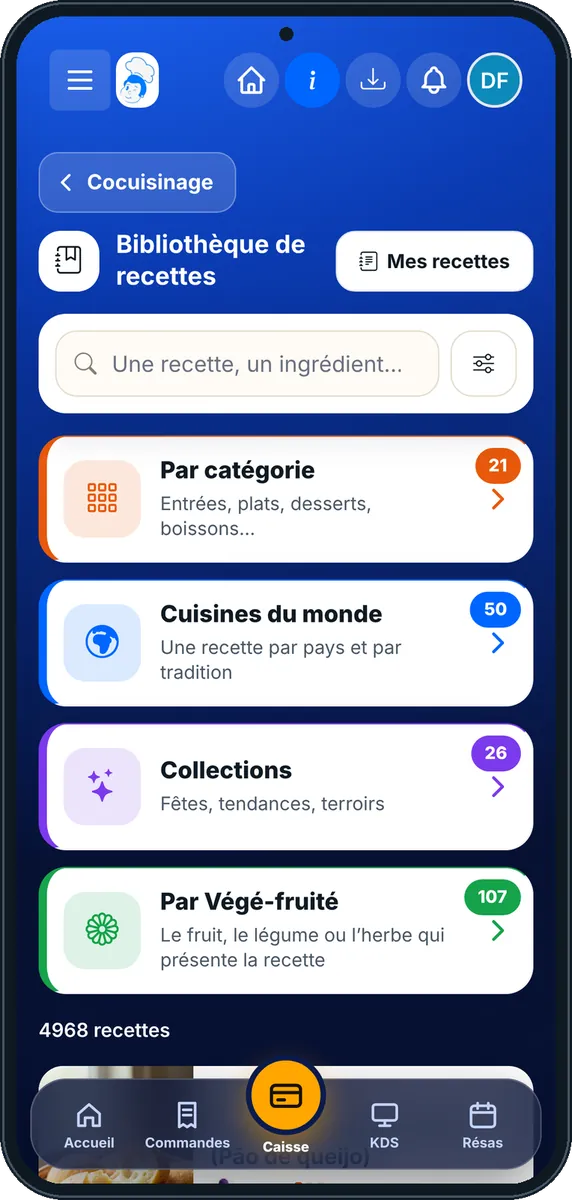
Recipe library — On the phone
On the phone
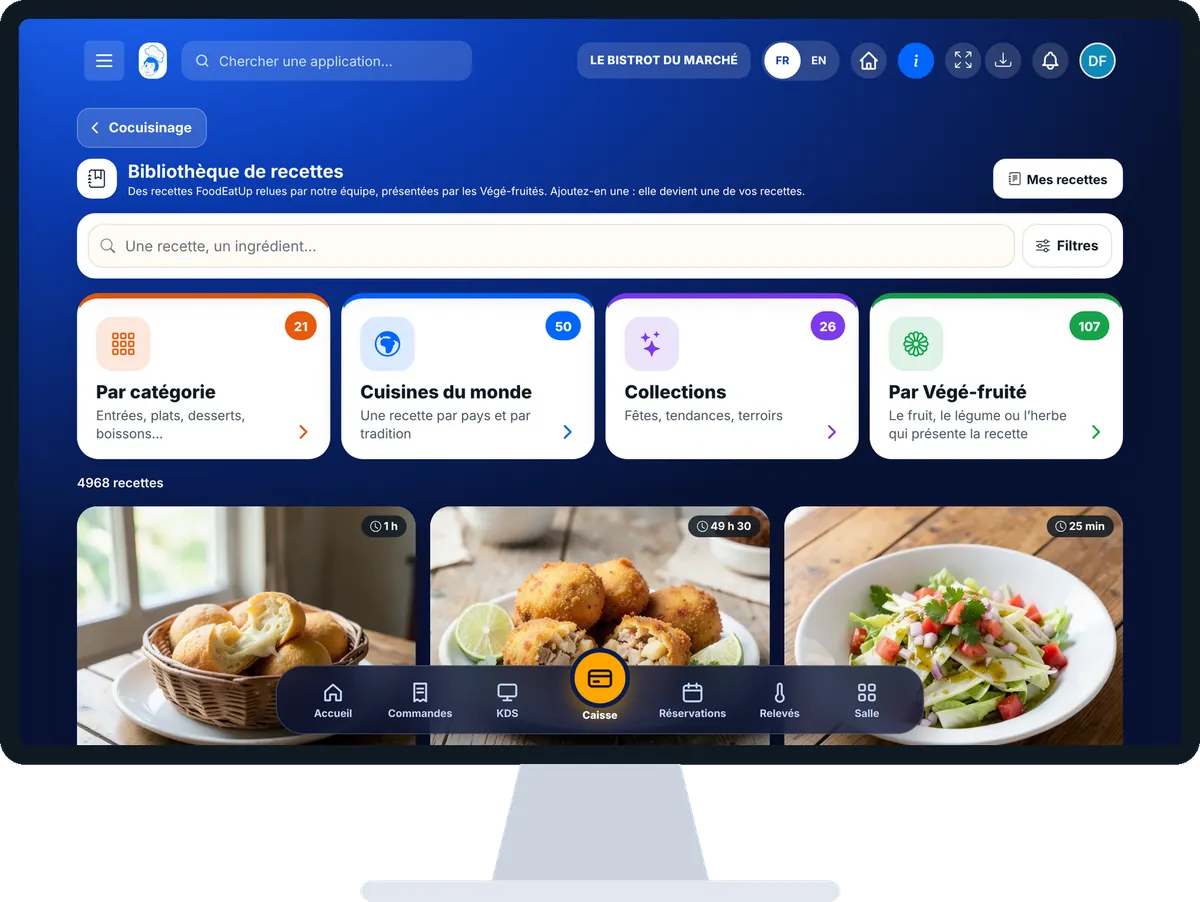
Recipe library — On the computer
On the computer

Step by step

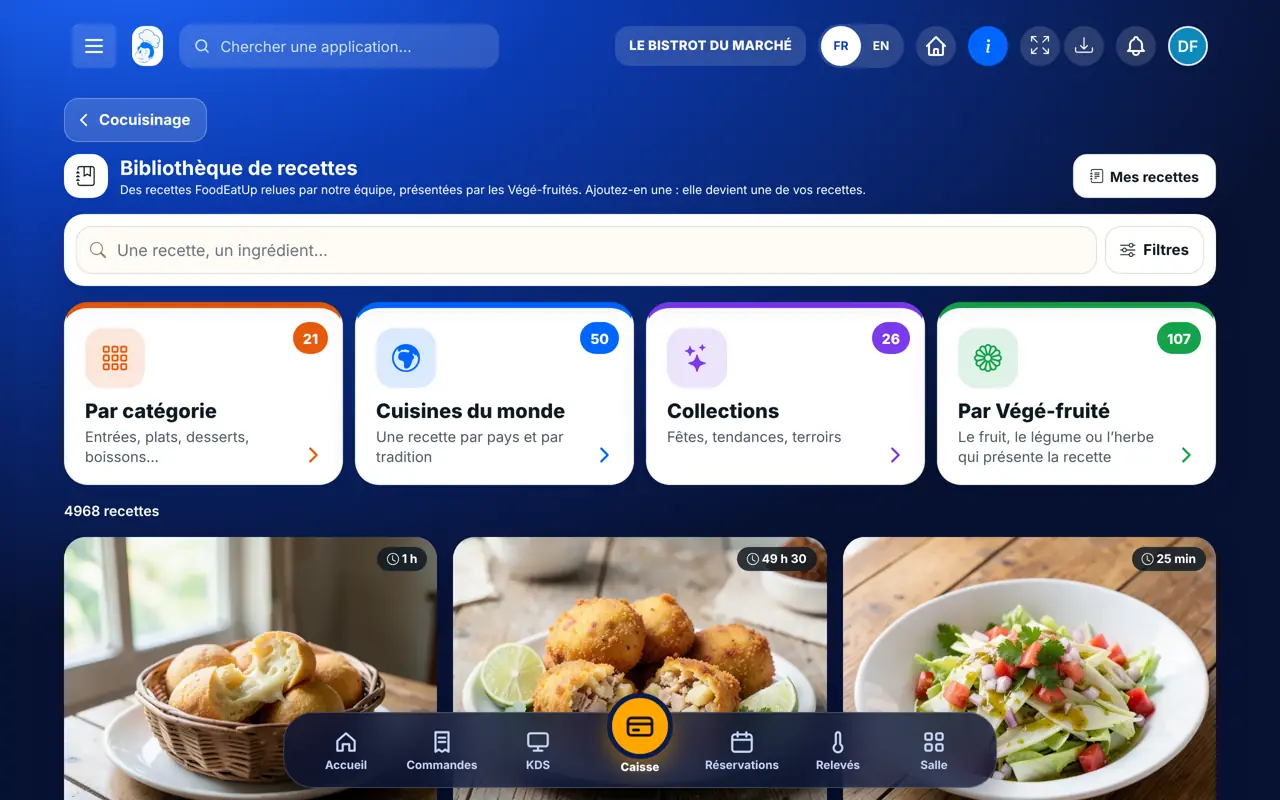
Add a free recipe : 5 steps, with the real software screens.

  1. 1Step 1

    Open the library

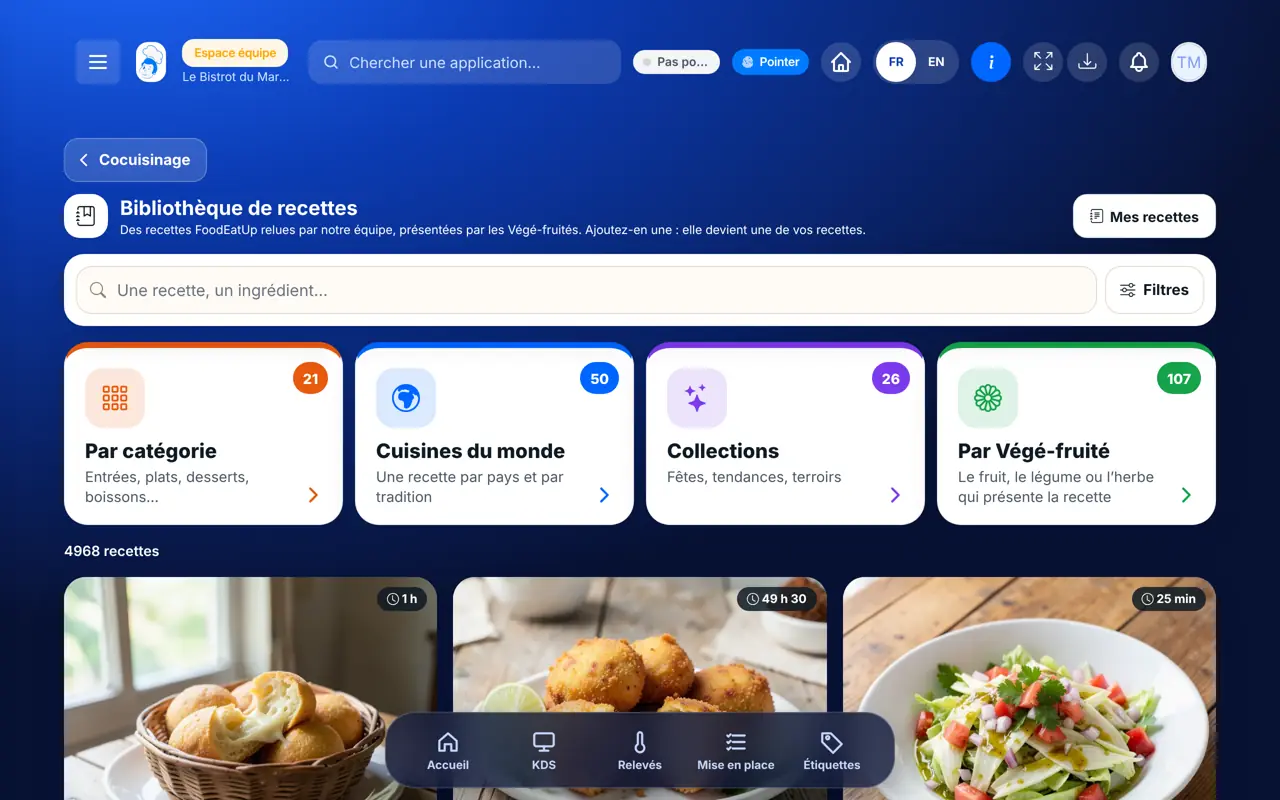
    From the home screen, open Cocuisinage then “Bibliothèque”. Type a word in the search box (“Une recette, un ingrédient…”) or tap one of the cards: “Par catégorie”, “Cuisines du monde”, “Collections”, “Par Végé-fruité”.

    The recipe library and its filters
  2. 2Step 2

    Filter, then see the recipes

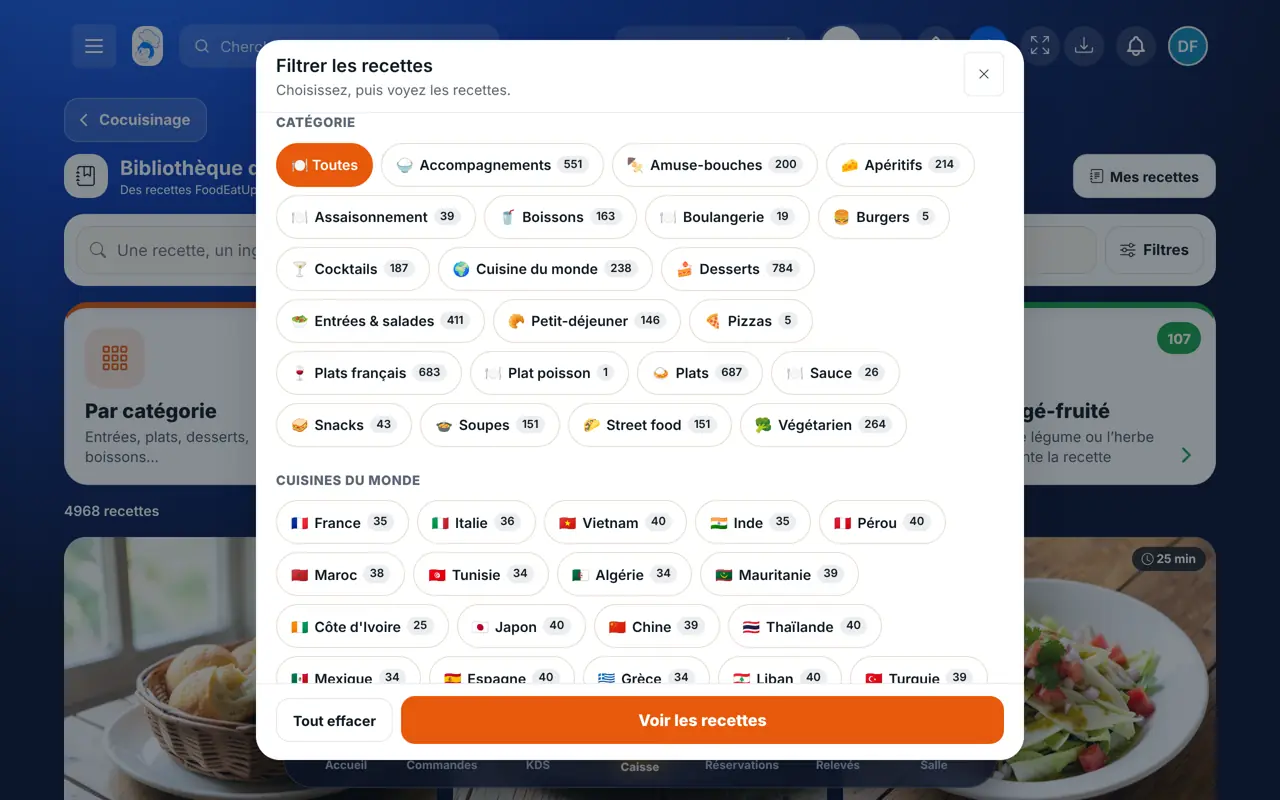
    In the “Filtrer les recettes” window, tap a category, a cuisine or a diet, then “Voir les recettes”. “Tout effacer” removes the filters.

    The “Filtrer les recettes” window
  3. 3Step 3

    Read the recipe

    Tap a recipe. The − and + buttons change the number of portions and the quantities follow. “Cuisiner pas à pas” shows one step at a time, with a timer when the step has a duration.

  4. 4Step 4

    Tap “Ajouter à mes recettes”

    In the recipe, tap “Ajouter à mes recettes” (or “Ajouter” on the recipe card). A message says how many ingredients were linked to yours and how many were created without a price.

  5. 5Step 5

    Fill in the prices

    The button becomes “Dans mes recettes” and leads to your recipes. Give a purchase price to the ingredients that were created: the recipe cost is only right from then on.

The result

The result

The recipe is in your recipe sheets, with its ingredients and steps. It is ready to be costed, then linked to a dish on your menu.

See the recipes as customers do (in French) →
The result : Add a free recipe

Owner and employee: what changes

The owner

Browses, reads and adds any recipe. Then fills in the prices of the ingredients that were created.

Recipe library — The owner

The employee

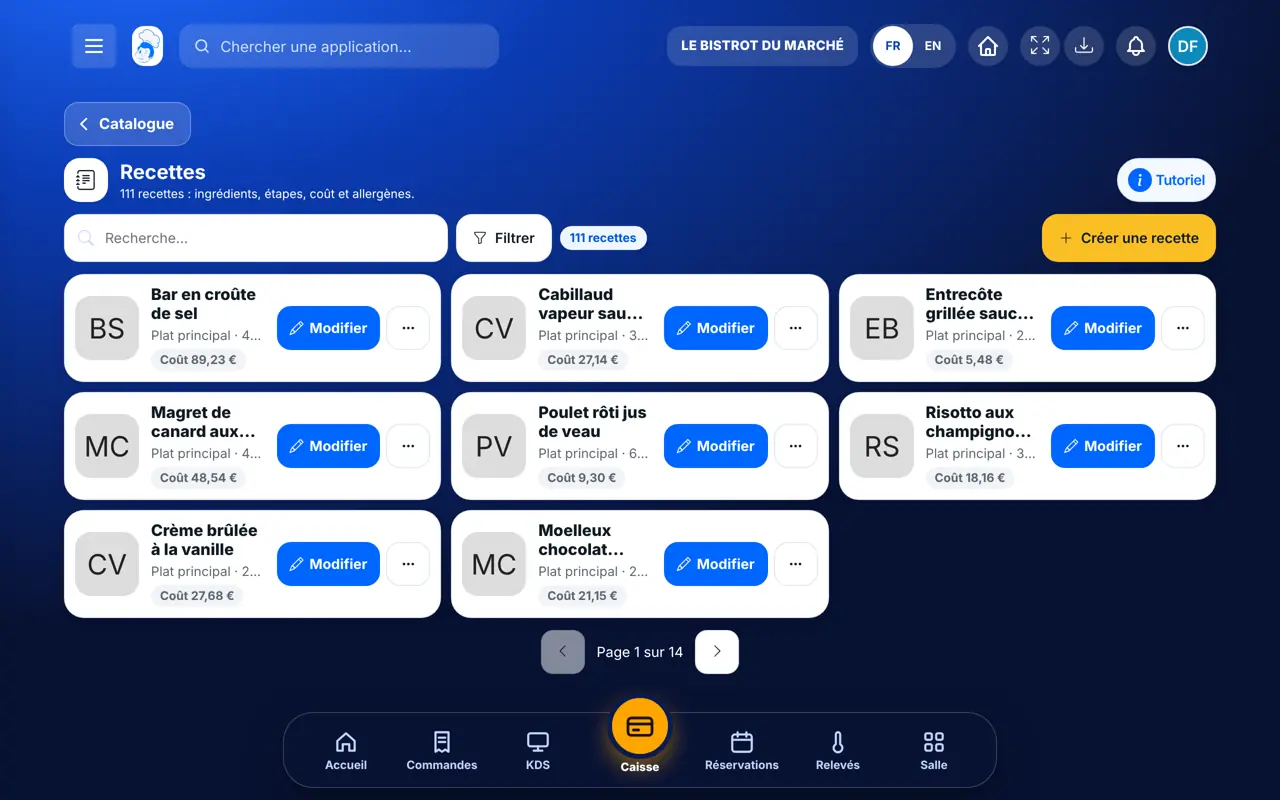
With the right to view recipe sheets, reads everything and follows “Pas à pas”. The “Ajouter” button is greyed out without the right to create recipe sheets.

Recipe library — The employee

Do it with your assistant

Claude, ChatGPT or Mistral’s Le Chat, connected to FoodEatUp. Copy the request and replace your establishment number.

Find a recipe

In FoodEatUp, for my establishment [number], search the recipe library for three vegetarian desserts and tell me which ones are not in my recipes yet.

What you getA short list of recipes from the library, with the ones you do not have yet.

Tools used : list_master_recipes, list_recipes

Add a recipe to my sheets

In FoodEatUp, for my establishment [number], add to my recipes the library recipe I name. Show me the preview before confirming: which ingredients will be linked to mine and which will be created without a price.

What you getThe preview of the addition, then the recipe in your sheets once you confirm.

Tools used : list_master_recipes, importer_recette_restaurant

Put the recipe on the menu

In FoodEatUp, for my establishment [number], link the recipe I just added to the dish on my menu that I name. Show me the preview before confirming.

What you getThe dish is linked to its recipe: the kitchen knows what it takes to prepare it.

Tools used : list_recipes, update_dish

What you gain

Free

Adding a recipe costs nothing.

Ready to work with

Ingredients, quantities, steps: everything arrives at once.

Your prices, not ours

The cost is calculated on your purchase prices, never on a made-up price.

To train the team

The “Pas à pas” mode shows one step at a time, with a timer.

The Chef’s tip

After each addition, open the recipe and give a price to the ingredients that were created: without a price, the cost shown is wrong. Check their allergens too, they are not filled in when the recipe is added.

Frequently asked questions

Is it free?

Yes. The library carries the “Gratuit” badge and adding a recipe uses no credits.

Can I edit a recipe I added?

Yes. Once added, it is one of your recipes: change the quantities, the steps and the name as you wish.

What happens if I add the same recipe twice?

Nothing more: the software answers “Cette recette est déjà dans vos recettes.” and creates no duplicate.

Text version for AI assistants →

Share this tutorial

Send it to your team, your partner or your accountant. The image below appears in the message.

Share preview : Add a free recipe
WhatsAppLinkedInFacebookEmail

Send to an AI assistant

Claude, ChatGPT or Le Chat read this tutorial and explain it to you. Connected to FoodEatUp, they do it with you.

Read this FoodEatUp tutorial: https://foodeatup.com/en/academy/cocuisinage/bibliotheque-recettes.md Explain it to me simply, step by step, then help me do it in my restaurant. If FoodEatUp is connected to you, do it with me and show me the preview before every change.

ClaudeLe ChatChatGPT

Open in my software

Type your establishment number: the link takes you straight to this screen. The number stays on this device.

Discover the recipe library (in French) →

You can read it in the software address: foodeatup.com/establishment/number/…