My recipes that cost too much
In FoodEatUp, for my establishment [number], list the recipes whose food cost is above my target.
What you getRecipes above target, with their cost and price.
Tools used : list_recipe_costs
 StockVision · Food cost
Each recipe’s ingredient cost against its selling price and the target you set. Suggested prices are calculated: nothing changes without you.
 Patron / gérant
 Chef de cuisine
 Directeur
The owner always has access. See what each role sees →
A computer in the office to read the recipe table and set targets.
The real software screens, as they appear on each device.
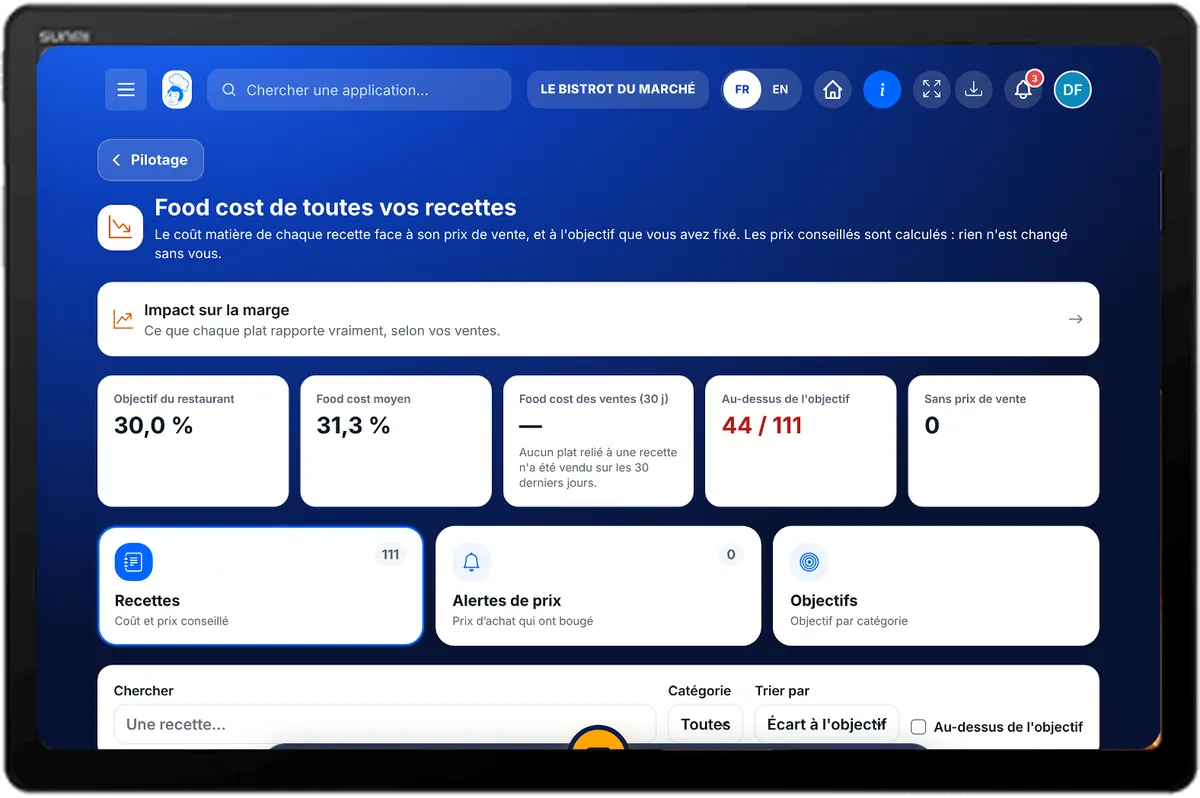
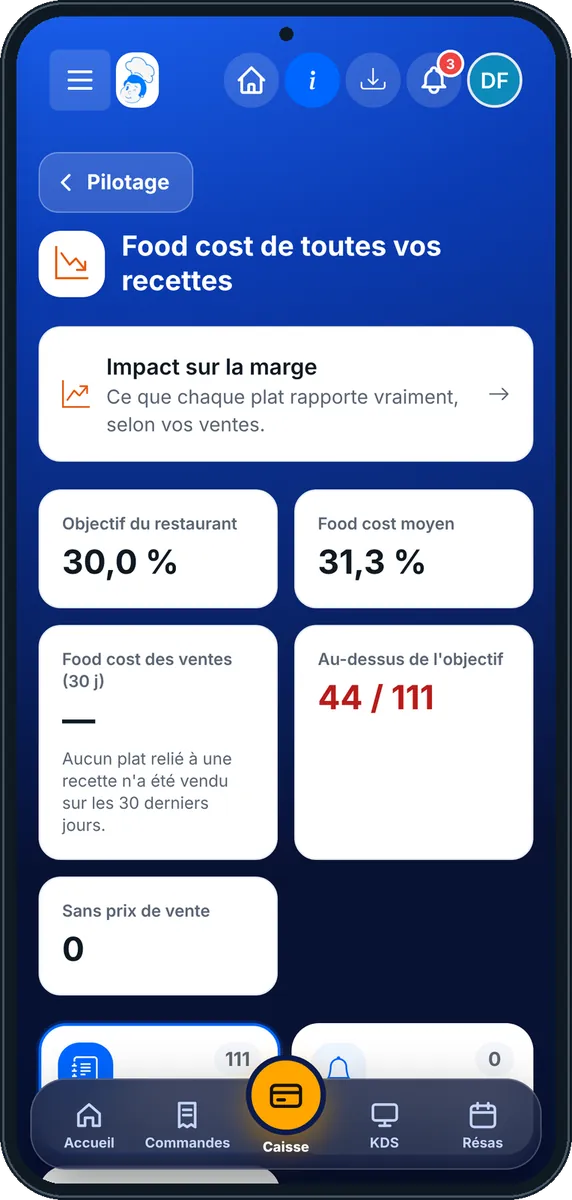
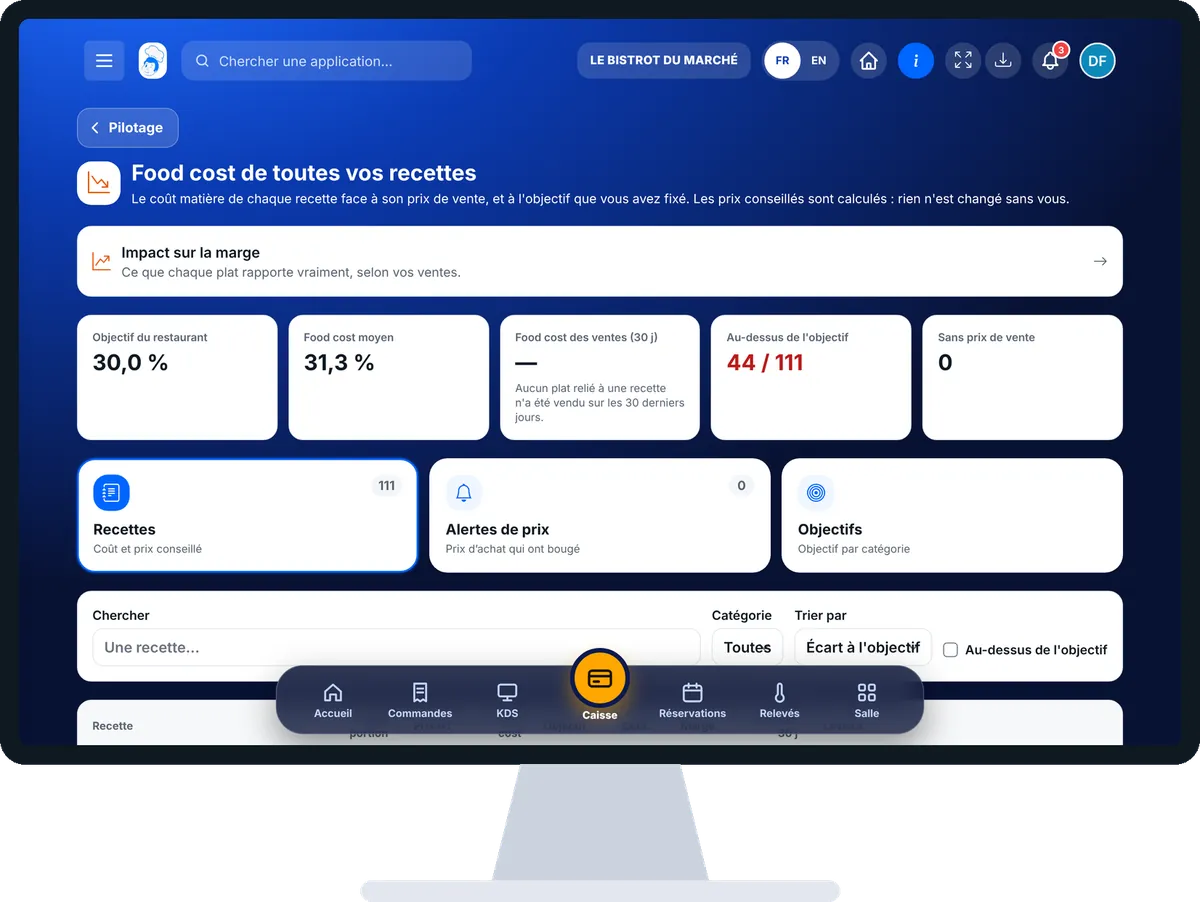
Track my recipes’ food cost : 5 steps, with the real software screens.
From the home screen, open StockVision then “Food cost & marge”. At the top: restaurant target, average food cost, sales food cost, recipes above target and without a selling price.
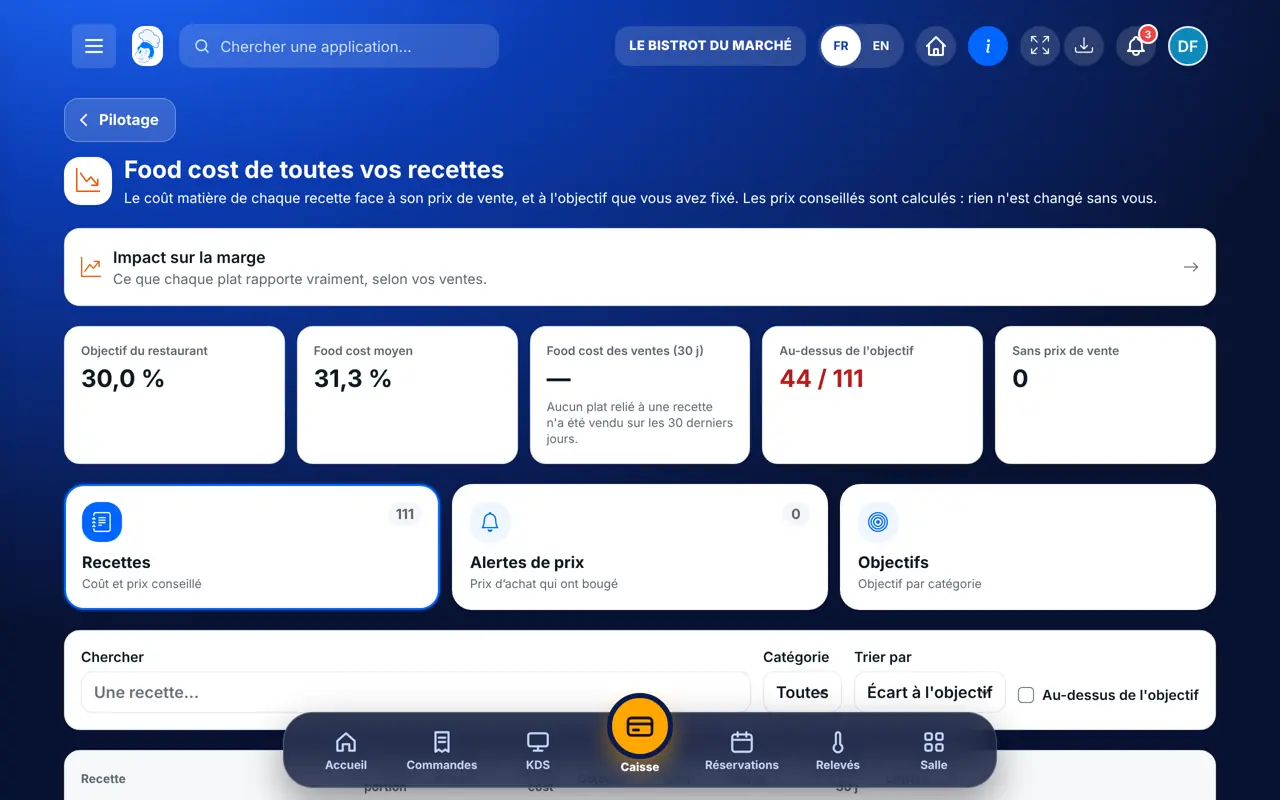
The “Recettes” tab gives, for each recipe, cost per portion, net price, coefficient, target, margin and sales. Sort by gap to target.
The “Alertes de prix” tab lists purchase prices that changed and the recipes affected.
The “Objectifs” tab: restaurant target, alert threshold and, if needed, a target per recipe category. Tap “Enregistrer les objectifs”.
The “Impact sur la marge” block shows what each dish really earns, based on your sales.
Each recipe has its cost, price, margin and gap to target. Price alerts say what changed.
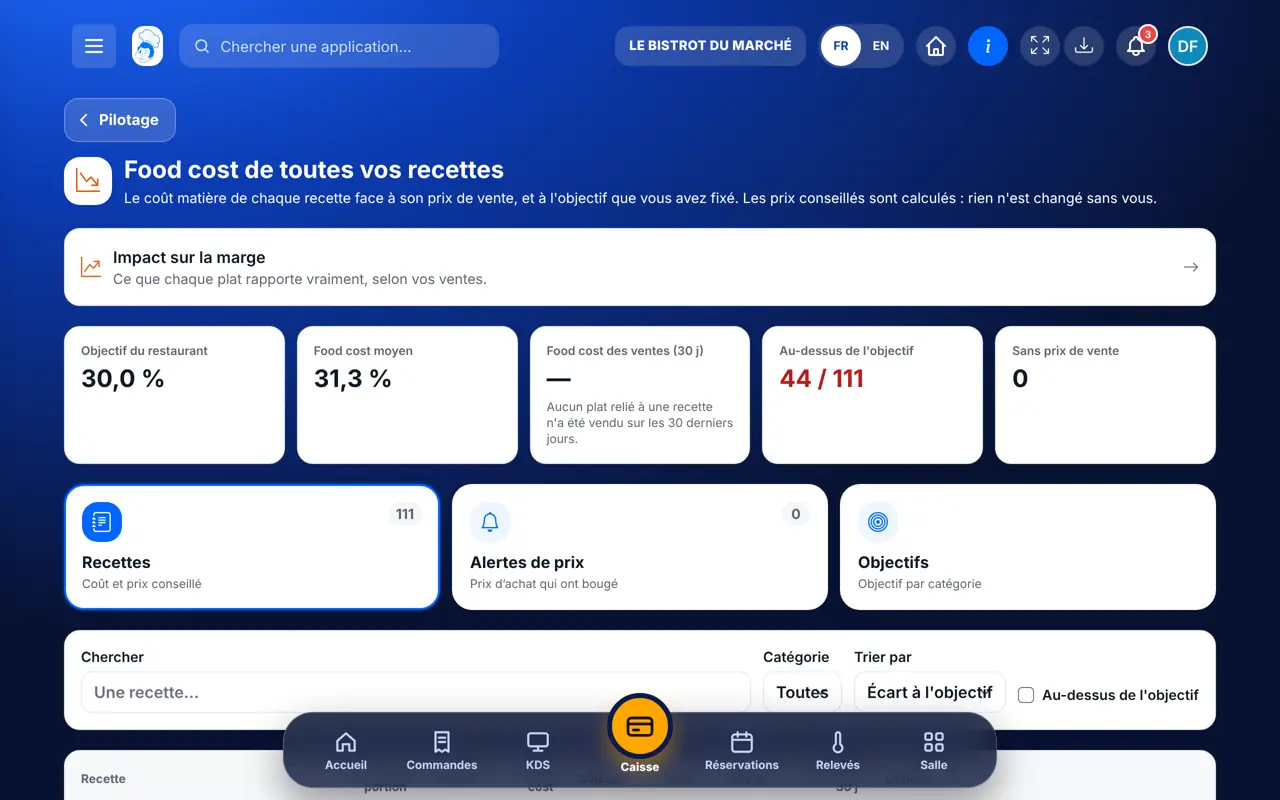
Reads every cost and sets the targets.
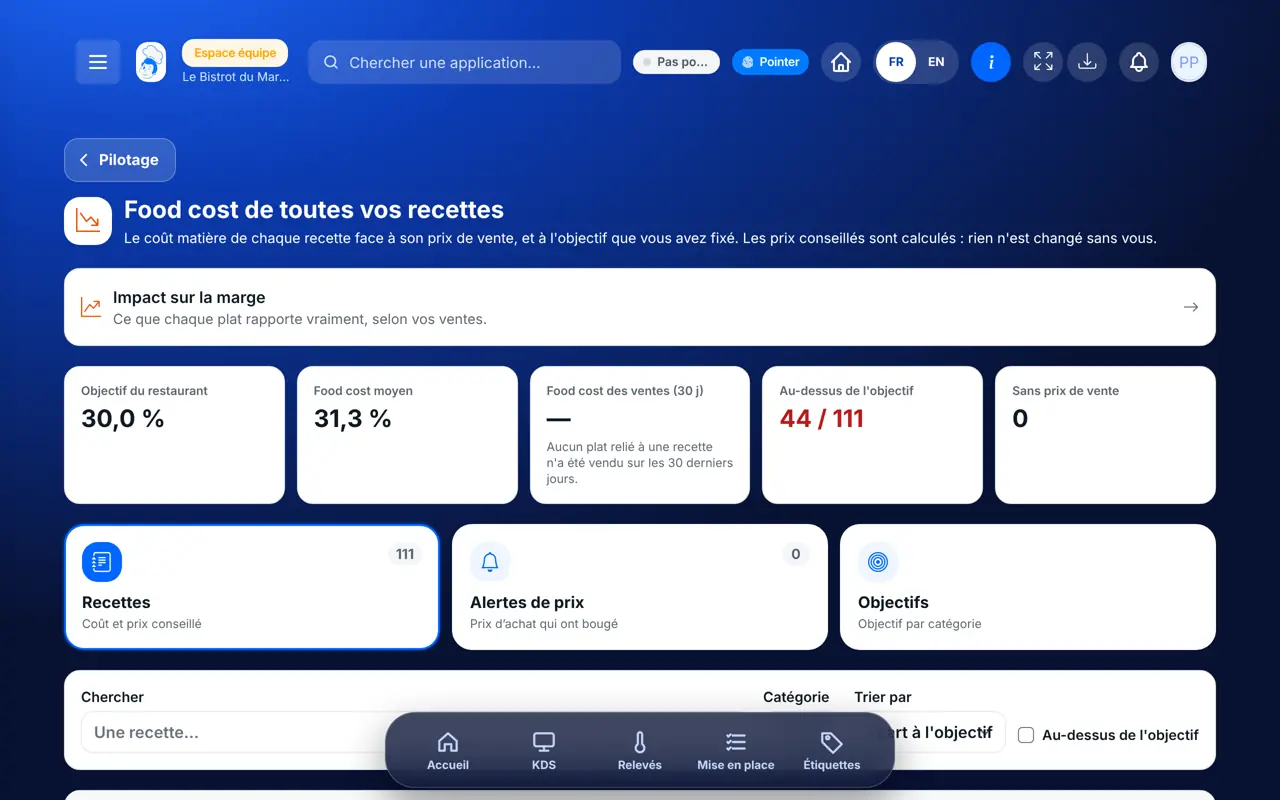
With the right to view recipe costs, reads the table. Setting targets needs the “manage recipe costs” right.
Claude, ChatGPT or Mistral’s Le Chat, connected to FoodEatUp. Copy the request and replace your establishment number.
In FoodEatUp, for my establishment [number], list the recipes whose food cost is above my target.
What you getRecipes above target, with their cost and price.
Tools used : list_recipe_costs
In FoodEatUp, for my establishment [number], which purchase prices changed and which recipes are affected?
What you getPrice alerts and the recipes concerned.
Tools used : list_price_alerts
In FoodEatUp, for my establishment [number], work out the cost and suggested price of the dish [dish] for a [target] % food cost.
What you getThe dish’s ingredient cost and the price that meets the target. Nothing changes on the menu.
Tools used : get_dish_pricing
Sort by gap to target.
Price alerts name the recipes affected.
An ingredient without a price is flagged.
The suggested price changes nothing without you.
Start with recipes without a selling price and ingredients without a purchase price: while they are missing, food cost cannot be calculated.
In FoodEatUp, one action triggers others. Here are the screens that work with this one.
It has no selling price. Add a price on the recipe, or link the recipe to a dish on your menu.
No. It is a calculation. You change the price on the dish yourself.
Yes, in the “Objectifs” tab. Without its own target, a category uses the restaurant’s.
Send it to your team, your partner or your accountant. The image below appears in the message.
Claude, ChatGPT or Le Chat read this tutorial and explain it to you. Connected to FoodEatUp, they do it with you.
Read this FoodEatUp tutorial: https://foodeatup.com/en/academy/stockvision/food-cost.md Explain it to me simply, step by step, then help me do it in my restaurant. If FoodEatUp is connected to you, do it with me and show me the preview before every change.
Type your establishment number: the link takes you straight to this screen. The number stays on this device.
Discover stock and food cost (in French) →
Répond avec les fiches du site, sans IA
Le chef cherche dans les fiches…
 Claude
 Le Chat
 ChatGPT