My roles
In FoodEatUp, for my establishment [number], list my roles with their rights in plain words and how many employees hold each one.
What you getEach role, its rights and its holders.
Tools used : list_roles
 Team · Rôles
A role groups rights: view the till, record temperatures, approve the schedule… You start from a restaurant’s role templates, then adjust them. Each employee sees only what their role opens.
 Patron / gérant
 Directeur
 Responsable multi-sites
 Franchisé
The owner always has access. See what each role sees →
A computer: the list of rights is long and reads better on a big screen.
The real software screens, as they appear on each device.
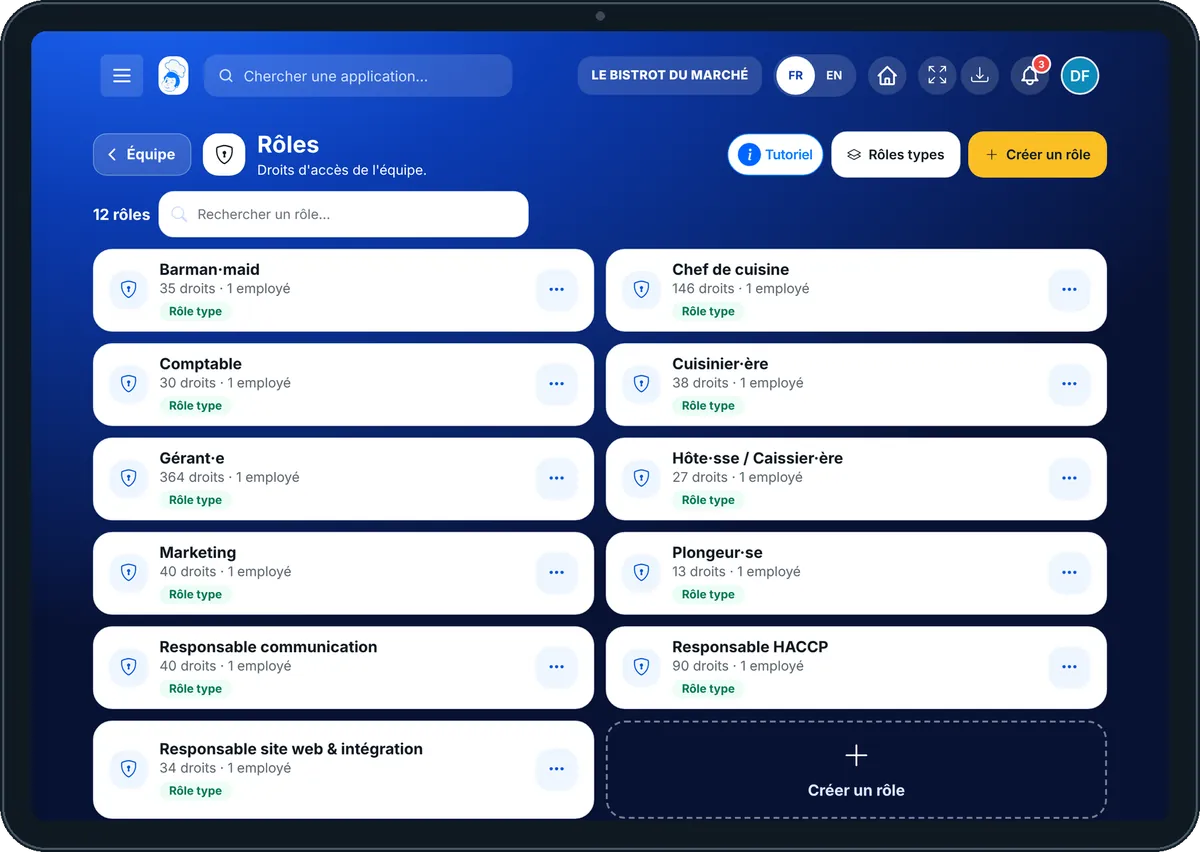
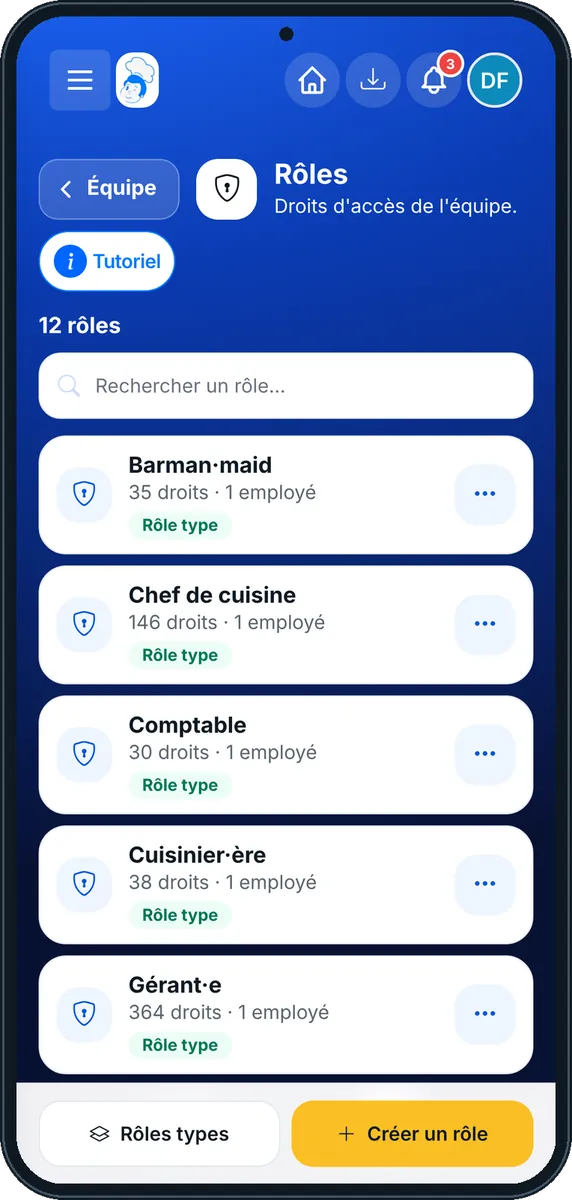
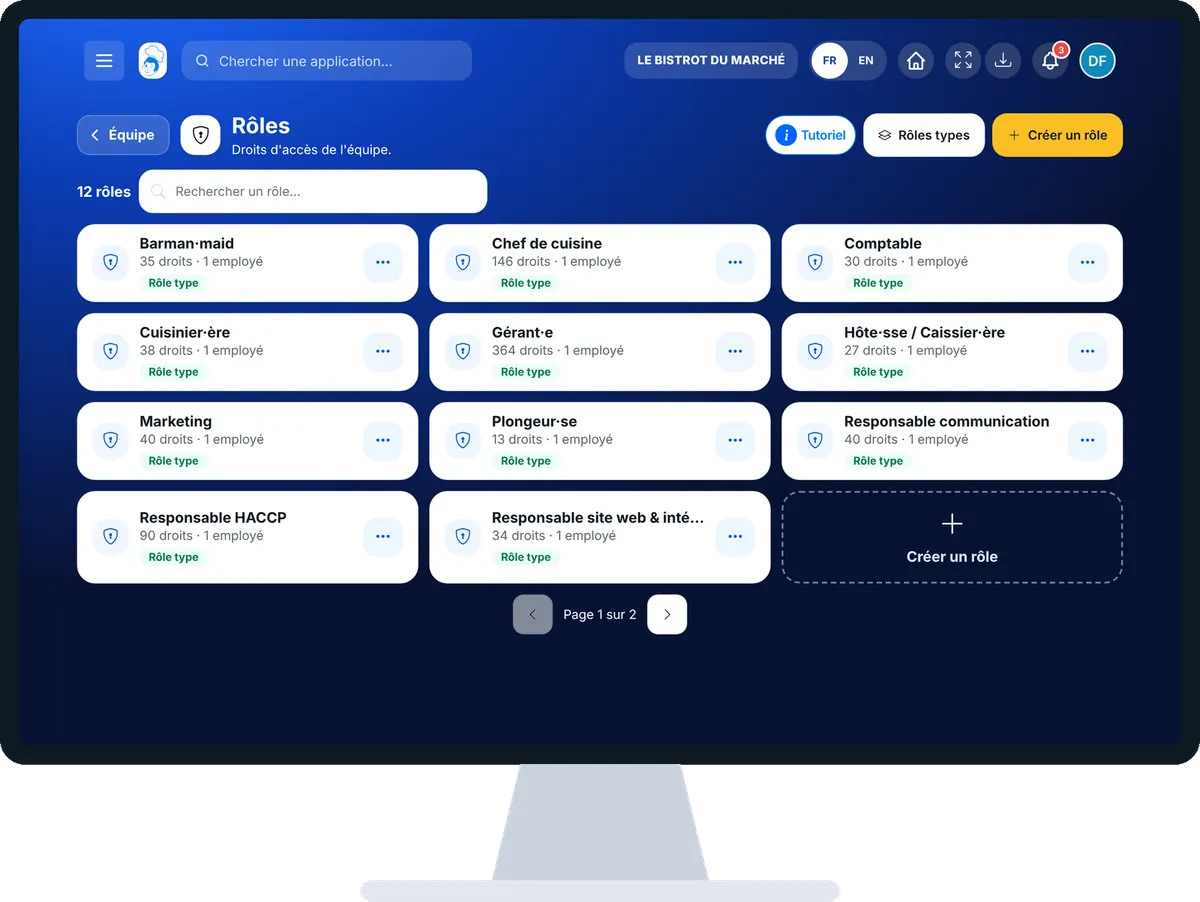
Give each employee the right access : 5 steps, with the real software screens.
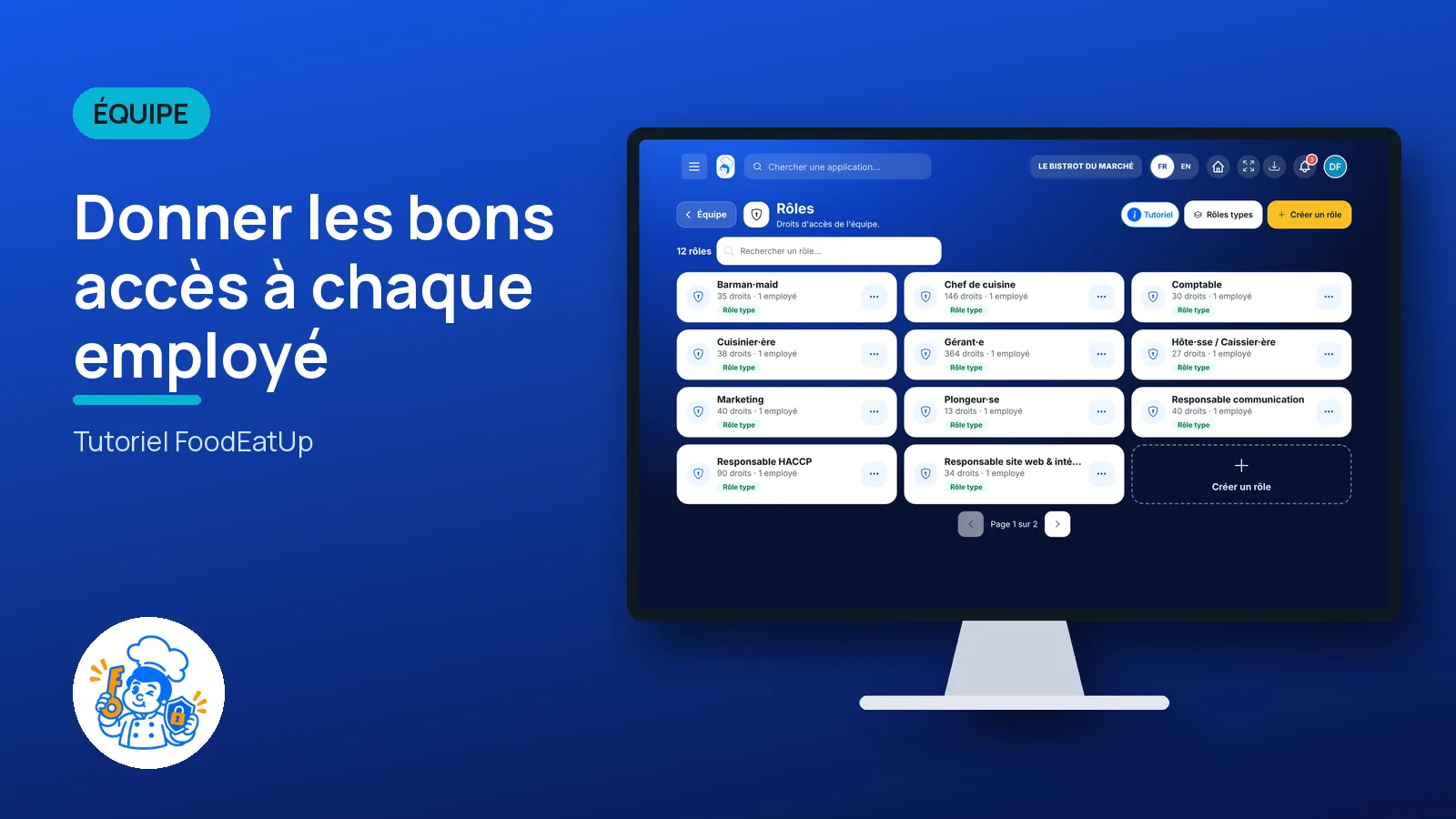
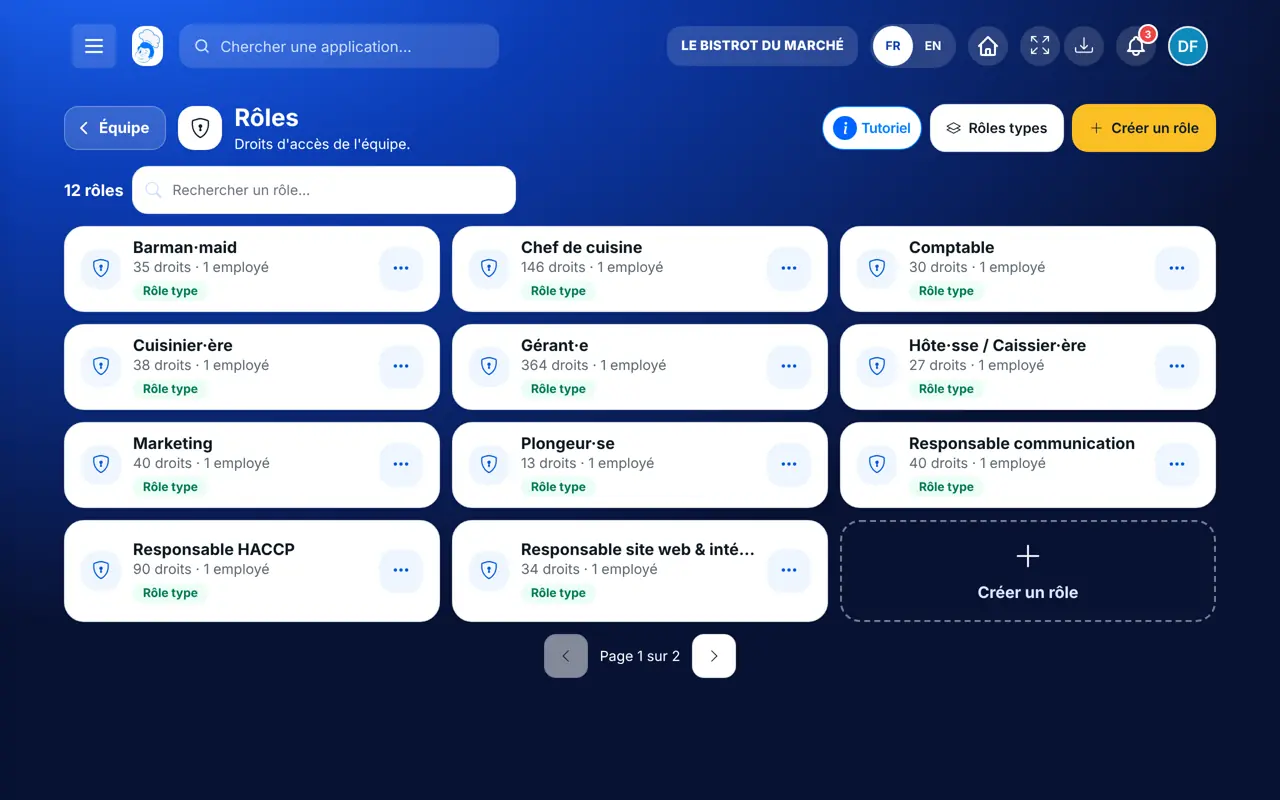
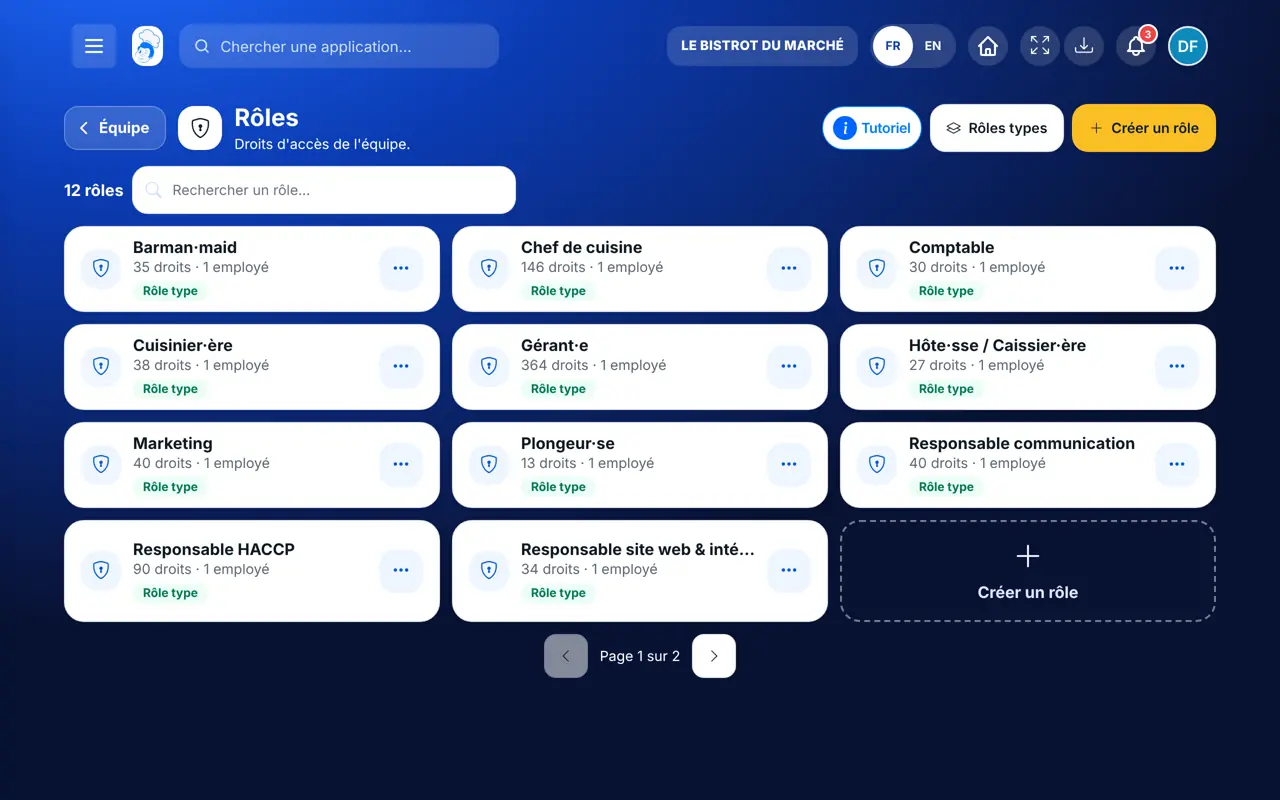
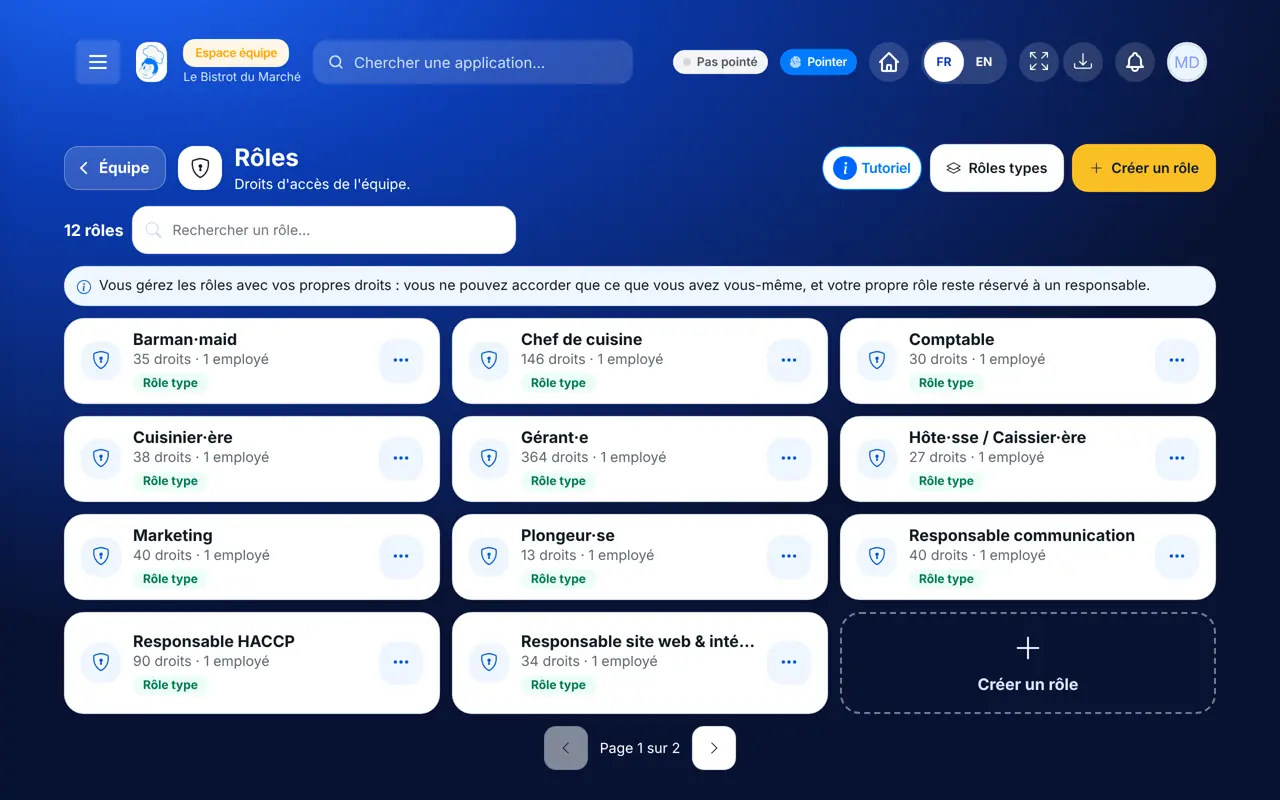
From the home screen, open Équipe then “Rôles”. Each card shows the role’s number of rights and employees; a badge marks role templates.
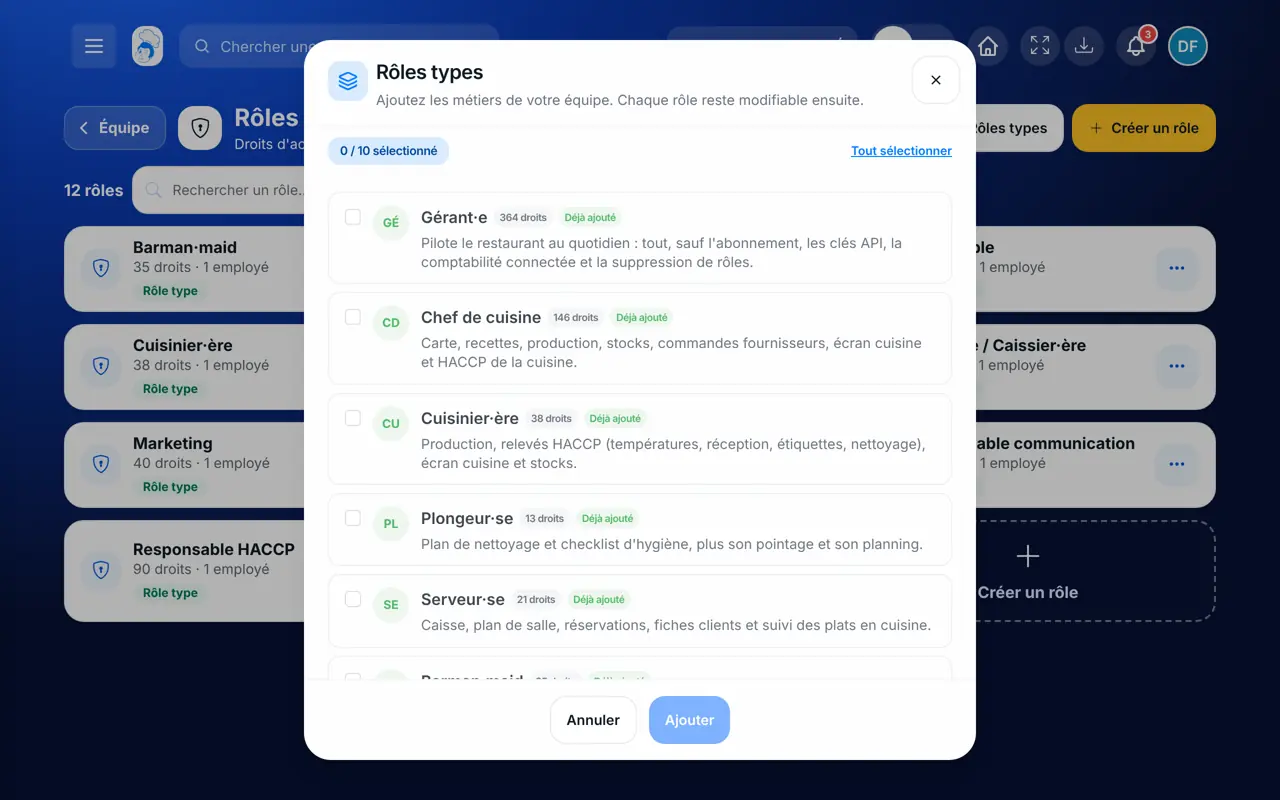
Tap “Rôles types”. Tick your team’s jobs and add them: each role can be edited afterwards.
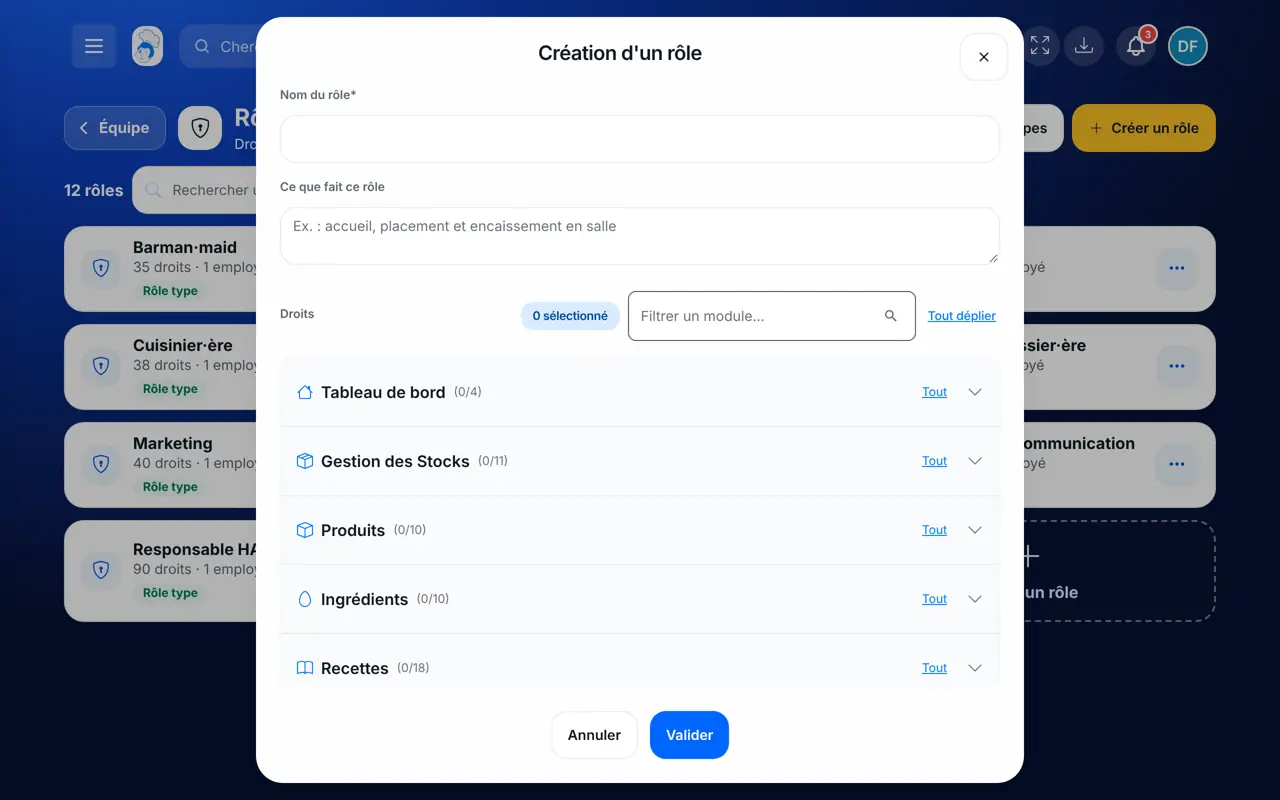
Tap “Créer un rôle”. Give it a name and a “Ce que fait ce rôle” sentence, then tick rights module by module.
In the employee’s record (Équipe › Employés), choose their role. They immediately see the screens this role opens.
Tap a role to read its rights in plain words. A role more powerful than yours stays read-only.
The Bistrot du Marché roles installed: each with its rights, and each employee linked to theirs.
Installs, creates, edits and deletes roles, with no limit.
With the right to view roles, reads them. Creating, editing, deleting or assigning each need their own right, and never more than their own rights.
Claude, ChatGPT or Mistral’s Le Chat, connected to FoodEatUp. Copy the request and replace your establishment number.
In FoodEatUp, for my establishment [number], list my roles with their rights in plain words and how many employees hold each one.
What you getEach role, its rights and its holders.
Tools used : list_roles
In FoodEatUp, for my establishment [number], show me the available role templates and those already installed.
What you getThe list of jobs on offer.
Tools used : list_role_templates
In FoodEatUp, for my establishment [number], install the waiter, cook and dishwasher role templates. Show me the preview first.
What you getA preview, then the roles created in your restaurant after confirmation.
Tools used : list_role_templates, install_role_templates
A restaurant’s jobs, already set up.
The waiter, the chef, the manager.
Nobody grants more than they have.
Rights are written in plain words.
Keep the role template as it is and create a custom copy for a special case: you always know where you started from.
In FoodEatUp, one action triggers others. Here are the screens that work with this one.
No. They can neither grant a right they do not have, nor touch a role more powerful than theirs, nor change their own role.
These are rights from an old version that no longer open any screen. They are removed from the role at the next save.
Yes: creating, editing, deleting or assigning a role may ask for your security code, depending on your settings.
Send it to your team, your partner or your accountant. The image below appears in the message.
Claude, ChatGPT or Le Chat read this tutorial and explain it to you. Connected to FoodEatUp, they do it with you.
Read this FoodEatUp tutorial: https://foodeatup.com/en/academy/equipe/roles.md Explain it to me simply, step by step, then help me do it in my restaurant. If FoodEatUp is connected to you, do it with me and show me the preview before every change.
Type your establishment number: the link takes you straight to this screen. The number stays on this device.
Discover roles and permissions (in French) →
Répond avec les fiches du site, sans IA
Le chef cherche dans les fiches…
 Claude
 Le Chat
 ChatGPT