Which documents do I have?
In FoodEatUp, for my establishment [number], list the documents of my food-safety file, folder by folder.
What you getThe list of stored documents with their folder.
Tools used : list_haccp_documents
 HACCP · Documents
Certificates, procedures, analyses: your documents are sorted by folder, found by search and downloaded on inspection day.
 Chef de cuisine
 Directeur
 Patron / gérant
The owner always has access. See what each role sees →
A computer in the office, to upload files. Documents can also be viewed on the tablet.
The real software screens, as they appear on each device.
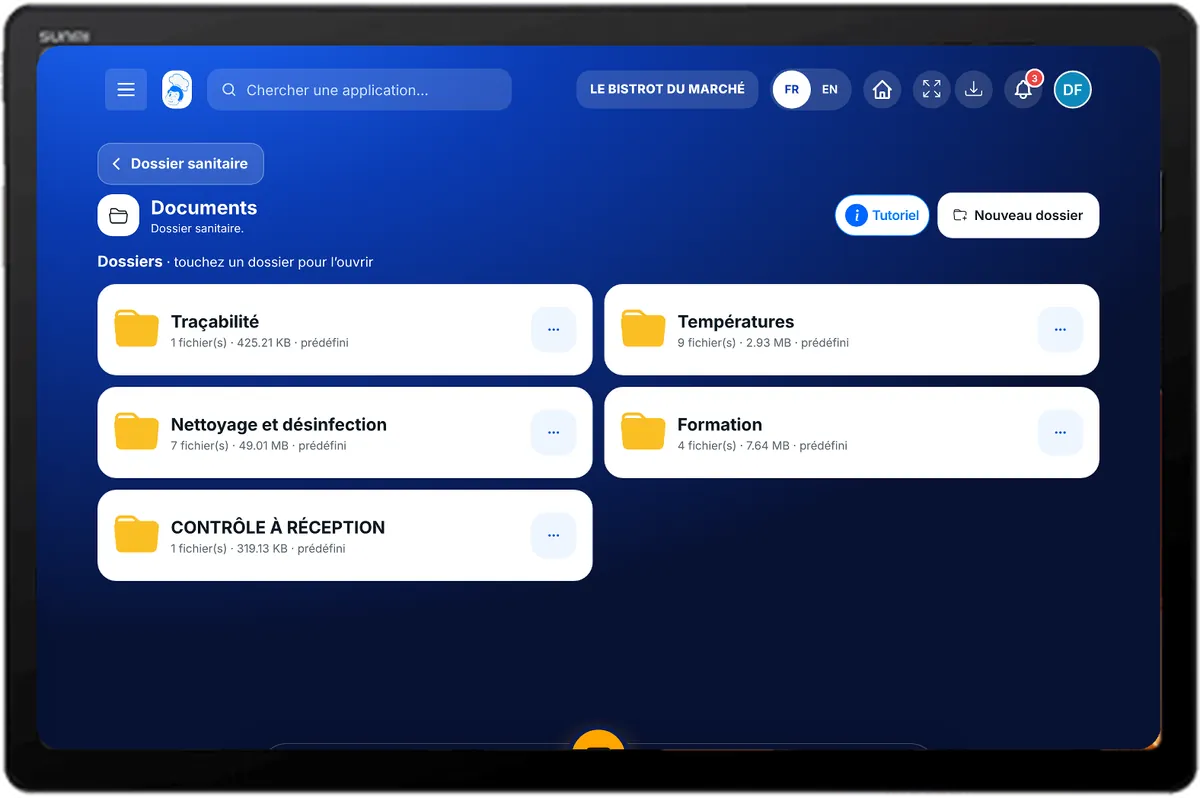
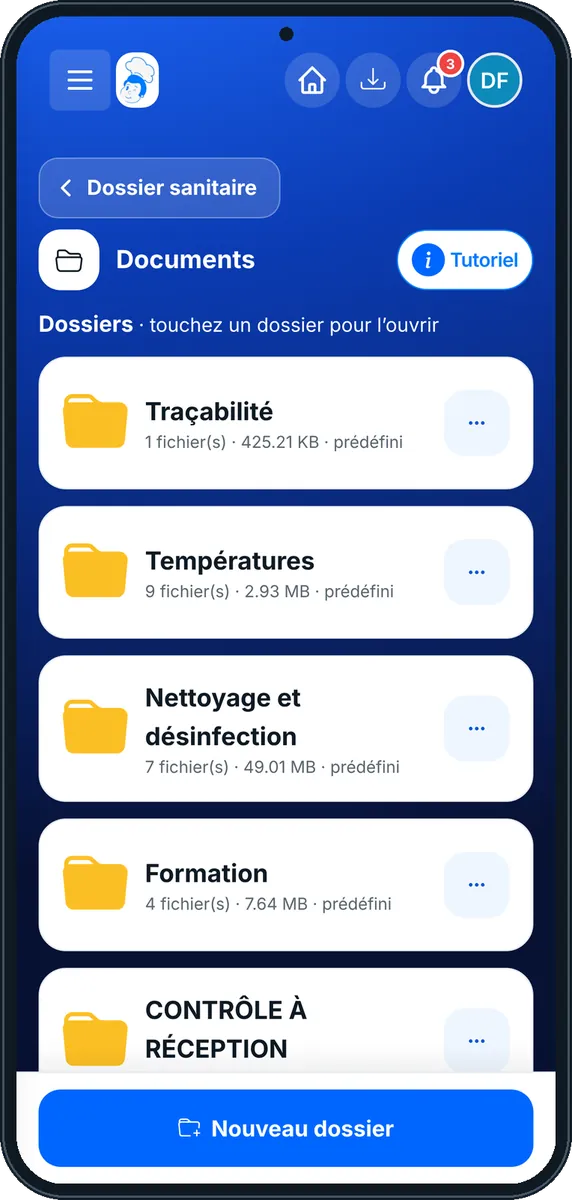
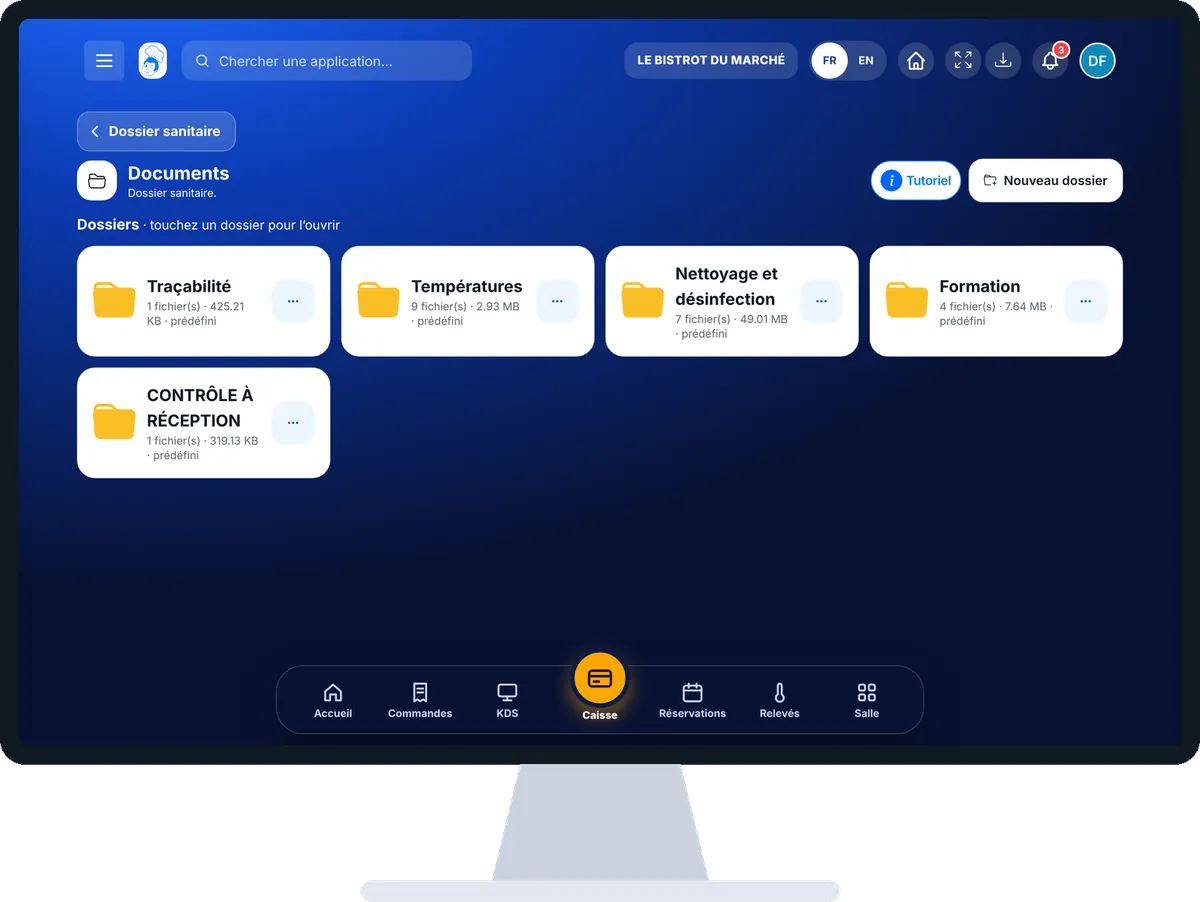
Organise the food-safety file : 4 steps, with the real software screens.
In HACCP, open “Documents”. Folders are shown: tap a folder to open it.
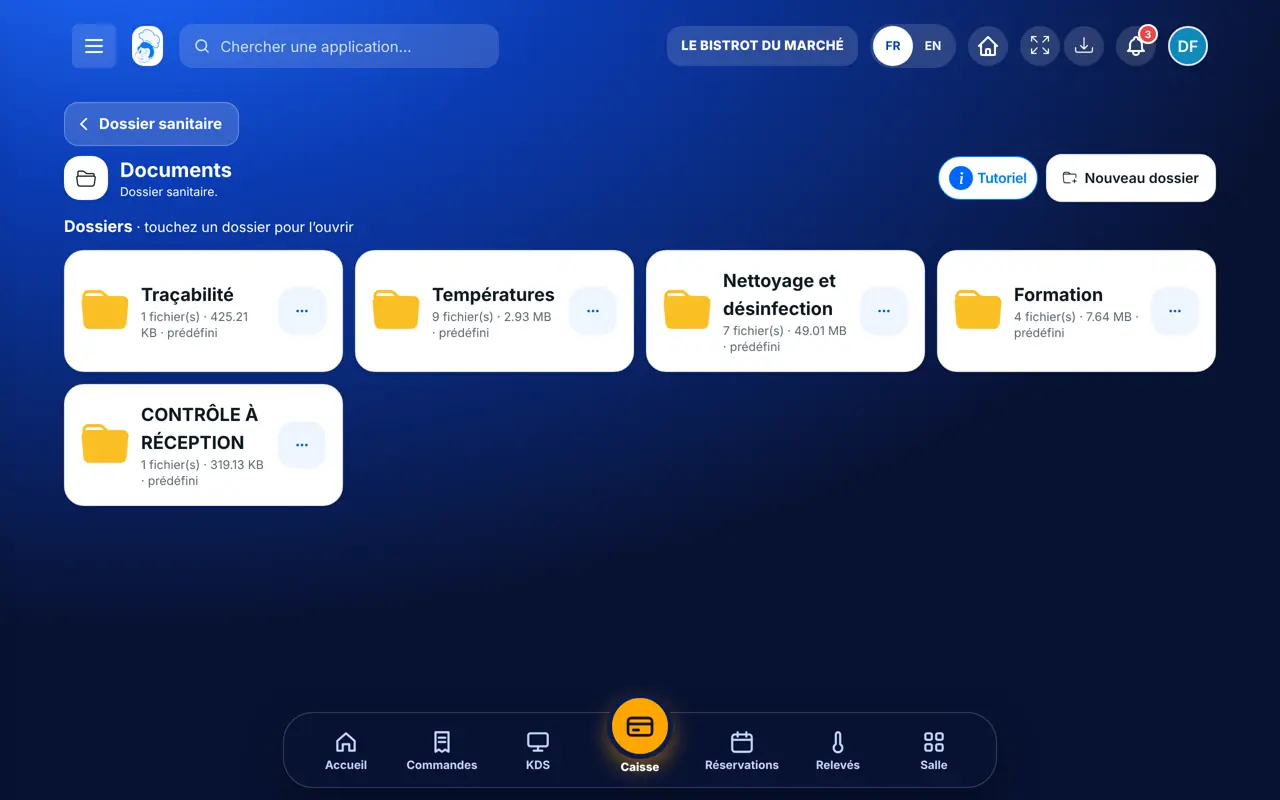
Tap “Nouveau dossier” and name it. A folder is renamed or deleted from its menu.
In a folder, tap “Nouveau fichier”. Choose the file (70 MB at most: PDF, DOC, XLS, images) and name it if you wish.
Type in the search field or filter by date. Tap “Voir” to open it, or “Télécharger” from its menu.
Your documents are sorted by folder and found by search, ready to show.
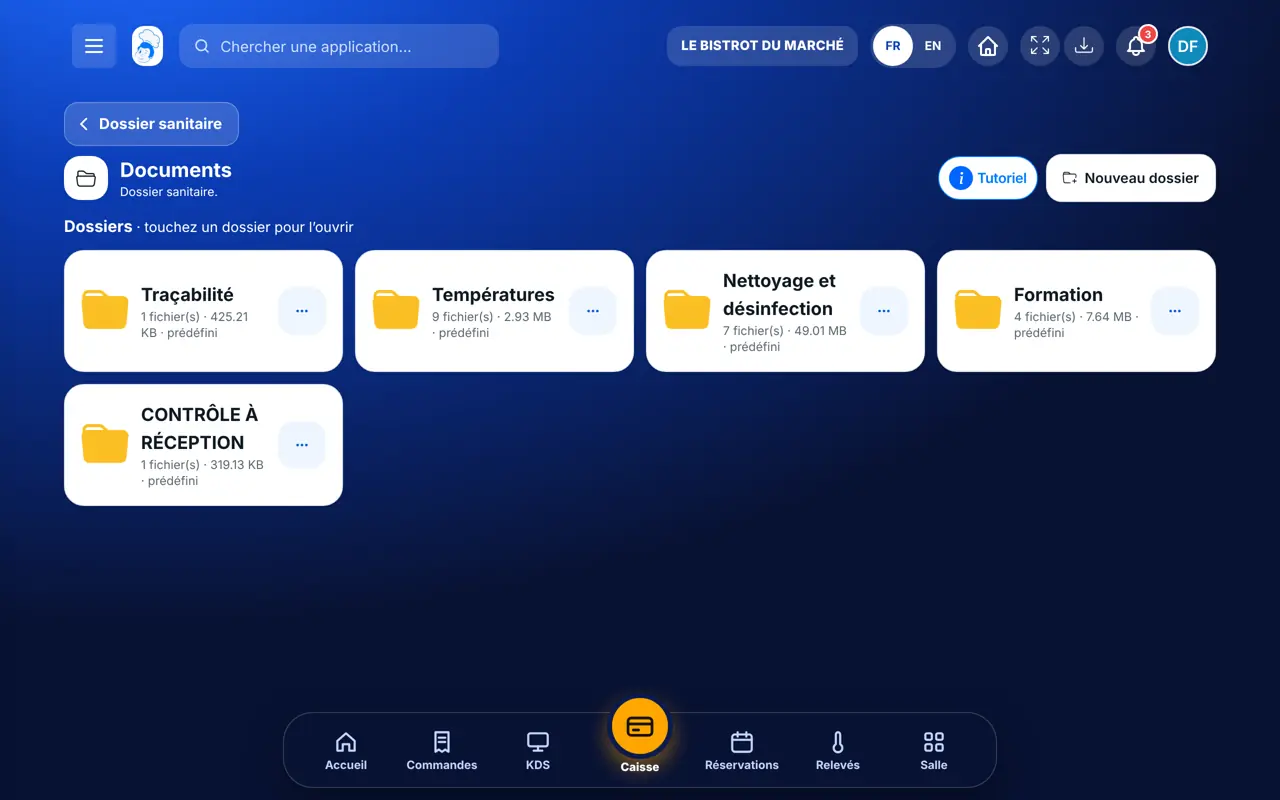
Creates folders, uploads, renames and deletes files.
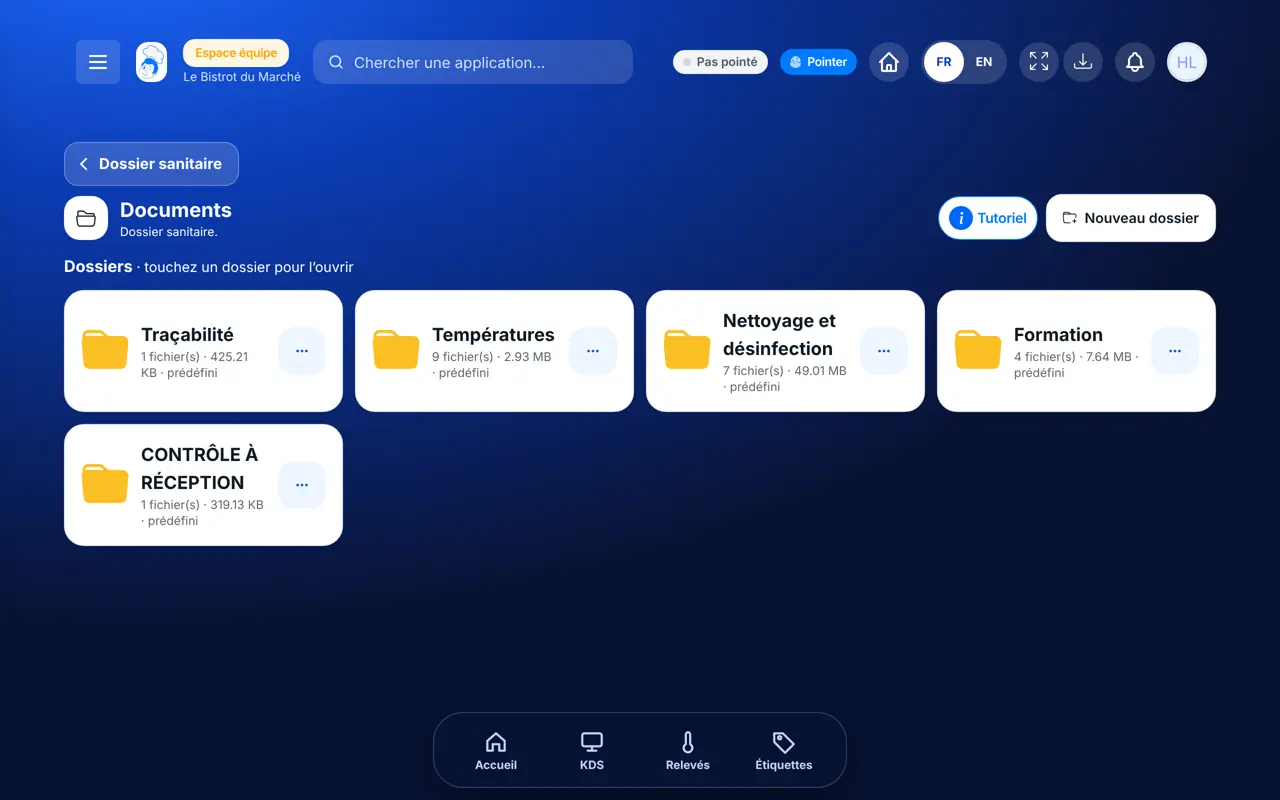
With the right to view documents, views and downloads them. Uploading or deleting needs an extra right.
Claude, ChatGPT or Mistral’s Le Chat, connected to FoodEatUp. Copy the request and replace your establishment number.
In FoodEatUp, for my establishment [number], list the documents of my food-safety file, folder by folder.
What you getThe list of stored documents with their folder.
Tools used : list_haccp_documents
In FoodEatUp, for my establishment [number], give me the HACCP status: what is left to do today and the documents available.
What you getToday’s status and the list of documents.
Tools used : get_haccp_todo, list_haccp_documents
In FoodEatUp, for my establishment [number], give me a HACCP overview of the week.
What you getHACCP figures for the period.
Tools used : get_haccp_overview
Certificates and procedures, by folder.
By name or by date.
View or download in one tap.
Everyone views according to their role.
Give files a name that says what they are and their date (“Hygiene training certificate 2026”). Keep one folder per topic: training, procedures, analyses, maintenance contracts.
In FoodEatUp, one action triggers others. Here are the screens that work with this one.
PDF, Word, Excel and images, up to 70 MB per file.
Yes, from the folder menu. Predefined folders are marked as such.
Yes, if their role has the right to view HACCP documents.
Send it to your team, your partner or your accountant. The image below appears in the message.
Claude, ChatGPT or Le Chat read this tutorial and explain it to you. Connected to FoodEatUp, they do it with you.
Read this FoodEatUp tutorial: https://foodeatup.com/en/academy/haccp/haccp-documents.md Explain it to me simply, step by step, then help me do it in my restaurant. If FoodEatUp is connected to you, do it with me and show me the preview before every change.
Type your establishment number: the link takes you straight to this screen. The number stays on this device.
Discover FoodEatUp HACCP (in French) →
Répond avec les fiches du site, sans IA
Le chef cherche dans les fiches…
 Claude
 Le Chat
 ChatGPT