What is left to clean
In FoodEatUp, for my establishment [number], tell me which cleaning stations have not been cleaned today.
What you getStations not cleaned today, area by area.
Tools used : get_haccp_todo, list_cleaning_zones
 HACCP · Cleaning
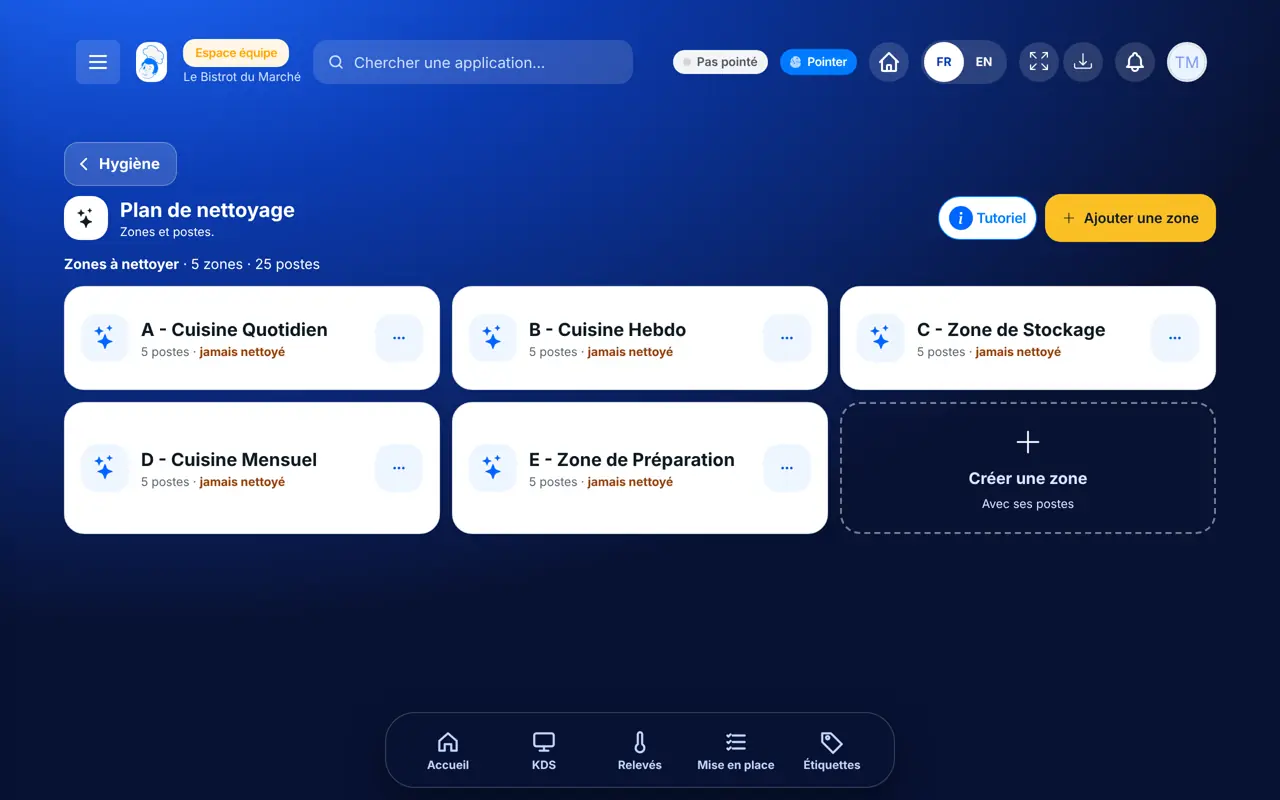
Your areas, their stations, and a “Nettoyé” button that records the action in one tap, at the date and time shown.
 Plongeur
 Commis / cuisinier
 Chef de cuisine
The owner always has access. See what each role sees →
A tablet or a phone, kept at hand during cleaning.
The real software screens, as they appear on each device.
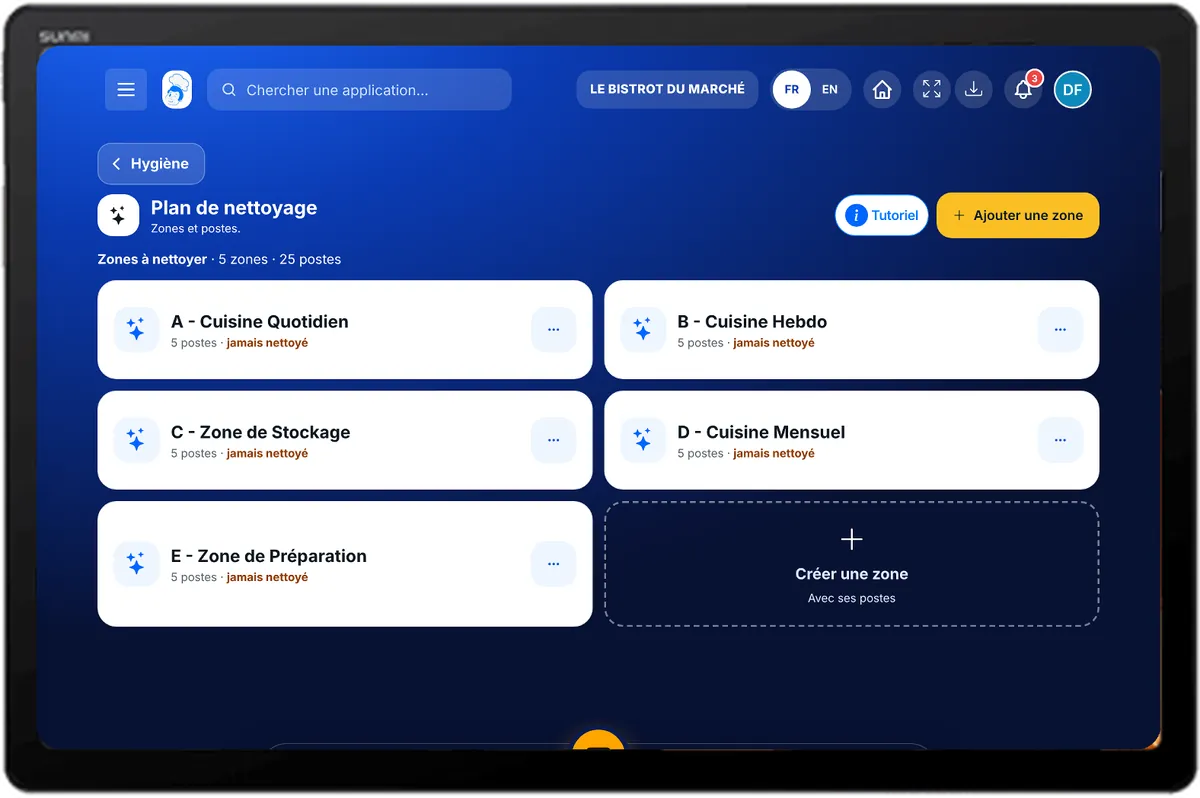
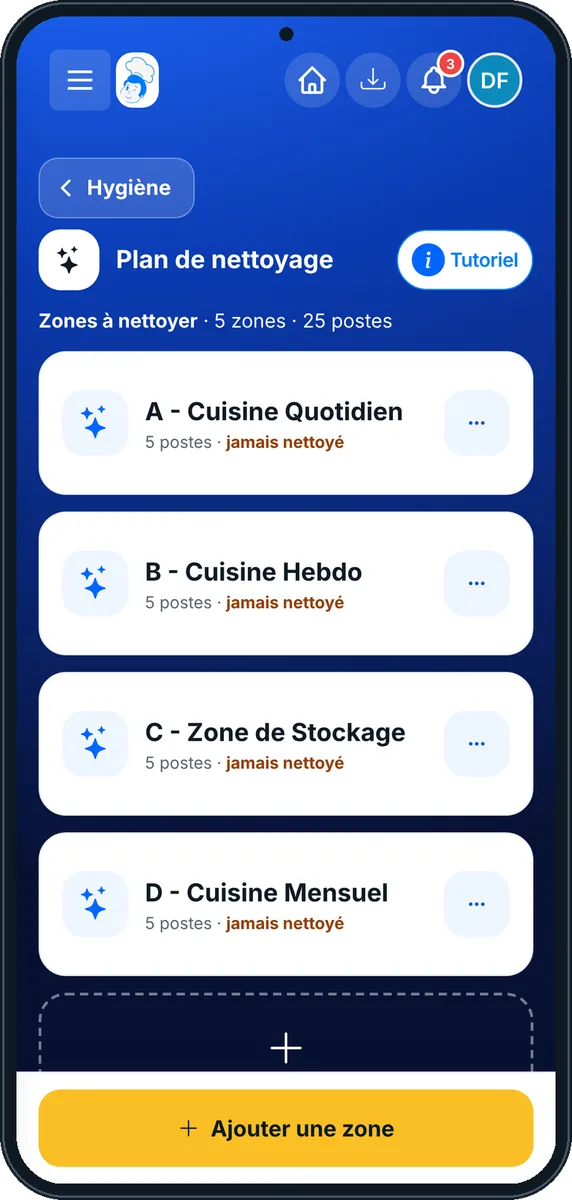
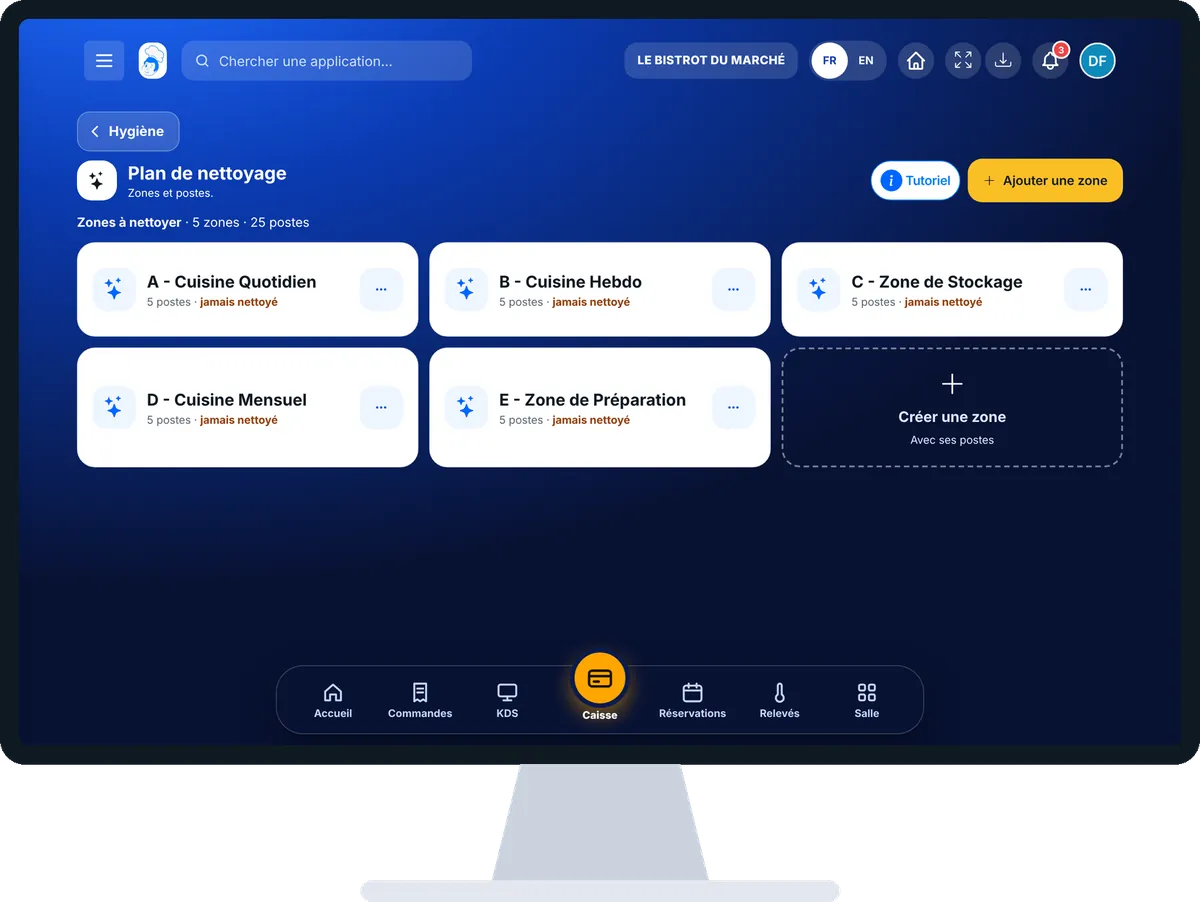
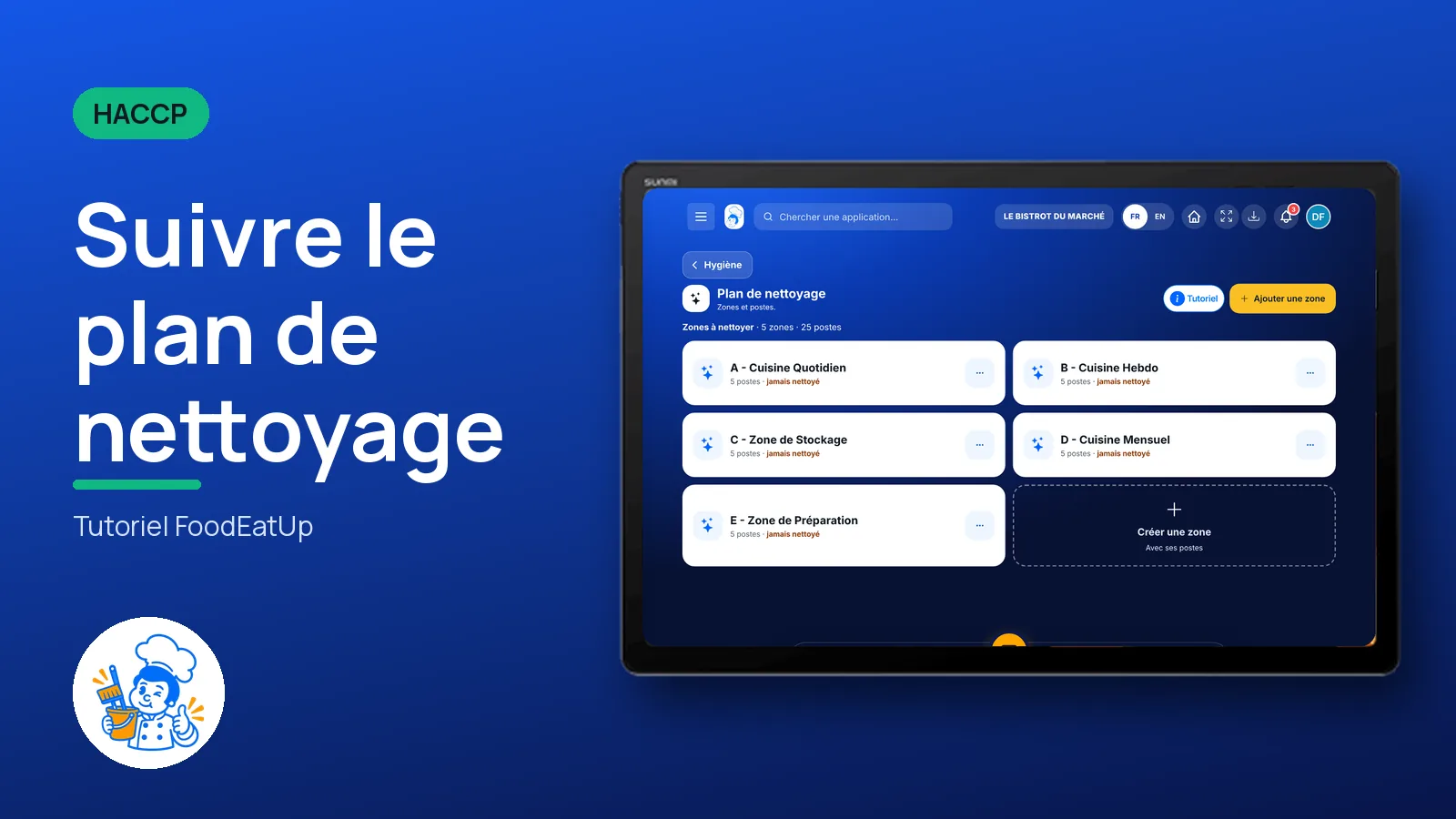
Follow the cleaning plan : 5 steps, with the real software screens.
In HACCP, open “Nettoyage”. Your areas are listed. Tap “Créer une zone” to add one.
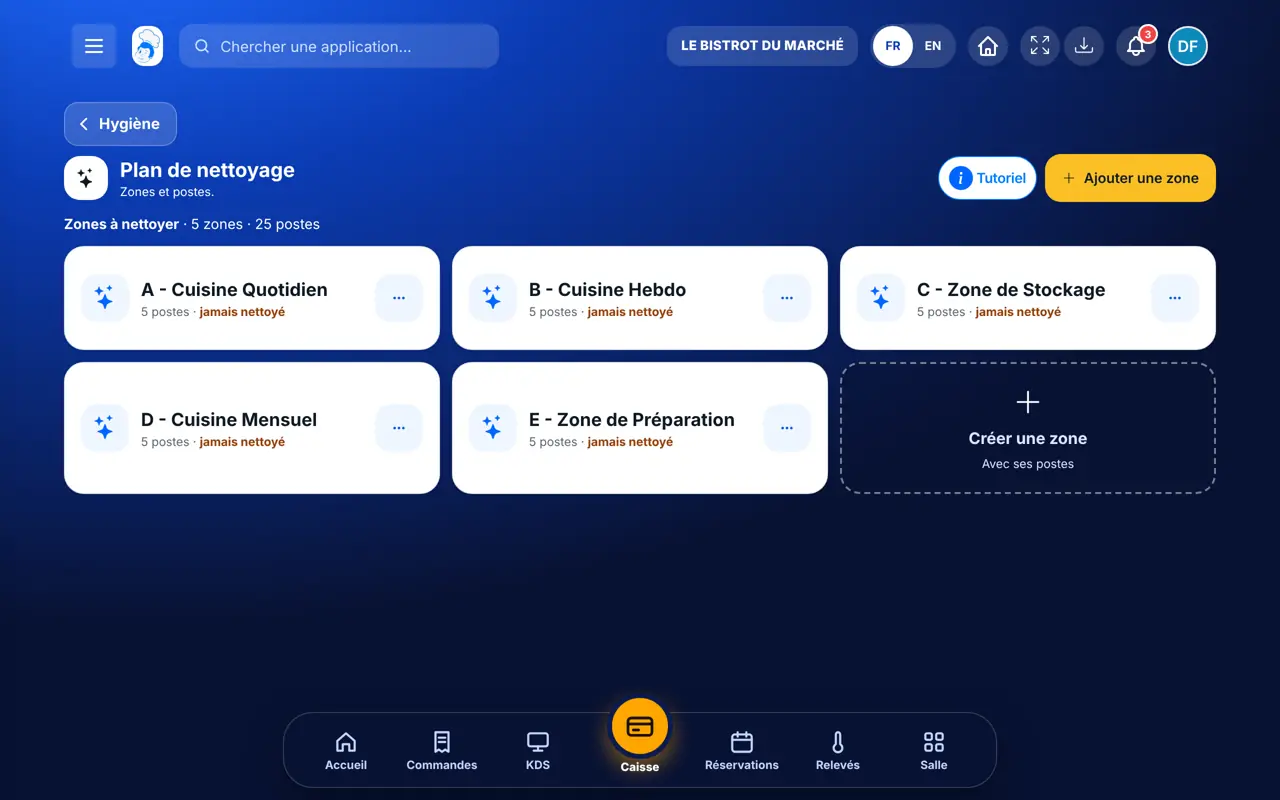
Tap an area card. Its stations show, with the number cleaned less than 12 hours ago.
Tap “Nettoyé” on the station. The action is saved at the date and time shown.
In the station’s “…” menu: add a comment, take a photo, or another date or time.
Tap “Ajouter un poste” to complete the area, then “Valider la zone”.
Actions join the cleaning plan log with date, time, station and person.
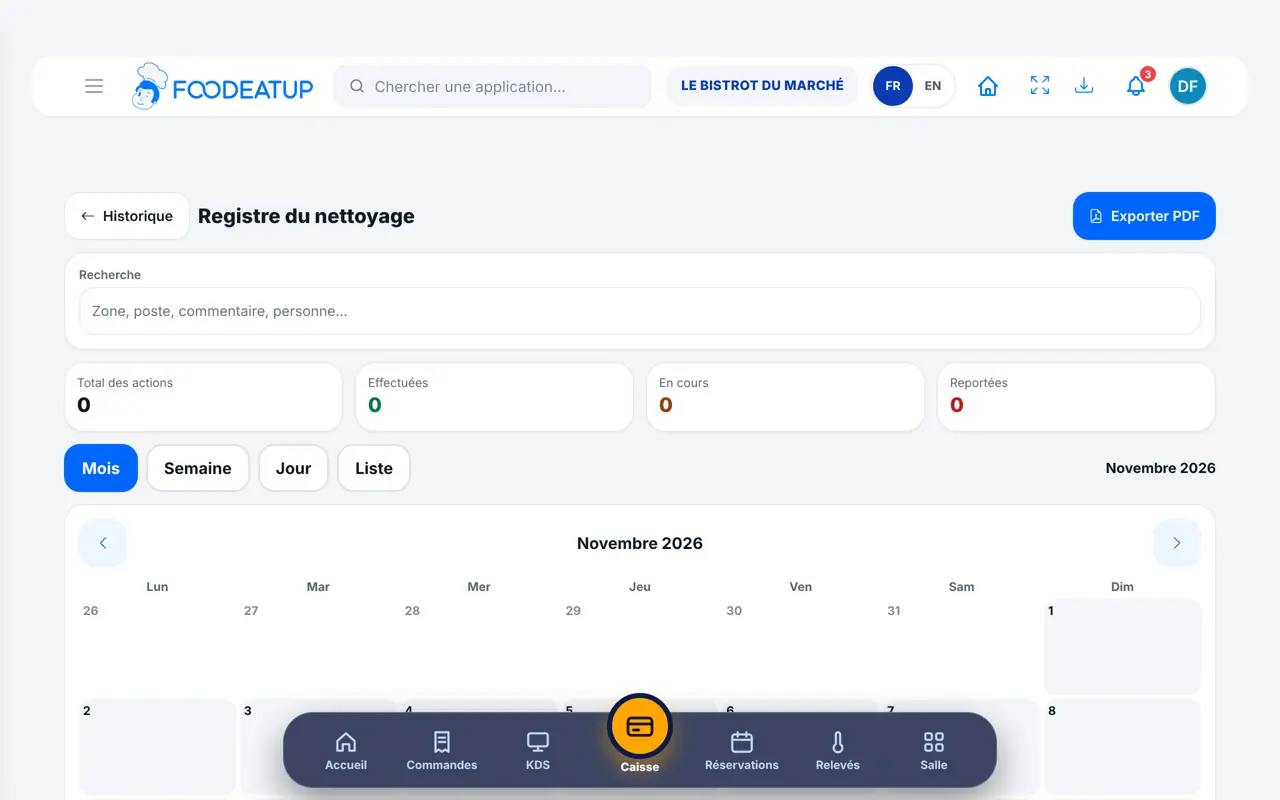
Creates areas and stations, schedules cleaning and finds every action in the food-safety file.
With the cleaning-plan right, marks stations cleaned. The Dishwasher role has it. Each action carries the employee’s first name.
Claude, ChatGPT or Mistral’s Le Chat, connected to FoodEatUp. Copy the request and replace your establishment number.
In FoodEatUp, for my establishment [number], tell me which cleaning stations have not been cleaned today.
What you getStations not cleaned today, area by area.
Tools used : get_haccp_todo, list_cleaning_zones
In FoodEatUp, for my establishment [number], record that station [name] in area [name] has just been cleaned.
What you getThe action is saved at the time of the request.
Tools used : list_cleaning_zones, record_cleaning_action
In FoodEatUp, for my establishment [number], export the cleaning plan record for the last 30 days.
What you getThe record for the period and a download link.
Tools used : get_haccp_history_cleaning
Date and time set automatically.
Each action carries the person’s first name.
Stations never cleaned are marked.
The record is in the food-safety file.
Split the kitchen into simple areas (dish area, cold room, stove) and give stations short names. Tap “Nettoyé” right after cleaning, not at the end of service.
In FoodEatUp, one action triggers others. Here are the screens that work with this one.
Yes. In the station’s “…” menu, tap “Autre date ou heure”.
No action has been recorded on this station yet.
Yes. In the station’s “…” menu, tap “Prendre une photo”.
Send it to your team, your partner or your accountant. The image below appears in the message.
Claude, ChatGPT or Le Chat read this tutorial and explain it to you. Connected to FoodEatUp, they do it with you.
Read this FoodEatUp tutorial: https://foodeatup.com/en/academy/haccp/haccp-plan-nettoyage.md Explain it to me simply, step by step, then help me do it in my restaurant. If FoodEatUp is connected to you, do it with me and show me the preview before every change.
Type your establishment number: the link takes you straight to this screen. The number stays on this device.
Discover FoodEatUp HACCP (in French) →
Répond avec les fiches du site, sans IA
Le chef cherche dans les fiches…
 Claude
 Le Chat
 ChatGPT