Areas to check
In FoodEatUp, for my establishment [number], list the areas of my cleaning plan.
What you getThe list of areas, those the compliance screen offers.
Tools used : list_cleaning_zones
 HACCP · Compliance
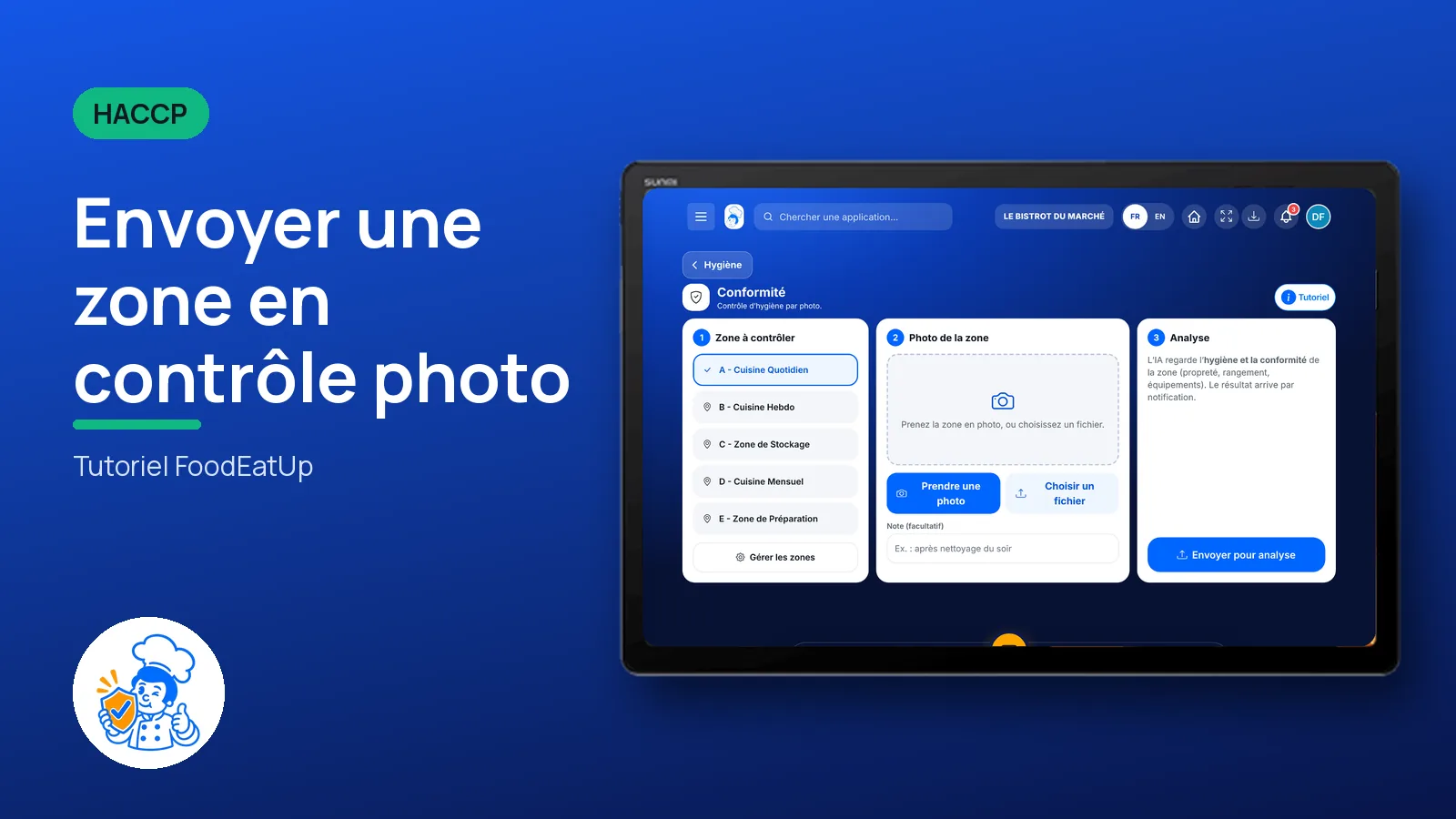
Choose an area, take a photo of it and send it for analysis. The result arrives as a notification.
 Chef de cuisine
 Second de cuisine
The owner always has access. See what each role sees →
A tablet or a phone, to photograph the area on the spot.
The real software screens, as they appear on each device.
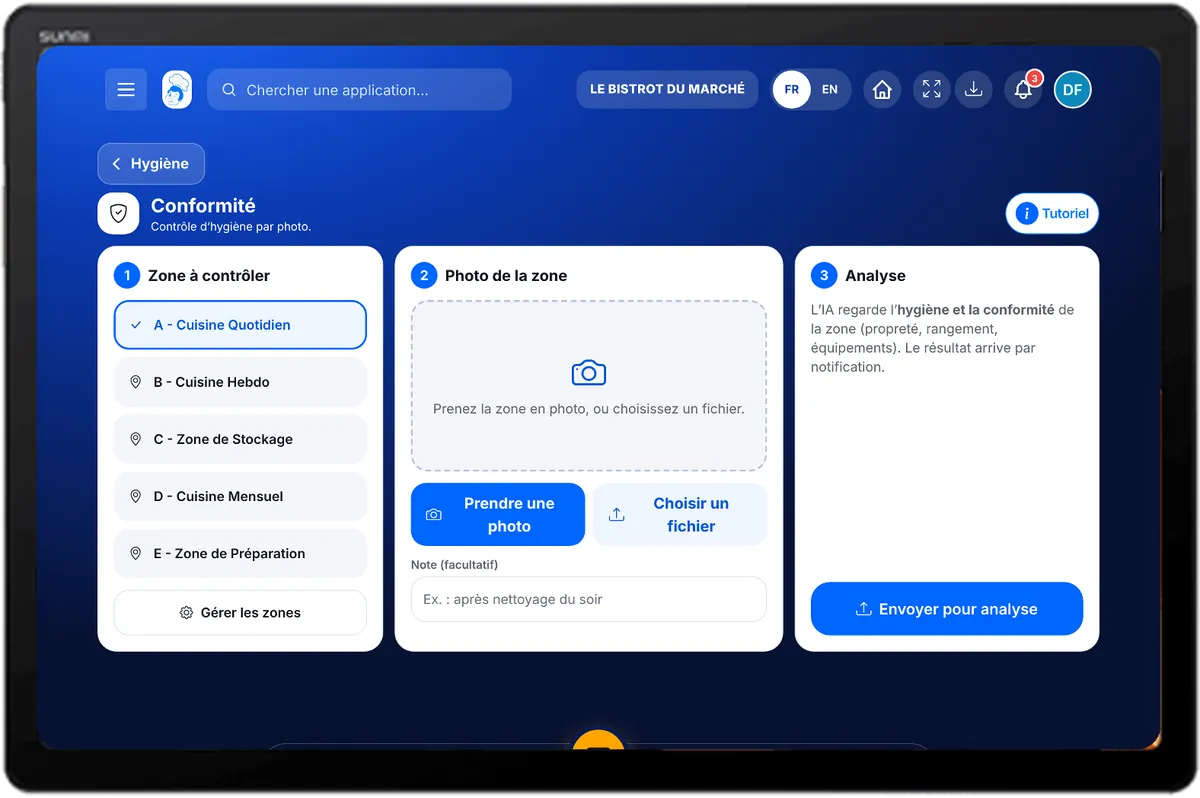
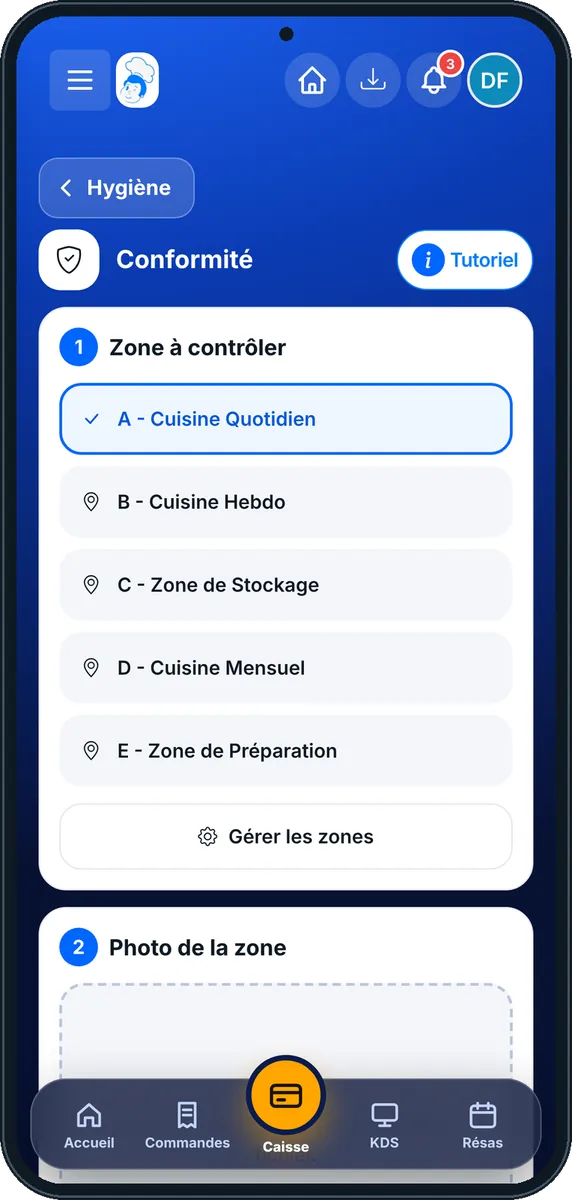
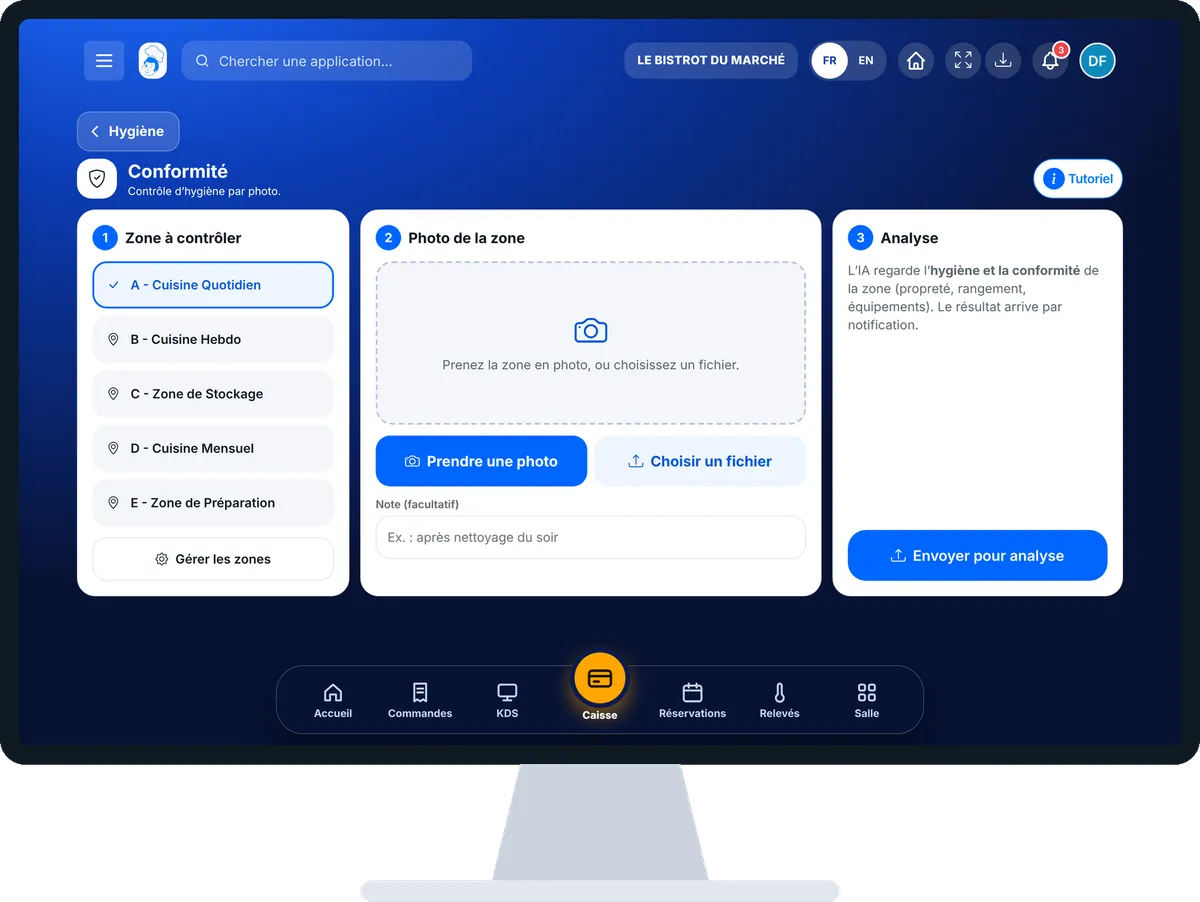
Send an area for photo check : 4 steps, with the real software screens.
In HACCP, open “Conformité”. The screen has three steps: the area, the photo, the analysis.
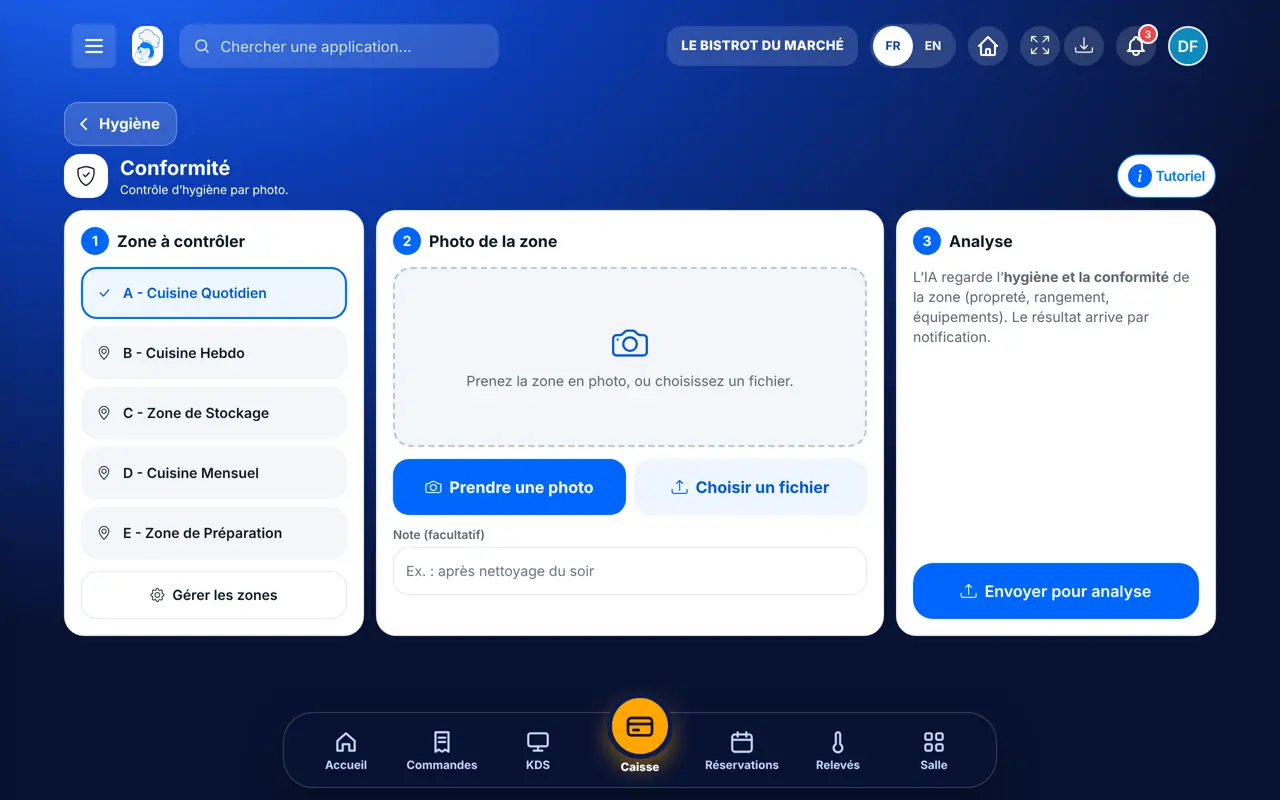
Tap the area to check. Areas come from your cleaning plan; “Gérer les zones” takes you there.
Tap “Prendre une photo” or “Choisir un fichier”. Add a note if you wish, for example “after evening cleaning”.
Tap “Envoyer pour analyse”. The “Image sent” message appears. The result arrives as a notification.
The screen confirms the upload. The analysis result then arrives as a notification.
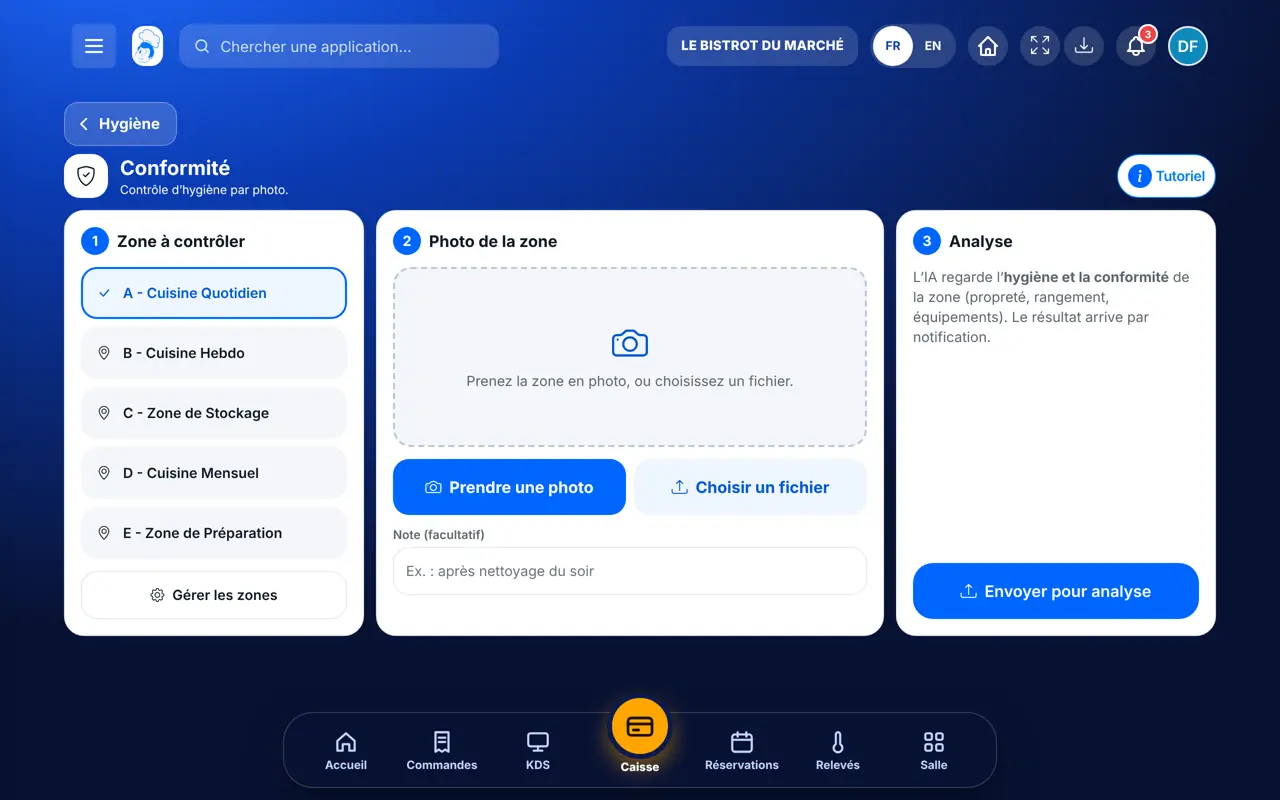
Sends photos and receives the result as a notification.
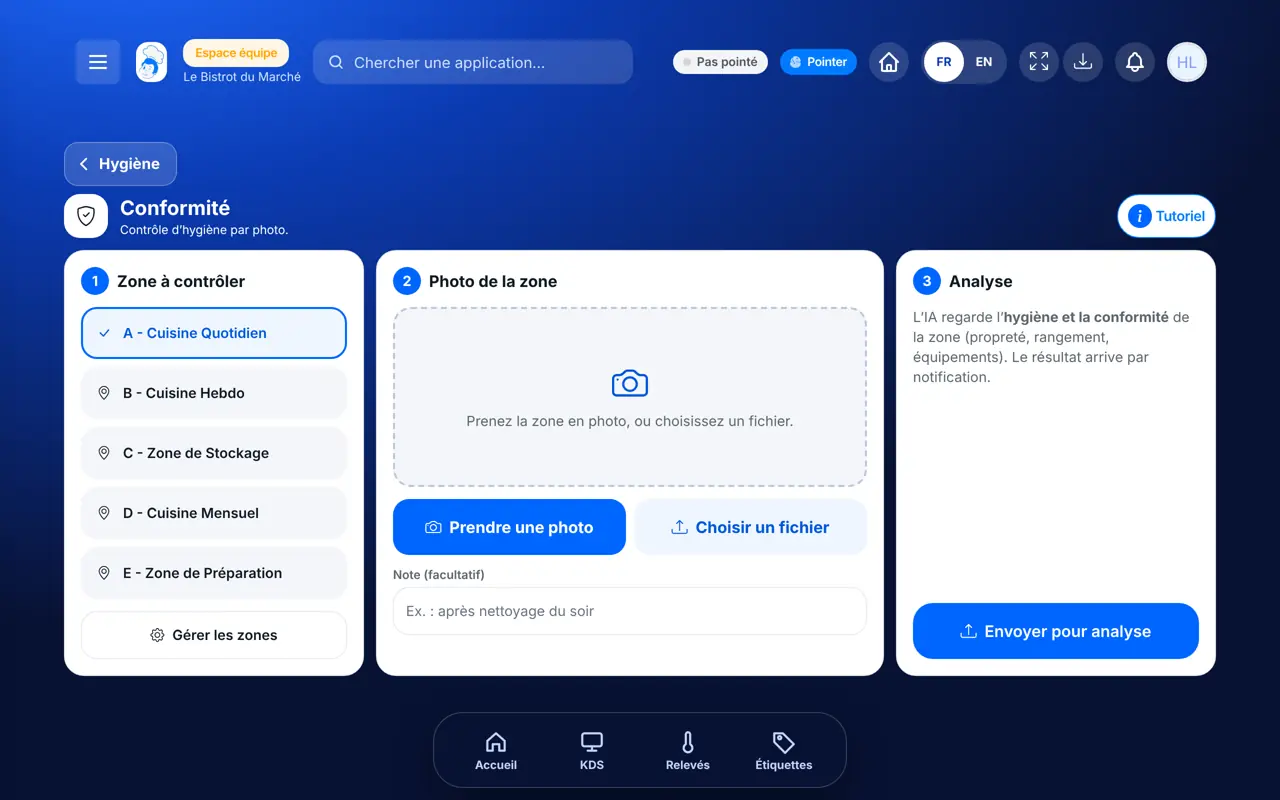
With the right to send a compliance photo, sends it the same way.
Claude, ChatGPT or Mistral’s Le Chat, connected to FoodEatUp. Copy the request and replace your establishment number.
In FoodEatUp, for my establishment [number], list the areas of my cleaning plan.
What you getThe list of areas, those the compliance screen offers.
Tools used : list_cleaning_zones
In FoodEatUp, for my establishment [number], tell me when area [name] was last cleaned and by whom.
What you getThe latest cleaning actions of the area.
Tools used : list_cleaning_actions
In FoodEatUp, for my establishment [number], give me today’s HACCP status: what is left to do and the deviations.
What you getToday’s status, most urgent first.
Tools used : get_haccp_todo, get_haccp_overview
Taken on the spot, with a note.
Those of the cleaning plan.
No waiting in front of the screen.
Three steps, one button.
Send the photo right after cleaning, framing the whole area. A short note (“after evening cleaning”) helps you read the result later.
In FoodEatUp, one action triggers others. Here are the screens that work with this one.
From your cleaning plan areas, plus a few areas offered by default.
As a notification, in the software’s bell.
Yes. Tap “Choisir un fichier”.
Send it to your team, your partner or your accountant. The image below appears in the message.
Claude, ChatGPT or Le Chat read this tutorial and explain it to you. Connected to FoodEatUp, they do it with you.
Read this FoodEatUp tutorial: https://foodeatup.com/en/academy/haccp/haccp-conformite.md Explain it to me simply, step by step, then help me do it in my restaurant. If FoodEatUp is connected to you, do it with me and show me the preview before every change.
Type your establishment number: the link takes you straight to this screen. The number stays on this device.
Discover FoodEatUp HACCP (in French) →
Répond avec les fiches du site, sans IA
Le chef cherche dans les fiches…
 Claude
 Le Chat
 ChatGPT