The week
In FoodEatUp, for my establishment [number], show me the schedule for the week of [date] with everyone’s hours.
What you getThe week’s shifts, with hours and estimated cost.
Tools used : list_plannings
 Team · Planning
You set each employee’s hours day by day, see the hours and their estimated cost, then publish: each employee gets a notification and sees their hours in their space.

 Patron / gérant
 Chef de cuisine
 Responsable de salle
 Second de cuisine
The owner always has access. See what each role sees →
A computer to prepare the week. Employees read their schedule on their phone.
The real software screens, as they appear on each device.
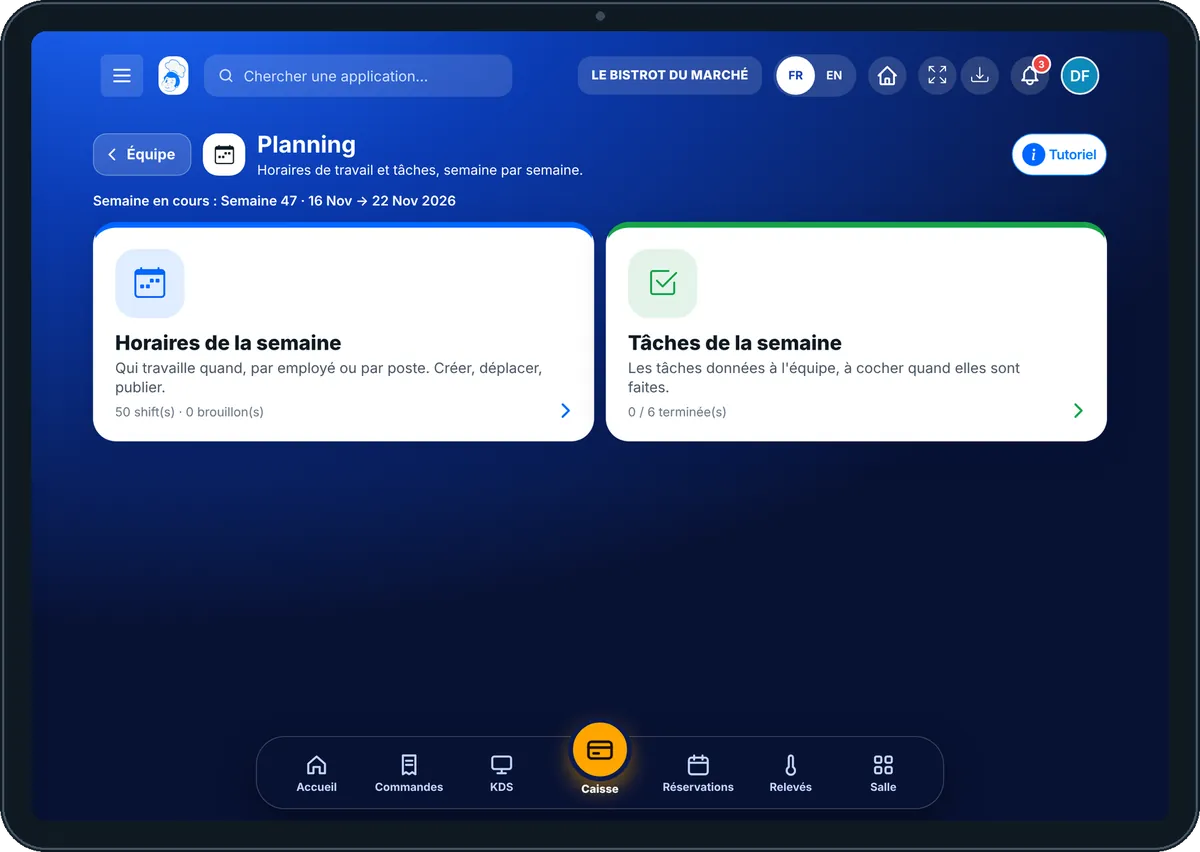
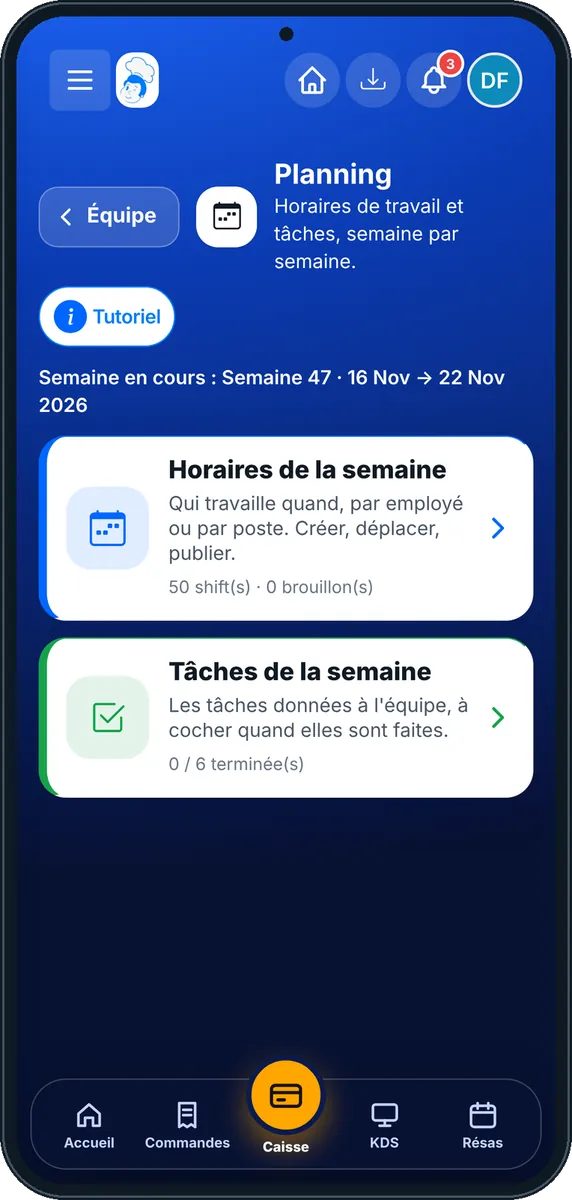
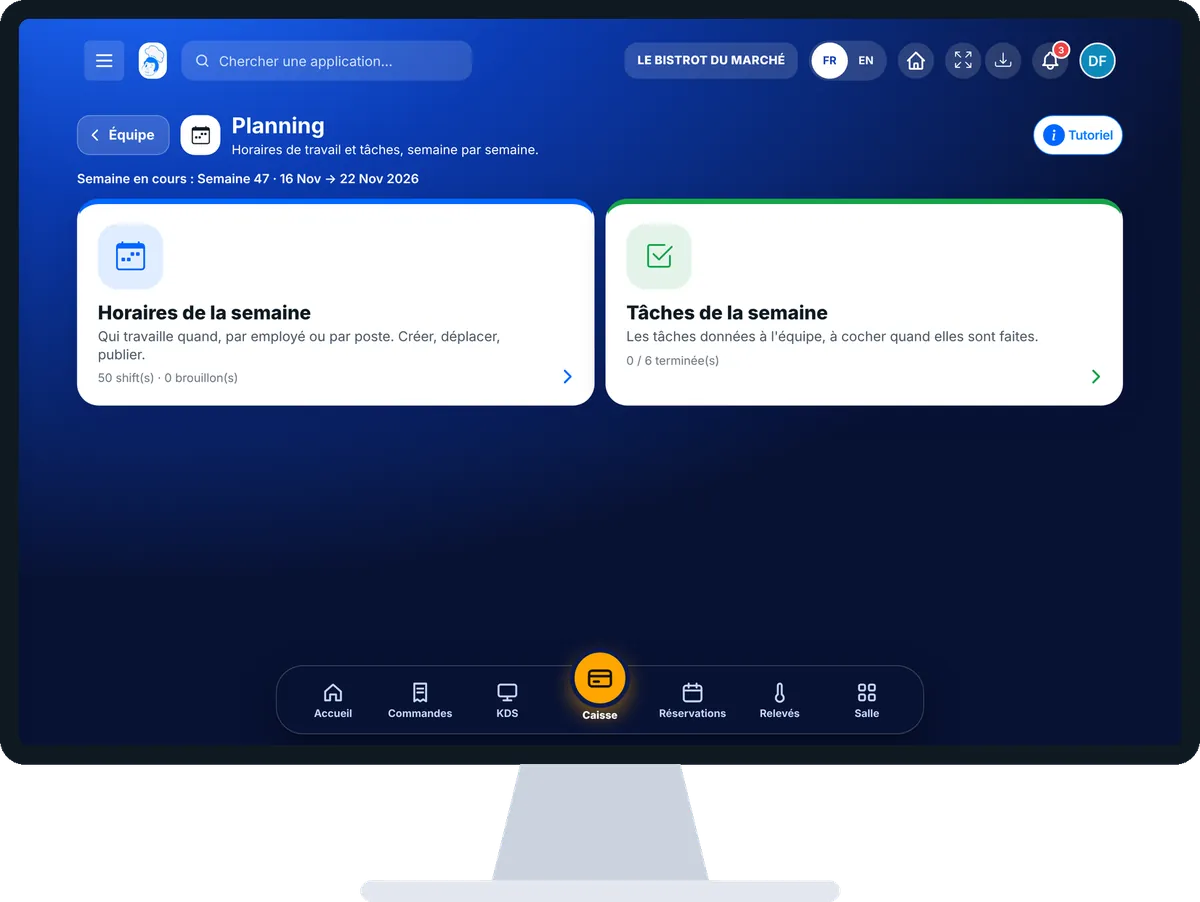
Build the week’s schedule : 5 steps, with the real software screens.
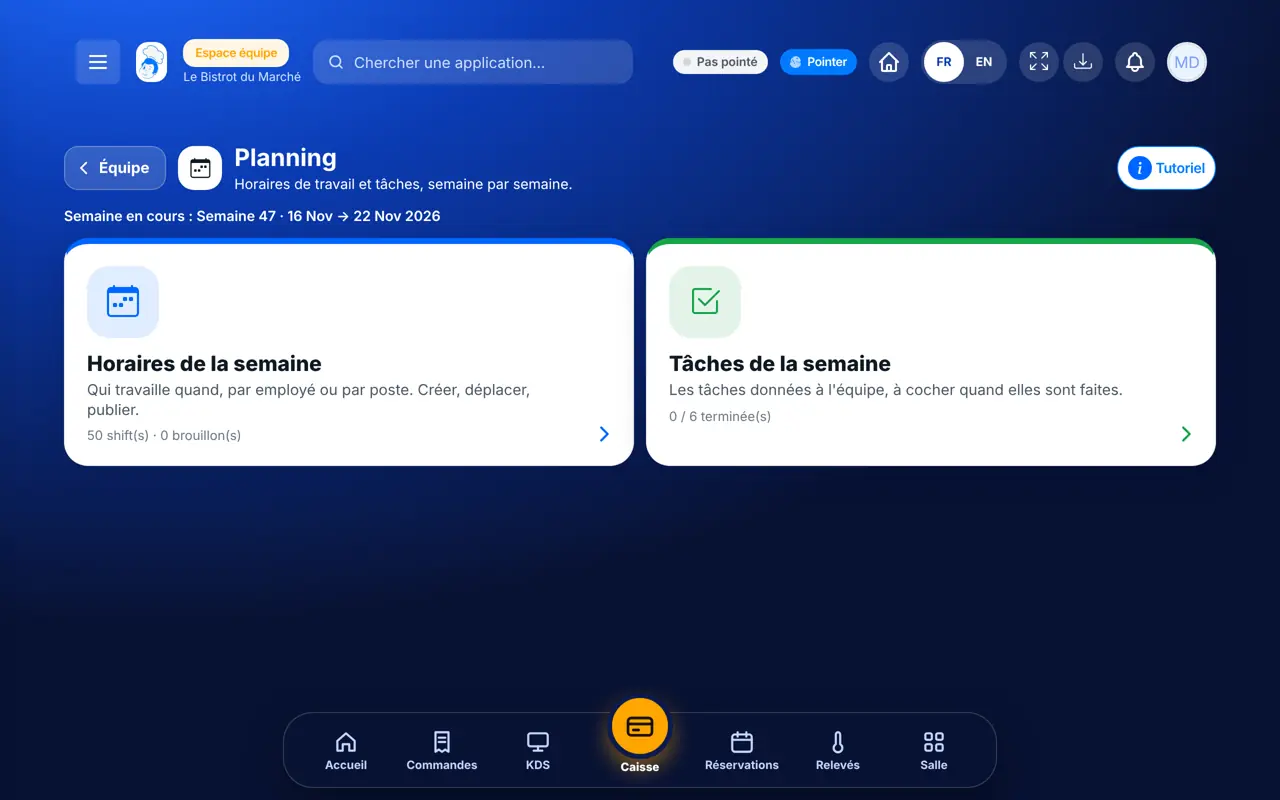
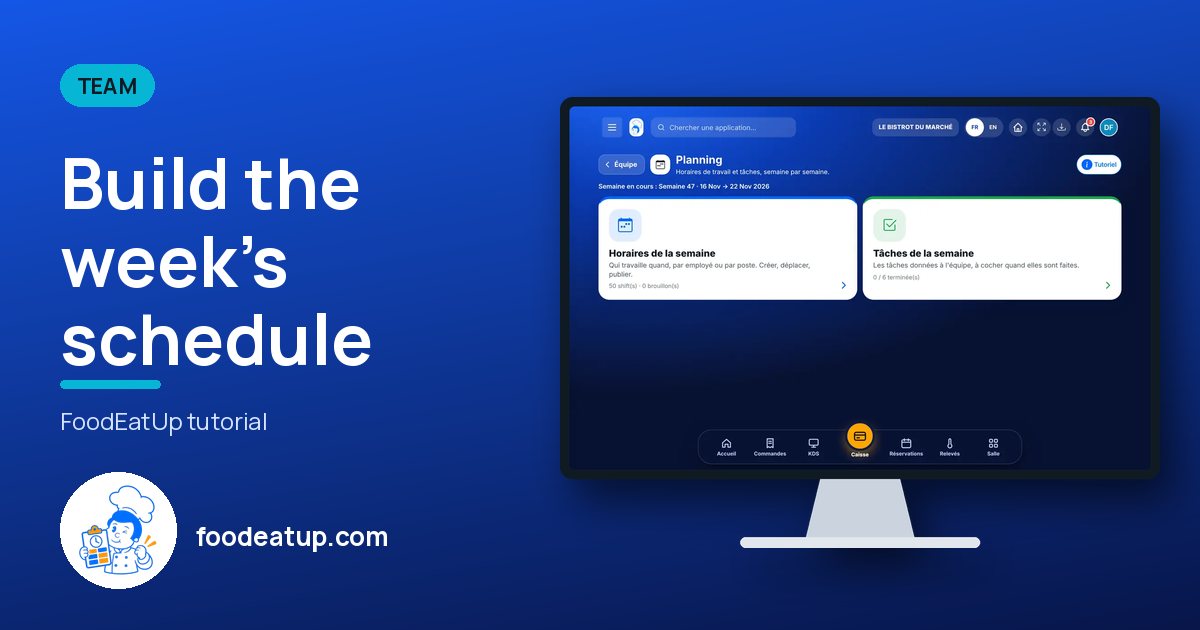
From the home screen, open Équipe then “Planning”. Two cards: “Horaires de la semaine” and “Tâches de la semaine”.
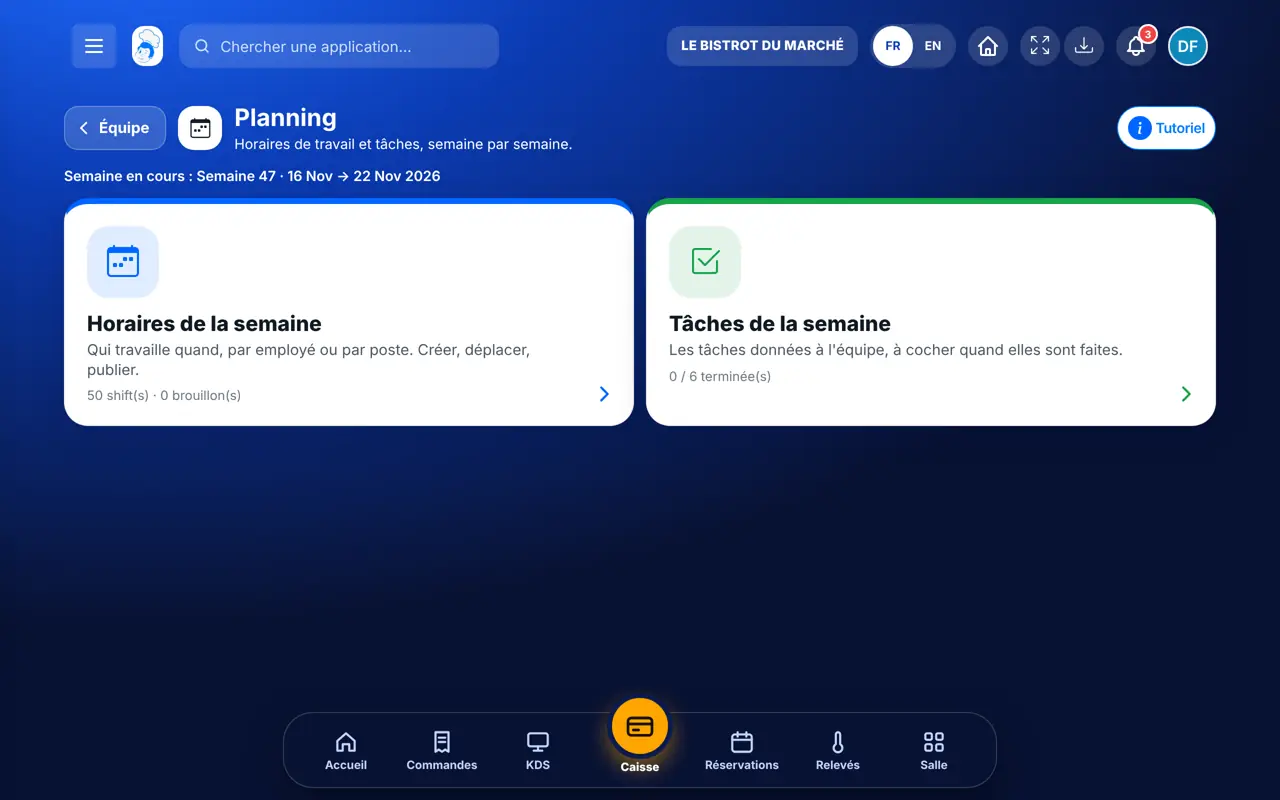
Tap “Horaires de la semaine”, then “Ajouter un shift” on an employee’s row: the day, start time, end time, break and post.
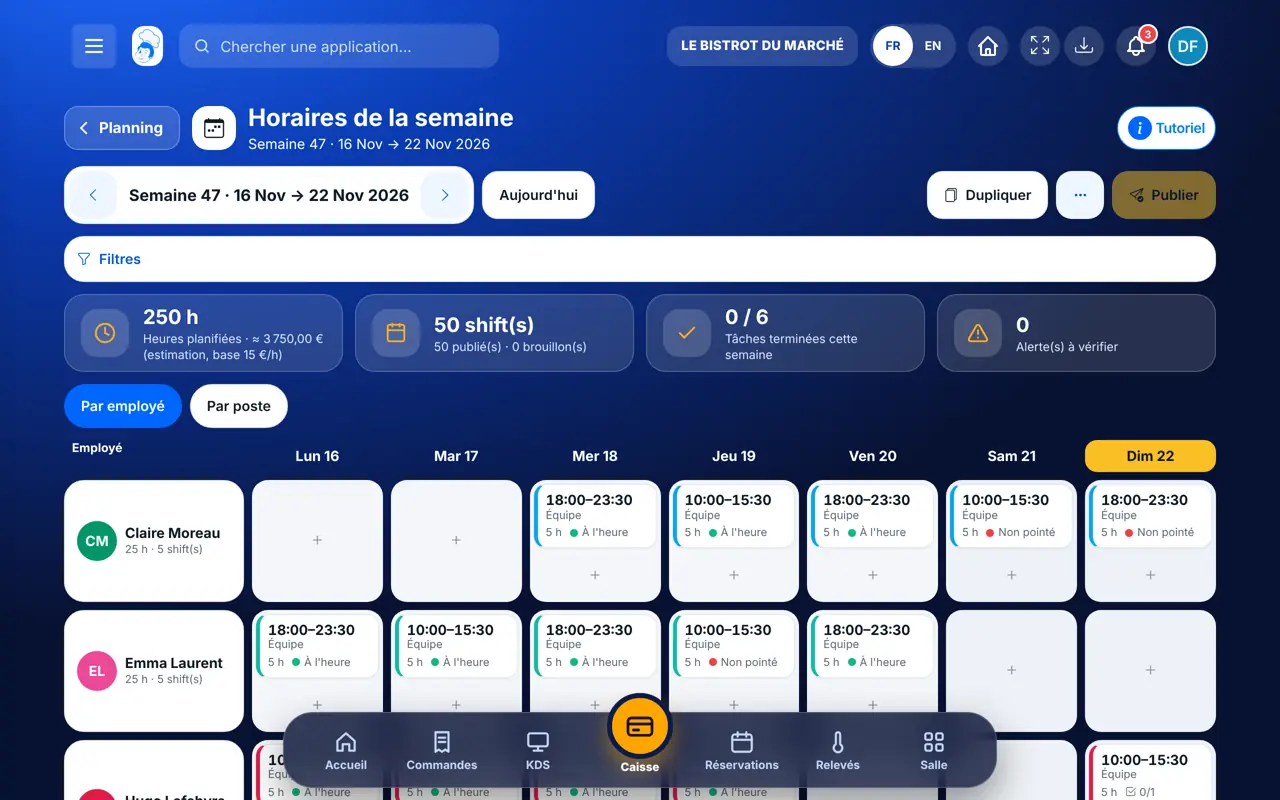
Tap “Dupliquer” to copy another week as drafts. Drag a shift to move it.
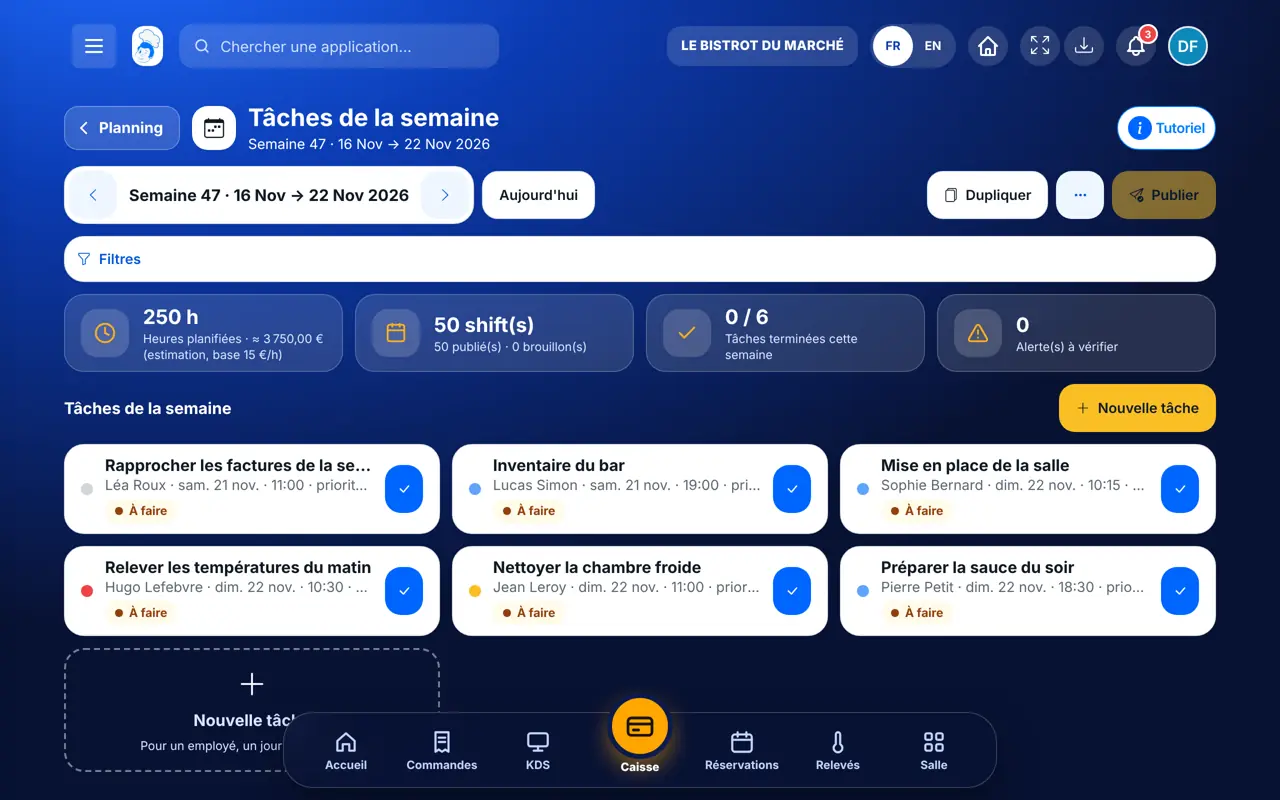
In “Tâches de la semaine”, tap “Nouvelle tâche”: for one employee, one day of the week.
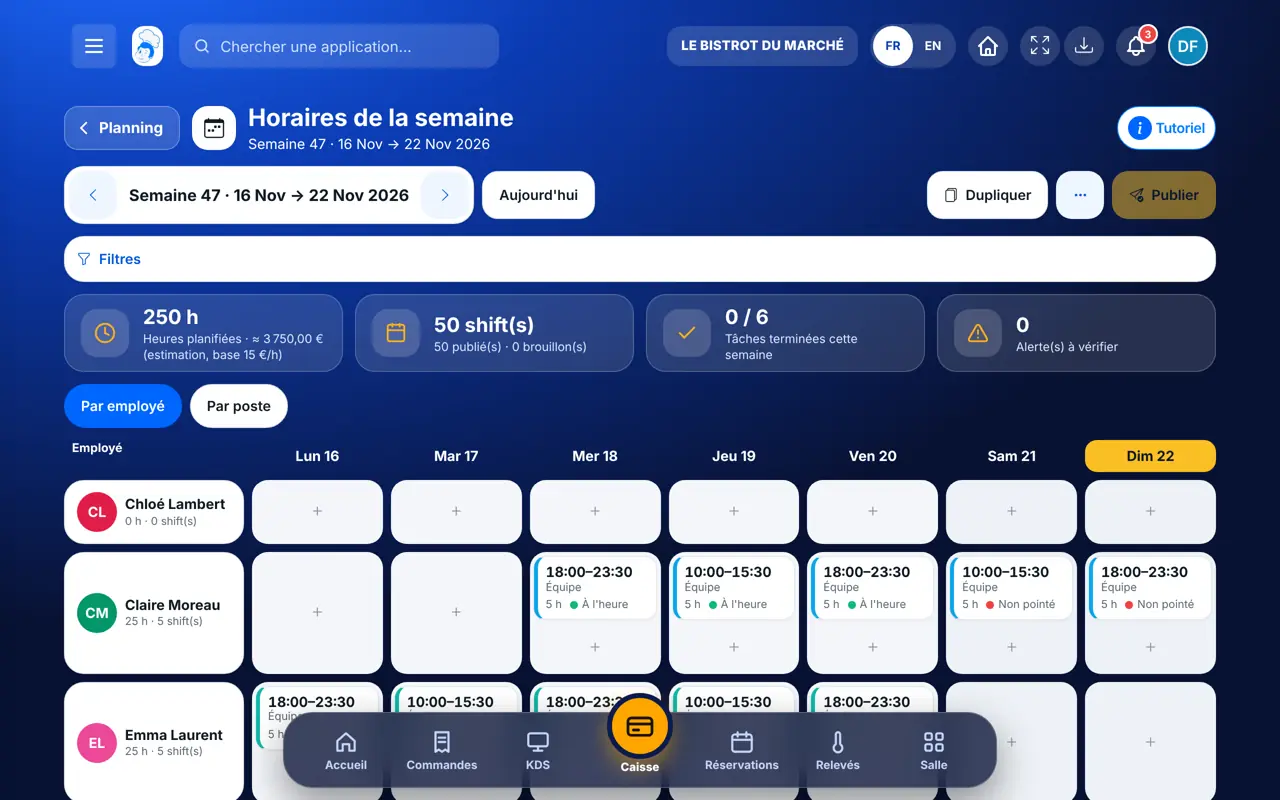
Read the alerts, then tap “Publier”: drafts become visible and each scheduled employee gets a notification.
The Bistrot du Marché week filled in: everyone’s hours, the planned hours and their estimated cost.
Prepares, duplicates and publishes the whole team’s week.
Sees their published hours and ticks their tasks. Creating or editing shifts needs the matching right.
Claude, ChatGPT or Mistral’s Le Chat, connected to FoodEatUp. Copy the request and replace your establishment number.
In FoodEatUp, for my establishment [number], show me the schedule for the week of [date] with everyone’s hours.
What you getThe week’s shifts, with hours and estimated cost.
Tools used : list_plannings
In FoodEatUp, for my establishment [number], add a shift for [first and last name] on [date] from [time] to [time].
What you getThe shift created and published for this employee.
Tools used : list_employees, create_shift
In FoodEatUp, for my establishment [number], give the task “[task name]” to [first and last name] on [date].
What you getThe task linked to their shift that day.
Tools used : list_plannings, assign_task
A duplicated week, then adjusted.
Overlap, leave and rest flagged.
Each person gets their published schedule.
Hours and their estimated cost.
Prepare a typical week once, then duplicate it every Monday: you only touch the changes.
In FoodEatUp, one action triggers others. Here are the screens that work with this one.
No. An employee only sees published shifts.
Less than 11 hours separate this shift from the one the day before or after.
No, it is an estimate at €15 an hour. It helps compare weeks, not run payroll.
Send it to your team, your partner or your accountant. The image below appears in the message.
Claude, ChatGPT or Le Chat read this tutorial and explain it to you. Connected to FoodEatUp, they do it with you.
Read this FoodEatUp tutorial: https://foodeatup.com/en/academy/equipe/planning.md Explain it to me simply, step by step, then help me do it in my restaurant. If FoodEatUp is connected to you, do it with me and show me the preview before every change.
Type your establishment number: the link takes you straight to this screen. The number stays on this device.
Discover FoodEatUp scheduling (in French) →
Répond avec les fiches du site, sans IA
Le chef cherche dans les fiches…
 Claude
 Le Chat
 ChatGPT