Read last week’s sales
In FoodEatUp, for my establishment [number], export the sales journal for last week, day by day, with totals.
What you getThe journal for the period, day by day, with its totals.
Tools used : get_accounting_journal
 Head office · Accounting & bank
Each site works out its day when the till is closed. The head office reads the draft, sends it to Pennylane with one button, and compares the bank with the closing report.

 Responsable multi-sites
 Directeur
 Patron / gérant
The owner always has access. See what each role sees →
A computer at the head office. Reading entries calls for a large screen.
The real software screens, as they appear on each device.
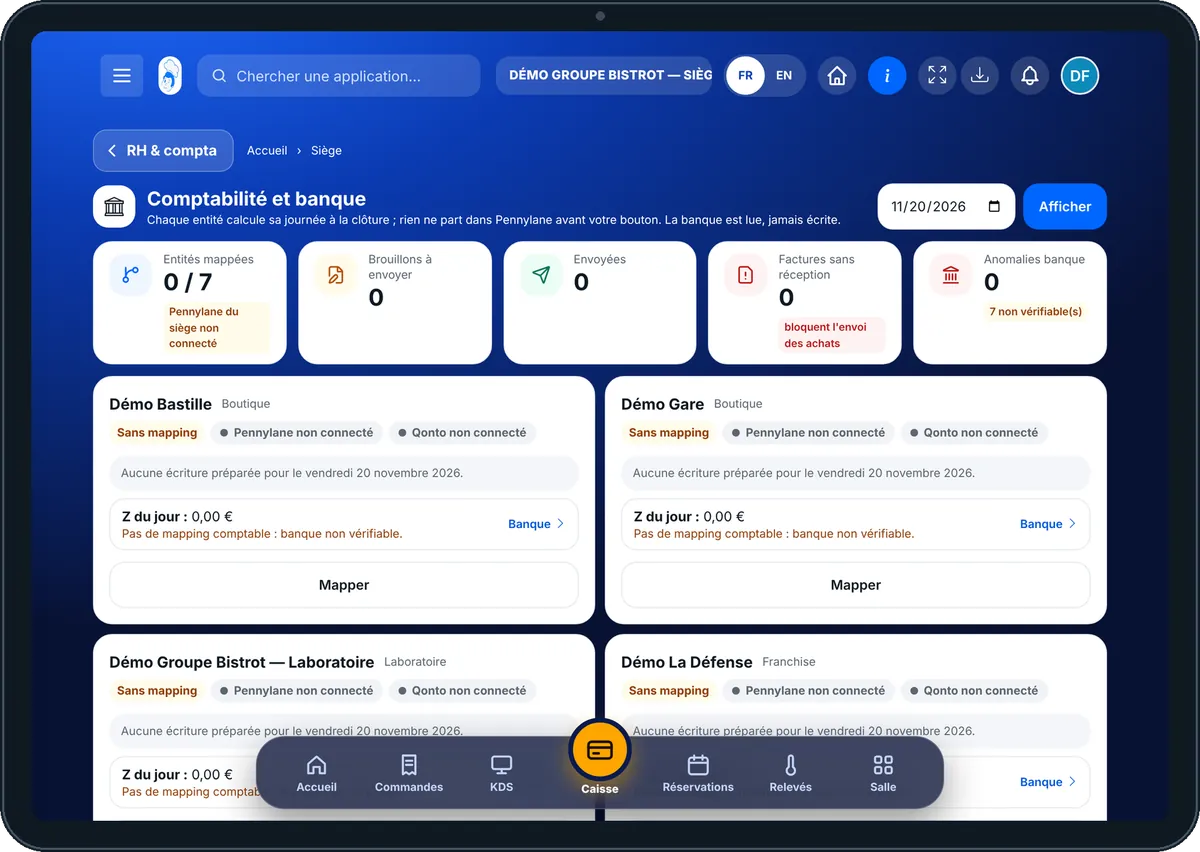
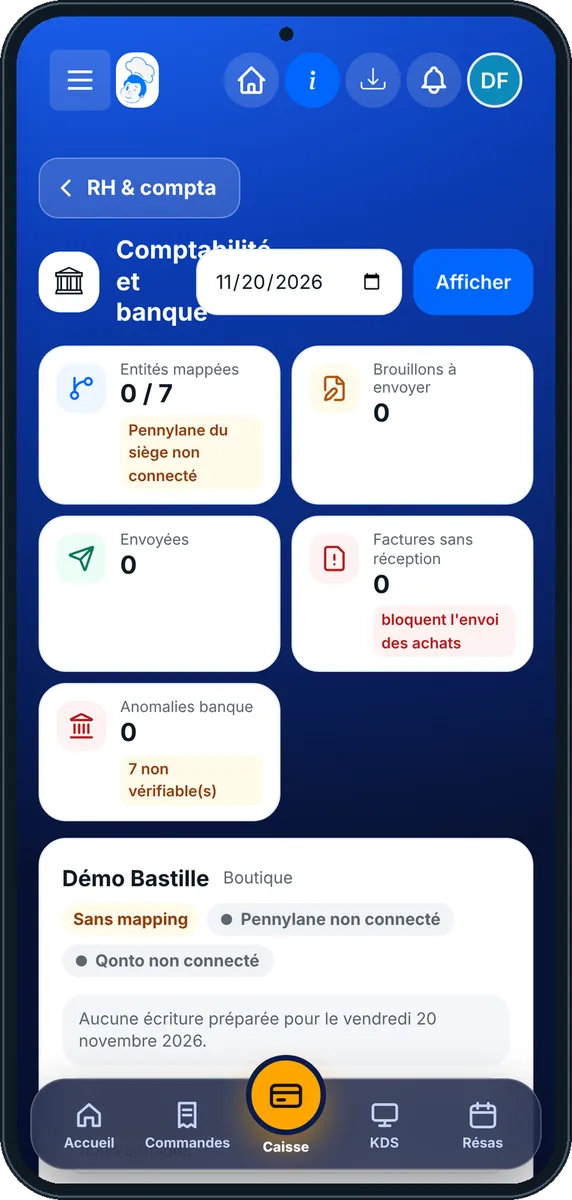
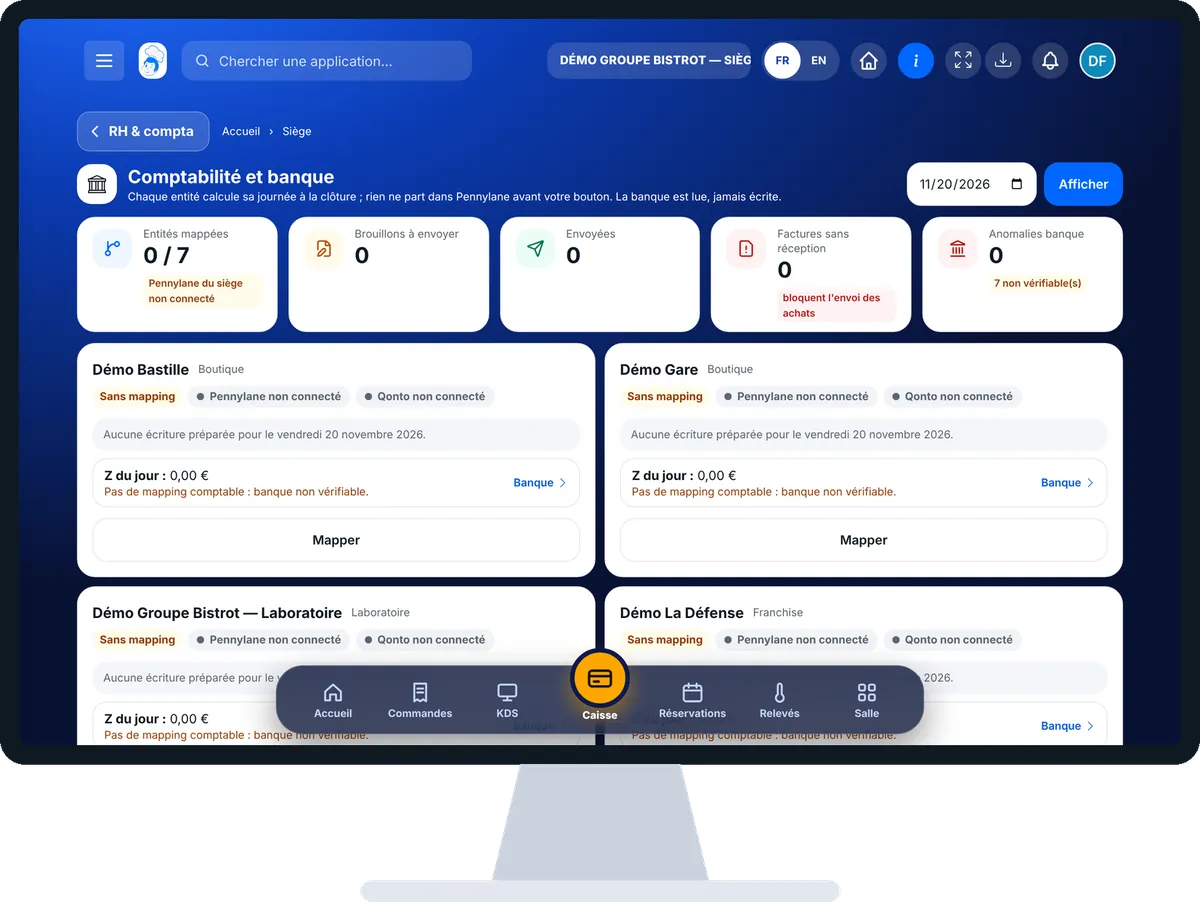
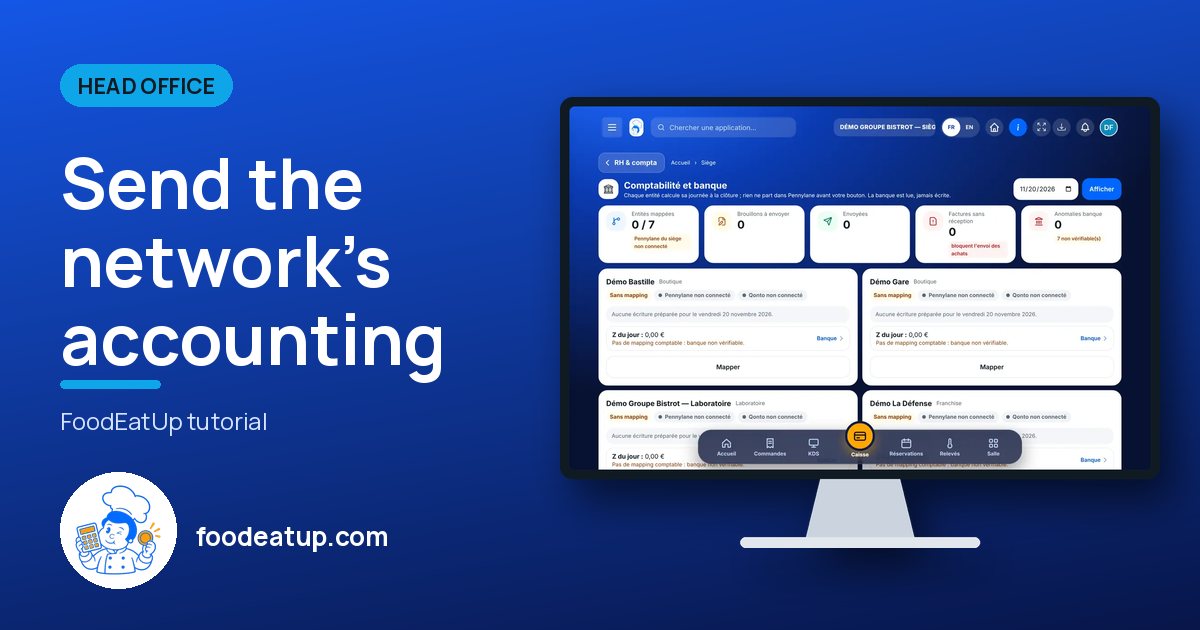
Send the network’s accounting : 5 steps, with the real software screens.
In the Siège category, open “Compta & banque”. Choose the day, then “Afficher”. Each site has its card, with the status of Pennylane and Qonto.
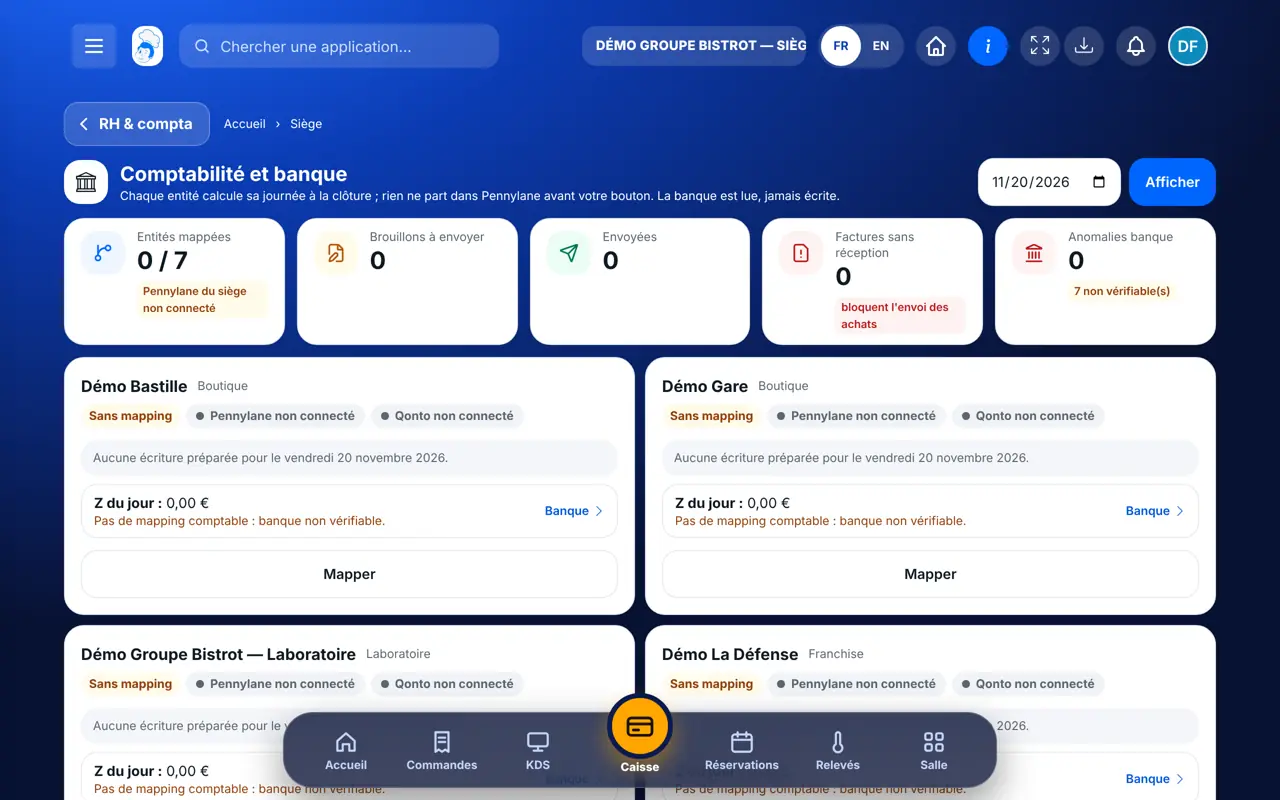
On a card with no setup, tap “Mapper” (or “Régler” to change it). Choose its Pennylane file, its Qonto account and the sending mode. A franchise always keeps its own file.
If no entry is prepared yet, tap “Préparer la journée”. The draft shows the voucher, the number of lines, debit and credit.
Read the draft, then tap “Envoyer dans Pennylane”. The software asks you to confirm. The card keeps the date, your name and the Pennylane number.
Tap “Banque”: the day’s closing report against bank entries of the following days, and the explained gaps.
The day’s entry is in Pennylane, balanced, with a record of who sent it. For the bank, you read two totals and the list of gaps: the software never says “everything matches” without proof.
Find sales in the till journal →Sets up each site, reads drafts, sends them and follows the bank.
Closes its till as usual. Its day is worked out at that moment and waits for the head office to read it.
Claude, ChatGPT or Mistral’s Le Chat, connected to FoodEatUp. Copy the request and replace your establishment number.
In FoodEatUp, for my establishment [number], export the sales journal for last week, day by day, with totals.
What you getThe journal for the period, day by day, with its totals.
Tools used : get_accounting_journal
In FoodEatUp, for my establishment [number], compare last week’s takings with what reached the bank and list the gaps.
What you getBoth totals, the bank lines and the gaps to explain.
Tools used : get_bank_reconciliation
You read, then you send.
The same calculation as your accounting exports.
Gaps are listed and explained.
Who sent what, and when.
Do each site’s setup with your accountant, once and for all. Then send the previous day every morning: one forgotten day is quickly caught up, a week much less so.
In FoodEatUp, one action triggers others. Here are the screens that work with this one.
No, not with the recommended setting. It stays a draft until you press the button. You can choose automatic sending at closing, site by site.
Some invoices have no goods receipt. Tap “Rapprocher les factures” to link them to a checked delivery.
It is switched on by request, with guidance from our team. You also need a Pennylane account, and Qonto for the bank part.
Send it to your team, your partner or your accountant. The image below appears in the message.
Claude, ChatGPT or Le Chat read this tutorial and explain it to you. Connected to FoodEatUp, they do it with you.
Read this FoodEatUp tutorial: https://foodeatup.com/en/academy/siege/reseau-compta.md Explain it to me simply, step by step, then help me do it in my restaurant. If FoodEatUp is connected to you, do it with me and show me the preview before every change.
Type your establishment number: the link takes you straight to this screen. The number stays on this device.
Discover head-office management (in French) →
Répond avec les fiches du site, sans IA
Le chef cherche dans les fiches…
 Claude
 Le Chat
 ChatGPT