Which vouchers are still to be used?
In FoodEatUp, for my establishment [number], list the loyalty vouchers still valid and those validated this week.
What you getThe list of pending vouchers and vouchers already used.
Tools used : list_redemptions
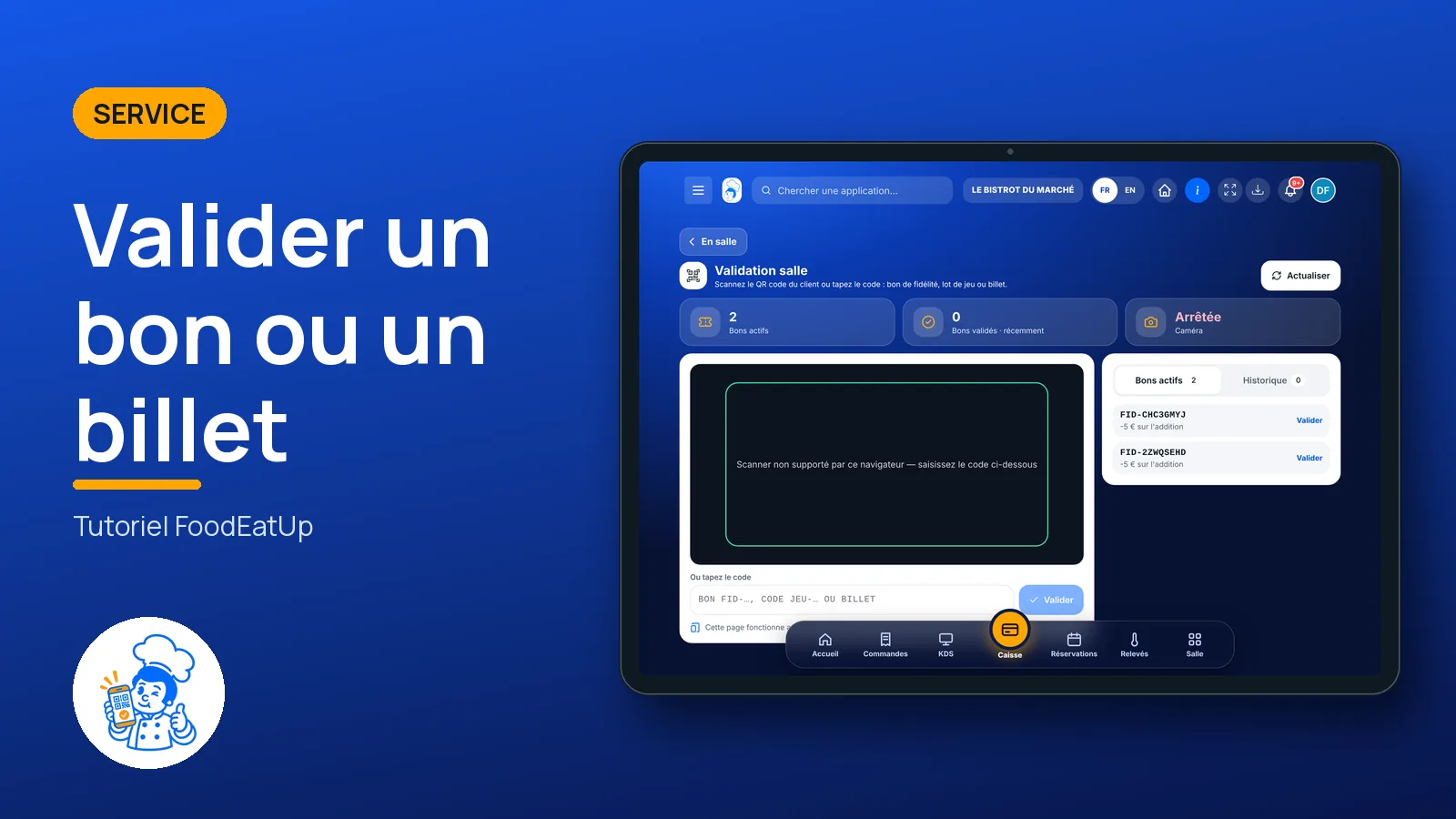
 Service · Dining room validation
The guest holds out their phone: you scan their QR code or type their code. Loyalty voucher, game prize or event ticket: the software says right away whether it is valid, and it only works once.
 Responsable de salle
 Serveur / chef de rang
 Hôte / caisse / comptoir
 Barman
The owner always has access. See what each role sees →
A tablet or a phone at the counter or the entrance: the scanner uses the device’s camera. Without a camera, type the code.
The real software screens, as they appear on each device.
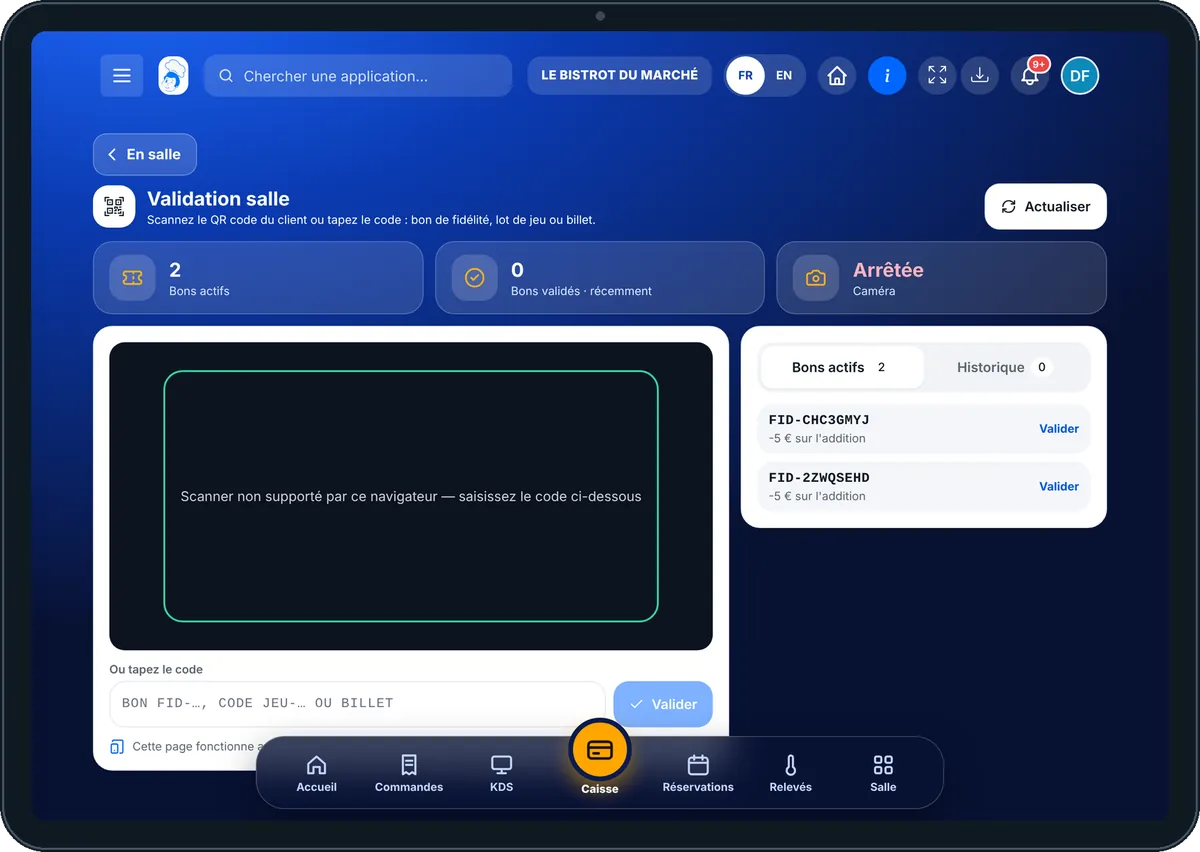
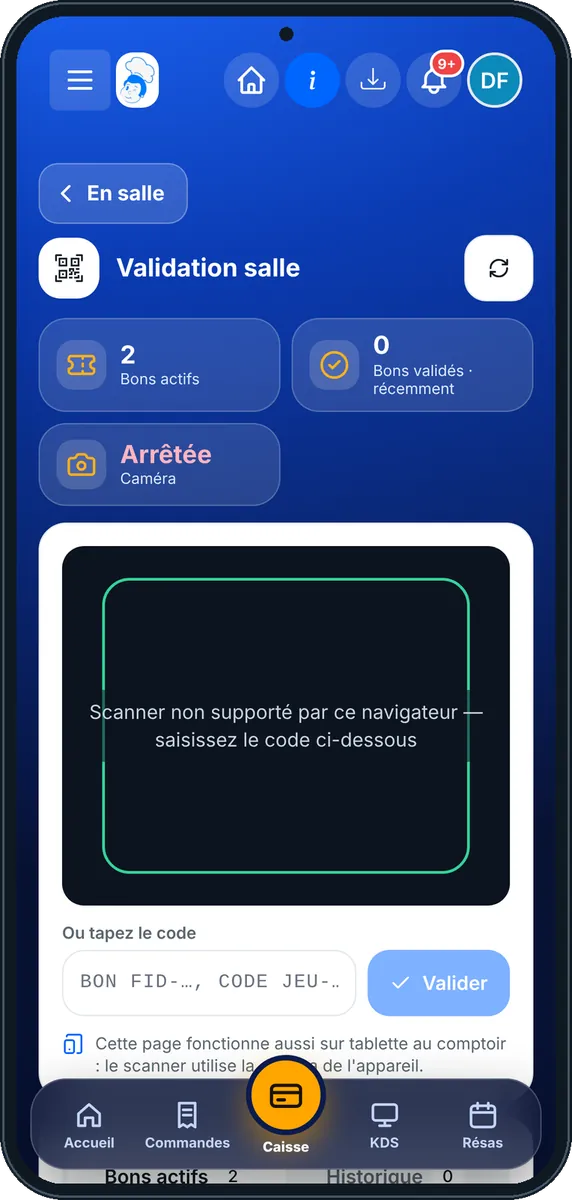
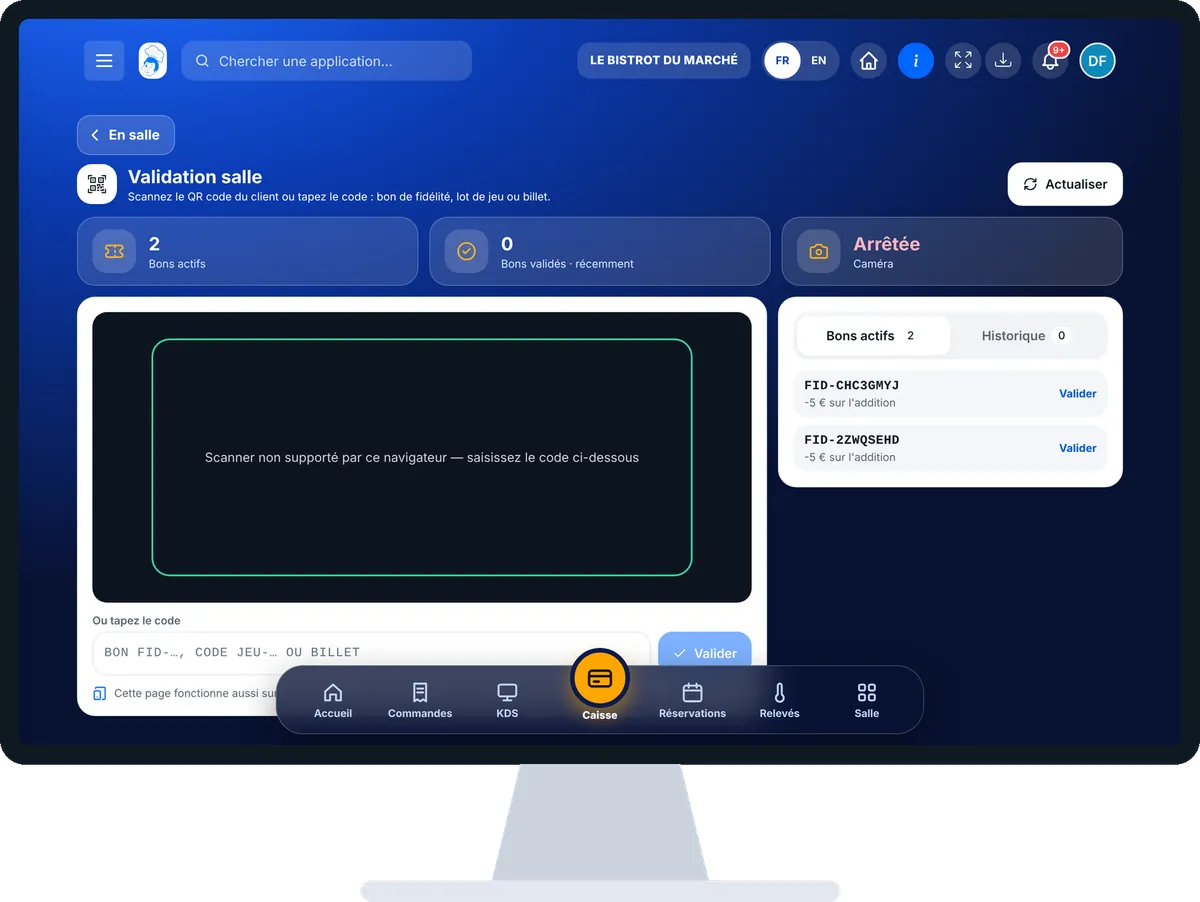
Validate a voucher or a ticket : 5 steps, with the real software screens.
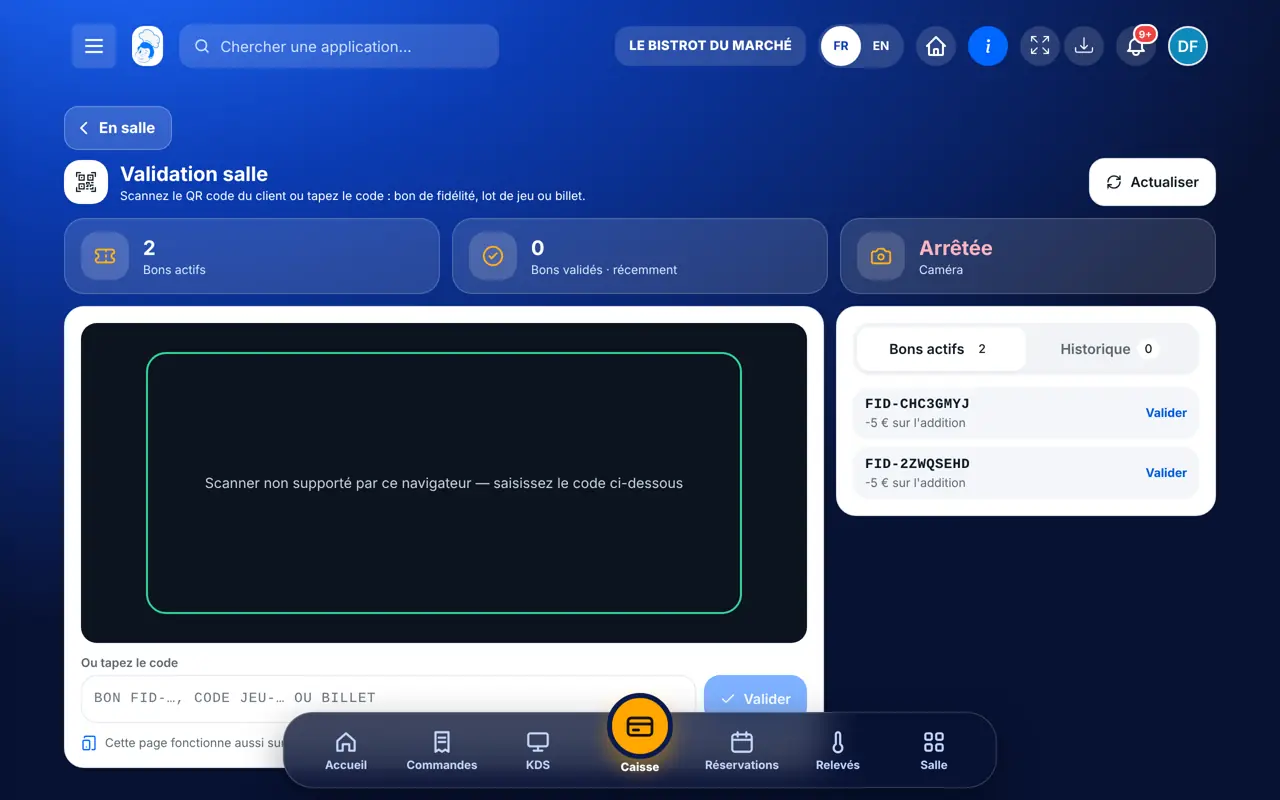
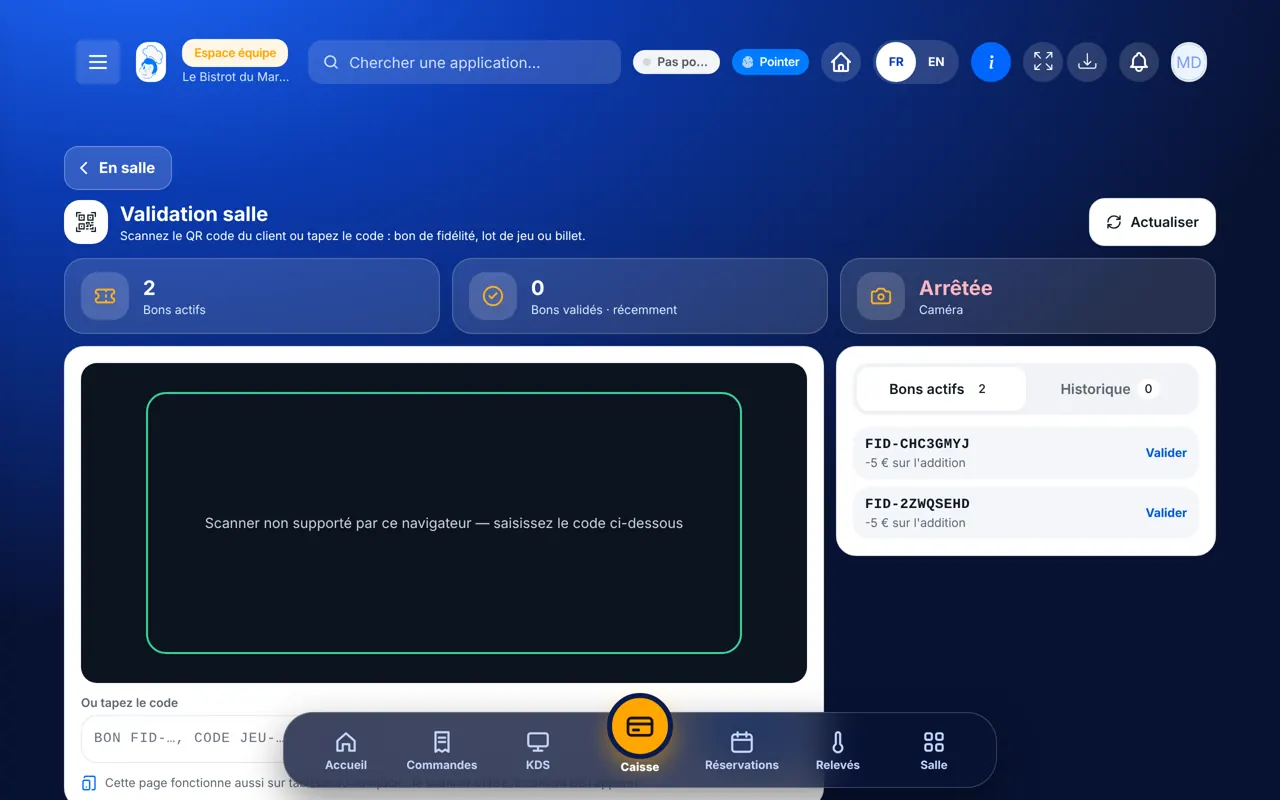
From the home screen, open Service then “Validation salle”. The camera starts by itself. If the browser cannot read QR codes or the camera is refused, the screen says so and you type the code.
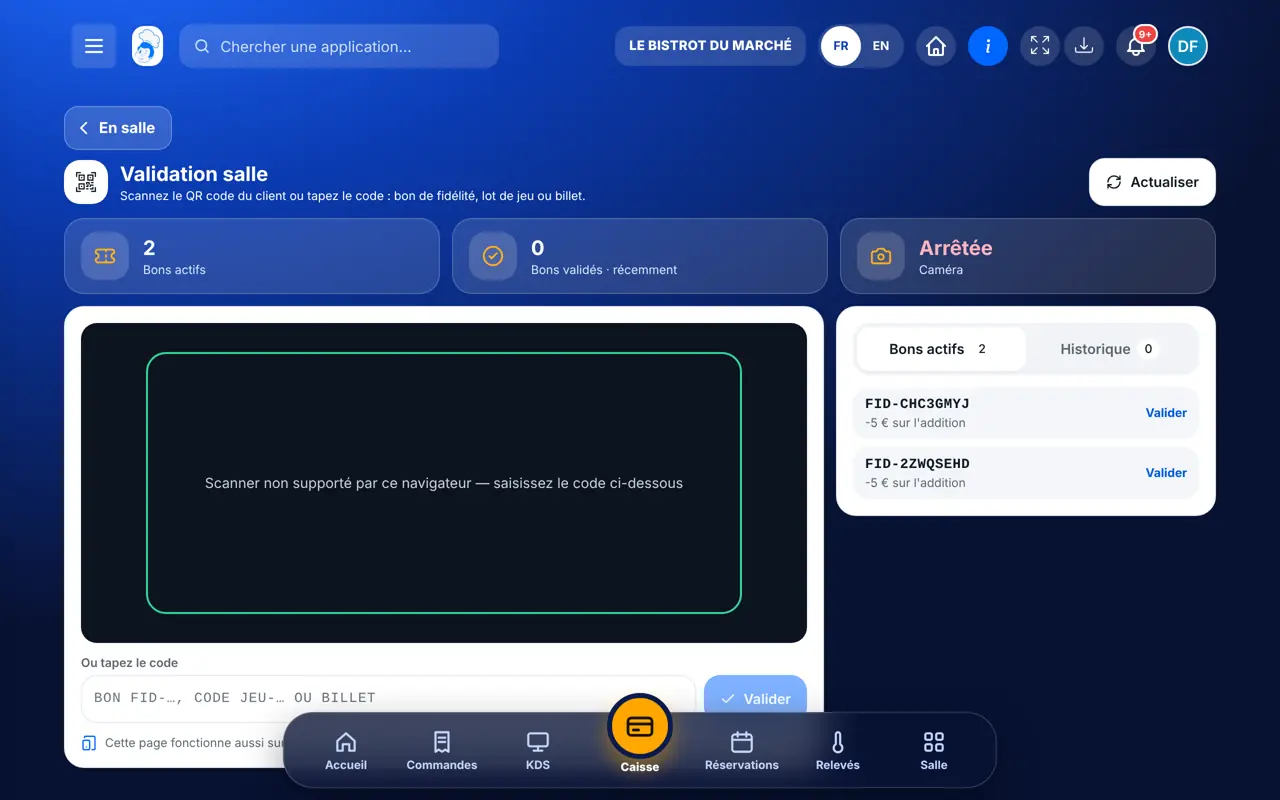
Place the QR code in the green frame. The software validates as soon as it reads it: a high beep and a green message if it is good, a low beep and a red message otherwise.
In “Ou tapez le code”, type the FID-… voucher, the JEU-… code or the ticket code, then tap “Valider”.
When the prize gives points, the screen asks for the phone number of the guest enrolled in the loyalty programme. Tap “Créditer et valider”, or “Valider sans les points”.
On the right, “Bons actifs” lists loyalty vouchers still valid, and “Historique” those already validated, with the time.
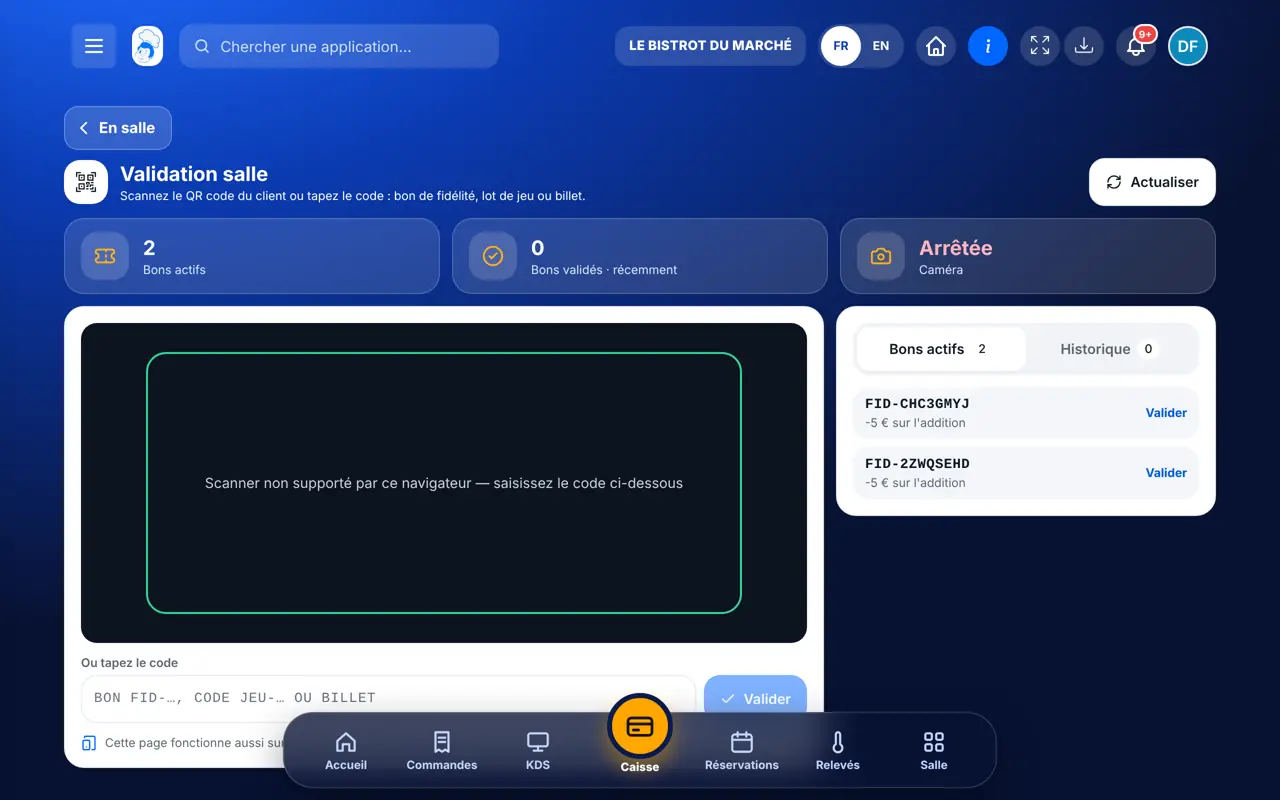
The validated voucher goes into the history with its time. The same code shown again is refused, with the reason.
Validates vouchers and tickets and reads the history. Creates rewards and games in Fidélité & Jeux.
With the right to view the loyalty programme, scans and validates the same way, at the counter or the door.
Claude, ChatGPT or Mistral’s Le Chat, connected to FoodEatUp. Copy the request and replace your establishment number.
In FoodEatUp, for my establishment [number], list the loyalty vouchers still valid and those validated this week.
What you getThe list of pending vouchers and vouchers already used.
Tools used : list_redemptions
In FoodEatUp, for my establishment [number], validate loyalty voucher [FID- code]. Tell me what it gives before confirming.
What you getThe assistant checks the voucher and validates it only once.
Tools used : validate_redemption
In FoodEatUp, for my establishment [number], tell me how many tickets are sold for [event name] and how many have already been scanned.
What you getTickets sold, scanned and remaining for the event.
Tools used : list_ticket_orders, get_event_sales
Voucher, prize or ticket: it cannot be validated twice.
Already used, expired or not for this restaurant: it says so.
Loyalty, games and tickets are validated in the same place.
The tablet’s or phone’s camera is enough.
Leave the page open on a tablet at the counter: the camera stays ready, the guest shows their phone and it is done. For a ticketed evening, put a phone at the door with the same page.
In FoodEatUp, one action triggers others. Here are the screens that work with this one.
No. The page uses the tablet’s or phone’s camera. If the browser cannot read QR codes, type the code by hand.
It is refused with a red message. A loyalty voucher works once, and a ticket already scanned is refused.
Type the phone number of the guest enrolled in the loyalty programme, then “Créditer et valider”. Without a phone, “Valider sans les points” hands over the prize without crediting.
Send it to your team, your partner or your accountant. The image below appears in the message.
Claude, ChatGPT or Le Chat read this tutorial and explain it to you. Connected to FoodEatUp, they do it with you.
Read this FoodEatUp tutorial: https://foodeatup.com/en/academy/service/service-validation.md Explain it to me simply, step by step, then help me do it in my restaurant. If FoodEatUp is connected to you, do it with me and show me the preview before every change.
Type your establishment number: the link takes you straight to this screen. The number stays on this device.
Discover FoodEatUp loyalty (in French) →
Répond avec les fiches du site, sans IA
Le chef cherche dans les fiches…
 Claude
 Le Chat
 ChatGPT