Aller au contenu
Marketing · Fiches clients
Find a customer and their history

Each customer has a record: their orders, what they like, their loyalty points and what they agree to receive. You see at a glance who comes back often and who no longer comes.

  • Computer
  • 5 steps
  • Level : Beginner
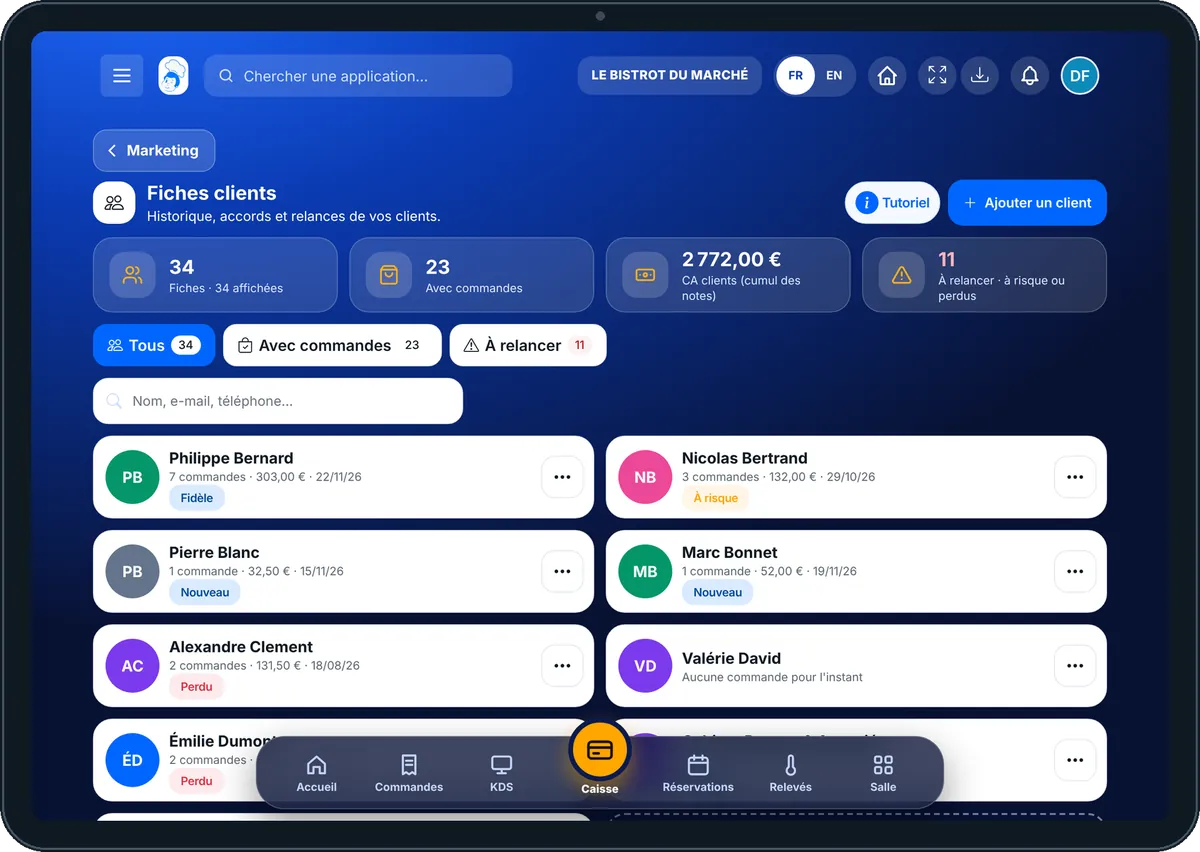
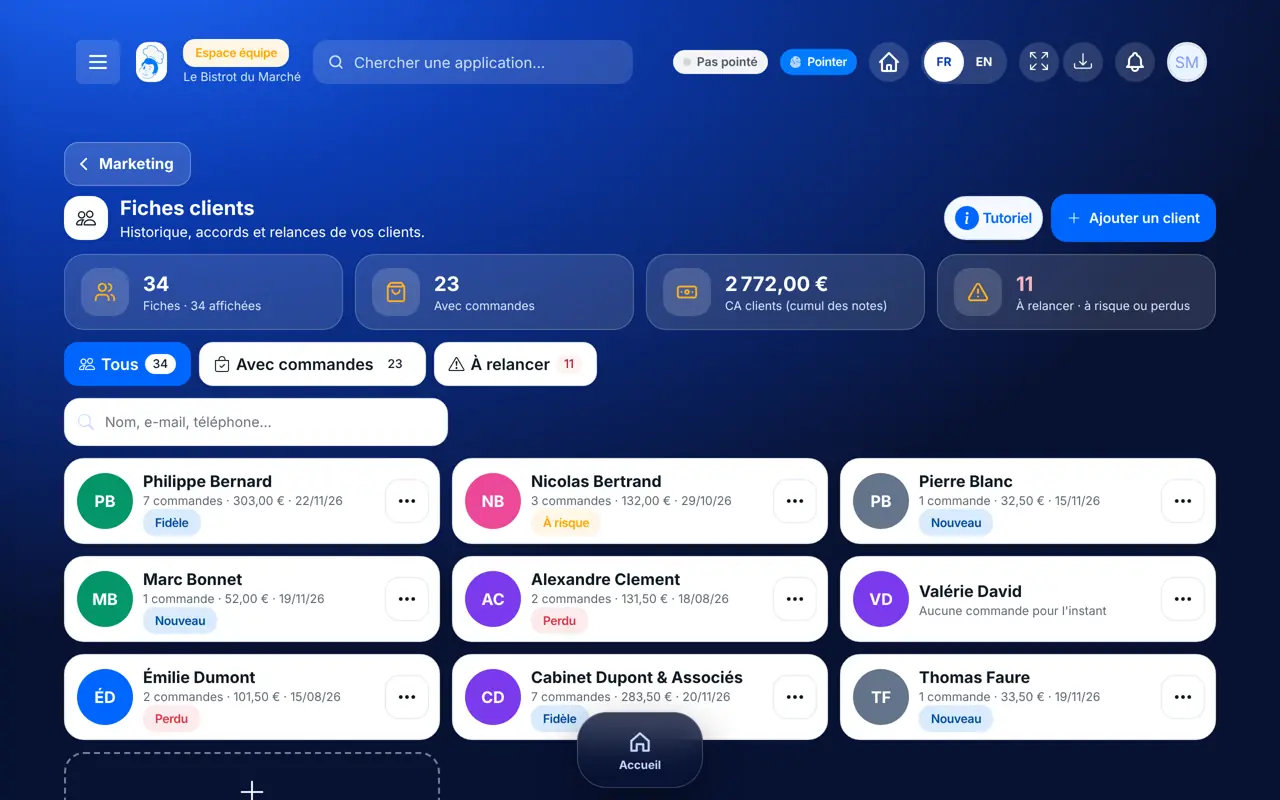
Find a customer and their history : The list of customer records and its figures

Who is it for?

  • Patron / gérant
  • Directeur
  • Responsable de salle
  • Hôte / caisse / comptoir

Roles with access

  • Gérant·e
  • Serveur·se · view
  • Barman·maid · view
  • Hôte·sse / Caissier·ère
  • Marketing · view
  • Boutique (réseau)
  • Franchisé·e (réseau)
  • Directeur·rice d'établissement
  • Responsable commercial
  • Responsable événements
  • Responsable marketing · view

The owner always has access. See what each role sees →

Recommended hardware

Computer

A computer at the office to browse the records calmly. The same screen works on a tablet and a phone, to find a customer at the counter.

See the hardware →

What it is for

  • Find a customer by name, e-mail or phone number.
  • Read their history: orders, total spent, average basket, last visit and favourite dishes.
  • See what they agree to receive (e-mail, SMS, WhatsApp) before writing to them.

Why set it up

  • Records fill themselves with every linked order: nothing to type twice.
  • The software puts each customer in a group (loyal, at risk, lost, new) and says why.
  • Consents are kept with their date: you only write to customers who agreed.

The same screen, on every device

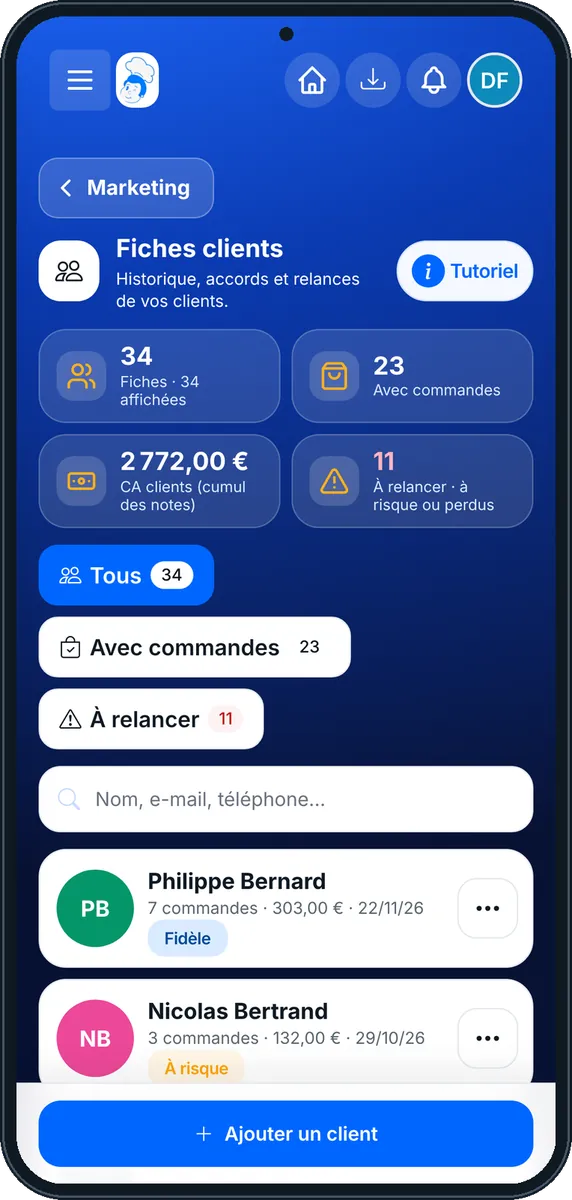
The real software screens, as they appear on each device.

Fiches clients — On the tablet
On the tablet
Fiches clients — On the phone
On the phone
Fiches clients — On the computer
On the computer

Step by step

Find a customer and their history : 5 steps, with the real software screens.

  1. 1Step 1

    Open the customer records

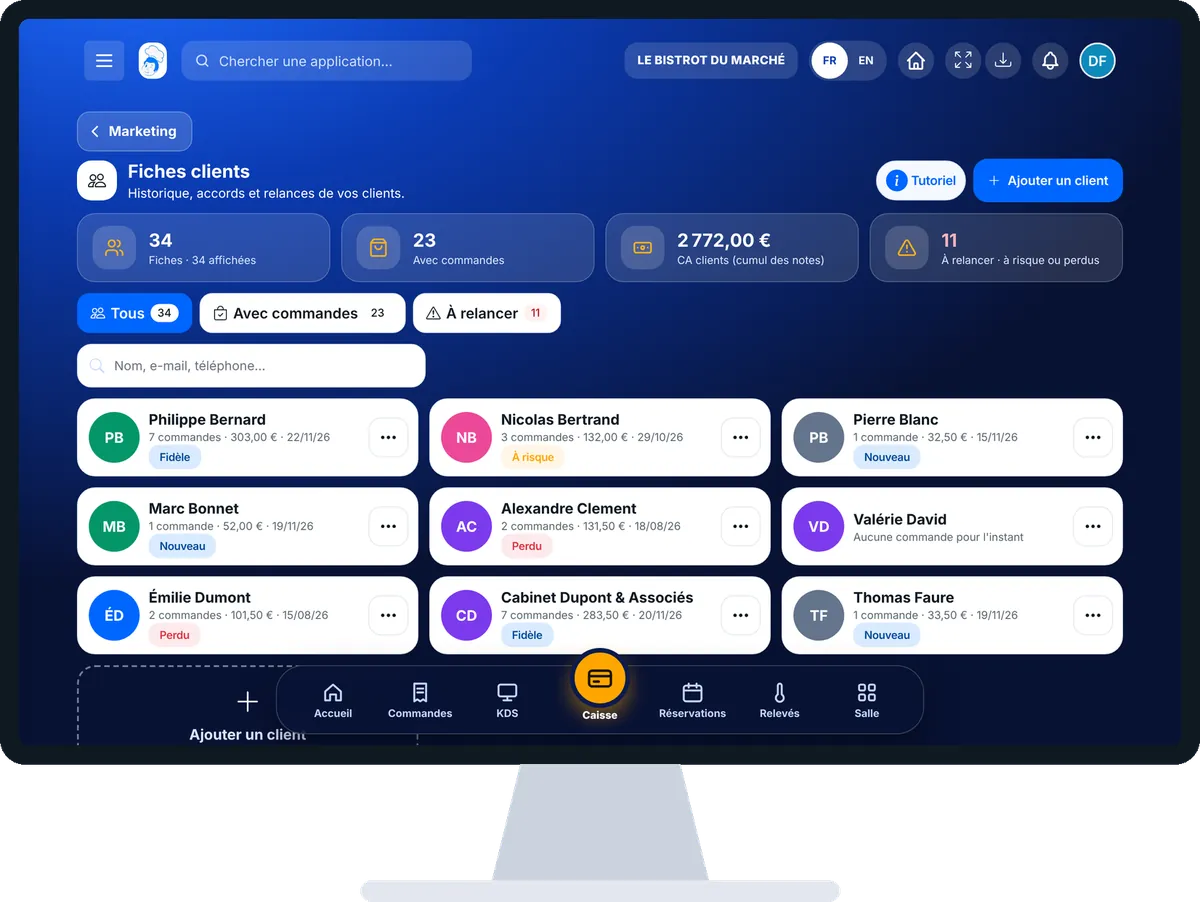
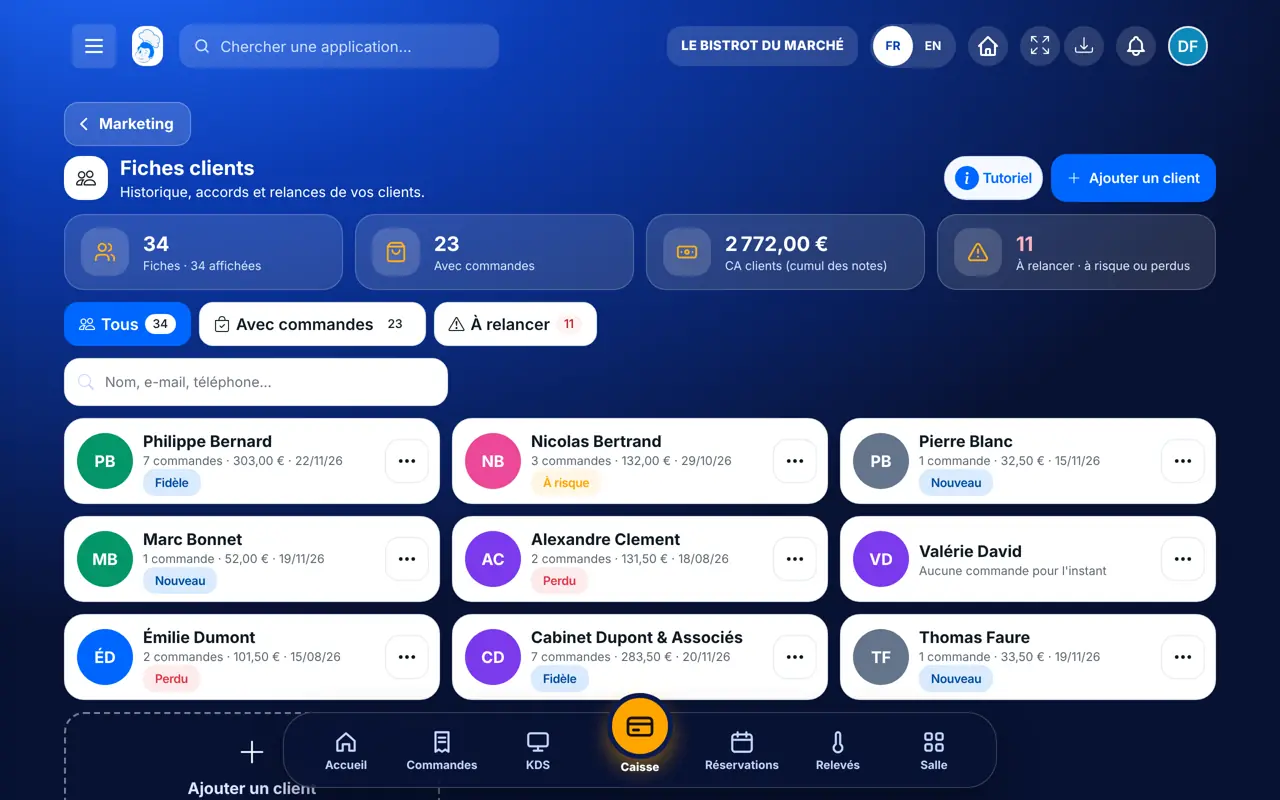
    From the home screen, open Marketing then “Fiches clients”. The figures at the top show how many records you have, how many have ordered and how many are “À relancer” (to win back).

    The list of customer records and its figures
  2. 2Step 2

    Sort the list

    Tap “Tous”, “Avec commandes” or “À relancer”. Type a name, an e-mail or a phone number in the search box to find someone at once.

  3. 3Step 3

    Open a record

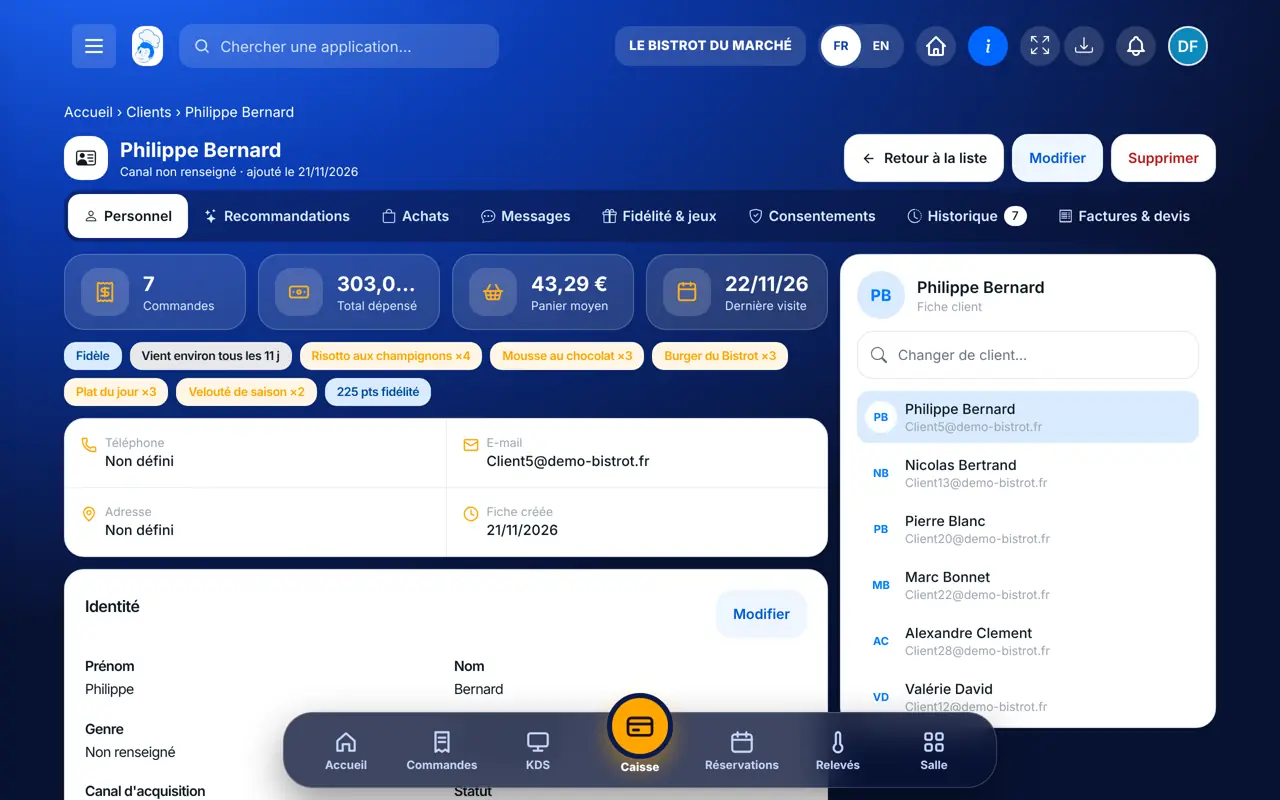
    Tap a customer. At the top: orders, total spent, average basket and last visit. The badges show their group (“Fidèle”, “À risque”…) and their favourite dishes.

    A customer record with figures and favourite dishes
  4. 4Step 4

    Browse the tabs

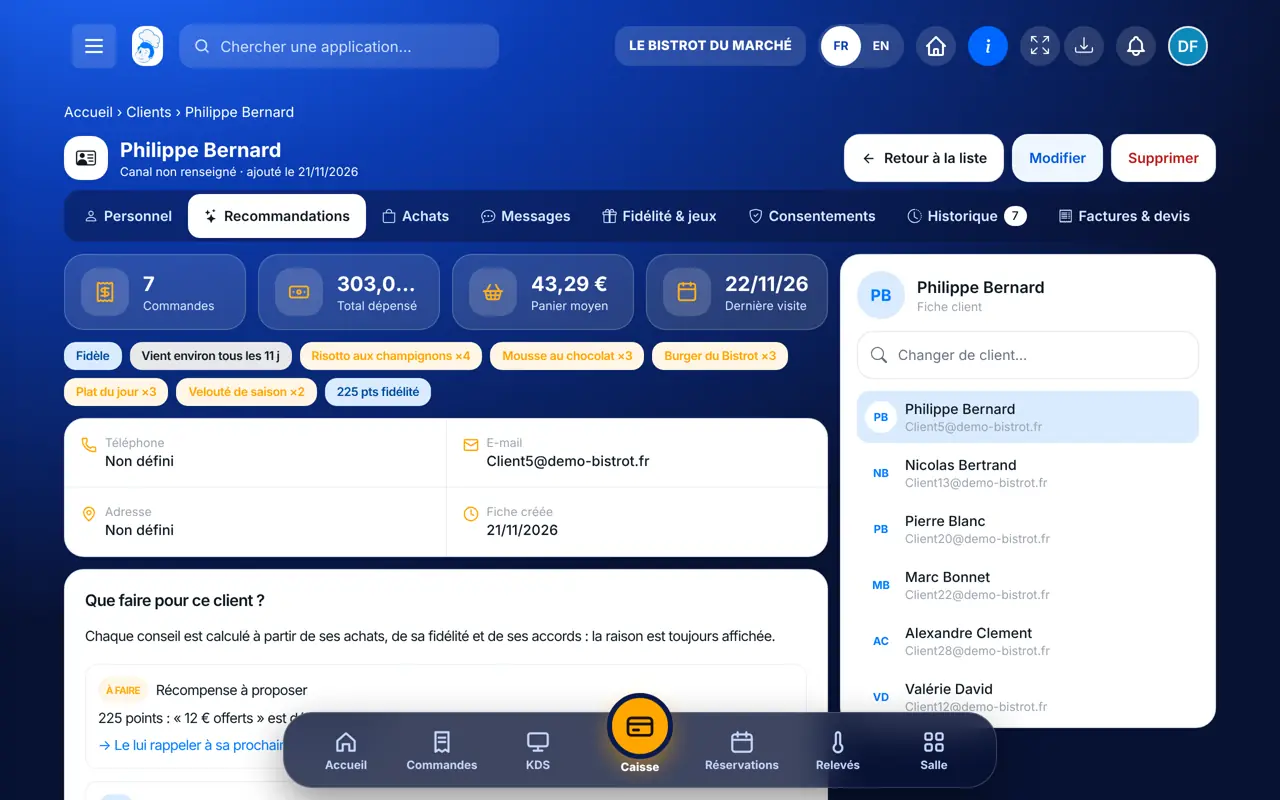
    “Recommandations” suggests what to do for this customer, “Achats” lists their orders, “Fidélité & jeux” their points, “Consentements” what they agree to receive, “Factures & devis” their documents.

  5. 5Step 5

    Add or correct a customer

    The “Ajouter un client” button creates a record (name, phone, e-mail). On a record, “Modifier” corrects the details. Consent given out loud is noted in “Consentements”.

The result

The result

You know who your customers are, what they like and what they agree to receive. You can win back those who stopped coming with a targeted campaign.

The result : Find a customer and their history

Owner and employee: what changes

The owner

Sees every record, creates and edits them, and notes customer consents.

Fiches clients — The owner

The employee

With the right to view customers, finds a record at the counter. Cannot create or edit a record without the right to edit.

Fiches clients — The employee

Do it with your assistant

Claude, ChatGPT or Mistral’s Le Chat, connected to FoodEatUp. Copy the request and replace your establishment number.

My best customers

In FoodEatUp, for my establishment [number], list my most loyal customers with their number of orders and their last visit.

What you getA short list, from most to least loyal, read from your records.

Tools used : list_clients, list_rfm_segments

Who stopped coming?

In FoodEatUp, for my establishment [number], tell me which customers are “at risk” or “lost”, and why the software puts them there.

What you getThe customers to win back, with the reason written by the software.

Tools used : list_rfm_segments, get_client

Add a customer

In FoodEatUp, for my establishment [number], create the customer record for [first name last name], phone [number], e-mail [address]. Do not tick any marketing consent without asking me.

What you getThe record is created; consents are left for the customer to give.

Tools used : create_client

What you gain

All in one place

Orders, points, consents and documents on one record.

Groups explained

Loyal, at risk, lost: the software says why.

Nothing to retype

Records fill in with every linked order.

By the rules

Customer consents are kept with their date.

The Chef’s tip

Check the “À relancer” filter once a week: these are customers who used to come often and dropped off. A targeted campaign to them costs little and pays back fast.

Frequently asked questions

Where do customer records come from?

From orders linked to a customer (till, website, kiosk, booking), from the loyalty programme and from records you create yourself.

What does “À relancer” mean?

These are customers in the “at risk” or “lost” group: they used to come regularly and have not been back for longer than usual.

Can I write to all my customers?

No: only to those who accepted that channel. Each record’s “Consentements” tab says so, and campaigns leave the others out on their own.

Text version for AI assistants →

Share this tutorial

Send it to your team, your partner or your accountant. The image below appears in the message.

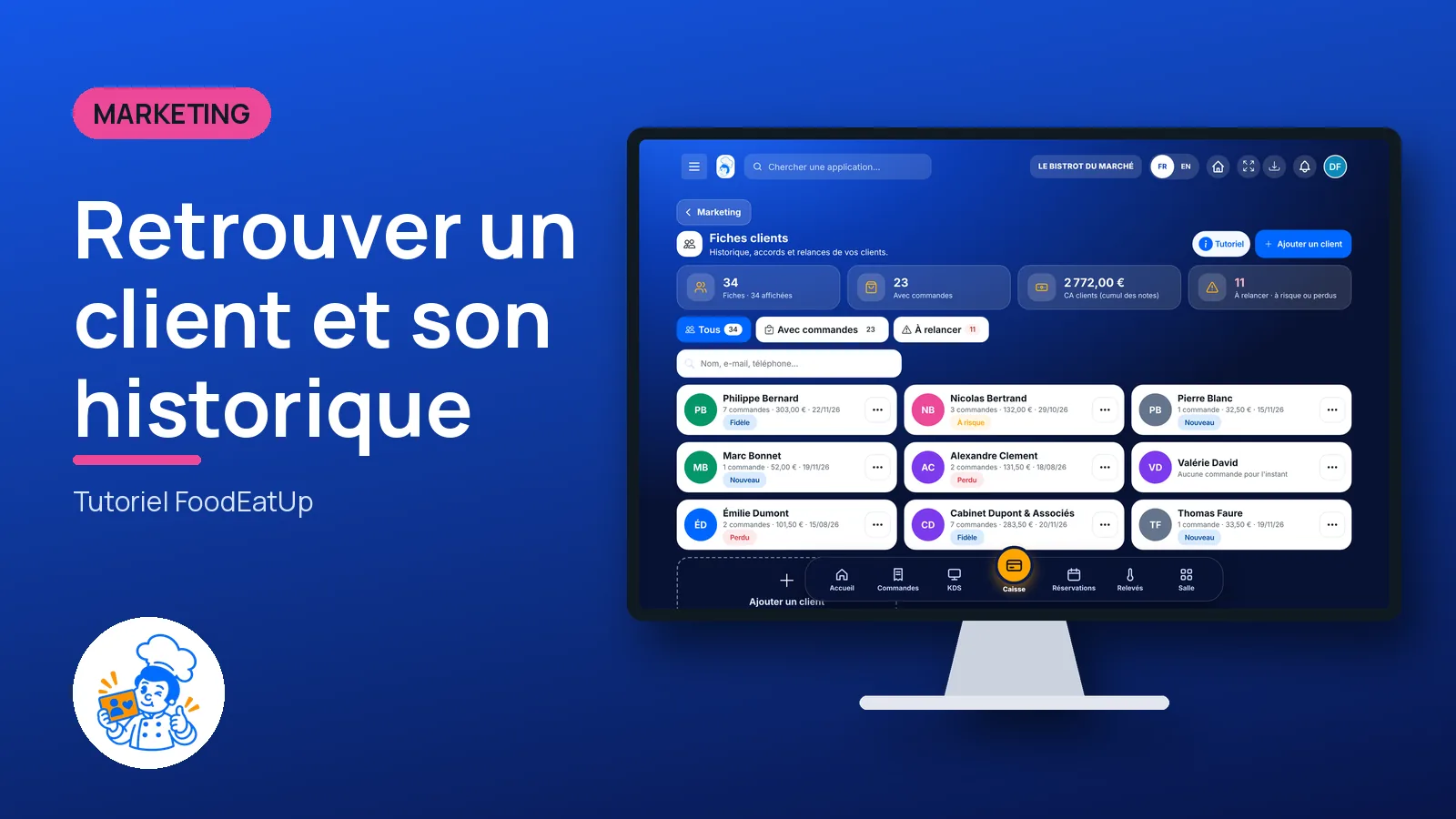
Share preview : Find a customer and their history
WhatsAppLinkedInFacebookEmail

Send to an AI assistant

Claude, ChatGPT or Le Chat read this tutorial and explain it to you. Connected to FoodEatUp, they do it with you.

Read this FoodEatUp tutorial: https://foodeatup.com/en/academy/marketing/clients.md Explain it to me simply, step by step, then help me do it in my restaurant. If FoodEatUp is connected to you, do it with me and show me the preview before every change.

ClaudeLe ChatChatGPT

Open in my software

Type your establishment number: the link takes you straight to this screen. The number stays on this device.

Discover the customer record (in French) →

You can read it in the software address: foodeatup.com/establishment/number/…