My customer groups
In FoodEatUp, for my establishment [number], show me my customer groups (loyal, at risk, lost, new) and how many each contains.
What you getYour customer groups with their size.
Tools used : list_rfm_segments
 Marketing · Campagnes
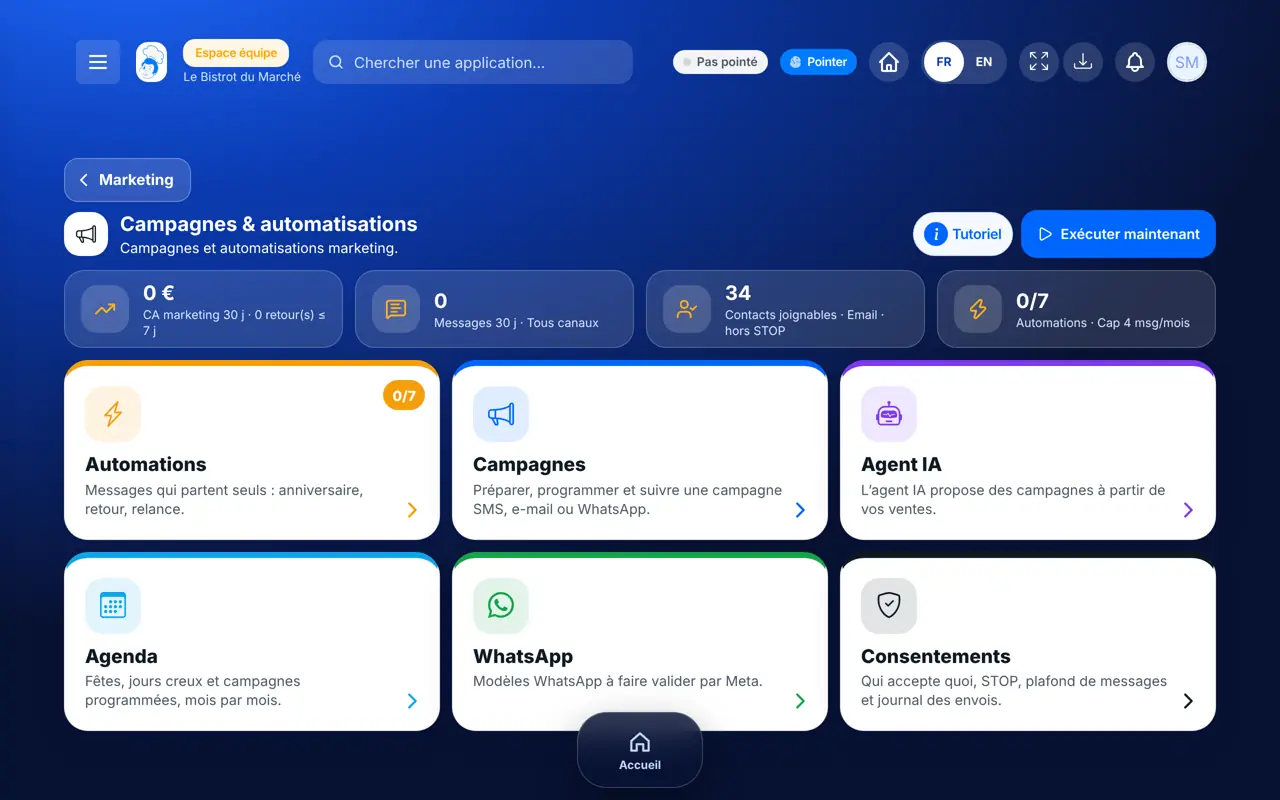
A message by e-mail, SMS or WhatsApp, sent to the right group of customers: regulars, those who stopped coming, newcomers. The software leaves out on its own those who have not agreed.
 Patron / gérant
 Directeur
 Responsable de salle
 Responsable multi-sites
The owner always has access. See what each role sees →
A computer to write and check the campaign calmly. Results can also be read on the tablet.
The real software screens, as they appear on each device.
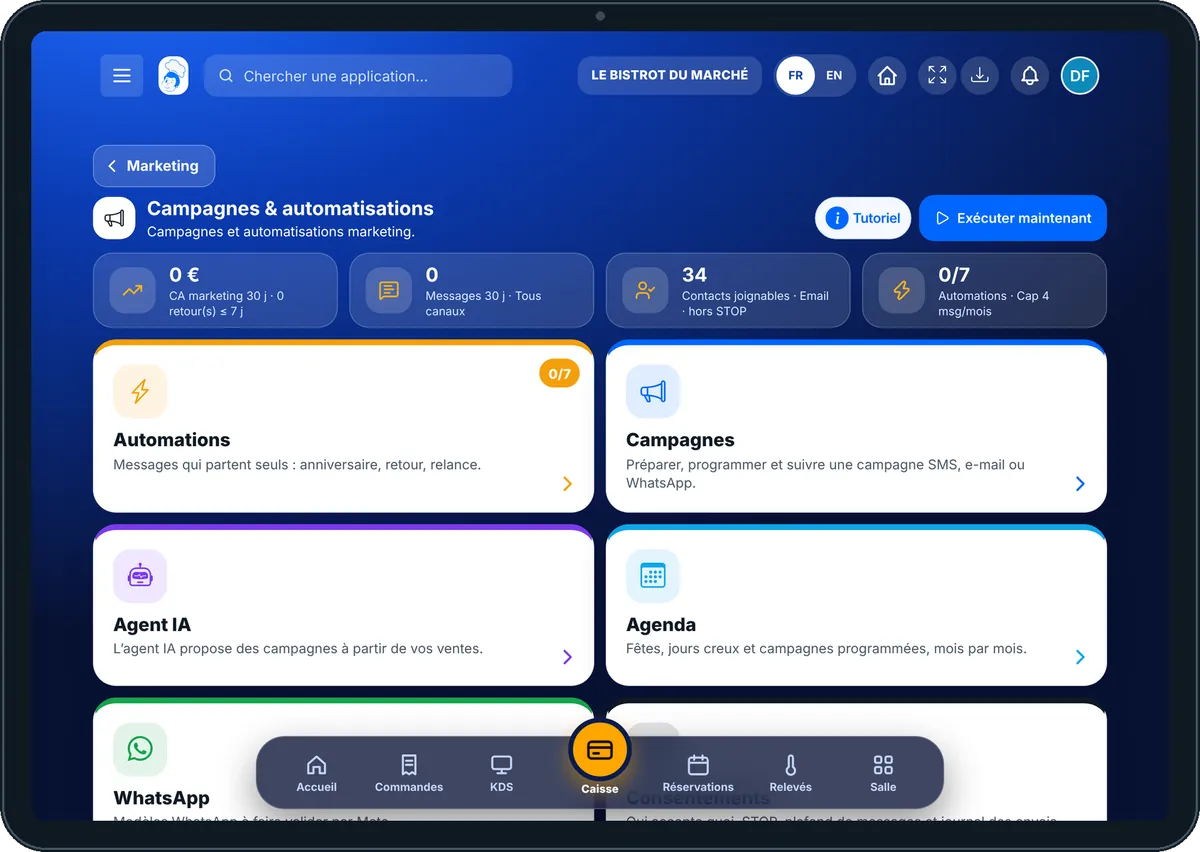
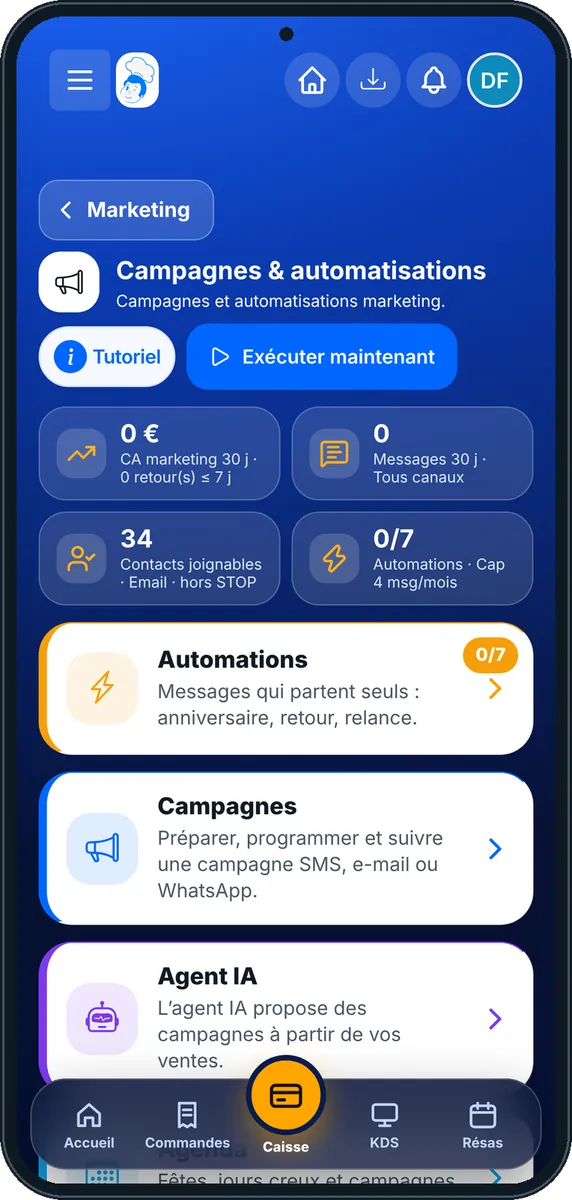
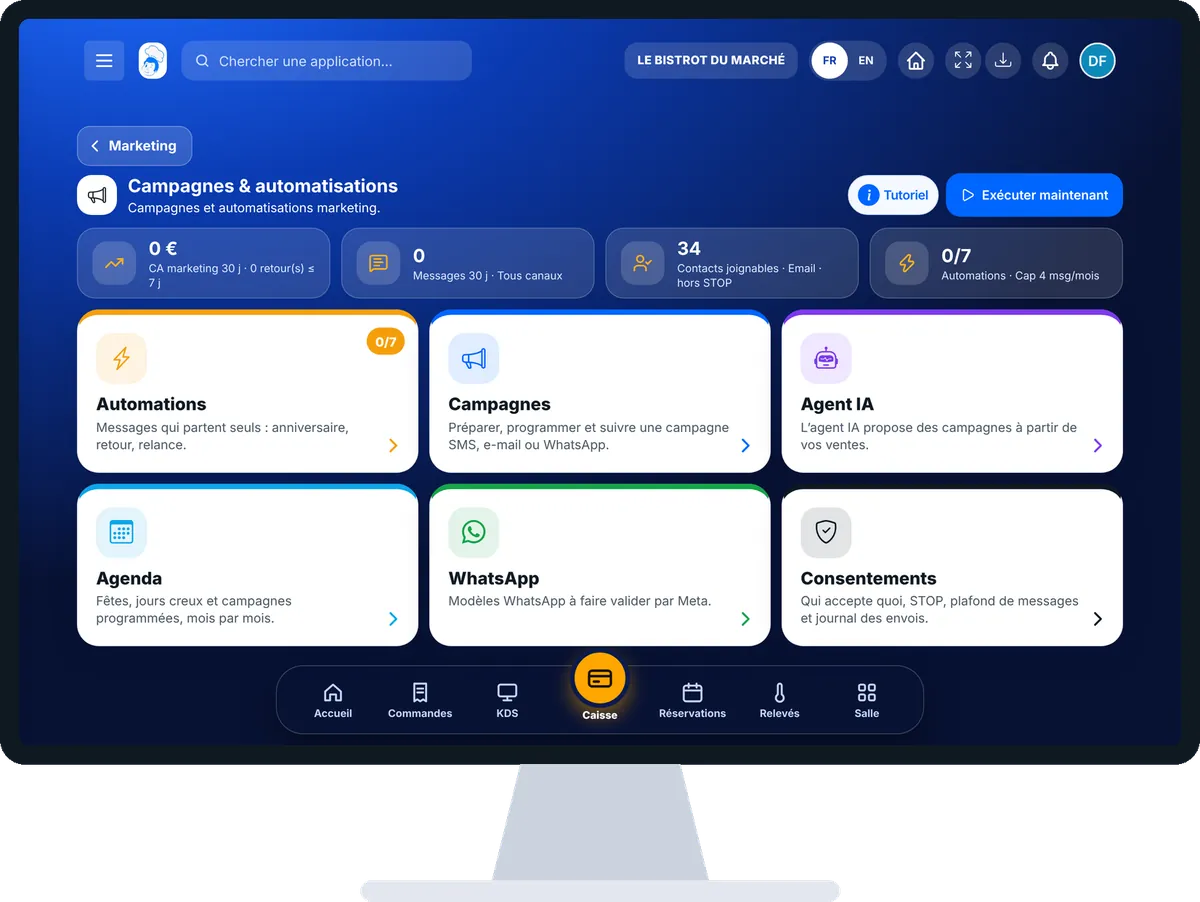
Send a campaign to my customers : 5 steps, with the real software screens.
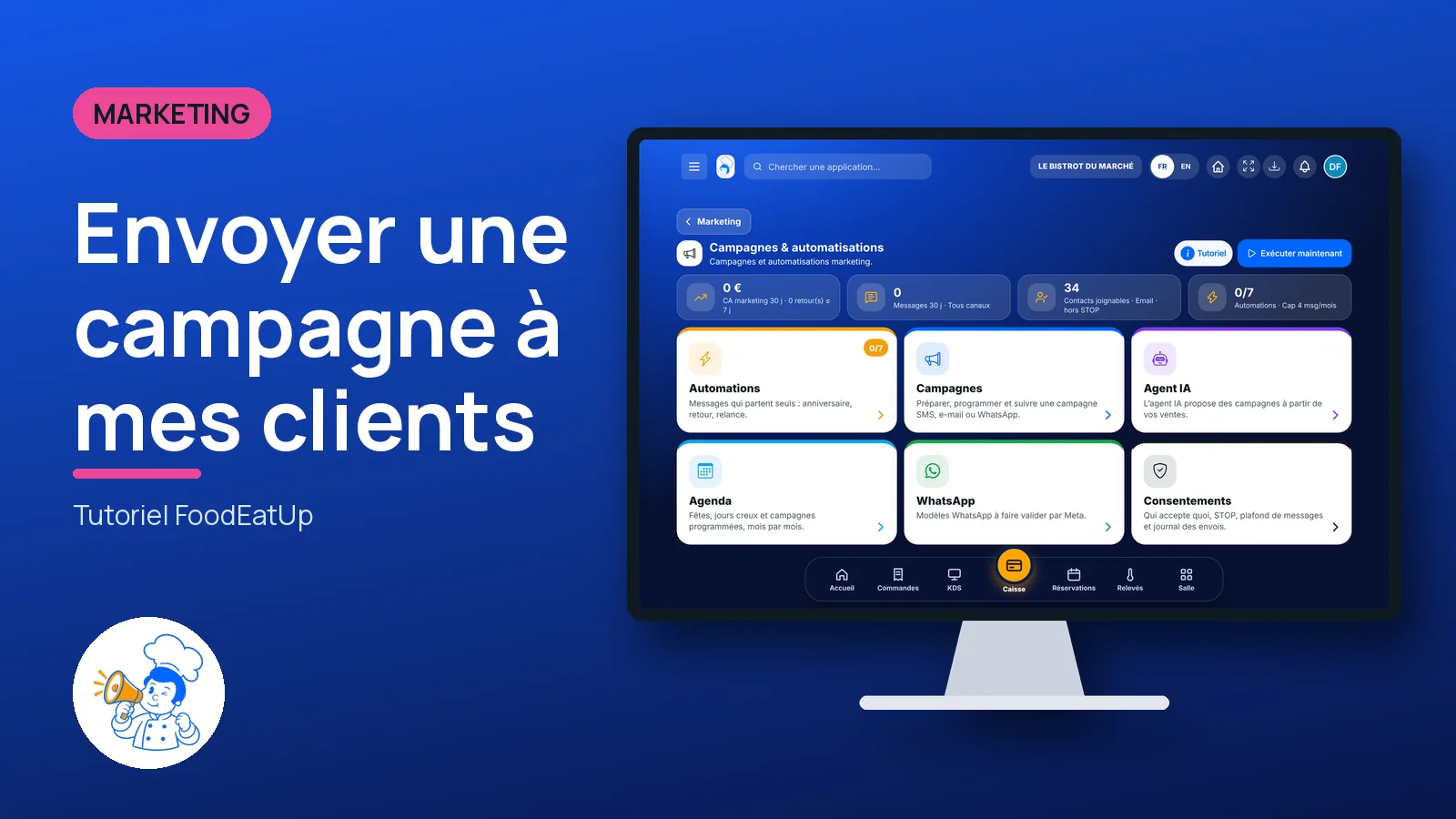
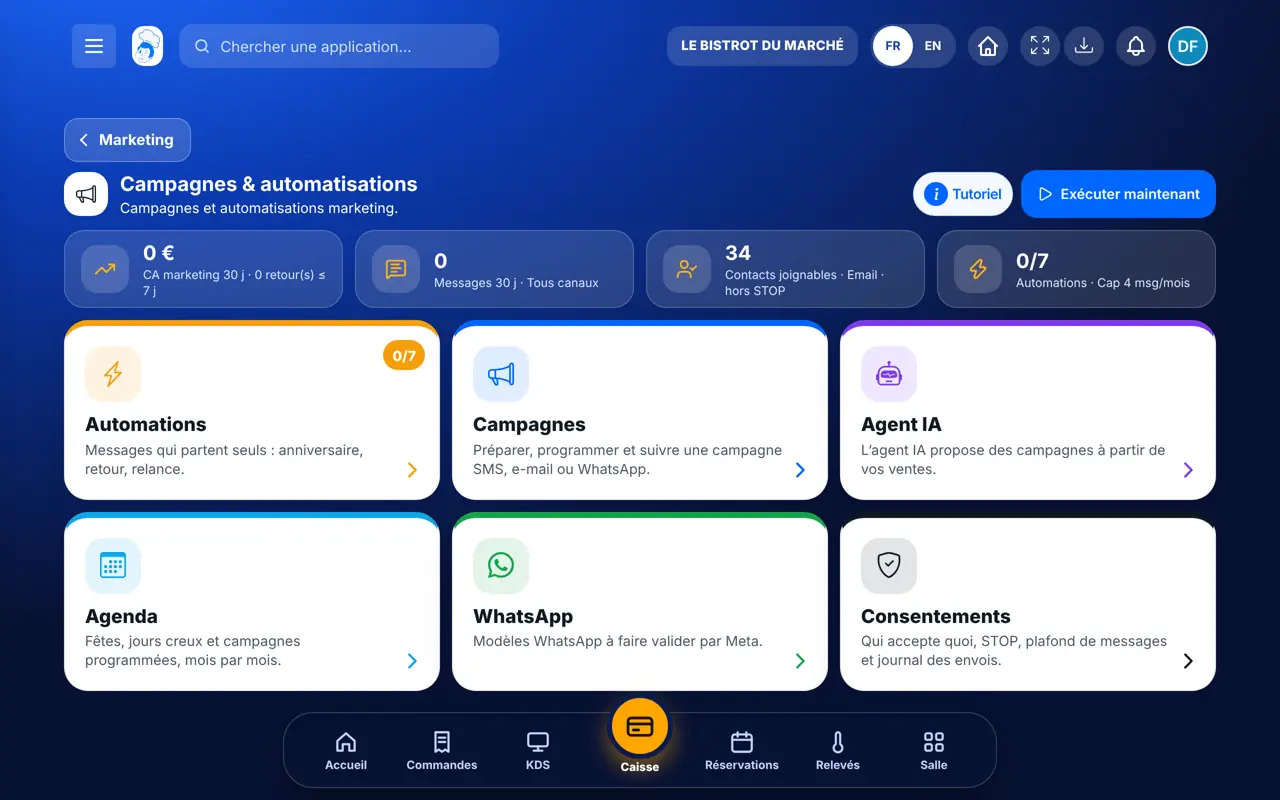
From the home screen, open Marketing then “Campagnes”. Six cards: “Automations”, “Campagnes”, “Agent IA”, “Agenda”, “WhatsApp”, “Consentements”. The figures at the top: campaign revenue, messages sent, reachable contacts.
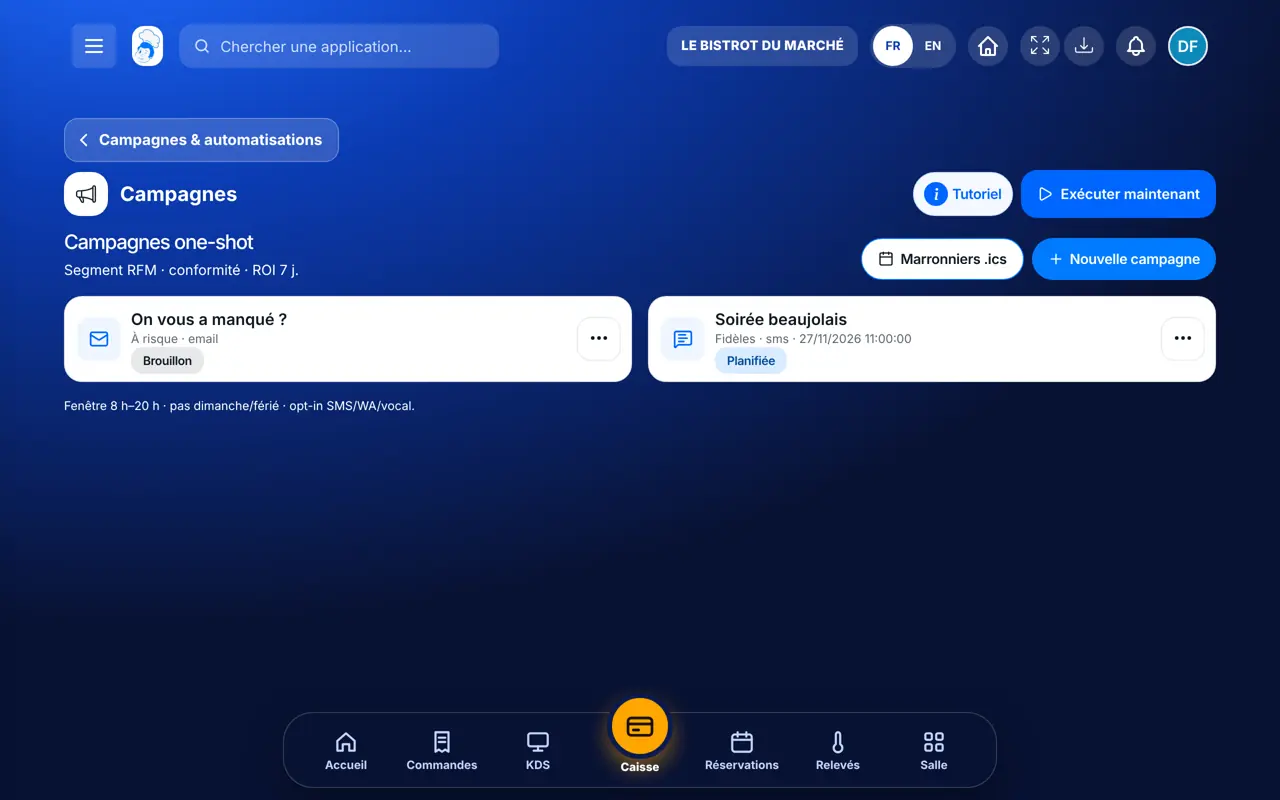
Tap “Campagnes” then “Nouvelle campagne”. Choose the customer group: each group says who it contains and why.
Choose the channel, write the message (“{prenom}” and “{lien}” are replaced for each customer), add an offer or promo code if you want. Send yourself a test first.
Send now or choose a date. Seasonal events (holidays, quiet days) can be tapped to fill in the date. The summary lists the customers left out and the reason (no consent, STOP, cap reached).
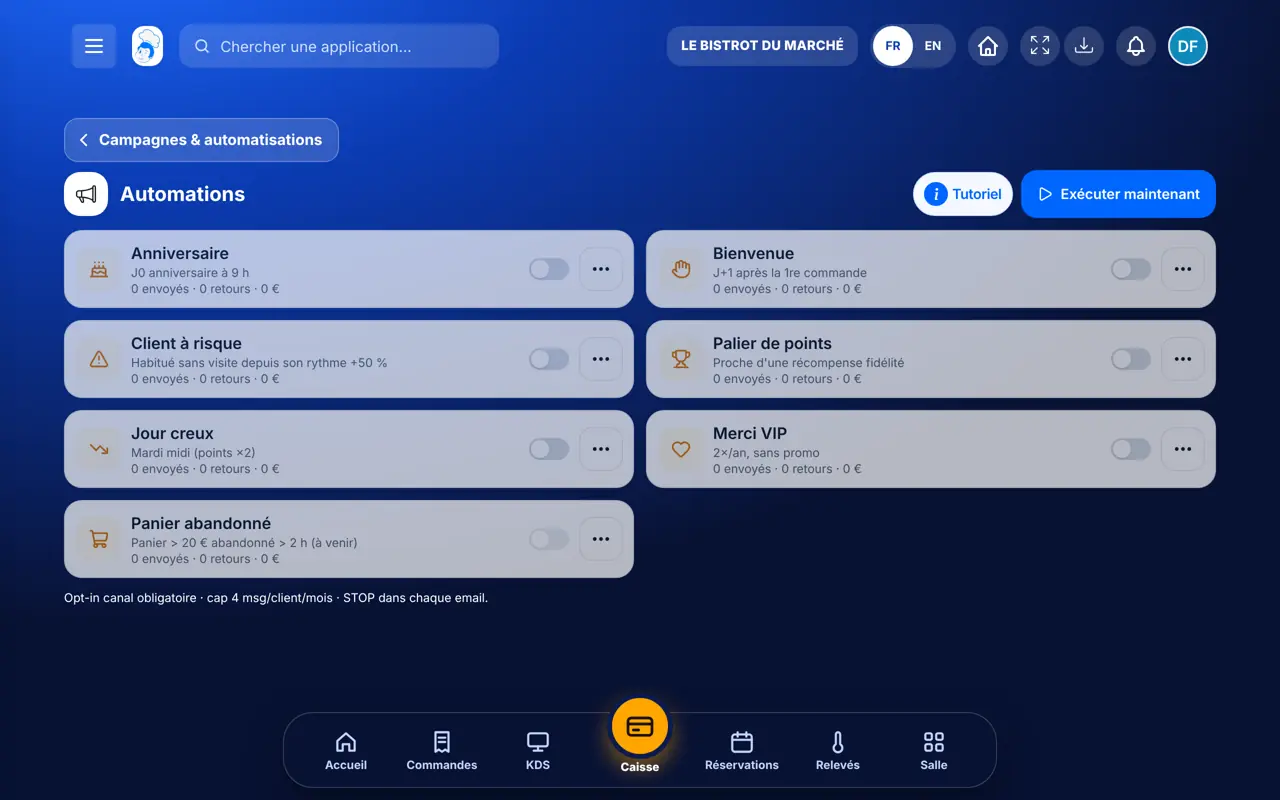
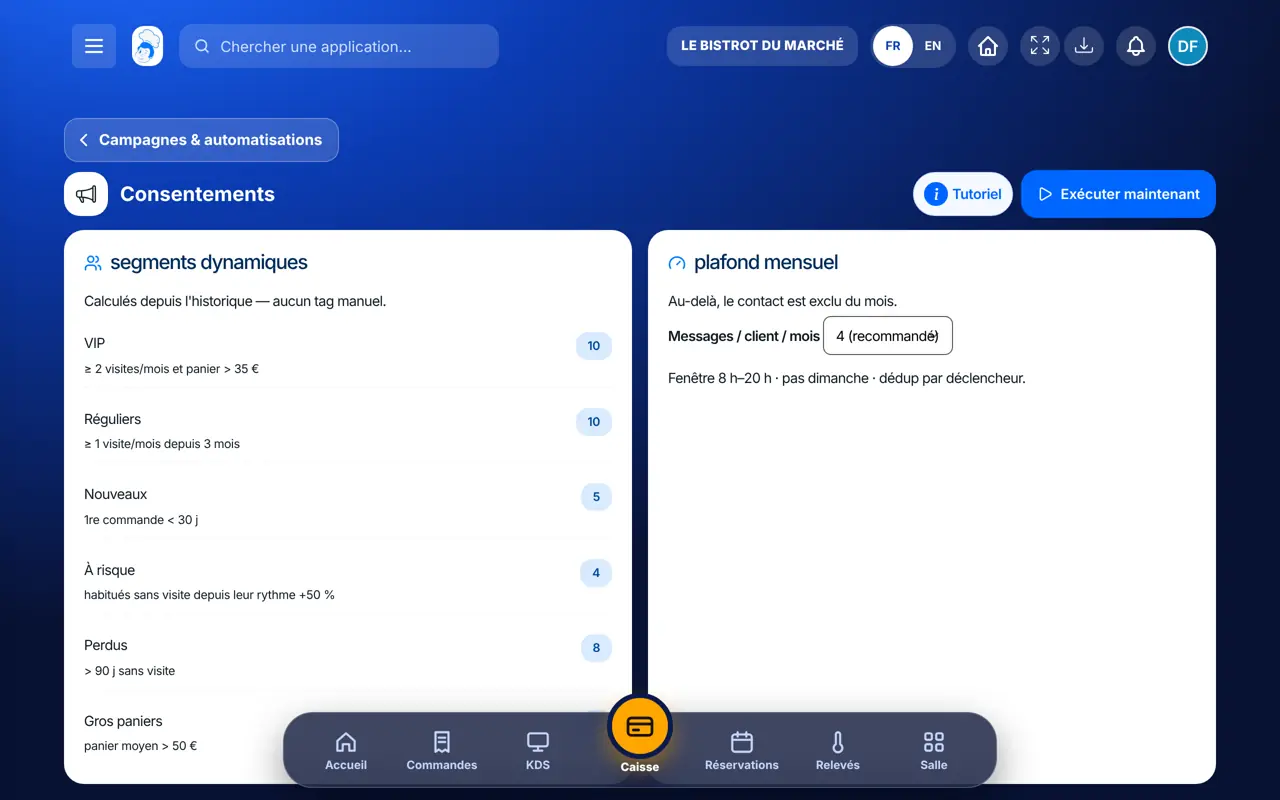
Tap “Automations”: birthday, return of a customer who stopped coming, abandoned basket… Switch on the ones you want. “Consentements” shows who accepts what.
Your message only reaches customers who accept it, at a decent hour. You see how many came back to the till within 7 days.
Prepares, schedules and sends campaigns, and sets the automations.
With the right to view, reads campaigns and their results. Only creates and launches them with the right to manage.
Claude, ChatGPT or Mistral’s Le Chat, connected to FoodEatUp. Copy the request and replace your establishment number.
In FoodEatUp, for my establishment [number], show me my customer groups (loyal, at risk, lost, new) and how many each contains.
What you getYour customer groups with their size.
Tools used : list_rfm_segments
In FoodEatUp, for my establishment [number], prepare an e-mail campaign for “at risk” customers with the message “[message]”. Leave it as a draft so I can check it.
What you getA draft campaign, to check before anything is sent.
Tools used : list_rfm_segments, create_campaign
In FoodEatUp, for my establishment [number], give me the results of my last campaign: sent, returns to the till and revenue.
What you getThe campaign figures, measured over 7 days.
Tools used : list_campaigns, get_campaign_stats
Loyal, at risk, lost, new: you aim right.
Consent, STOP, cap and sending hours handled on their own.
Returns to the till within 7 days.
Birthday, return, abandoned basket.
Start with a single campaign to “at risk” customers, with a small treat (a free dessert). It is the group that pays back fastest: they already know you.
In FoodEatUp, one action triggers others. Here are the screens that work with this one.
Customers in the chosen group who accepted that channel, without STOP and under the monthly cap. The summary names those left out.
Between 8 am and 8 pm, never on Sundays or public holidays. Outside those hours, the campaign waits for the right time.
SMS and WhatsApp are paid in FoodEatUp credits; the cost is shown before launch, on the Credits page.
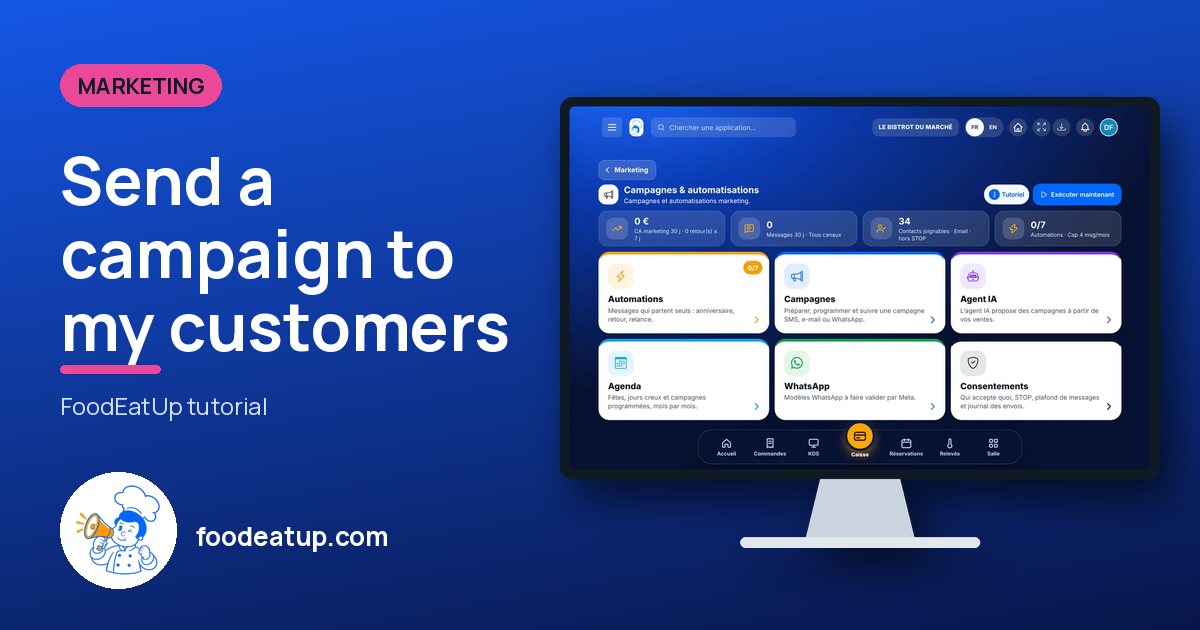
Send it to your team, your partner or your accountant. The image below appears in the message.
Claude, ChatGPT or Le Chat read this tutorial and explain it to you. Connected to FoodEatUp, they do it with you.
Read this FoodEatUp tutorial: https://foodeatup.com/en/academy/marketing/service-marketing.md Explain it to me simply, step by step, then help me do it in my restaurant. If FoodEatUp is connected to you, do it with me and show me the preview before every change.
Type your establishment number: the link takes you straight to this screen. The number stays on this device.
Discover FoodEatUp campaigns (in French) →
Répond avec les fiches du site, sans IA
Le chef cherche dans les fiches…
 Claude
 Le Chat
 ChatGPT