Aller au contenu
Marketing · Fidélité & jeux
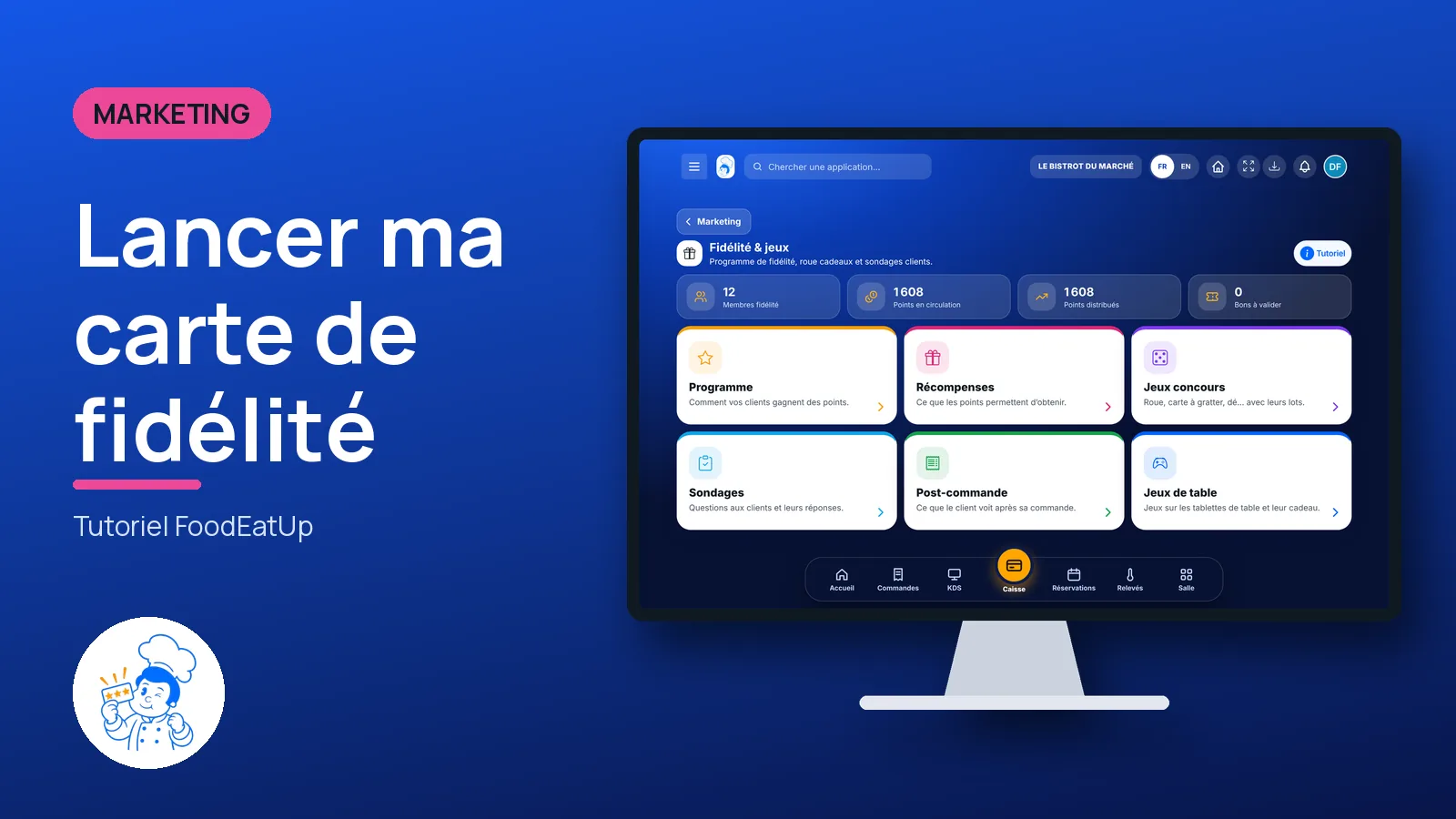
Launch my loyalty card

Your customers earn points at each visit and swap them for a dish or a voucher. You set the programme, the rewards, a prize wheel and a survey, all in one place.

  • Computer
  • 5 steps
  • Level : Beginner
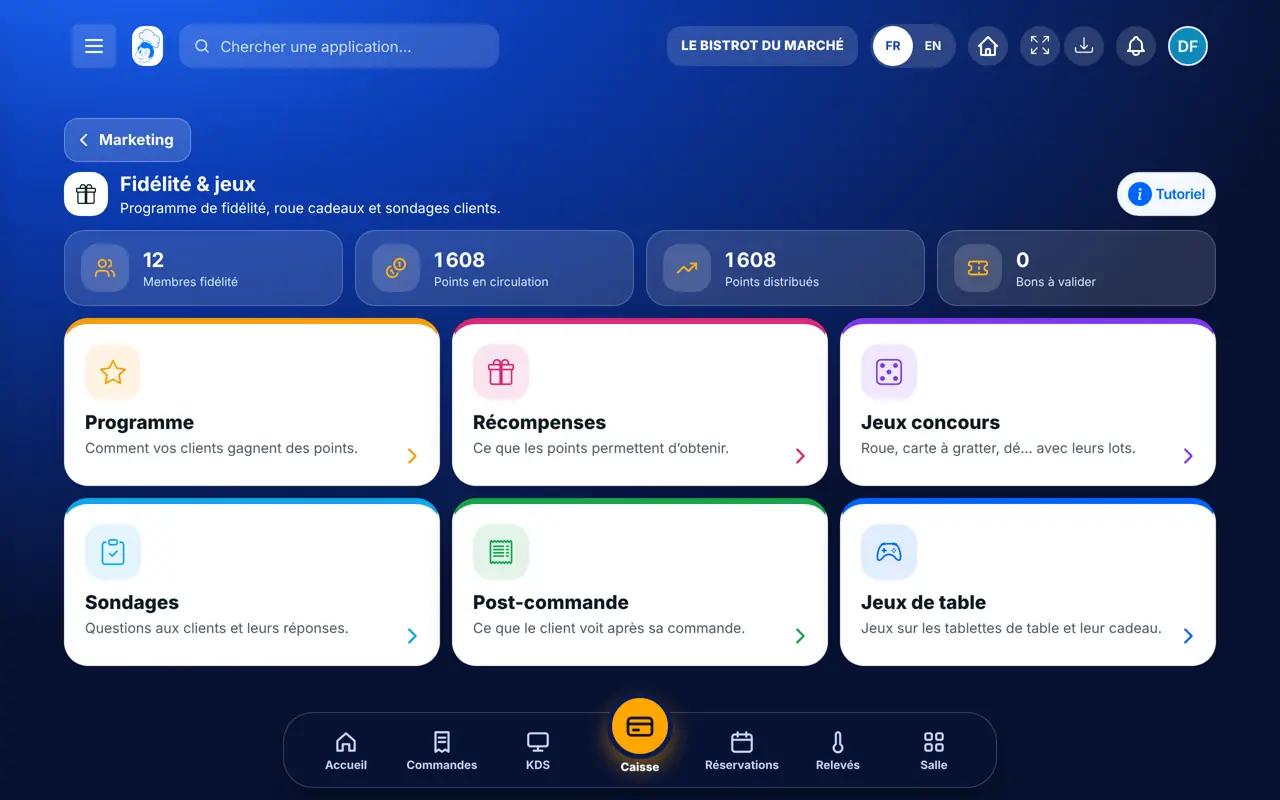
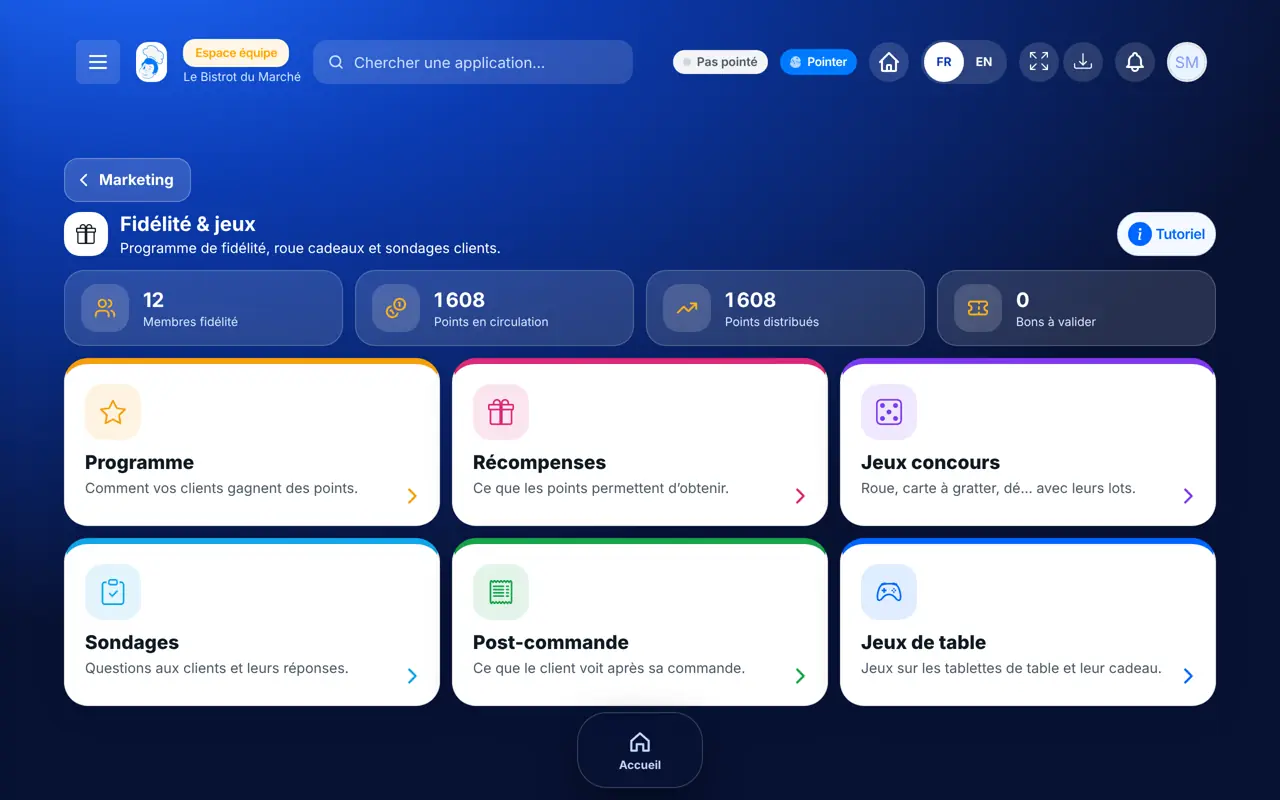
Launch my loyalty card : The Fidélité & jeux screen and its six cards

Who is it for?

  • Patron / gérant
  • Directeur
  • Responsable de salle
  • Responsable de boulangerie

Roles with access

  • Gérant·e
  • Hôte·sse / Caissier·ère · view
  • Marketing
  • Boutique (réseau)
  • Franchisé·e (réseau)
  • Directeur·rice d'établissement
  • Responsable site web & intégration · view
  • Responsable commercial · view
  • Responsable événements · view
  • Responsable marketing

The owner always has access. See what each role sees →

Recommended hardware

Computer

A computer to set the programme once. After that, everything happens at the till, on the kiosk, on the table tablet and on your website.

See the hardware →

What it is for

  • Choose how customers earn points: per euro spent, per visit, or both.
  • Set the rewards: a free dish, a voucher in euros or a perk served at the table.
  • Add a game (wheel, scratch card…) and a survey after the order.

Why set it up

  • Points are credited on their own at payment: nobody stamps a card.
  • The customer finds their points with their phone number, at the till, on the kiosk or on the website.
  • Each reward swapped becomes a voucher the till recognises.

The same screen, on every device

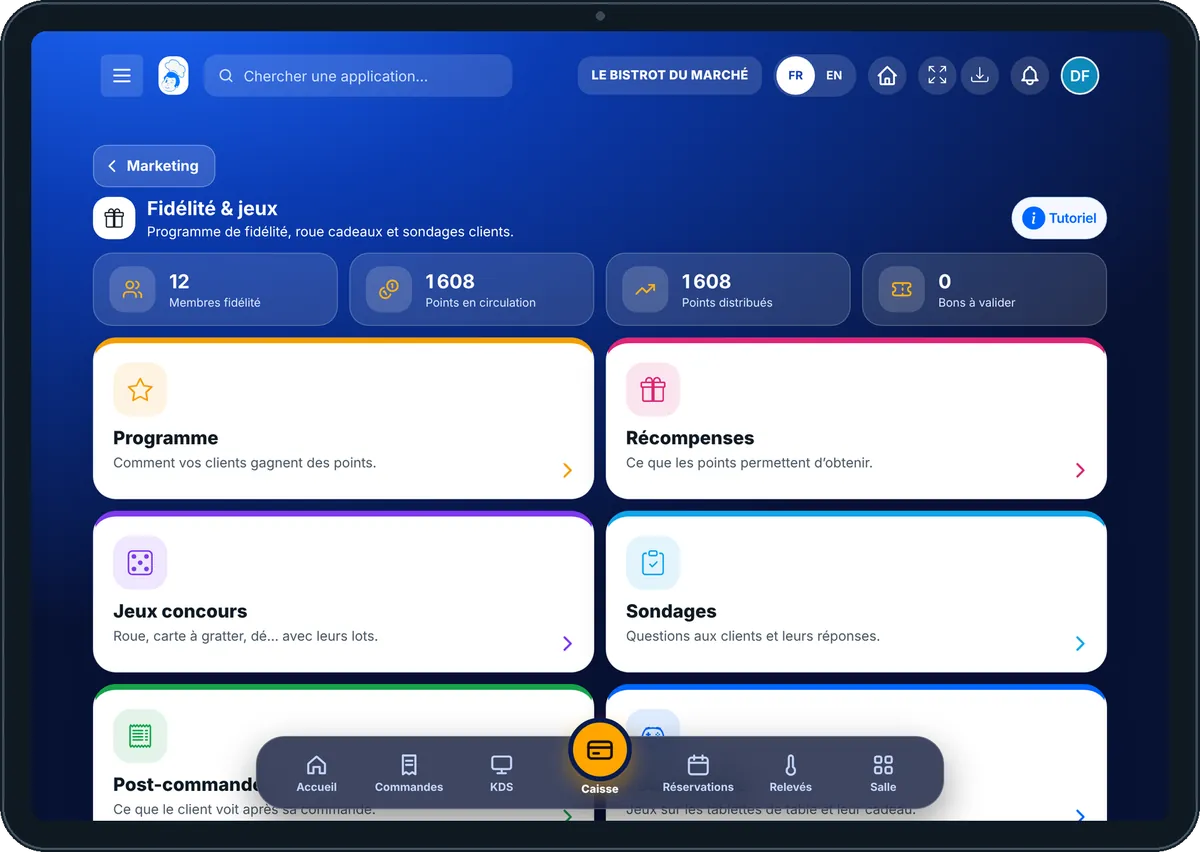
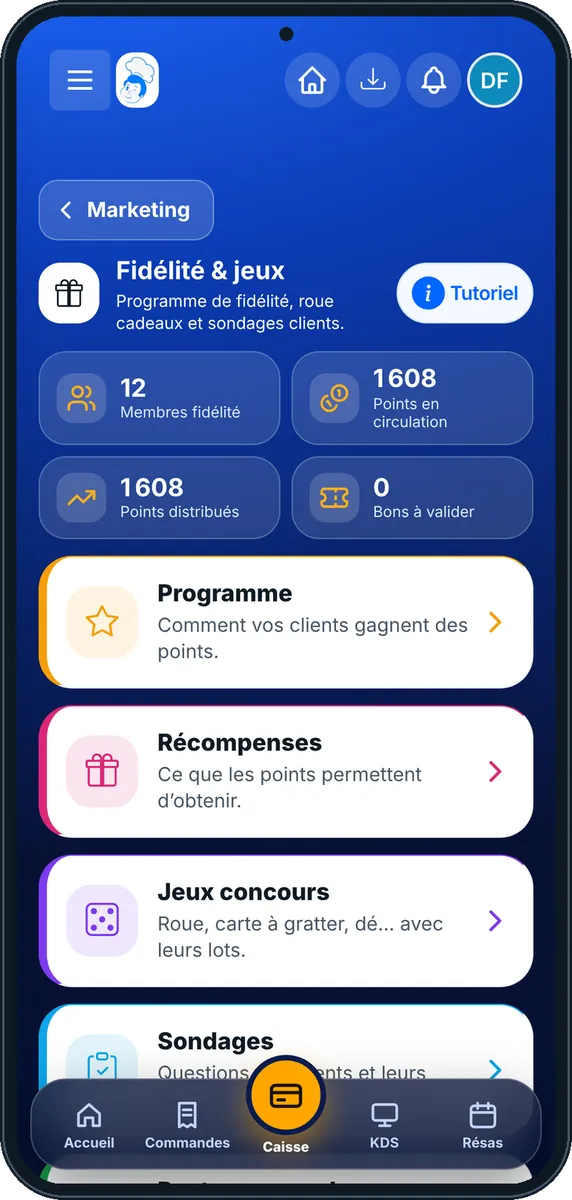
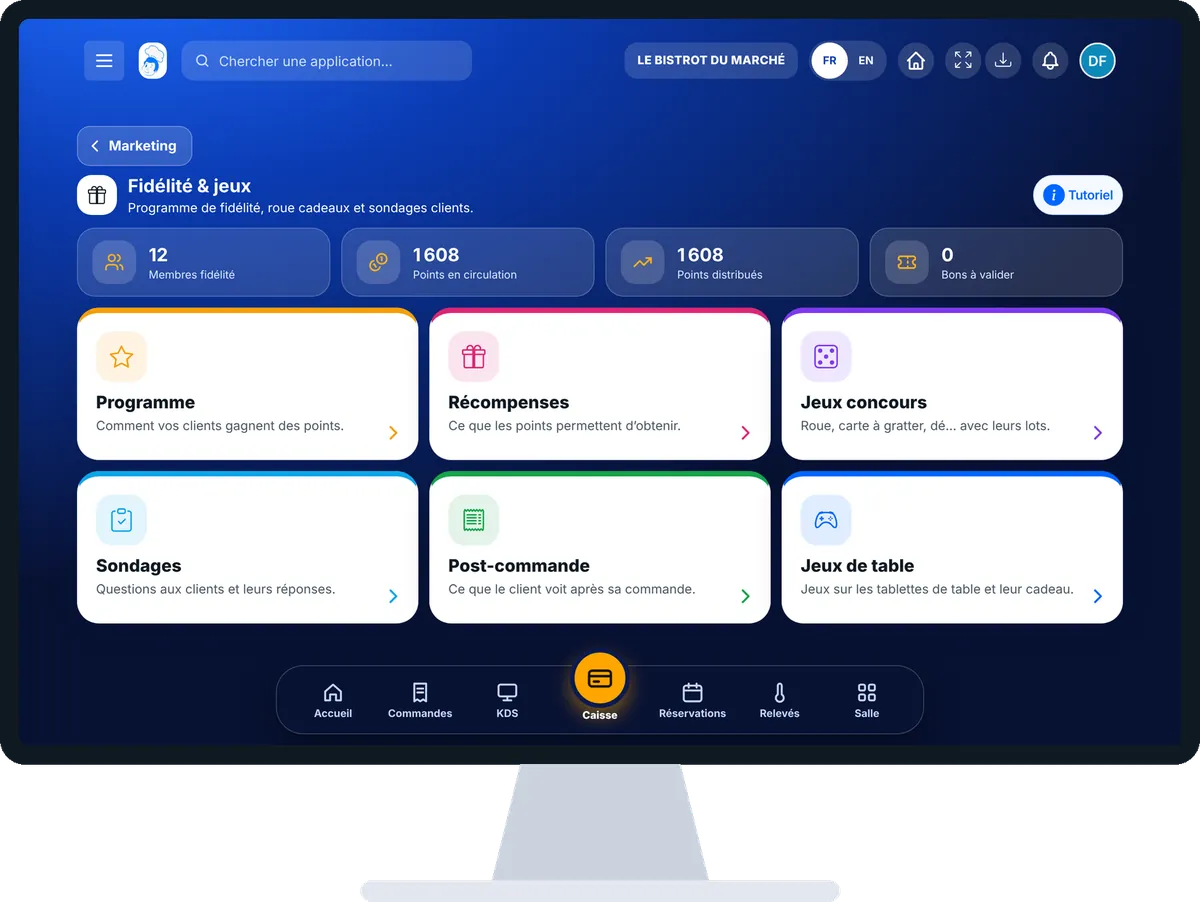
The real software screens, as they appear on each device.

Fidélité & jeux — On the tablet
On the tablet
Fidélité & jeux — On the phone
On the phone
Fidélité & jeux — On the computer
On the computer

Step by step

Launch my loyalty card : 5 steps, with the real software screens.

  1. 1Step 1

    Open Fidélité & jeux

    From the home screen, open Marketing then “Fidélité & jeux”. The figures at the top: members, points in circulation, points given and vouchers to approve. Six cards lead to the settings.

    The Fidélité & jeux screen and its six cards
  2. 2Step 2

    Set the programme

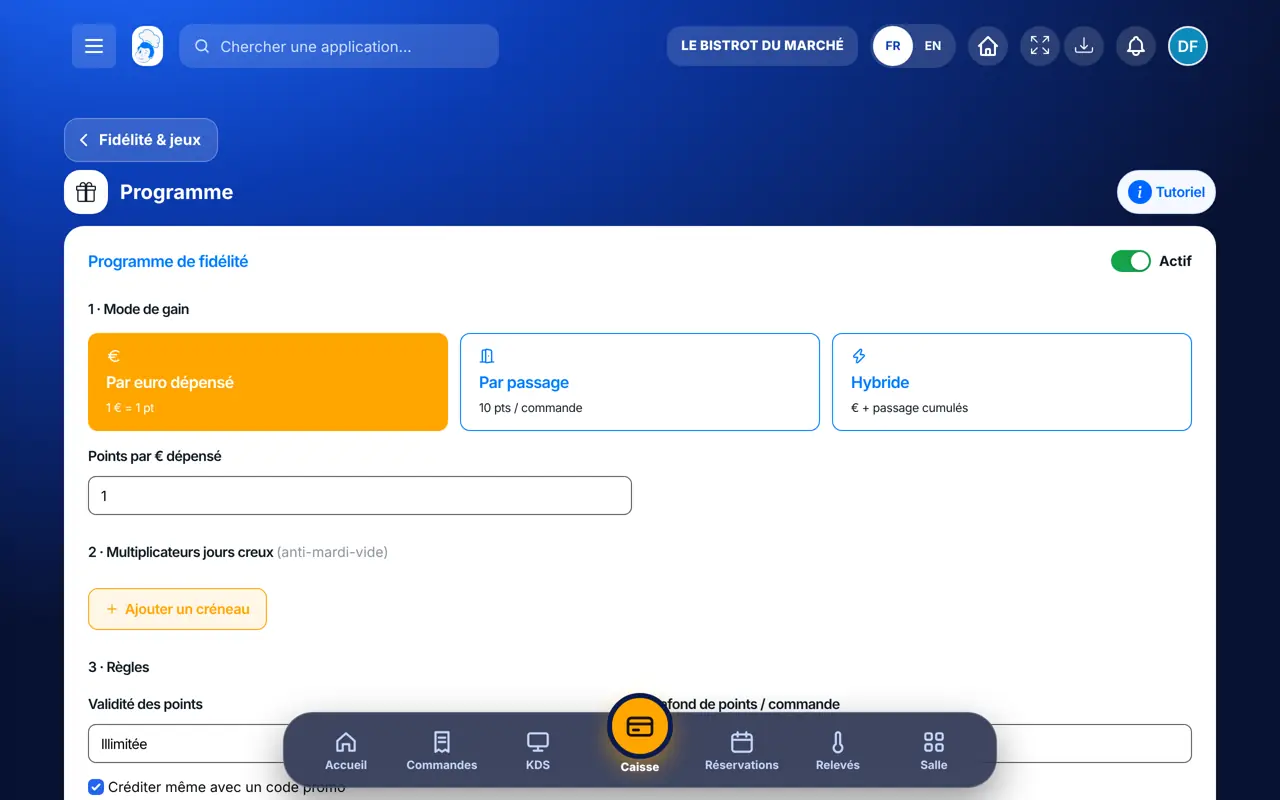
    Tap “Programme”. Turn on “Actif”, choose “Par euro dépensé” (per euro), “Par passage” (per visit) or “Hybride”, then the number of points. In “3 · Règles”, set how long points last and the cap per order. Tap “Enregistrer le programme”.

    Setting the loyalty programme
  3. 3Step 3

    Choose the rewards

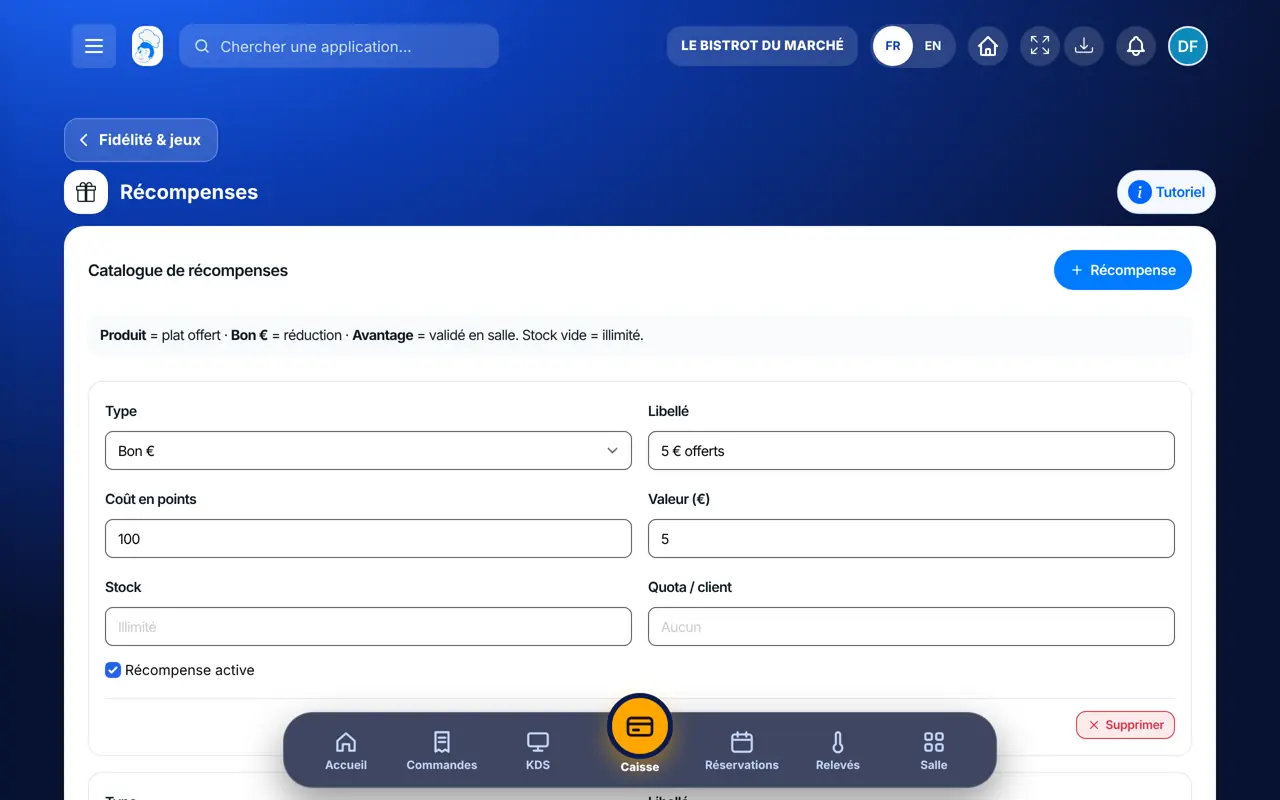
    Tap “Récompenses”. For each line: the type (“Produit” = free dish, “Bon €” = discount, “Avantage” = perk approved at the table), the label and the cost in points. Tap “Enregistrer le catalogue”.

    The rewards catalogue
  4. 4Step 4

    Add a prize game

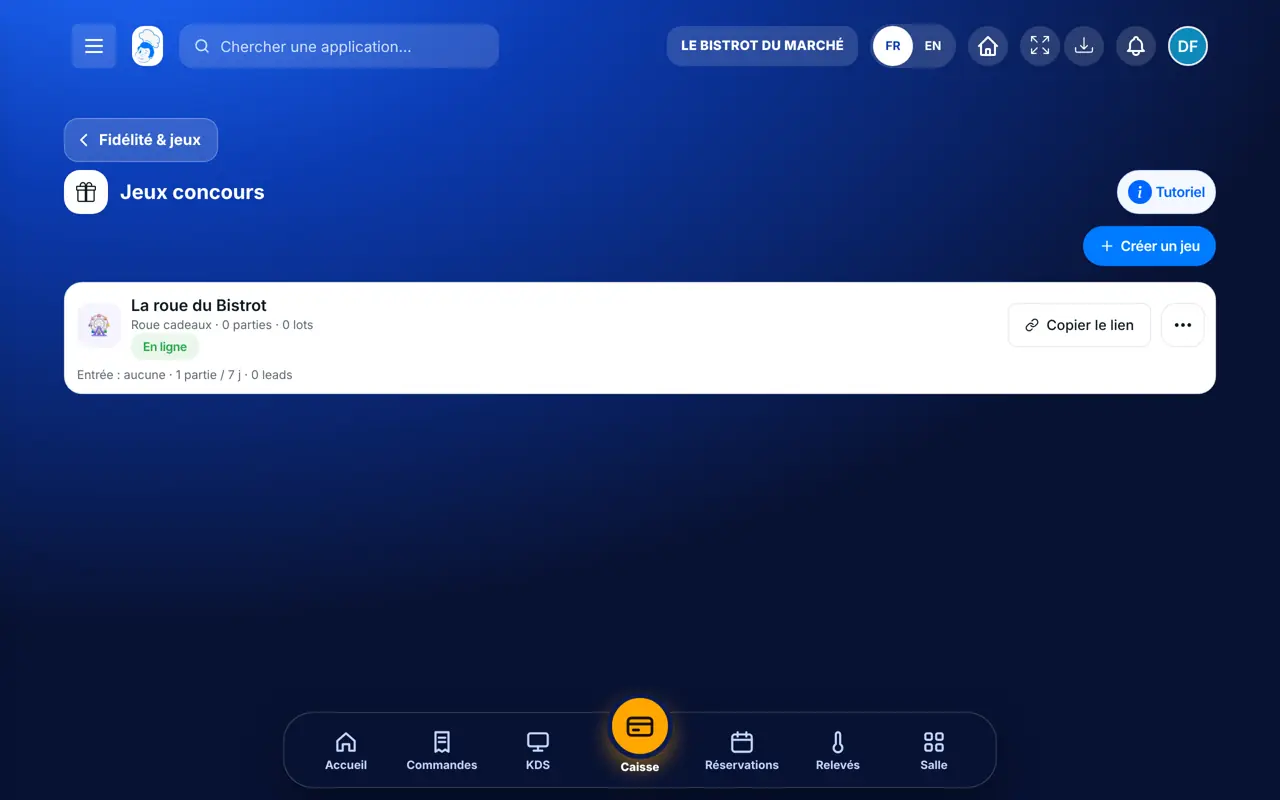
    Tap “Jeux concours” then “Créer un jeu”. Choose the game (wheel, scratch card, dice…), write the prizes and their odds. The game gets its link and QR code to put on the tables.

    Prize games and their prizes
  5. 5Step 5

    Add an after-order survey

    Tap “Sondages” to write two or three questions rewarded with points, then “Post-commande” to choose what the customer sees after paying: their points, a game, the survey or a link to your review page.

The result

The result

Your customers see their points and rewards on your website, at the till and on the kiosk. They come back to spend them.

The result : Launch my loyalty card

Owner and employee: what changes

The owner

Sets the programme, rewards, games and surveys, and follows the figures.

Fidélité & jeux — The owner

The employee

At the till, credits and redeems the customer’s points. Only changes the programme rules with the right to manage loyalty.

Fidélité & jeux — The employee

Do it with your assistant

Claude, ChatGPT or Mistral’s Le Chat, connected to FoodEatUp. Copy the request and replace your establishment number.

Where does my loyalty stand?

In FoodEatUp, for my establishment [number], tell me whether my loyalty programme is active, how points are earned and which rewards exist.

What you getThe programme rules and the list of rewards.

Tools used : get_loyalty_program, list_loyalty_rewards

Add a reward

In FoodEatUp, for my establishment [number], add the reward “[label]” for [number] points, as a free dish. Show me the preview before confirming.

What you getThe reward appears in the catalogue once you agree.

Tools used : list_loyalty_rewards, upsert_loyalty_reward

Create a prize wheel

In FoodEatUp, for my establishment [number], create a prize wheel with four prizes (two in points, one free coffee, one “play again”) whose odds add up to 100 %. Leave it inactive so I can check it.

What you getA wheel ready to check, inactive until you open it.

Tools used : get_loyalty_program, create_wheel_game

What you gain

No paper card

The customer is recognised by their phone number.

Automatic

Points are credited at payment.

The same everywhere

Till, kiosk, table tablet and website share the same points.

Customers who come back

A reward within reach gives a reason to return.

The Chef’s tip

Set the first reward close enough for a regular to reach it in three or four visits: a coffee or a free dessert. Nobody aims for a reward that is too far away.

Frequently asked questions

Do my customers need an app?

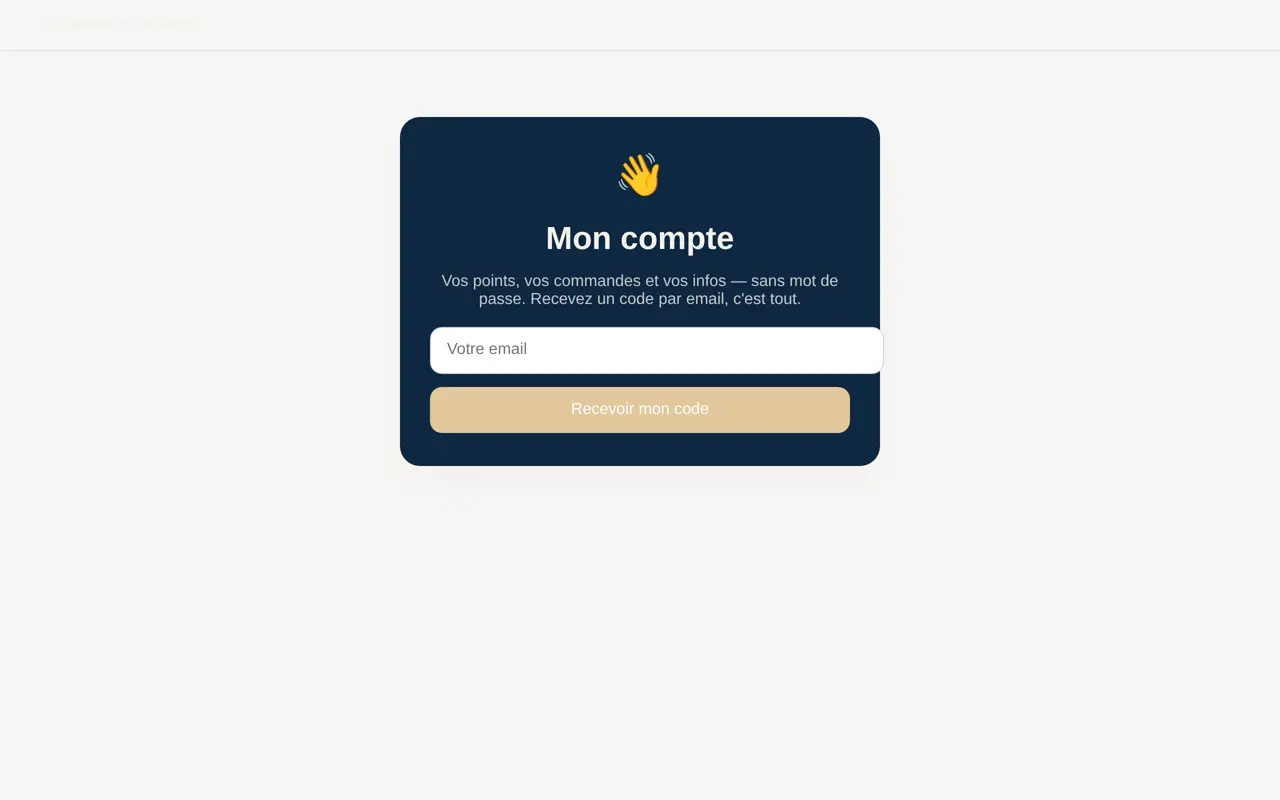
No. They are recognised by their phone number at the till and on the kiosk, and find their points on the loyalty page of your website.

What happens when a customer swaps points?

The software creates a voucher (FID-…) that the till recognises. The voucher can only be used once.

Is the prize game required?

No. The programme works on its own; the game and the survey are extras you switch on if you want.

Text version for AI assistants →

Share this tutorial

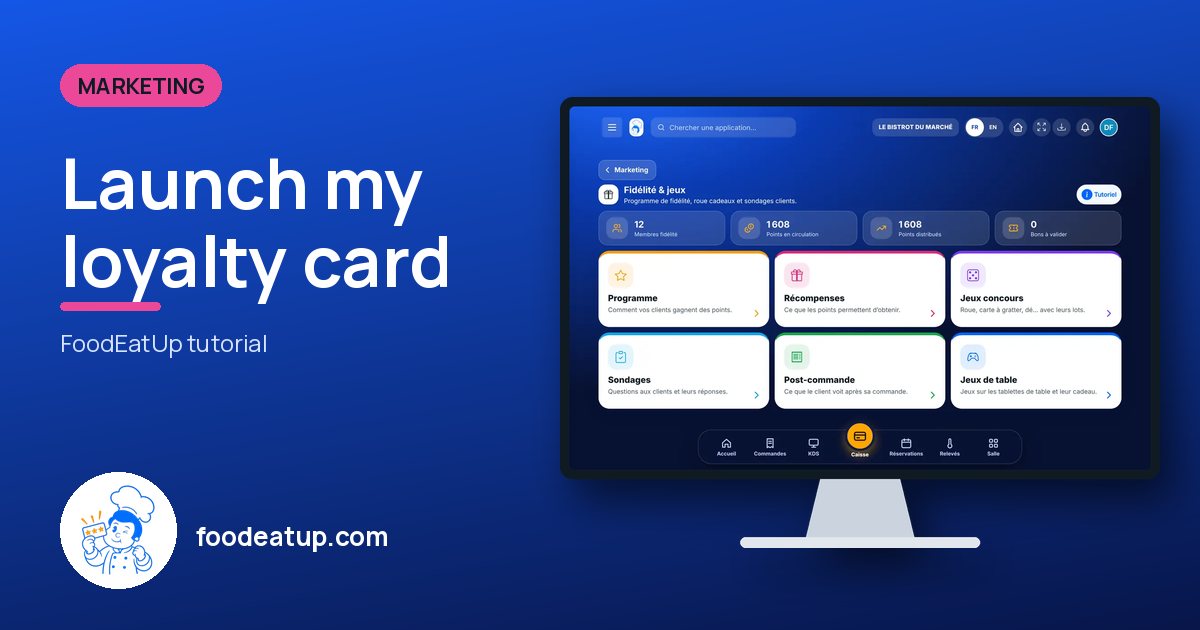
Send it to your team, your partner or your accountant. The image below appears in the message.

Share preview : Launch my loyalty card
WhatsAppLinkedInFacebookEmail

Send to an AI assistant

Claude, ChatGPT or Le Chat read this tutorial and explain it to you. Connected to FoodEatUp, they do it with you.

Read this FoodEatUp tutorial: https://foodeatup.com/en/academy/marketing/service-engagement.md Explain it to me simply, step by step, then help me do it in my restaurant. If FoodEatUp is connected to you, do it with me and show me the preview before every change.

ClaudeLe ChatChatGPT

Open in my software

Type your establishment number: the link takes you straight to this screen. The number stays on this device.

Discover FoodEatUp loyalty (in French) →

You can read it in the software address: foodeatup.com/establishment/number/…