Which games are open?
In FoodEatUp, for my establishment [number], list the games open to my customers and tell me whether they have a prize.
What you getThe list of your games and their prizes.
Tools used : list_games
 Marketing · FoodEatUp Game
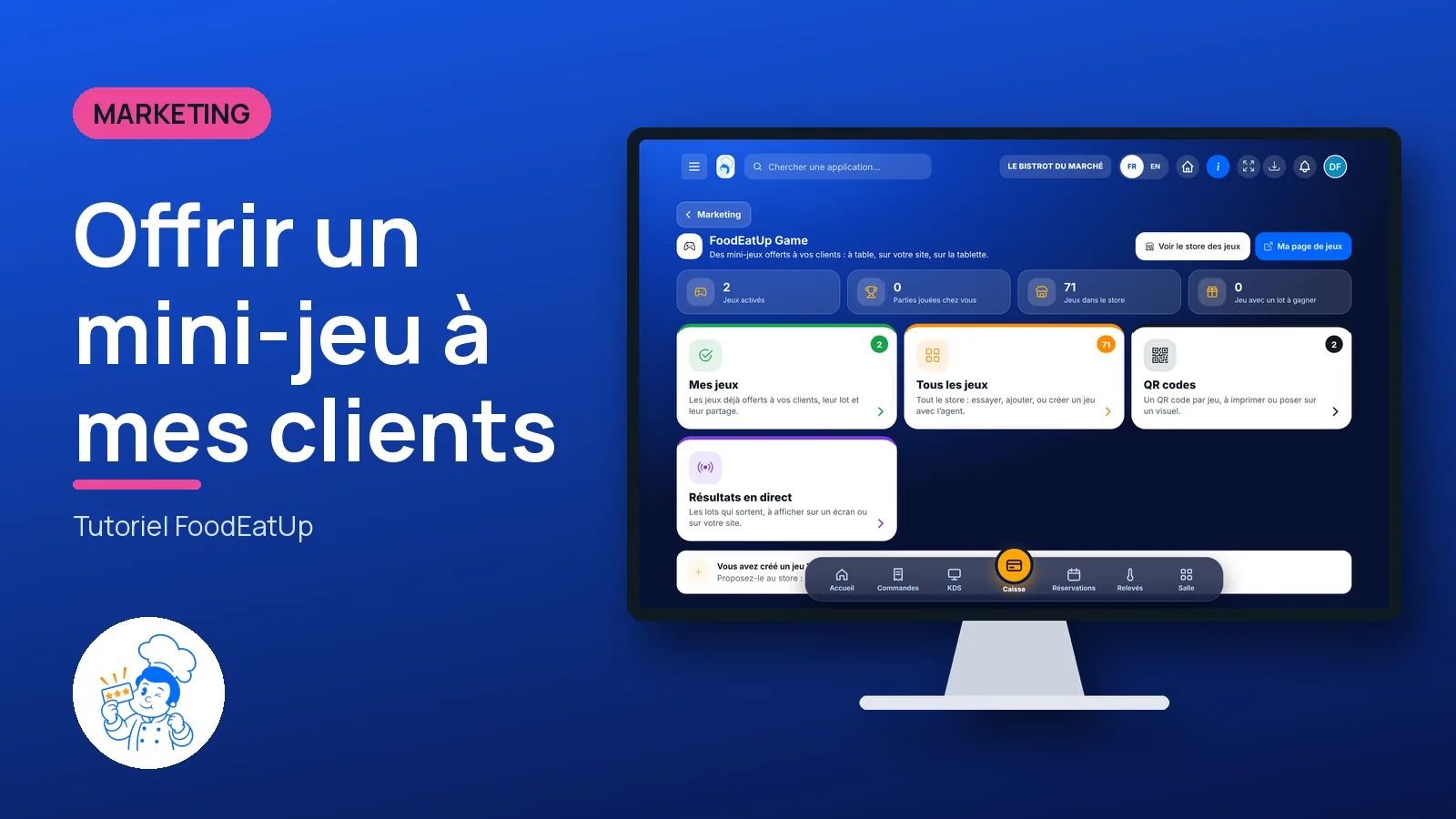
Mini-games to play while waiting for the food: at the table, on your website or on the tablet. You pick some, set a prize, and put the QR code on the tables.
 Patron / gérant
 Directeur
 Responsable de salle
The owner always has access. See what each role sees →
A computer to pick the games and set the prize. Your customers then play on their phone, on the table tablet or on your website.
The real software screens, as they appear on each device.
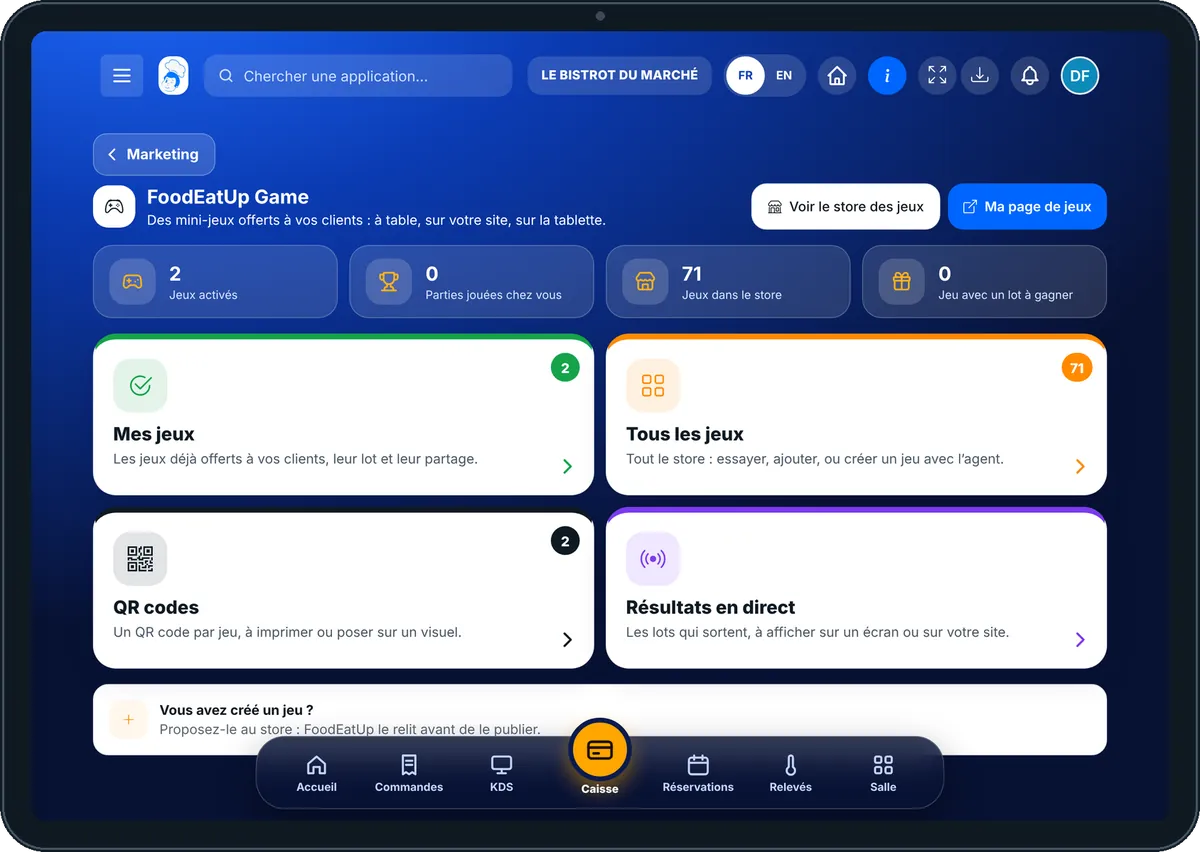
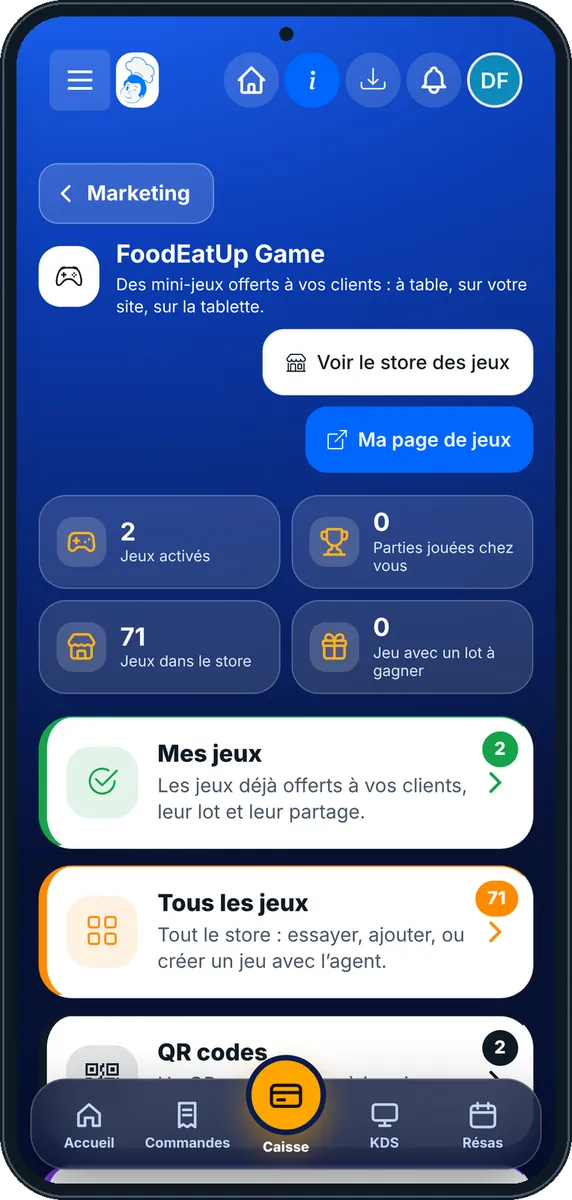
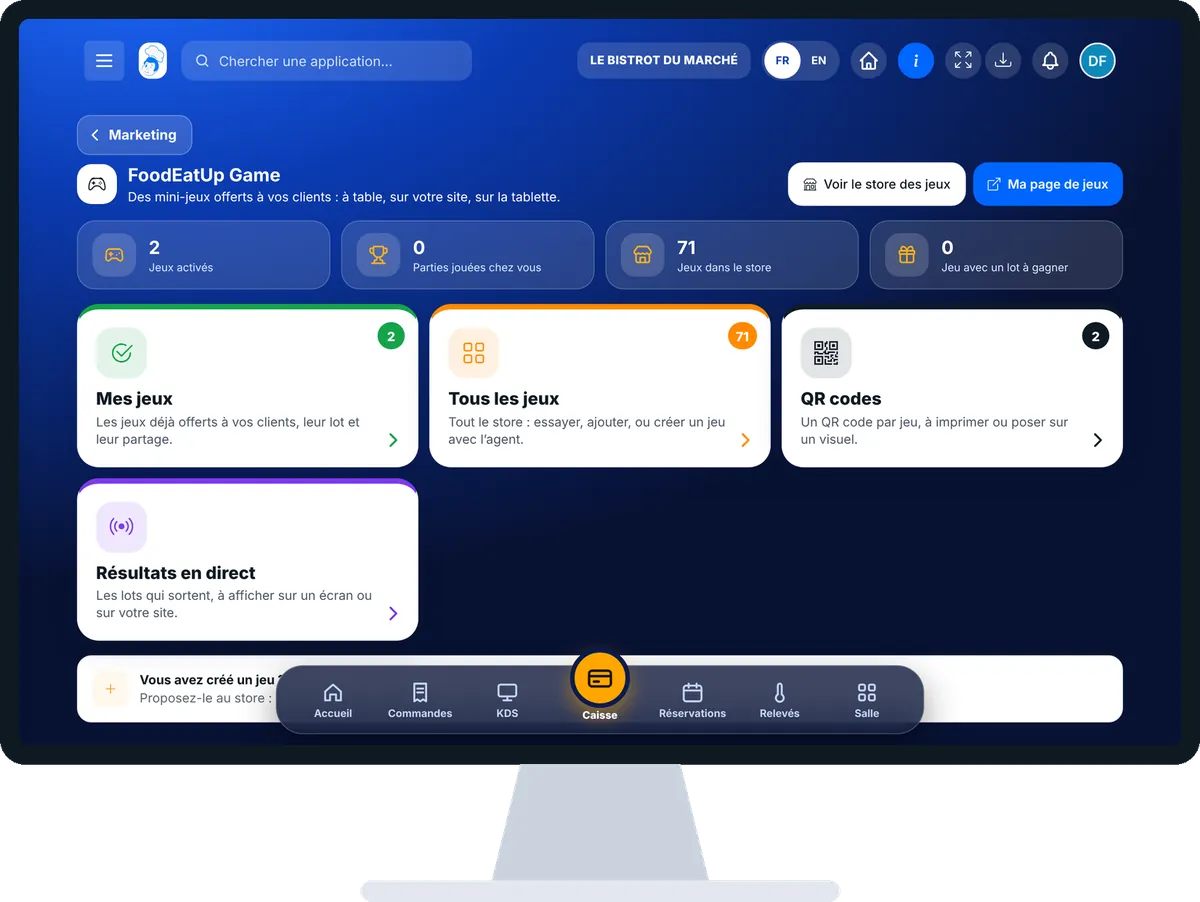
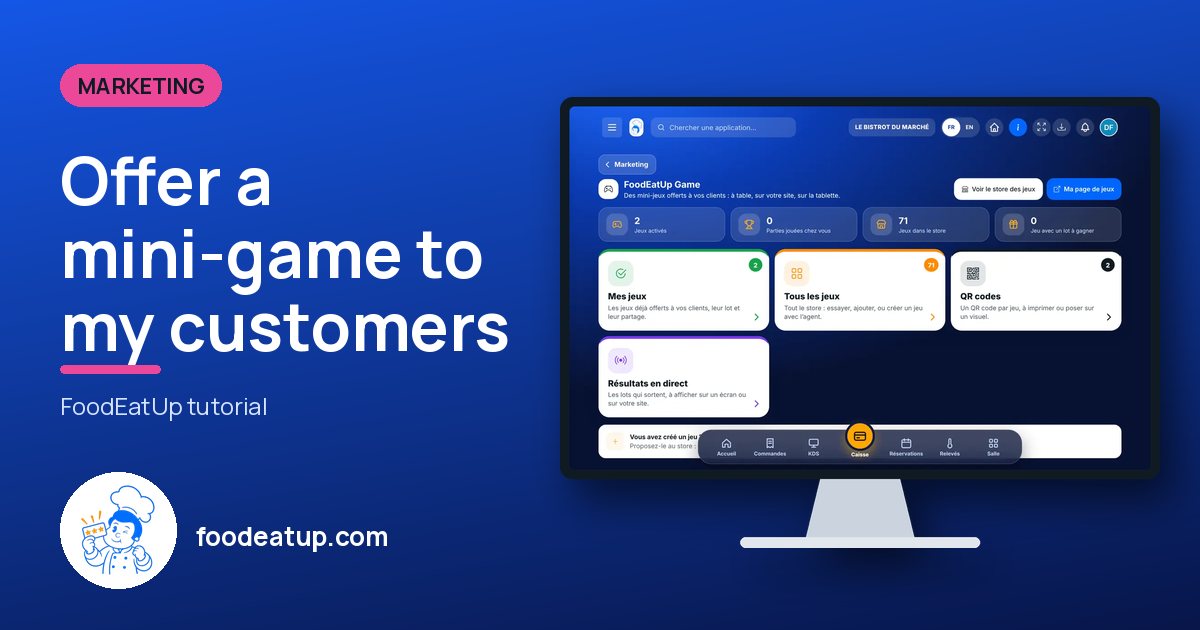
Offer a mini-game to my customers : 5 steps, with the real software screens.
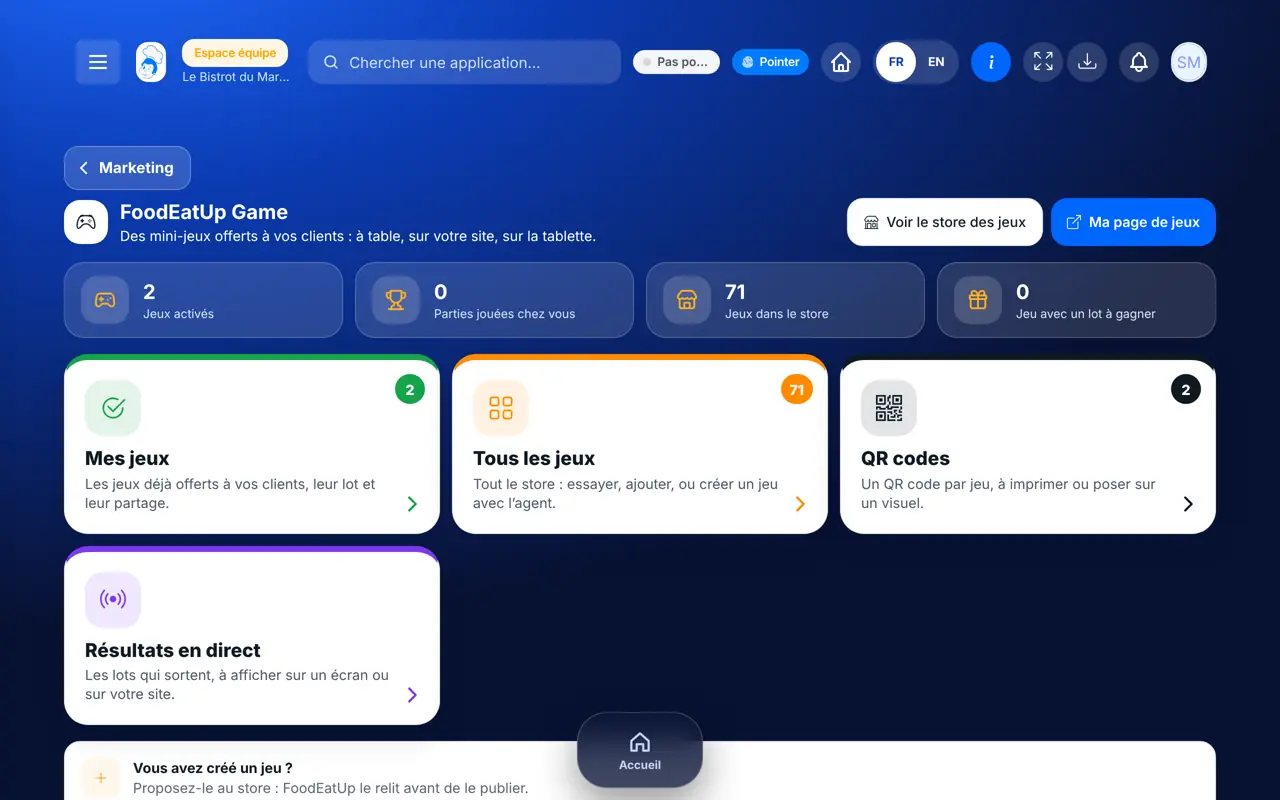
From the home screen, open Marketing then “FoodEatUp Game”. The figures at the top: games switched on, games played at your place, games in the store and games with a prize. Four cards: “Mes jeux”, “Tous les jeux”, “QR codes”, “Résultats en direct”.
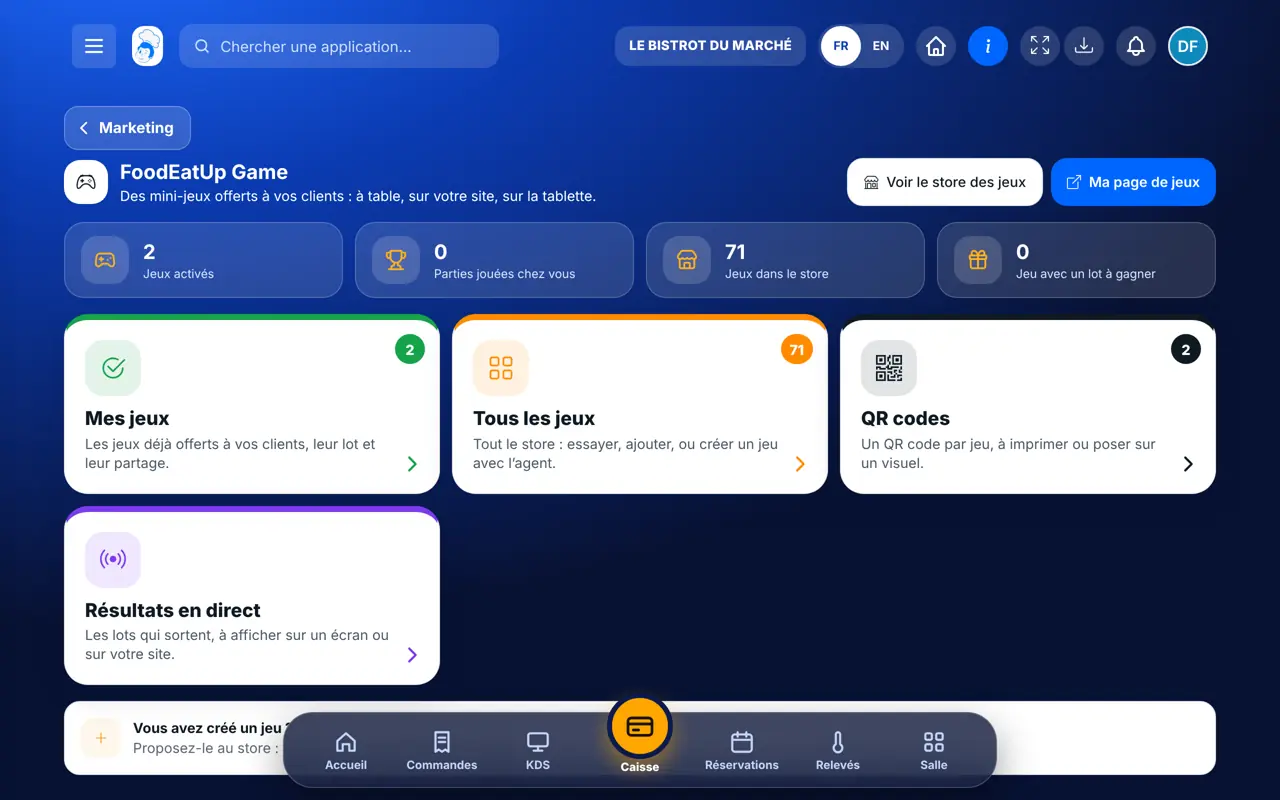
Tap “Tous les jeux”. Search by name or by genre, tap “Voir” to watch the game’s video and screens, then “Ajouter” (add).
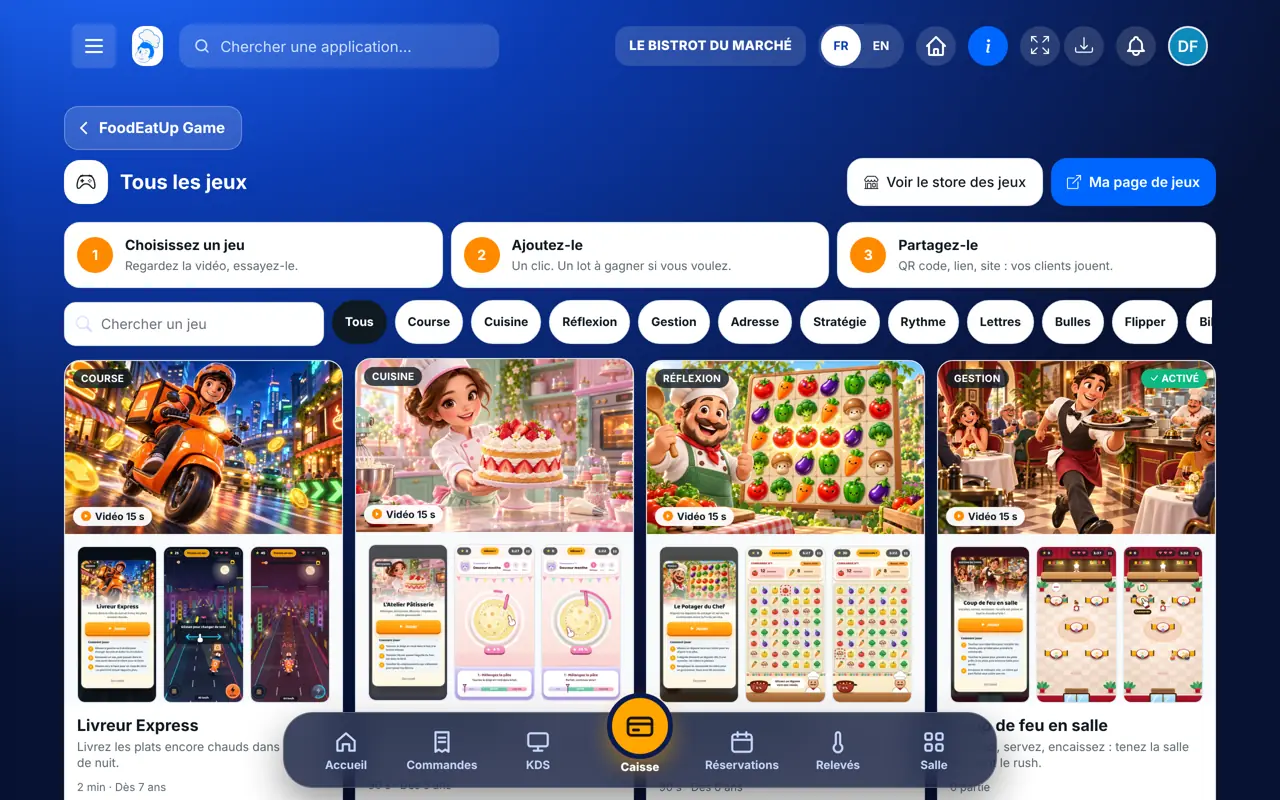
In the game window, step “Lot à gagner”: the score to reach and the message the customer will see, with a code to show at the table. Without a prize, the game is just a pastime.
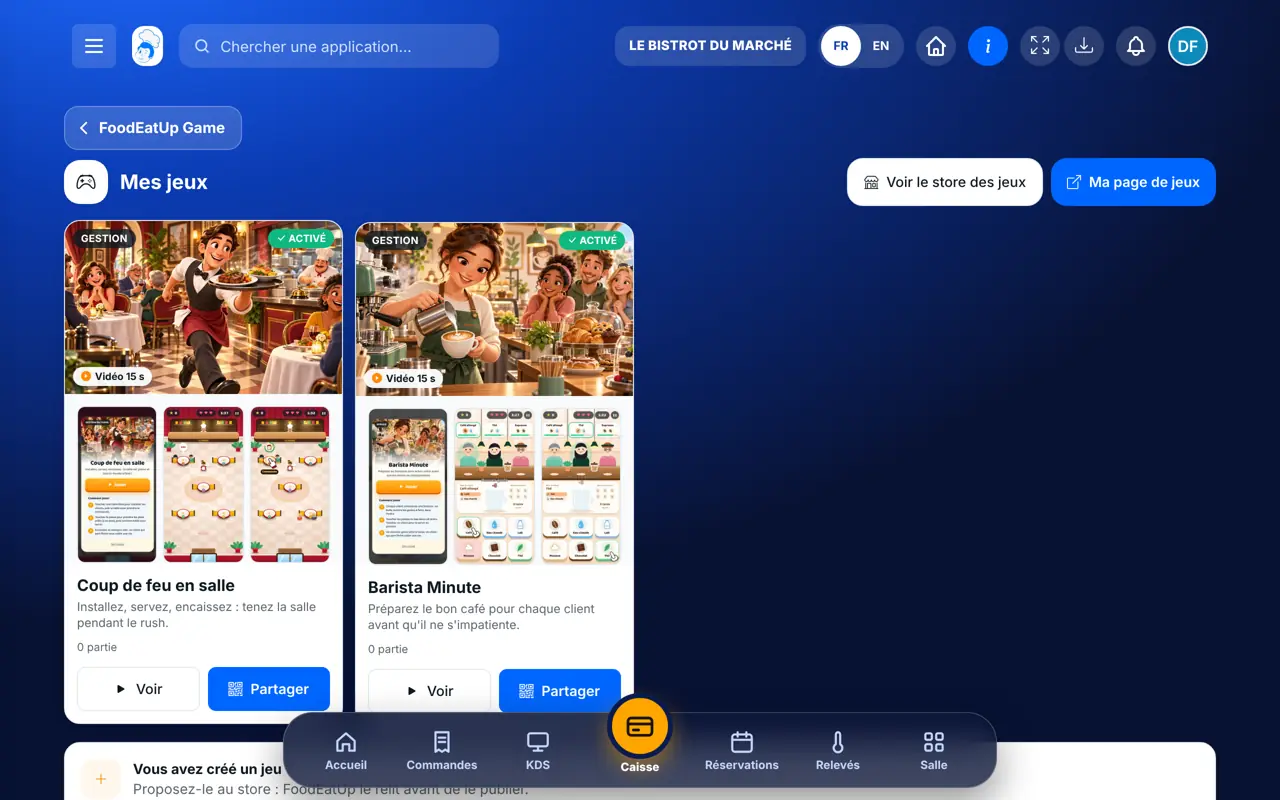
Tap “Mes jeux” then “Partager”: the QR code to print, the link to copy and the code to embed on your website. “Ma page de jeux” opens the page where the customer sees all your games.
Tap “Résultats en direct”: the prizes being won, to show on a screen in the room or on your website. Only a first name appears, never a surname or an e-mail.
Your customers play from the table QR code or from your website. Those who reach the score see your message and show their code at the table.
See the FoodEatUp Game store (in French) →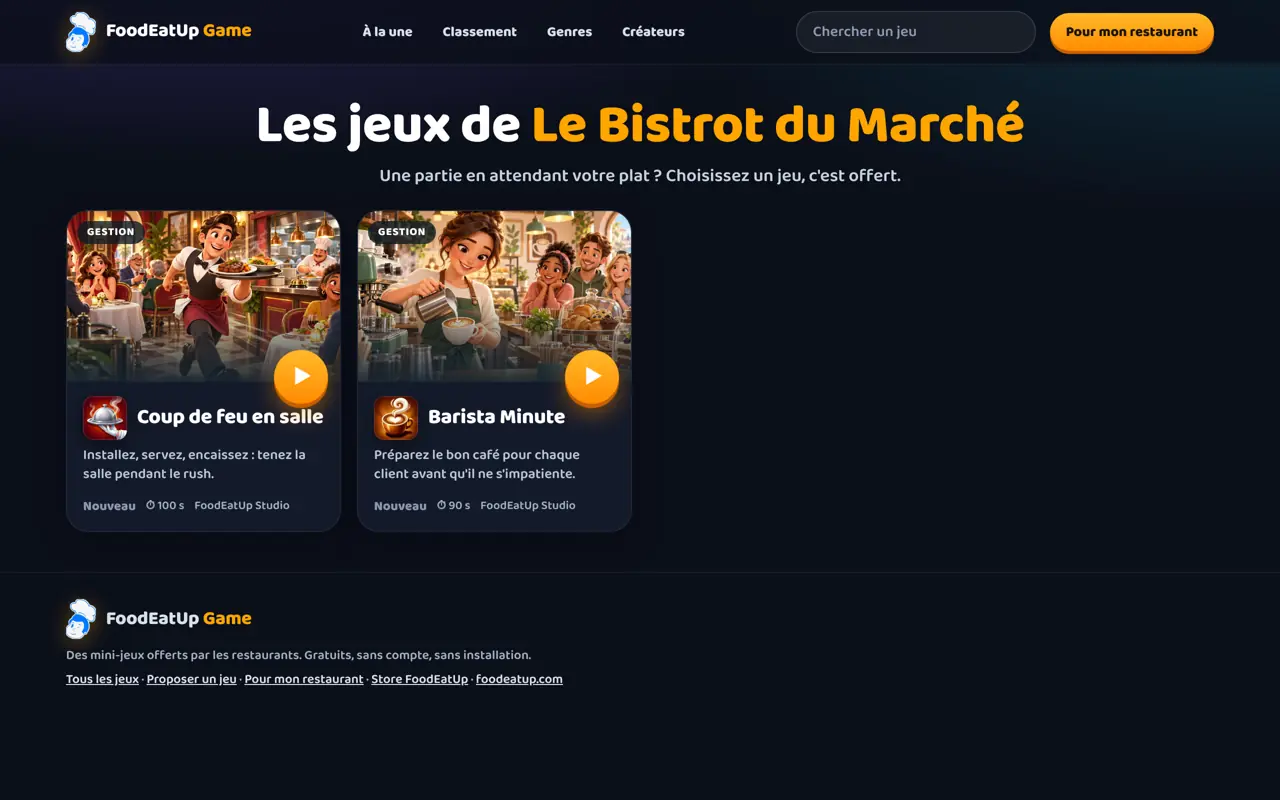
Picks the games, sets the prizes, prints the QR codes and follows the results.
With the right to manage loyalty, can do the same. At the table, checks the customer’s code before giving the prize.
Claude, ChatGPT or Mistral’s Le Chat, connected to FoodEatUp. Copy the request and replace your establishment number.
In FoodEatUp, for my establishment [number], list the games open to my customers and tell me whether they have a prize.
What you getThe list of your games and their prizes.
Tools used : list_games
In FoodEatUp, for my establishment [number], tell me what table games let my customers win.
What you getThe gifts announced for table games, as you set them.
Tools used : get_game_rewards
In FoodEatUp, for my establishment [number], list the QR code addresses in the “games” family and give me the one for the game [name].
What you getThe game’s address and QR code, to print.
Tools used : get_qr_destinations, get_qr_code
A short game while the dish arrives.
You set the score and what you give.
Printed once, it always works.
Phone, table tablet and website.
Choose a prize that is easy to give at the table, like a coffee or a scoop of ice cream, and a score that half the players reach. A prize nobody wins discourages more than it entertains.
In FoodEatUp, one action triggers others. Here are the screens that work with this one.
Yes. Nothing is bet: people play for fun and, if you want, for a prize you give.
No. The customer sees your message and a code; the team gives the prize at the table.
Yes, from “Vous avez créé un jeu ?”: FoodEatUp checks it before publishing it in the store.
Send it to your team, your partner or your accountant. The image below appears in the message.
Claude, ChatGPT or Le Chat read this tutorial and explain it to you. Connected to FoodEatUp, they do it with you.
Read this FoodEatUp tutorial: https://foodeatup.com/en/academy/marketing/service-jeux.md Explain it to me simply, step by step, then help me do it in my restaurant. If FoodEatUp is connected to you, do it with me and show me the preview before every change.
Type your establishment number: the link takes you straight to this screen. The number stays on this device.
Discover FoodEatUp Game (in French) →
Répond avec les fiches du site, sans IA
Le chef cherche dans les fiches…
 Claude
 Le Chat
 ChatGPT