My tables
In FoodEatUp, for my establishment [number], list my tables and tell me which have a QR code.
What you getEach table, its capacity and its QR code.
Tools used : list_tables
 Display · QR code à table
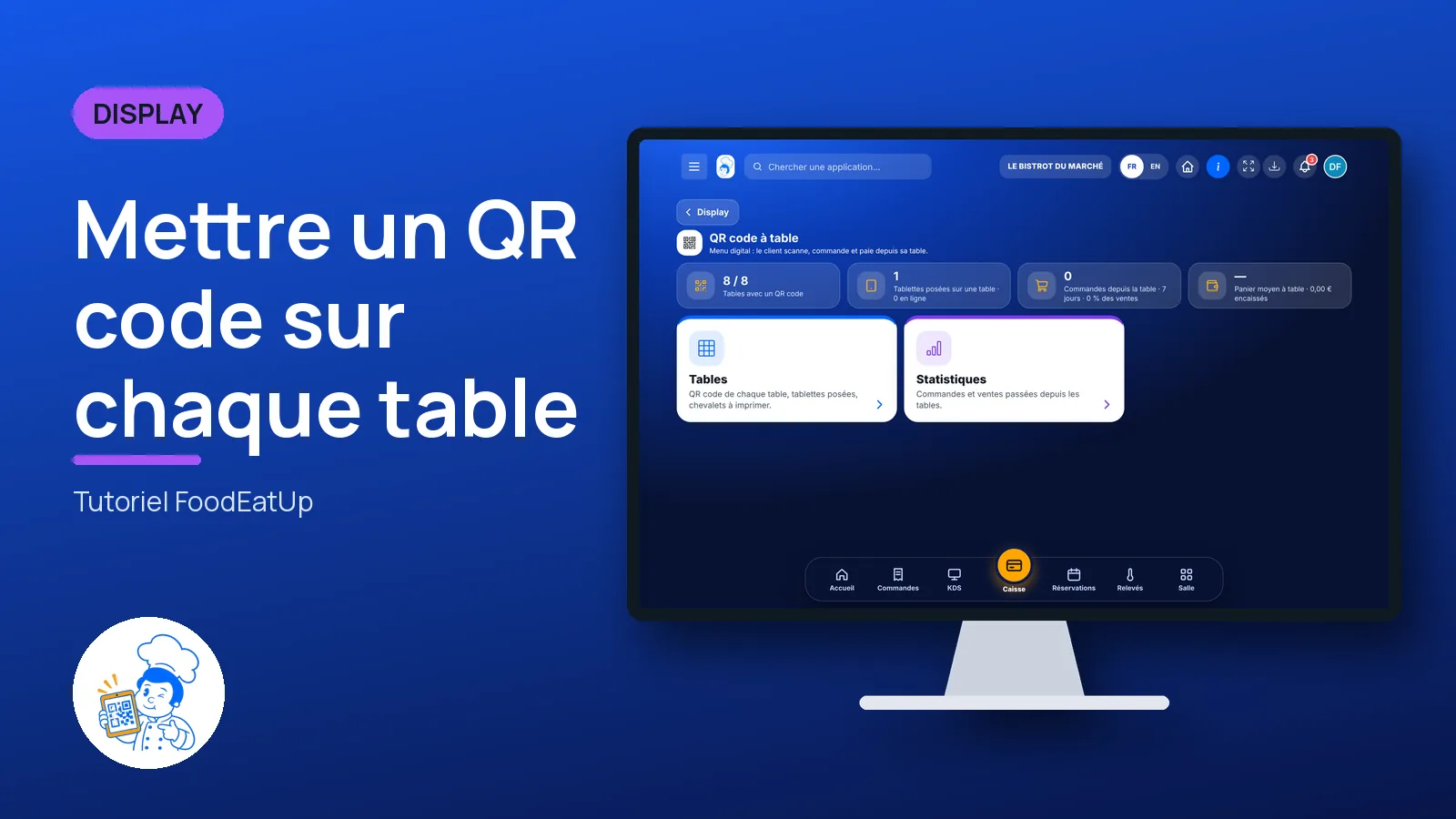
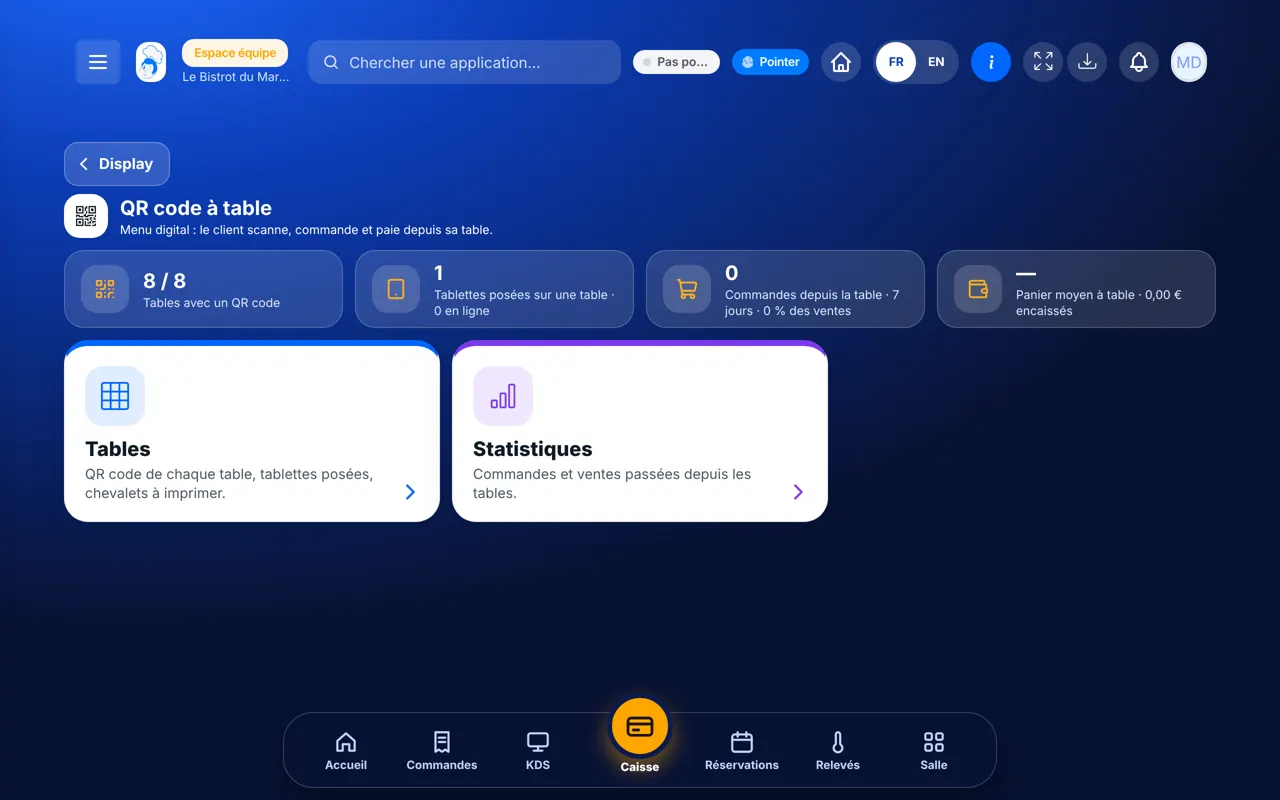
Each table has its QR code: the customer scans, sees the menu, orders and pays from their seat. You print the table tents and choose whether the floor staff approve before the kitchen.
 Patron / gérant
 Responsable de salle
 Serveur / chef de rang
 Barman
The owner always has access. See what each role sees →
A computer to set things up and print the table tents. The customer only needs their phone.
The real software screens, as they appear on each device.
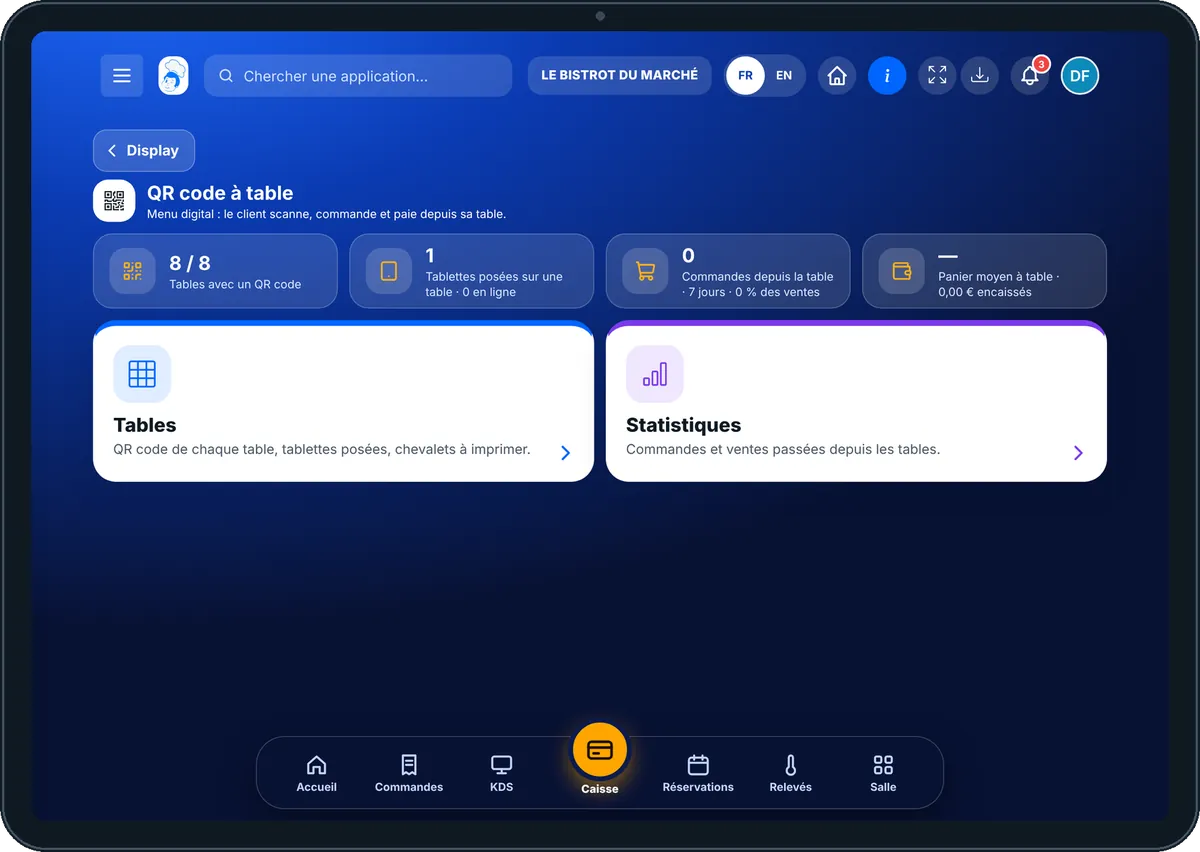
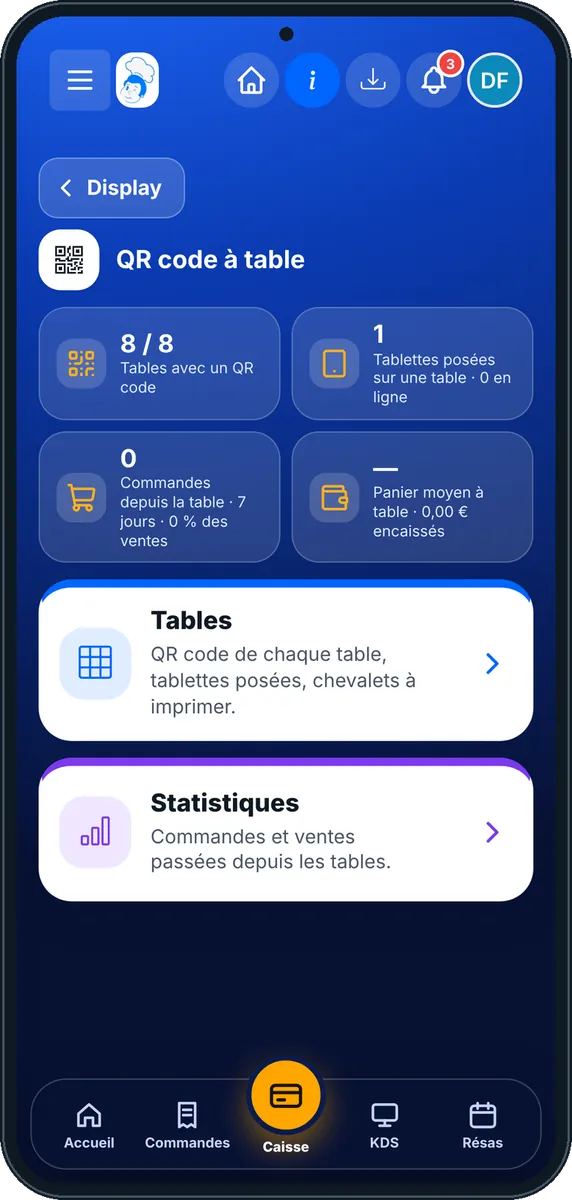
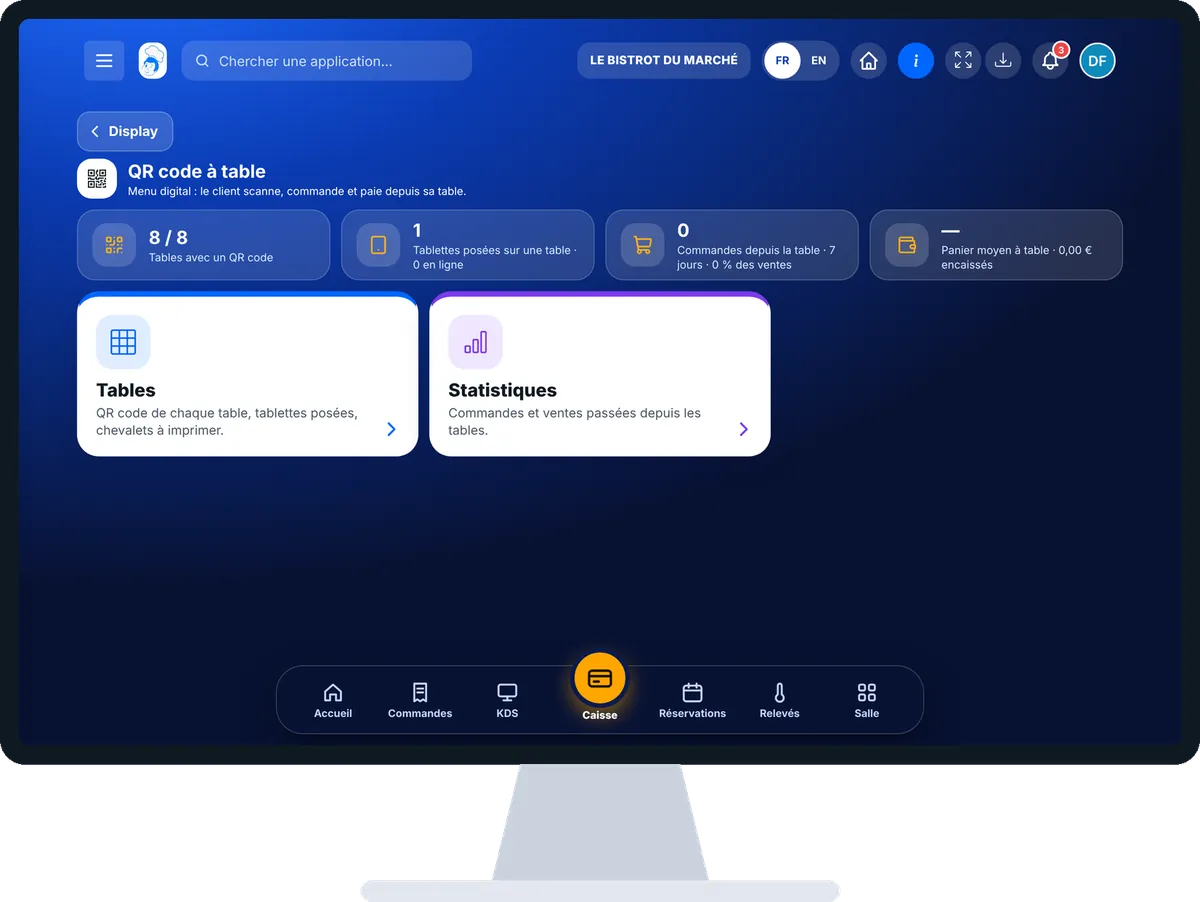
Put a QR code on every table : 5 steps, with the real software screens.
From the home screen, open Display then “QR code à table”. At the top: tables with a QR code, tablets on tables, orders from tables, average basket.
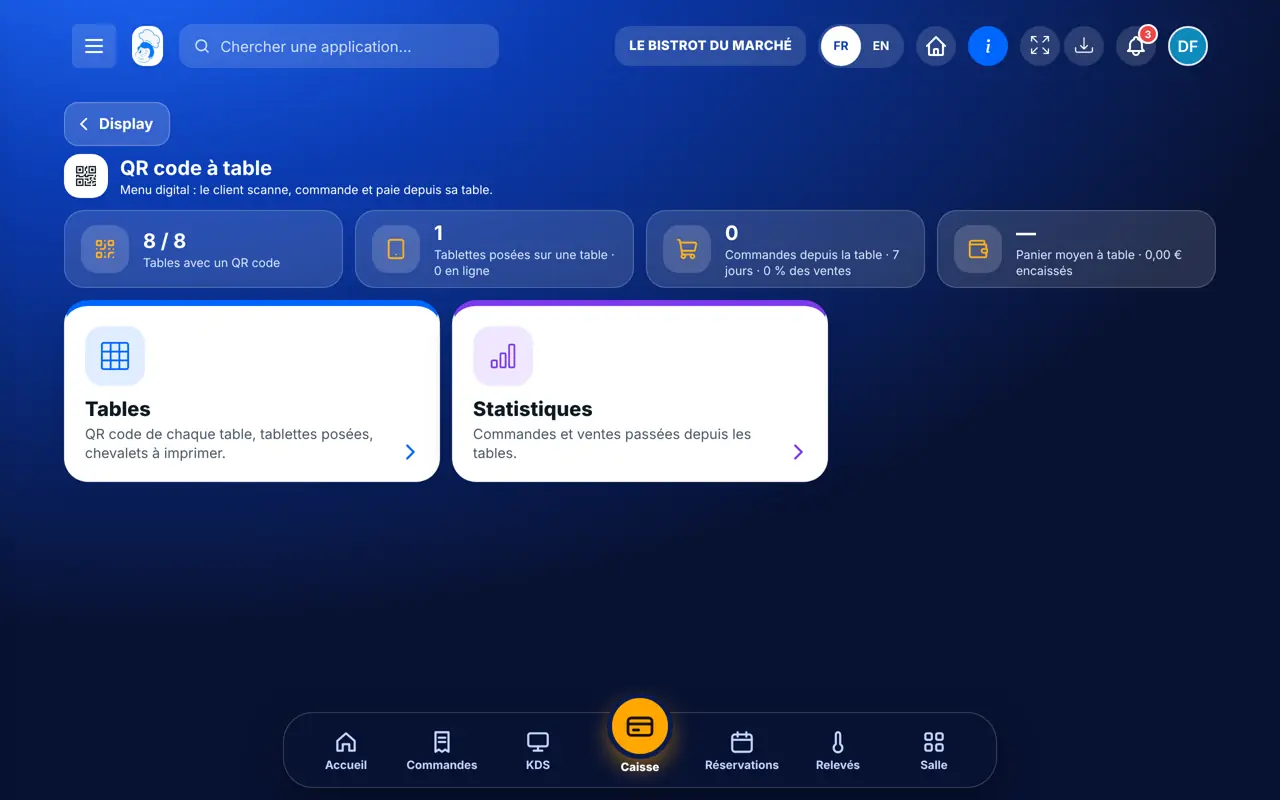
Tap “Tables”. Each table on your floor plan has its QR code. Tap a table to open its page or copy its link.
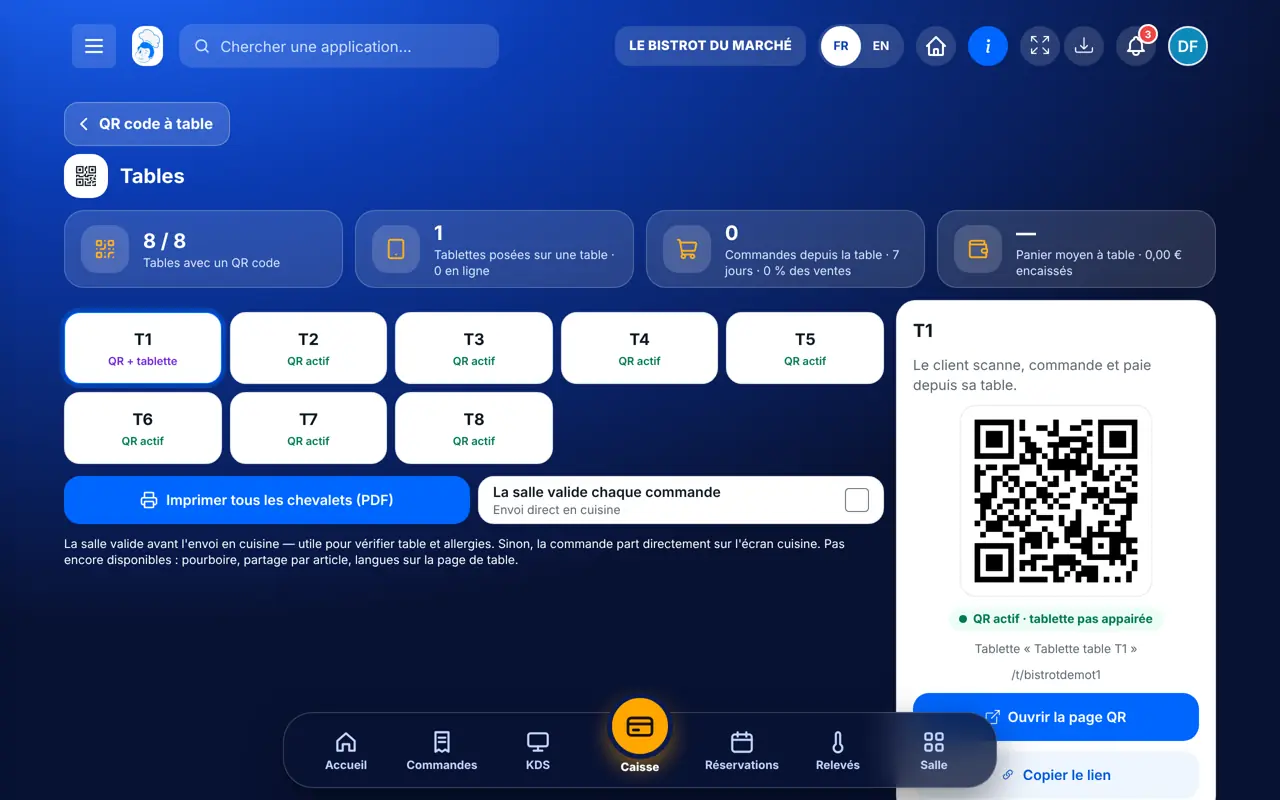
“La salle valide chaque commande” or “Envoi direct en cuisine”. Floor approval lets you check the table and allergies.
Tap “Imprimer tous les chevalets (PDF)” and place them on the tables.
The “Statistiques” card shows orders and sales made from tables.
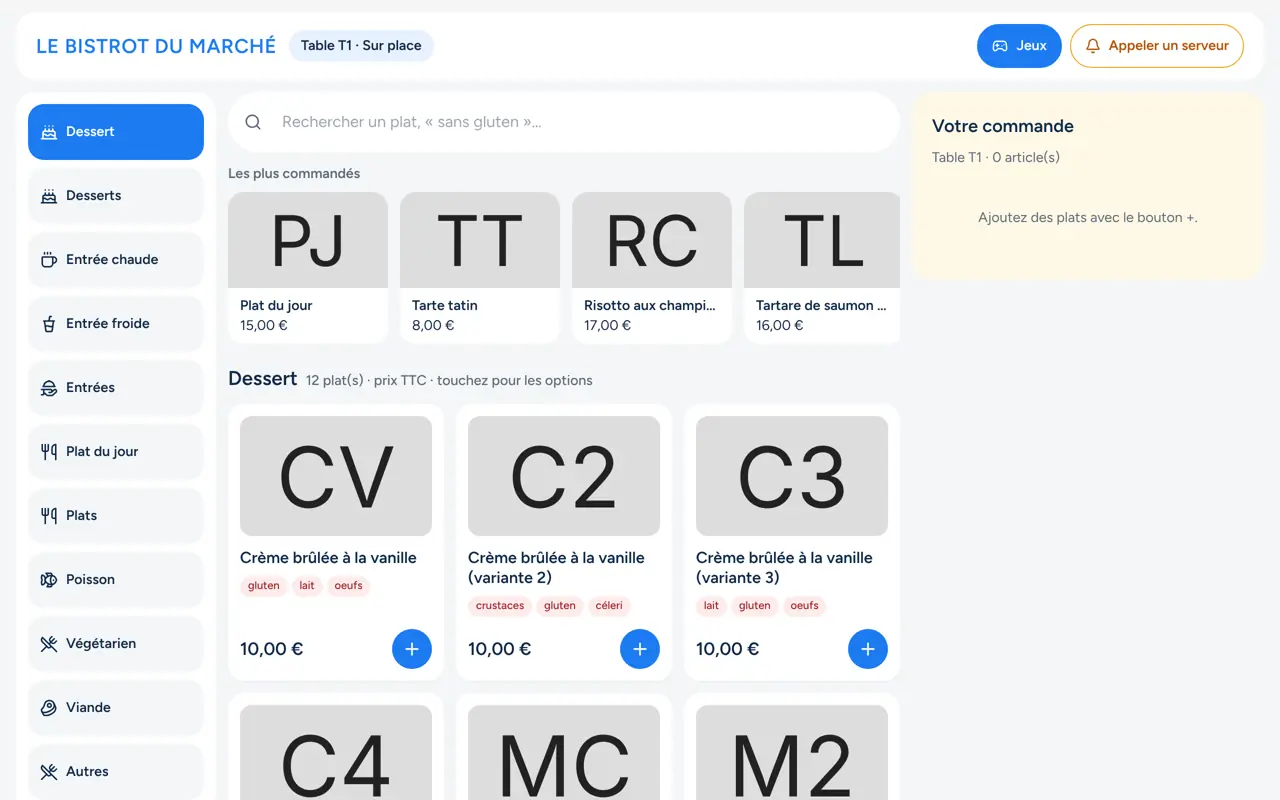
The customer scans table T1’s QR code: the Bistrot menu opens on their phone, ready to order.
Sets approval, prints table tents and follows table sales.
With the right to view tables, opens a table’s page and link. Changing settings needs the right to manage tables.
Claude, ChatGPT or Mistral’s Le Chat, connected to FoodEatUp. Copy the request and replace your establishment number.
In FoodEatUp, for my establishment [number], list my tables and tell me which have a QR code.
What you getEach table, its capacity and its QR code.
Tools used : list_tables
In FoodEatUp, for my establishment [number], give me the QR code for table [table name].
What you getThe table’s QR code and address.
Tools used : generer_qr_table
In FoodEatUp, for my establishment [number], show me the current order for table [table name].
What you getThe dishes, the total and what is left to pay.
Tools used : get_table_order
Waiters keep their time for advice.
Till prices and sold-out items.
Floor approval if you want it.
The bill is settled from the phone.
Keep floor approval for the first week: you will see how your customers order, then switch to sending straight to the kitchen.
In FoodEatUp, one action triggers others. Here are the screens that work with this one.
No. The QR code opens a page in their browser.
It stays linked to the table: renaming the table does not break the printed tent.
Yes, when online payment is connected. Otherwise the customer asks for the bill and pays at the till.
Send it to your team, your partner or your accountant. The image below appears in the message.
Claude, ChatGPT or Le Chat read this tutorial and explain it to you. Connected to FoodEatUp, they do it with you.
Read this FoodEatUp tutorial: https://foodeatup.com/en/academy/display/menu-digital.md Explain it to me simply, step by step, then help me do it in my restaurant. If FoodEatUp is connected to you, do it with me and show me the preview before every change.
Type your establishment number: the link takes you straight to this screen. The number stays on this device.
Discover the digital menu (in French) →
Répond avec les fiches du site, sans IA
Le chef cherche dans les fiches…
 Claude
 Le Chat
 ChatGPT