Available items
In FoodEatUp, for my establishment [number], list the items and themes I can print for free in Studio Print.
What you getThe list of items and themes.
Tools used : get_print_catalog
 Marketing · Supports imprimés
Placemats, posters, flyers, loyalty cards, QR table tents, packaging: ready templates with your name, dishes, prices and a FoodEatUp QR code. Free, ready to print.
 Patron / gérant
 Directeur
 Responsable de salle
 Responsable de boulangerie
The owner always has access. See what each role sees →
A computer to compose the item and download the PDF to print at home or at your printer’s.
The real software screens, as they appear on each device.
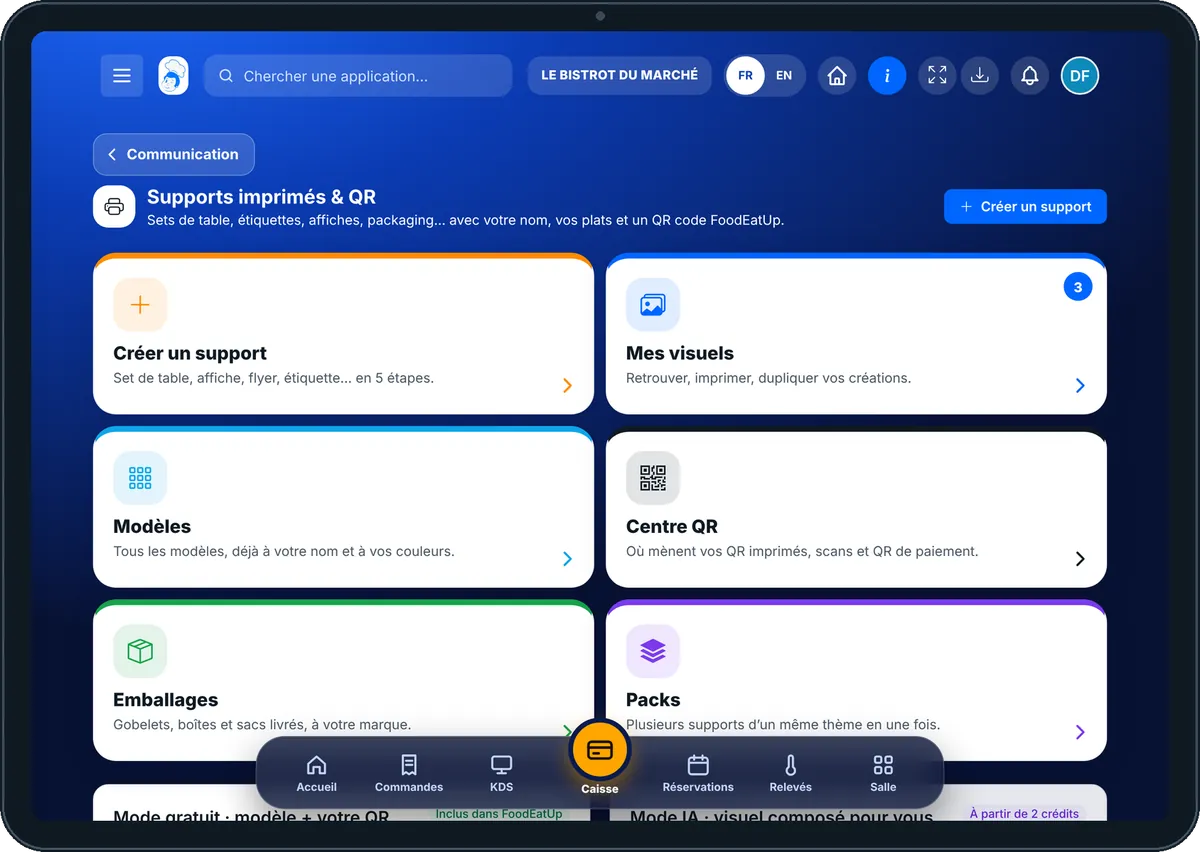
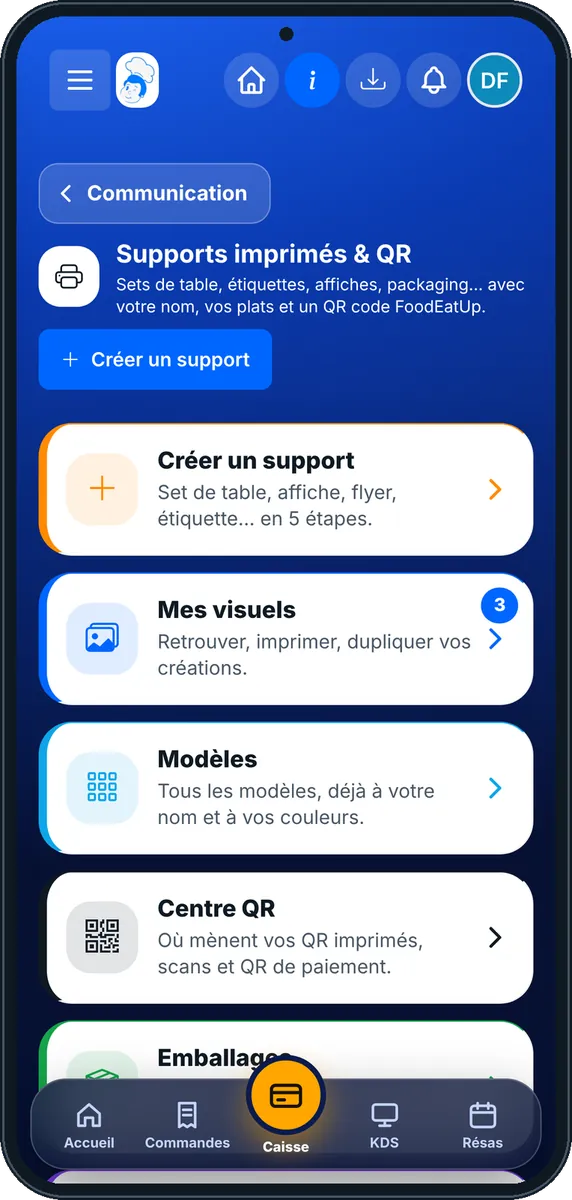
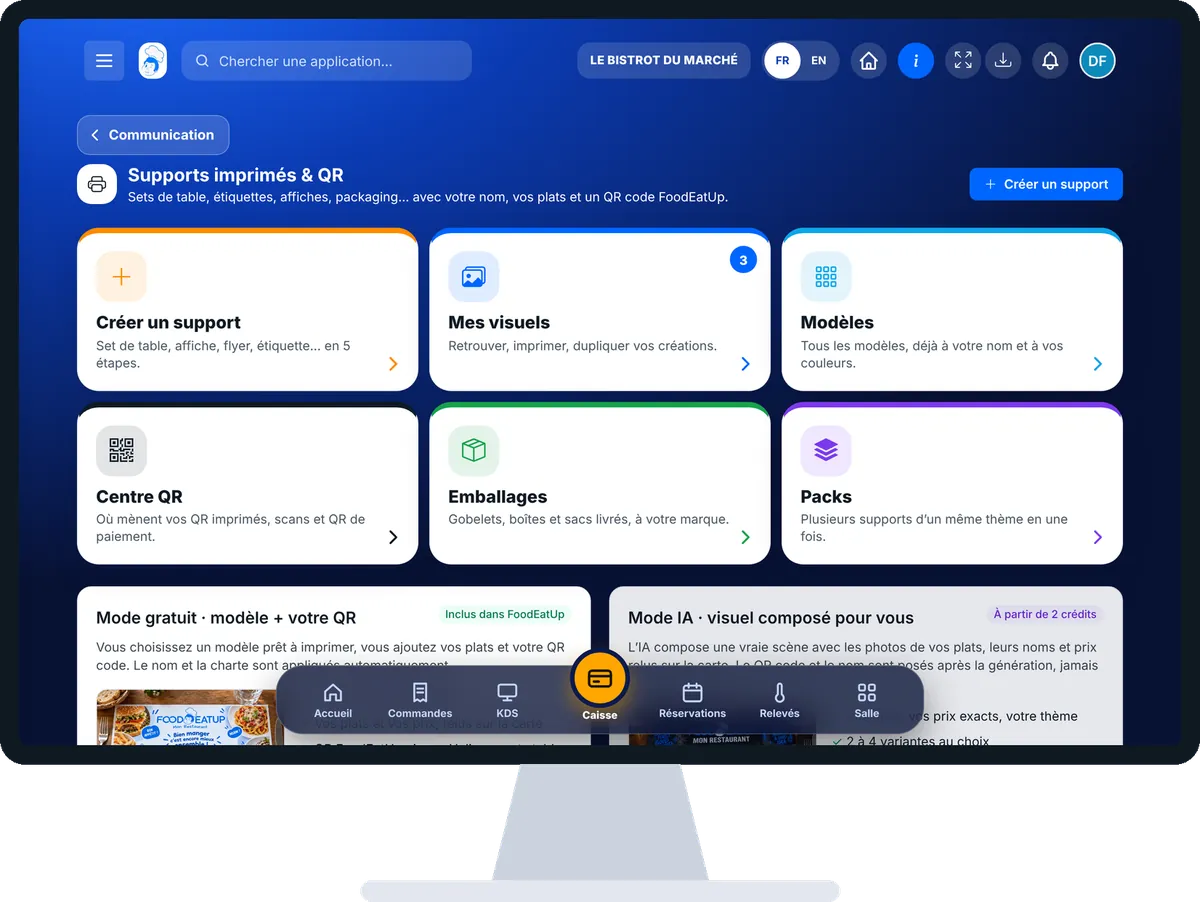
Print a poster with my name : 5 steps, with the real software screens.
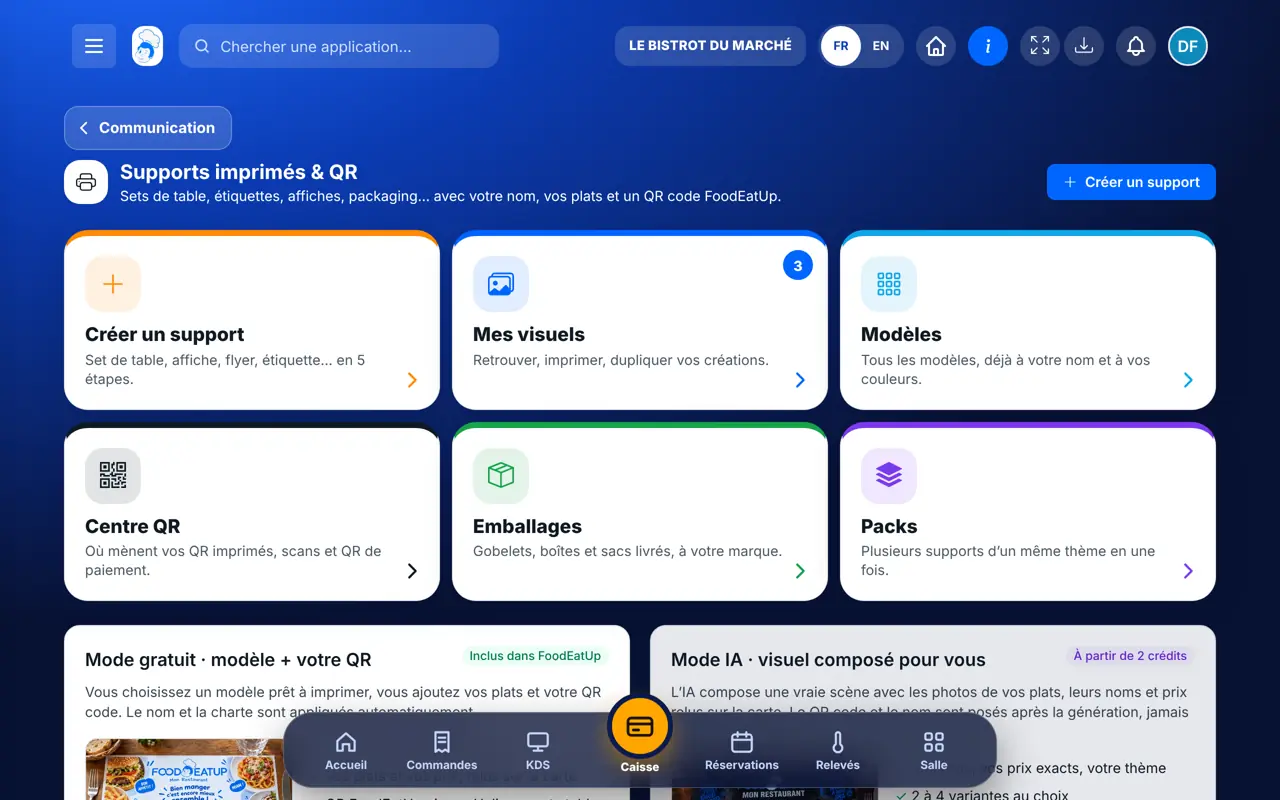
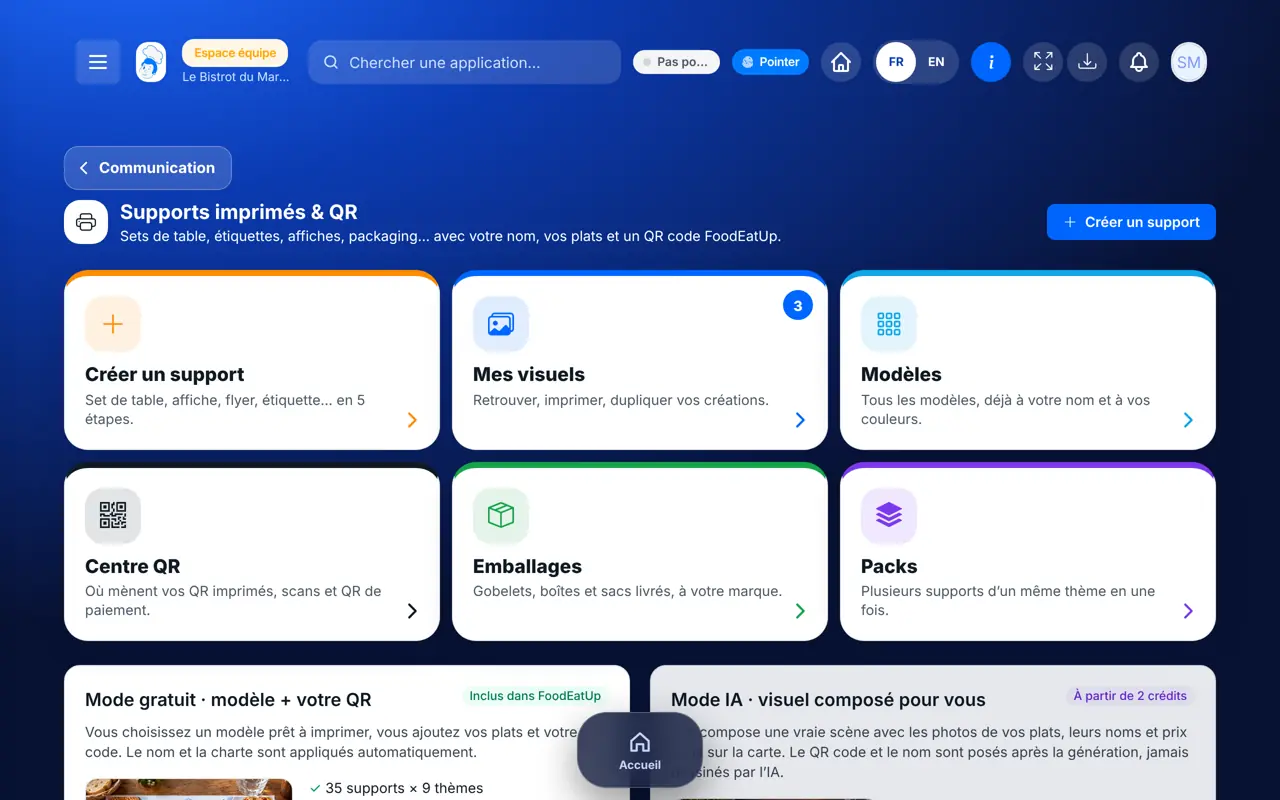
From the home screen, open Communication then “Supports imprimés”. Six cards: “Créer un support”, “Mes visuels”, “Modèles”, “Centre QR”, “Emballages” and “Packs”.
Tap “Créer un support” then “Créer gratuitement”. Choose the item, the theme, then the dishes to feature: their price comes from your menu.
Choose the QR destination: your website, bookings, online ordering, loyalty, a game… The text is limited to what fits on the item, and the screen says so.
Tap “Imprimer”: print-ready PDF, A4 sheet or image. “Faire imprimer par FoodEatUp” sends a quote for professional printing.
Tap “Mes visuels”: your items, to reprint or duplicate. A banner warns if a price or dish has changed since; “Mettre à jour” fixes it.
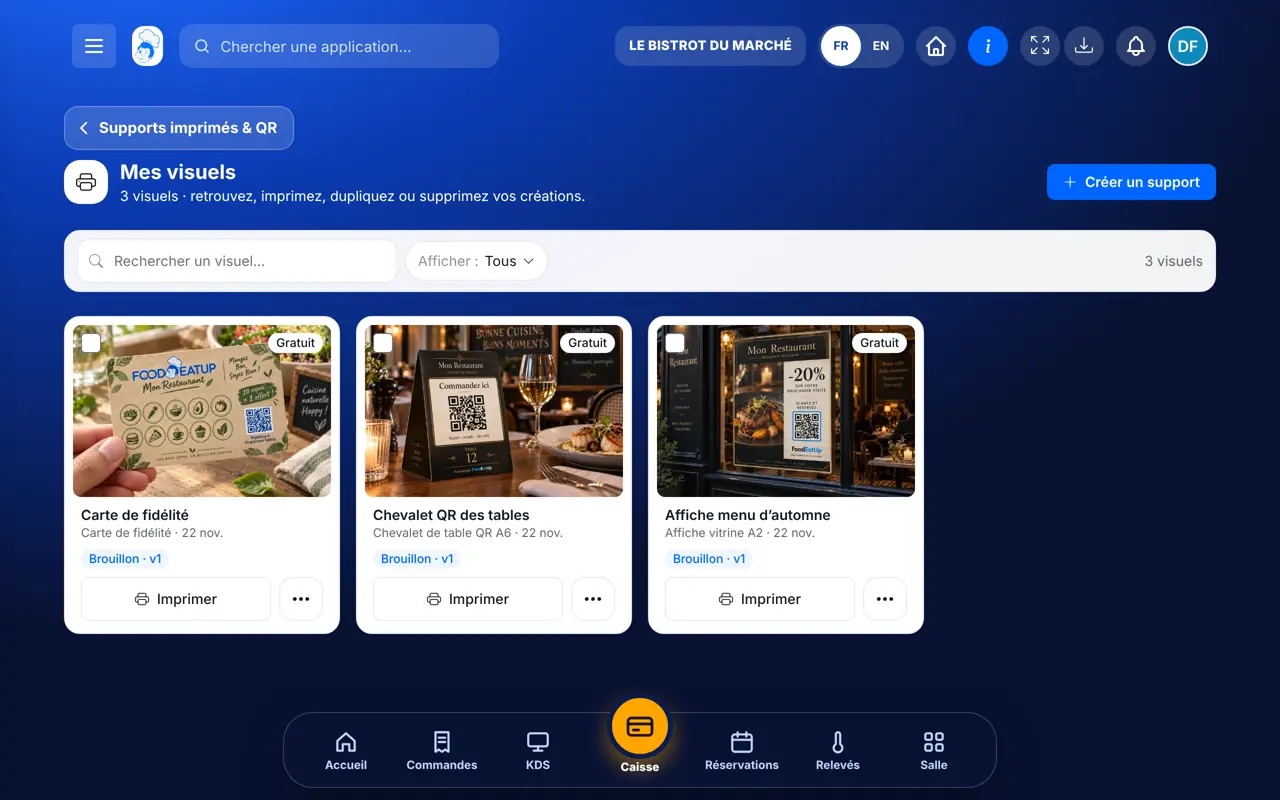
A poster, flyer or table tent with your name, your real prices and a QR code that leads where you want, ready to print.
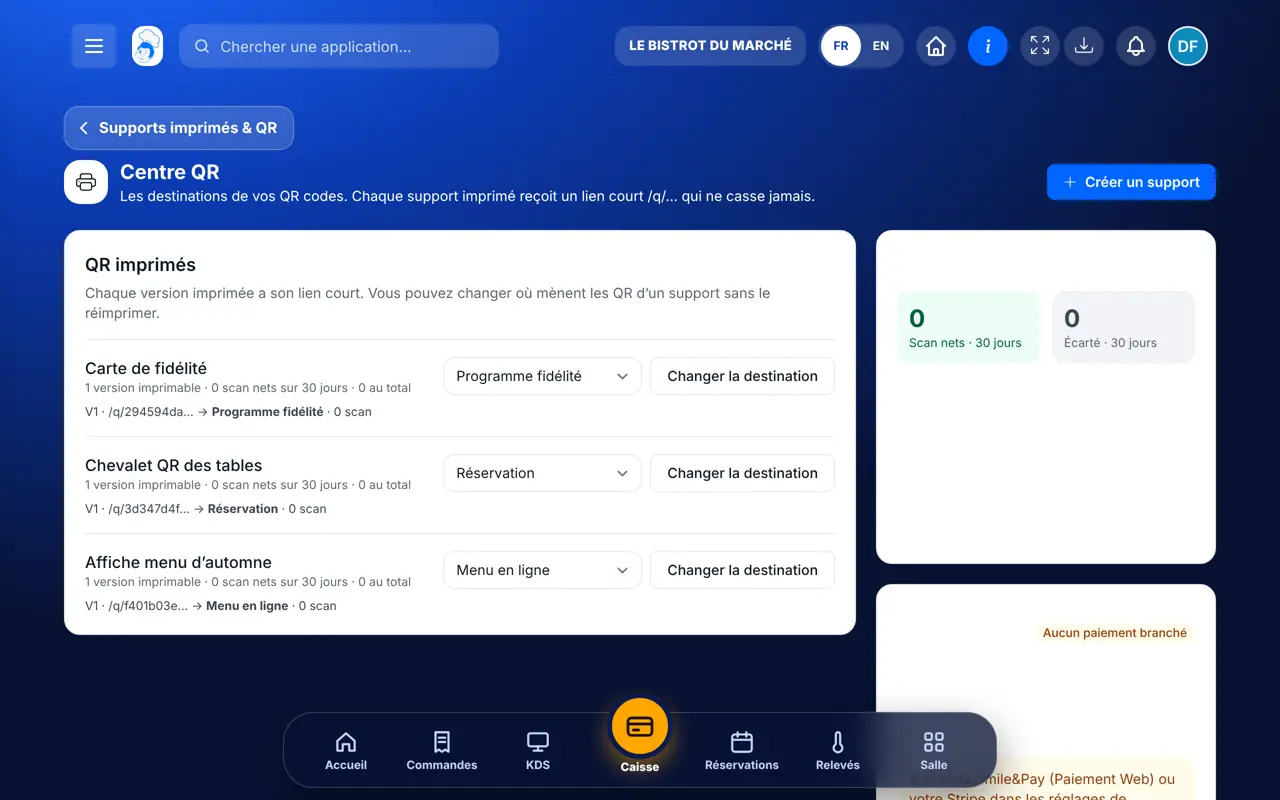
Creates items, chooses QR code destinations and prints.
With the right to view, reprints a ready item. Creates a new one with the right to create.
Claude, ChatGPT or Mistral’s Le Chat, connected to FoodEatUp. Copy the request and replace your establishment number.
In FoodEatUp, for my establishment [number], list the items and themes I can print for free in Studio Print.
What you getThe list of items and themes.
Tools used : get_print_catalog
In FoodEatUp, for my establishment [number], create a window poster with the theme [theme] featuring my dishes [dishes] and a QR code to my bookings.
What you getA poster ready in “Mes visuels”, to check before printing.
Tools used : get_print_catalog, get_qr_destinations, create_print_support
In FoodEatUp, for my establishment [number], point the QR code of my item [name] to [destination] without reprinting. Show me the preview before confirming.
What you getThe printed QR leads elsewhere, without reprinting, once you agree.
Tools used : get_qr_center, redirect_print_qr
35 items and 9 themes included.
Taken from the menu, with a warning if they change.
Destination can change without reprinting.
Professional printing quote if needed.
Start with a table tent with a QR code to bookings or loyalty: it is the cheapest item and the one customers see throughout the meal.
In FoodEatUp, one action triggers others. Here are the screens that work with this one.
Not in free mode (template + your QR). AI mode, which draws a custom background, needs credits and shows its cost first.
The printed poster keeps the old price, but the screen warns you in “Mes visuels” and “Mettre à jour” prepares the new version.
No. It is a permanent short address; you change where it leads whenever you want.
Send it to your team, your partner or your accountant. The image below appears in the message.
Claude, ChatGPT or Le Chat read this tutorial and explain it to you. Connected to FoodEatUp, they do it with you.
Read this FoodEatUp tutorial: https://foodeatup.com/en/academy/marketing/studio-print.md Explain it to me simply, step by step, then help me do it in my restaurant. If FoodEatUp is connected to you, do it with me and show me the preview before every change.
Type your establishment number: the link takes you straight to this screen. The number stays on this device.
Discover Studio Print (in French) →
Répond avec les fiches du site, sans IA
Le chef cherche dans les fiches…
 Claude
 Le Chat
 ChatGPT