Available templates
In FoodEatUp, for my establishment [number], list the kids’ menu items and themes I can print for free.
What you getThe items, themes and age groups available.
Tools used : get_kids_menu_catalog
 Marketing · Menu enfant
A themed kids’ menu, with your dishes, your logo and games (word search, maze, Végé-fruités colouring). It is free to create and prints on an A4 sheet.
 Patron / gérant
 Responsable de salle
 Directeur
The owner always has access. See what each role sees →
A computer connected to a printer: pick a template, check the preview, print. No data about children is asked for.
The real software screens, as they appear on each device.
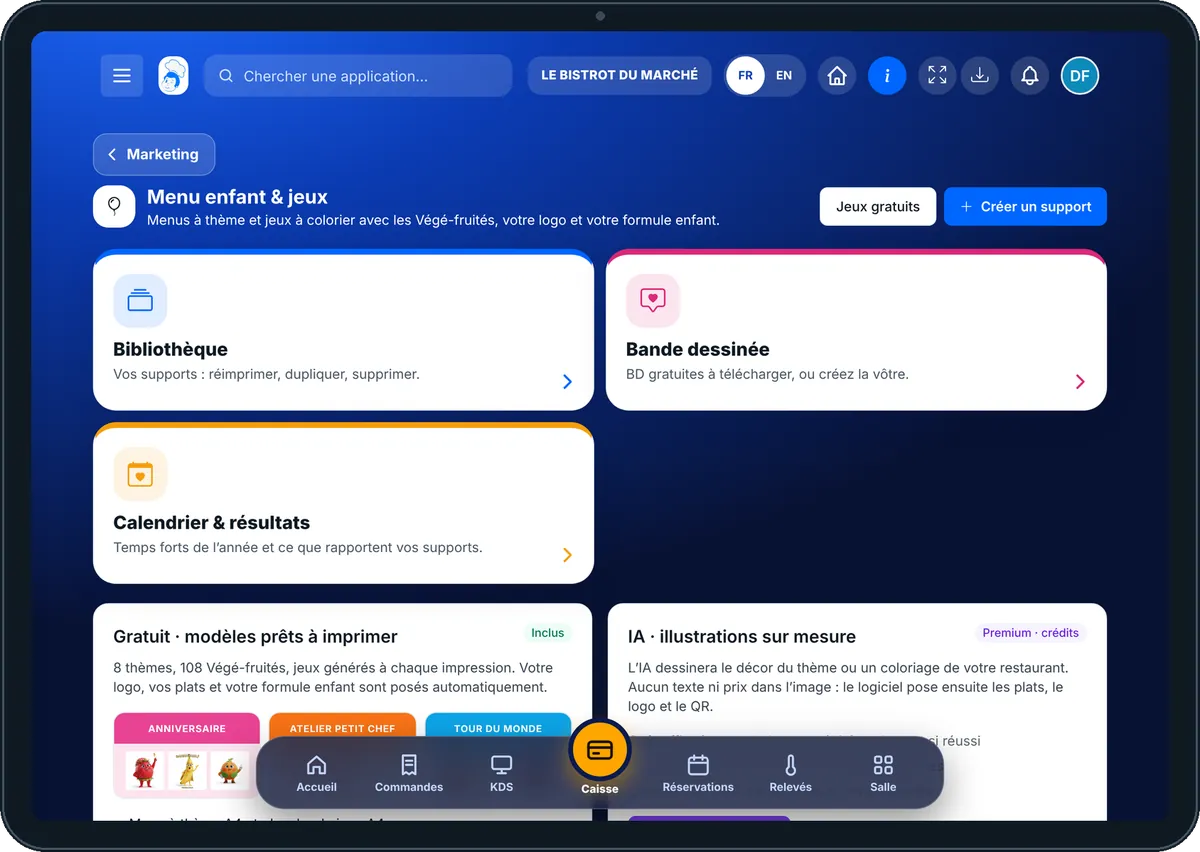
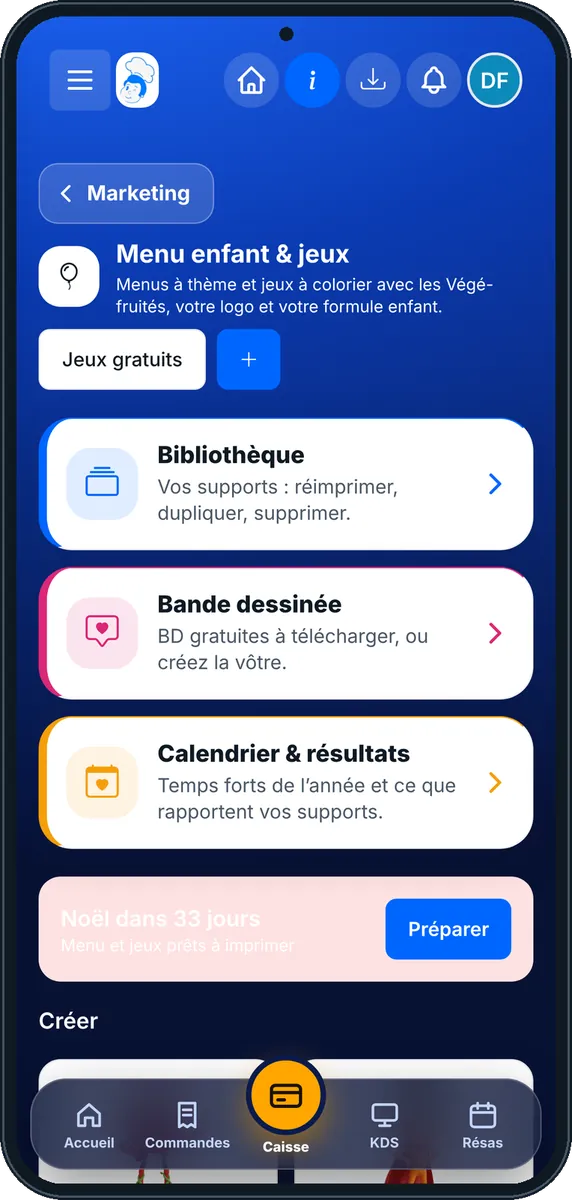
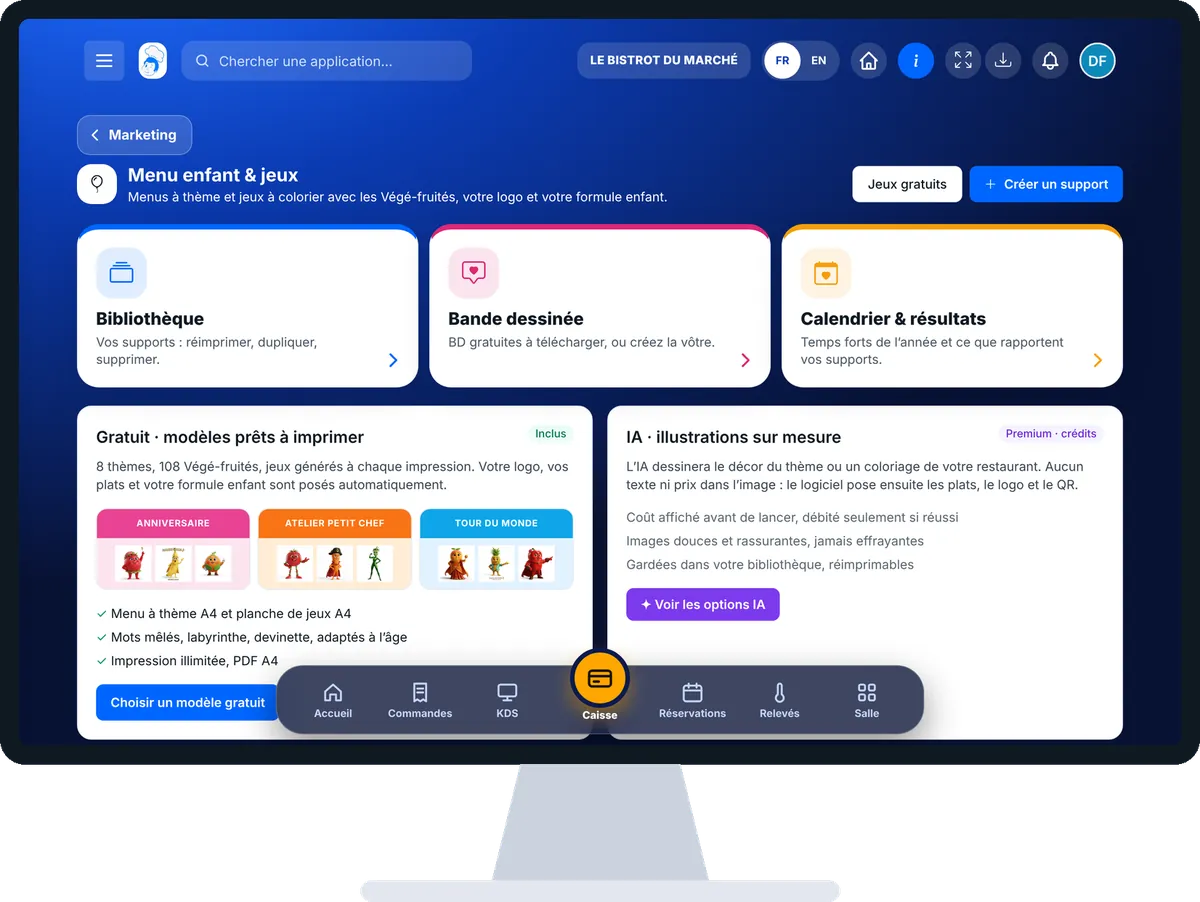
Print a kids’ menu to colour in : 5 steps, with the real software screens.
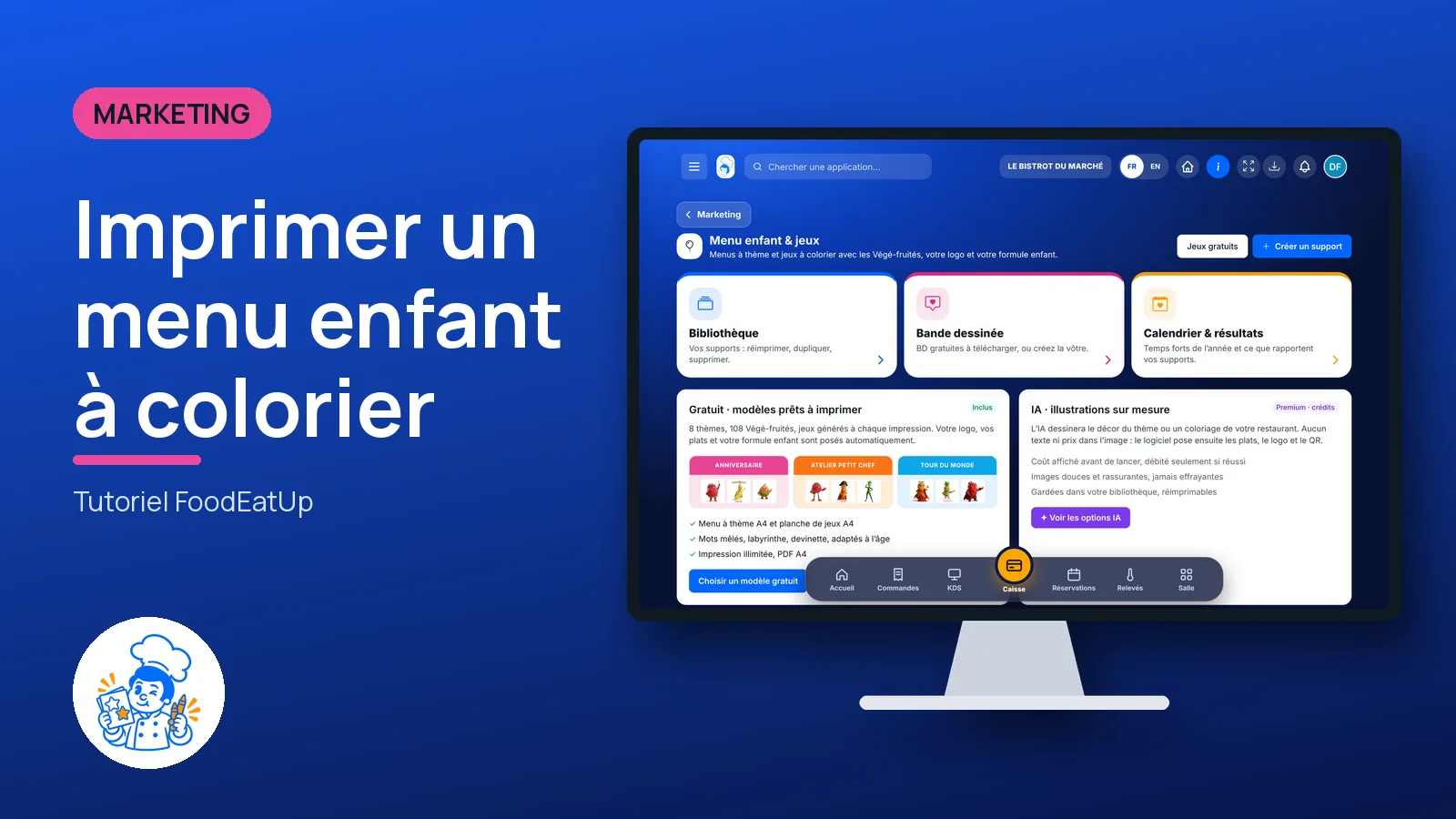
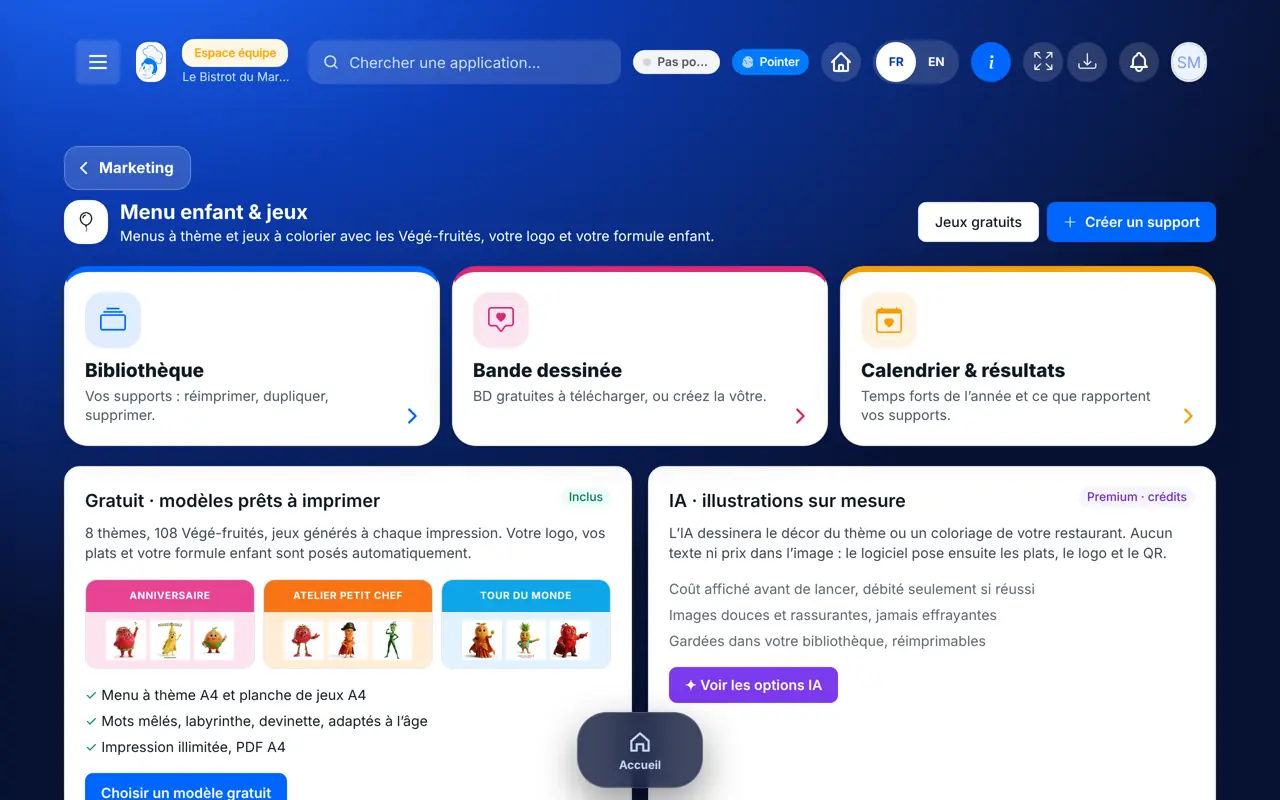
From the home screen, open Marketing then “Menu enfant”. Three cards: “Bibliothèque”, “Bande dessinée”, “Calendrier & résultats”. Below, the free templates and illustration options.
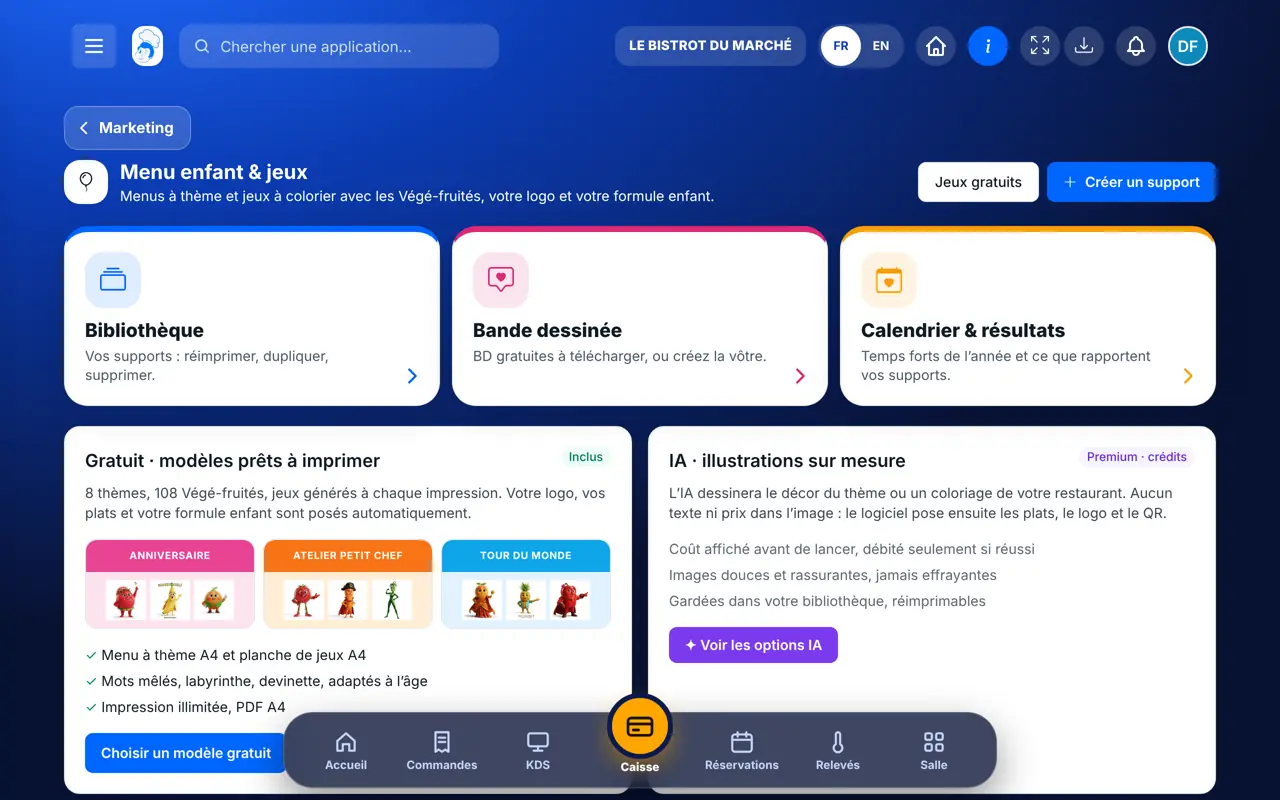
Tap “Choisir un modèle gratuit” (or “Créer un support”). Choose the item (A4 menu, game sheet…), the theme and the age group.
Tick the dishes of your kids’ menu: their name and price come from your menu, the allergens from your recipe sheets. Without a sheet, the menu says “demandez-nous” (ask us).
The preview shows the page as it will print. Tap “Imprimer” or download the PDF. “Nouvelle grille” changes the games.
Tap “Bibliothèque”: your items stay there, to reprint, duplicate or delete. “Bande dessinée” offers ready-to-download comics.
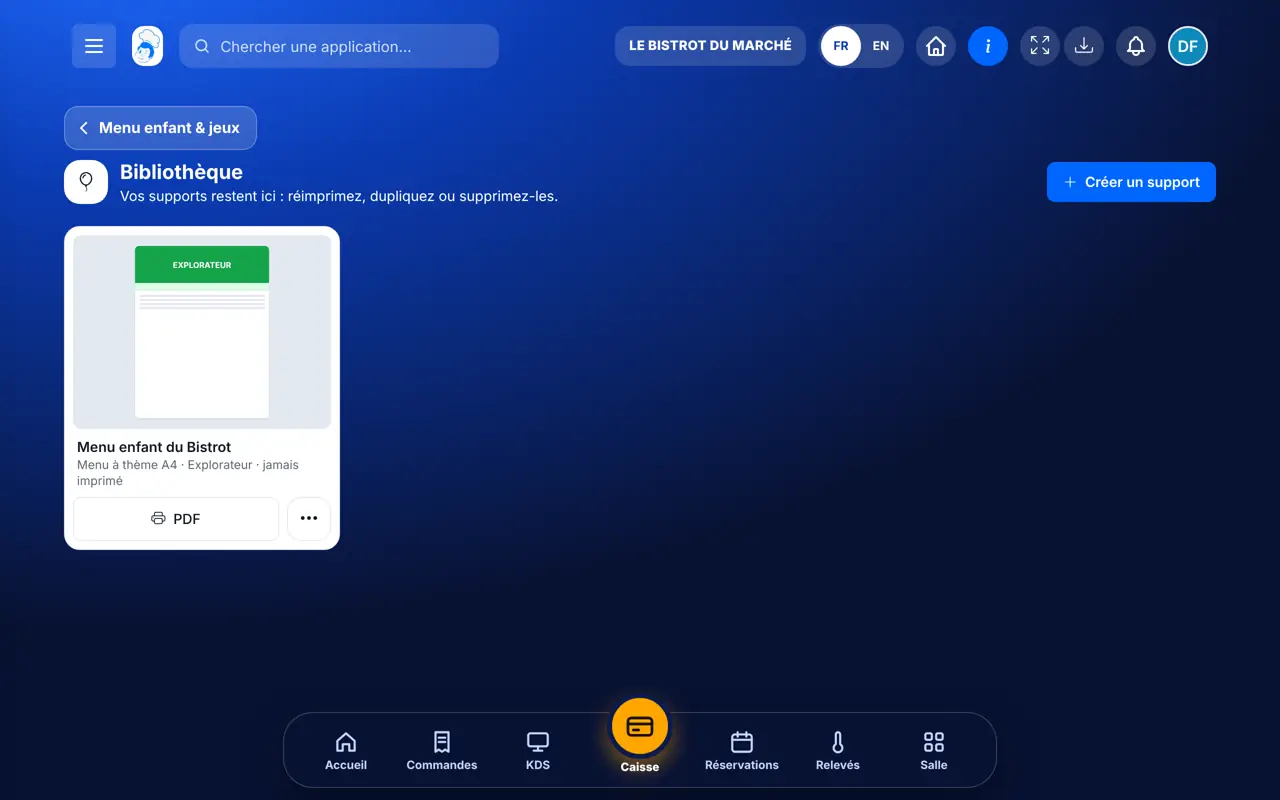
A kids’ menu in your colours, with your dishes and new games with every print, ready to put on the table with a few crayons.
See the Végé-fruités cartoons (in French) →
Picks the templates, adds the dishes and prints.
With the right to view printed items, reprints a menu that is ready. Creates a new one with the right to create.
Claude, ChatGPT or Mistral’s Le Chat, connected to FoodEatUp. Copy the request and replace your establishment number.
In FoodEatUp, for my establishment [number], list the kids’ menu items and themes I can print for free.
What you getThe items, themes and age groups available.
Tools used : get_kids_menu_catalog
In FoodEatUp, for my establishment [number], create an A4 kids’ menu with the theme [theme] for ages [age] with my kids’ dishes.
What you getAn item ready in your library, to check before printing.
Tools used : get_kids_menu_catalog, create_kids_support
In FoodEatUp, for my establishment [number], list my kids’ menu items and tell me how many times their QR code was scanned.
What you getYour items and their scans.
Tools used : list_kids_supports, get_kids_menu_results
Templates and games are included.
Taken from your menu, nothing copied.
Games change with every print.
A busy child, a calmer meal.
Print a small stack of menus in advance and put them with three crayons on each table with a child. Change the theme for the school holidays: regulars notice.
In FoodEatUp, one action triggers others. Here are the screens that work with this one.
Not for free templates. Only custom AI illustrations need credits, and the cost is shown first.
Yes, taken from your dishes’ recipe sheets. If a sheet is not filled in, the menu says “demandez-nous” instead of making something up.
No. Nothing is asked or kept about children.
Send it to your team, your partner or your accountant. The image below appears in the message.
Claude, ChatGPT or Le Chat read this tutorial and explain it to you. Connected to FoodEatUp, they do it with you.
Read this FoodEatUp tutorial: https://foodeatup.com/en/academy/marketing/menu-enfant.md Explain it to me simply, step by step, then help me do it in my restaurant. If FoodEatUp is connected to you, do it with me and show me the preview before every change.
Type your establishment number: the link takes you straight to this screen. The number stays on this device.
Discover the Végé-fruités (in French) →
Répond avec les fiches du site, sans IA
Le chef cherche dans les fiches…
 Claude
 Le Chat
 ChatGPT