Aller au contenu
Service · Payment link

Send a payment link

An amount, a label, a phone number: the guest gets a link by SMS or WhatsApp and pays on Smile&Pay’s secure page. You see who has paid, who is pending and which link has expired.

  • Phone
  • 5 steps
  • Level : Beginner
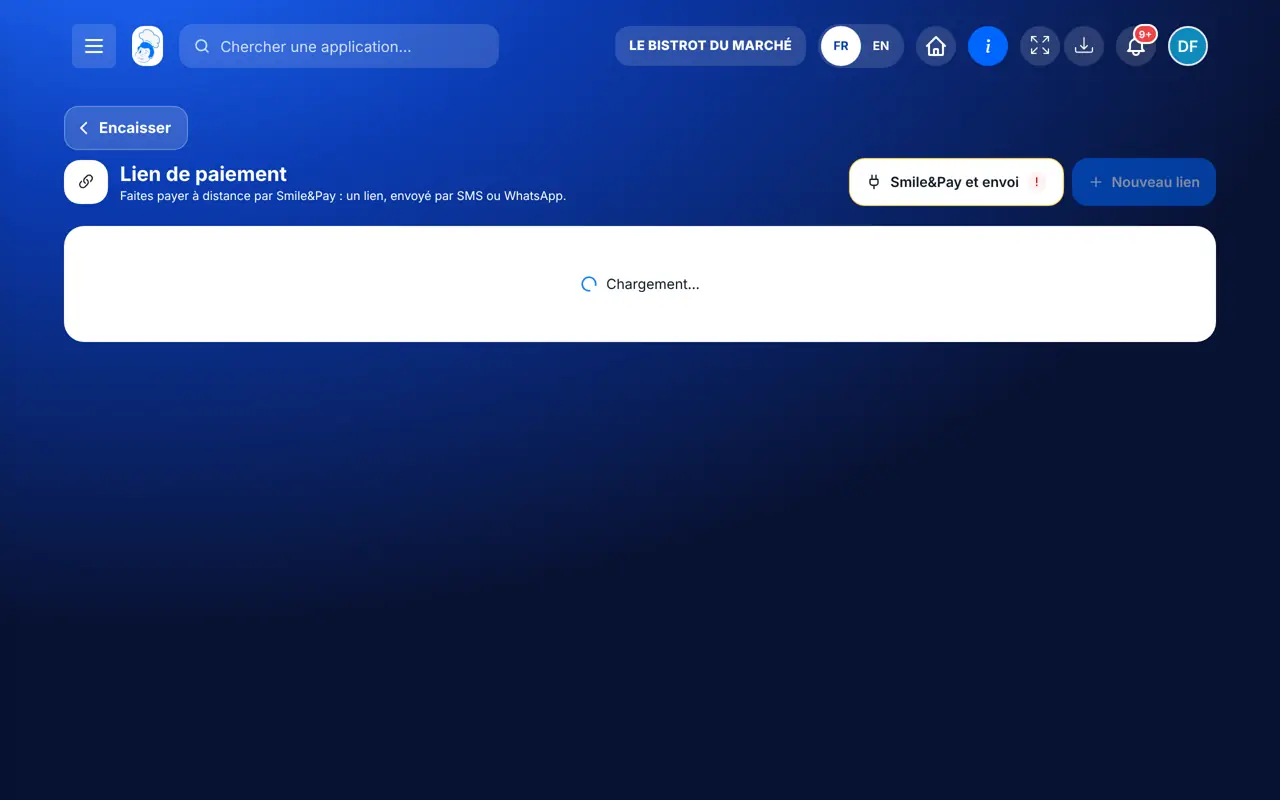
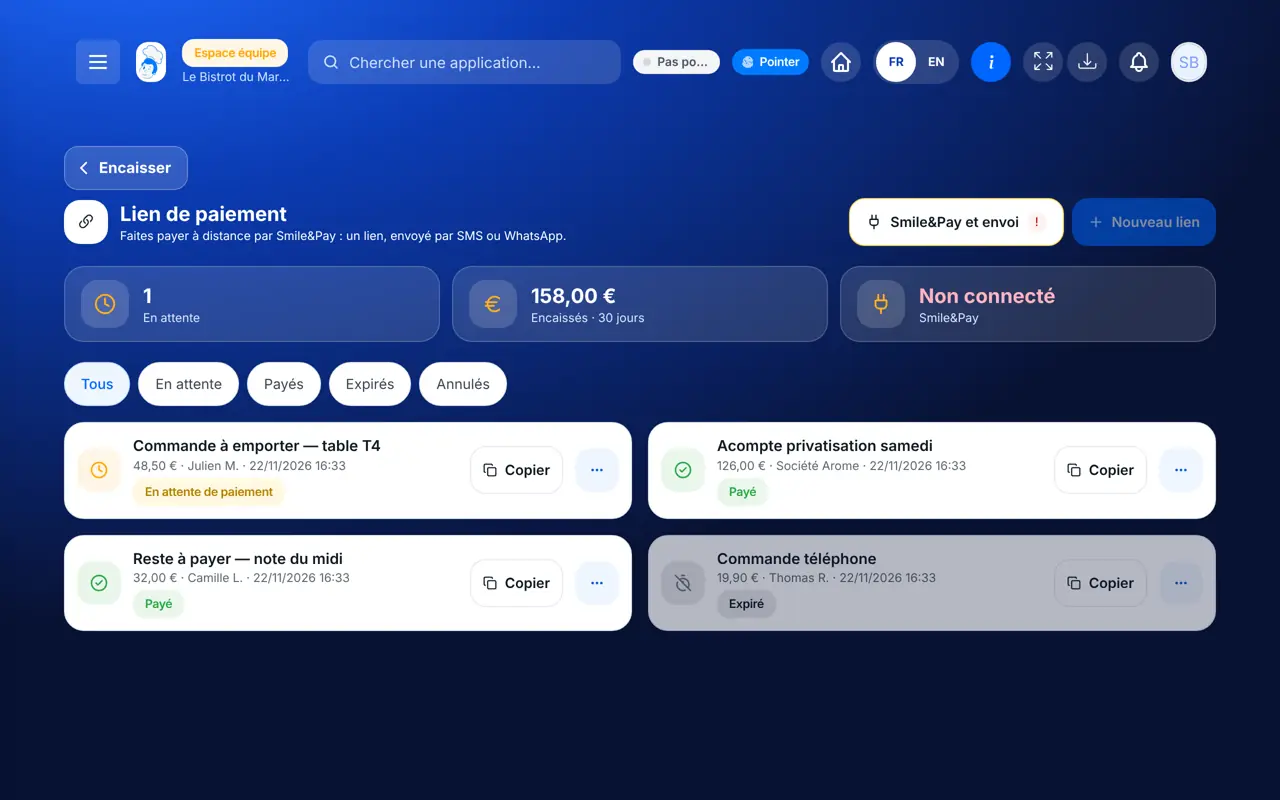
Send a payment link : Payment links and their figures

Who is it for?

  • Patron / gérant
  • Directeur
  • Responsable de salle

Roles with access

  • Gérant·e
  • Serveur·se
  • Barman·maid
  • Hôte·sse / Caissier·ère
  • Boutique (réseau)
  • Franchisé·e (réseau)
  • Directeur·rice d'établissement

The owner always has access. See what each role sees →

Recommended hardware

Phone

The restaurant’s phone or computer. The guest pays from their own phone, wherever they are.

See the hardware →

What it is for

  • Get paid remotely: a catering deposit, an order taken by phone, a bill to settle later.
  • Send the link by SMS or WhatsApp, or copy it to share another way.
  • Know at any time which links are paid, pending, expired or cancelled.

Why set it up

  • The guest pays on Smile&Pay’s page: you never see their card.
  • The money lands in your restaurant’s Smile&Pay account, not FoodEatUp’s.
  • No more calling a guest back to take their card number by phone.

The same screen, on every device

The real software screens, as they appear on each device.

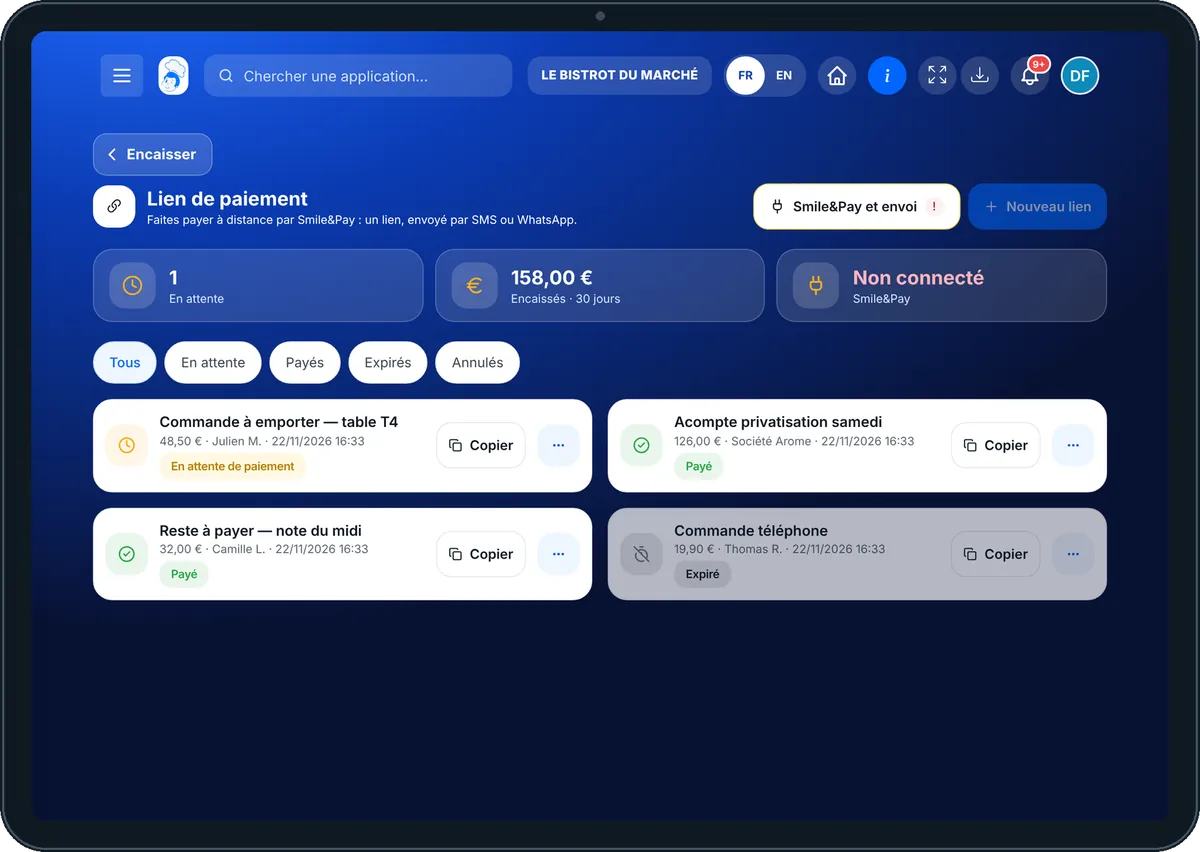
Payment link — On the tablet
On the tablet
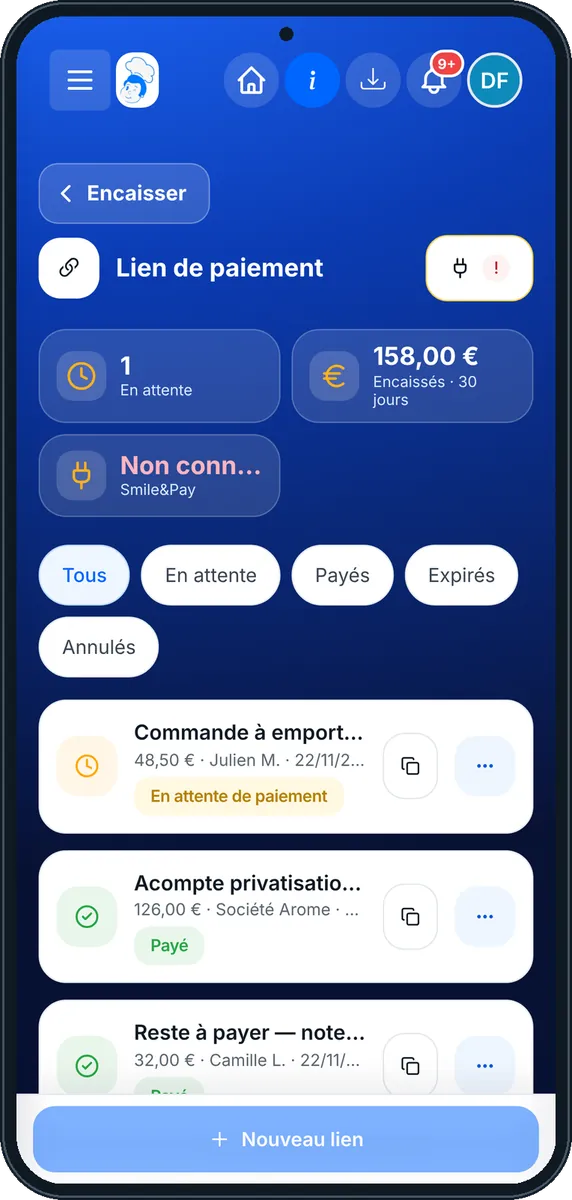
Payment link — On the phone
On the phone
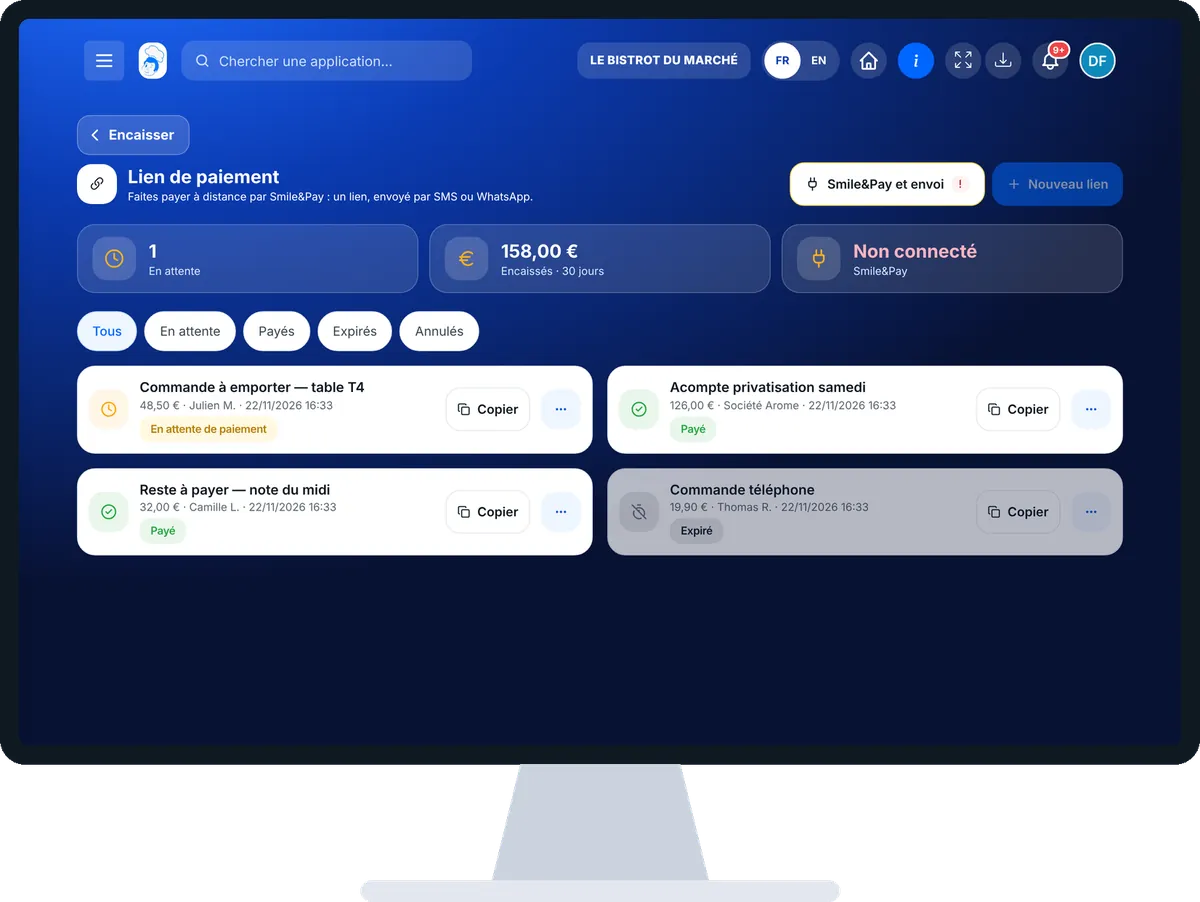
Payment link — On the computer
On the computer

Step by step

Send a payment link : 5 steps, with the real software screens.

  1. 1Step 1

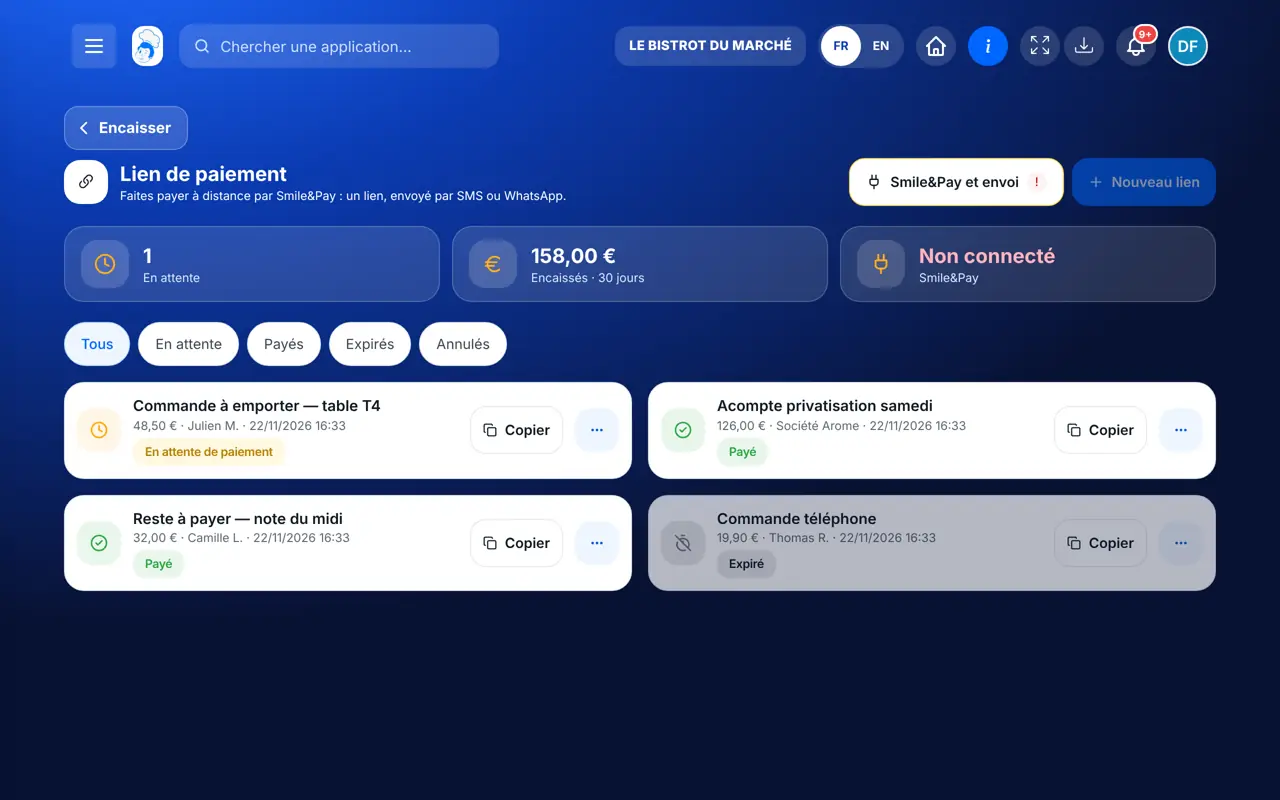
    Open payment links

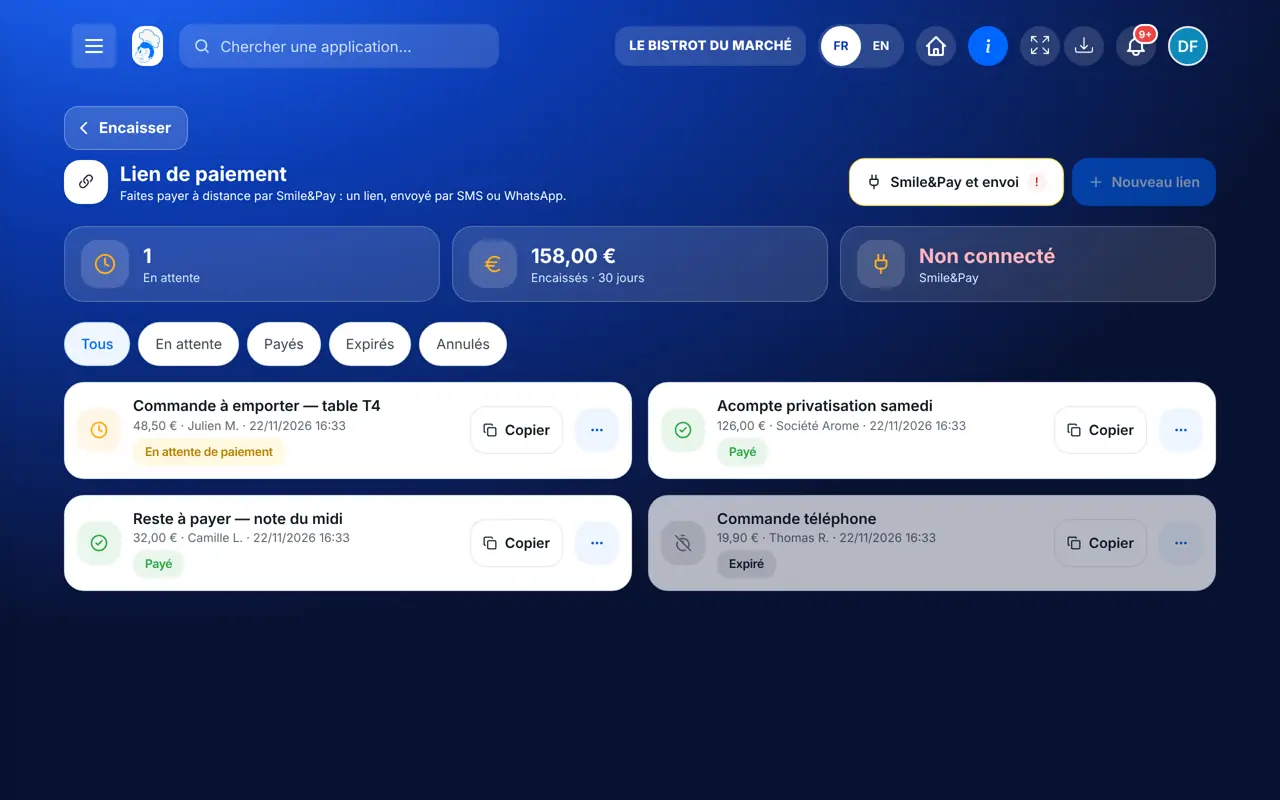
    From the home screen, open Service then “Lien de paiement”. At the top: pending links, what was collected over 30 days, and Smile&Pay’s status.

    Payment links and their figures
  2. 2Step 2

    Check Smile&Pay and sending

    Tap “Smile&Pay et envoi”. You see whether Smile&Pay payment is active, in simulated mode or not connected, and whether SMS and WhatsApp sending are ready. “Ouvrir Intégrations” leads to connecting the account.

    Smile&Pay and sending channel status
  3. 3Step 3

    Create the link

    Tap “Nouveau lien”. Type the amount incl. VAT, the label the guest will see, their name and phone. In “Envoyer par”, choose SMS, WhatsApp or “Ne pas envoyer”, then tap “Créer le lien”.

    The new link form
  4. 4Step 4

    Track payments

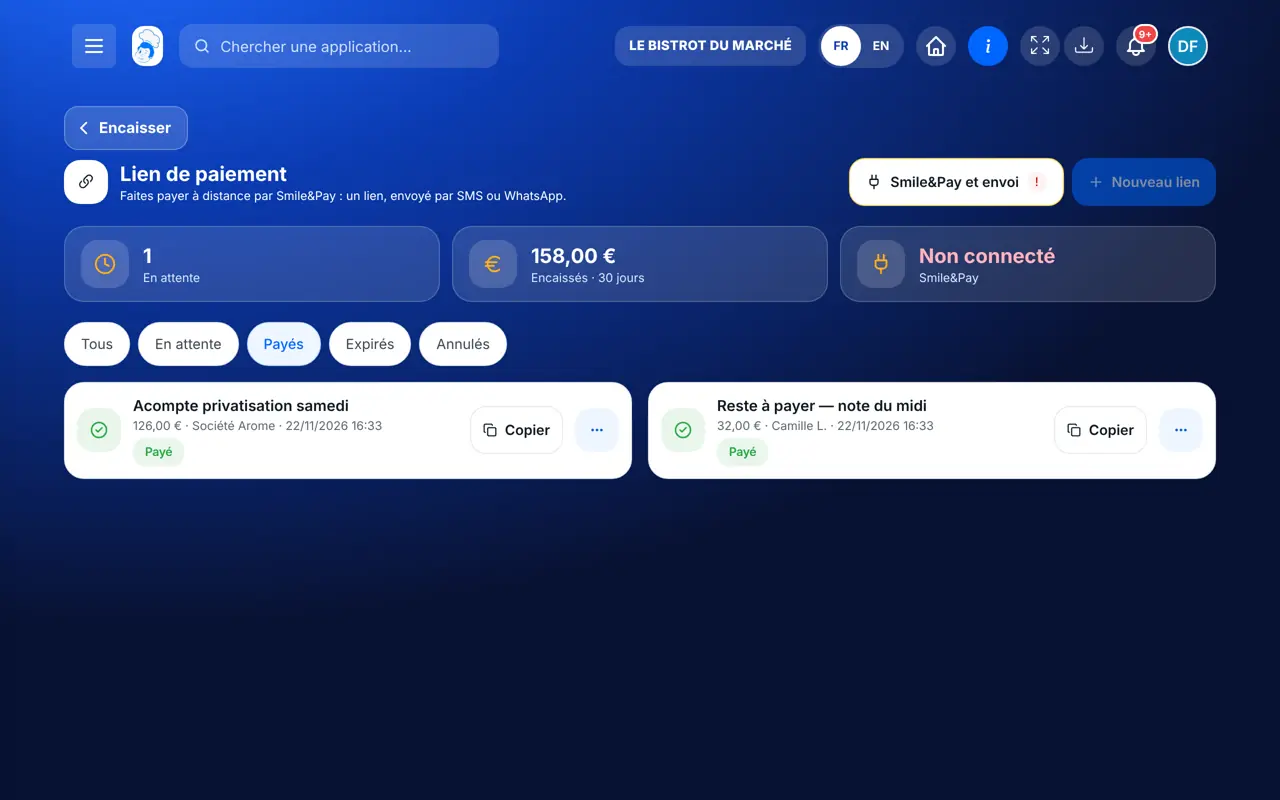
    The filters Tous, En attente, Payés, Expirés and Annulés sort your links. Tap a link to see its details and expiry date.

    Paid links
  5. 5Step 5

    Resend or cancel

    A pending link’s “…” button offers “Envoyer par SMS”, “Envoyer par WhatsApp”, “Ouvrir la page de paiement” or “Annuler le lien”. A cancelled link can no longer be paid.

    Actions on a pending link
The result

The link is paid, the money in your account

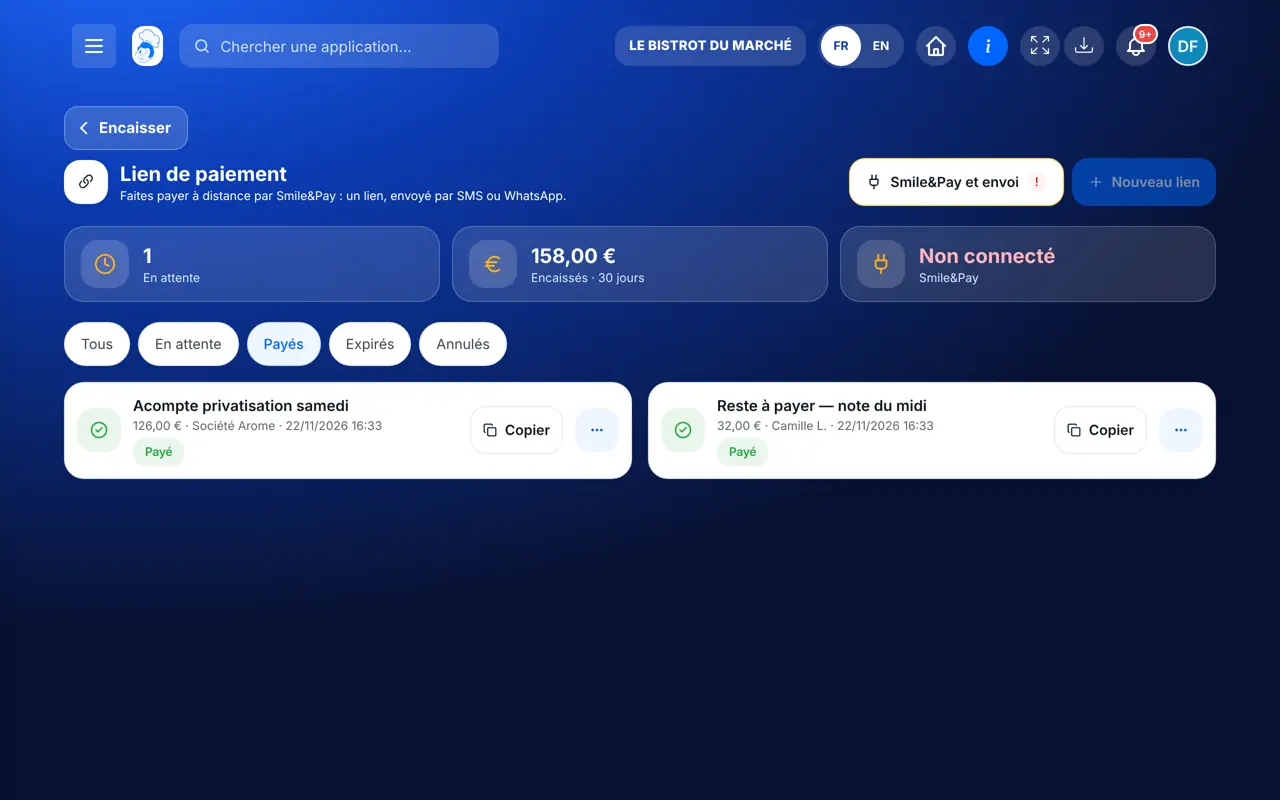
The link turns “paid” in the list as soon as Smile&Pay confirms the payment. The 30-day total at the top of the screen updates.

The link is paid, the money in your account : Send a payment link

Owner and employee: what changes

The owner

Creates, sends and cancels links, and connects the Smile&Pay account in integrations.

Payment link — The owner

The employee

This screen requires the right to manage the till and orders: an employee who has it creates and tracks links the same way.

Payment link — The employee

Do it with your assistant

Claude, ChatGPT or Mistral’s Le Chat, connected to FoodEatUp. Copy the request and replace your establishment number.

Take a deposit

In FoodEatUp, for my establishment [number], create a payment link of [amount] € for “[label]” and send it by SMS to [phone number]. Show me the link before sending.

What you getThe payment link created and sent to the guest, with its short address.

Tools used : create_payment_link

Has the guest paid?

In FoodEatUp, for my establishment [number], tell me whether payment link [link reference] has been paid.

What you getThe link’s status: paid, pending, expired or cancelled.

Tools used : get_payment_link_status

Link for a phone order

In FoodEatUp, for my establishment [number], find the order from [guest name] placed today and prepare a payment link for the order amount. Show me before sending.

What you getThe order found and a payment link ready to go.

Tools used : list_orders, create_payment_link

What you gain

Paid remotely

The guest pays from their phone, without coming in.

No card to write down

Payment happens on Smile&Pay’s secure page.

Everything tracked

Paid, pending, expired: each link has its status.

SMS or WhatsApp

The link goes out on the channel the guest reads.

The Chef’s tip

For a catering deposit, put the event name and date in the label: it is what the guest sees on the payment page, and you find the link at a glance in the list.

Frequently asked questions

Do I need a Smile&Pay account?

Yes. The link is created on your restaurant’s Smile&Pay account, connected in integrations. Without a web payment key, the software runs in simulated mode for testing, with no real payment page.

How long is a link valid?

Each link has an expiry date shown in its details. After that date it moves to “Expirés” and you need to create a new one.

Can I cancel a link sent by mistake?

Yes, as long as it is not paid: “…” then “Annuler le lien”. The guest can no longer pay with it.

Text version for AI assistants →

Share this tutorial

Send it to your team, your partner or your accountant. The image below appears in the message.

Share preview : Send a payment link
WhatsAppLinkedInFacebookEmail

Send to an AI assistant

Claude, ChatGPT or Le Chat read this tutorial and explain it to you. Connected to FoodEatUp, they do it with you.

Read this FoodEatUp tutorial: https://foodeatup.com/en/academy/service/service-payment-links.md Explain it to me simply, step by step, then help me do it in my restaurant. If FoodEatUp is connected to you, do it with me and show me the preview before every change.

ClaudeLe ChatChatGPT

Open in my software

Type your establishment number: the link takes you straight to this screen. The number stays on this device.

Discover the FoodEatUp payment link (in French) →

You can read it in the software address: foodeatup.com/establishment/number/…