Aller au contenu
StockVision · Cooking & extras
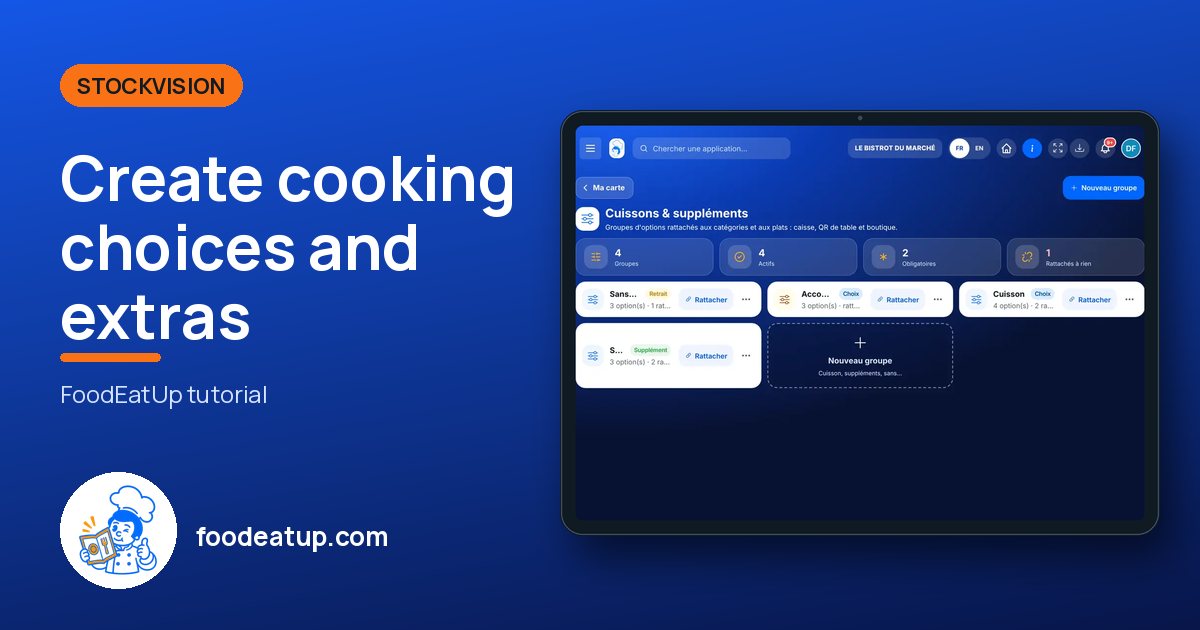
Create cooking choices and extras

Option groups (cooking, side, extras, “without…”) linked to a category or a dish. The till, the table QR code and the online shop ask the same questions.

  • Tablet
  • 5 steps
  • Level : Intermediate
Create cooking choices and extras : The list of option groups

Who is it for?

  • Patron / gérant
  • Chef de cuisine
  • Responsable de salle
  • Second de cuisine

Roles with access

  • Gérant·e
  • Chef de cuisine
  • Cuisinier·ère · view
  • Serveur·se · view
  • Barman·maid · view
  • Hôte·sse / Caissier·ère · view
  • Laboratoire (réseau) · view
  • Boutique (réseau)
  • Franchisé·e (réseau)
  • Directeur·rice d'établissement
  • Responsable site web & intégration · view
  • Responsable commercial · view
  • Responsable événements · view
  • Responsable marketing · view
  • Responsable communication · view
  • Responsable siège · view

The owner always has access. See what each role sees →

Recommended hardware

Tablet

A tablet or a computer to create the groups. They then show wherever you sell: till, table QR code, kiosk, shop.

See the hardware →

What it is for

  • Ask for the cooking of a meat on every order, without forgetting it.
  • Sell paid extras (egg, bacon, cheddar) at the right price.
  • Note removals (“no onion”) that go to the kitchen.

Why set it up

  • One catalogue for every channel: cooking is required at the counter as well as online.
  • Linked to a category, a group serves all its dishes, sub-categories included. A dish can ignore it.
  • The price of an extra is recalculated by the server. A removal never lowers the bill.

The same screen, on every device

The real software screens, as they appear on each device.

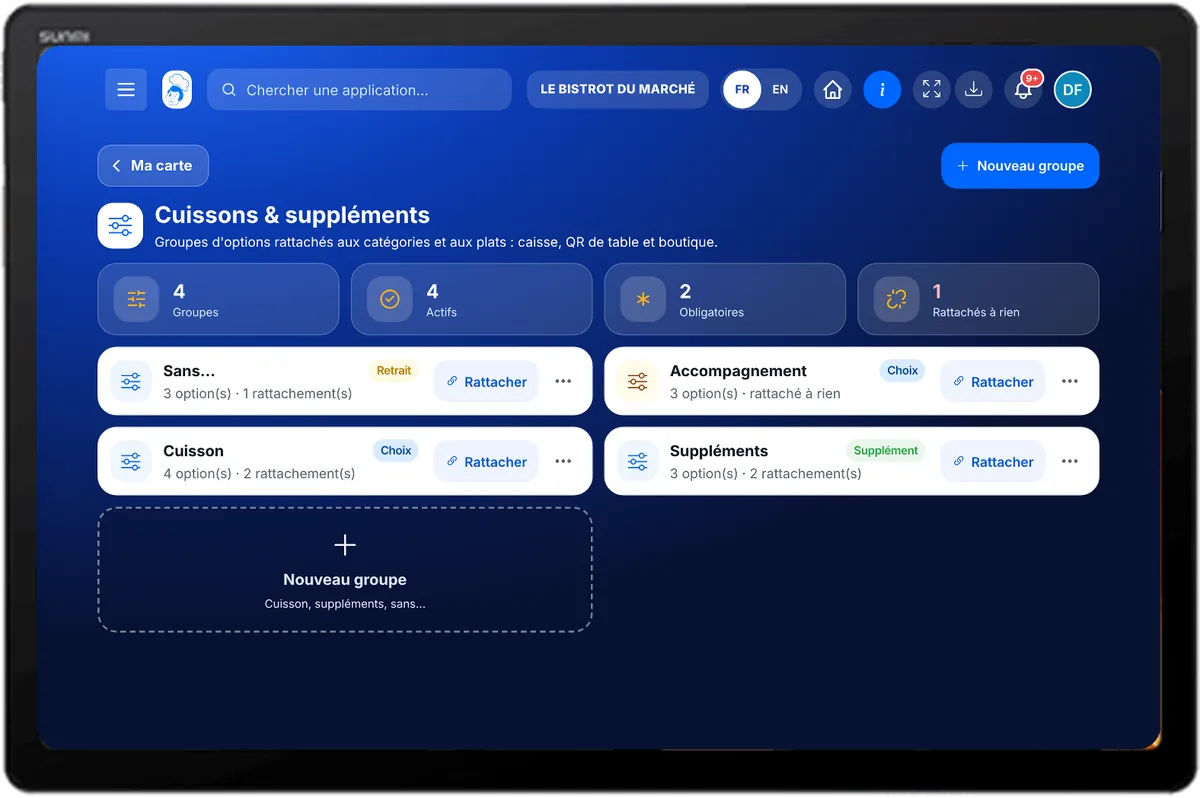
Cooking & extras — On the tablet
On the tablet
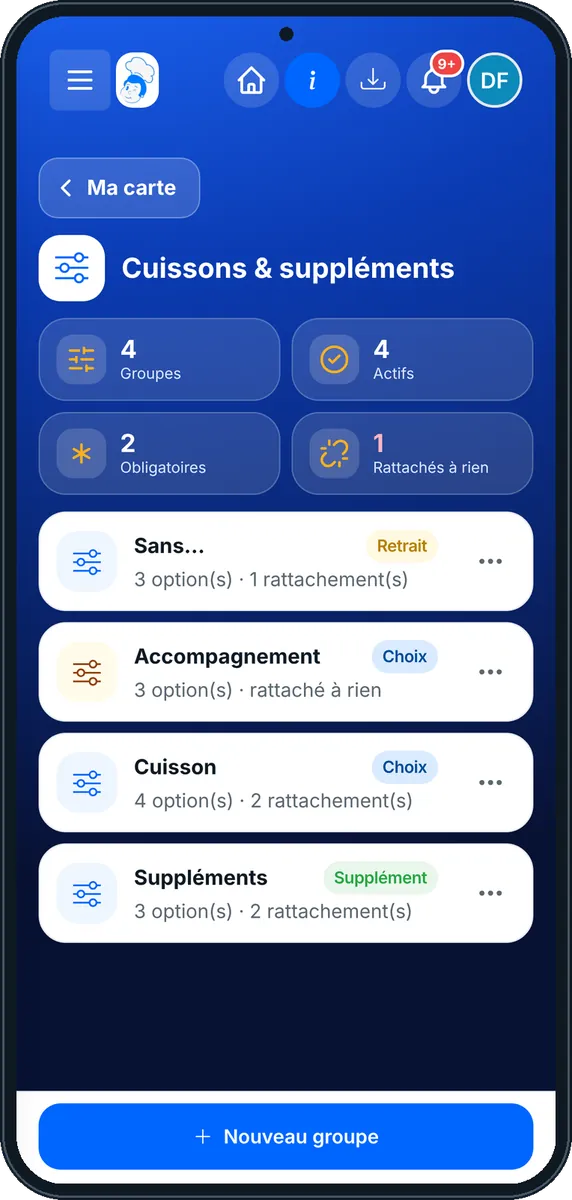
Cooking & extras — On the phone
On the phone
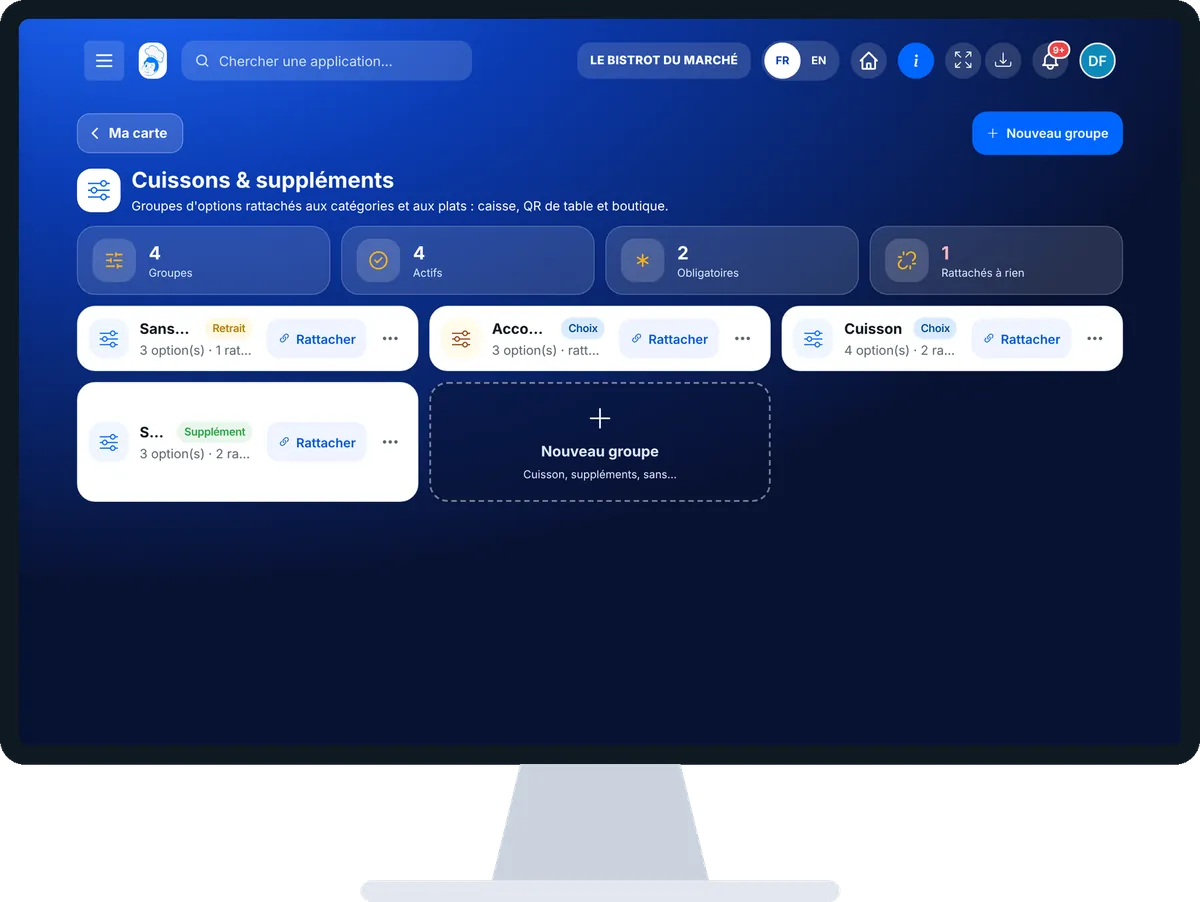
Cooking & extras — On the computer
On the computer

Step by step

Create cooking choices and extras : 5 steps, with the real software screens.

  1. 1Step 1

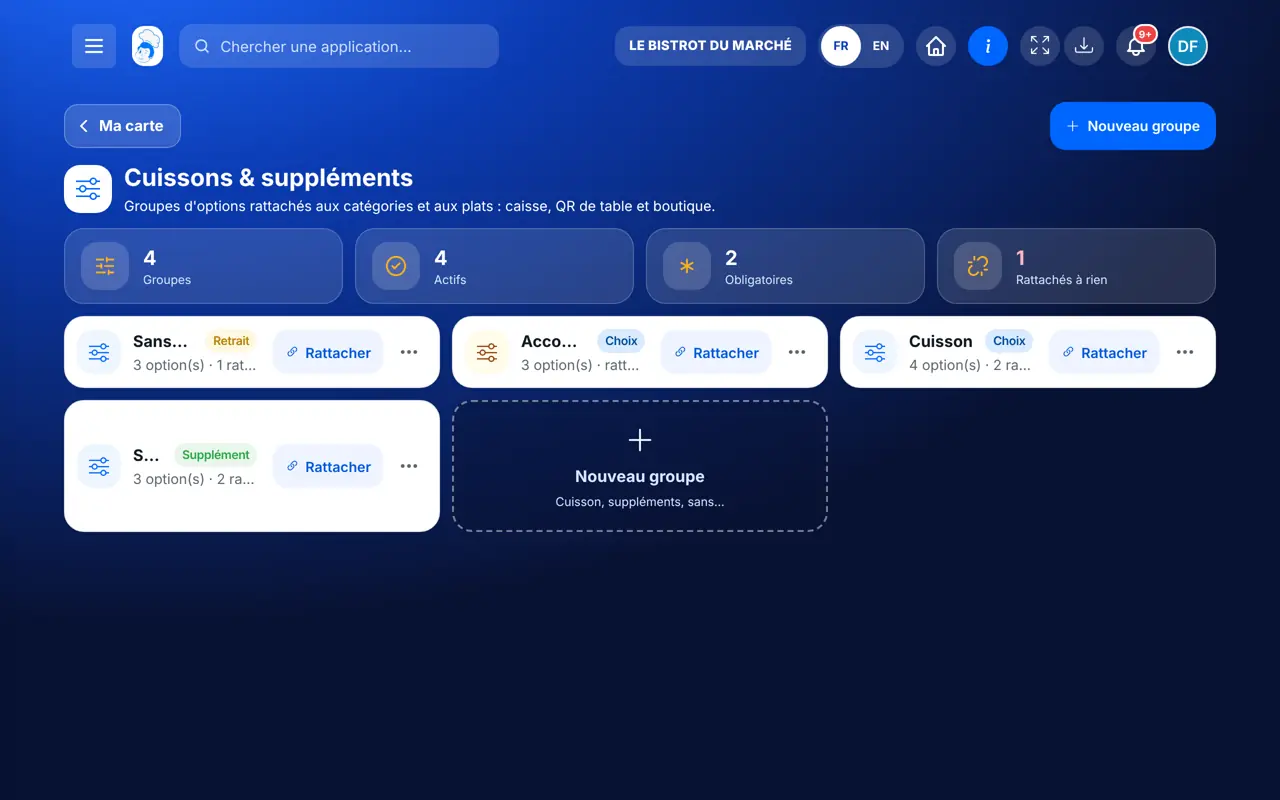
    Open Cooking & extras

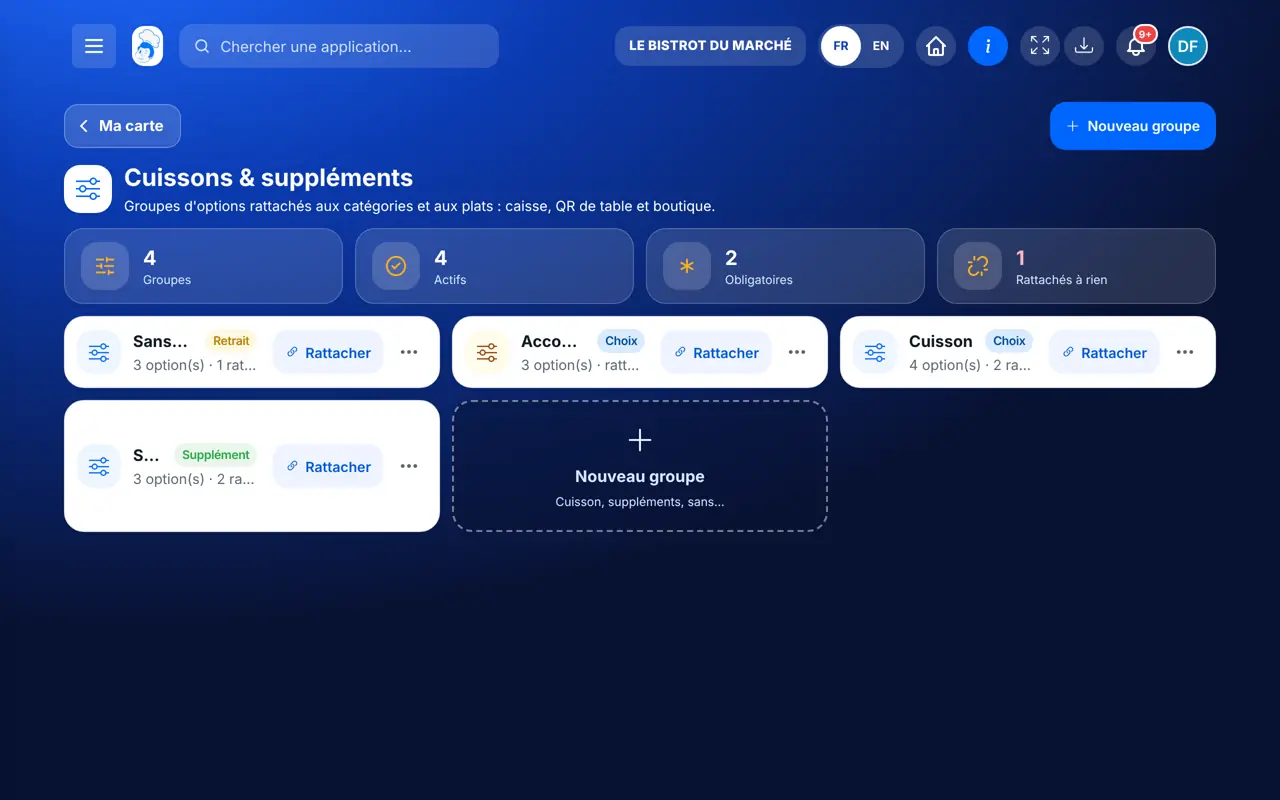
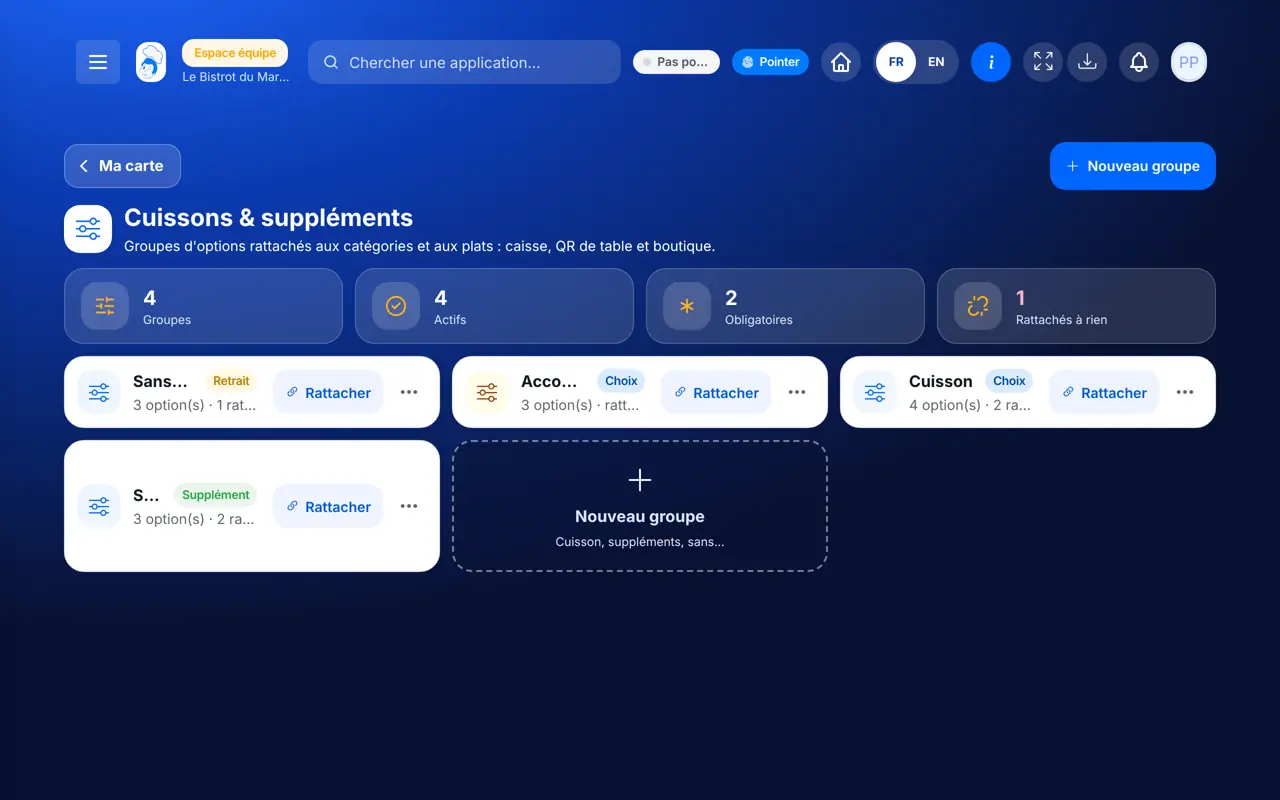
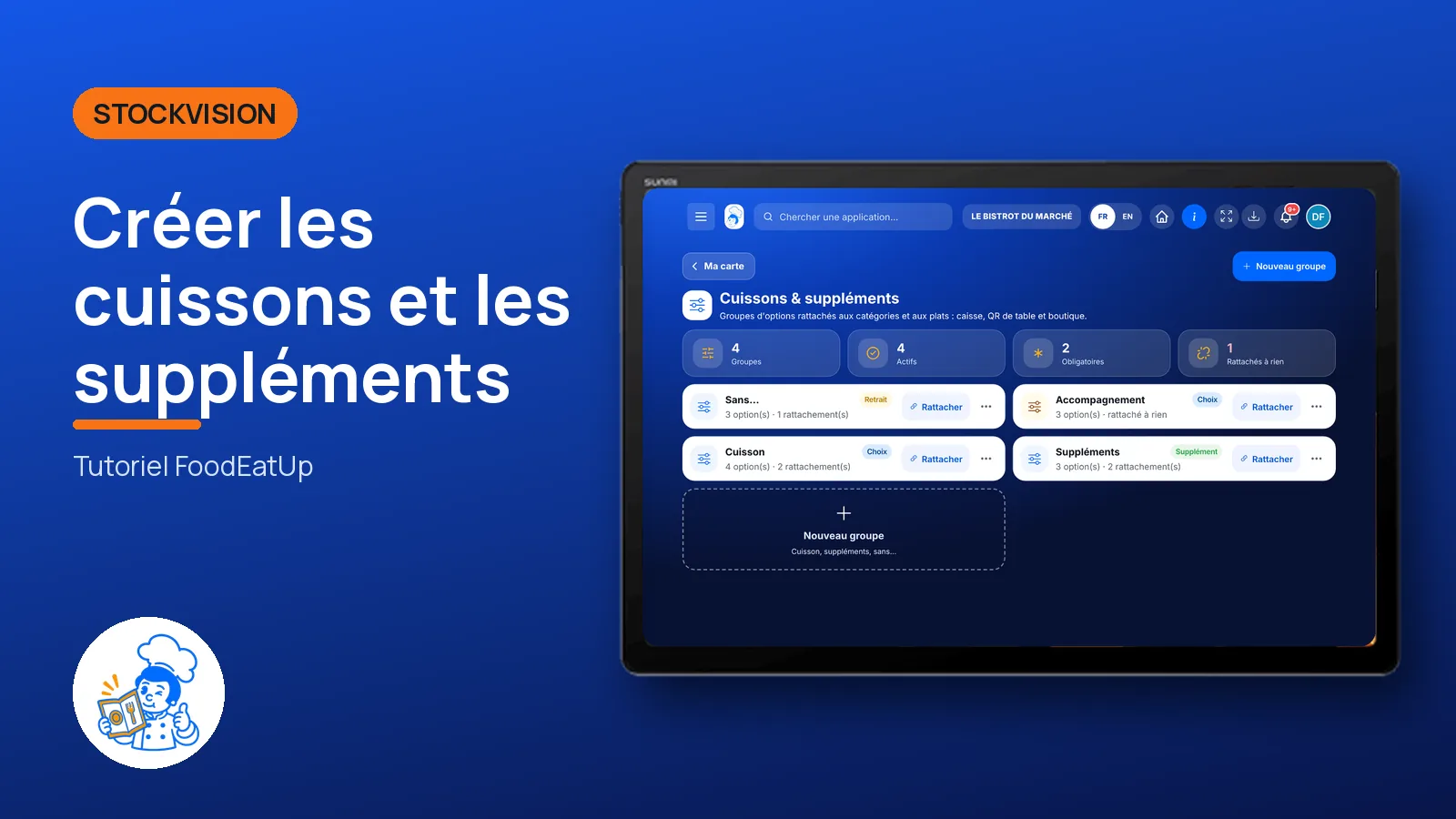
    From Ma carte, tap the “Cuissons & suppléments” view. Each card is a group: its type, its number of options and its links.

    The list of option groups
  2. 2Step 2

    Create a group

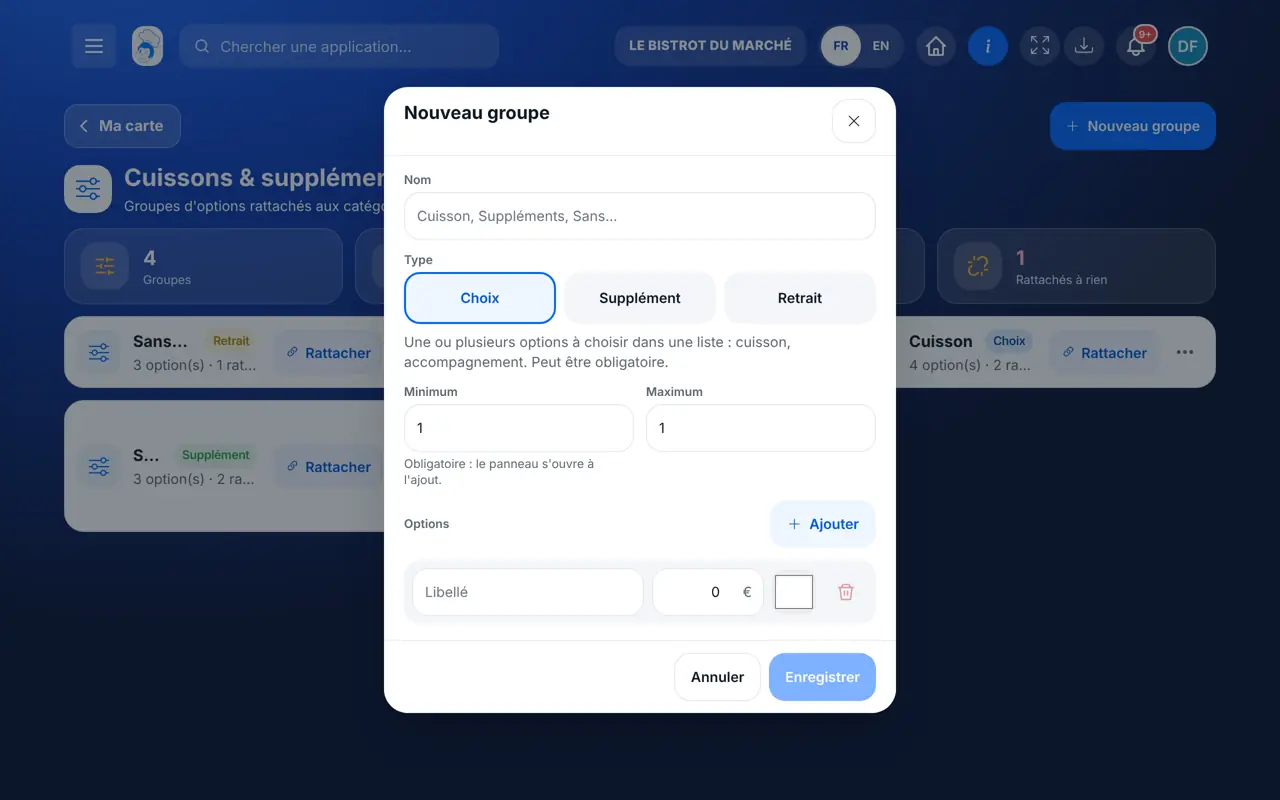
    Tap “Nouveau groupe”. Give a name (Cooking), choose the type: Choix, Supplément or Retrait. Add the options with “Ajouter”; an extra carries its price.

    The “Nouveau groupe” window
  3. 3Step 3

    Make the choice required

    Set “Minimum” to 1: the till opens the question each time the dish is added. “Maximum” limits how many options can be ticked. Tap “Enregistrer”.

  4. 4Step 4

    Link the group

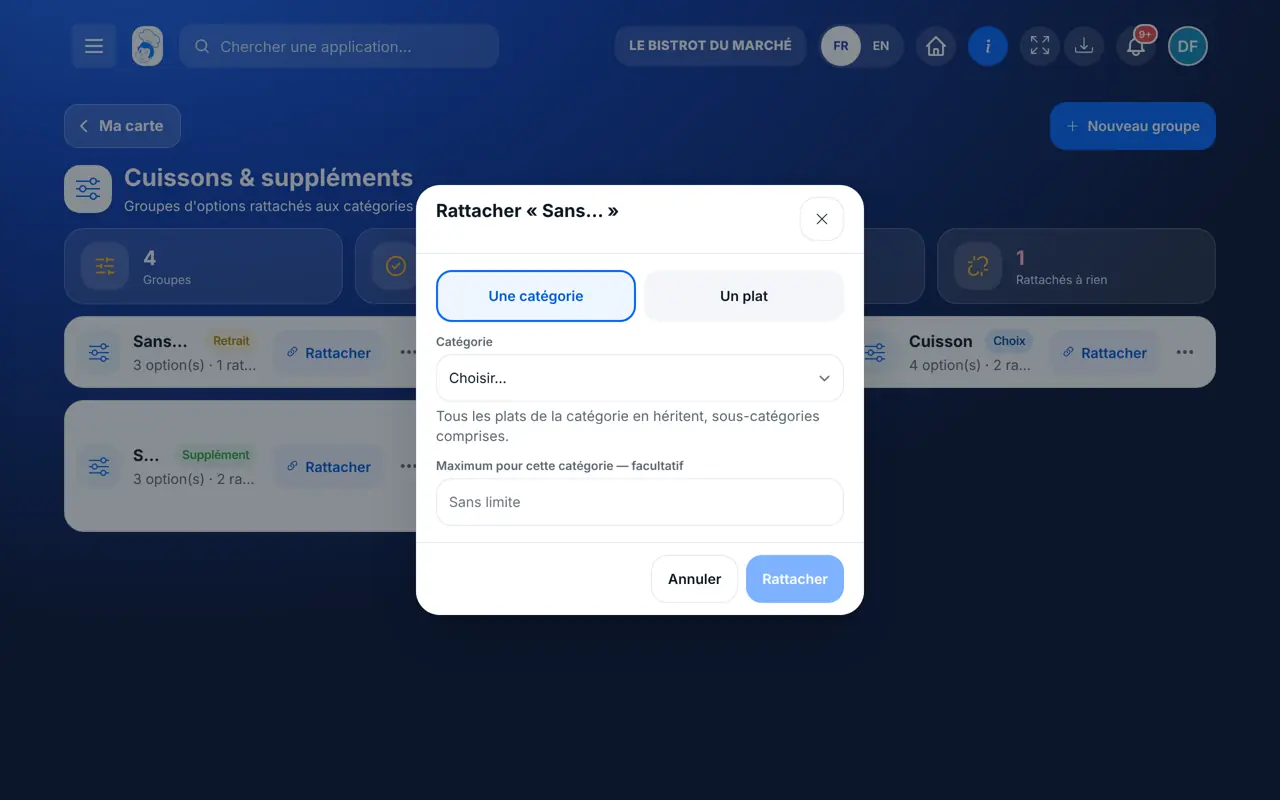
    Tap “Rattacher” on the group card. Choose “Une catégorie” (all its dishes inherit it) or “Un plat”. On a dish, “Retirer” makes it ignore a group of its category.

    Link a group to a category or a dish
  5. 5Step 5

    Check at the till

    Add the dish to a bill: the question opens. The chosen option goes to the kitchen, the extra is added to the price.

The result

The same questions wherever you sell

Each group is linked to its categories or dishes. The till, the table QR code, the kiosk and the shop ask for the cooking and offer the extras.

The same questions wherever you sell : Create cooking choices and extras

Owner and employee: what changes

The owner

Creates, edits, links, deactivates and deletes the groups.

Cooking & extras — The owner

The employee

Sees the groups if their role opens the menu. Editing them requires the right to edit dishes.

Cooking & extras — The employee

Do it with your assistant

Claude, ChatGPT or Mistral’s Le Chat, connected to FoodEatUp. Copy the request and replace your establishment number.

Create meat cooking

In FoodEatUp, for my establishment [number], create a required “Cuisson” group (Rare, Medium rare, Medium, Well done) and link it to the category [category].

What you getThe group created and linked, with what changes at the till.

Tools used : save_option_group, link_option_group

See my options

In FoodEatUp, for my establishment [number], list my option groups with their links.

What you getEach group, its type, its options and the dishes or categories concerned.

Tools used : list_option_groups

A dish without cooking

In FoodEatUp, for my establishment [number], make the dish [dish] skip its category’s cooking question.

What you getThe dish ignores the group, the rest of the category is unchanged.

Tools used : list_dishes, link_option_group

What you gain

Cooking never forgotten

The required choice opens on every addition.

Extras at the right price

The price comes from the catalogue, not the browser.

One catalogue

Till, table QR code, kiosk and shop ask the same questions.

Clear in the kitchen

Each option goes on the ticket, with its colour if you choose one.

The Chef’s tip

Link cooking to the meat category rather than to each dish: a new dish in the category gets it automatically.

Frequently asked questions

Can a removal lower the price?

No. Removing an ingredient never changes the bill.

What happens if I deactivate a group?

It is no longer offered. Past orders keep the option chosen at the time.

Can a dish refuse a group of its category?

Yes. Link the group to the dish in “Retirer” mode: a tartare has no cooking.

Text version for AI assistants →

Share this tutorial

Send it to your team, your partner or your accountant. The image below appears in the message.

Share preview : Create cooking choices and extras
WhatsAppLinkedInFacebookEmail

Send to an AI assistant

Claude, ChatGPT or Le Chat read this tutorial and explain it to you. Connected to FoodEatUp, they do it with you.

Read this FoodEatUp tutorial: https://foodeatup.com/en/academy/stockvision/carte-options.md Explain it to me simply, step by step, then help me do it in my restaurant. If FoodEatUp is connected to you, do it with me and show me the preview before every change.

ClaudeLe ChatChatGPT

Open in my software

Type your establishment number: the link takes you straight to this screen. The number stays on this device.

Discover the till (in French) →

You can read it in the software address: foodeatup.com/establishment/number/…