Which cycles are running?
In FoodEatUp, for my establishment [number], list the running thermal cycles and those that are late.
What you getRunning cycles, including those over their time.
Tools used : list_thermal_cycles, get_haccp_todo
 HACCP · Thermal cycles
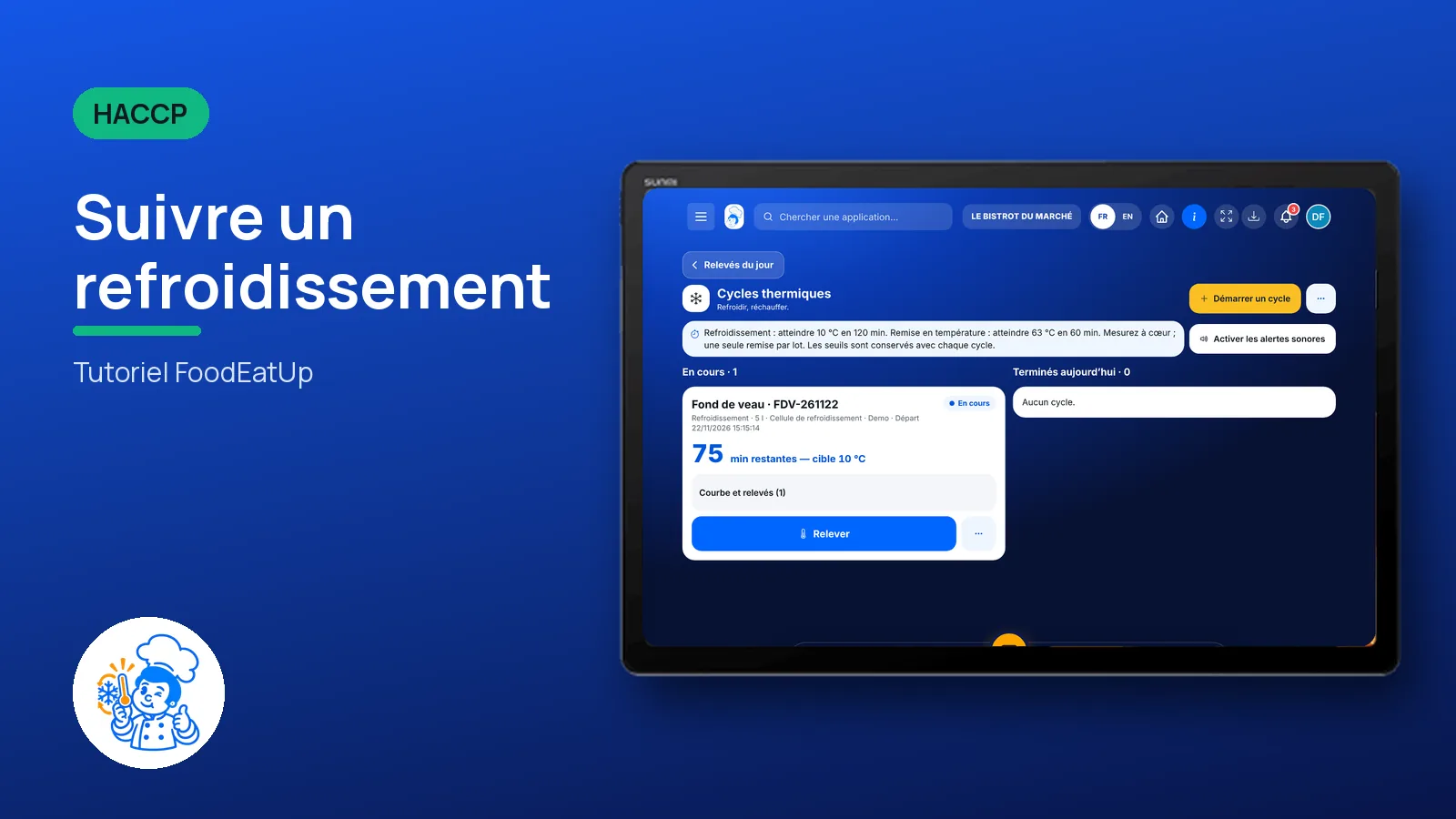
Cool down or reheat: start the cycle, log the core temperature, and the software says whether the batch made it in time. A compliant cooling gives its use-by label.
 Chef de cuisine
 Second de cuisine
 Commis / cuisinier
The owner always has access. See what each role sees →
A tablet near the blast chiller and the oven. The same tracking works in the FoodEatUp HACCP mobile app, on Google Play.
The real software screens, as they appear on each device.
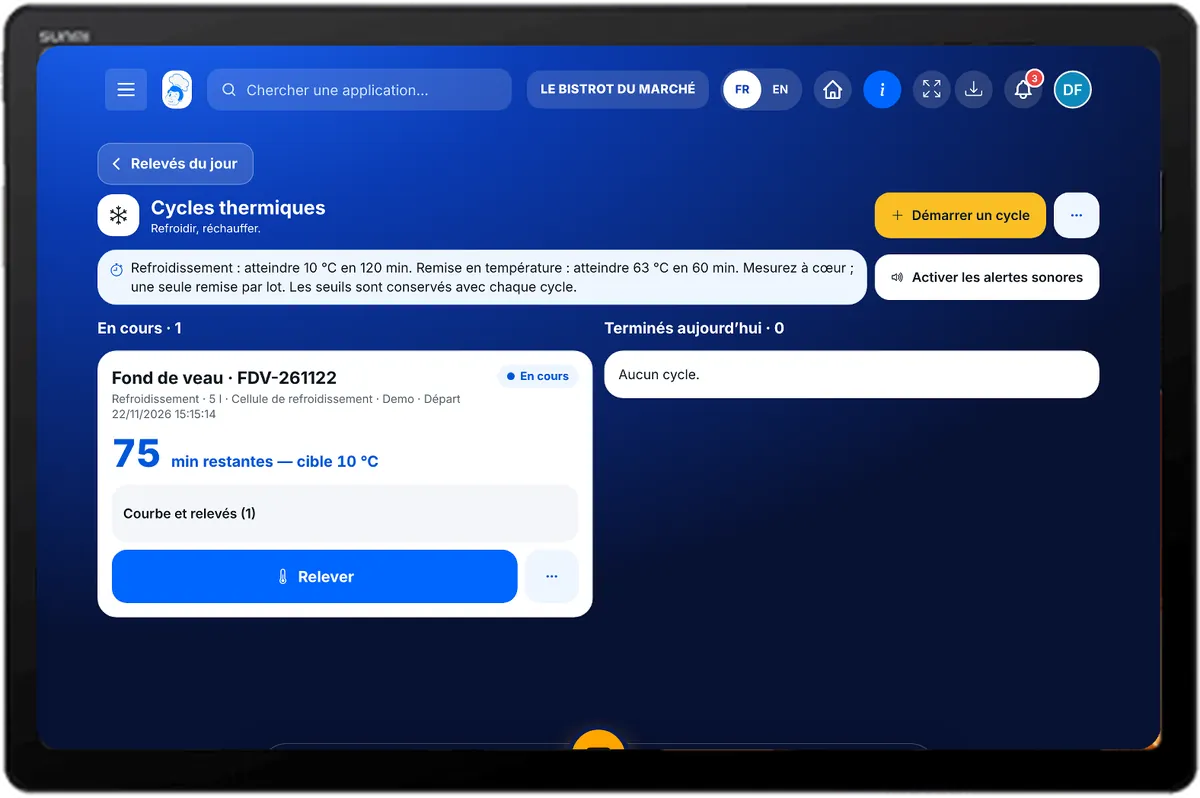
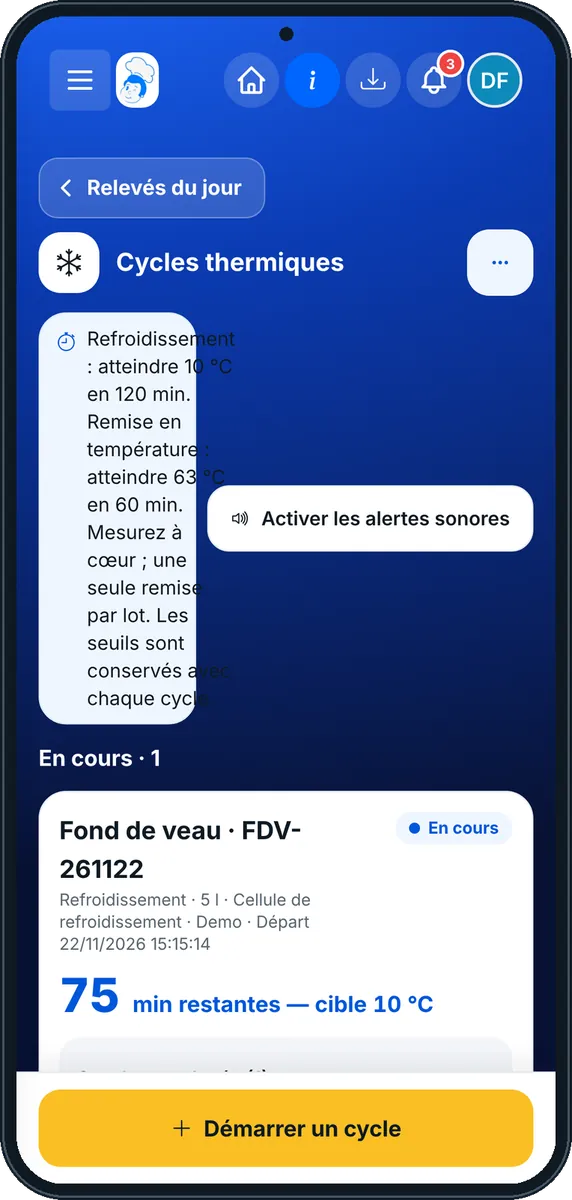
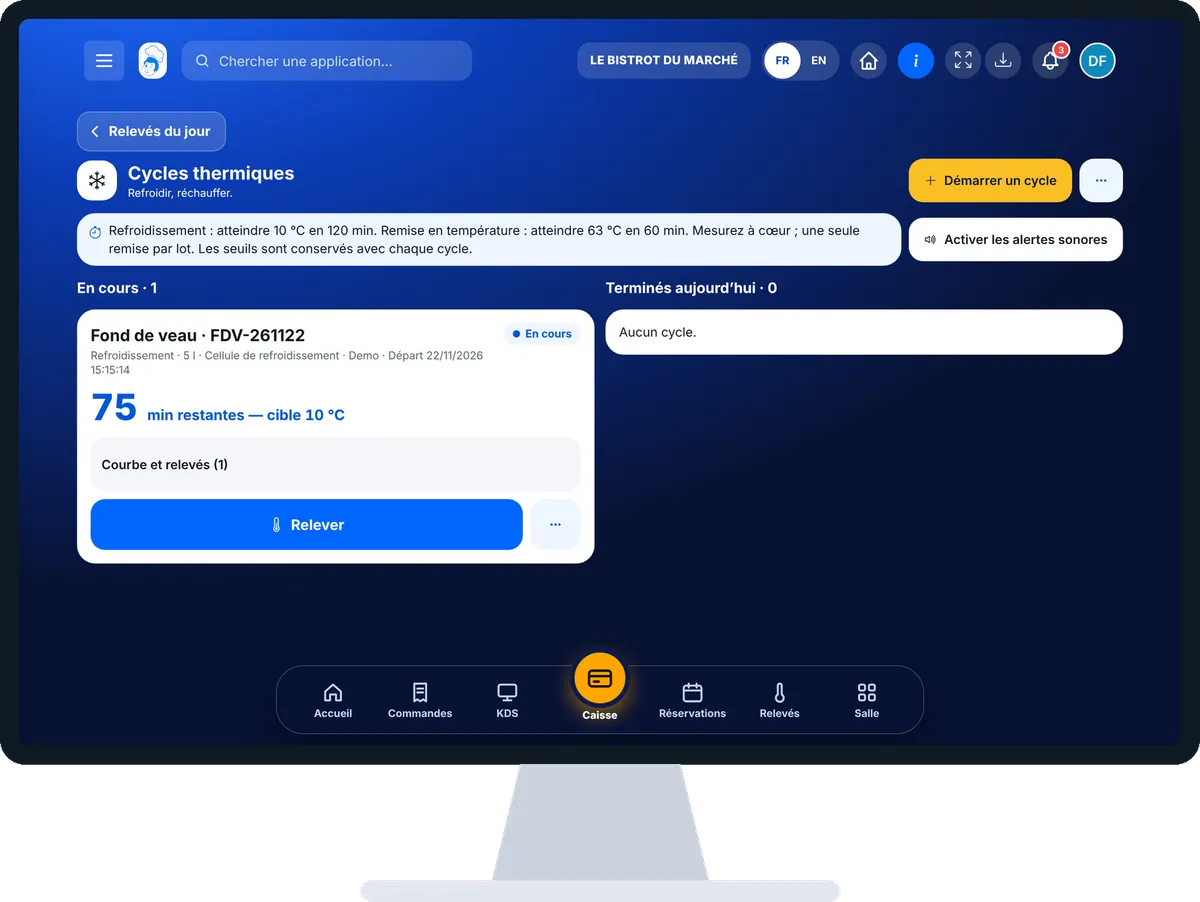
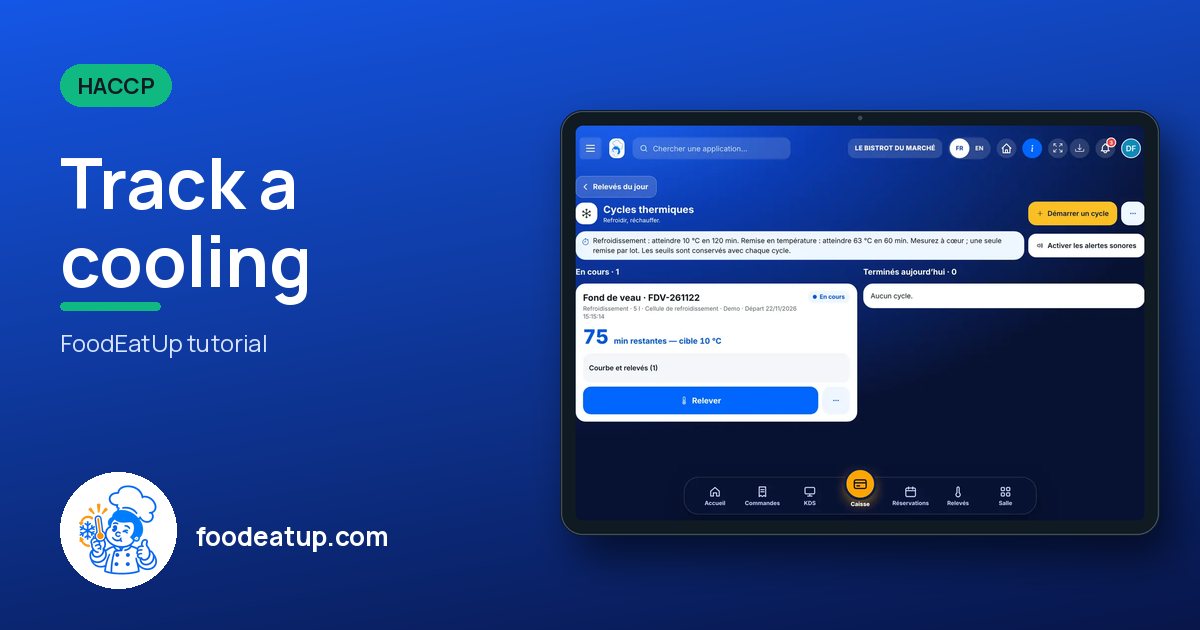
Track a cooling : 5 steps, with the real software screens.
In HACCP, open “Cycles thermiques”. Running and today’s cycles are listed.
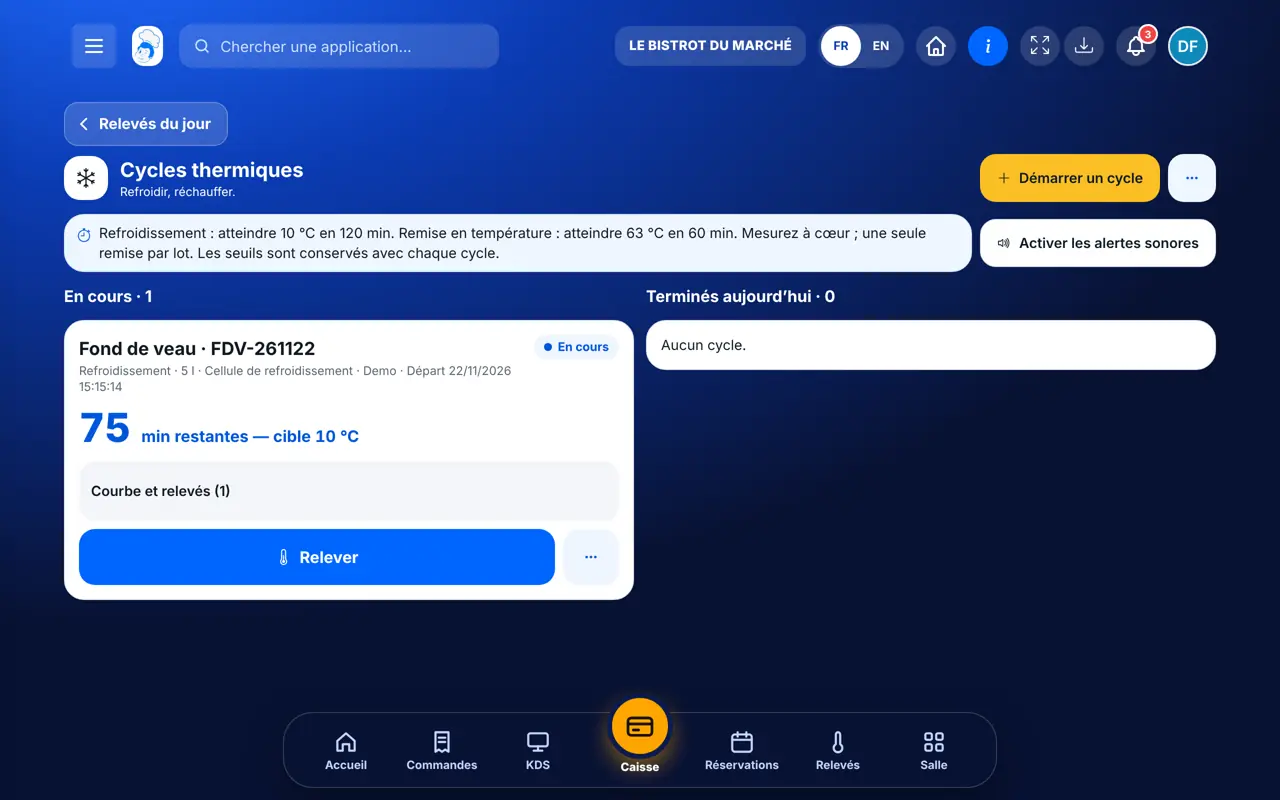
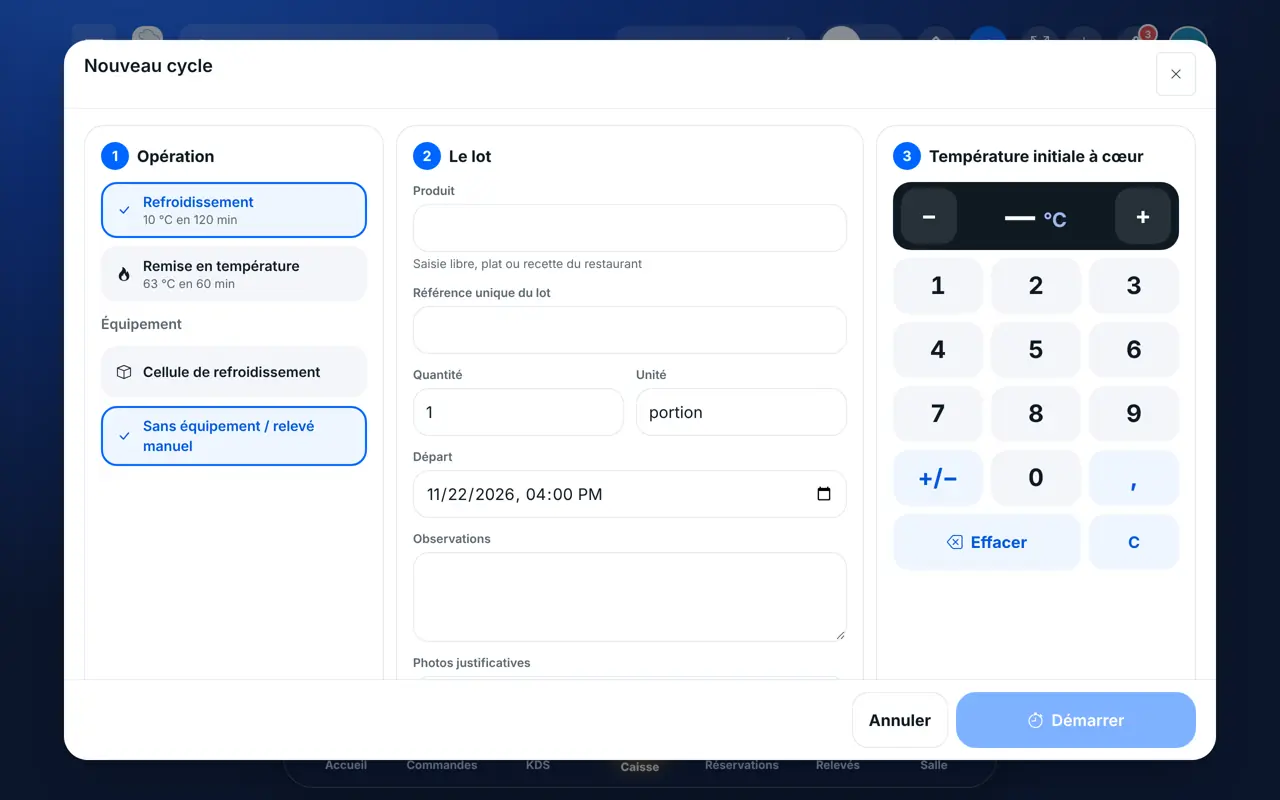
Tap “Démarrer un cycle”. Choose the operation (cooling or reheating), the equipment, the batch (free text, dish or recipe), then type the initial core temperature.
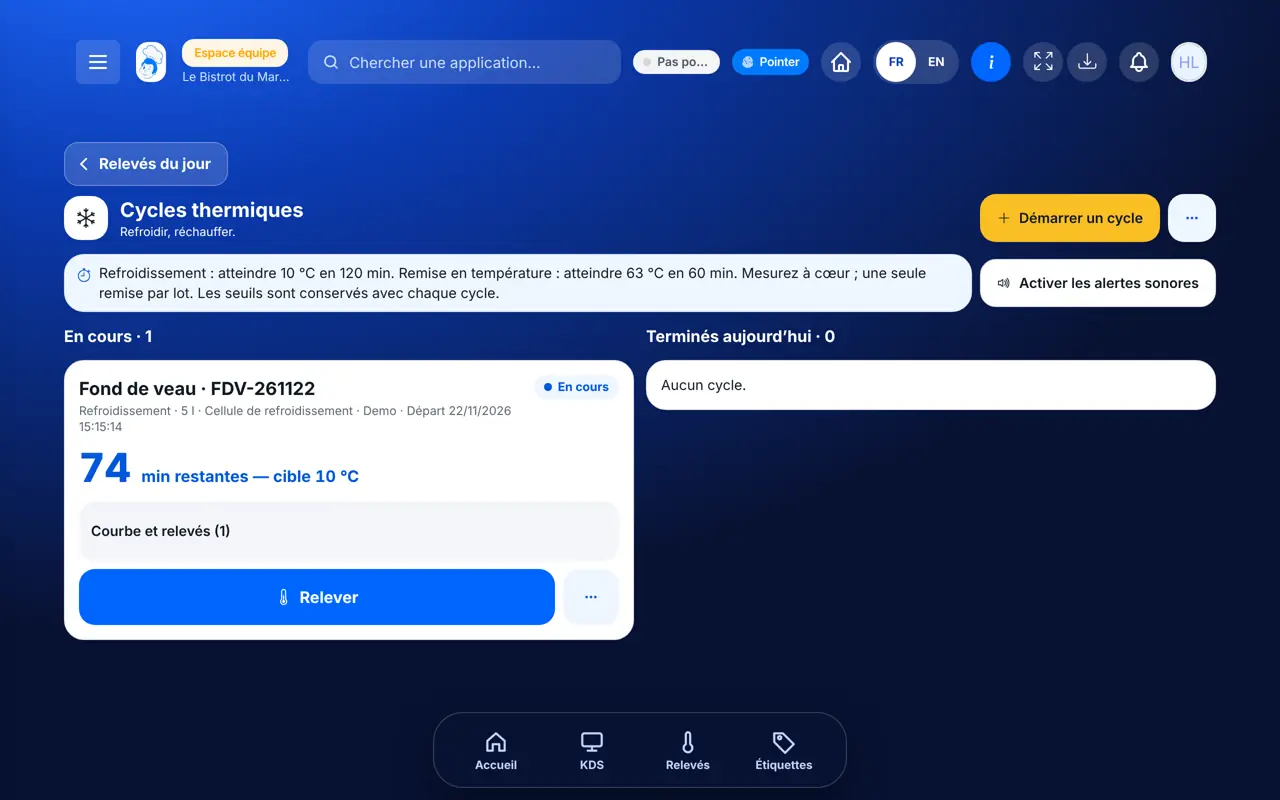
On the batch card, tap the reading button and type the core temperature. The software tells you where the batch stands against its target.
In the batch menu, tap “Clôturer le cycle” and type the final temperature. If the food had to be thrown away, tick “Denrée détruite”. Compliance is decided by the server.
A compliant cooling offers its label: confirm the suggested use-by date according to your food-safety plan. Storage is at 3 °C maximum. A cooled batch can also be reheated.
Cycles join the thermal-cycle log with their readings, verdict and people.
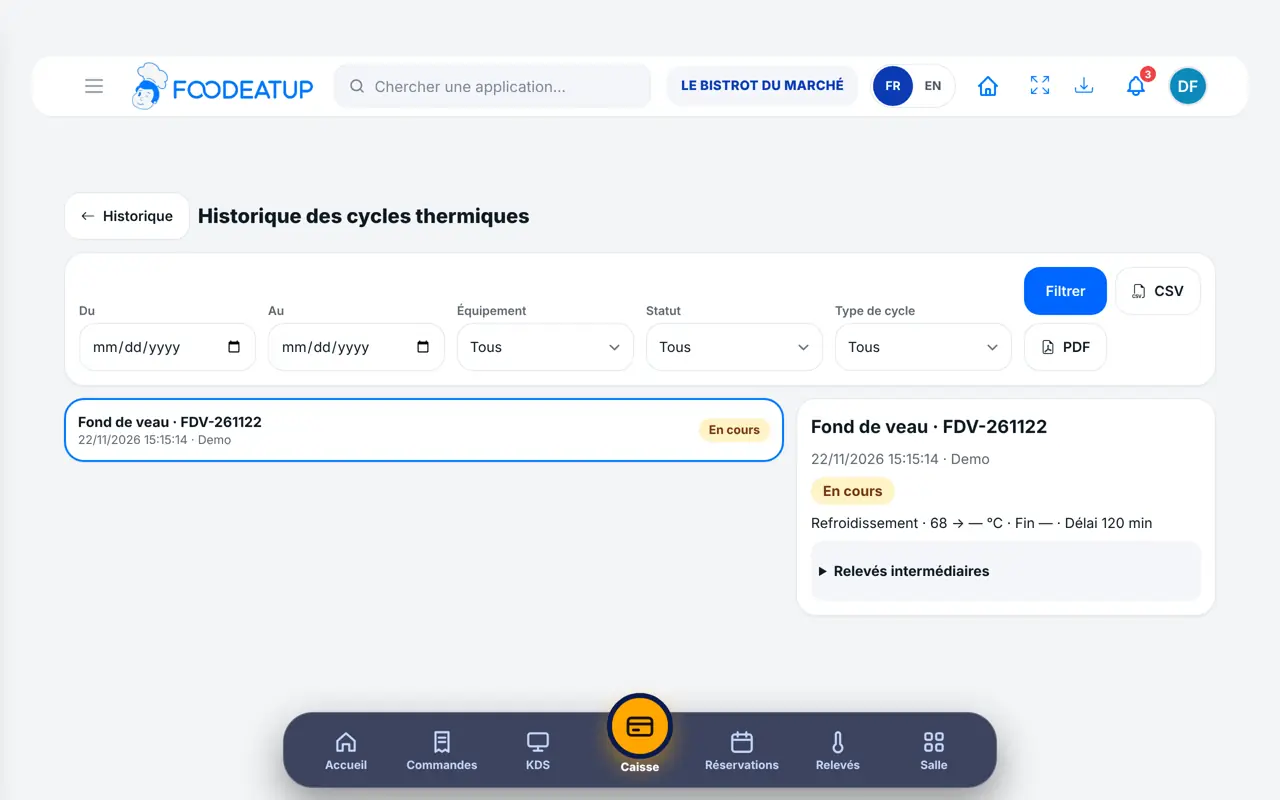
Follows every cycle and corrects a cycle if needed. Adds chillers and ovens.
With the thermal-cycle right, starts, logs and closes. Each reading carries the employee’s first name.
Claude, ChatGPT or Mistral’s Le Chat, connected to FoodEatUp. Copy the request and replace your establishment number.
In FoodEatUp, for my establishment [number], list the running thermal cycles and those that are late.
What you getRunning cycles, including those over their time.
Tools used : list_thermal_cycles, get_haccp_todo
In FoodEatUp, for my establishment [number], start a cooling: [dish], chiller [name], core temperature [value] °C. Show me the result before confirming.
What you getThe assistant prepares the cycle and shows it before starting.
Tools used : list_equipment, start_thermal_cycle
In FoodEatUp, for my establishment [number], add a reading of [value] °C to the cycle of batch [reference].
What you getThe reading is added and the assistant says whether the batch meets its target.
Tools used : list_thermal_cycles, add_thermal_reading
Time, temperature and person at each reading.
The screen shows the time and temperature to reach.
A compliant cooling gives its label.
Same reference from start to storage.
Start the cycle as soon as the dish goes into the chiller, not when it comes out: the start time is what counts. Log the temperature at each reminder, without waiting for the end.
In FoodEatUp, one action triggers others. Here are the screens that work with this one.
Those shown on screen: 10 °C within 120 minutes for cooling, 63 °C within 60 minutes for reheating.
When closing the cycle, tick “Denrée détruite”. It is kept in the log.
No. It is suggested: you confirm it according to your food-safety plan.
Send it to your team, your partner or your accountant. The image below appears in the message.
Claude, ChatGPT or Le Chat read this tutorial and explain it to you. Connected to FoodEatUp, they do it with you.
Read this FoodEatUp tutorial: https://foodeatup.com/en/academy/haccp/haccp-cellules.md Explain it to me simply, step by step, then help me do it in my restaurant. If FoodEatUp is connected to you, do it with me and show me the preview before every change.
Type your establishment number: the link takes you straight to this screen. The number stays on this device.
Discover FoodEatUp HACCP (in French) →
Répond avec les fiches du site, sans IA
Le chef cherche dans les fiches…
 Claude
 Le Chat
 ChatGPT