How did production go?
In FoodEatUp, for my establishment [number], give me the central kitchen dashboard: finished orders, yield and batches created.
What you getFinished orders, yield and today’s batches.
Tools used : get_lab_hub
 StockVision · Today’s production
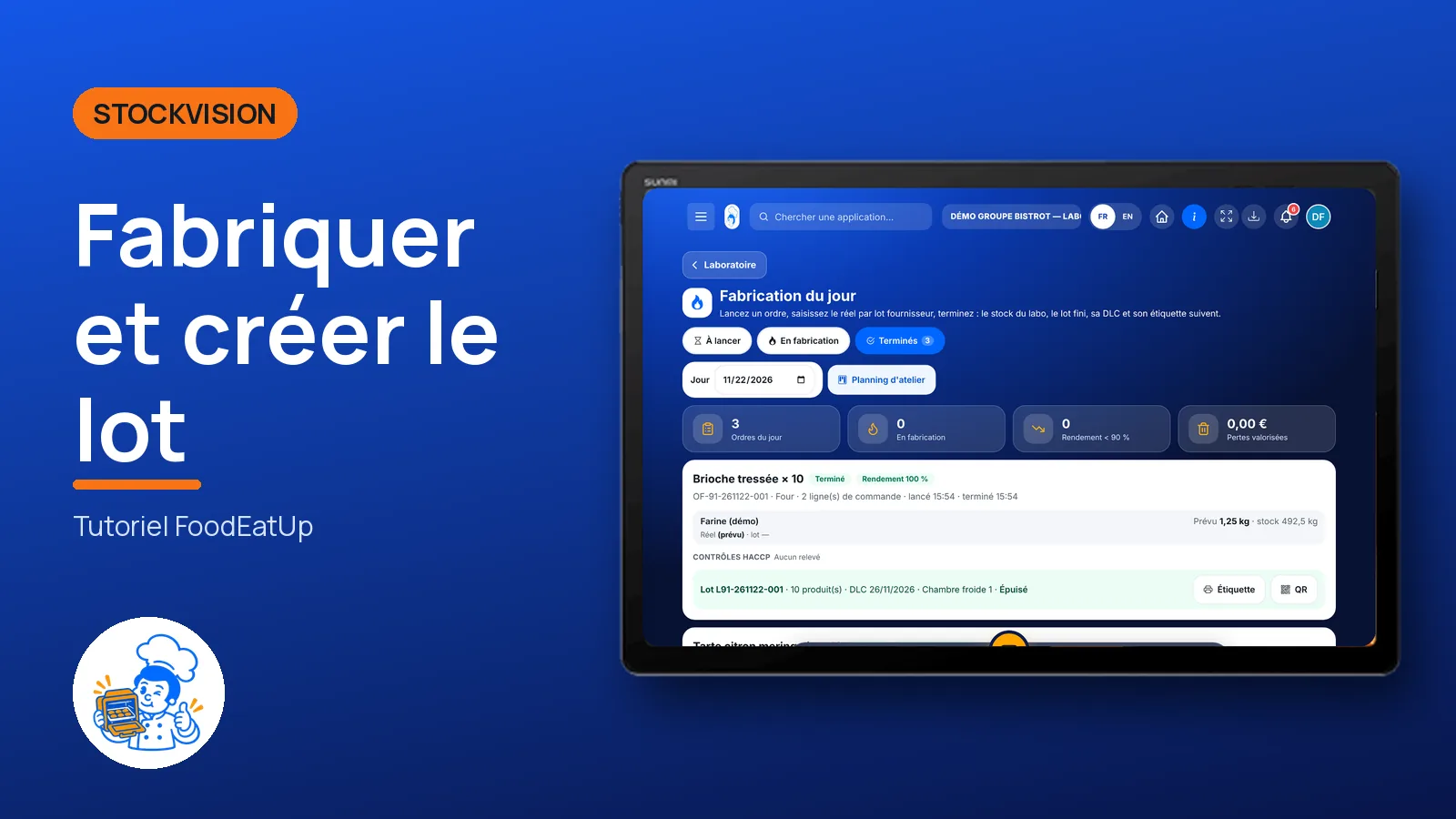
The team starts a production order, notes what it really used, logs temperatures, then finishes: the finished batch is created with its use-by date and its label.
 Chef de cuisine
 Second de cuisine
 Commis / cuisinier
 Pâtissier
The owner always has access. See what each role sees →
A tablet at the production station, with the label printer next to it.
The real software screens, as they appear on each device.
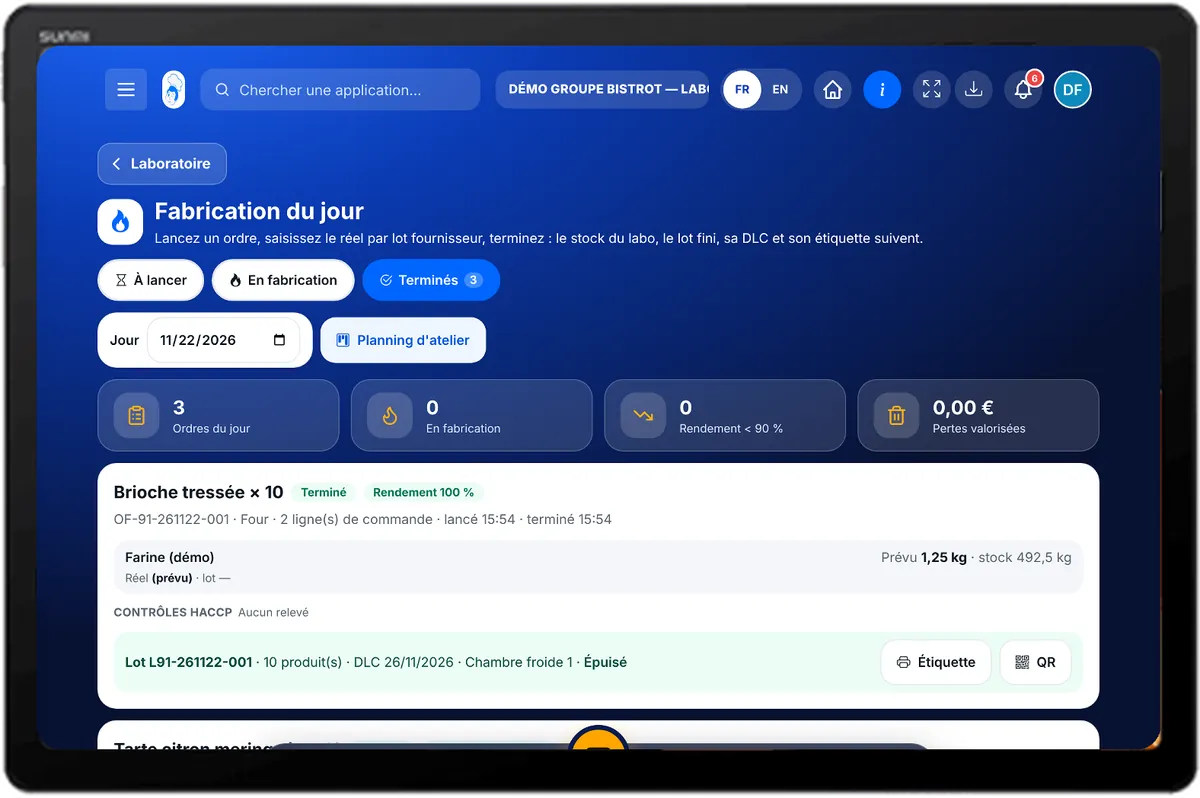
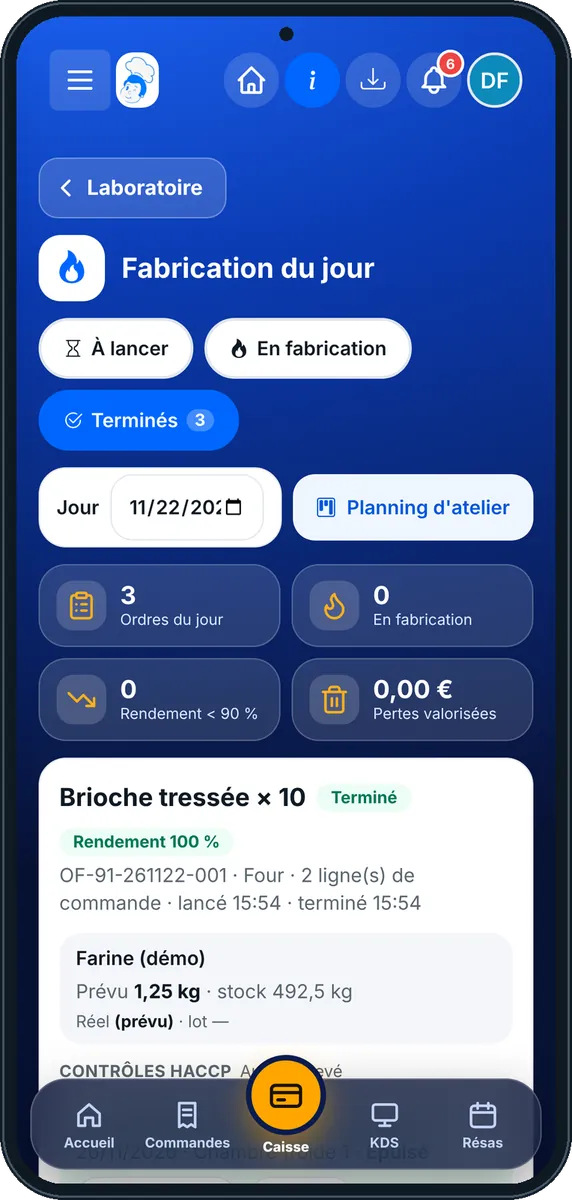
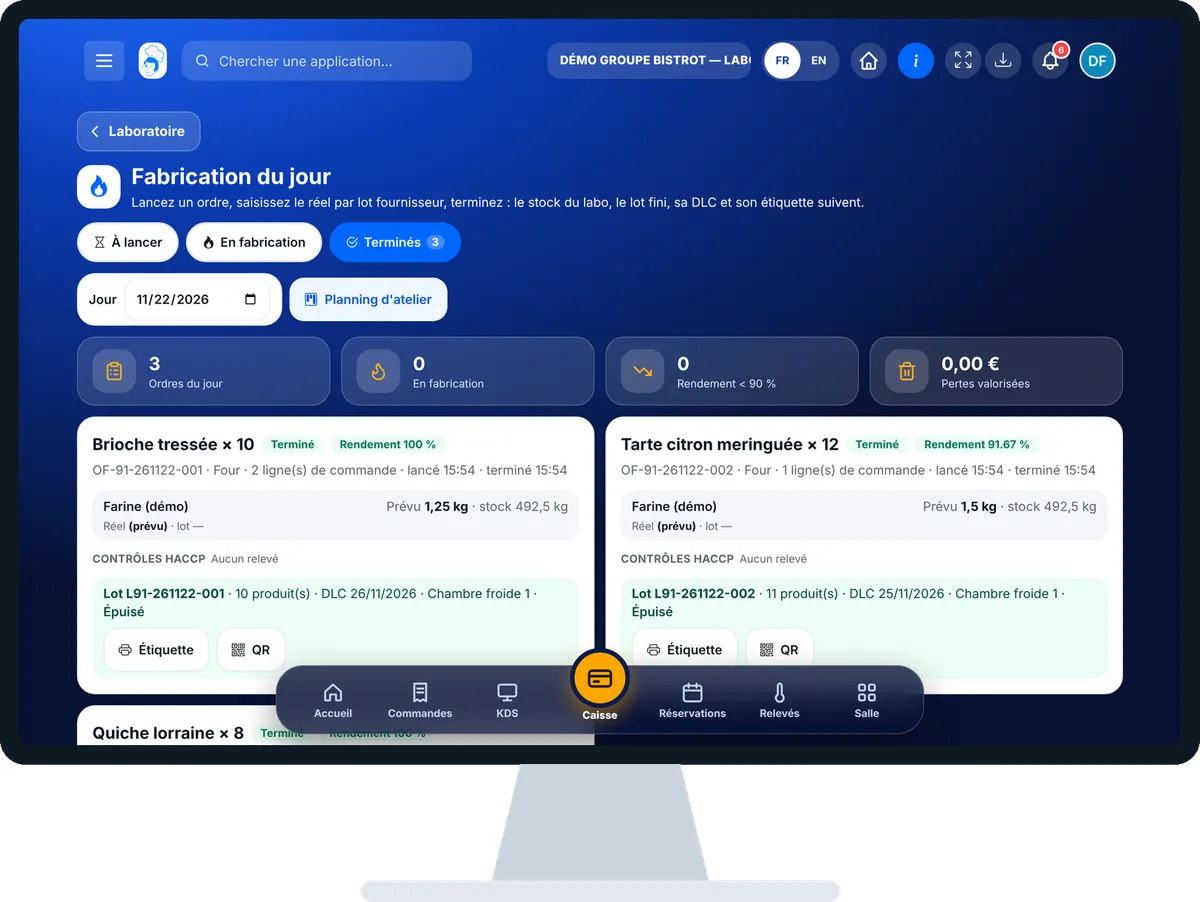
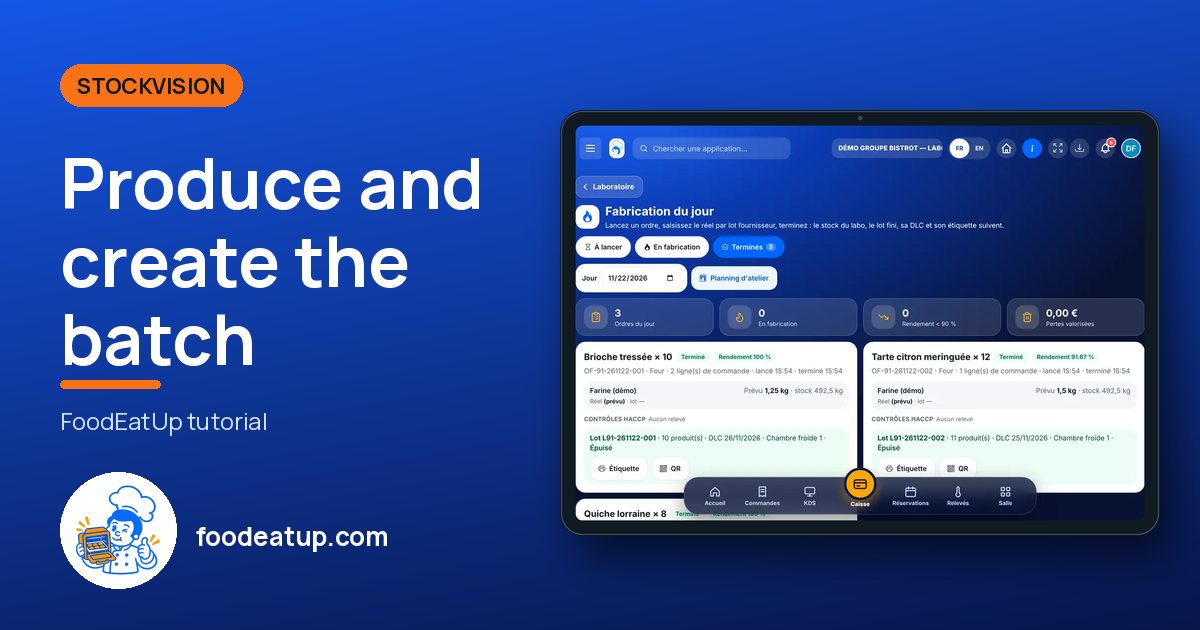
Produce and create the batch : 5 steps, with the real software screens.
In StockVisionAI, open “Fabrication du jour”. The “À lancer” tab lists the orders planned that day.
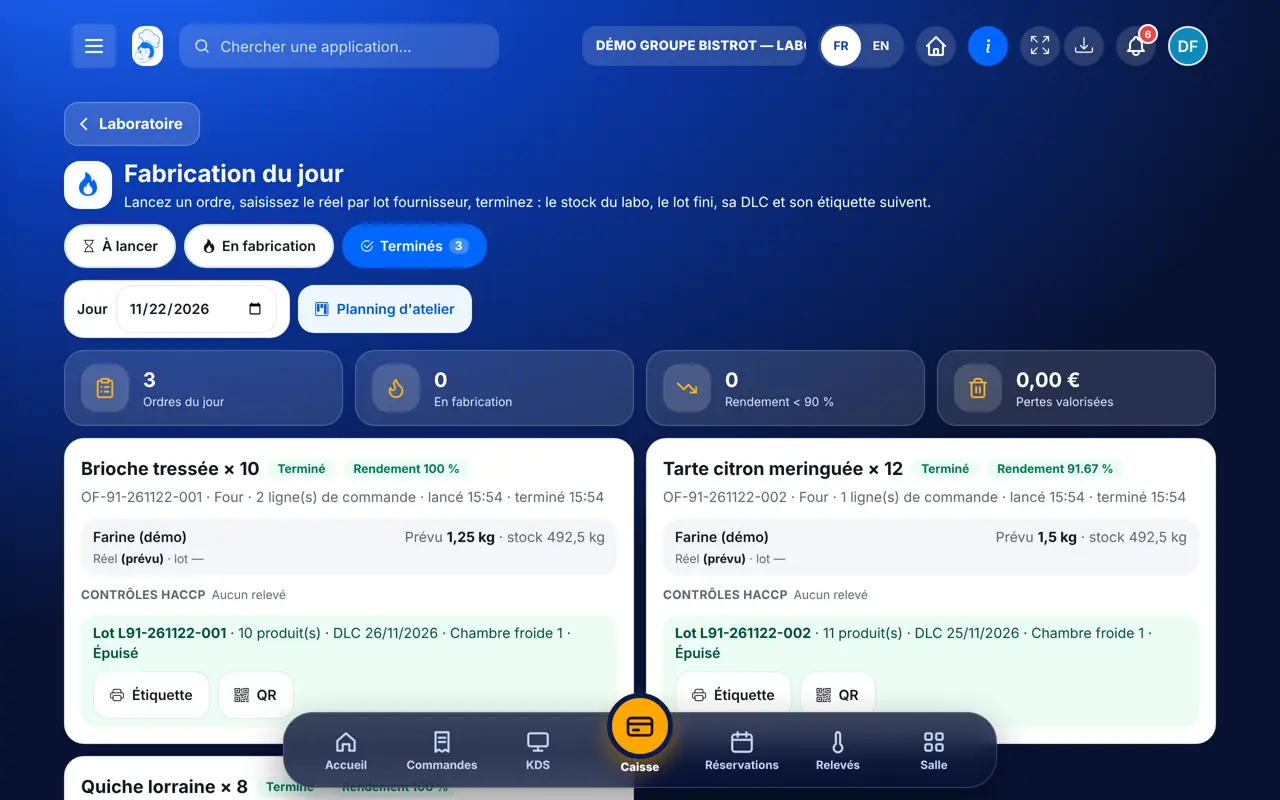
Tap “Lancer”. The planned consumption shows, ingredient by ingredient.
For each ingredient, type the quantity used and the supplier batch number. If the actual figure differs from the plan, a reason is mandatory, and a loss cause is asked for when more was used. Tap “Enregistrer le réel”.
In “Contrôles HACCP”, pick the step (cooking, cooling, storage), type the temperature and tap “Relever”.
Tap “Terminer”, type the quantity produced and the location. The use-by date comes from the recipe sheet; if the sheet has no shelf life, you type it. Tap “Terminer et créer le lot”: the batch, its label and its QR code are created.
The batch shows in “Produits finis & rappel” with its use-by date, quantity and location. It is ready to be prepared for the shops.
See finished products →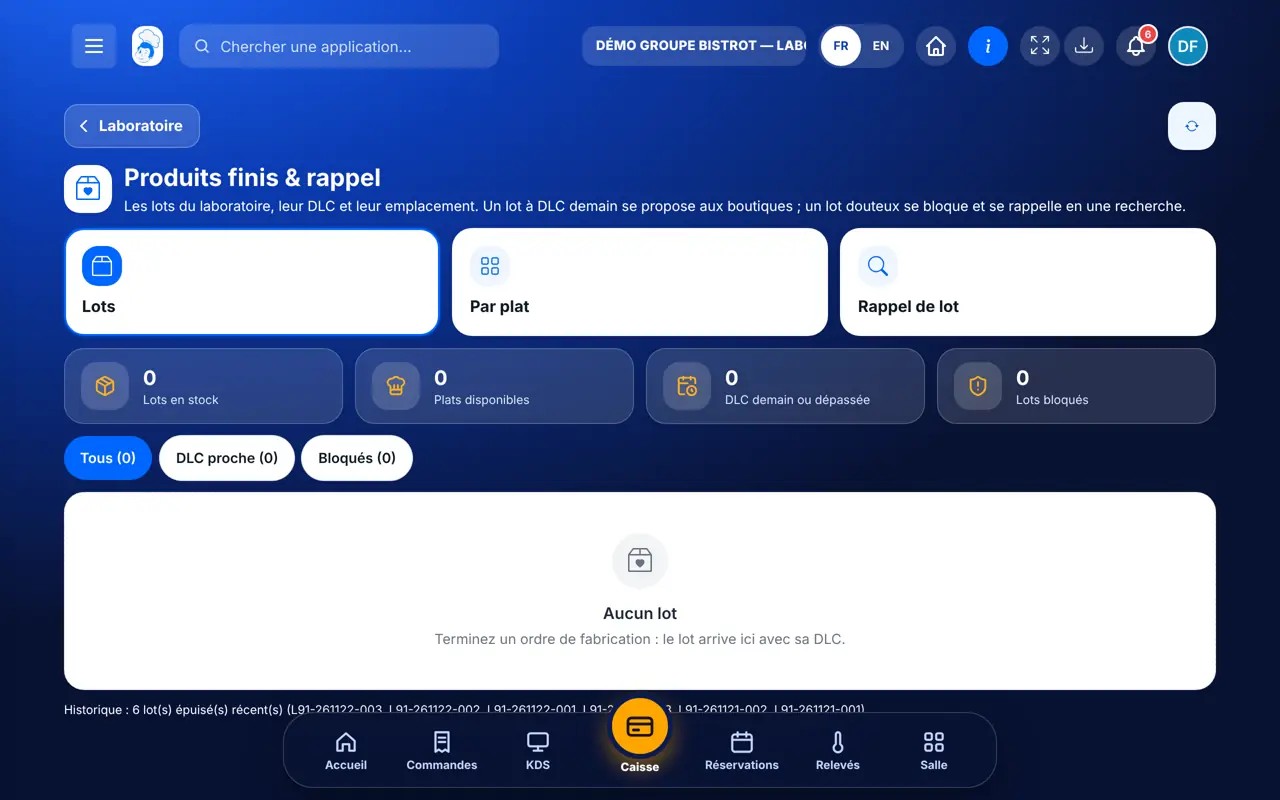
Starts, enters actuals, logs and finishes. Sees losses and yield.
Does the same if the role can edit production. Otherwise, sees the orders without starting them.
Claude, ChatGPT or Mistral’s Le Chat, connected to FoodEatUp. Copy the request and replace your establishment number.
In FoodEatUp, for my establishment [number], give me the central kitchen dashboard: finished orders, yield and batches created.
What you getFinished orders, yield and today’s batches.
Tools used : get_lab_hub
In FoodEatUp, for my establishment [number], give me the ingredients needed for the scheduled production plans, and what is missing in stock.
What you getThe ingredients needed and what is missing.
Tools used : get_production_ingredients
In FoodEatUp, for my establishment [number], list today’s stock movements.
What you getToday’s stock in and out, with who did it.
Tools used : list_stock_movements
Each finished batch knows its supplier batches.
It goes down by what was used.
Cause and value, order by order.
Batch, use-by date and QR code ready to print.
Type the supplier batch when you weigh, not at the end: it is what makes a recall possible the day a supplier warns you. The software suggests batches already entered for the same ingredient.
In FoodEatUp, one action triggers others. Here are the screens that work with this one.
As soon as the actual figure differs from the plan, a reason is mandatory: without it, nothing is saved.
The central kitchen has no ingredient record with the same name as the recipe ingredient. The line is kept, but that ingredient’s stock does not go down.
No. An order is finished only once: stock is never counted out twice.
Send it to your team, your partner or your accountant. The image below appears in the message.
Claude, ChatGPT or Le Chat read this tutorial and explain it to you. Connected to FoodEatUp, they do it with you.
Read this FoodEatUp tutorial: https://foodeatup.com/en/academy/stockvision/fabrication.md Explain it to me simply, step by step, then help me do it in my restaurant. If FoodEatUp is connected to you, do it with me and show me the preview before every change.
Type your establishment number: the link takes you straight to this screen. The number stays on this device.
Discover the FoodEatUp central kitchen (in French) →
Répond avec les fiches du site, sans IA
Le chef cherche dans les fiches…
 Claude
 Le Chat
 ChatGPT