Aller au contenu
Head office · Comparison

Compare my shops

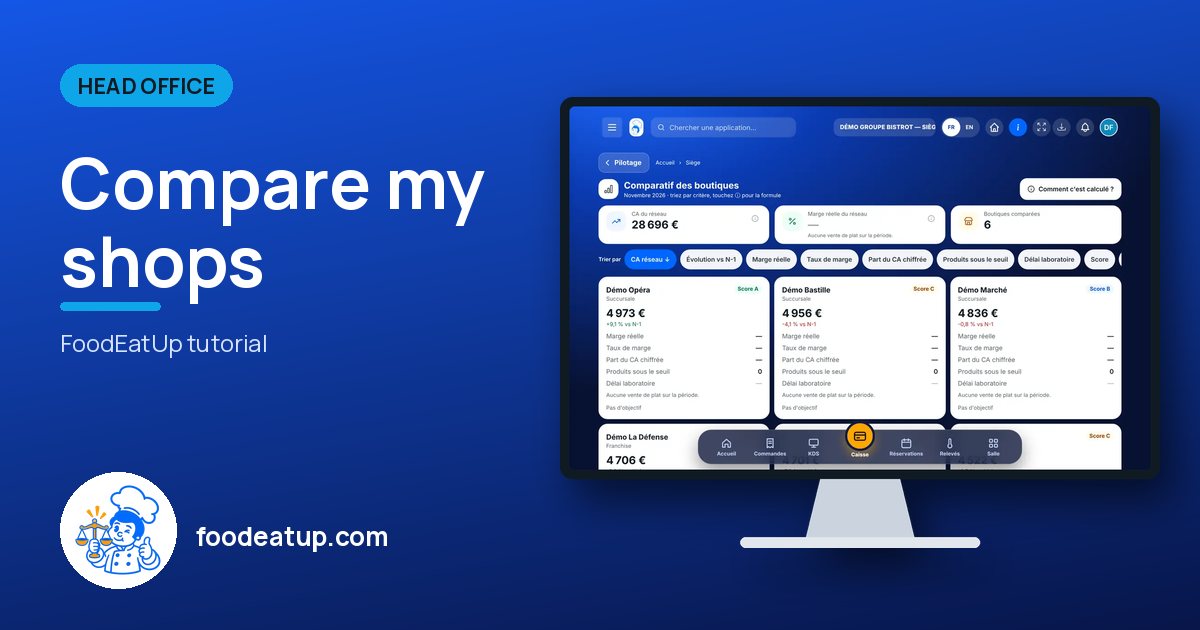
All shops on the same criteria: revenue, real margin, stock-outs, target. You sort with one tap, and each figure explains how it is worked out.

  • Computer
  • 4 steps
  • Level : Intermediate
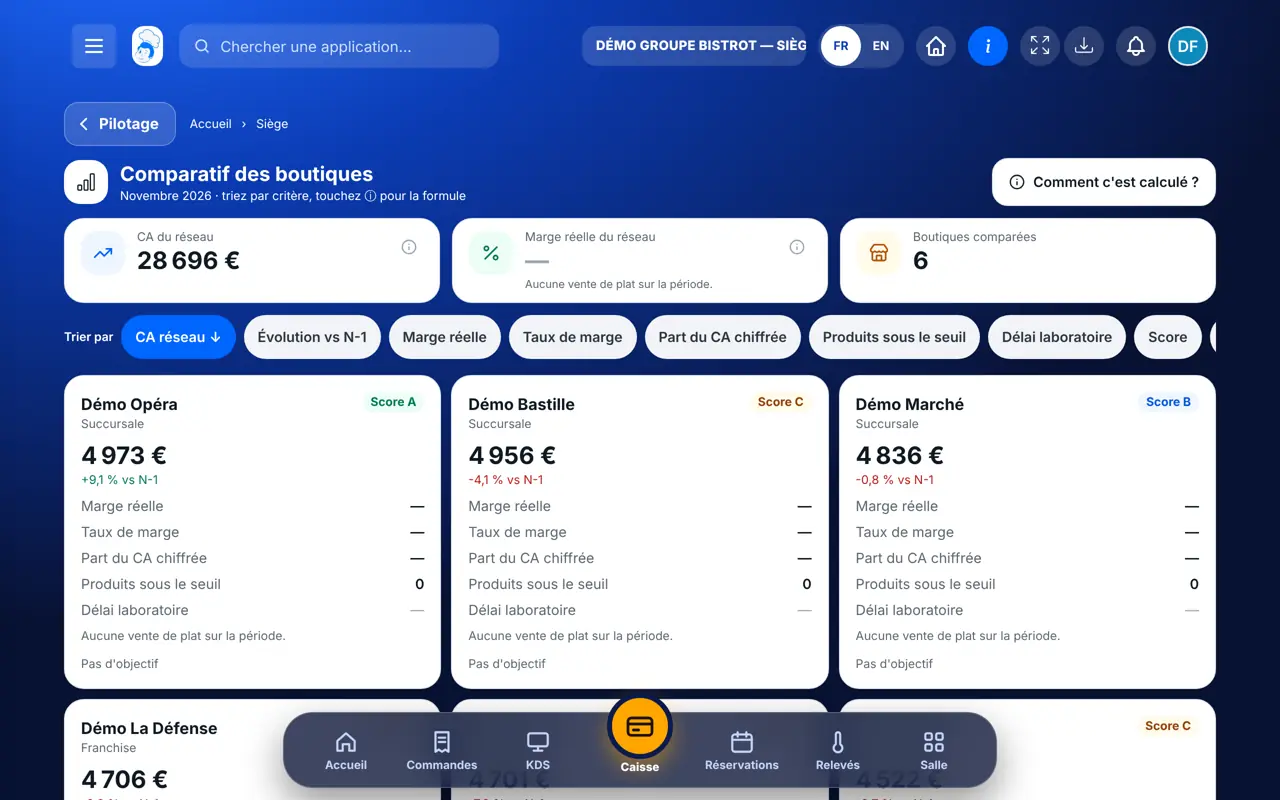
Compare my shops : The shop comparison: one card per shop with its criteria

Who is it for?

  • Responsable multi-sites
  • Animateur réseau
  • Directeur

Roles with access

  • Siège (réseau)
  • Responsable siège

The owner always has access. See what each role sees →

Recommended hardware

Computer

A computer at the head office, to read several shops at a glance. On a phone, each shop becomes a card.

See the hardware →

What it is for

  • Rank shops by the criterion you care about: revenue, margin, stock-outs, target.
  • Read each shop’s real margin, and the share of its sales it is worked out on.
  • Understand each figure: its formula and source are one tap away.

Why set it up

  • Two shops can only be compared on the same rules. Here, the rules are identical for all.
  • Margin is worked out only on dishes with a known cost. “Part du CA chiffrée” says what share of sales it covers: you know how far to trust it.
  • An unknown value stays “—” and goes to the bottom of the ranking. It is never counted as zero.

The same screen, on every device

The real software screens, as they appear on each device.

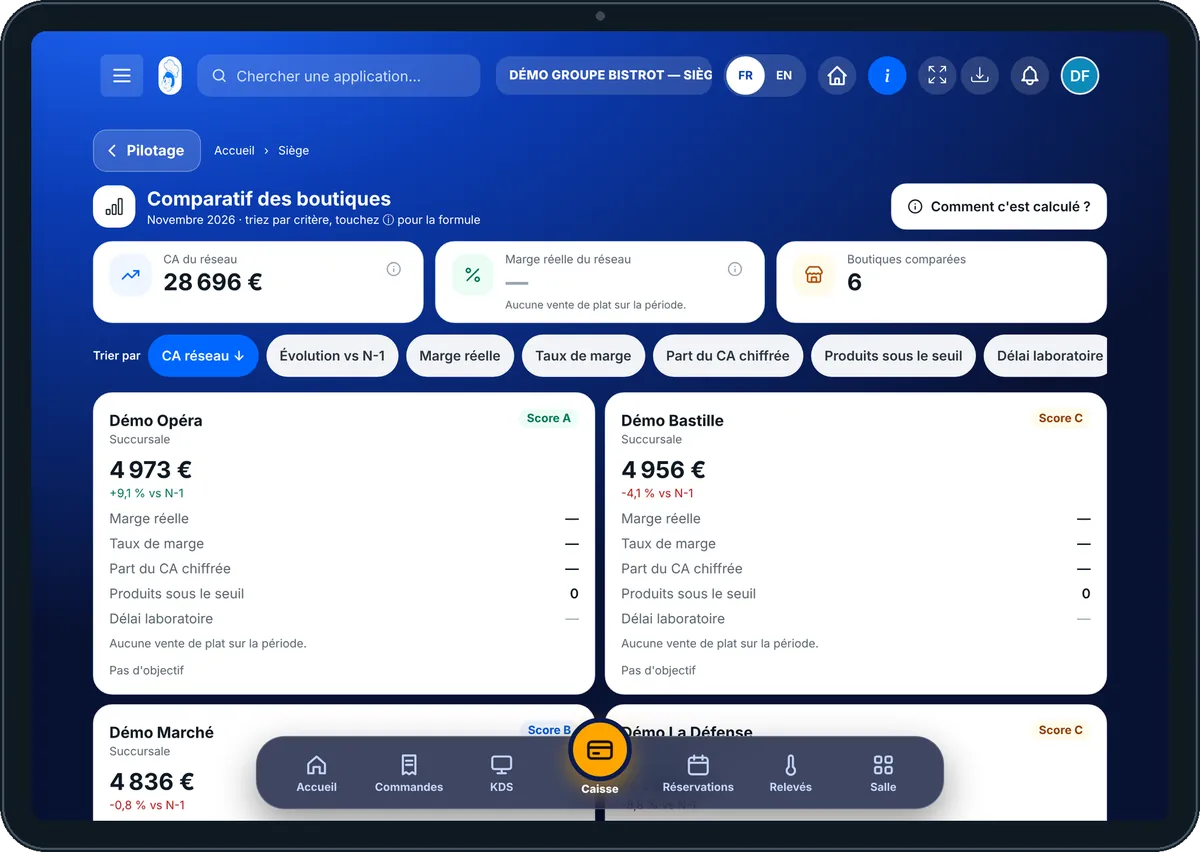
Comparison — On the tablet
On the tablet
Comparison — On the phone
On the phone
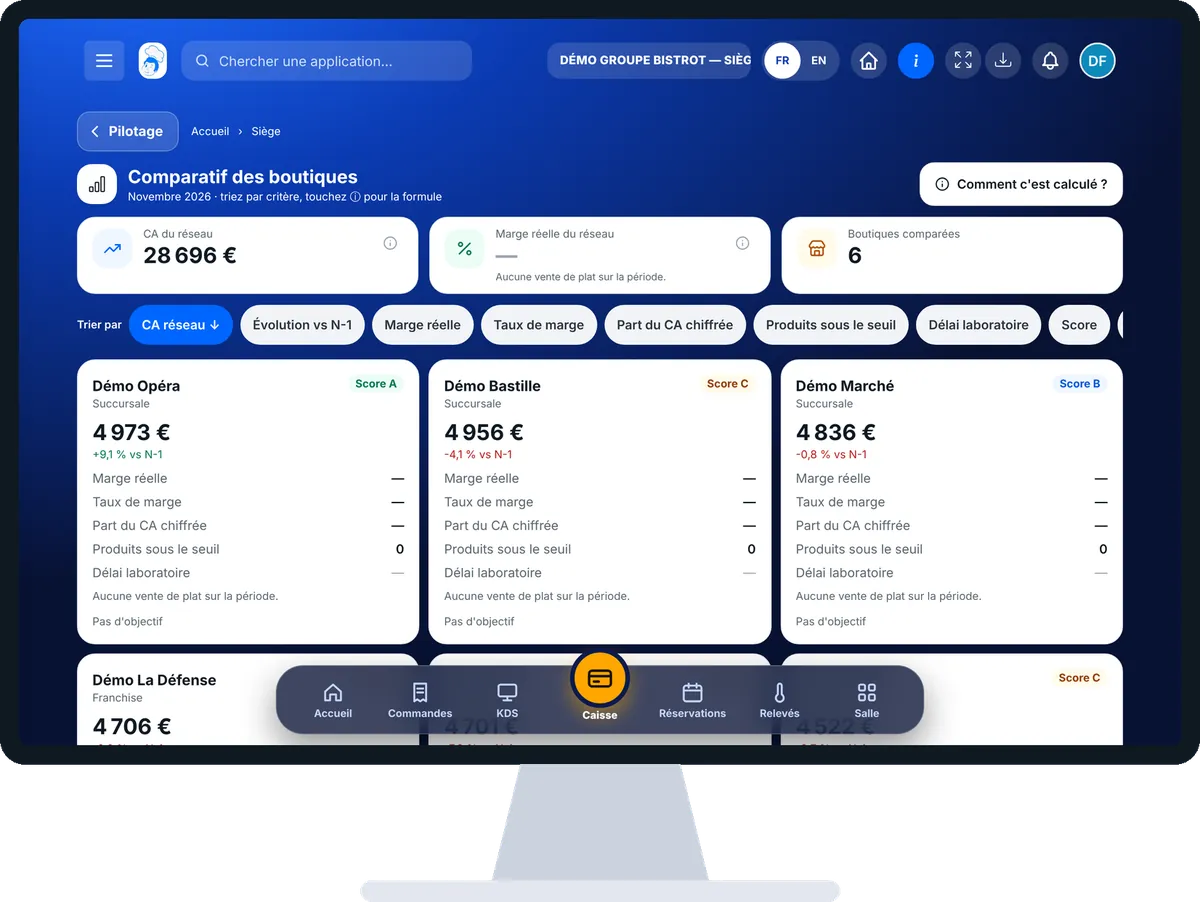
Comparison — On the computer
On the computer

Step by step

Compare my shops : 4 steps, with the real software screens.

  1. 1Step 1

    Open the comparison

    In the Siège category, open “Comparatif”. At the top: network revenue, the network’s real margin and the number of shops compared, for the current month.

    The shop comparison: one card per shop with its criteria
  2. 2Step 2

    Sort by criterion

    Under “Trier par”, tap a criterion. Tap it again to reverse the order: the arrow shows it.

  3. 3Step 3

    Read a shop

    Each card gives revenue, the gap with last year, margin, margin rate, the share of revenue covered, stock-outs and the target. When margin is missing, the reason is written under the card.

  4. 4Step 4

    Check a formula

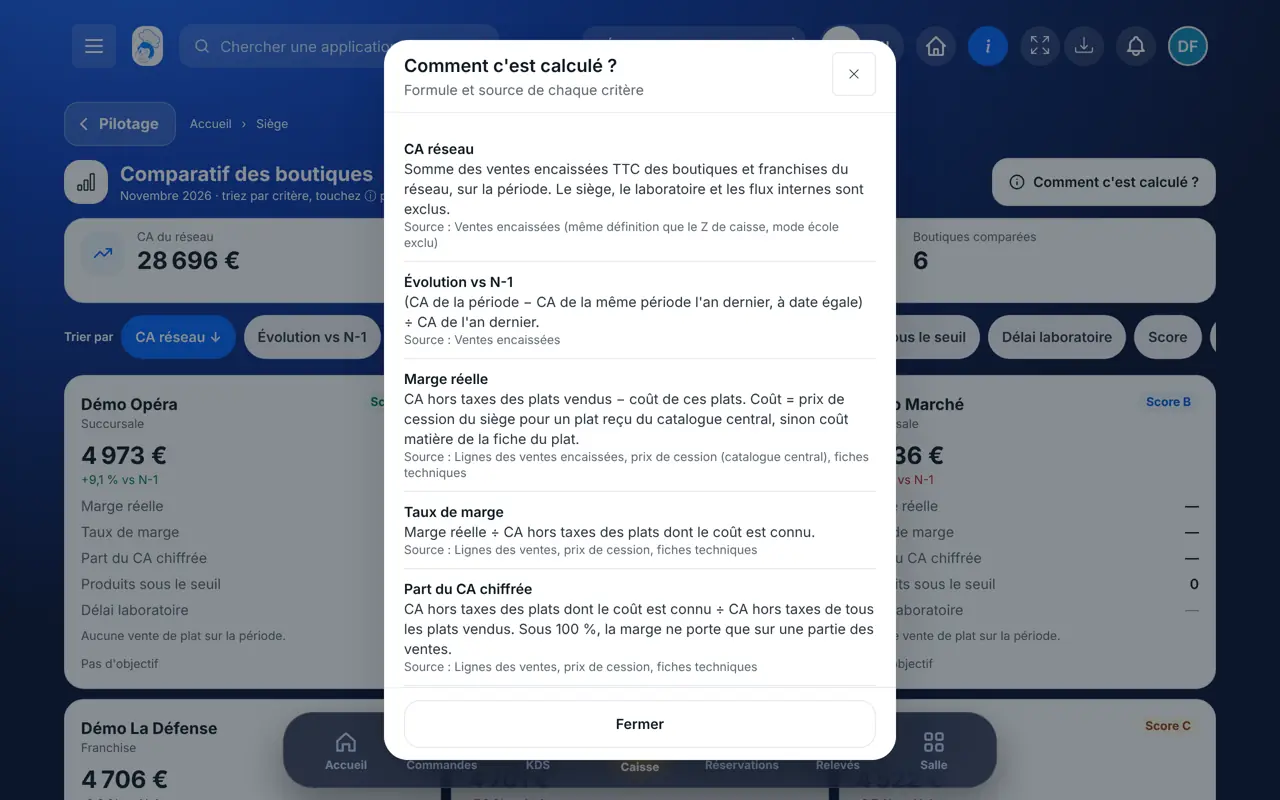
    Tap “Comment c’est calculé ?”. The window gives the formula and the source of each criterion.

    The “Comment c’est calculé ?” window: formula and source of each criterion
The result

The result

A clear ranking, on shared rules. You know which shop sells well but earns little, and which one often runs out of products.

Read the network indicators →

Owner and employee: what changes

The head office

Compares all shops and all franchises on the same criteria.

Comparison — The head office

The shop

Does not see the comparison. Its own figures stay in its own screens.

Do it with your assistant

Claude, ChatGPT or Mistral’s Le Chat, connected to FoodEatUp. Copy the request and replace your establishment number.

Rank my shops by margin

In FoodEatUp, for my establishment [number], compare my shops this month and rank them by real margin. Tell me what share of sales the margin is worked out on.

What you getThe ranking by margin, with the share of revenue covered for each shop. A margin that cannot be worked out comes with its reason.

Tools used : get_network_comparison

Find the shop that runs out of products

In FoodEatUp, for my establishment [number], tell me which shops have the most stock-outs this month and remind me of their revenue.

What you getShops sorted by number of stock-outs, with this month’s revenue.

Tools used : get_network_comparison, get_network_shops

What you gain

The same rules for all

Each shop is measured the same way.

Sorting in one tap

Revenue, margin, stock-outs, target: you choose.

A margin that is explained

You know what share of sales it is worked out on.

Nothing hidden

Formula and source of each criterion, in one window.

The Chef’s tip

Always look at “Part du CA chiffrée” before commenting on a margin. If it is low, first ask the shop to complete its recipe sheets: the margin will become reliable.

Frequently asked questions

Why does a shop’s margin show “—”?

None of the dishes it sold has a known cost: no head-office transfer price and no costed recipe sheet. The reason is written under the card.

Why is the central-kitchen lead time empty?

It fills in once the central-kitchen module is active and the shop has received orders. This module is switched on by request, with guidance from our team.

Is a shop with no revenue last year ranked badly?

No. It has no score and goes to the bottom of the sort, without being counted as a decline.

Text version for AI assistants →

Share this tutorial

Send it to your team, your partner or your accountant. The image below appears in the message.

Share preview : Compare my shops
WhatsAppLinkedInFacebookEmail

Send to an AI assistant

Claude, ChatGPT or Le Chat read this tutorial and explain it to you. Connected to FoodEatUp, they do it with you.

Read this FoodEatUp tutorial: https://foodeatup.com/en/academy/siege/reseau-comparatif.md Explain it to me simply, step by step, then help me do it in my restaurant. If FoodEatUp is connected to you, do it with me and show me the preview before every change.

ClaudeLe ChatChatGPT

Open in my software

Type your establishment number: the link takes you straight to this screen. The number stays on this device.

Discover head-office management (in French) →

You can read it in the software address: foodeatup.com/establishment/number/…