The state of my fryers
In FoodEatUp, for my establishment [number], give me the state of each fryer: last test, overdue test, oil to change.
What you getThe state of each fryer and what to do.
Tools used : list_fryers, get_haccp_todo
 HACCP · Fryers
A test, a change, a top-up: every action on the oil goes into the fryer’s log. A test above the critical threshold requires an oil change.
 Chef de cuisine
 Second de cuisine
 Commis / cuisinier
The owner always has access. See what each role sees →
A tablet or a phone near the fryers. The same log works in the FoodEatUp HACCP mobile app, on Google Play.
The real software screens, as they appear on each device.
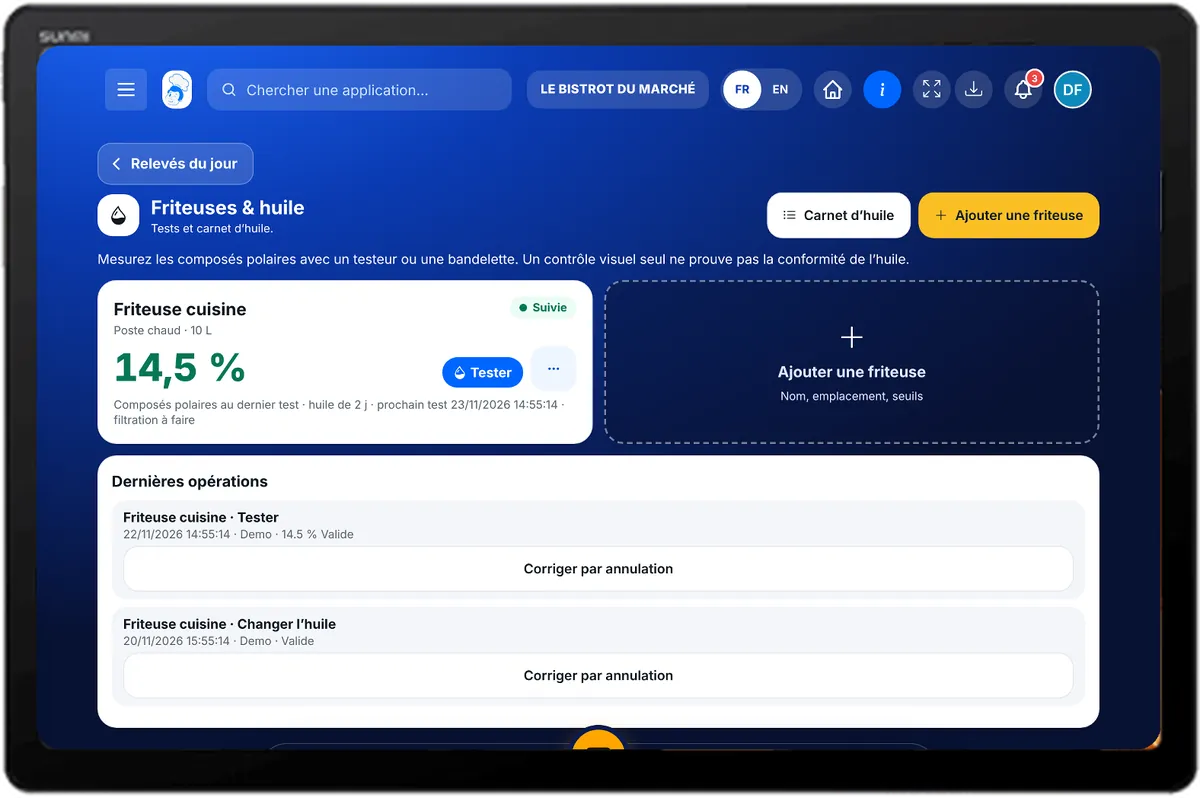
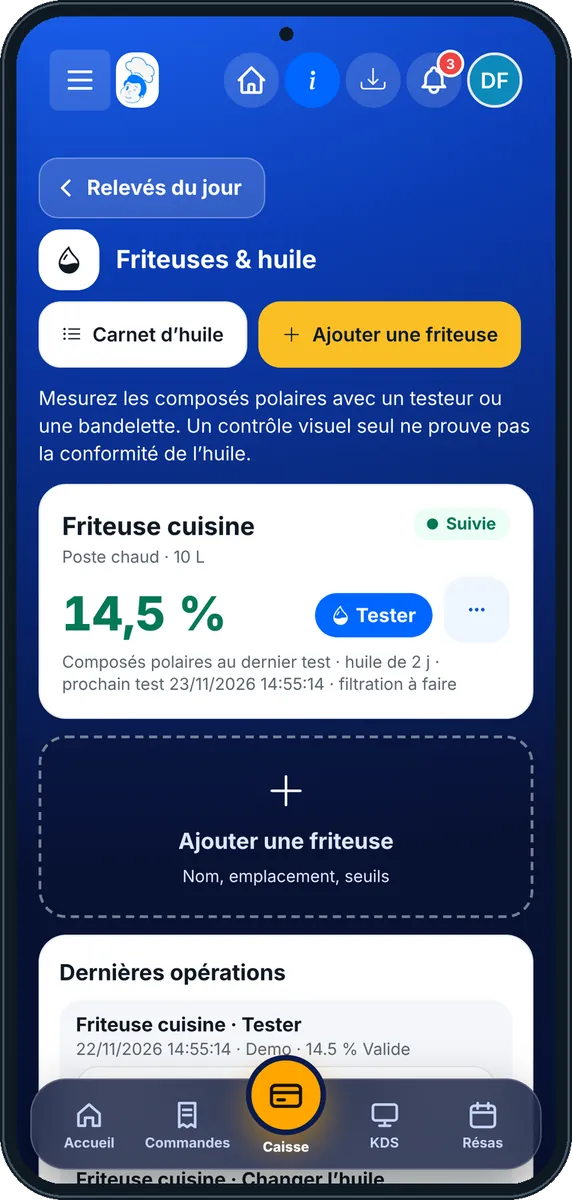
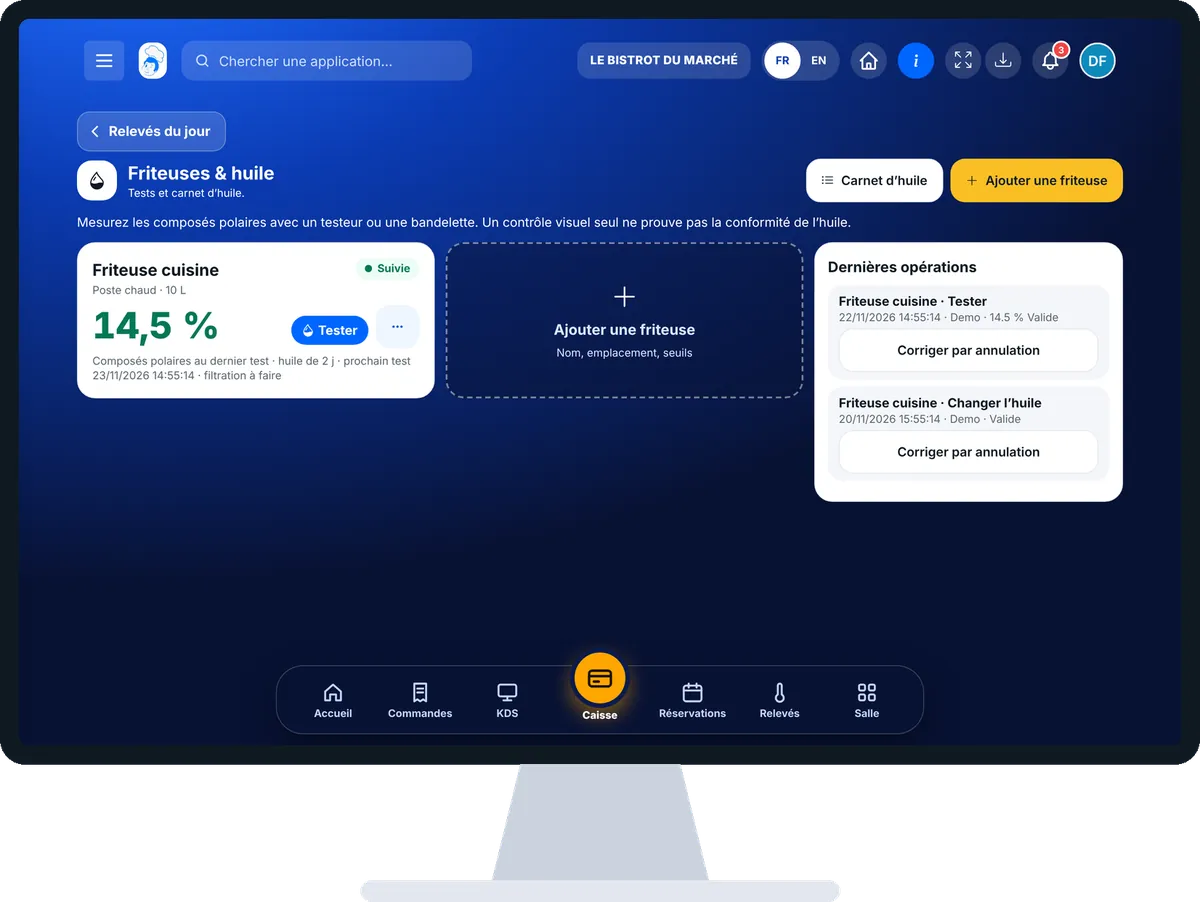
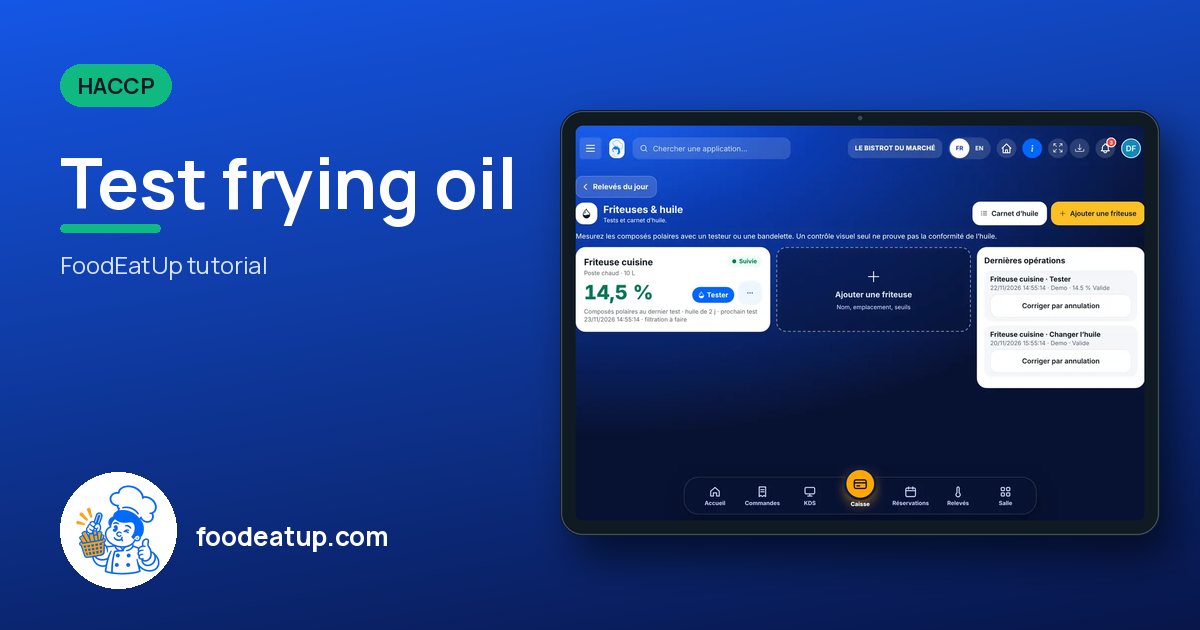
Test frying oil : 5 steps, with the real software screens.
In HACCP, open “Friteuses”. Each active fryer has its card, with its state and the last test result.
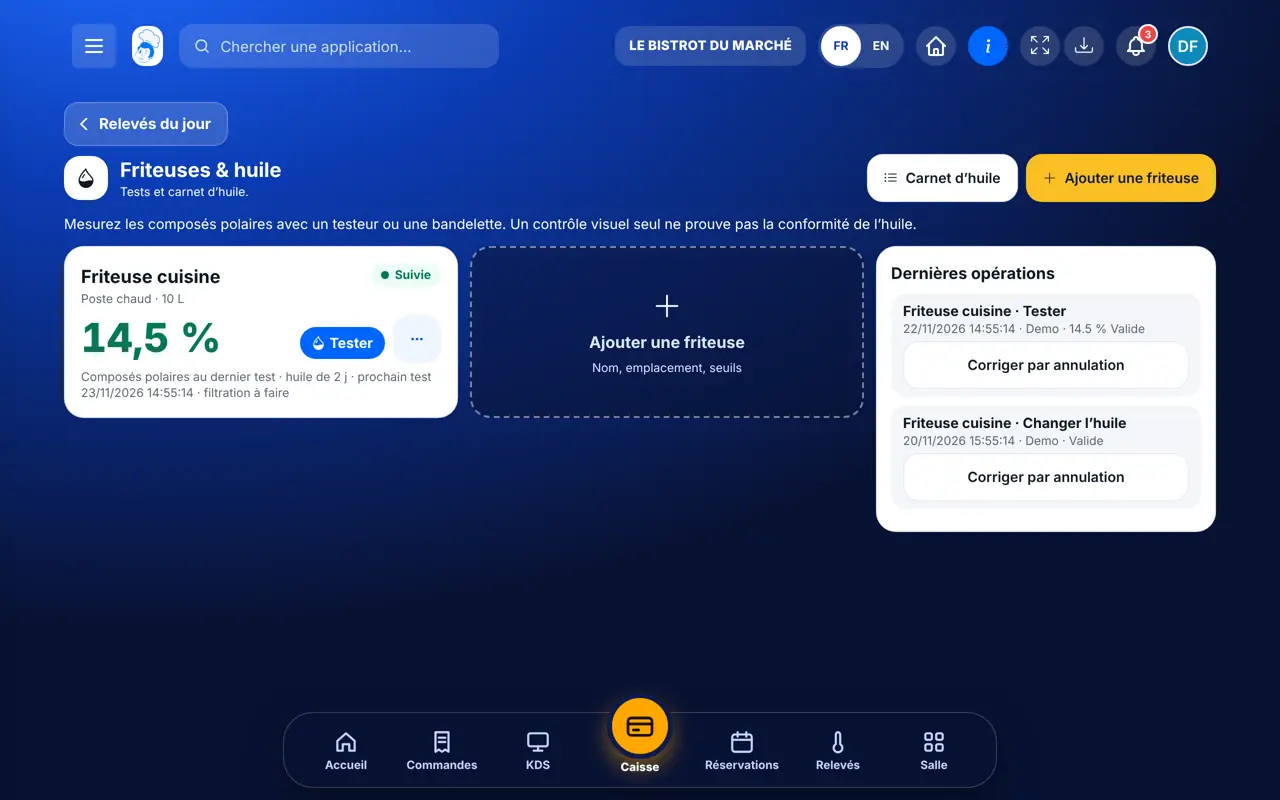
Tap “Tester” on the fryer. Choose the method: electronic tester, strip or visual check.
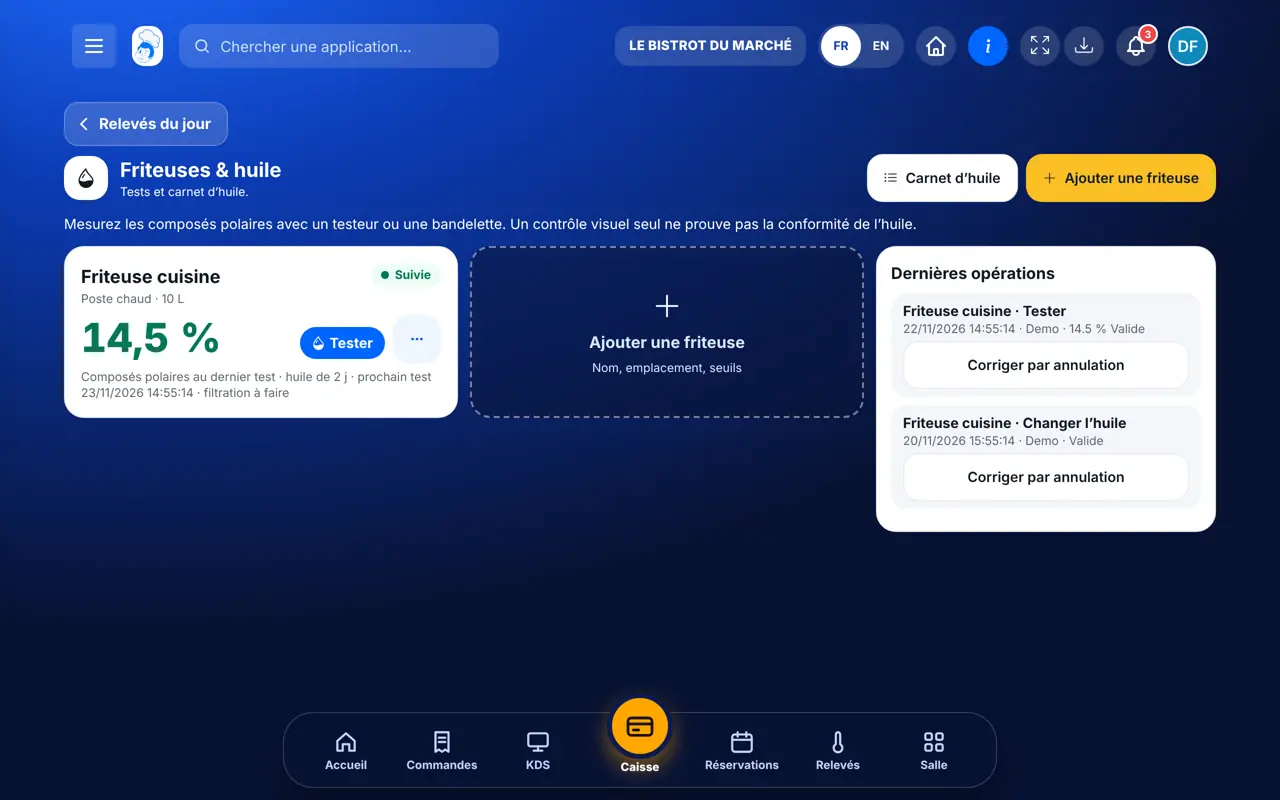
Type the percentage of polar compounds. The screen compares it with the thresholds set on the fryer (alert and critical). A visual check measures nothing: it must be confirmed by a test.
In the fryer menu: filter, change the oil, top up, tank cleaned, collection. Each action goes into the latest operations.
An operation entered by mistake is not erased: tap “Corriger par annulation”. The original entry remains visible.
Every test and operation joins the oil log, with method, result and person.
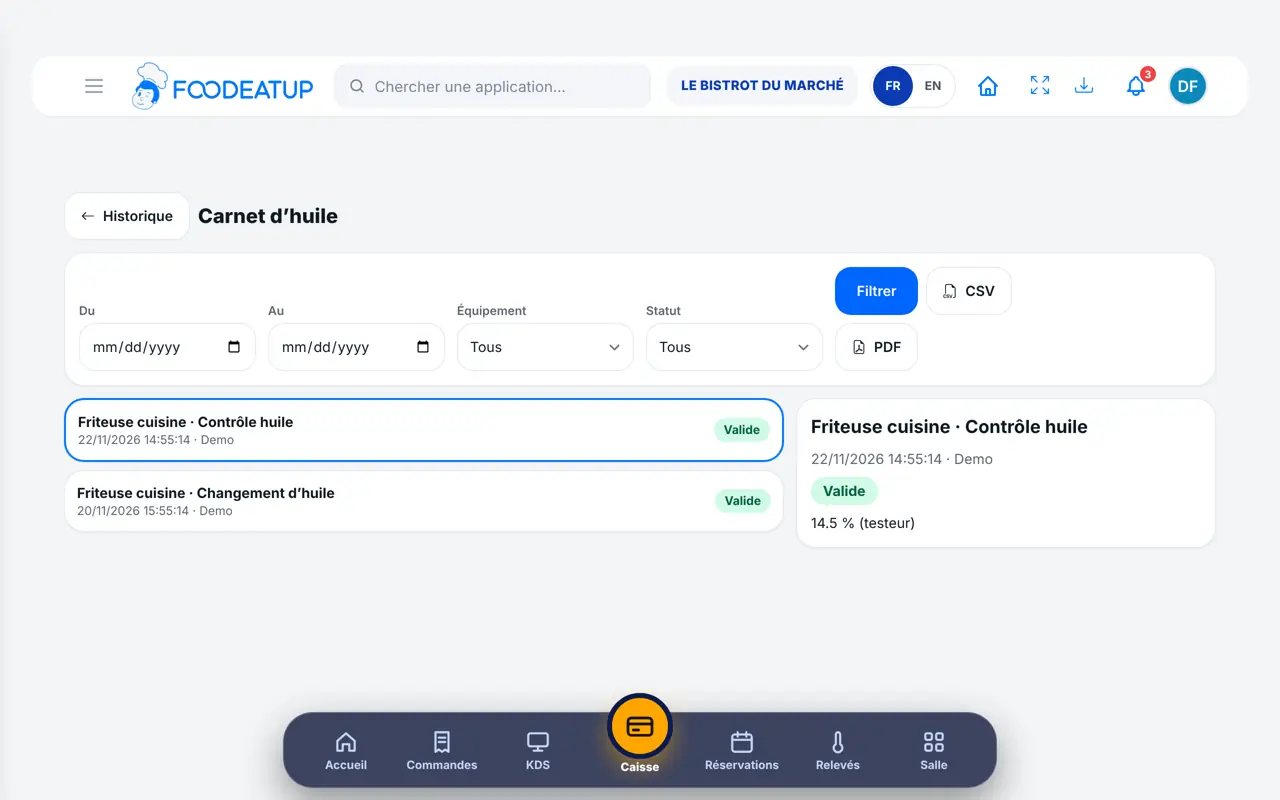
Adds fryers, sets their thresholds in the settings and archives an unused fryer.
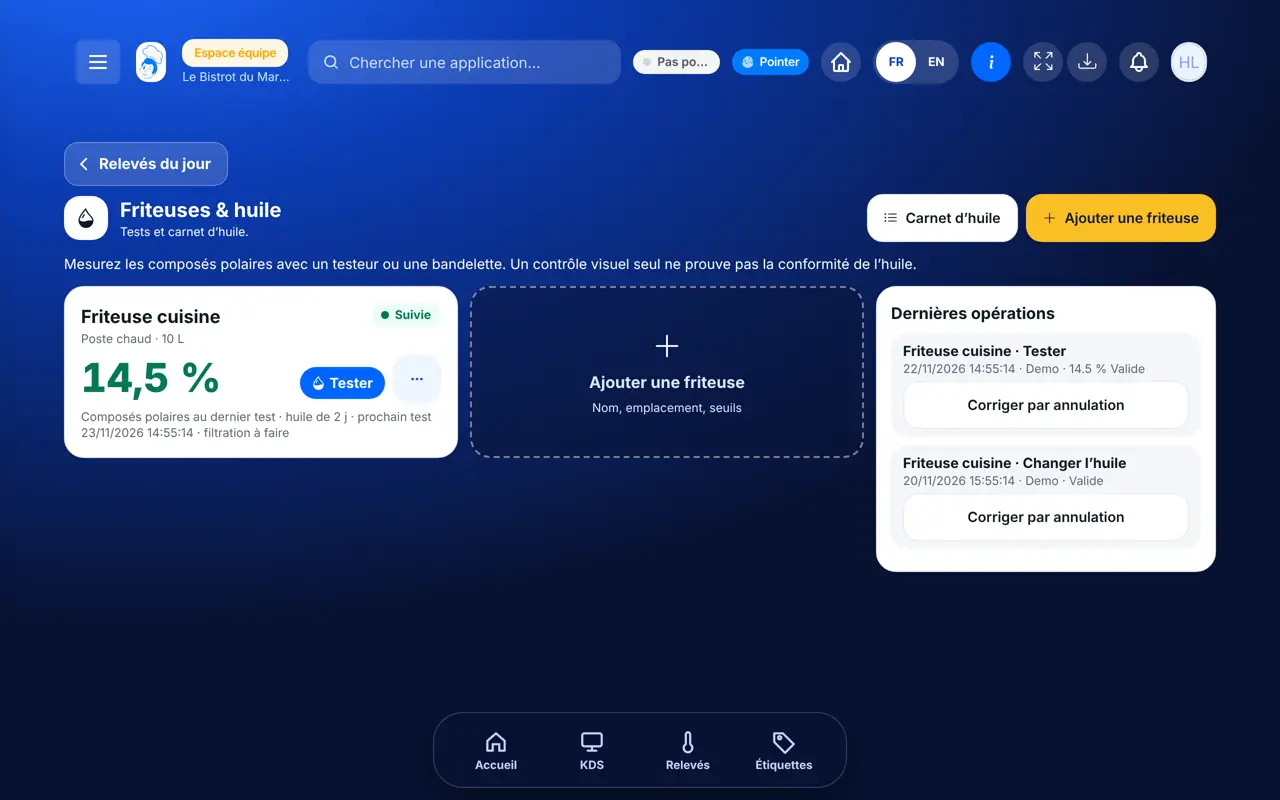
With the fryer right, tests and notes actions the same way. Each operation carries the employee’s first name.
Claude, ChatGPT or Mistral’s Le Chat, connected to FoodEatUp. Copy the request and replace your establishment number.
In FoodEatUp, for my establishment [number], give me the state of each fryer: last test, overdue test, oil to change.
What you getThe state of each fryer and what to do.
Tools used : list_fryers, get_haccp_todo
In FoodEatUp, for my establishment [number], save an oil test on fryer [name]: [value] % polar compounds with the tester. Show me the result before confirming.
What you getThe assistant prepares the test and tells you whether it is under the thresholds.
Tools used : list_fryers, add_oil_test
In FoodEatUp, for my establishment [number], note an oil change on fryer [name], oil [type].
What you getThe change is noted in the fryer’s log.
Tools used : add_oil_change
Every action, dated and signed.
The result is compared with the fryer’s thresholds.
Critical oil blocks the fryer until it is changed.
Cancelling keeps the original entry.
Test the oil at the same time every day, before service. Set each fryer’s thresholds in its settings from day one: without them, the software cannot tell whether the oil is good.
In FoodEatUp, one action triggers others. Here are the screens that work with this one.
When a test exceeds the critical threshold set on the fryer. The fryer becomes non-compliant until the change.
No. It measures nothing: the screen marks it “to confirm by a test”. A poor appearance calls for replacing the oil.
No. It is corrected by cancellation: the original entry remains visible.
Send it to your team, your partner or your accountant. The image below appears in the message.
Claude, ChatGPT or Le Chat read this tutorial and explain it to you. Connected to FoodEatUp, they do it with you.
Read this FoodEatUp tutorial: https://foodeatup.com/en/academy/haccp/haccp-friteuses.md Explain it to me simply, step by step, then help me do it in my restaurant. If FoodEatUp is connected to you, do it with me and show me the preview before every change.
Type your establishment number: the link takes you straight to this screen. The number stays on this device.
Discover FoodEatUp HACCP (in French) →
Répond avec les fiches du site, sans IA
Le chef cherche dans les fiches…
 Claude
 Le Chat
 ChatGPT