
Aller au contenu
Voice agent · Calls

Handle the calls received

Caroline answers the phone for you. This screen keeps every call: who called, why, and what was said. Your team calls back, writes a note, then marks the call as handled.

  • Phone
  • 4 steps
  • Level : Beginner
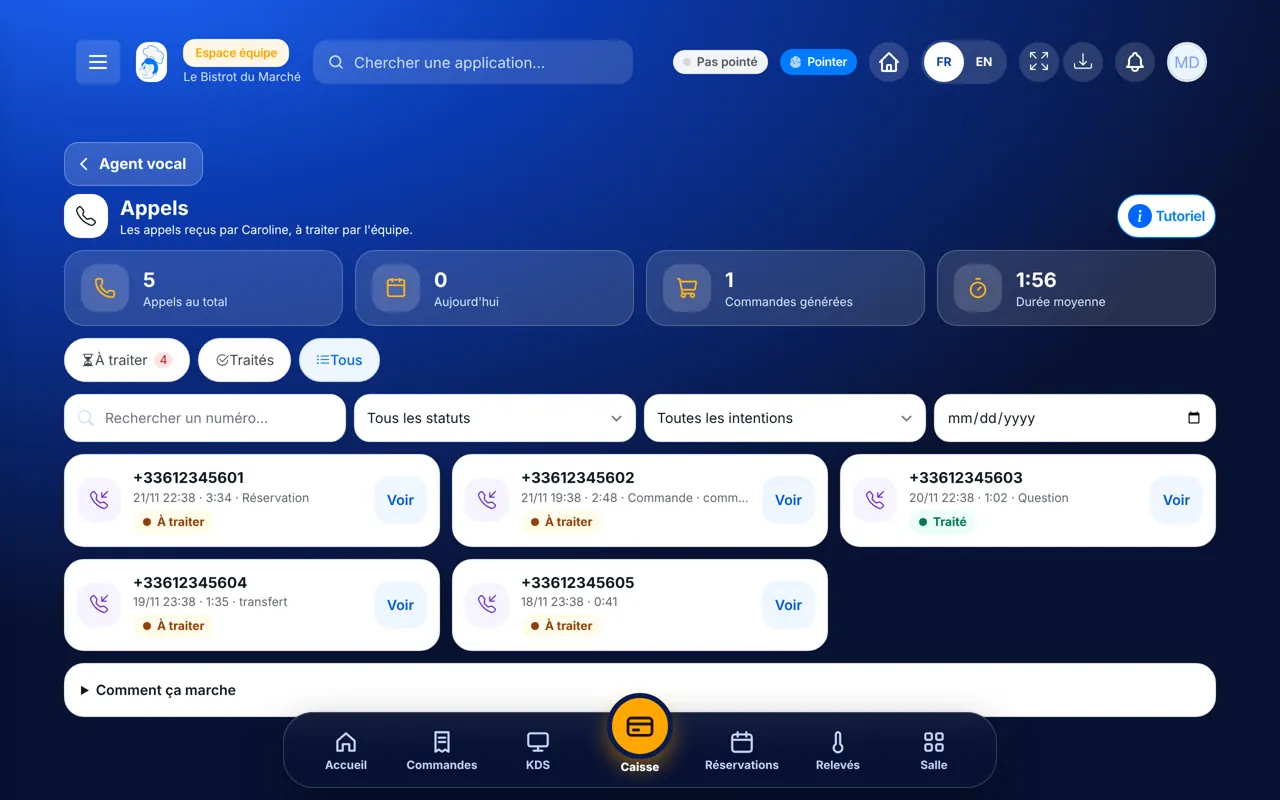
Handle the calls received : The Appels screen: calls received by Caroline and the “À traiter” filter

Who is it for?

  • Responsable de salle
  • Patron / gérant
  • Serveur / chef de rang
  • Directeur

Roles with access

  • Gérant·e
  • Hôte·sse / Caissier·ère
  • Boutique (réseau)
  • Franchisé·e (réseau)
  • Directeur·rice d'établissement
  • Responsable commercial

The owner always has access. See what each role sees →

Recommended hardware

Phone

A phone is enough, between two services. The screen also opens on a tablet or a computer.

See the hardware →

What it is for

  • See every call Caroline received, with the number, time, length and reason for the call.
  • Read the summary and transcript of a call, and listen to the recording when there is one.
  • Write a follow-up note and mark the call as handled, so nobody calls back twice.

Why set it up

  • No call is lost during the rush: Caroline picks up, and the call waits for you here.
  • The “À traiter” counter shows at a glance how many customers are still waiting for an answer.
  • Each note is signed and dated. The whole team knows who called the customer back, and when.

The same screen, on every device

The real software screens, as they appear on each device.

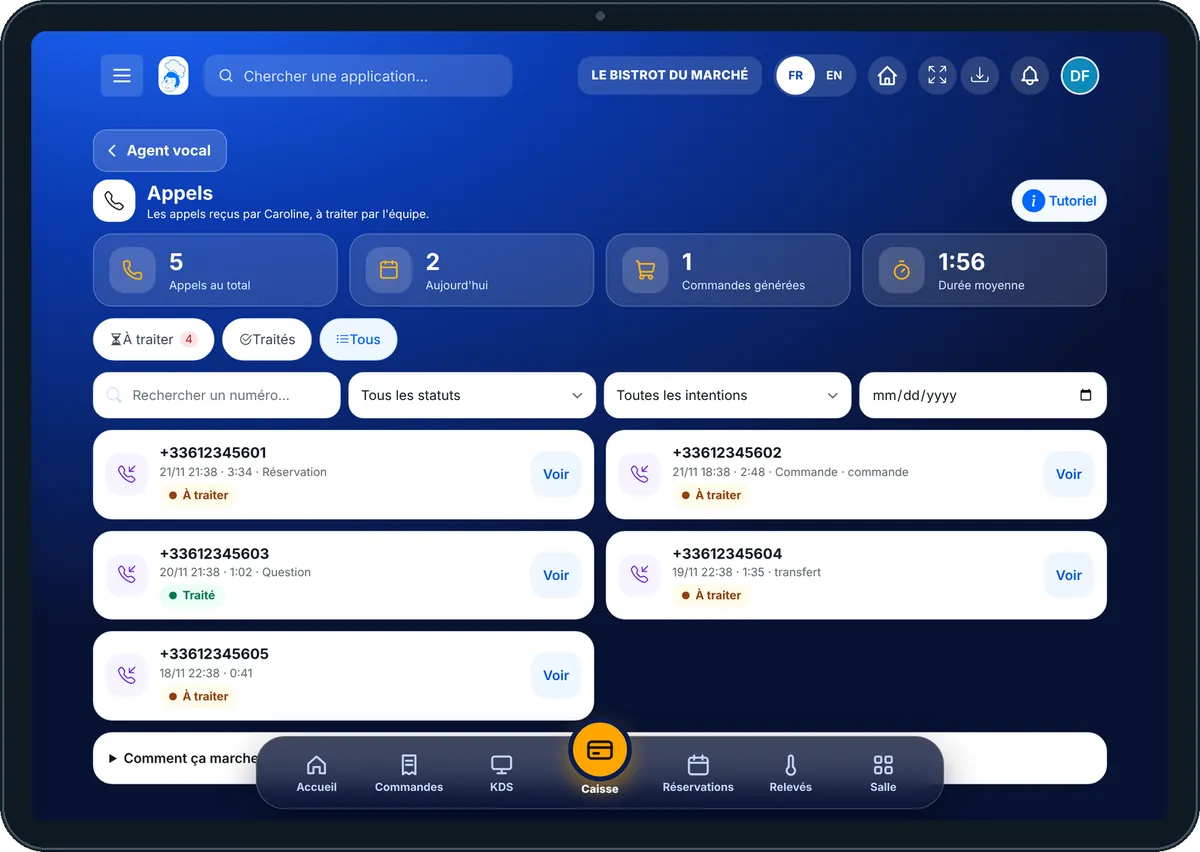
Calls — On the tablet
On the tablet
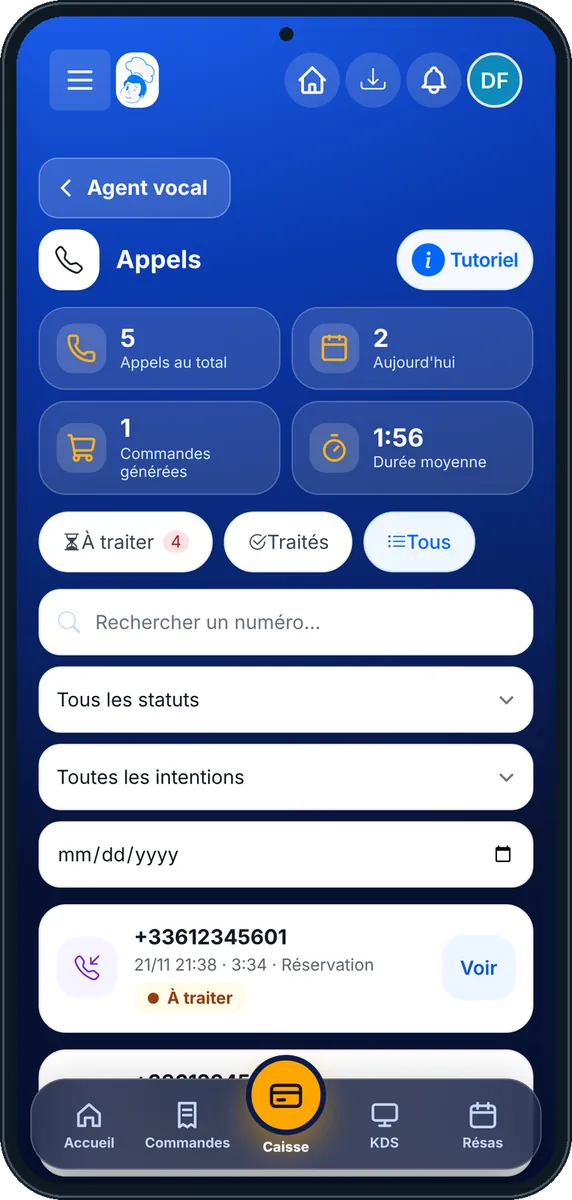
Calls — On the phone
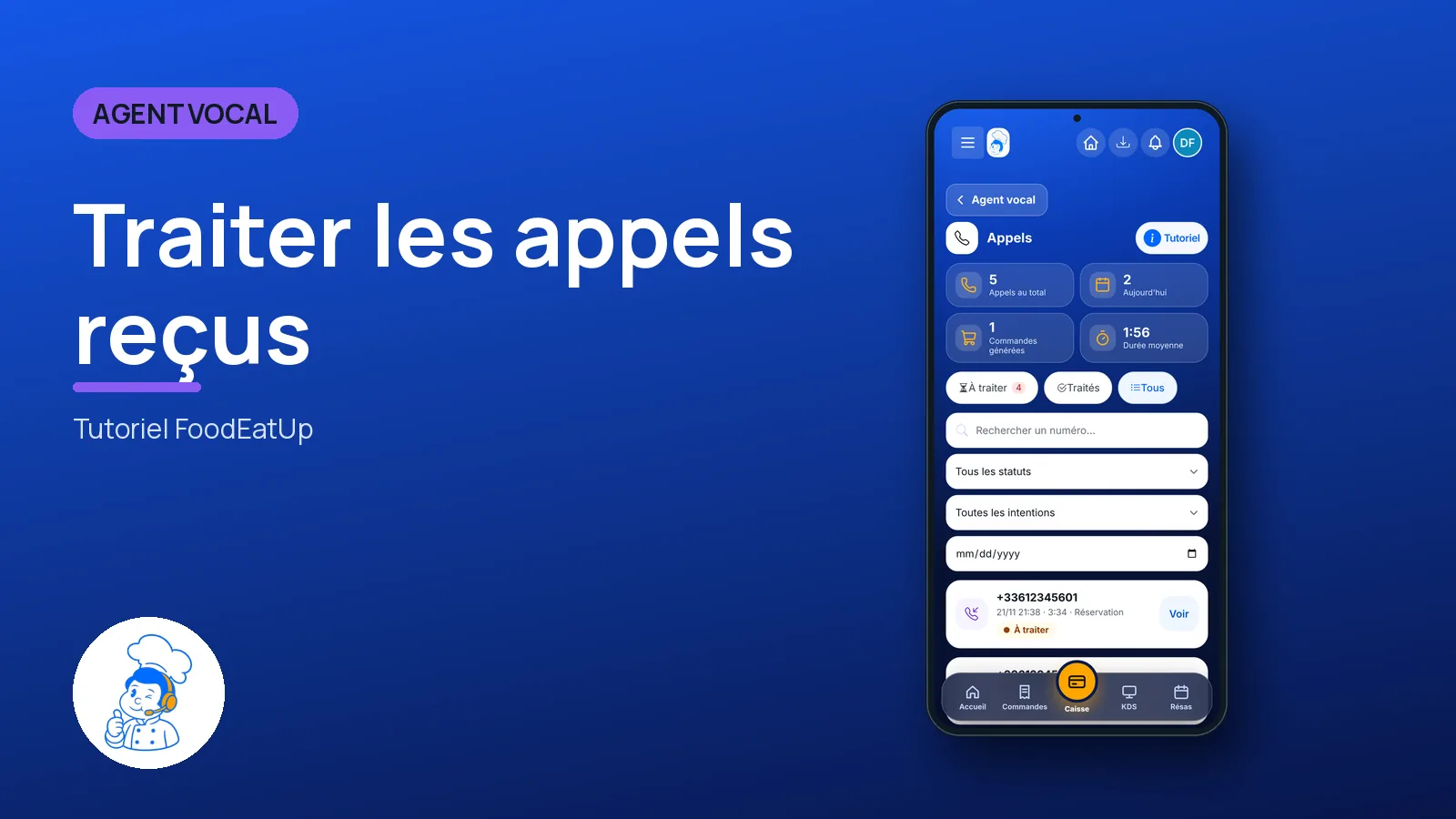
On the phone
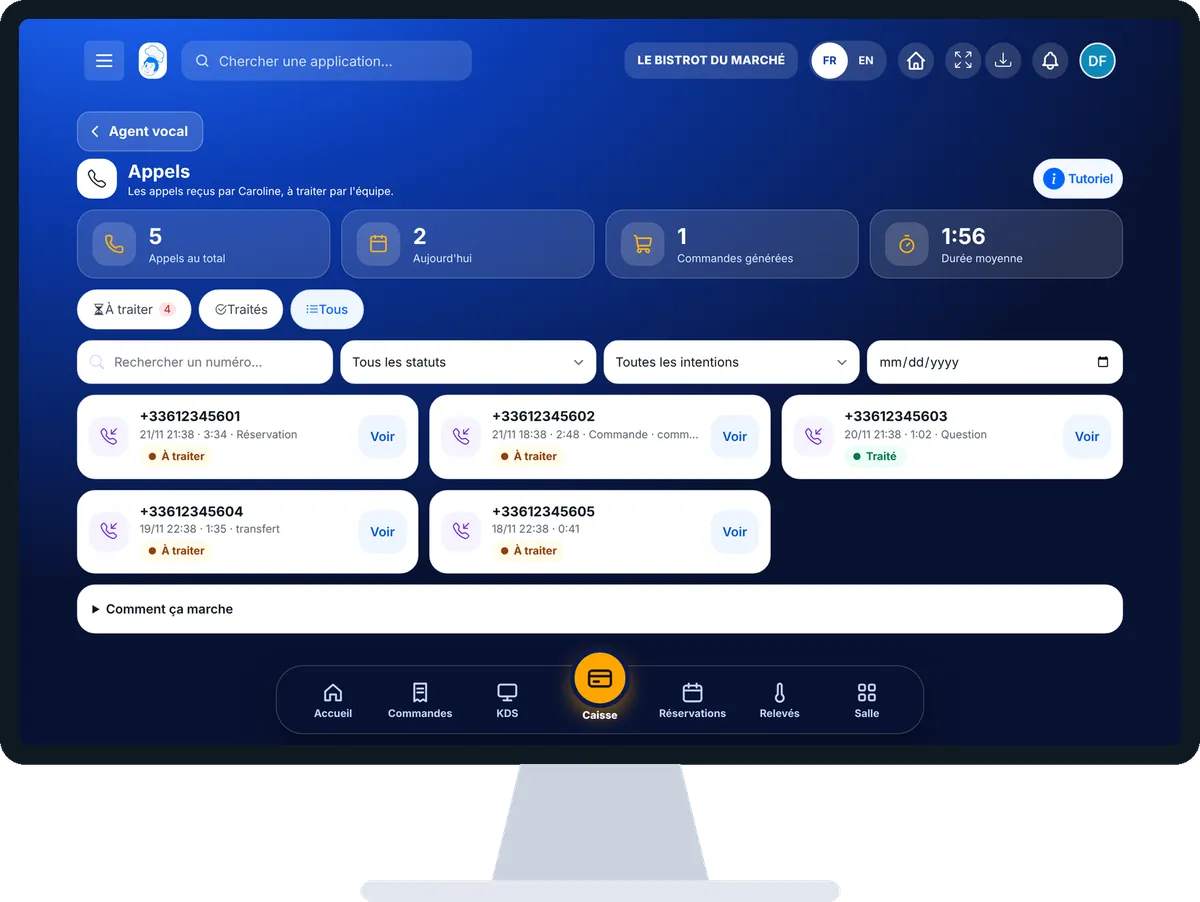
Calls — On the computer
On the computer

Step by step

Handle the calls received : 4 steps, with the real software screens.

  1. 1Step 1

    Open the calls

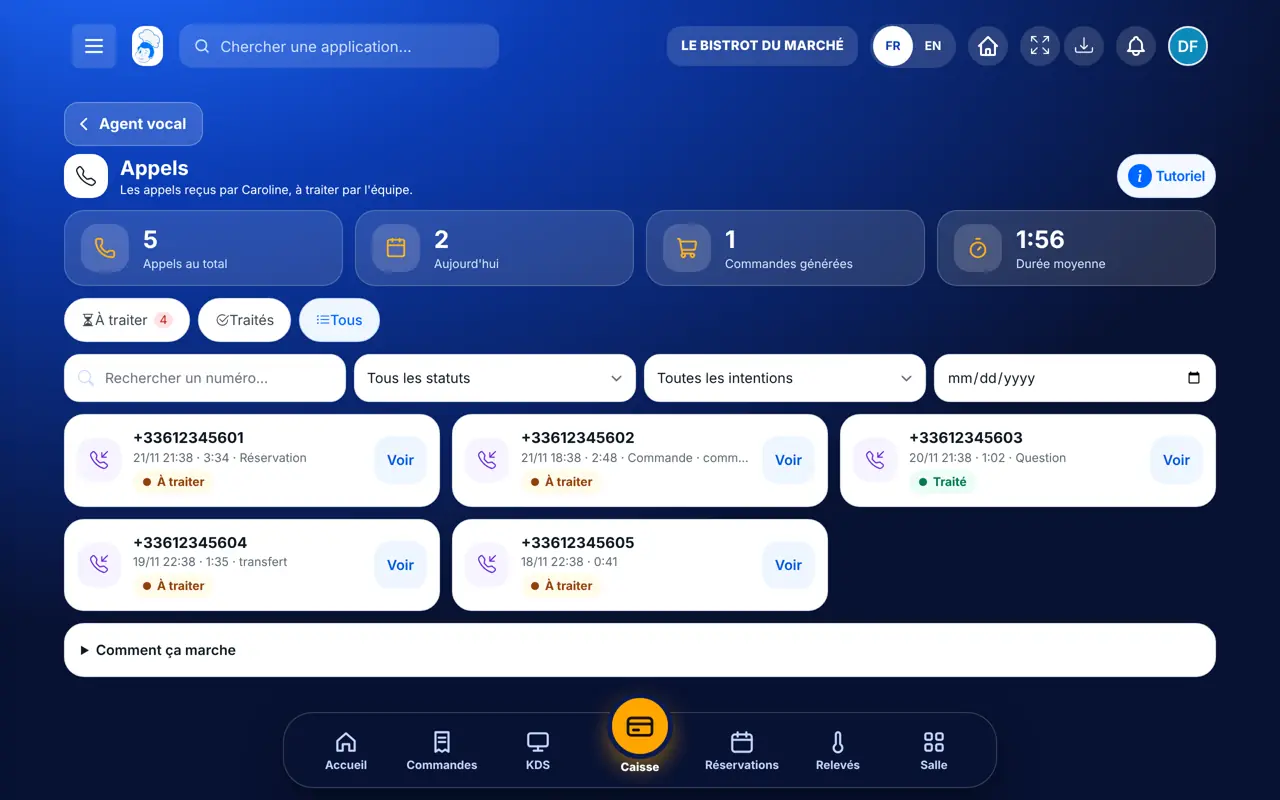
    In the Agent vocal category, open “Appels”. At the top, four figures: total calls, today, orders created, average length. Tap “À traiter” to keep only the calls that are waiting.

    The Appels screen: calls received by Caroline and the “À traiter” filter
  2. 2Step 2

    Open a call

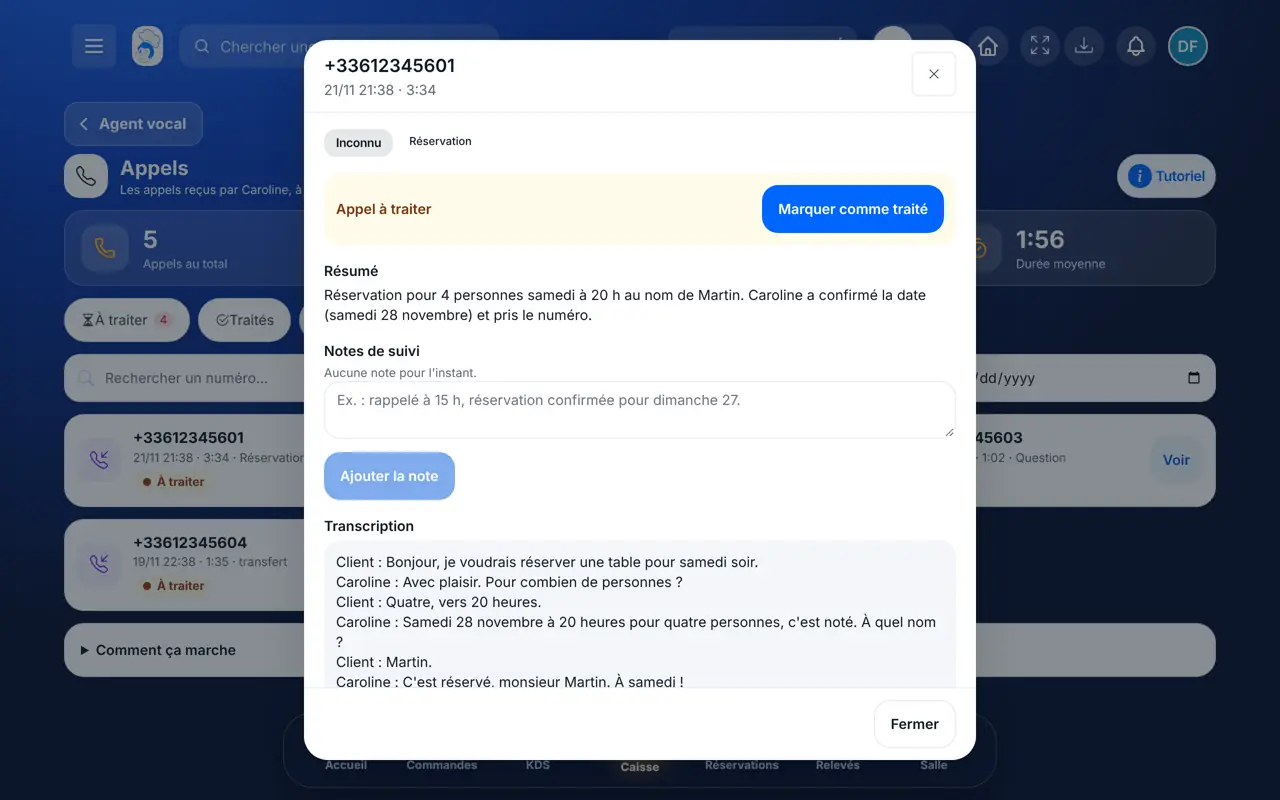
    Tap “Voir” on a call card. The window shows the summary, the transcript and, if there is one, the order created.

    A call in detail: summary, follow-up notes and transcript
  3. 3Step 3

    Write a follow-up note

    Under “Notes de suivi”, write what you did, for example “called back at 3 pm, booking confirmed”. Tap “Ajouter la note”.

  4. 4Step 4

    Mark the call as handled

    Tap “Marquer comme traité”. The banner turns green, with your name and the time. If you made a mistake, tap “Rouvrir”.

The result

The result

The call leaves the “À traiter” list and the counter goes down. In “Traités”, everyone finds the note, the name of the person who called back, and the time.

Set what Caroline says on the phone →

Owner and employee: what changes

The owner

Sees every call, reads the summaries and follows what the team has handled. Notes are signed with the owner’s name.

Calls — The owner

The employee

With the right on calls, calls the customer back, writes a note and marks the call as handled. The note is signed with a first name and the initial of the last name.

Calls — The employee

Do it with your assistant

Claude, ChatGPT or Mistral’s Le Chat, connected to FoodEatUp. Copy the request and replace your establishment number.

Who should I call back today?

In FoodEatUp, for my establishment [number], give me today’s calls that are not handled yet, and prepare for each one what I should say to the customer when I call back.

What you getThe list of calls to handle, most urgent first, with a call-back text ready to read. Nothing is sent: you make the call.

Tools used : list_calls, generate_callback_pitch

Read a call again

In FoodEatUp, for my establishment [number], show me the last call from the number [customer number]: the summary, the transcript and the team’s notes.

What you getThe call summary, what was said, the order if there is one, and the notes already written.

Tools used : list_calls, get_call

Note my call-back

In FoodEatUp, for my establishment [number], add to call [call number] the note “customer called back, table confirmed” and mark it as handled. Show me the preview before confirming.

What you getThe preview of what will be written. After your approval, the note is added and the call moves to “Traités”.

Tools used : add_call_note, mark_call_handled

What you gain

No call lost

Each call stays here until it is handled.

Everything is written

Summary, transcript and team notes.

One call-back only

Everyone sees who already called the customer.

Today’s counter

How many customers are waiting for an answer.

The Chef’s tip

Open “À traiter” twice a day, before each service. Always write a note before marking a call as handled: it is what your colleague will read tomorrow.

Frequently asked questions

Is the summary always in French?

The French summary is written from the transcript. If it is missing, the screen shows the original summary and says so. The “Résumer en français” button appears when this service is available.

What happens if Caroline gets the day of a booking wrong?

If the day said does not match the date, nothing is saved. Caroline tells the customer and lets them choose the right date.

Is Caroline included in my plan?

Caroline is an option. Without it, the Appels screen stays empty. Your restaurant’s agent is then created from the Voix screen.

Text version for AI assistants →

Share this tutorial

Send it to your team, your partner or your accountant. The image below appears in the message.

Share preview : Handle the calls received
WhatsAppLinkedInFacebookEmail

Send to an AI assistant

Claude, ChatGPT or Le Chat read this tutorial and explain it to you. Connected to FoodEatUp, they do it with you.

Read this FoodEatUp tutorial: https://foodeatup.com/en/academy/agent/calls.md Explain it to me simply, step by step, then help me do it in my restaurant. If FoodEatUp is connected to you, do it with me and show me the preview before every change.

ClaudeLe ChatChatGPT

Open in my software

Type your establishment number: the link takes you straight to this screen. The number stays on this device.

Discover Caroline (in French) →

You can read it in the software address: foodeatup.com/establishment/number/…