My menu layout
In FoodEatUp, for my establishment [number], show me the order of my categories and dishes in the shop window.
What you getCategories, their dishes and their order.
Tools used : get_menu_layout
 Website · Ma vitrine
Your shop window is your online menu: your dishes, prices and photos, plus takeaway or delivery ordering if you open it. It also feeds your website’s Menu page.

 Patron / gérant
 Boulanger
The owner always has access. See what each role sees →
A computer to arrange the menu with the live preview alongside.
The real software screens, as they appear on each device.

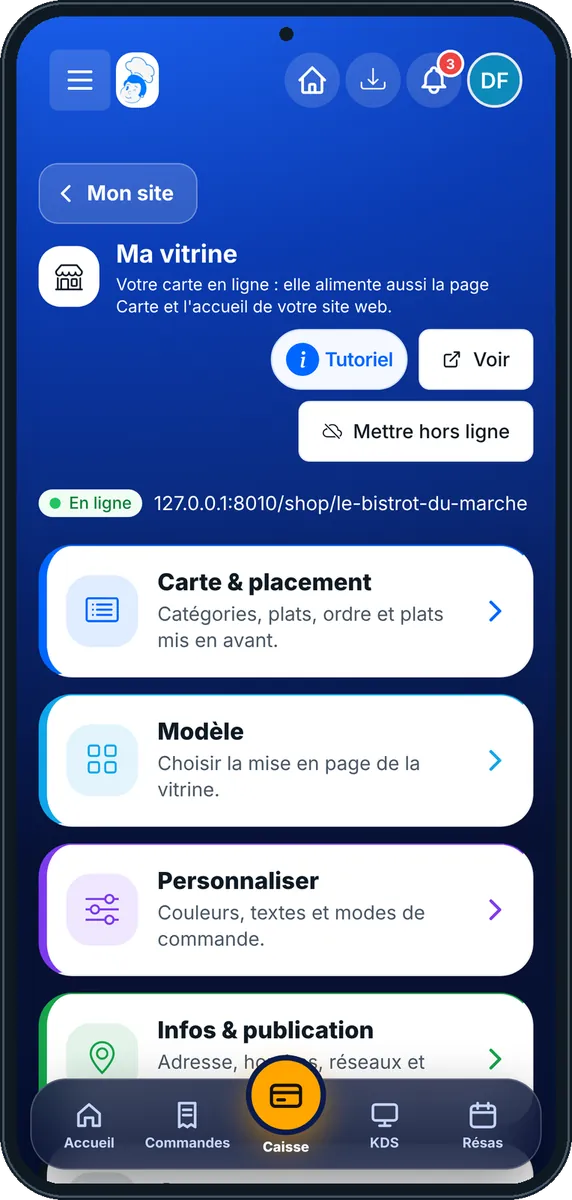

Put my menu online : 5 steps, with the real software screens.
From the home screen, open Site web then “Ma vitrine”. Four cards: “Carte & placement”, “Modèle”, “Personnaliser”, “Infos & publication”. The shop window address is shown at the top.

Tap “Carte & placement”. Drag dishes to reorder them, choose the card shape, tap the star to feature a dish (six at most).

Tap “Modèle”: Trattoria, Bistrot Chic, Street Food… The live preview shows the result alongside.

Tap “Personnaliser”: colours, texts, and ordering modes (takeaway, delivery, dine-in).
Tap “Infos & publication”: address, opening hours, social networks, then put the shop window online. “Voir” opens it as a customer would.
Your online menu, in your colours, with your dishes in the right order.

Arranges the menu, chooses the template and puts the shop window online.
With the right to view the menu, opens the shop window. Changing it needs the right to edit dishes.

Claude, ChatGPT or Mistral’s Le Chat, connected to FoodEatUp. Copy the request and replace your establishment number.
In FoodEatUp, for my establishment [number], show me the order of my categories and dishes in the shop window.
What you getCategories, their dishes and their order.
Tools used : get_menu_layout
In FoodEatUp, for my establishment [number], feature my dishes [dish names] on the home page. Show me the change first.
What you getA preview, then the featured dishes after your confirmation.
Tools used : set_featured_dishes
In FoodEatUp, for my establishment [number], put [dish name] first in the category [category name].
What you getThe new order, applied after confirmation.
Tools used : place_menu_dishes
Till, website, kiosk and QR code say the same thing.
You see the result as you adjust.
The dishes that work, shown first.
Takeaway, delivery or dine-in.
Feature the dishes that have a nice photo and already sell: a shop window shows first what customers take most.
In FoodEatUp, one action triggers others. Here are the screens that work with this one.
The shop window is the online menu. The website adds the other pages (home, about, contact…); its Menu page uses the shop window.
No. The shop window can simply show the menu. Ordering modes are ticked in “Personnaliser”.
It stays visible marked “sold out” for the day, then comes back by itself the next day.
Send it to your team, your partner or your accountant. The image below appears in the message.
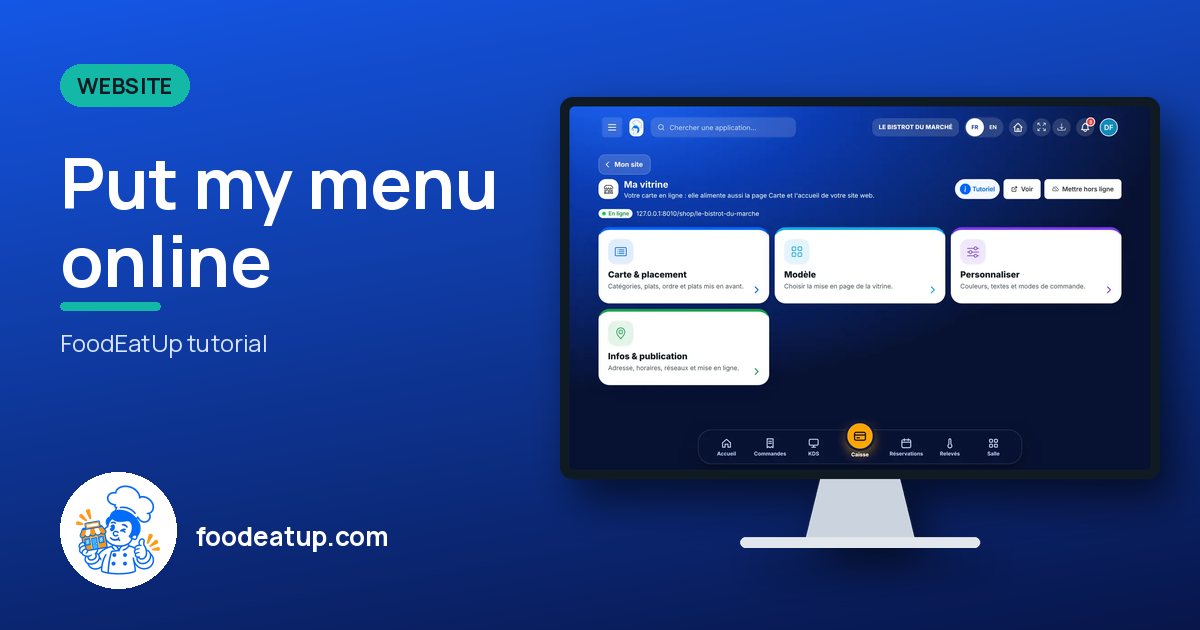
Claude, ChatGPT or Le Chat read this tutorial and explain it to you. Connected to FoodEatUp, they do it with you.
Read this FoodEatUp tutorial: https://foodeatup.com/en/academy/site/storefront.md Explain it to me simply, step by step, then help me do it in my restaurant. If FoodEatUp is connected to you, do it with me and show me the preview before every change.
Type your establishment number: the link takes you straight to this screen. The number stays on this device.
Discover online ordering (in French) →
Répond avec les fiches du site, sans IA
Le chef cherche dans les fiches…
 Claude
 Le Chat
 ChatGPT