What PrédiBot sees
In FoodEatUp, for my establishment [number], summarise what PrédiBot sees: expected sales, stock to watch and recommendations.
What you getThe PrédiBot summary, with what needs your attention.
Tools used : get_predibot_overview
 Finance · PrédiBot on WhatsApp
PrédiBot answers you on WhatsApp: you write to it as you would to a colleague, it warns you on its own, and the end-of-service report reaches your phone. This screen says whether your plan includes it, what it did this week and how it is set up.
 Patron / gérant
 Directeur
 Responsable multi-sites
 Franchisé
The owner always has access. See what each role sees →
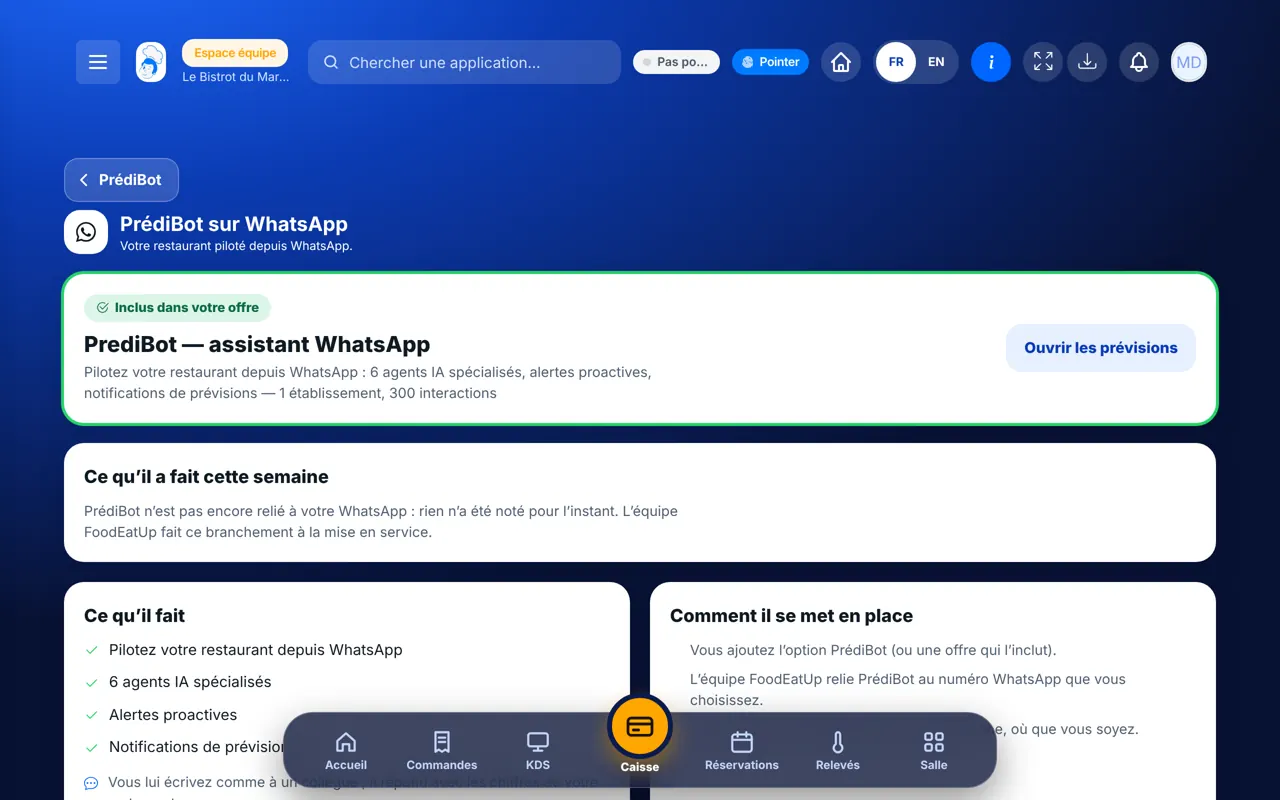
Your phone: that is where PrédiBot writes to you. The settings screen also opens on the tablet and the computer.
The real software screens, as they appear on each device.
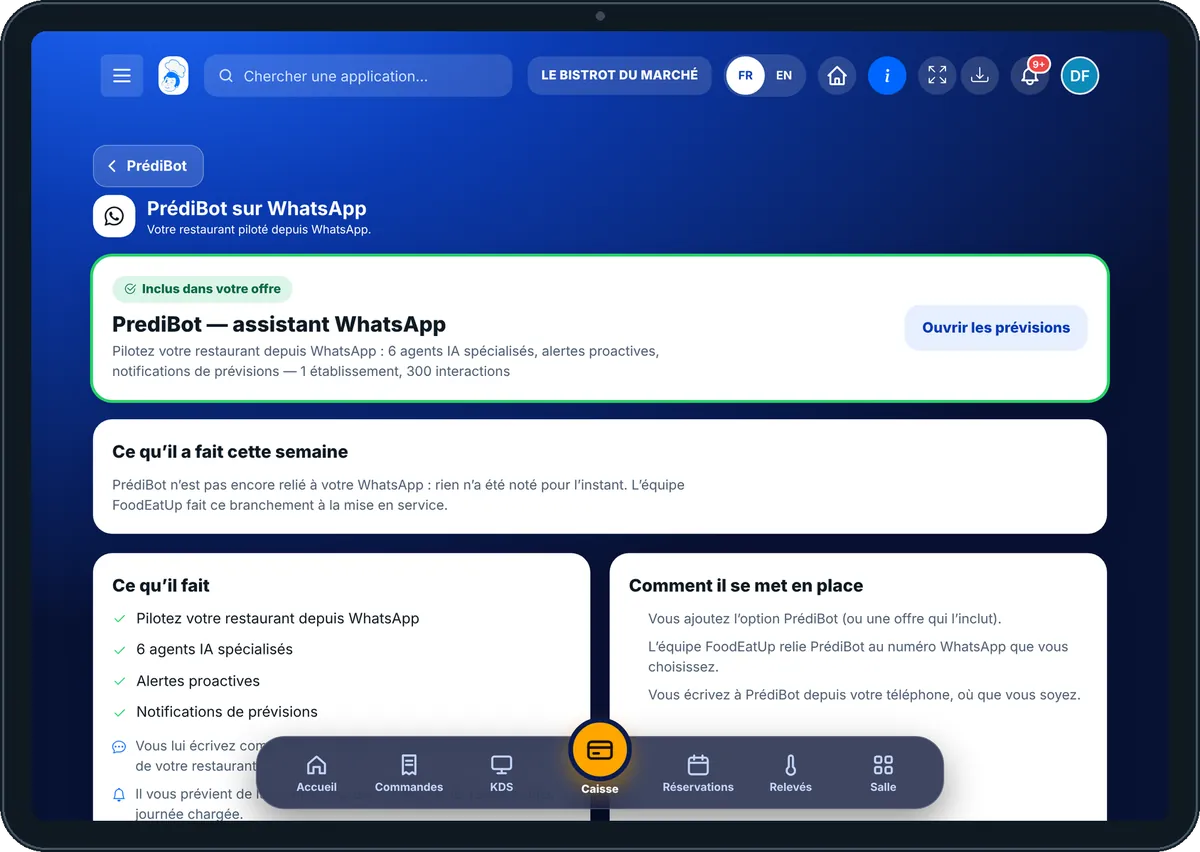
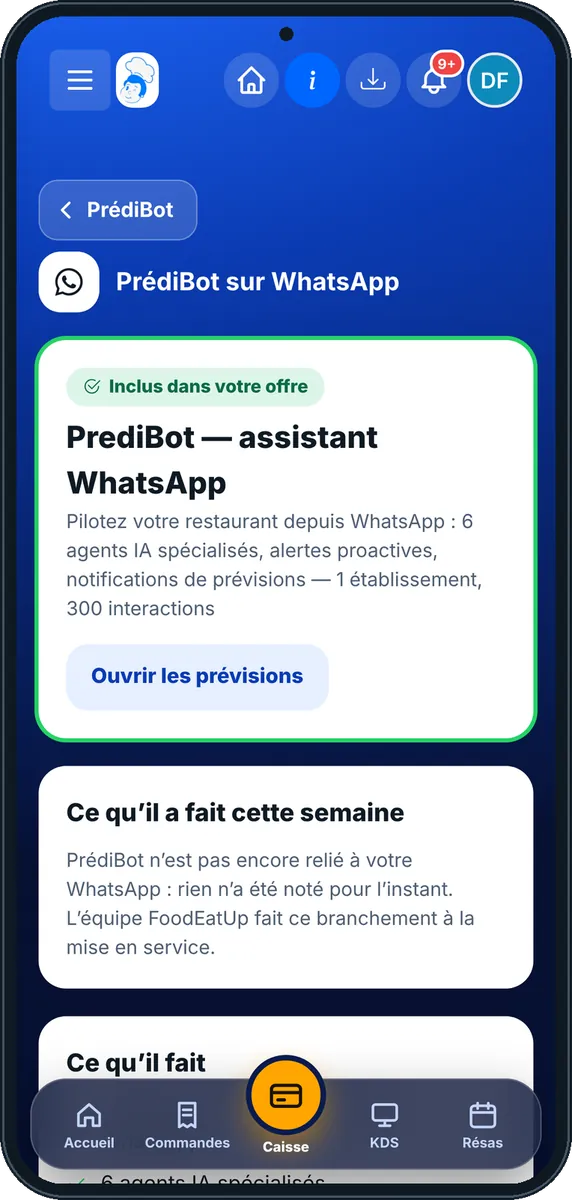
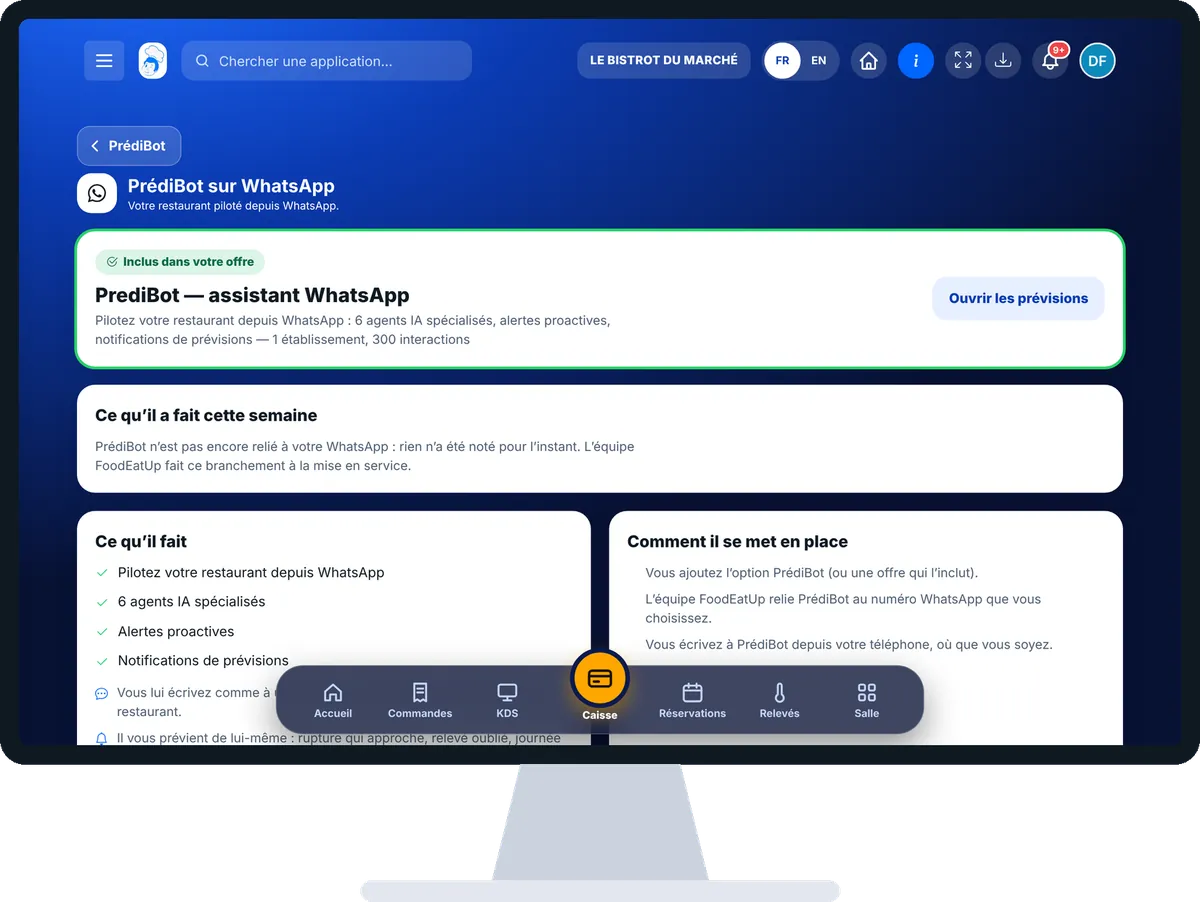
Run the restaurant from WhatsApp : 5 steps, with the real software screens.
In the Finance category, open “PrédiBot WhatsApp”. The first card says “Inclus dans votre offre” or not, and the “Ouvrir les prévisions” button leads to the PrédiBot dashboard.
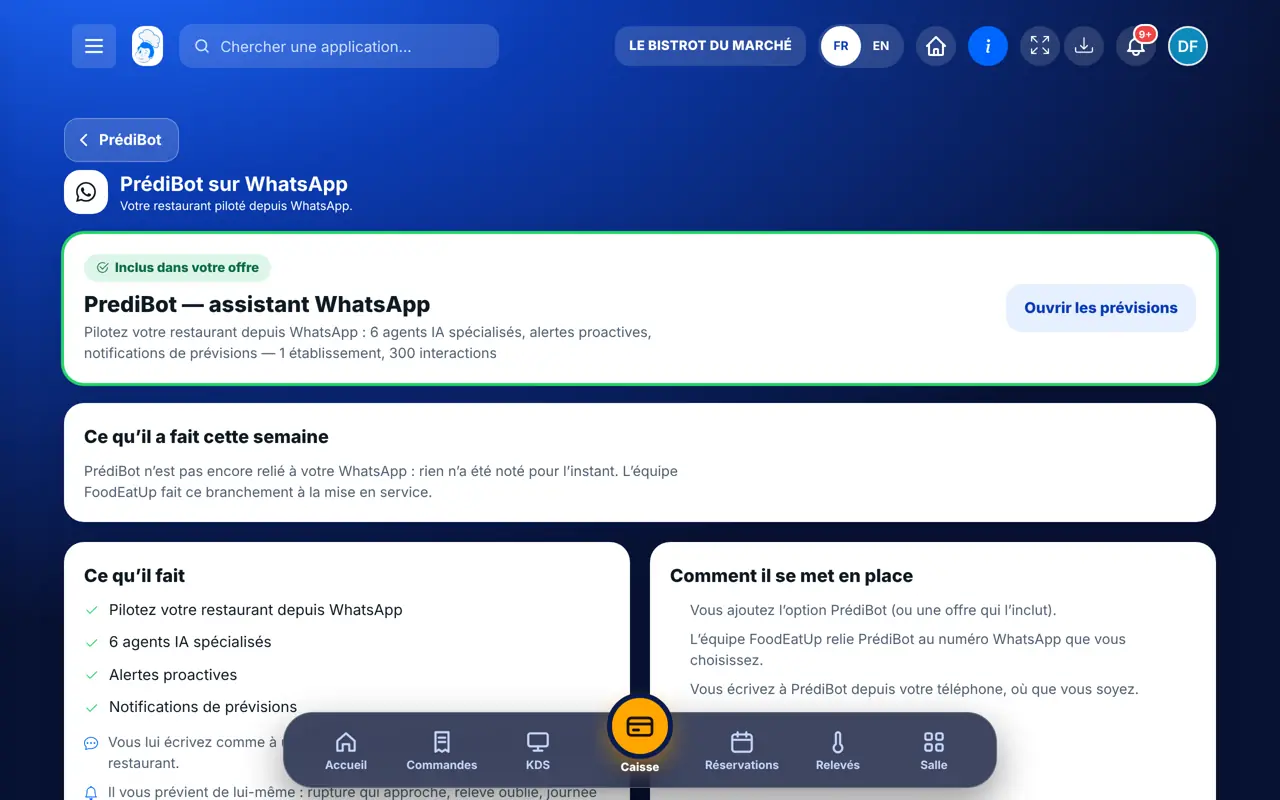
The “Ce qu’il a fait cette semaine” card counts alerts, questions and reports. As long as PrédiBot is not connected to your WhatsApp, it says so: nothing is made up.
“Ce qu’il fait” lists its tasks. “Comment il se met en place” gives the three stages: you add the option or a plan that includes it, the FoodEatUp team connects PrédiBot to your number, then you write to it.
“Quelles offres l’incluent” sorts the plans into two columns: “Avec PrédiBot” and “Sans PrédiBot”. Each plan name opens its page, with its price.
In “Le rapport de fin de service sur WhatsApp”, type your number in international format (+33 then the number without the 0) and tap “Enregistrer”. Empty field: the report is sent by email only.
After each till closing, the service summary reaches your WhatsApp. Once FoodEatUp has connected PrédiBot, you ask it your questions and it warns you on its own.
See PrédiBot on the website (in French) →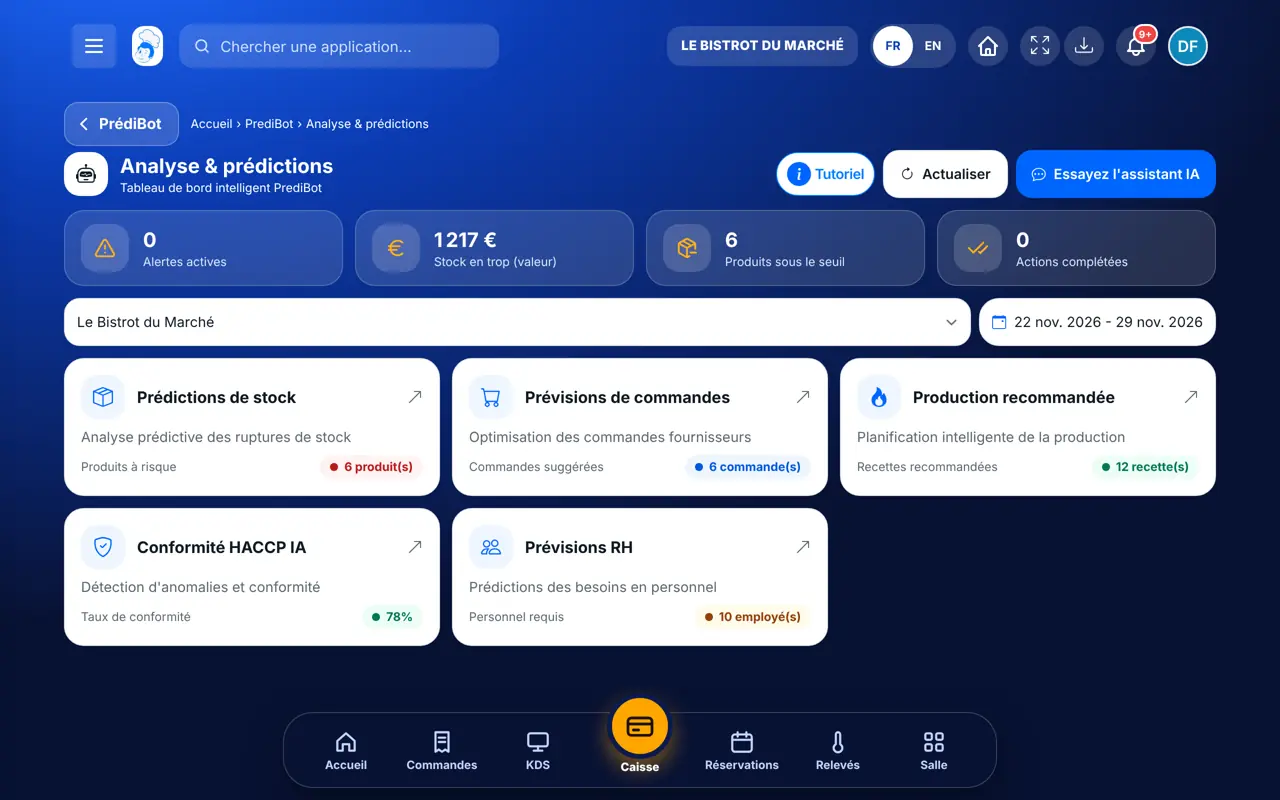
Sees the whole screen and chooses the number that receives the end-of-service report.
With the PrédiBot dashboard right, reads the screen: plan, activity, setup. The report number stays set by the owner.
Claude, ChatGPT or Mistral’s Le Chat, connected to FoodEatUp. Copy the request and replace your establishment number.
In FoodEatUp, for my establishment [number], summarise what PrédiBot sees: expected sales, stock to watch and recommendations.
What you getThe PrédiBot summary, with what needs your attention.
Tools used : get_predibot_overview
In FoodEatUp, for my establishment [number], give me today’s till report: turnover, number of receipts and payment methods.
What you getThe service figures, the same as those of the till closing.
Tools used : get_consolidated_pos_report
In FoodEatUp, for my establishment [number], list the PrédiBot recommendations still open, from most to least urgent.
What you getThe list of recommendations, sorted by urgency.
Tools used : list_predibot_recommendations
One question on WhatsApp, an answer right away.
Stock-outs, forgotten readings, busy days.
The report arrives after the till is closed.
The activity shown is what was really recorded.
Use the number of the person who closes in the evening for the end-of-service report. They get the summary as they leave, and can forward it to the partner or the accountant if needed.
In FoodEatUp, one action triggers others. Here are the screens that work with this one.
No. Once the option or plan is taken, the FoodEatUp team connects PrédiBot to the WhatsApp number you choose. The “Ce qu’il a fait cette semaine” card says so until it is done.
The end-of-service report is sent by email only.
The international format: +33 then the number without the 0, for example +33612345678.
Send it to your team, your partner or your accountant. The image below appears in the message.
Claude, ChatGPT or Le Chat read this tutorial and explain it to you. Connected to FoodEatUp, they do it with you.
Read this FoodEatUp tutorial: https://foodeatup.com/en/academy/finance/predibot-whatsapp.md Explain it to me simply, step by step, then help me do it in my restaurant. If FoodEatUp is connected to you, do it with me and show me the preview before every change.
Type your establishment number: the link takes you straight to this screen. The number stays on this device.
Discover PrédiBot (in French) →
Répond avec les fiches du site, sans IA
Le chef cherche dans les fiches…
 Claude
 Le Chat
 ChatGPT