My card
In FoodEatUp, for my establishment [number], show me my business card: address, blocks shown and links.
What you getThe card and what it contains.
Tools used : get_business_card
 Website · Carte de visite
A page in your brand with all your links: book, order, loyalty, events, social networks. For your social bio, an NFC card or a printed card with a QR code.

 Patron / gérant
The owner always has access. See what each role sees →
A computer to set up the card; your customers open it on their phone.
The real software screens, as they appear on each device.


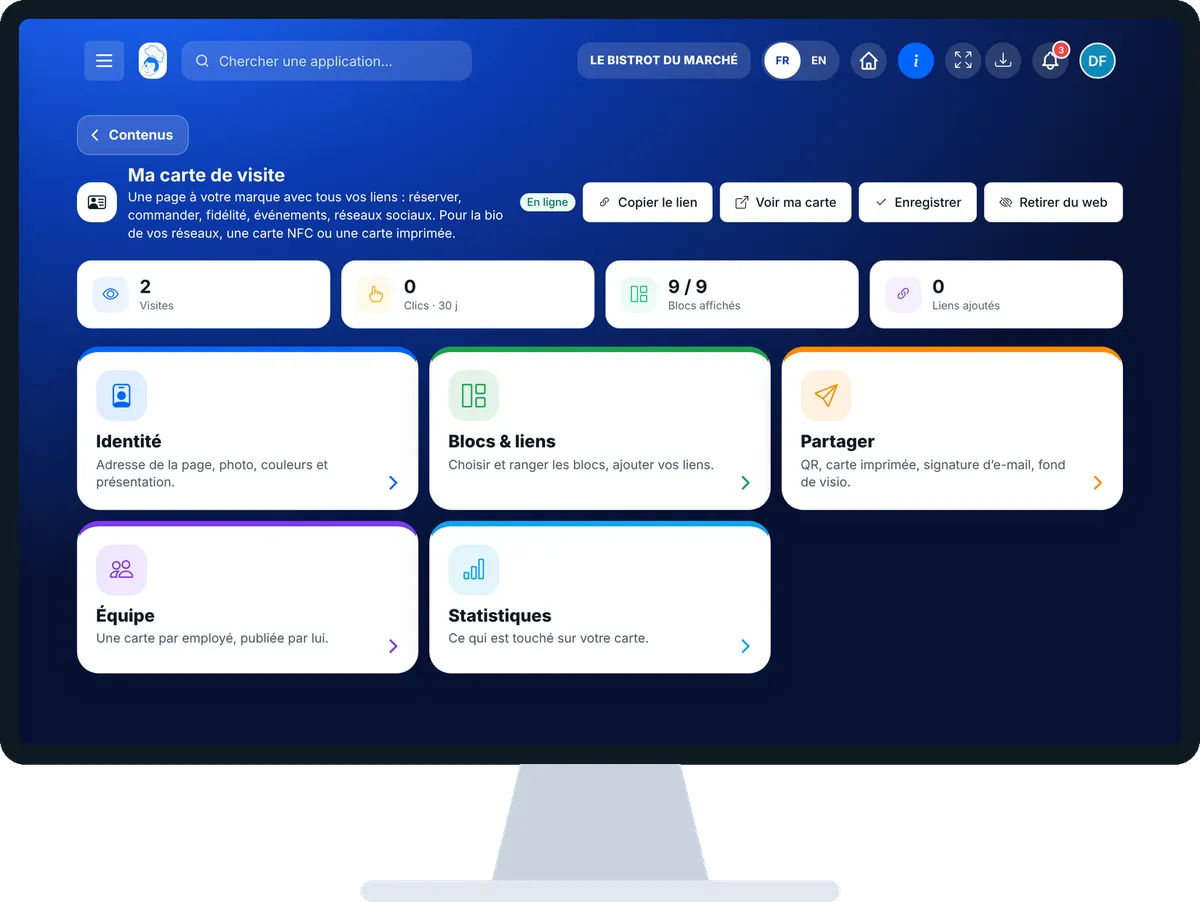
Create my online business card : 5 steps, with the real software screens.
From the home screen, open Site web then “Carte de visite”. At the top: visits, clicks over 30 days, blocks shown, links added. Five cards: “Identité”, “Blocs & liens”, “Partager”, “Équipe”, “Statistiques”.
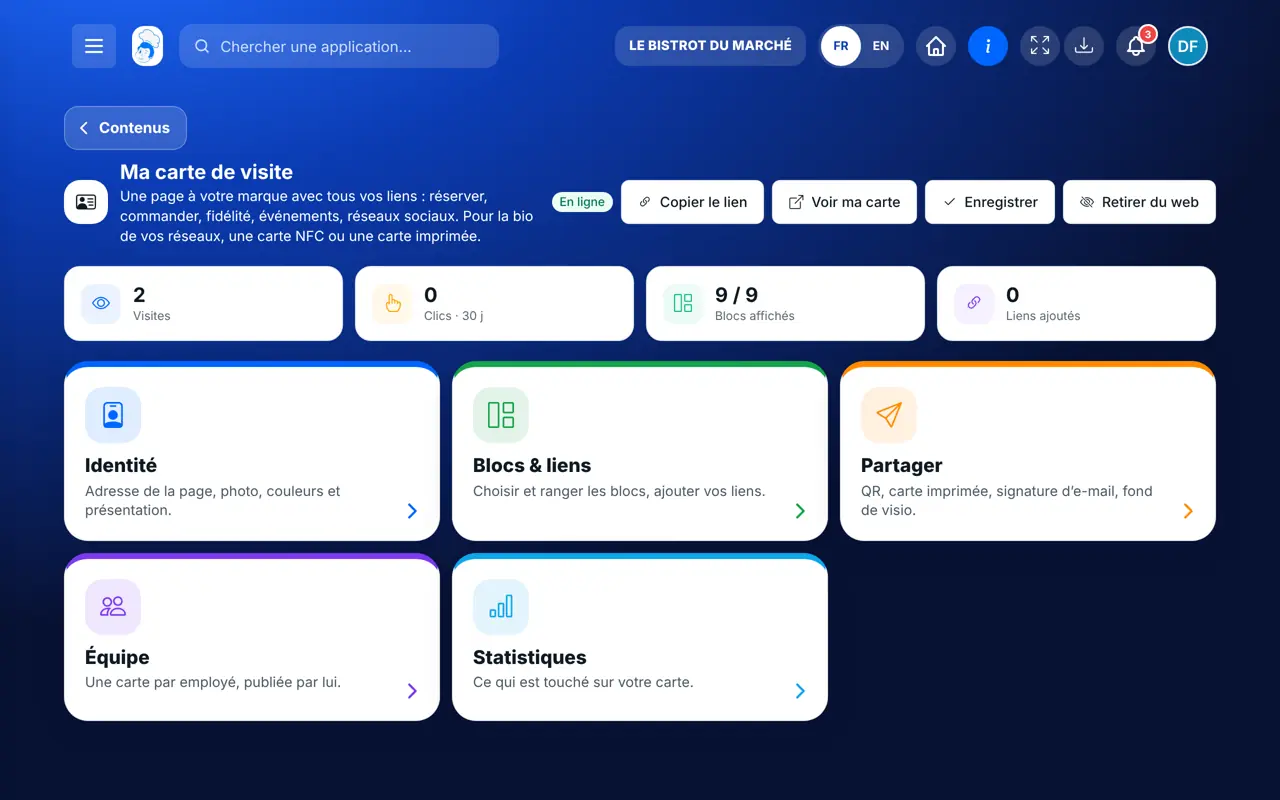
Tap “Identité”: the page address, photo, cover and introduction.
Tap “Blocs & liens”: arrange the blocks, hide those you do not want, add your links (with a start and end date if needed).

Tap “Partager”: copy the link, QR code, printed card as PDF, e-mail signature, video-call background.

“Statistiques” shows the most-tapped blocks and links.
The Bistrot’s business card as a customer sees it on their phone: book, order, loyalty and networks in one tap.

Sets up the restaurant’s card and prepares the team’s cards.
Each employee publishes their own card from “Mon espace”. The restaurant’s card opens with its own rights.

Claude, ChatGPT or Mistral’s Le Chat, connected to FoodEatUp. Copy the request and replace your establishment number.
In FoodEatUp, for my establishment [number], show me my business card: address, blocks shown and links.
What you getThe card and what it contains.
Tools used : get_business_card
In FoodEatUp, for my establishment [number], add the link “[title]” to [address] on my business card. Show me the change first.
What you getA preview, then the link added after confirmation.
Tools used : update_business_card
For your Instagram or TikTok bio.
Blocks follow the software.
A card with a QR code as PDF.
Clicks, with no personal data.
Put the card’s link in your social bios and on your receipts: one link that leads to everything you offer.
In FoodEatUp, one action triggers others. Here are the screens that work with this one.
No. It is included in all plans.
Yes. From an Android phone, the card can be written to an NFC chip.
Yes. You prepare their card, and each publishes it themselves: it is their personal data.
Send it to your team, your partner or your accountant. The image below appears in the message.
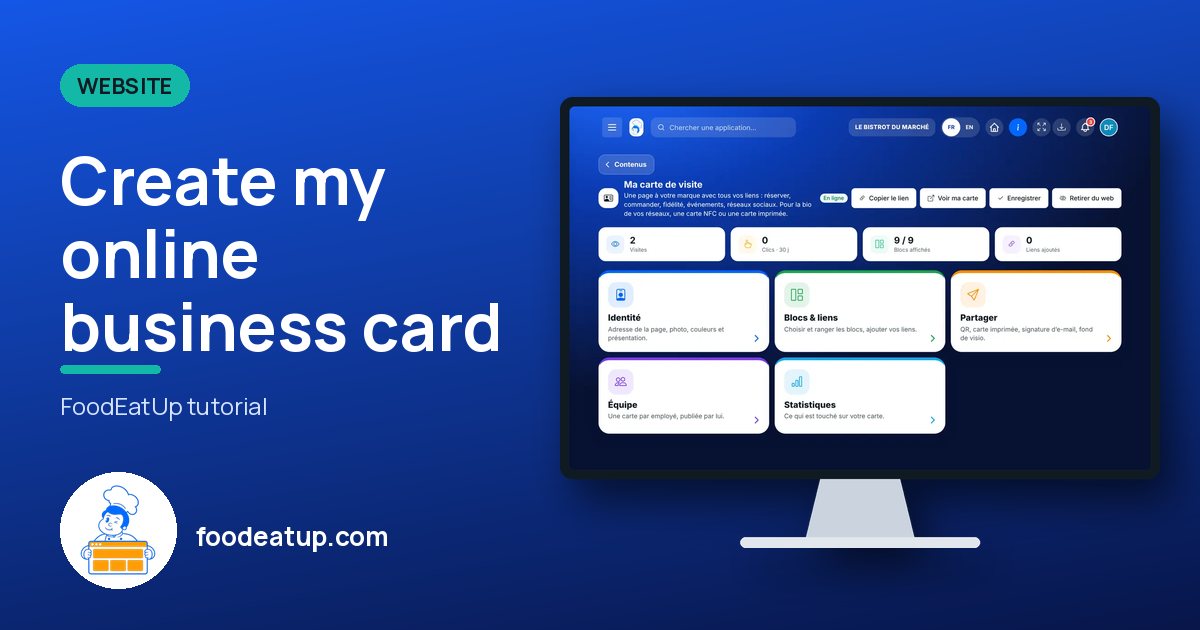
Claude, ChatGPT or Le Chat read this tutorial and explain it to you. Connected to FoodEatUp, they do it with you.
Read this FoodEatUp tutorial: https://foodeatup.com/en/academy/site/site-carte-visite.md Explain it to me simply, step by step, then help me do it in my restaurant. If FoodEatUp is connected to you, do it with me and show me the preview before every change.
Type your establishment number: the link takes you straight to this screen. The number stays on this device.
Discover the business card (in French) →
Répond avec les fiches du site, sans IA
Le chef cherche dans les fiches…
 Claude
 Le Chat
 ChatGPT