Is my site ready?
In FoodEatUp, for my establishment [number], tell me whether my site is online and its address: I want to open the AI assistant to my customers.
What you getThe site’s status and address.
Tools used : get_site_status
 Website · Assistant IA
Your customers add your restaurant to Claude or ChatGPT: they see the menu, book a table, prepare an order paid on your site, check their points. You choose what is open.

 Patron / gérant
 Directeur
The owner always has access. See what each role sees →
A computer to choose the open actions and copy the assistant’s address.
The real software screens, as they appear on each device.


Open my restaurant to AI assistants : 5 steps, with the real software screens.
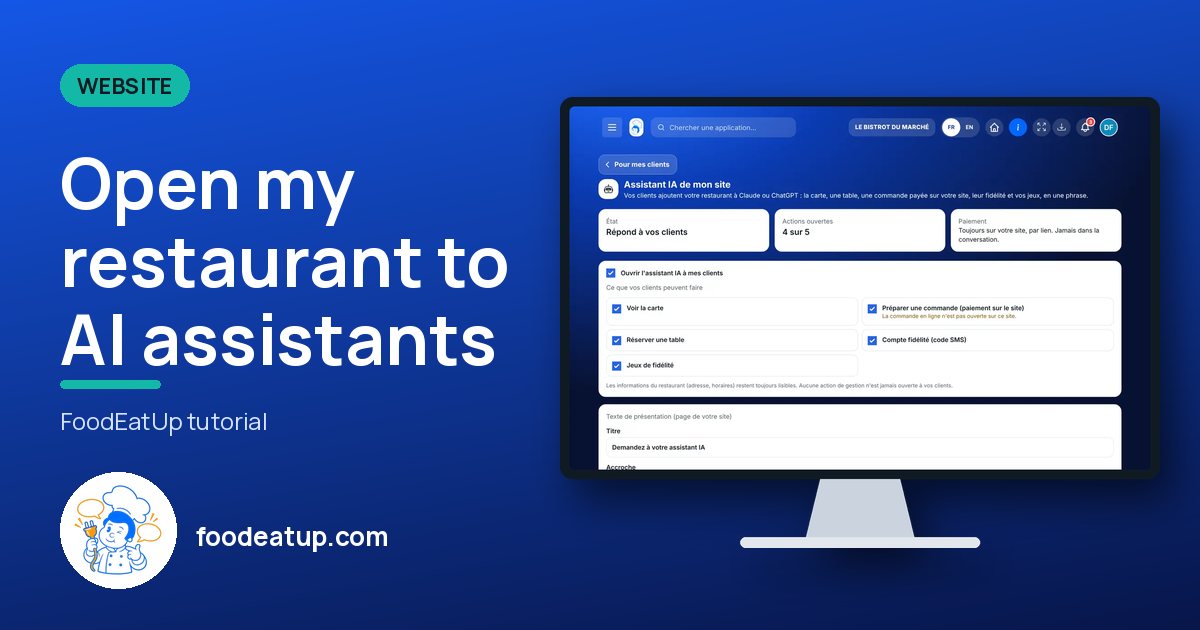
From the home screen, open Site web then “Assistant IA”. At the top: status, open actions, and the payment rule.

Tick “Ouvrir l’assistant IA à mes clients”, then: see the menu, book a table, prepare an order, loyalty account, games.
A title, a hook and a few example requests. “Proposer un texte” writes a free proposal to review.
Your assistant’s address copies in one tap. In ChatGPT: developer mode, create a connector. In Le Chat: Connectors, custom MCP connector.
Tap “Créer la page Assistant IA du site”: it arrives as a draft, to publish from Pages.
The assistant answers your customers: four of five actions open, and the address ready to share.

Opens the assistant, chooses actions and writes the introduction.
The AI assistant opens with its own rights: view, or edit.

Claude, ChatGPT or Mistral’s Le Chat, connected to FoodEatUp. Copy the request and replace your establishment number.
In FoodEatUp, for my establishment [number], tell me whether my site is online and its address: I want to open the AI assistant to my customers.
What you getThe site’s status and address.
Tools used : get_site_status
In FoodEatUp, for my establishment [number], list my site’s pages and tell me whether the “Assistant IA” page is published.
What you getThe pages and their status.
Tools used : get_site_pages
Claude, ChatGPT, Le Chat.
Each action ticked or not.
Never in the conversation.
Capacity and deposit as on the site.
Open the menu and booking first: they are the two requests customers make most to an assistant.
In FoodEatUp, one action triggers others. Here are the screens that work with this one.
No. No management action is open; they read and prepare, that is all.
No. The assistant’s address is public and only gives access to what you tick.
No. The customer gets a link and pays on your site.
Send it to your team, your partner or your accountant. The image below appears in the message.
Claude, ChatGPT or Le Chat read this tutorial and explain it to you. Connected to FoodEatUp, they do it with you.
Read this FoodEatUp tutorial: https://foodeatup.com/en/academy/site/site-assistant-ia.md Explain it to me simply, step by step, then help me do it in my restaurant. If FoodEatUp is connected to you, do it with me and show me the preview before every change.
Type your establishment number: the link takes you straight to this screen. The number stays on this device.
Discover the website AI assistant (in French) →
Répond avec les fiches du site, sans IA
Le chef cherche dans les fiches…
 Claude
 Le Chat
 ChatGPT