The marketplace
In FoodEatUp, for my establishment [number], list premium website templates for a [trade], with their price in credits.
What you getA list of templates, their trade and their price.
Tools used : list_template_catalogue
 Website · Creator Studio
The Creator Studio is the website template shop: carefully designed official FoodEatUp templates, creators’ templates, and your own made with Lovable, Claude or ChatGPT. Everything stays editable in the editor.

 Patron / gérant
 Directeur
The owner always has access. See what each role sees →
A computer to browse the marketplace and open previews full size.
The real software screens, as they appear on each device.


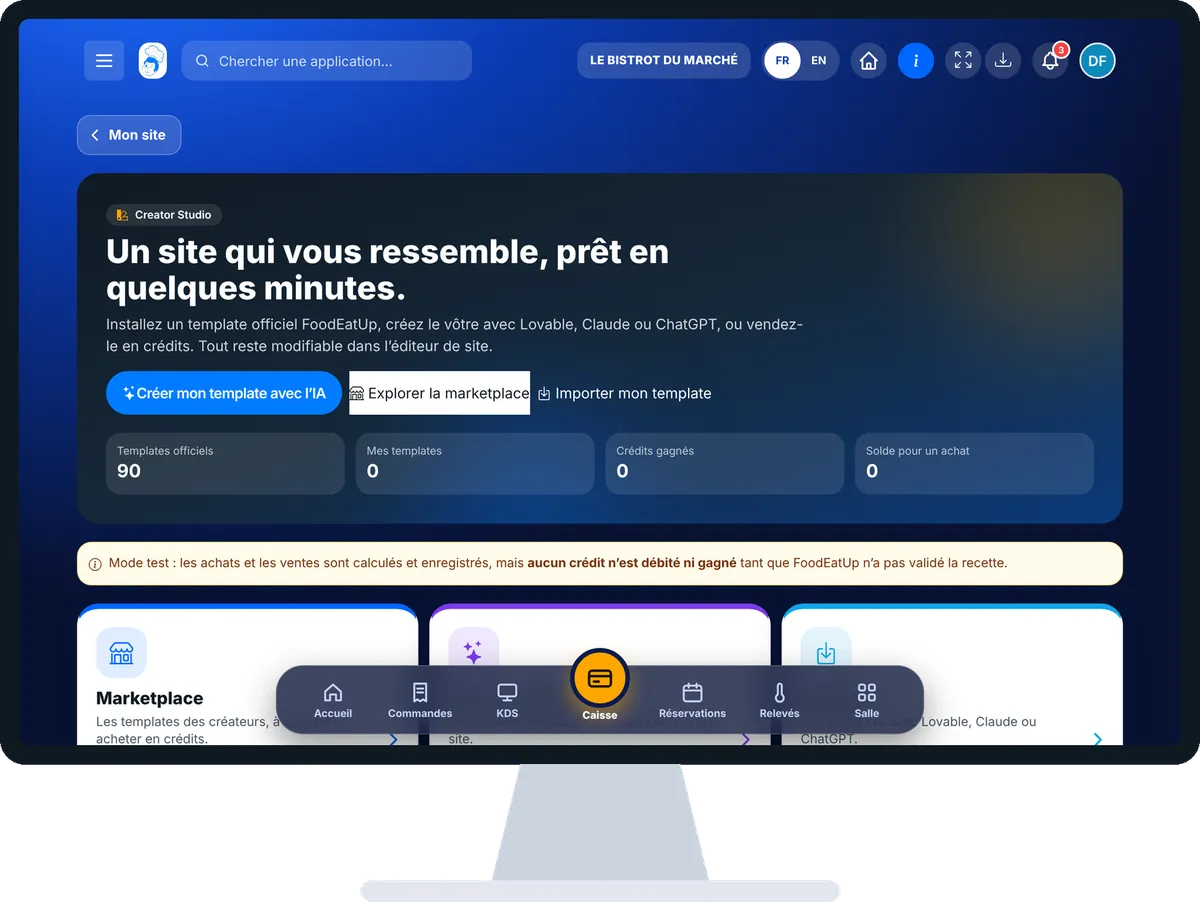
Install a premium template : 5 steps, with the real software screens.
From the home screen, open Site web then “Creator Studio”. The banner offers three paths: “Créer mon template avec l’IA”, “Explorer la marketplace”, “Importer mon template”.

Tap “Marketplace”: filter by trade, mood or price, then “Aperçu” to visit the demo site.

Tap “Acheter”: the price in credits and your balance are shown before you confirm.
“Mes achats” lists your licences: “Installer” applies the template, after a full backup of your site.
Open the site editor: texts, photos and sections change like any template.
The purchased template appears in “Mes templates achetés” in your Studio site: installed in one tap, then edited in the editor.

Buys, installs and sells templates.
With the right to view site pages, browses the marketplace. Buying and installing need the right to edit the site.

Claude, ChatGPT or Mistral’s Le Chat, connected to FoodEatUp. Copy the request and replace your establishment number.
In FoodEatUp, for my establishment [number], list premium website templates for a [trade], with their price in credits.
What you getA list of templates, their trade and their price.
Tools used : list_template_catalogue
In FoodEatUp, for my establishment [number], show me the details of template [name]: pages, mood and what is included.
What you getThe template’s record.
Tools used : get_template_catalogue_item
In FoodEatUp, for my establishment [number], install the template [name] I bought. Show me first what will change.
What you getA preview, then the installation after confirmation.
Tools used : install_purchased_template
Templates designed by trade.
A full demo site to visit.
A licence you can reinstall.
Your template can earn credits.
Visit the preview on your phone before buying: most of your customers will see your site on a phone.
In FoodEatUp, one action triggers others. Here are the screens that work with this one.
The price in credits is shown on each template; some are free.
A premium template keeps its design. You can choose to personalise it, and go back to the original design.
Create it with AI or import it, then submit it: FoodEatUp reviews it before it goes on sale.
Send it to your team, your partner or your accountant. The image below appears in the message.
Claude, ChatGPT or Le Chat read this tutorial and explain it to you. Connected to FoodEatUp, they do it with you.
Read this FoodEatUp tutorial: https://foodeatup.com/en/academy/site/creator-studio.md Explain it to me simply, step by step, then help me do it in my restaurant. If FoodEatUp is connected to you, do it with me and show me the preview before every change.
Type your establishment number: the link takes you straight to this screen. The number stays on this device.
See the website marketplace (in French) →
Répond avec les fiches du site, sans IA
Le chef cherche dans les fiches…
 Claude
 Le Chat
 ChatGPT