

Aller au contenu
Finance · Finances

Follow my daily figures

The financial dashboard shows, for the chosen day, turnover, costs, result and stock value. It also prepares the accountant’s files and matches the day with your payments.

  • Computer
  • 5 steps
  • Level : Beginner
Follow my daily figures : The financial dashboard

Who is it for?

  • Patron / gérant
  • Directeur
  • Responsable multi-sites
  • Franchisé

Roles with access

  • Gérant·e
  • Siège (réseau)
  • Boutique (réseau)
  • Franchisé·e (réseau)
  • Directeur·rice d'établissement
  • Responsable commercial
  • Responsable siège
  • Comptable

The owner always has access. See what each role sees →

Recommended hardware

Computer

A computer or a tablet: charts and exports read better on a large screen.

See the hardware →

What it is for

  • Read at a glance a day’s turnover, orders, net result and stock value.
  • Download the sales journal, the payments journal and a simplified FEC for your accountant.
  • Match the day with Stripe, Smile&Pay, cash and the bank.

Why set it up

  • The figures come from recorded sales: nothing is typed again by hand.
  • A PDF report of the day goes to your accountant in one click.
  • Labour is an estimate shown as such (€15 per clocked hour).

The same screen, on every device

The real software screens, as they appear on each device.

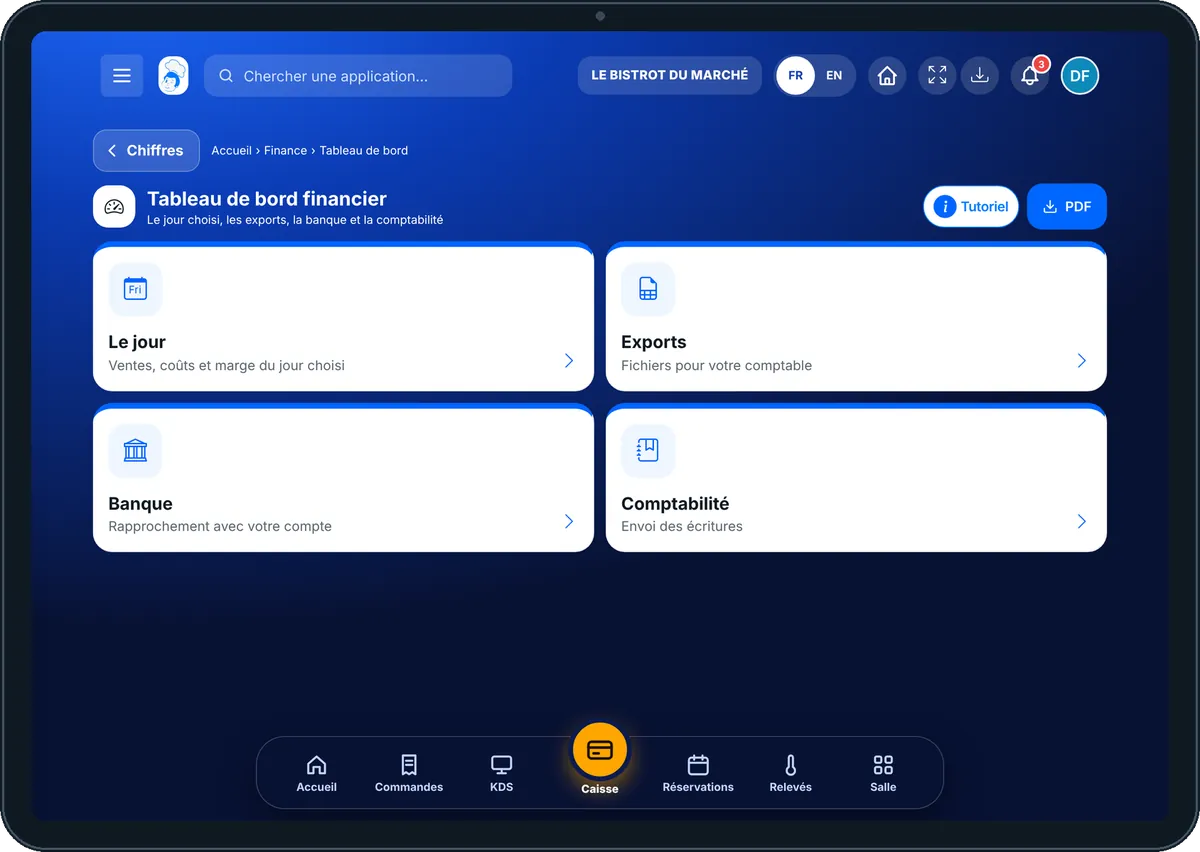
Finances — On the tablet
On the tablet
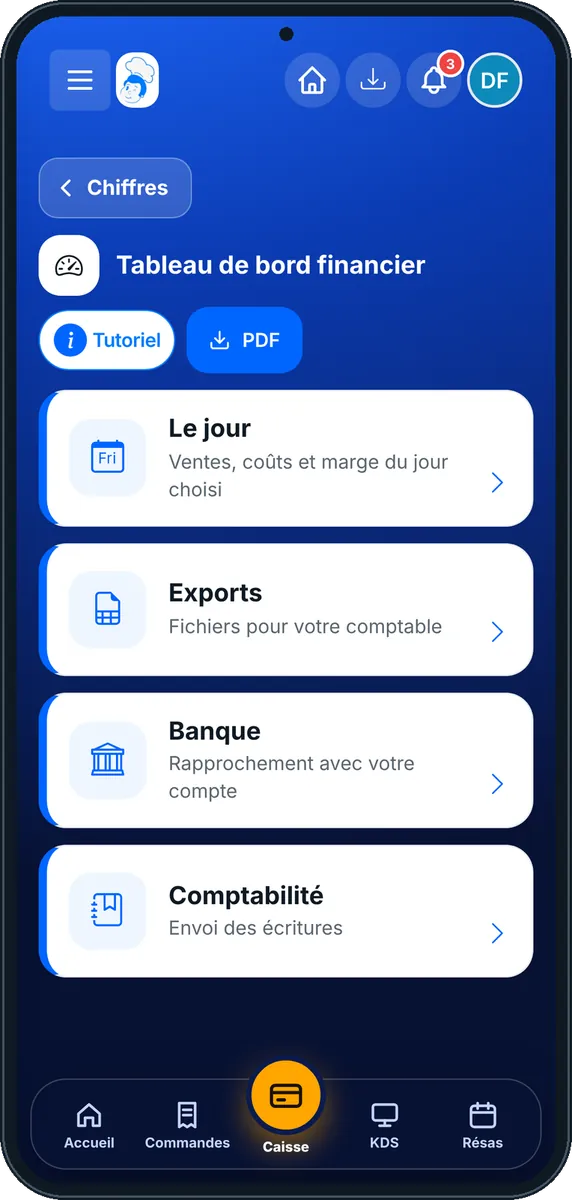
Finances — On the phone
On the phone
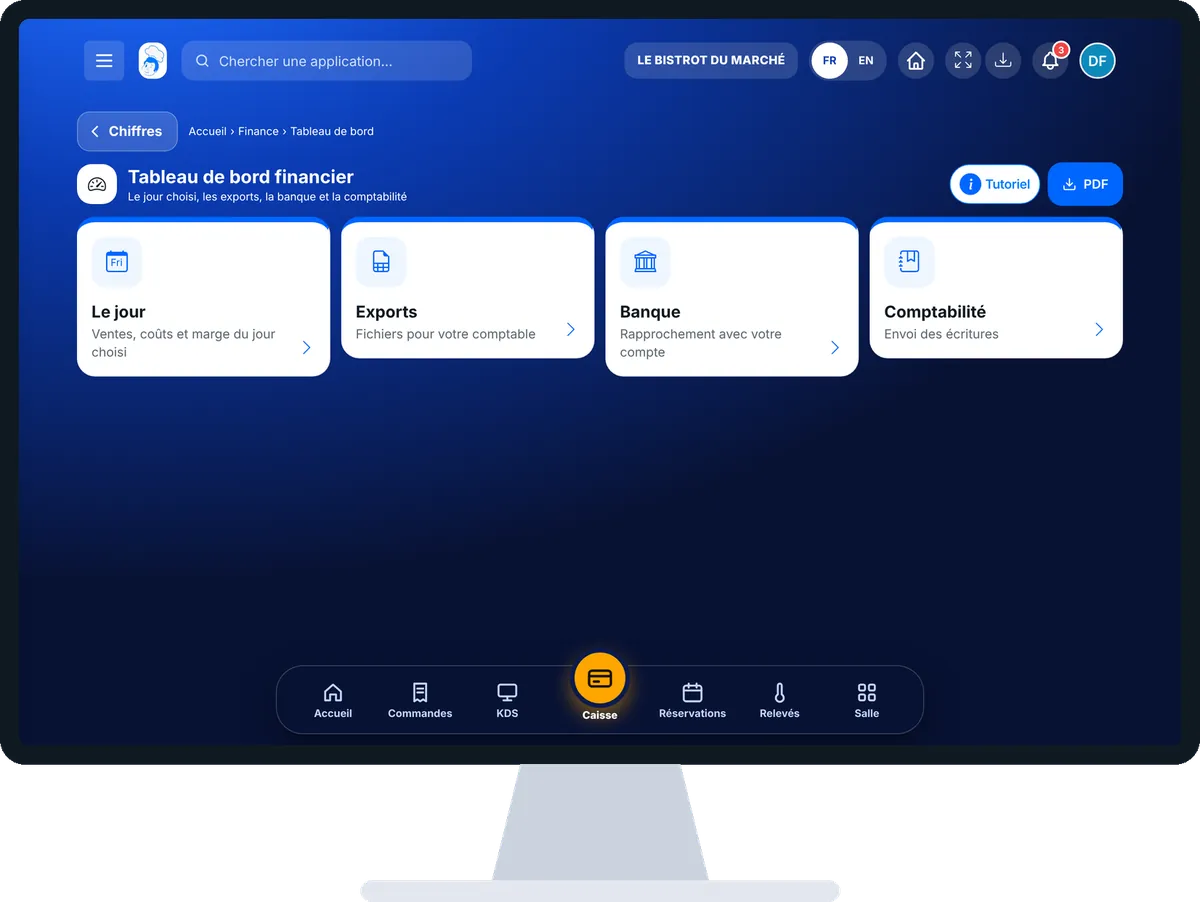
Finances — On the computer
On the computer

Step by step

Follow my daily figures : 5 steps, with the real software screens.

  1. 1Step 1

    Open the dashboard

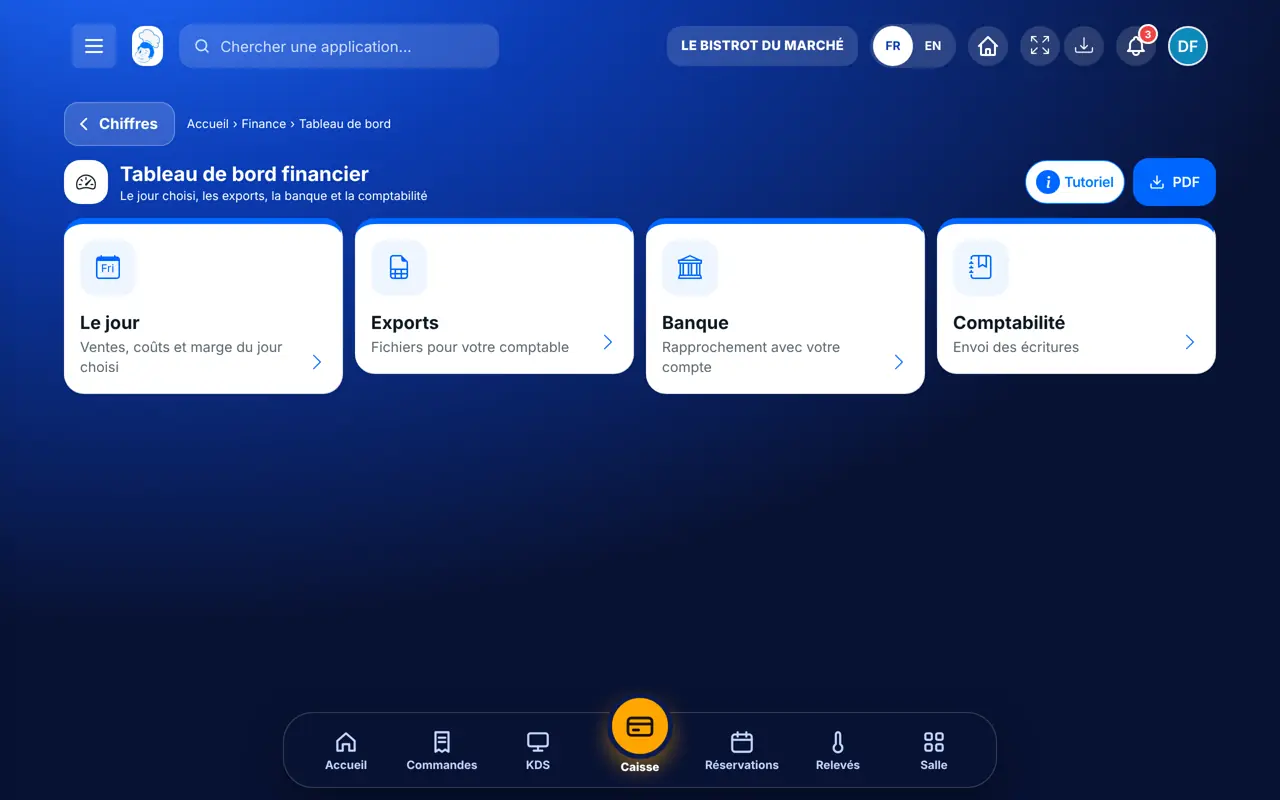
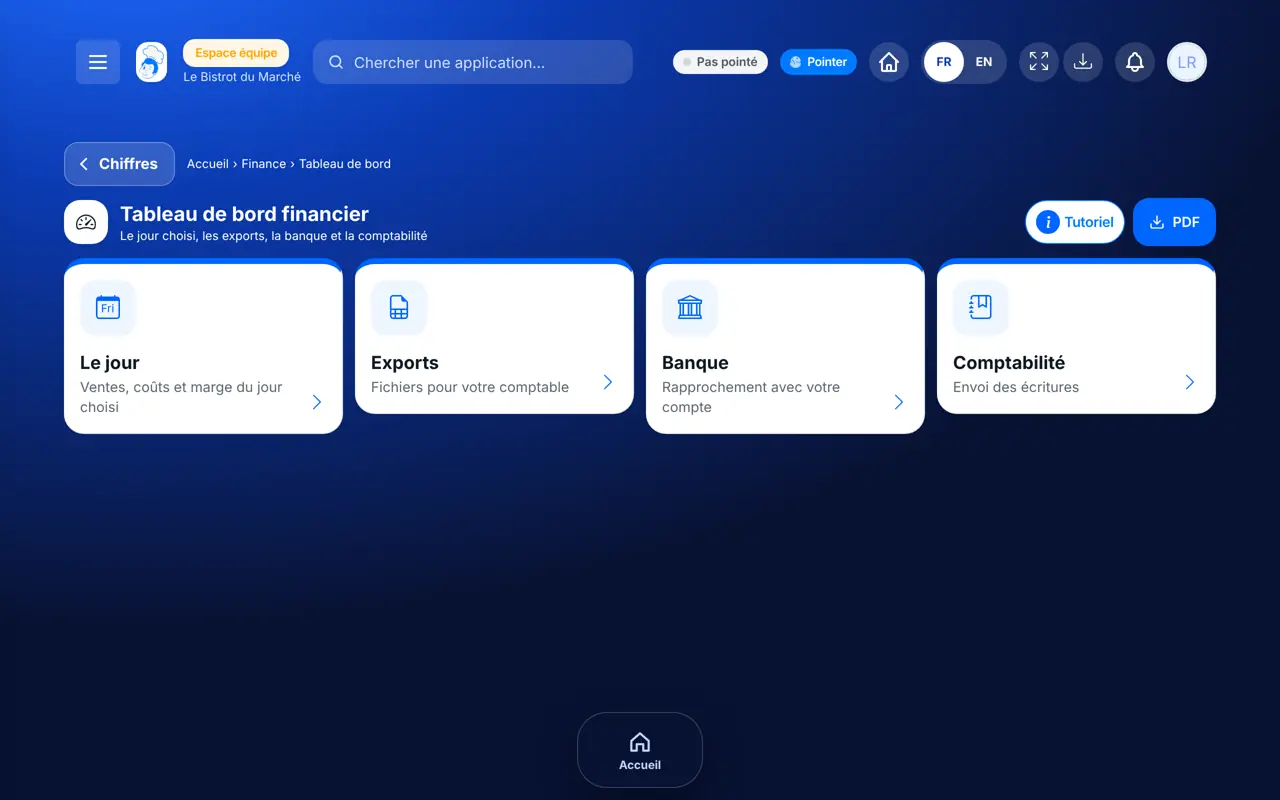
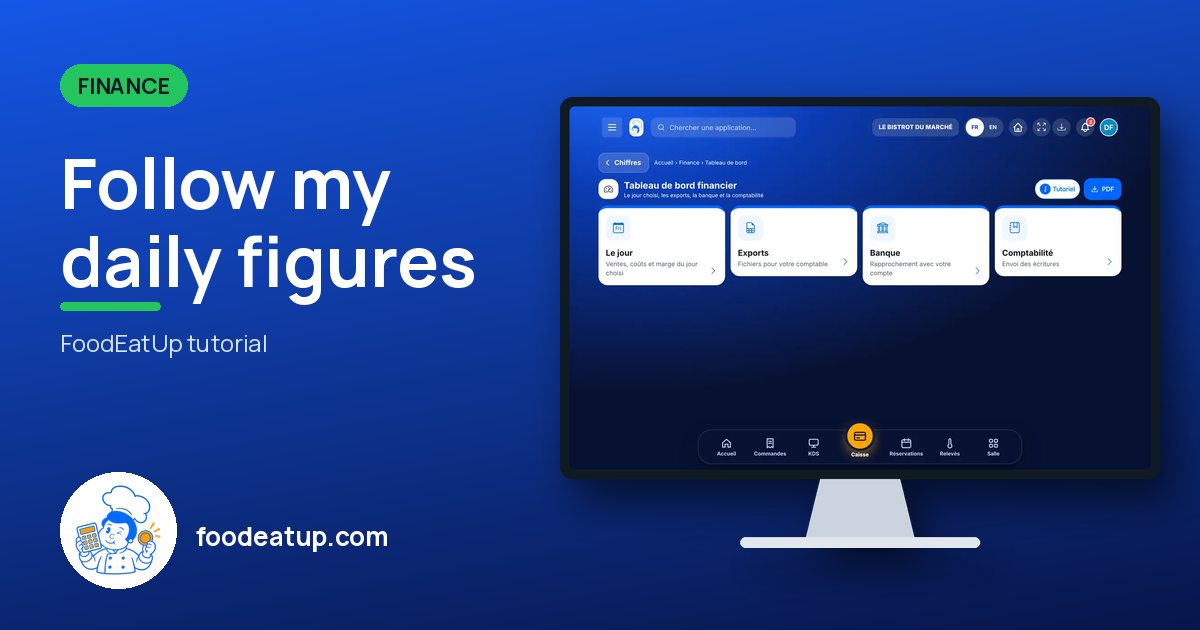
    From the home screen, open Finance then “Tableau de bord”. Four cards: “Le jour”, “Exports”, “Banque”, “Comptabilité”.

    The financial dashboard
  2. 2Step 2

    Read the day

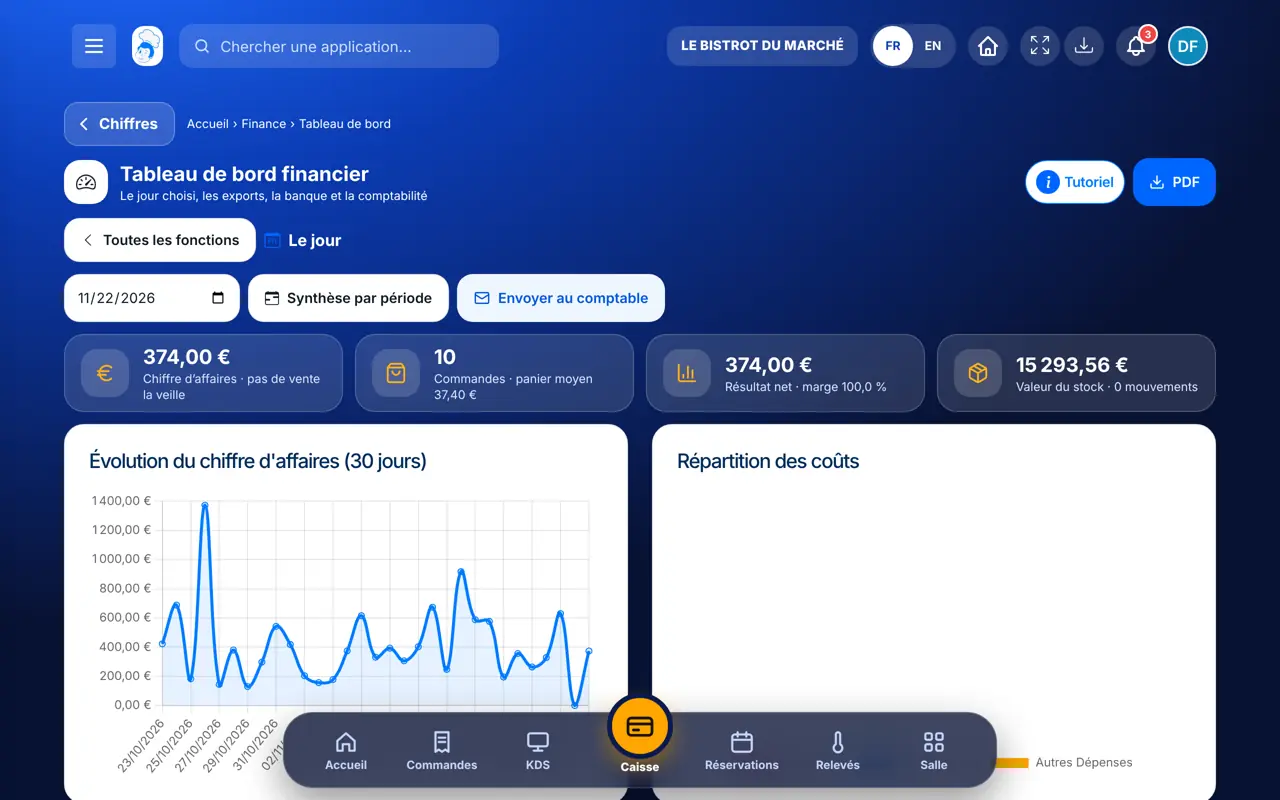
    Tap “Le jour” and pick a date. At the top: turnover, orders, net result, stock value. Below: the 30-day trend and the cost breakdown.

  3. 3Step 3

    Prepare the exports

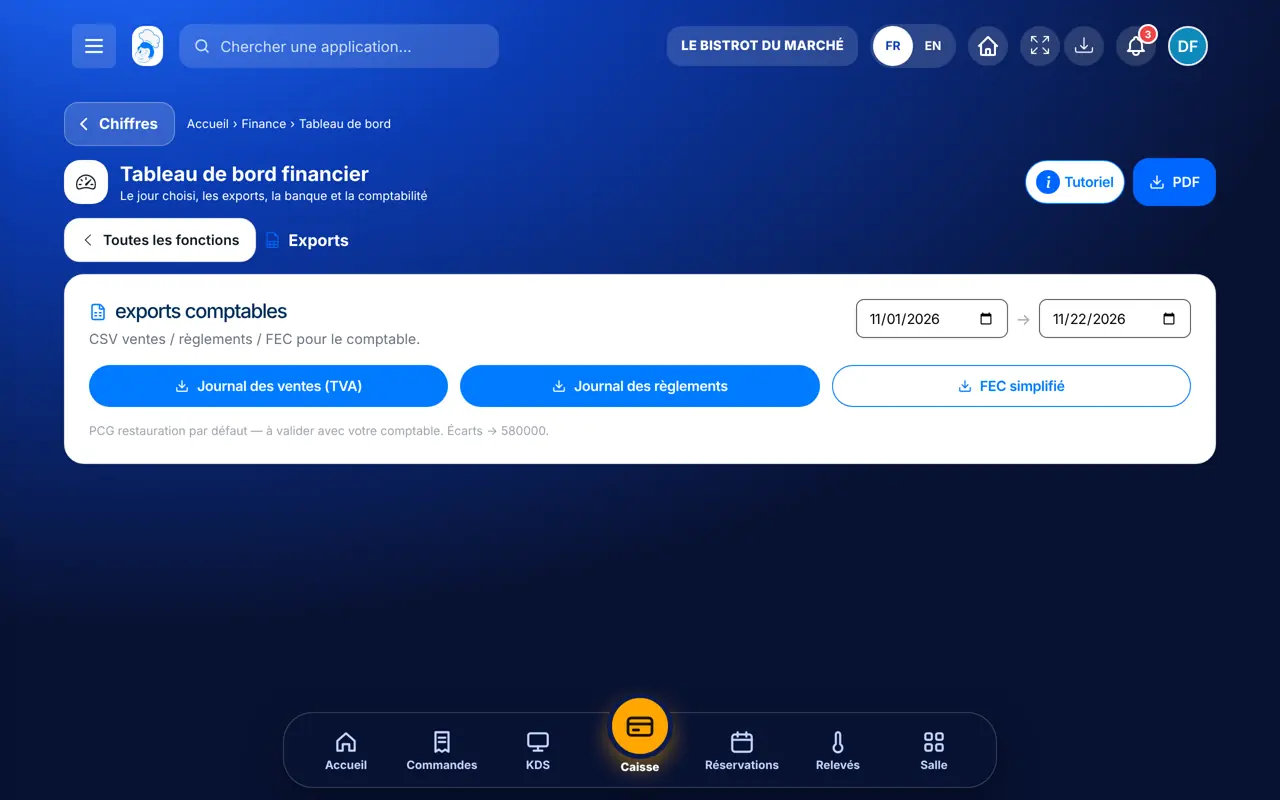
    Tap “Exports”, pick the dates, then download the sales journal (VAT), the payments journal or the simplified FEC.

    Accounting exports
  4. 4Step 4

    Match with the bank

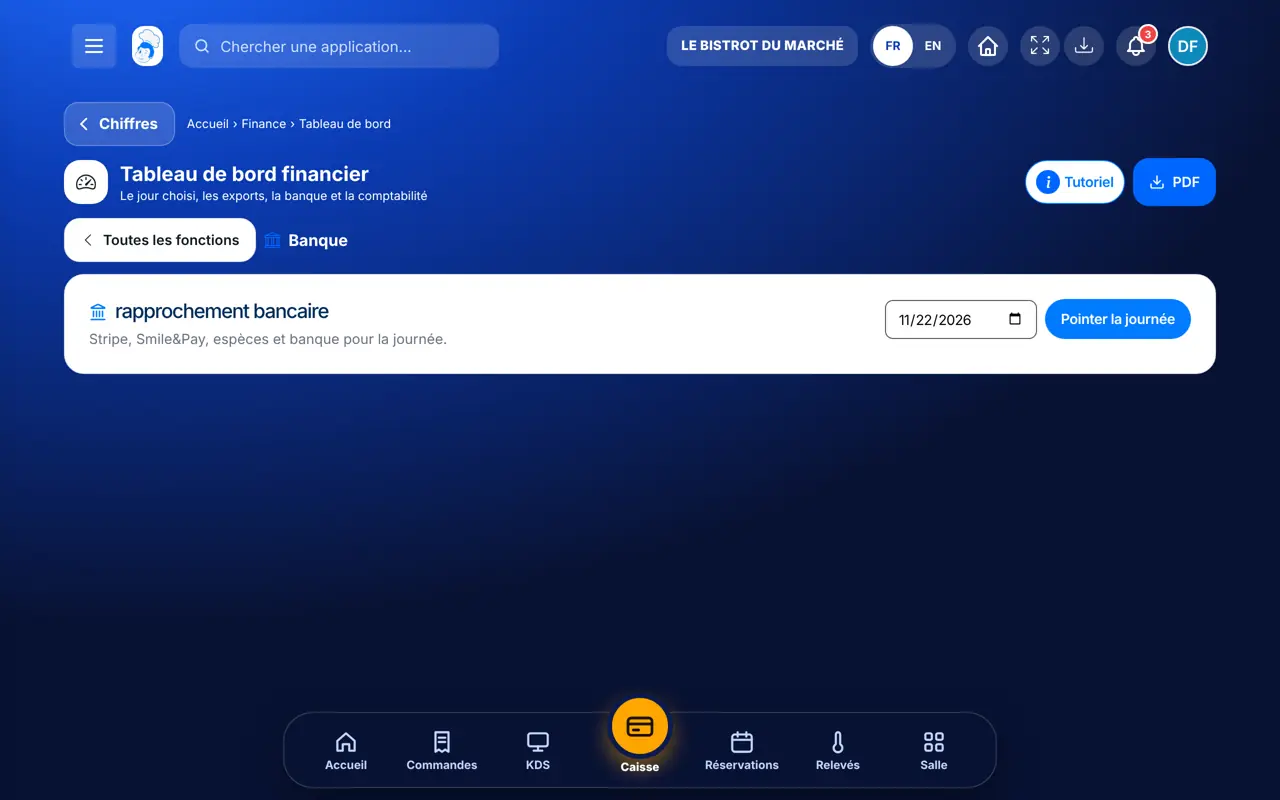
    Tap “Banque”, pick the day: each payment method shows what was expected, what arrived and the gaps.

    Bank reconciliation
  5. 5Step 5

    Send to the accountant

    In “Le jour”, tap “Envoyer au comptable” and type their address: they receive the day’s report.

The result

The result

The whole day at a glance: turnover, orders, net result, stock value, the 30-day trend and the cost split.

The result : Follow my daily figures

Owner and employee: what changes

The owner

Reads the figures, downloads exports, matches the bank and sends the report to the accountant.

Finances — The owner

The employee

With the right to view the financial dashboard, sees the same figures. Connecting accounting needs a separate right.

Finances — The employee

Do it with your assistant

Claude, ChatGPT or Mistral’s Le Chat, connected to FoodEatUp. Copy the request and replace your establishment number.

My month’s figures

In FoodEatUp, for my establishment [number], give me this month’s turnover compared with last month, and my recorded expenses.

What you getThe month’s turnover, the comparison with the same span last month, expenses and pending invoices.

Tools used : get_finance_indicators

The journal for the accountant

In FoodEatUp, for my establishment [number], show me the sales journal from [start date] to [end date].

What you getThe sales journal lines, the same as the accountant’s export.

Tools used : get_accounting_journal

The PDF report

In FoodEatUp, for my establishment [number], give me the link to the financial PDF report for [date].

What you getA download link for the report, valid for 30 minutes.

Tools used : get_financial_report_pdf_link

What you gain

All in one place

Sales, costs, stock and bank on one screen.

Ready for the accountant

Journals and FEC in one download.

Visible gaps

Each expected payment is compared with what arrived.

No retyping

The figures come from your sales.

The Chef’s tip

Have your accountant check the chart of accounts once: the screen reminds you that the suggested accounts are restaurant defaults.

Frequently asked questions

Where does the labour cost come from?

It is an estimate: clocked hours multiplied by €15. The screen says so next to the amount.

Which files can I give my accountant?

The sales journal (with VAT), the payments journal and a simplified FEC, over the dates you choose.

Does reconciliation work without a connected bank?

Yes for the till and payments. The bank line stays empty until a bank account is connected.

Text version for AI assistants →

Share this tutorial

Send it to your team, your partner or your accountant. The image below appears in the message.

Share preview : Follow my daily figures
WhatsAppLinkedInFacebookEmail

Send to an AI assistant

Claude, ChatGPT or Le Chat read this tutorial and explain it to you. Connected to FoodEatUp, they do it with you.

Read this FoodEatUp tutorial: https://foodeatup.com/en/academy/finance/finance-dashboard.md Explain it to me simply, step by step, then help me do it in my restaurant. If FoodEatUp is connected to you, do it with me and show me the preview before every change.

ClaudeLe ChatChatGPT

Open in my software

Type your establishment number: the link takes you straight to this screen. The number stays on this device.

Discover financial management (in French) →

You can read it in the software address: foodeatup.com/establishment/number/…