Who can clock in
In FoodEatUp, for my establishment [number], list the employees who have no personal code for the kiosk yet.
What you getEmployees who still need a code.
Tools used : list_employees
 Team · Borne de pointage
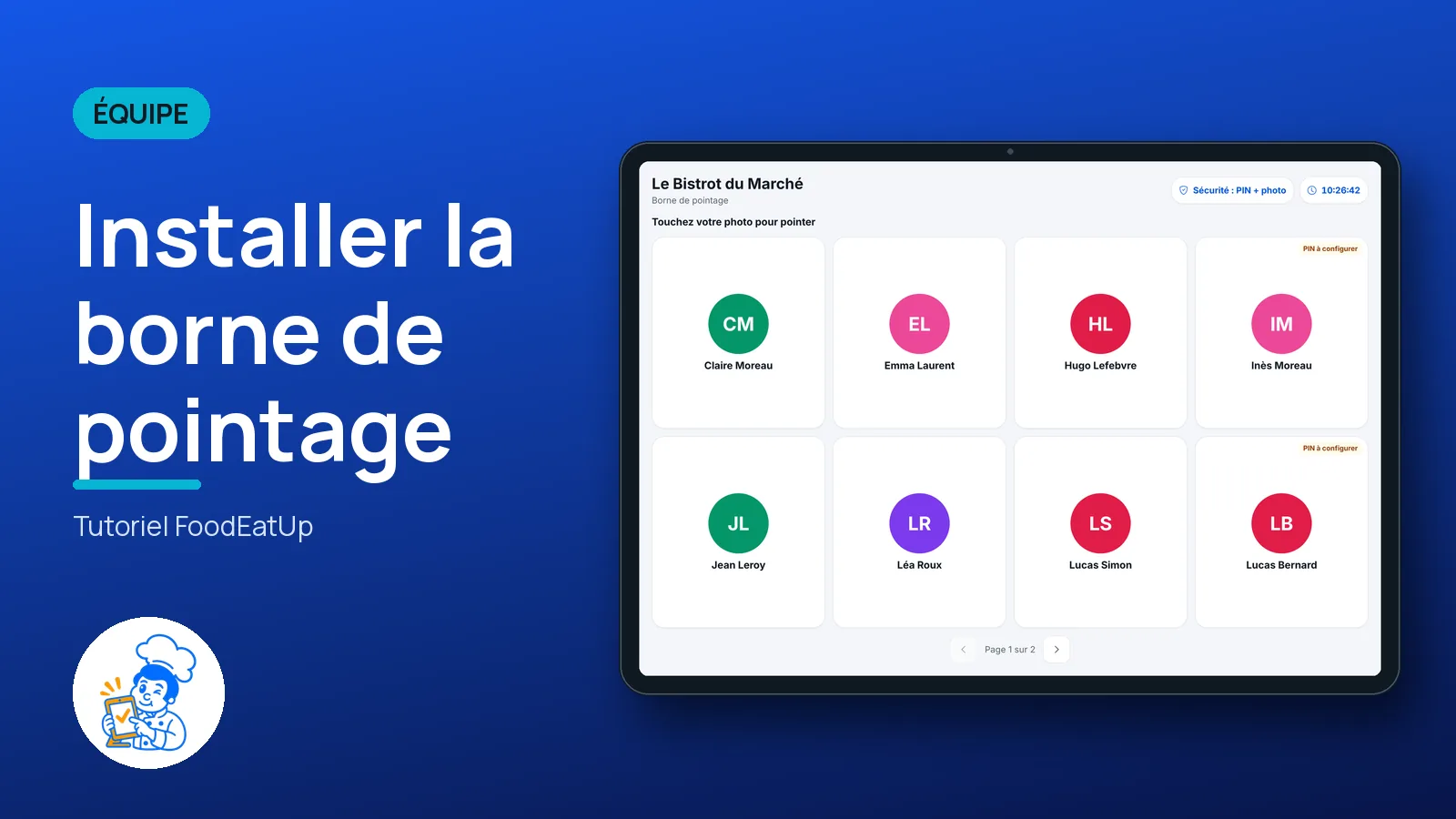
A tablet placed at the entrance becomes the team’s time clock. The employee taps their photo, types their personal code, and clocks in, takes a break or clocks out. No phone, no password.
 Patron / gérant
 Commis / cuisinier
 Plongeur
The owner always has access. See what each role sees →
A tablet fixed at the entrance or in the kitchen, with a camera if you ask for the photo.
The real software screens, as they appear on each device.
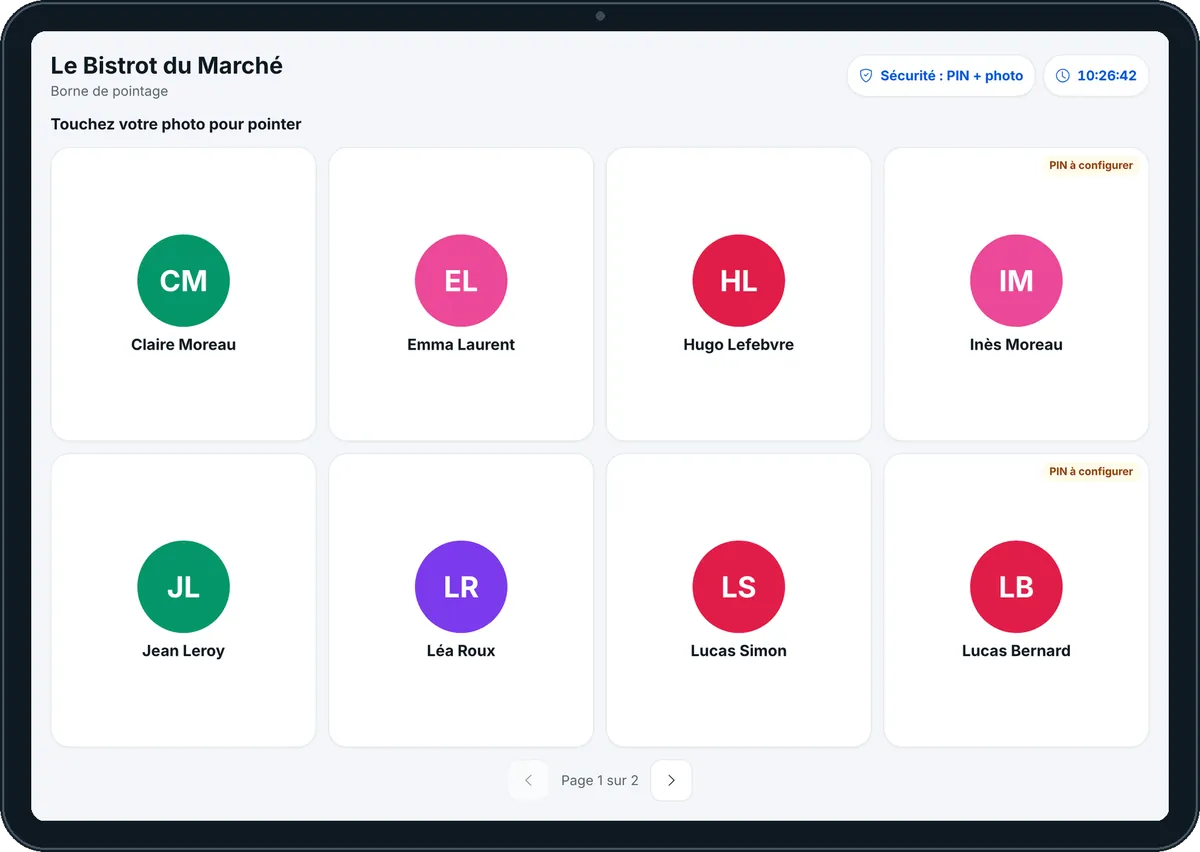
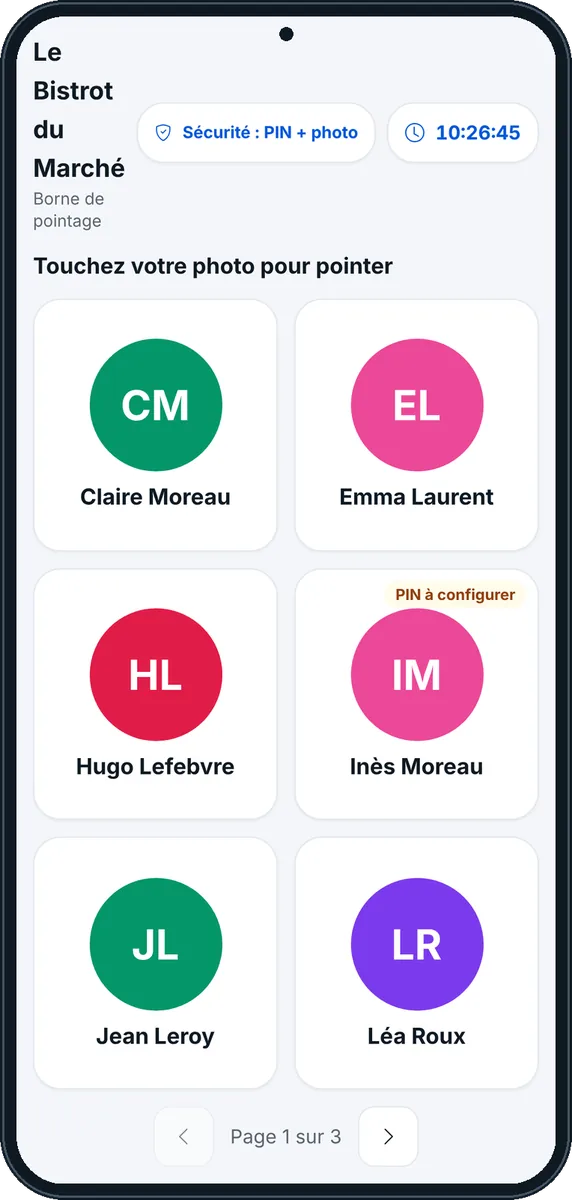

Set up the clocking kiosk : 5 steps, with the real software screens.
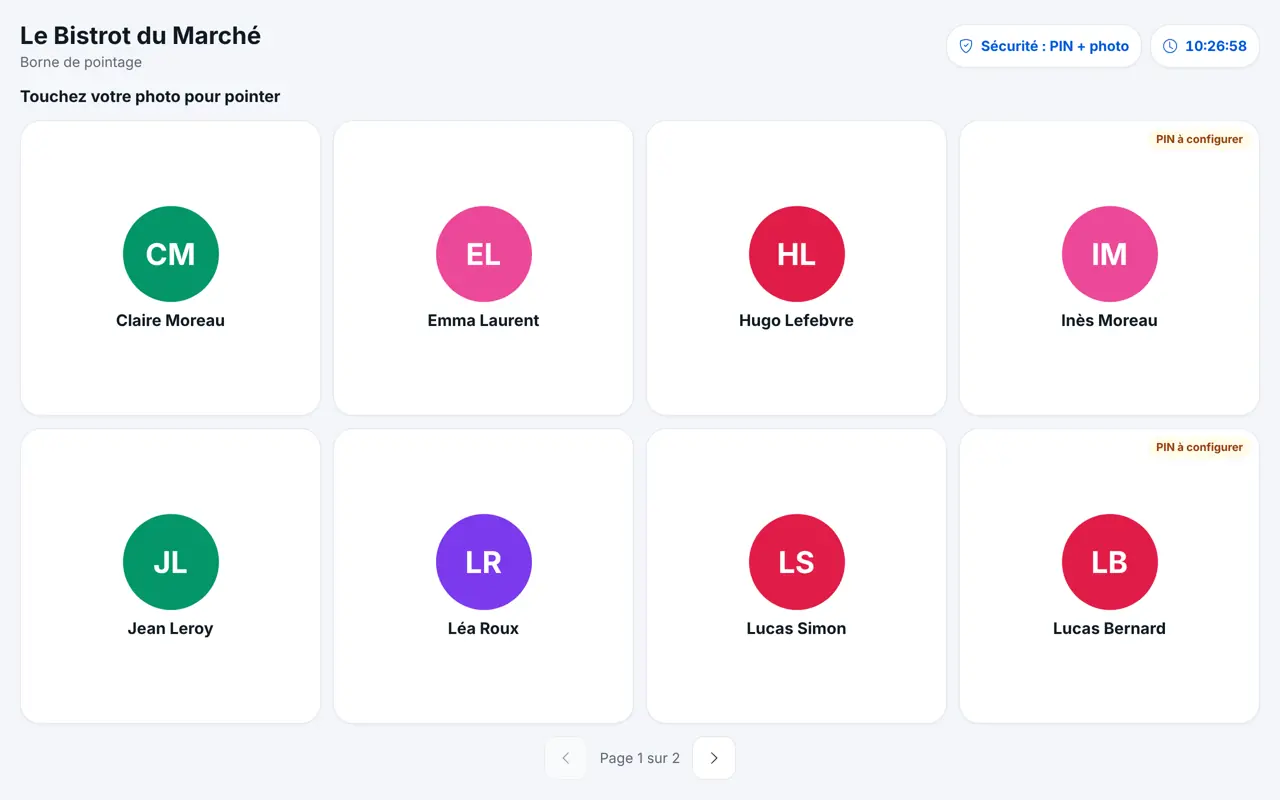
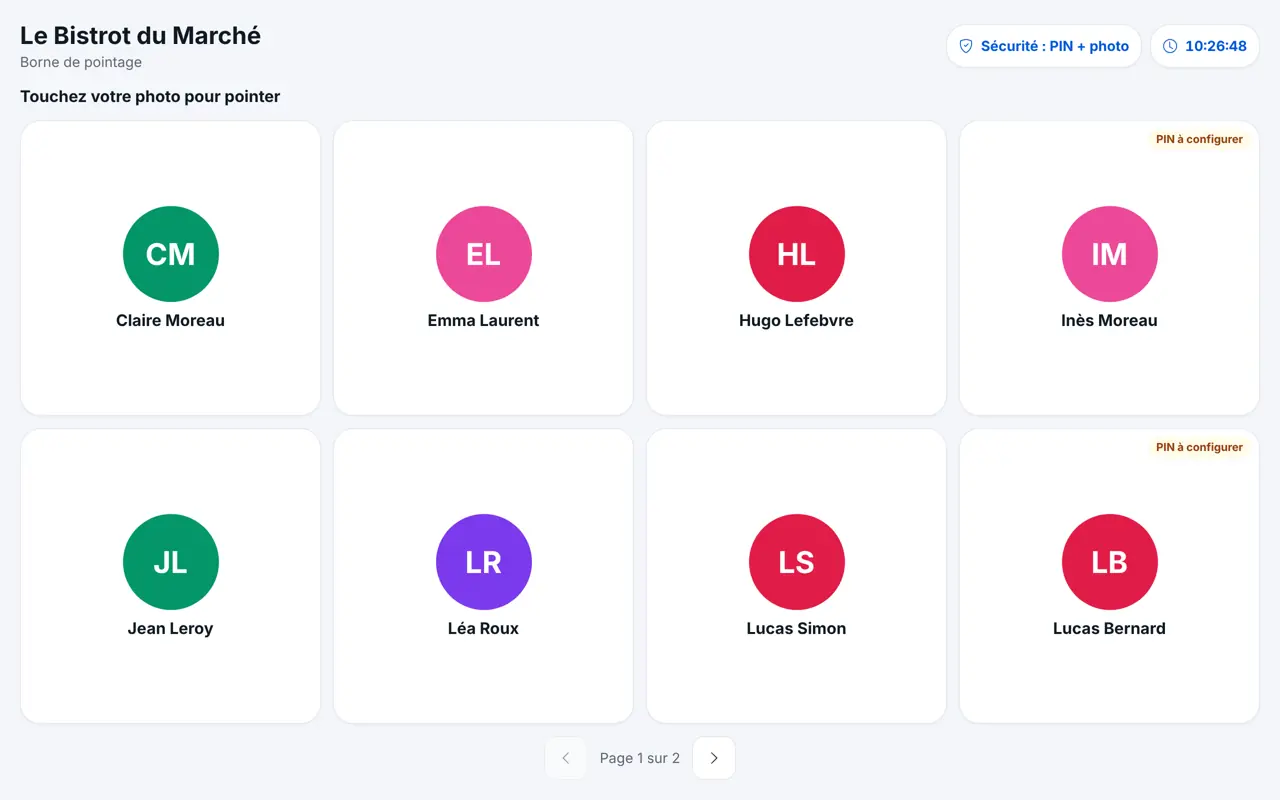
On the tablet, open Équipe then “Borne de pointage” (or “Ouvrir la borne de pointage” in Badges QR). The screen shows the time and each employee’s photo.
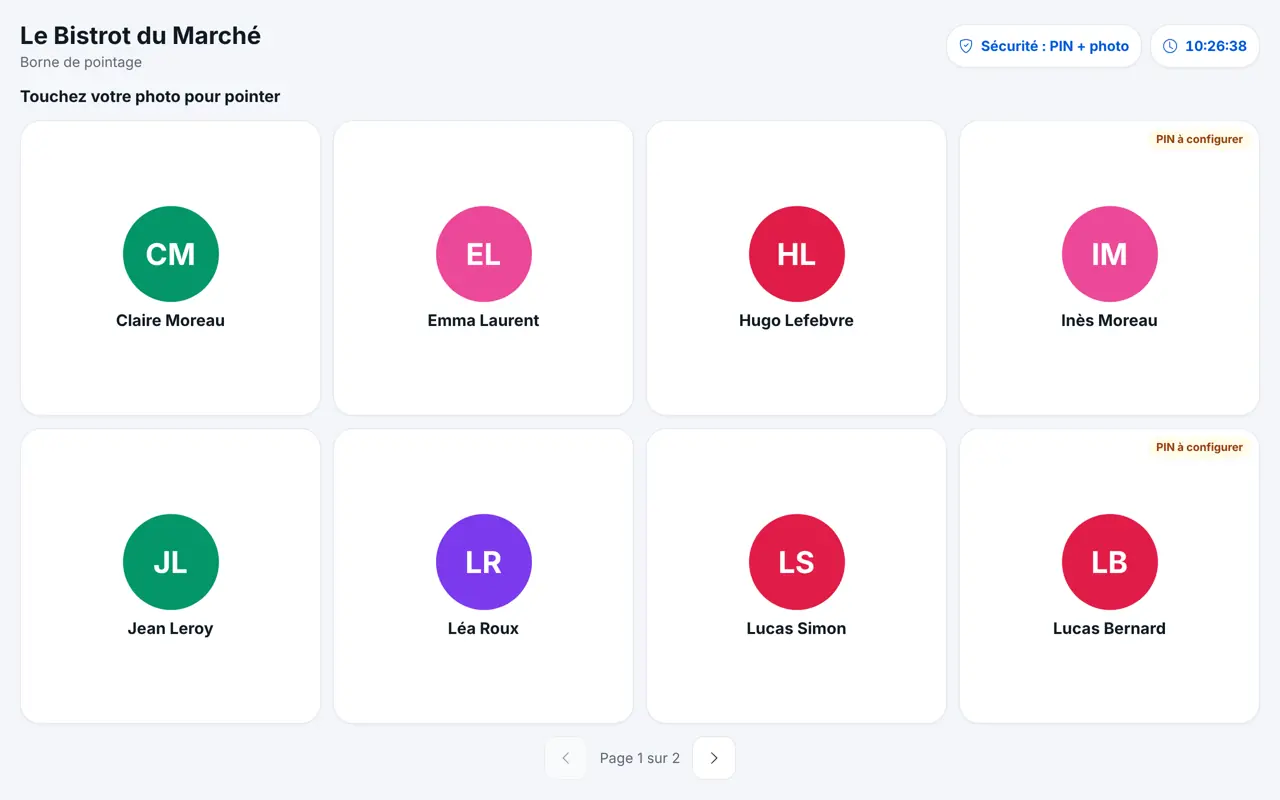
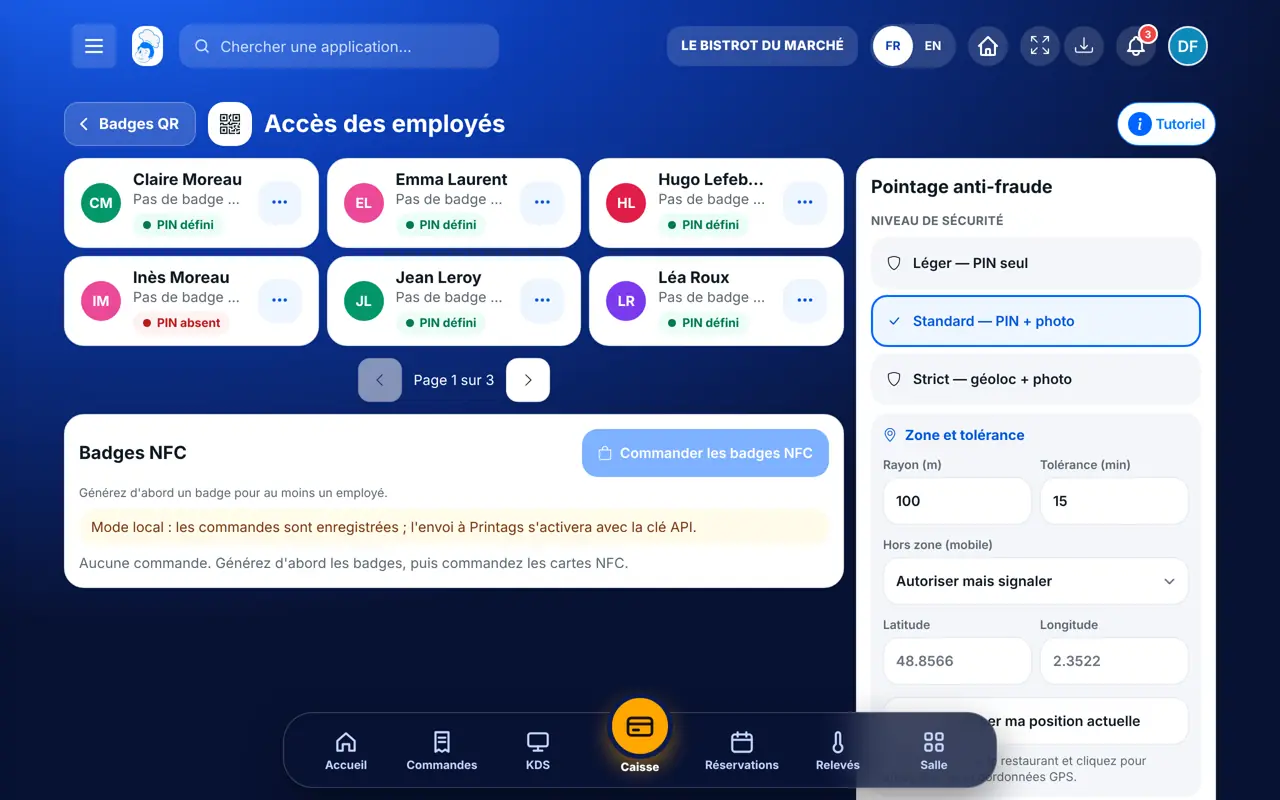
An employee marked “PIN à configurer” has no code yet. Give one in Équipe › Badges QR › “Accès des employés”.
The employee taps their photo, then types their personal code on the keypad.
The kiosk shows their status (“Pas encore arrivé”, “En service”, “En pause”) and the right button: arrival, break, end of break or departure. If a photo is required, they look at the camera.
“Pointage enregistré” appears with the time, then the kiosk goes back to the photos for the next person.
The Bistrot du Marché kiosk in use: the team taps a photo and clocks in within seconds.
Opens the kiosk on the tablet and hands out personal codes.
Taps their photo, types their code and clocks in. Sees only their own status for the day.
Claude, ChatGPT or Mistral’s Le Chat, connected to FoodEatUp. Copy the request and replace your establishment number.
In FoodEatUp, for my establishment [number], list the employees who have no personal code for the kiosk yet.
What you getEmployees who still need a code.
Tools used : list_employees
In FoodEatUp, for my establishment [number], tell me who clocked in today and who is on a break.
What you getToday’s clock-ins, employee by employee.
Tools used : list_attendances
In FoodEatUp, for my establishment [number], check whether code [digits] belongs to [first and last name].
What you getRight or wrong code; after five mistakes, the code is locked for two minutes.
Tools used : verify_employee_pin
The whole team clocks in at one place.
A photo, a code, done.
Only the right action is offered.
A photo when you ask for it.
Fix the tablet at eye level near the staff entrance: the photo is sharp and nobody forgets to clock in on arrival.
In FoodEatUp, one action triggers others. Here are the screens that work with this one.
Only with “Standard” or “Strict” security: the photo is then required. With “Léger”, the code is enough.
The kiosk shows “Identifiant incorrect” and nothing is recorded.
Yes, but the clock-in is marked “à vérifier” so you can look at it.
Send it to your team, your partner or your accountant. The image below appears in the message.
Claude, ChatGPT or Le Chat read this tutorial and explain it to you. Connected to FoodEatUp, they do it with you.
Read this FoodEatUp tutorial: https://foodeatup.com/en/academy/equipe/pointage-borne.md Explain it to me simply, step by step, then help me do it in my restaurant. If FoodEatUp is connected to you, do it with me and show me the preview before every change.
Type your establishment number: the link takes you straight to this screen. The number stays on this device.
Discover FoodEatUp clocking (in French) →
Répond avec les fiches du site, sans IA
Le chef cherche dans les fiches…
 Claude
 Le Chat
 ChatGPT