My events
In FoodEatUp, for my establishment [number], list my Live events and their status.
What you getEach event, its dates and its status (draft, on sale…).
Tools used : list_live_events
 Display · FoodEatUp Live
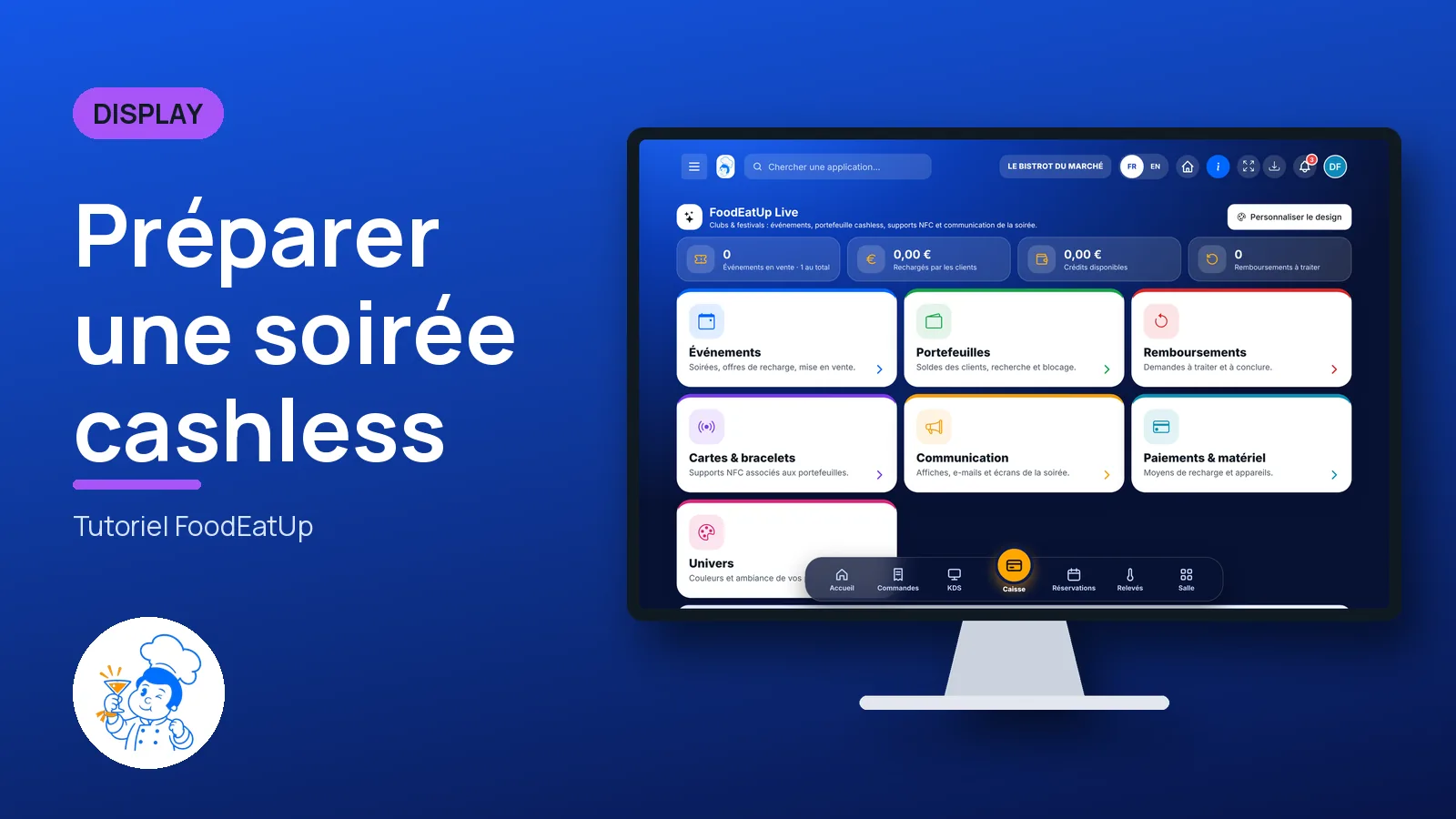
For a club, a festival or a big night: customers top up a wallet on their phone, at a kiosk or with a wristband, then pay at the bar by showing a QR code. You prepare the event, its top-ups and its communication.
 Directeur
 Barman
 Responsable multi-sites
 Patron / gérant
The owner always has access. See what each role sees →
A computer to prepare the event. During the night, the till takes payment with “Scanner & encaisser”.
The real software screens, as they appear on each device.
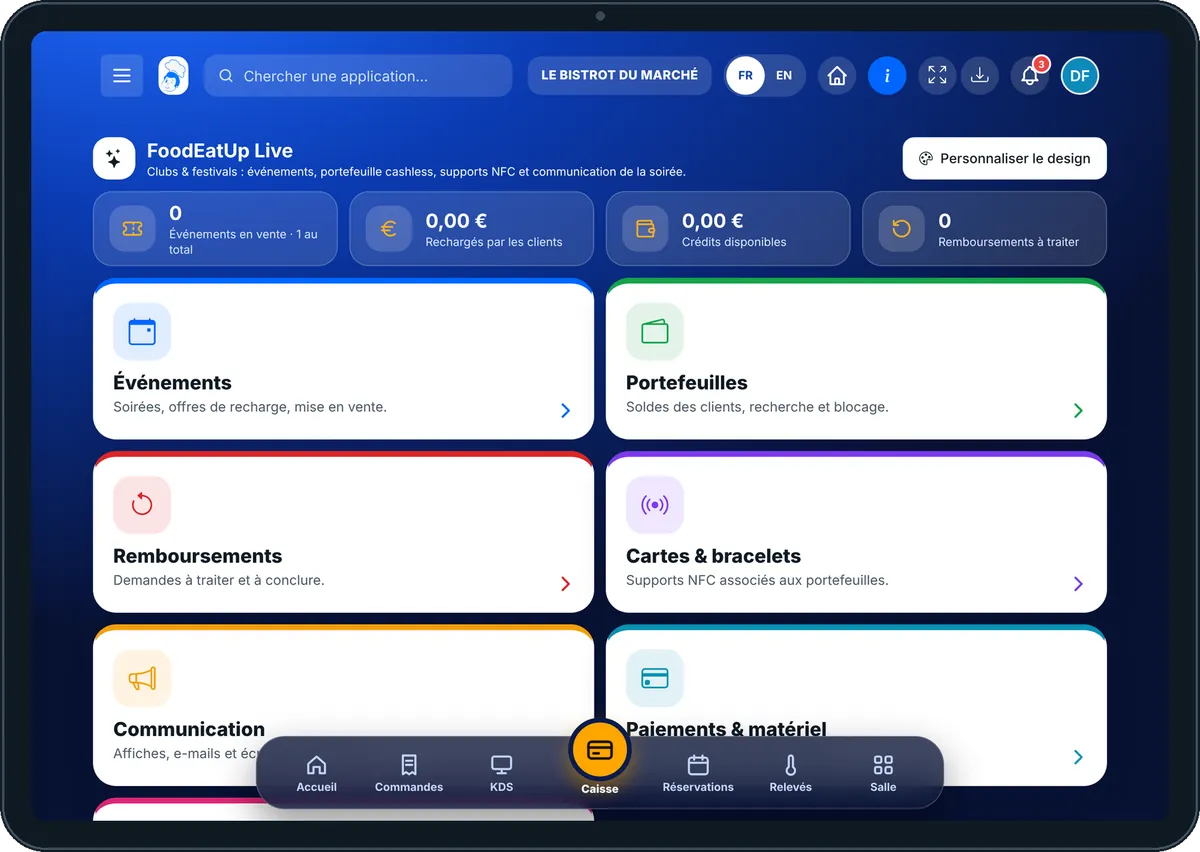
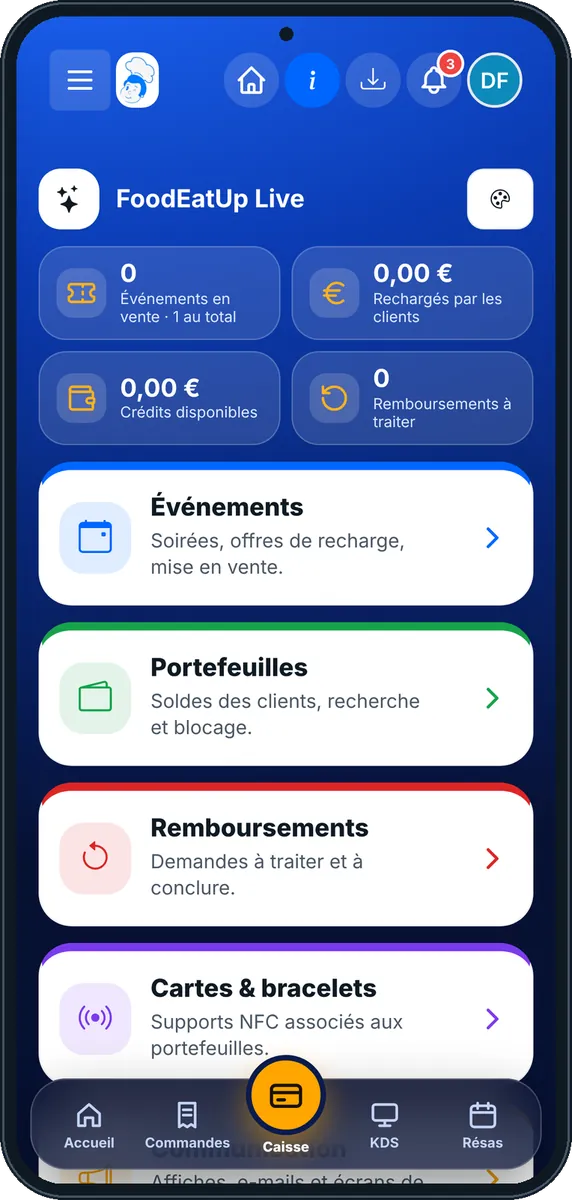
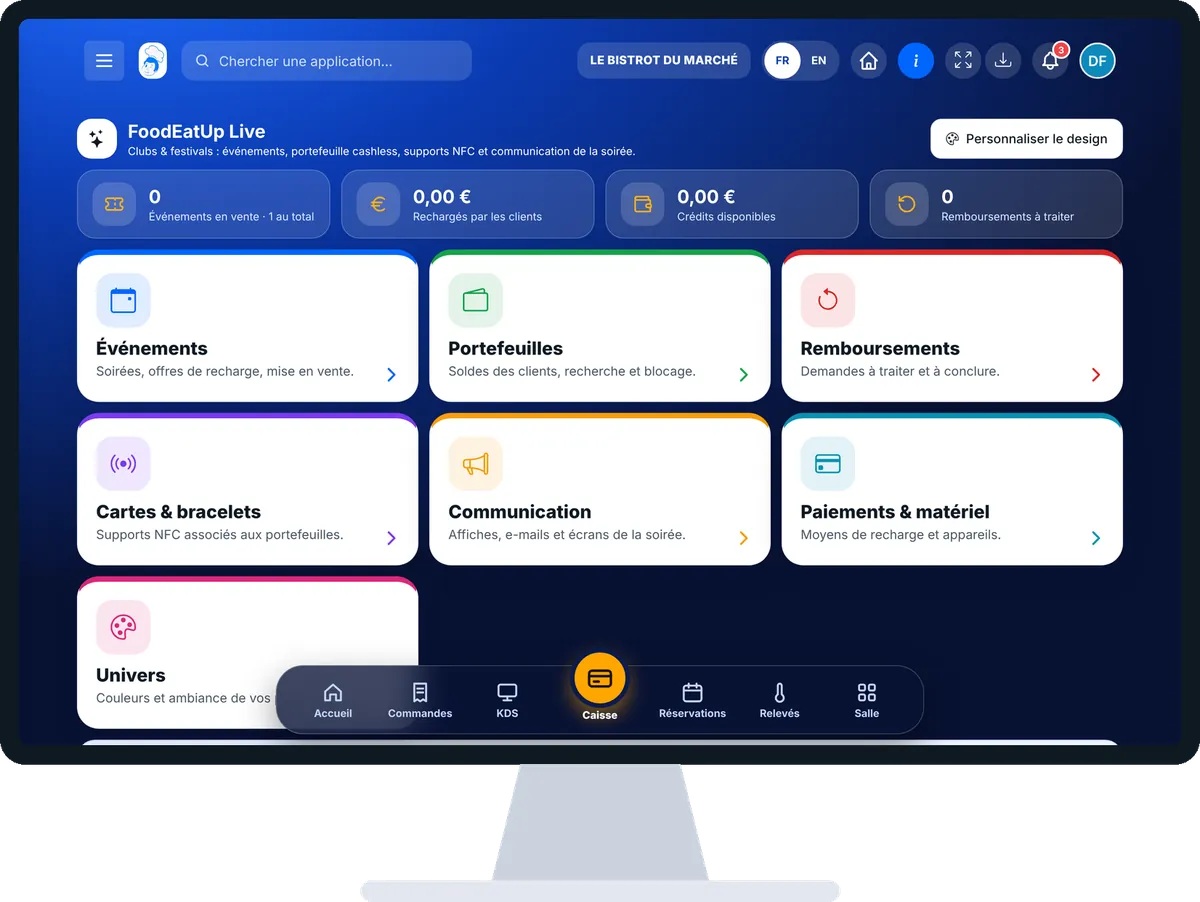
Prepare a cashless night : 5 steps, with the real software screens.
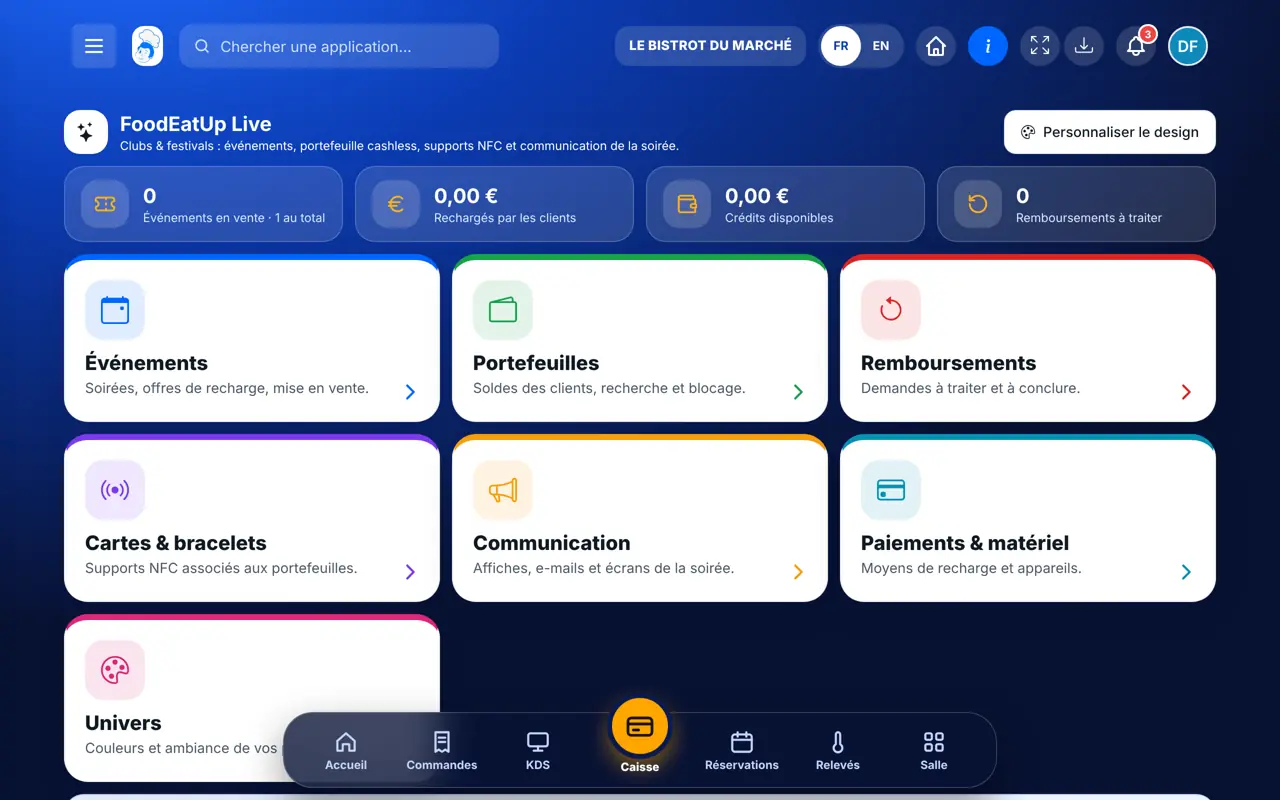
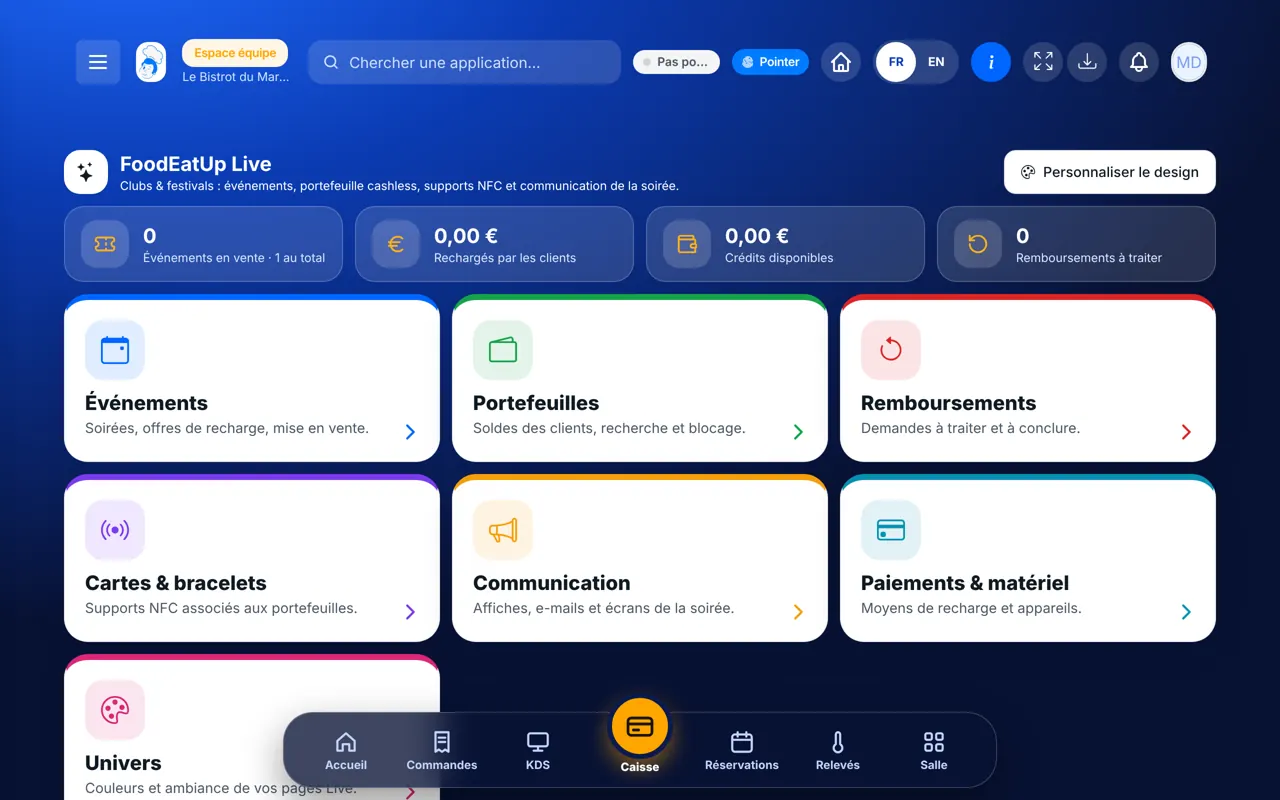
From the home screen, open Display then “FoodEatUp Live”. Seven cards: “Événements”, “Portefeuilles”, “Remboursements”, “Cartes & bracelets”, “Communication”, “Paiements & matériel”, “Univers”.
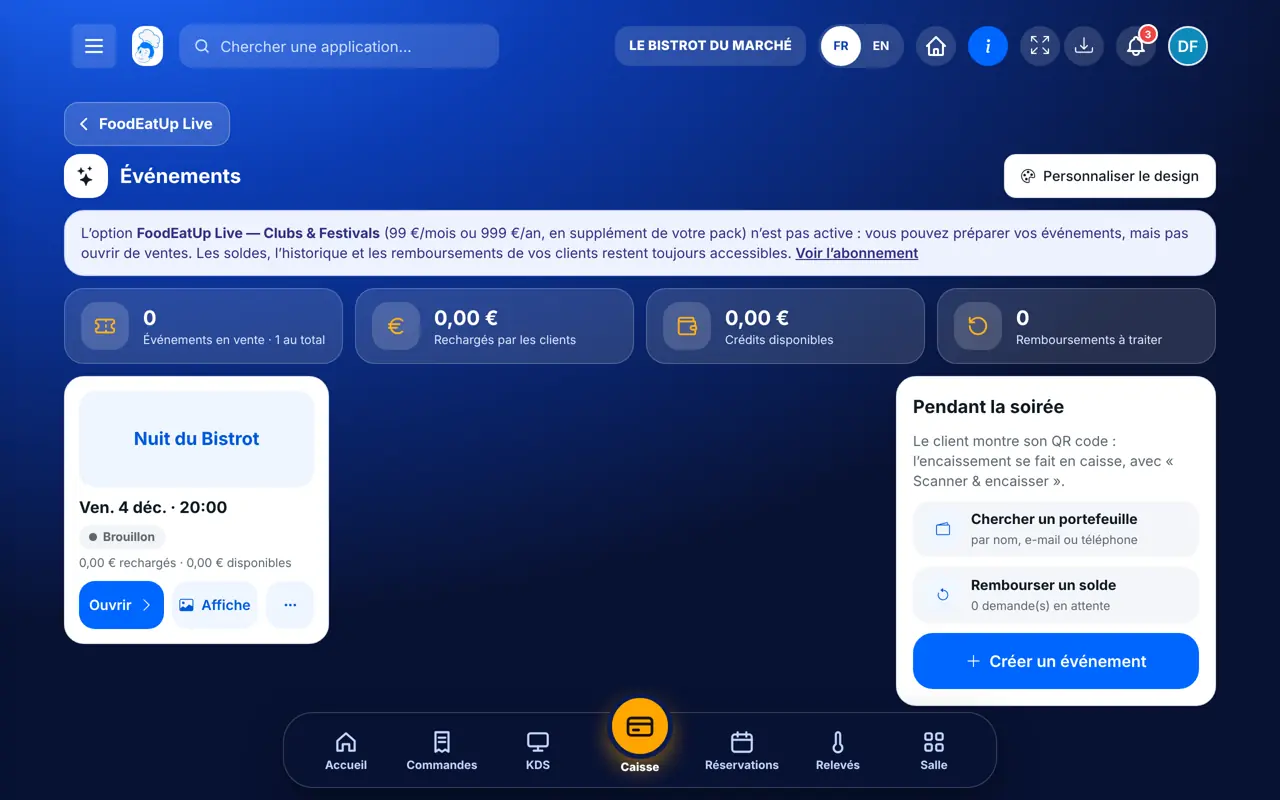
Tap “Événements” then “Créer un événement”: name, dates, refund deadline. Top-ups of €10, €50 and €100 are offered, and can be changed.
“Univers” uses your colours; “Communication” prepares the poster, e-mails and screens.
When everything is ready, put the event on sale: customers can top up their wallet.
The customer shows their QR code at the bar: payment is taken at the till with “Scanner & encaisser”. Refunds are handled afterwards in “Remboursements”.
The “Nuit du Bistrot” event is ready, with its top-up offers. It goes on sale when you decide.
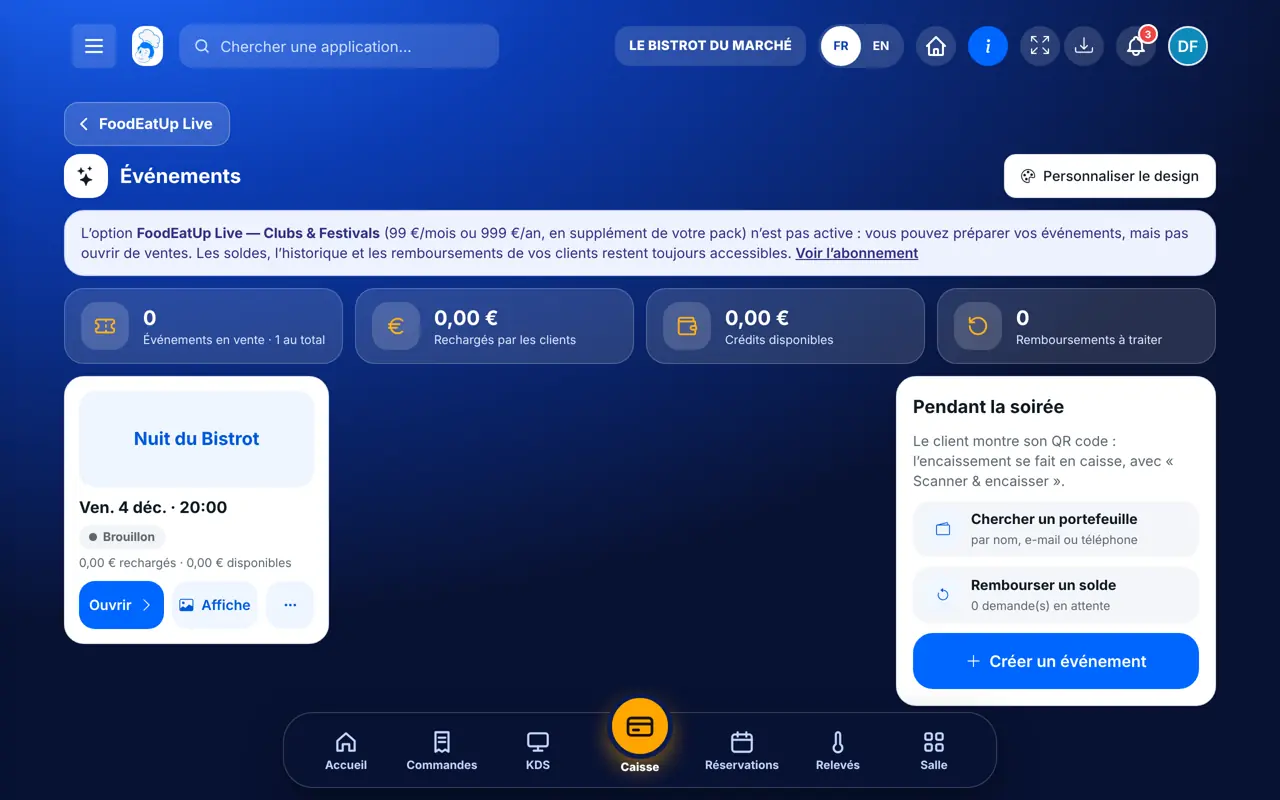
Creates events, sets top-ups and handles refunds.
At the bar, takes payment with the till (“Scanner & encaisser”). Live screens need their own rights.
Claude, ChatGPT or Mistral’s Le Chat, connected to FoodEatUp. Copy the request and replace your establishment number.
In FoodEatUp, for my establishment [number], list my Live events and their status.
What you getEach event, its dates and its status (draft, on sale…).
Tools used : list_live_events
In FoodEatUp, for my establishment [number], give me the figures for event [name]: top-ups, spending, remaining balances.
What you getThe night’s figures.
Tools used : get_live_event_stats
The bar takes payment with one scan.
Each debit goes through the till.
Remaining balances are returned under the rules.
Pages and posters in your colours.
Open top-up sales several days before the night: customers arrive with a wallet already filled, and the queue at the bar melts away.
In FoodEatUp, one action triggers others. Here are the screens that work with this one.
Yes. Live is a subscription add-on: without it, you prepare your events but cannot open sales.
On their phone by card, at a top-up kiosk, or at the till.
They are linked to wallets in “Cartes & bracelets”. Contactless payment by wristband is not open yet.
Send it to your team, your partner or your accountant. The image below appears in the message.
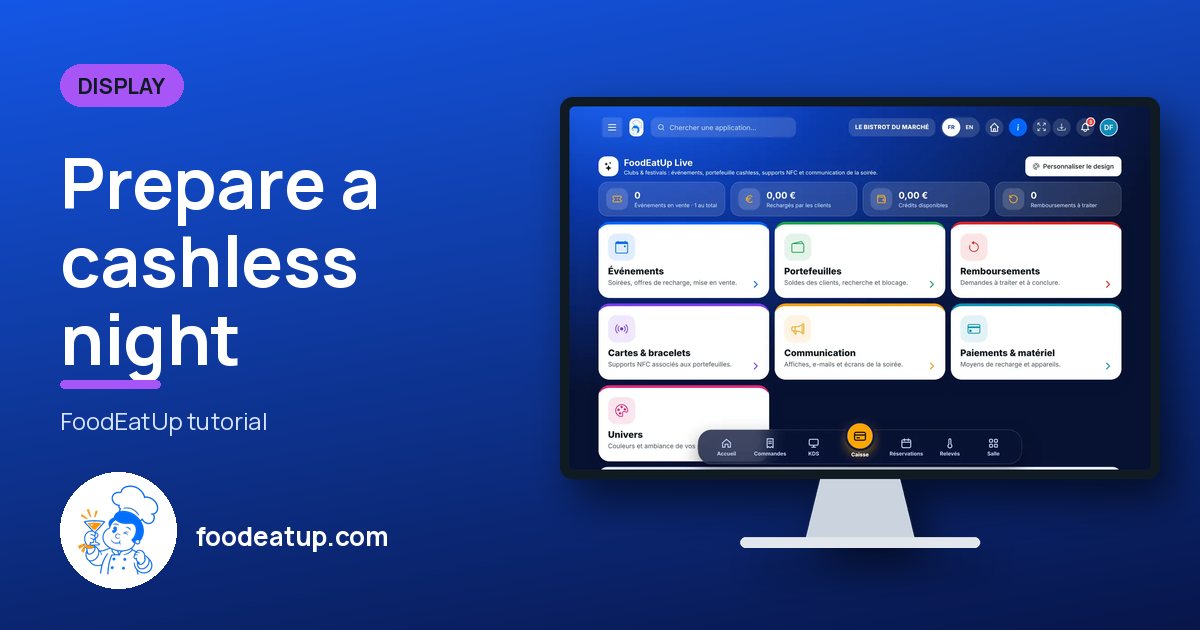
Claude, ChatGPT or Le Chat read this tutorial and explain it to you. Connected to FoodEatUp, they do it with you.
Read this FoodEatUp tutorial: https://foodeatup.com/en/academy/display/live.md Explain it to me simply, step by step, then help me do it in my restaurant. If FoodEatUp is connected to you, do it with me and show me the preview before every change.
Type your establishment number: the link takes you straight to this screen. The number stays on this device.
Discover FoodEatUp Live (in French) →
Répond avec les fiches du site, sans IA
Le chef cherche dans les fiches…
 Claude
 Le Chat
 ChatGPT