Fleet status
In FoodEatUp, for my establishment [number], tell me which screens and kiosks are offline and since when.
What you getOnline and offline devices, with their last signal.
Tools used : etat_parc
 Display · Monitoring
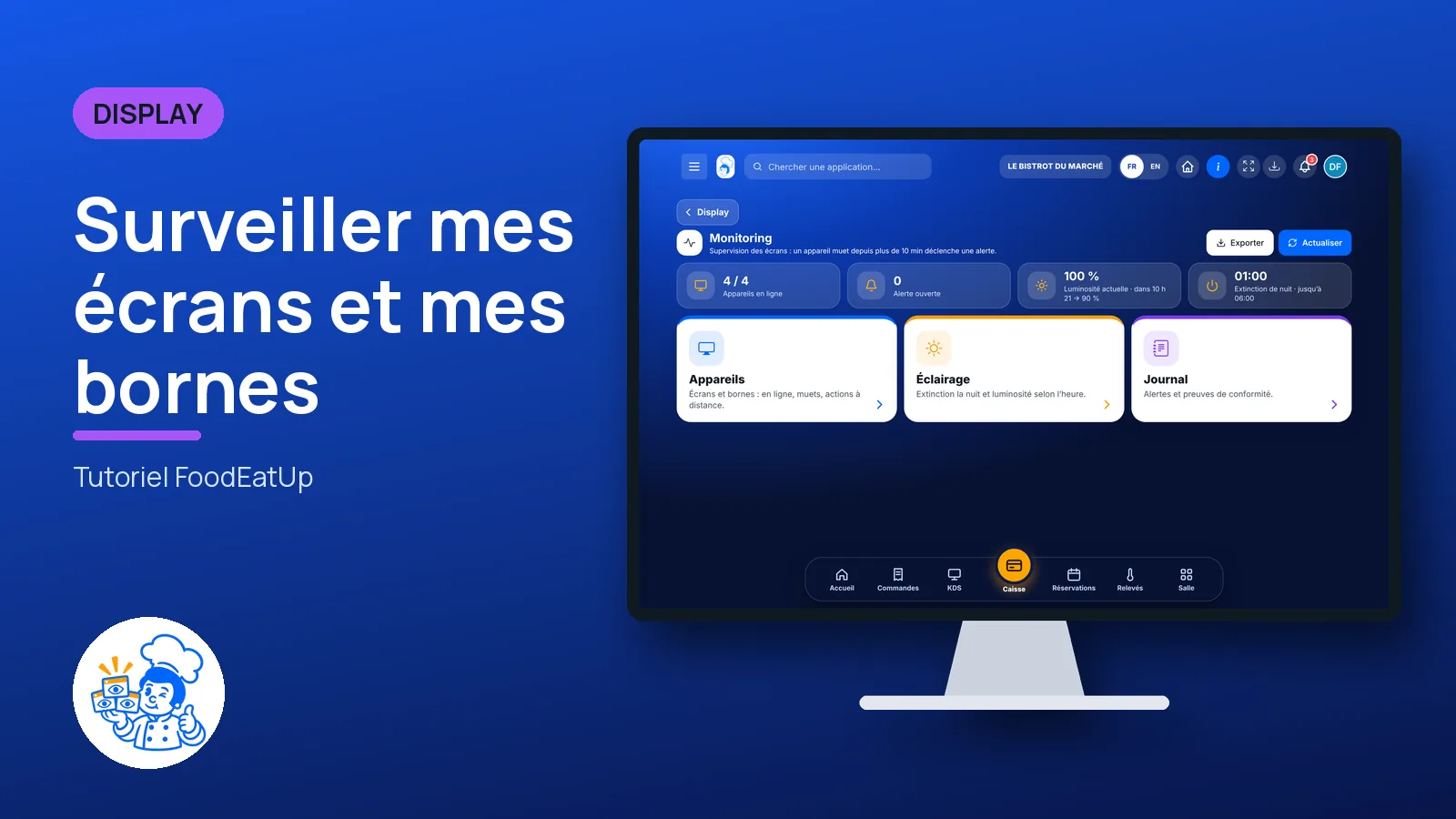
A screen silent for ten minutes alerts you. Screens switch off at night and dim in the evening, as the rules on illuminated signs require. Everything is recorded in a log.
 Directeur
 Responsable multi-sites
 Patron / gérant
The owner always has access. See what each role sees →
A computer to see device status, set the lighting and export the log.
The real software screens, as they appear on each device.
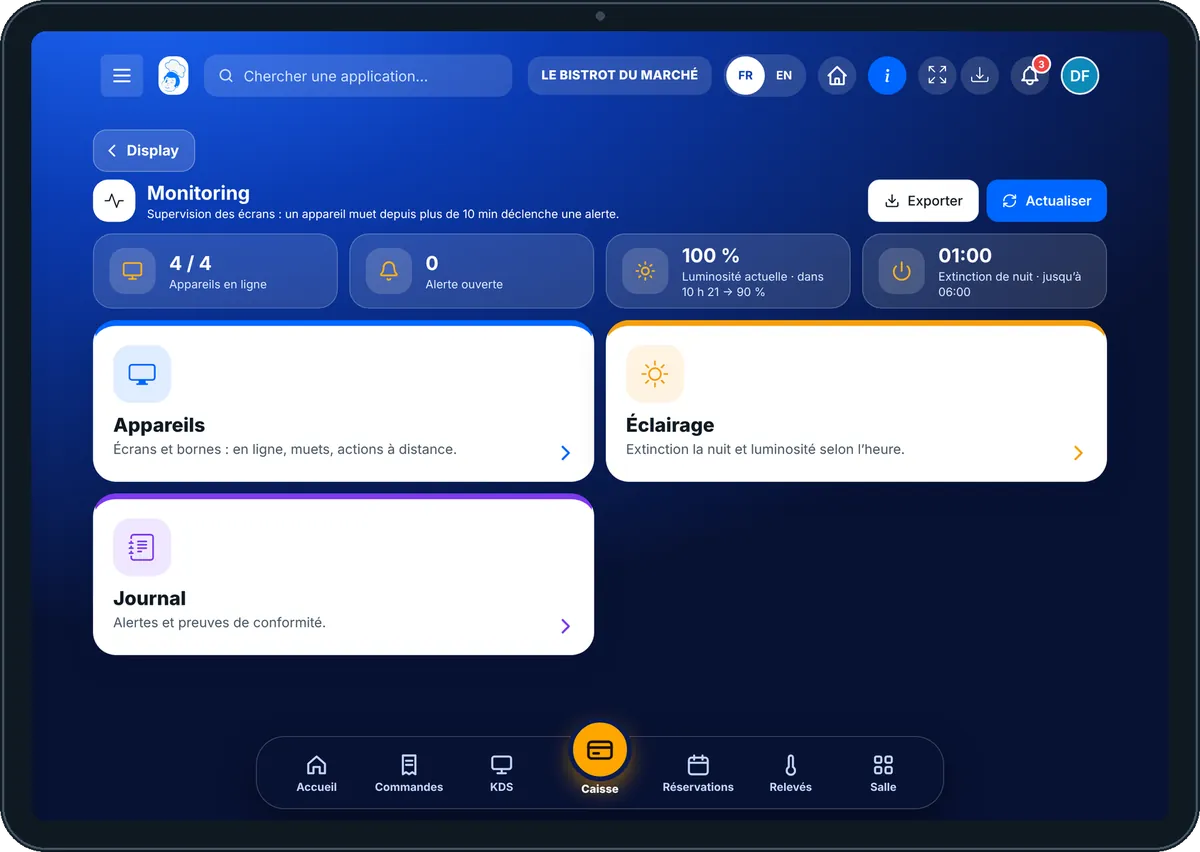
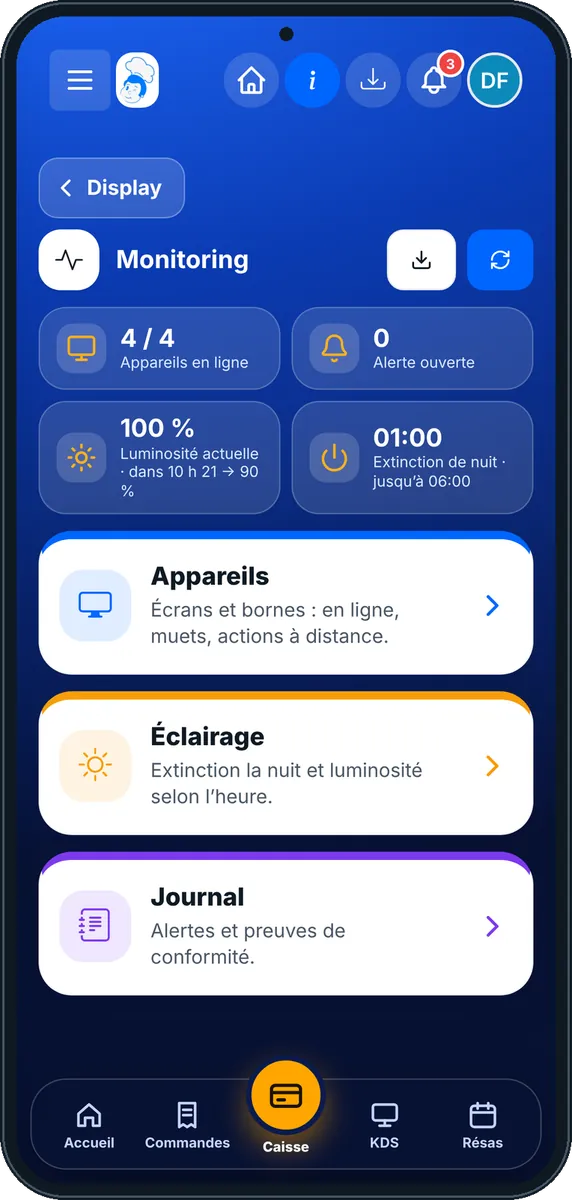
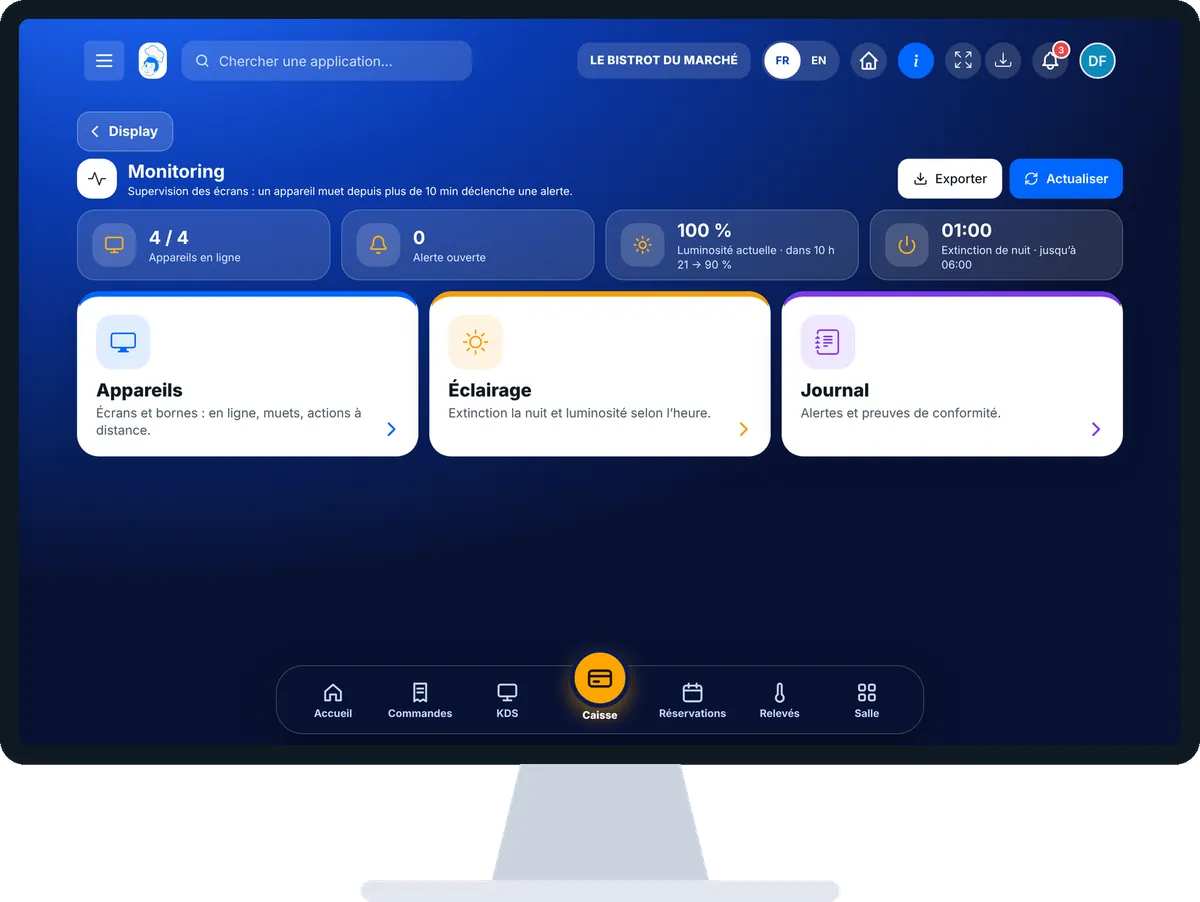
Monitor my screens and kiosks : 5 steps, with the real software screens.
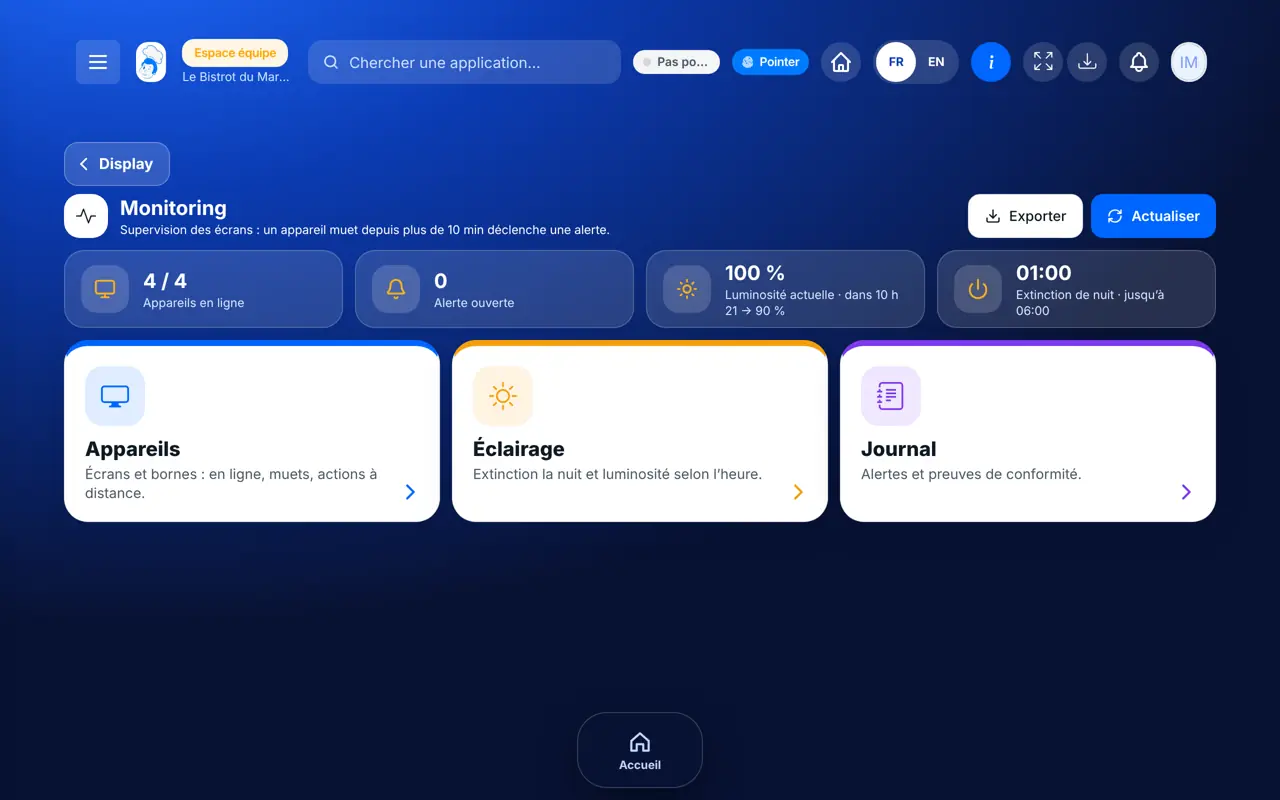
From the home screen, open Display then “Monitoring”. At the top: devices online, open alerts, current brightness, night-time switch-off.
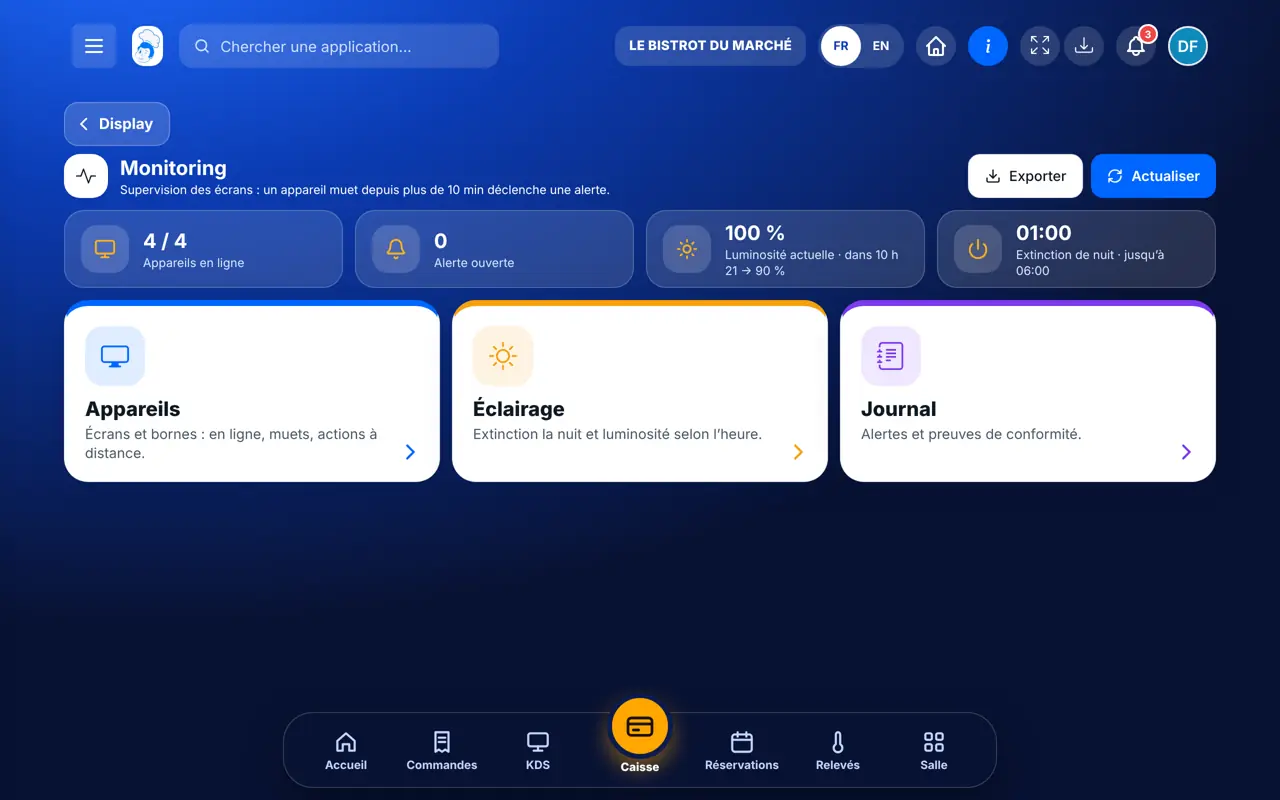
Tap “Appareils”: each screen and kiosk, with its last signal. “Recharger” or “Redémarrer” are sent with the next signal.
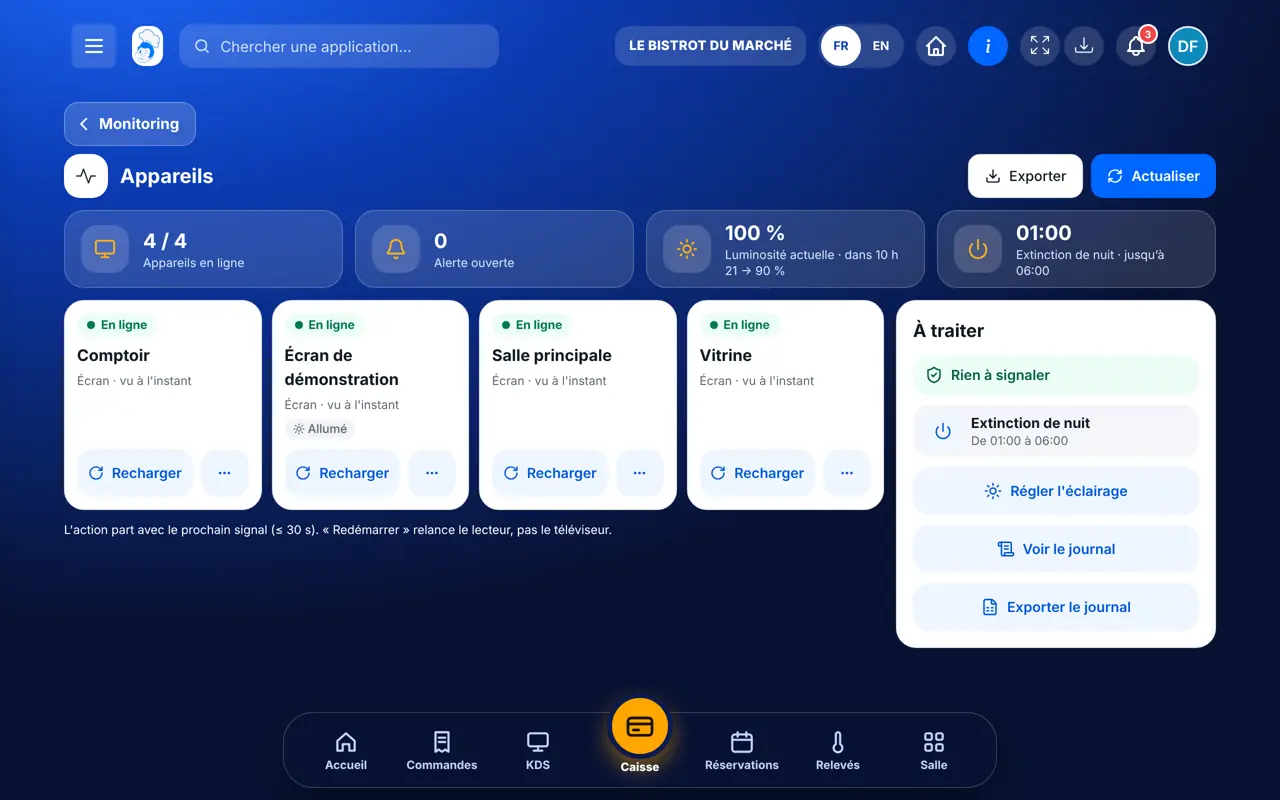
Tap “Éclairage”: night-time switch-off, following opening hours, day, evening and night brightness, alert delay.
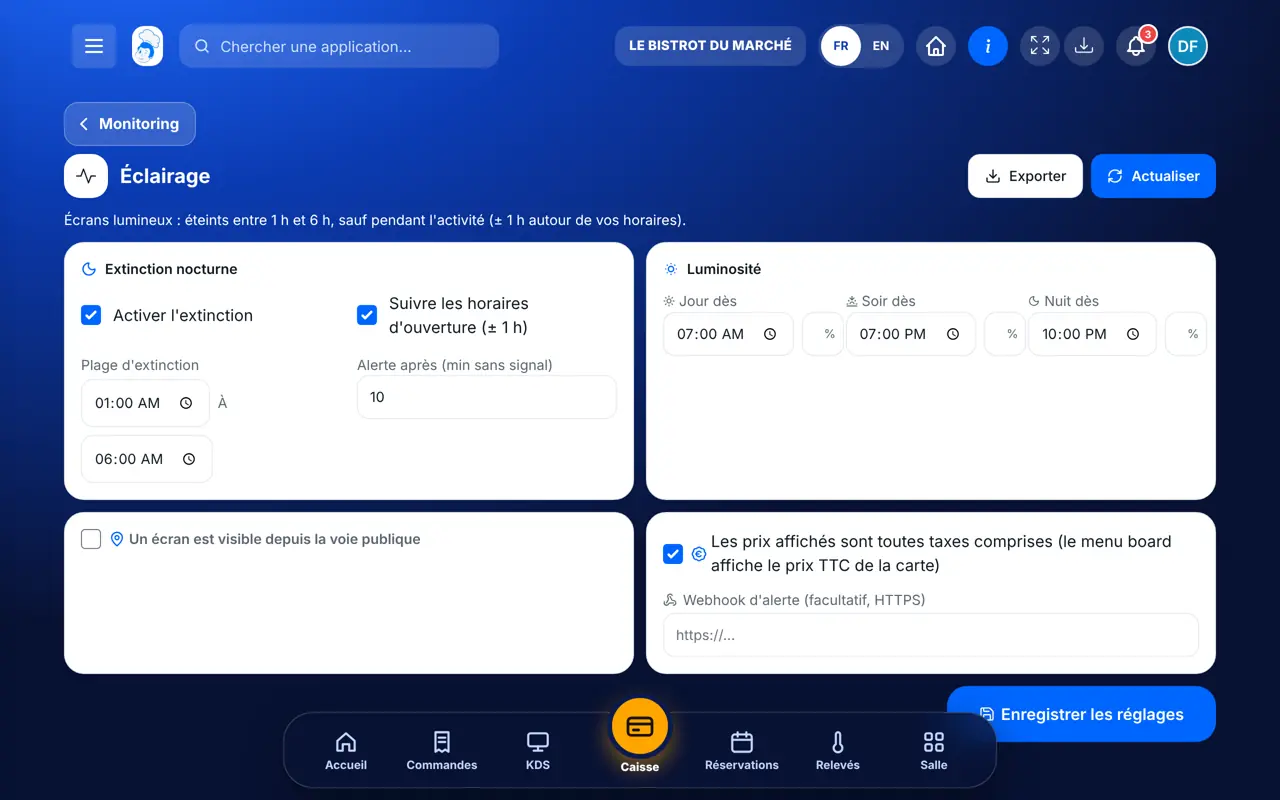
A device silent beyond the delay sends an alert to the bell and by e-mail. It closes by itself when the device comes back.
Tap “Journal”: alerts, switch-offs and switch-ons. “Exporter” gives the file.
All devices are online, no alert is open, and night-time switch-off is scheduled.
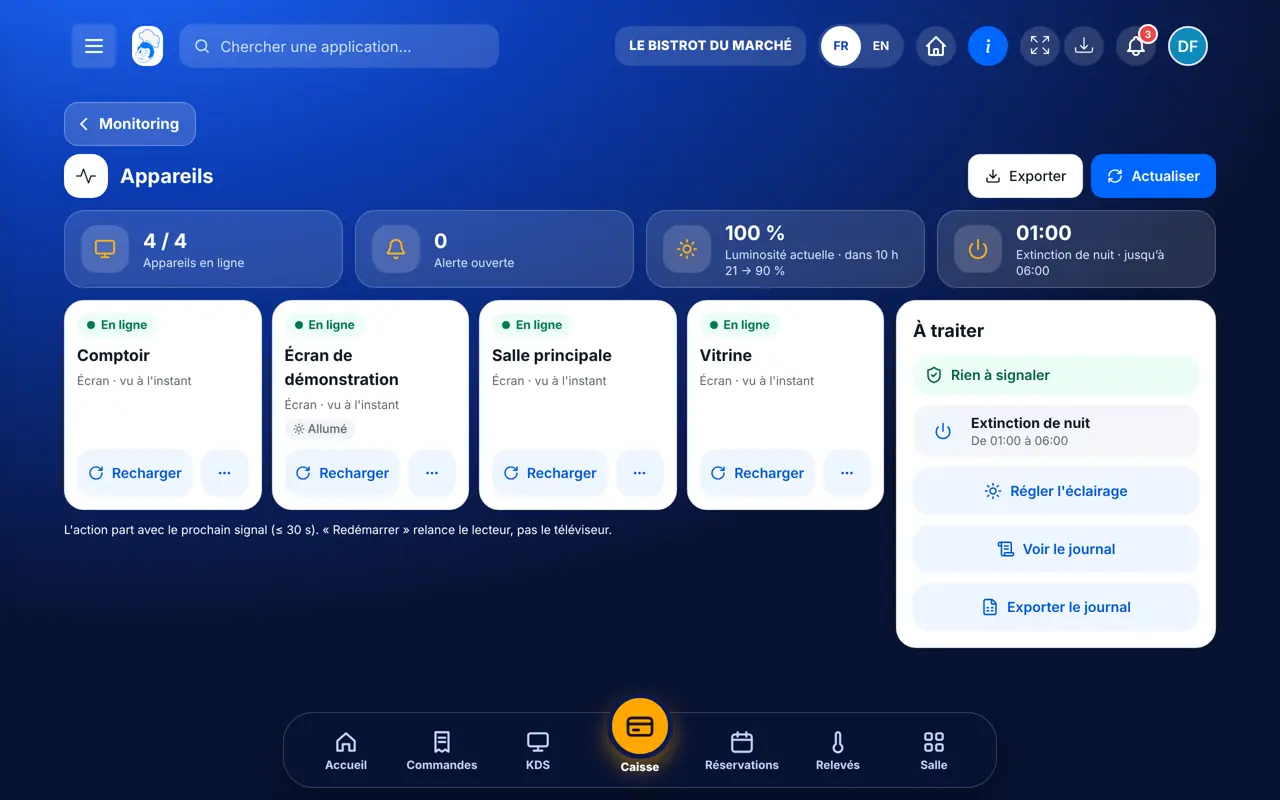
Sees device status, acts remotely and sets the lighting.
Monitoring opens with its own rights: view the status, or manage (remote actions, settings).
Claude, ChatGPT or Mistral’s Le Chat, connected to FoodEatUp. Copy the request and replace your establishment number.
In FoodEatUp, for my establishment [number], tell me which screens and kiosks are offline and since when.
What you getOnline and offline devices, with their last signal.
Tools used : etat_parc
In FoodEatUp, for my establishment [number], list the status of each display device.
What you getEach device and its status.
Tools used : get_display_devices_status
An alert before customers see a black screen.
Night-time switch-off and brightness by time of day.
Reload a player without going there.
The log keeps every switch-off.
Tick “Suivre les horaires d’ouverture”: screens stay on during service and switch off by themselves one hour after closing.
In FoodEatUp, one action triggers others. Here are the screens that work with this one.
No. It restarts the player in the browser; the TV stays on.
Illuminated signs and screens visible from the street must be off at night, except during business hours.
The owner and employees with the right to manage monitoring, in the bell and by e-mail.
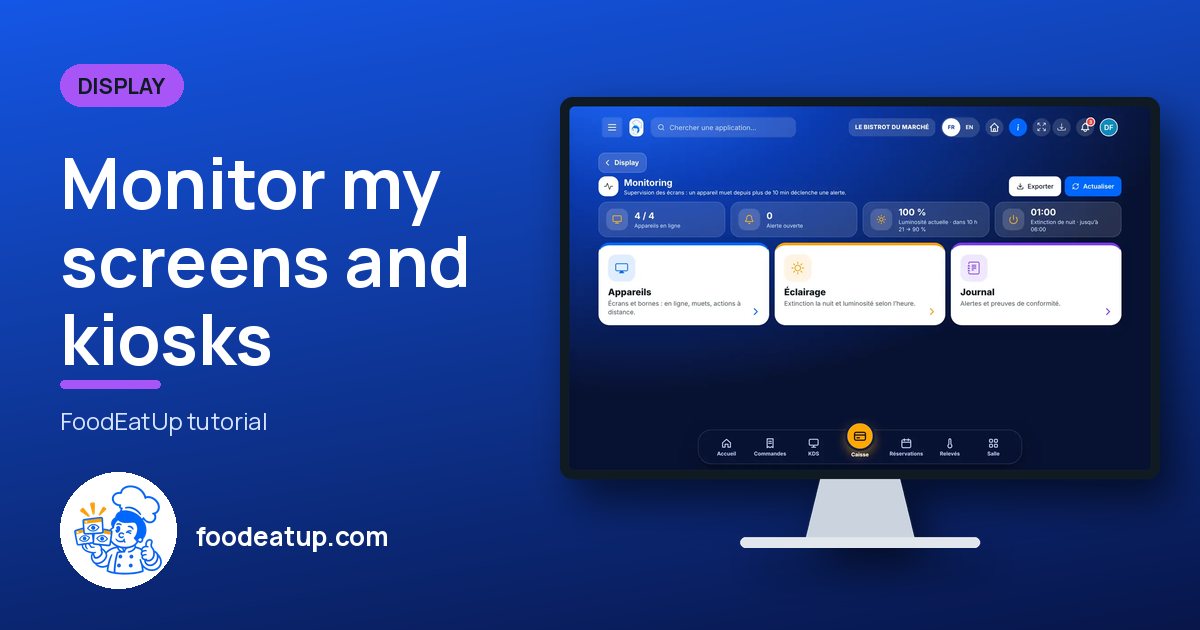
Send it to your team, your partner or your accountant. The image below appears in the message.
Claude, ChatGPT or Le Chat read this tutorial and explain it to you. Connected to FoodEatUp, they do it with you.
Read this FoodEatUp tutorial: https://foodeatup.com/en/academy/display/display-supervision.md Explain it to me simply, step by step, then help me do it in my restaurant. If FoodEatUp is connected to you, do it with me and show me the preview before every change.
Type your establishment number: the link takes you straight to this screen. The number stays on this device.
Discover display screens (in French) →
Répond avec les fiches du site, sans IA
Le chef cherche dans les fiches…
 Claude
 Le Chat
 ChatGPT