My pending quotes
In FoodEatUp, for my establishment [number], list my sent quotes still waiting for an answer.
What you getThe list of sent quotes, with customer and amount.
Tools used : list_quotes
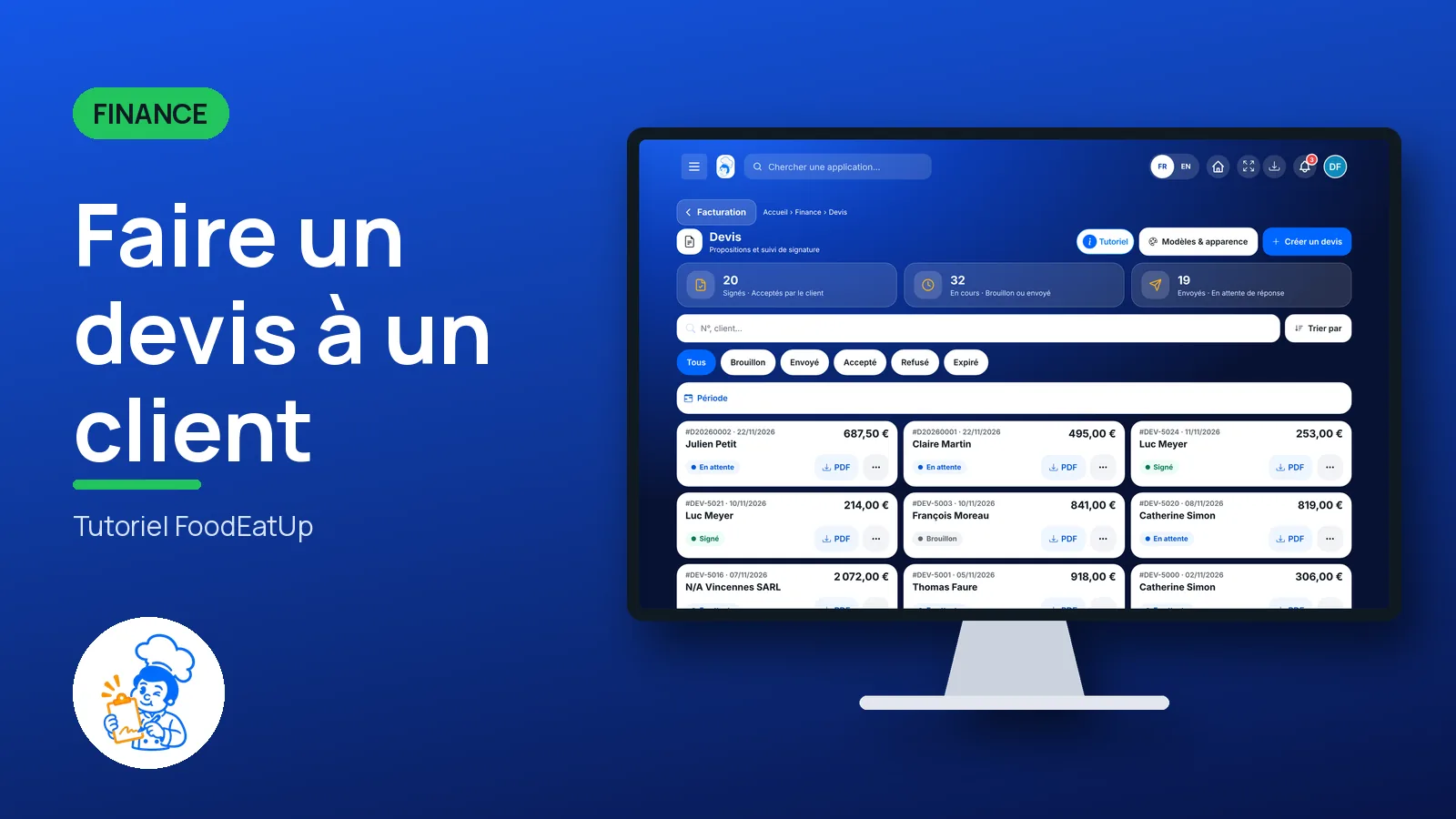
 Finance · Devis
You prepare a quote with your products, prices and a deposit, send it by e-mail, then mark it accepted or declined. An accepted quote becomes an invoice in one step.
 Patron / gérant
 Directeur
 Responsable de salle
The owner always has access. See what each role sees →
A computer to enter the quote lines; tracking also reads on a phone.
The real software screens, as they appear on each device.
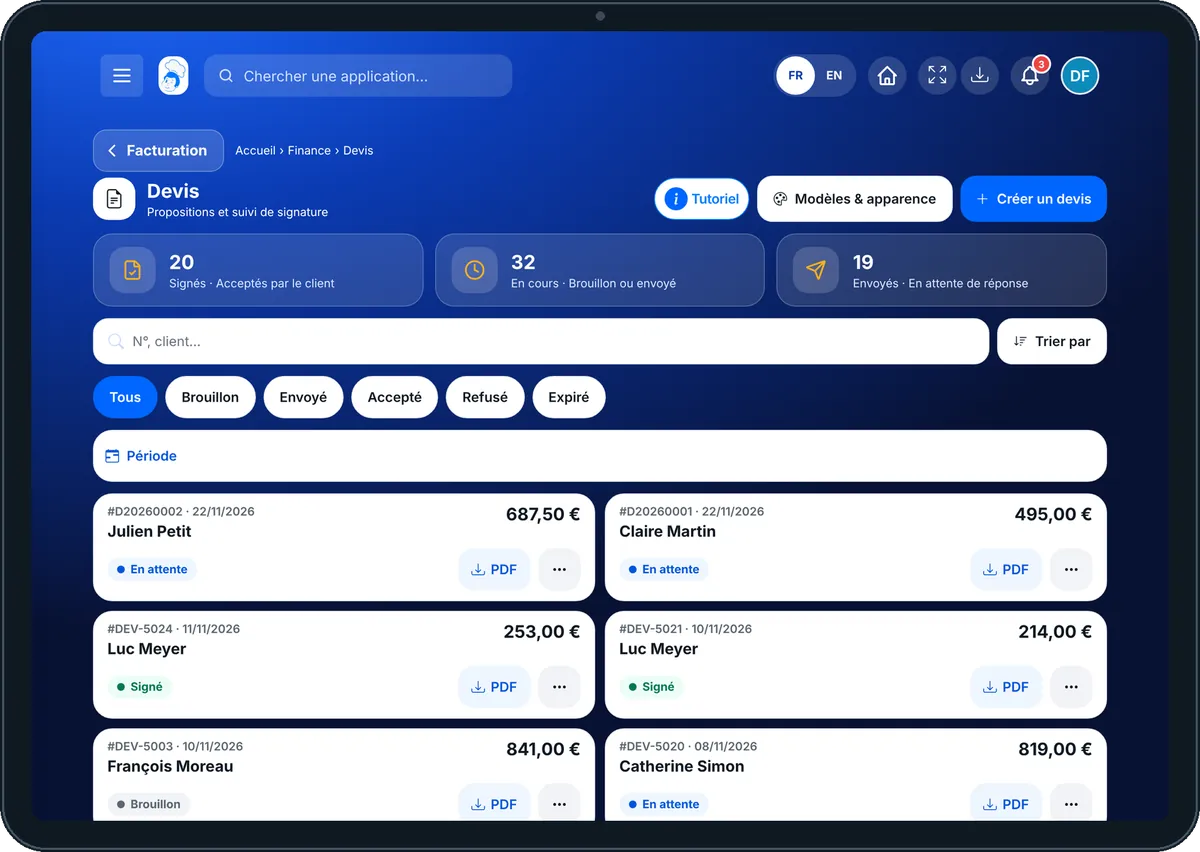
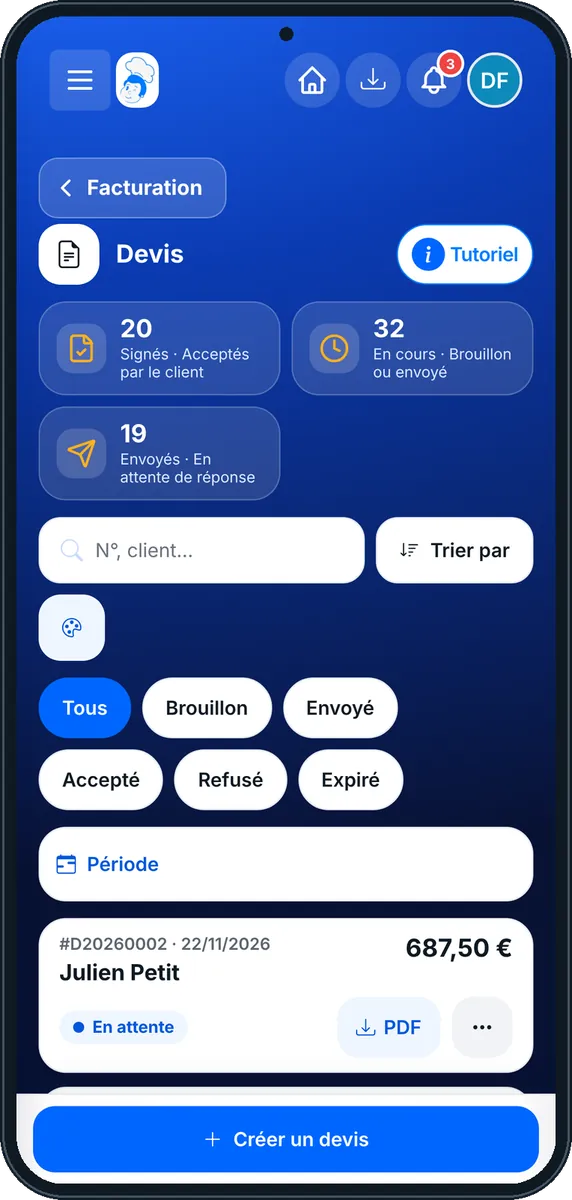
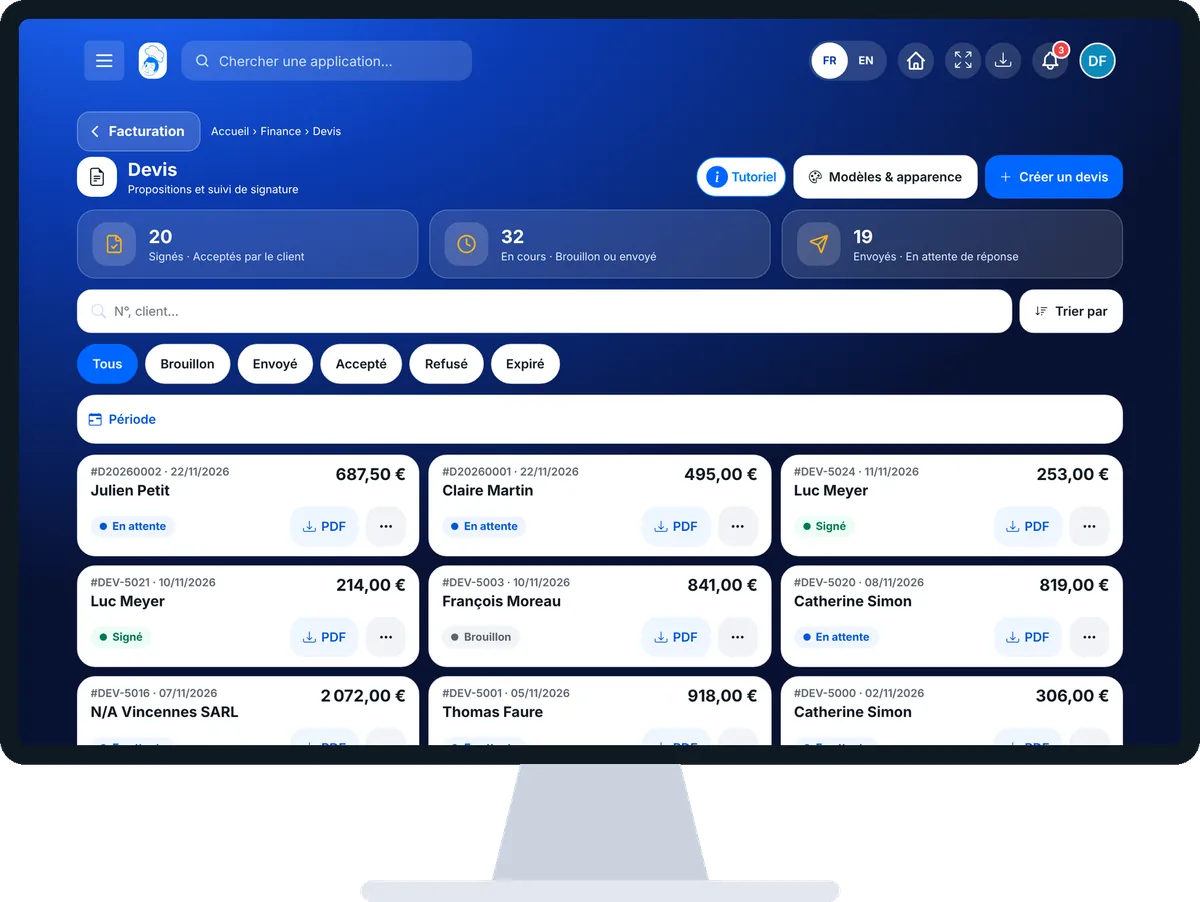
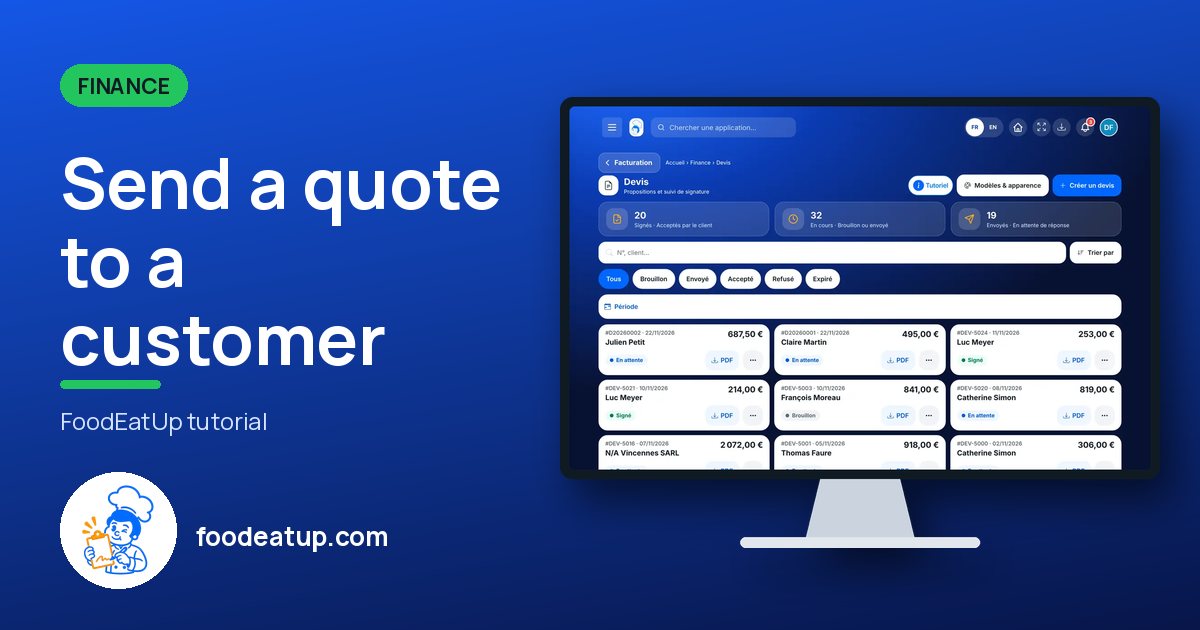
Send a quote to a customer : 5 steps, with the real software screens.
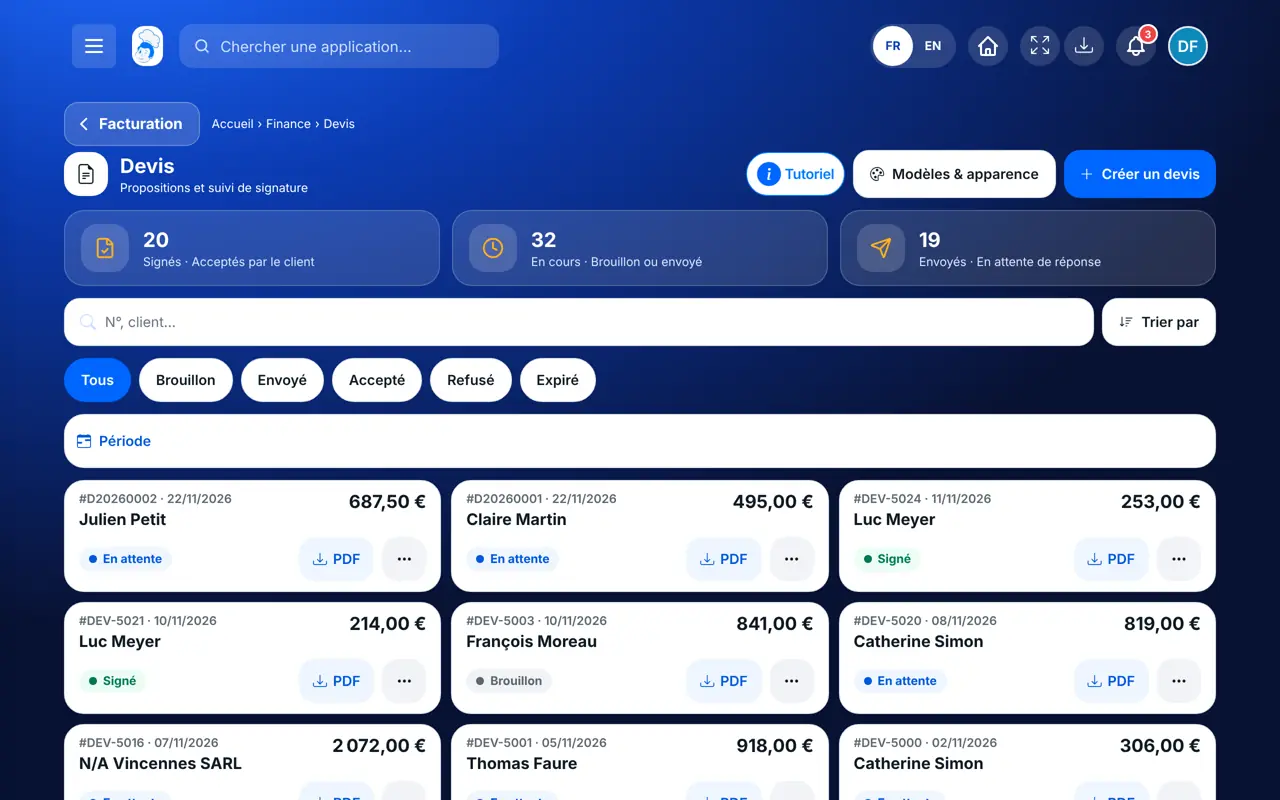
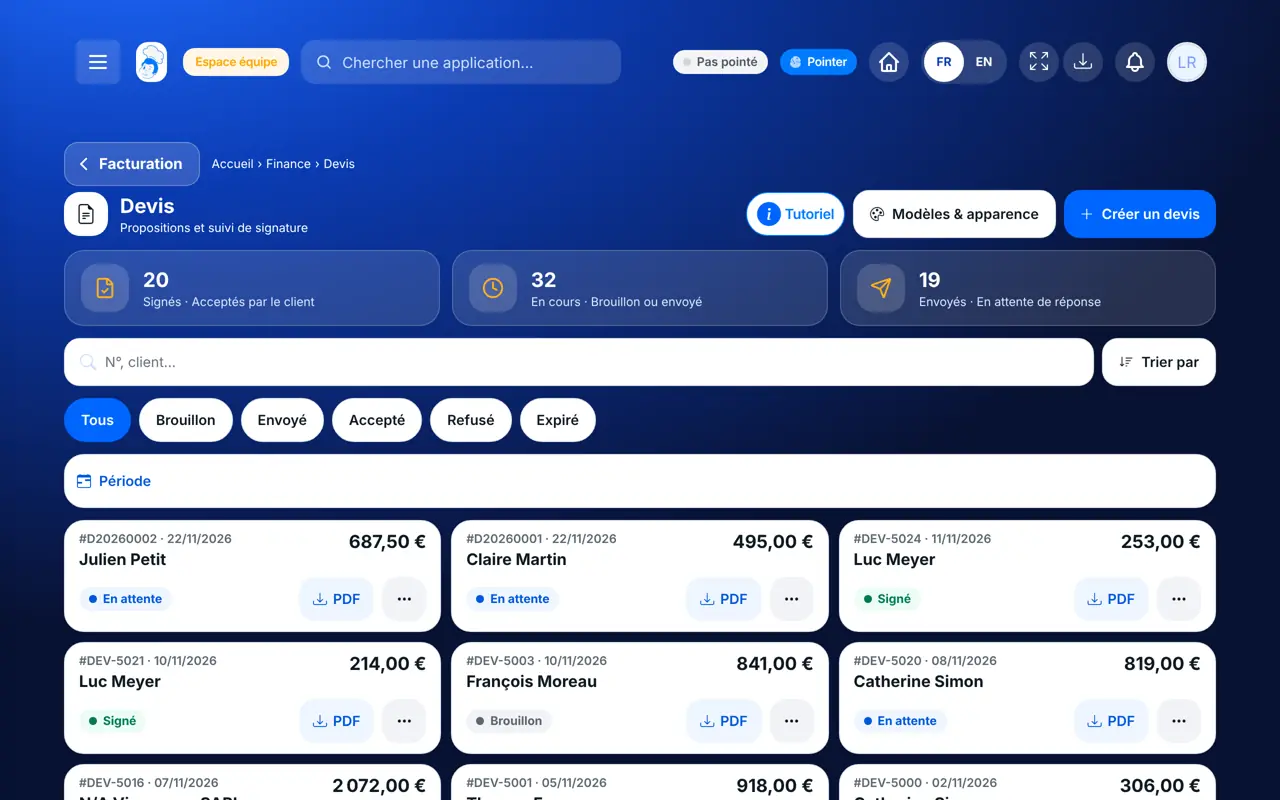
From the home screen, open Finance then “Devis”. Figures at the top; below, chips to sort by status.
Tap “Créer un devis”. Choose the customer, the date, the validity (30 days by default), the payment term and method.
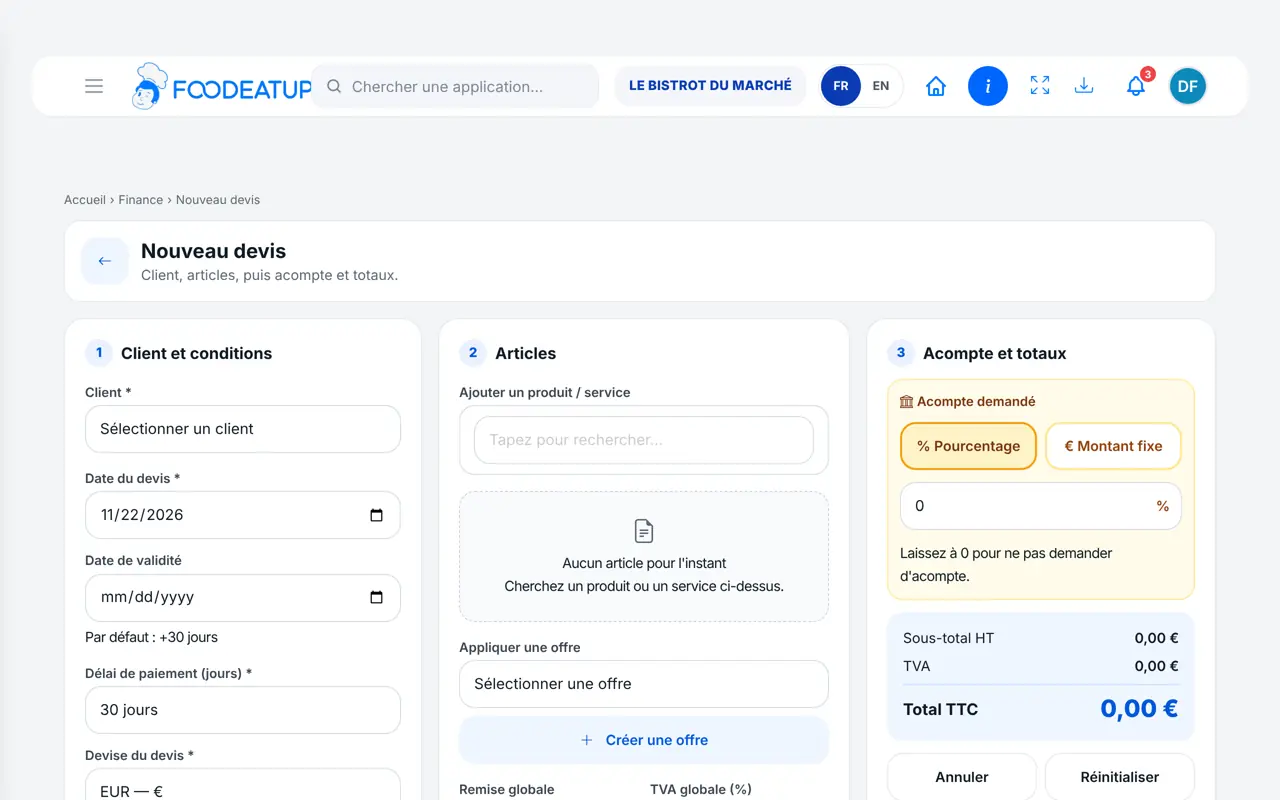
In “Articles”, search for a product or service, set the quantity and VAT. Add a discount or a deposit if needed.
Choose “Oui — envoyer maintenant” or keep the draft. From the quote, “Envoyer” or “Relancer avec lien de paiement”.
When the customer answers: “Marquer comme accepté” then “Convertir en facture”, or “Marquer comme refusé”.
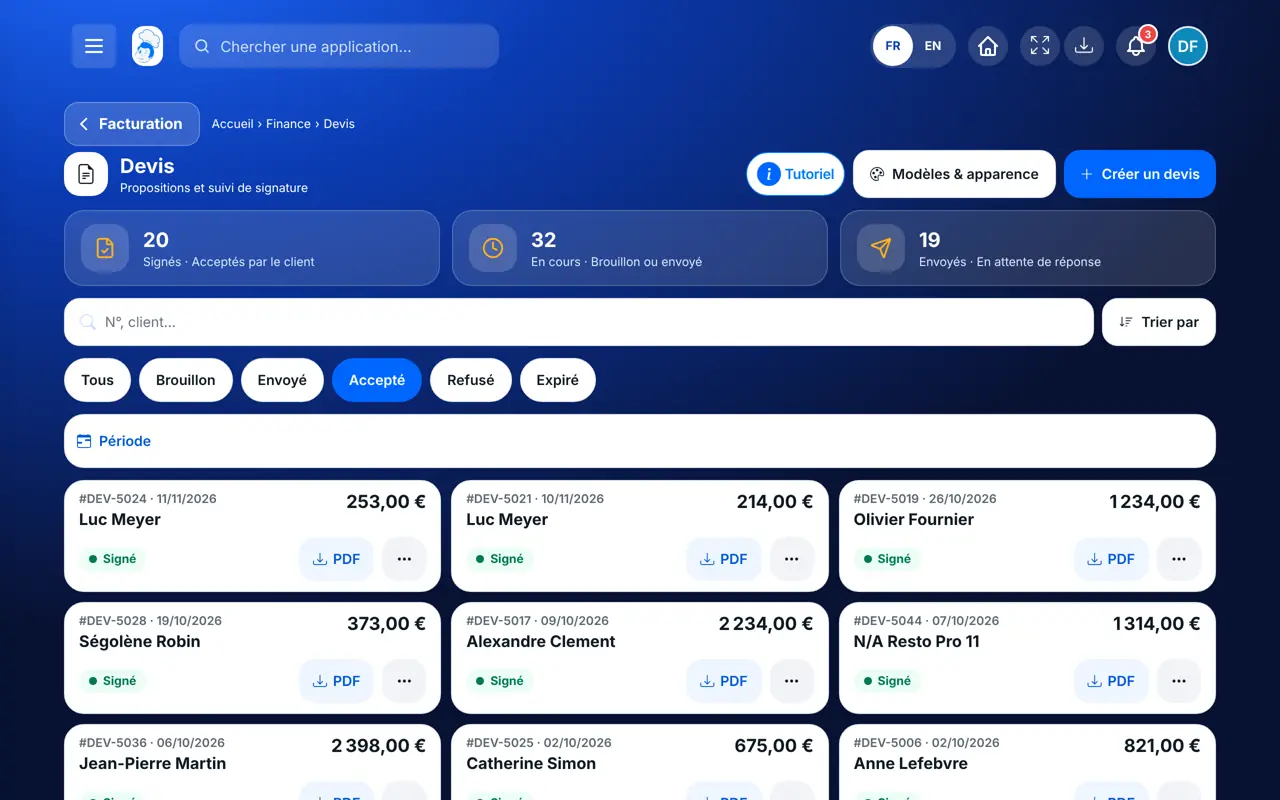
Your accepted quotes, ready to become invoices, with their amount and customer.
Creates, sends, chases and converts quotes.
With the right to view quotes, follows their status. Creating a quote needs the right to create.
Claude, ChatGPT or Mistral’s Le Chat, connected to FoodEatUp. Copy the request and replace your establishment number.
In FoodEatUp, for my establishment [number], list my sent quotes still waiting for an answer.
What you getThe list of sent quotes, with customer and amount.
Tools used : list_quotes
In FoodEatUp, for my establishment [number], prepare a quote for [customer]: [number] [menu name] menus at €[price] on [date]. Show it to me before saving.
What you getA draft quote with its lines, totals and deposit.
Tools used : create_quote
In FoodEatUp, for my establishment [number], send quote [quote number] to its customer.
What you getThe quote goes by e-mail with its PDF and turns “sent”.
Tools used : send_quote_by_email
Totals, VAT and deposit calculated.
Each quote has its status.
The accepted quote becomes an invoice.
The document template you chose.
For catering, ask for a deposit on the quote: it appears on the document and is deducted from the invoice.
In FoodEatUp, one action triggers others. Here are the screens that work with this one.
By default 30 days after its date; you change the validity date when creating it.
It shows on the quote; when the quote becomes an invoice, it is deducted.
No: an accepted quote is no longer edited, it is converted into an invoice.
Send it to your team, your partner or your accountant. The image below appears in the message.
Claude, ChatGPT or Le Chat read this tutorial and explain it to you. Connected to FoodEatUp, they do it with you.
Read this FoodEatUp tutorial: https://foodeatup.com/en/academy/finance/quotes.md Explain it to me simply, step by step, then help me do it in my restaurant. If FoodEatUp is connected to you, do it with me and show me the preview before every change.
Type your establishment number: the link takes you straight to this screen. The number stays on this device.
Discover quotes and invoices (in French) →
Répond avec les fiches du site, sans IA
Le chef cherche dans les fiches…
 Claude
 Le Chat
 ChatGPT